


DynamicWebLab Form Notifications
Send Contact Form 7 submissions instantly to WhatsApp, Telegram, Microsoft Teams, Discord, and N8N for real-time alerts and automation.

Use with caution
DynamicWebLab Form Notifications works, but test it on a staging site before relying on it in 2026. It runs on 10+ sites and was last updated 3 months ago, and scores 57/100 on our health check.
- Small user base (10+ active installs)
- Very few reviews so far
- Needs PHP 8.2 or newer
How does it stack up?
Side-by-side on installs, updates, ratings & support



Daily downloads
Download spikes usually follow a new release — each site that auto-updates counts as a download.
Rankings
Where DynamicWebLab Form Notifica… stands todayWordPress.org search rankings
Live position in the plugin search, top 100| Keyword | Position |
|---|---|
| automation | >100 |
| contact form 7 | >100 |
| form alerts | >100 |
| messaging | >100 |
| Notifications | >100 |
Version adoption
Share of active sites per release.
About DynamicWebLab Form Notifications
From the official readme · v2.3.0Description
Easily integrate Contact Form 7 with multiple messaging platforms and automation tools to receive instant notifications and trigger powerful workflows.
This plugin enhances your website’s communication strategy by allowing you to receive form submissions as real-time messages in WhatsApp, Telegram, Microsoft Teams, Discord, and trigger unlimited automation via N8N. It is ideal for business owners, customer support teams, and marketers who want to ensure no lead or customer inquiry goes unnoticed.
With seamless API integrations, you can automatically forward CF7 submissions to your chosen messaging platforms or automation workflows, helping you improve responsiveness, user satisfaction, and operational efficiency.
Use Cases:
– Receive order inquiries or contact requests instantly in your Telegram group or WhatsApp inbox
– Get real-time Discord channel alerts for new form submissions
– Enable instant notifications for support or sales teams across multiple platforms
– Track form submissions on mobile even when away from the dashboard
– Route different forms to different departments (sales, support, HR)
– Trigger complex workflows with N8N automation
– Integrate with CRM, Google Sheets, Slack, and more via N8N
Features:
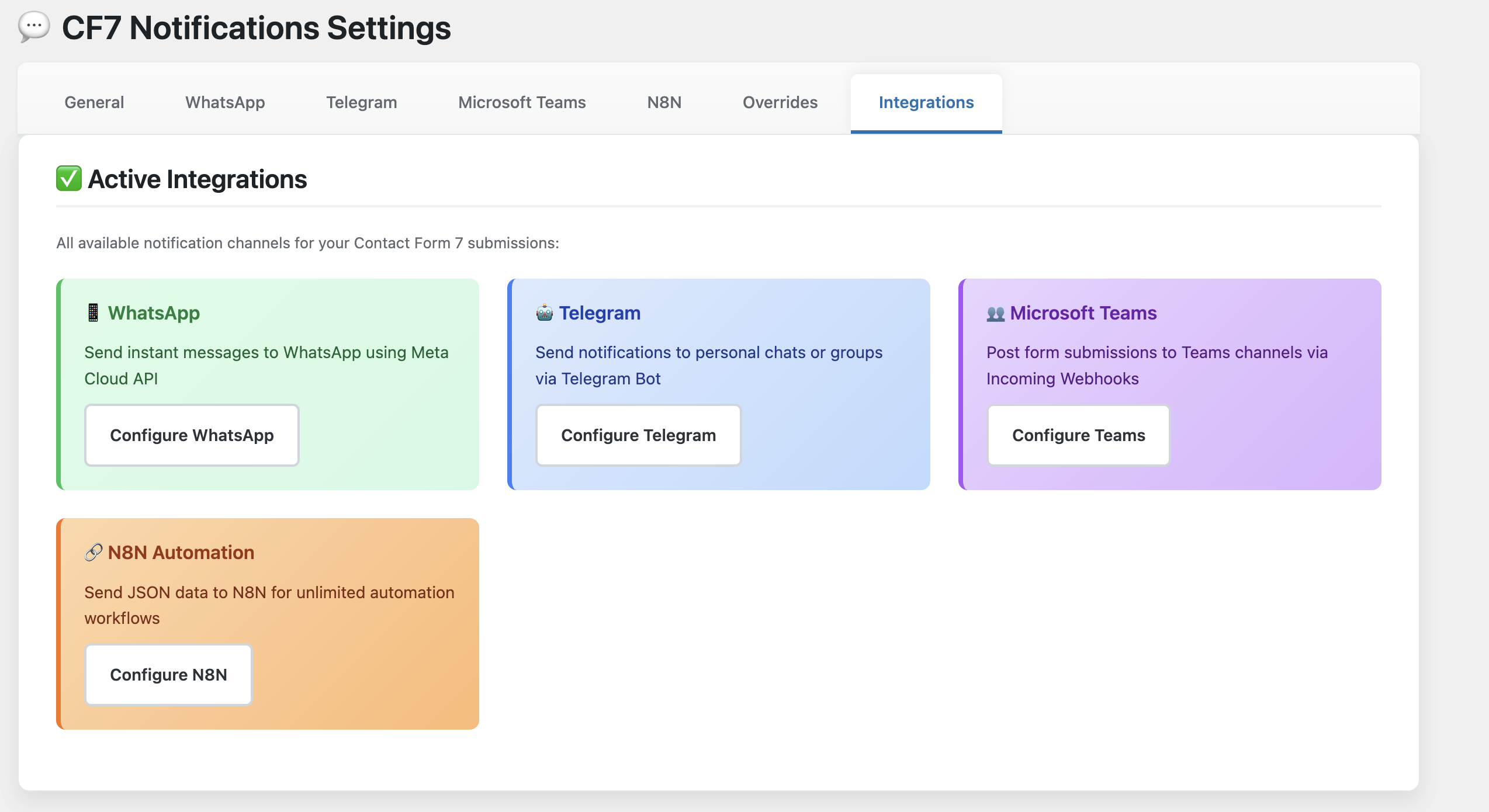
- 5 Integration Options: WhatsApp, Telegram, Microsoft Teams, Discord, and N8N automation
- Real-time Messaging: Instantly send Contact Form 7 form data to multiple platforms
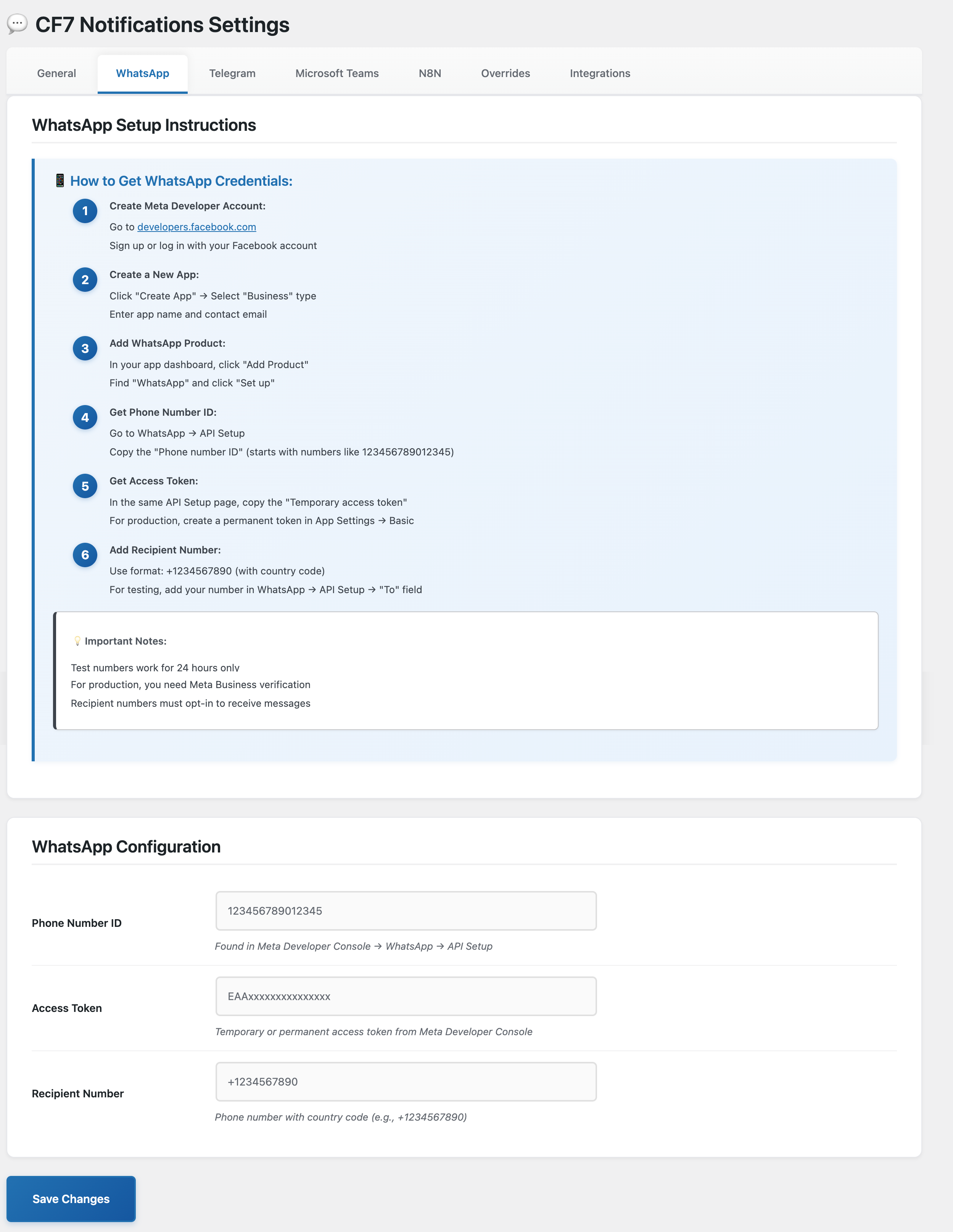
- WhatsApp Cloud API: Integration with Meta/Facebook Cloud API
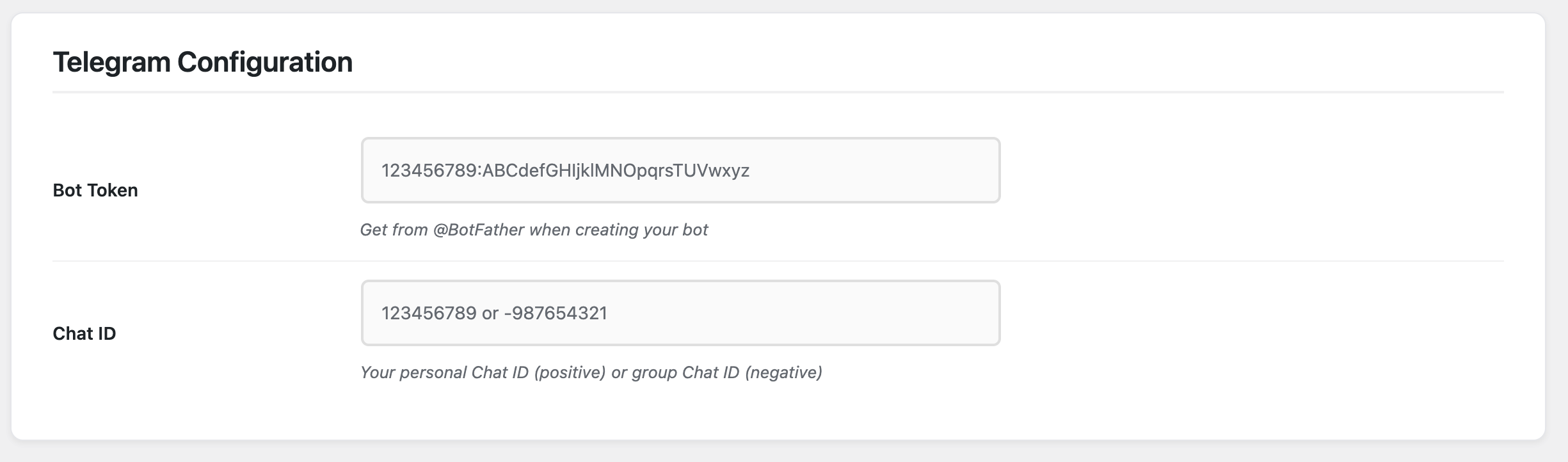
- Telegram Bot API: Support with customizable chat ID and bot token for personal/group chats
- Microsoft Teams: Incoming Webhook integration for channel notifications
- Discord Webhook: Send formatted notifications to Discord channels via webhooks
- N8N Automation: Send complete JSON data to N8N for unlimited workflow possibilities
- Per-Form Routing: Configure different destinations for specific forms
- Global Settings: Set default recipients for all forms
- Modern Admin Interface: Beautiful, intuitive settings page with comprehensive setup guides
- Extensive Documentation: Step-by-step instructions for each platform
- Error Logging: Built-in debugging for troubleshooting
- Lightweight & Fast: Optimized for performance
- Translation Ready: Full i18n support
- Developer Friendly: Extensive hooks and filters for customization
External Services
This plugin connects to external APIs in order to send form submission notifications via WhatsApp, Telegram, Microsoft Teams, Discord, and N8N.
WhatsApp Cloud API (Meta/Facebook)
Used to send form submissions to WhatsApp recipients.
– Service URL: https://graph.facebook.com
– What is sent: The recipient’s phone number ID, access token, and message content derived from the submitted form fields.
– When: Each time a Contact Form 7 form is submitted.
– Terms of Service: https://www.facebook.com/legal/terms
– Privacy Policy: https://www.facebook.com/about/privacy
Telegram Bot API
Used to send form submissions to a Telegram chat via bot.
– Service URL: https://api.telegram.org
– What is sent: The bot token, chat ID, and message content derived from the submitted form fields.
– When: Each time a Contact Form 7 form is submitted.
– Terms of Service: https://core.telegram.org/terms
– Privacy Policy: https://telegram.org/privacy
Microsoft Teams Incoming Webhook
Used to send form submissions to Microsoft Teams channels.
– Service URL: https://webhook.office.com (or outlook.office.com, outlook.office365.com)
– What is sent: Message content derived from the submitted form fields.
– When: Each time a Contact Form 7 form is submitted (if configured).
– Terms of Service: https://www.microsoft.com/en-us/servicesagreement
– Privacy Policy: https://privacy.microsoft.com/en-us/privacystatement
Discord Webhook
Used to send form submissions to Discord channels via webhooks.
– Service URL: https://discord.com (or discordapp.com)
– What is sent: Message content derived from the submitted form fields, including embeds for formatted notifications.
– When: Each time a Contact Form 7 form is submitted (if configured).
– Terms of Service: https://discord.com/terms
– Privacy Policy: https://discord.com/privacy
N8N Automation (Self-Hosted or Cloud)
Used to send complete form data to N8N workflow webhooks for automation.
– Service URL: Your N8N instance URL (self-hosted or n8n.cloud)
– What is sent: Complete JSON payload including form ID, timestamp, site URL, and all form field data.
– When: Each time a Contact Form 7 form is submitted (if configured).
– Terms of Service: https://n8n.io/legal/self-serve-terms/ (if using n8n.cloud)
– Privacy Policy: https://n8n.io/legal/privacy (if using n8n.cloud)
– Note: Self-hosted N8N instances are under your control and privacy policy.
License
This plugin is licensed under the GPLv2 or later.
Installation
- Upload the plugin files to the
/wp-content/plugins/chat-notifications-for-telegram-with-cf7directory, or install the plugin through the WordPress plugins screen directly. - Activate the plugin through the ‘Plugins’ screen in WordPress.
- Navigate to
Settings > DynamicWebLab Form Notificationsto configure your WhatsApp, Telegram, Microsoft Teams, Discord, and N8N credentials.
Frequently asked questions
Do I need a WhatsApp Business Account?
Yes, WhatsApp messaging uses the WhatsApp Cloud API which requires a verified Meta (Facebook) Business Account. You will need to create an App via the Meta for Developers portal and generate access credentials.
How do I find my Telegram Bot Token?
To use Telegram notifications, create a bot using the @BotFather tool inside Telegram. Once created, @BotFather will provide you with a Bot Token that you can copy into the plugin’s Telegram settings.
How do I set up Discord notifications?
Go to your Discord server, open the channel settings, navigate to Integrations > Webhooks, and create a new webhook. Copy the webhook URL and paste it into the plugin’s Discord settings tab. You can also use per-form overrides to route specific forms to different Discord channels.
Can I send messages to multiple platforms at the same time?
Yes. You can configure any combination of WhatsApp, Telegram, Microsoft Teams, Discord, and N8N and receive notifications simultaneously for the same Contact Form 7 submission.
Can I customize the message format?
Absolutely. You can use Contact Form 7 field tags in your message template. This allows you to control how the message looks in WhatsApp, Telegram, Teams, and Discord, including the order and labeling of fields.
Is the plugin compatible with the latest version of WordPress?
Yes, the plugin is actively tested with the latest versions of WordPress, PHP, and Contact Form 7.
Will this slow down my website?
No. The plugin is lightweight and optimized to run only during form submission. It does not affect frontend performance or add unnecessary scripts.
Is user data secure when sent via these platforms?
Messages are sent securely using HTTPS to all supported APIs. However, you should avoid sending highly sensitive or personally identifiable information unless required by your use case.
Will you support other form plugins besides Contact Form 7?
Yes! We have plans to add support for popular form builders including WPForms, Fluent Forms, Formidable Forms, Gravity Forms, Ninja Forms, and more. Currently, the plugin works exclusively with Contact Form 7.
Can I use this with WooCommerce or other plugins?
Currently, the plugin is designed for Contact Form 7. However, you can use the N8N integration to connect with virtually any WordPress plugin or external service. N8N allows you to create custom workflows that can interact with WooCommerce, membership plugins, and hundreds of other services.
What’s the difference between messaging platforms and N8N?
WhatsApp, Telegram, Microsoft Teams, and Discord receive formatted text messages for human reading. N8N receives the complete form data as JSON, allowing you to build automated workflows like adding to Google Sheets, creating CRM contacts, sending custom emails, triggering Slack notifications, and much more.
Changelog
First public release.
2.3.0
- Naming Update: Plugin renamed to “DynamicWebLab Form Notifications” to comply with WordPress.org naming guidelines
- Fix: Updated N8N Terms of Service URL to correct endpoint
- Fix: Updated “Tested up to” to WordPress 7.0 (major version only)
2.2.0
- Discord Integration: Native Discord support with webhook URL configuration in its own tab
2.1.0
- UI Overhaul: Redesigned settings page with sidebar + content layout, teal color scheme, and modern styling
- New: SVG icon system with 37 inline icons replacing all emojis in the admin UI
- New: External admin CSS file (
assets/css/admin.css) — no inline styles in PHP - Improved: “How to” instruction sections rewritten with 3-card overviews, step-by-step guides, and color-coded notice boxes
- Improved: Template editor emoji picker replaced with icon buttons with tooltip labels
- Improved: Sticky save bar with blur backdrop at bottom of content area
- Improved: Platform integration cards with gradient backgrounds and SVG icons
2.0.0
- Major: Message Template Composer — Fully customizable message templates per platform (WhatsApp, Telegram, Teams). Use
[field-name]tags to insert form values,[all_fields]to include all fields, and{if field}...{/if}conditional blocks. - New: Emoji picker built into the template editor for quick emoji insertion.
- New: Available field tags panel — click to insert CF7 field tags into your template.
- New: Conditional syntax support — show content only when a field has a value, with optional else blocks.
- New: Test Message button for Telegram — validate your bot token and chat ID with one click.
- New: Reset to Default template button per platform.
- Tweak: Queue processor now renders per-platform messages using each platform’s own template.
- Tweak: FormHooks uses TemplateEngine for default message generation.
1.5.0
- Major: Rate Limiting — Throttle form submissions per minute to prevent API abuse from spam. Configurable limit (0–100) with per-form throttled status display.
- New:
RateLimiterclass using the existing queue table for counting recent submissions — no new database tables. - New: Throttled forms shown in General tab with count/limit display and one-click reset.
- New:
chatnoticf7_rate_limitedaction fires when a form is throttled (allows custom handling). - Tweak: Rate limit capped at 100 per minute to prevent misconfiguration.
1.4.0
- Major: Notification History Log — New “History” tab in settings showing all sent notifications with status, form ID, timestamp, message preview, and retry count.
- New: Dashboard widget showing at-a-glance notification stats (sent, failed, queued) with recent activity feed.
- New: History table with status and form ID filters, paginated with previous/next navigation.
- New: Automatic daily purge of completed/failed items older than 30 days.
- Tweak: Successful queue items now marked as
completedinstead of deleted, enabling the history log.
Screenshots

For developers
Is this your plugin? Show off the numbers.
Add a live badge to your site, docs or GitHub README. It updates on its own — no account needed.
Best DynamicWebLab Form Notificati… alternatives
All automation plugins →





FAQ
DynamicWebLab Form Notifications: quick answers
Straight answers, pulled from live WordPress.org data.
Live data from WordPress.org · checked Oct 6, 2026
Is DynamicWebLab Form Notifications free?
Yes. DynamicWebLab Form Notifications is free to download and use from the official WordPress.org plugin directory.
Is DynamicWebLab Form Notifications safe to use in 2026?
DynamicWebLab Form Notifications works, but test it on a staging site before relying on it in 2026. It runs on 10+ sites and was last updated 3 months ago, and scores 57/100 on our health check.
How many websites use DynamicWebLab Form Notifications?
DynamicWebLab Form Notifications is active on 10+ WordPress websites and has been downloaded 1,303 times since it launched in April 2025. It was downloaded 108 times in the last 30 days.
Does DynamicWebLab Form Notifications work with WordPress 7.1?
DynamicWebLab Form Notifications is officially tested up to WordPress 7.0.7, while the latest release is 7.1.3. It may still work, but try it on a staging site first.
What PHP version does DynamicWebLab Form Notifications need?
DynamicWebLab Form Notifications requires PHP 8.2 or higher. Most hosts run PHP 8.x today, so it works on any modern WordPress hosting.
When was DynamicWebLab Form Notifications last updated?
The latest version, 2.3.0, was released on July 18, 2026 (3 months ago).
Who makes DynamicWebLab Form Notifications?
DynamicWebLab Form Notifications is developed and maintained by Maidul.
What are the best alternatives to DynamicWebLab Form Notifications?
The most popular alternatives to DynamicWebLab Form Notifications are OttoKit: All-in-One Automat… (90K+ installs), Zapier for WordPress (50K+ installs) and Uncanny Automator (40K+ installs).
Powered by PageForge
Want thousands of pages that rank like these? Build them in an afternoon.
This directory runs on the same engine as PageForge. Turn any spreadsheet, CSV or API into thousands of fast, SEO-ready WordPress pages — with schema, internal links and AI-written copy baked in.
- CSV, Google Sheets & API data sources
- AI content, schema & internal links per page
- Works with Elementor, Gutenberg, Yoast & Rank Math
- Free on WordPress.org — no credit card


