


Bsaeed Family Tree Builder
All-in-one plugin: interactive family tree builder, PayPal subscriptions, user accounts, dashboard, i18n, and notifications.

Use with caution
Bsaeed Family Tree Builder works, but test it on a staging site before relying on it in 2026. Was last updated 3 weeks ago, and scores 53/100 on our health check.
- Actively developed — last update 3 weeks ago
- Tested with the latest WordPress (7.1)
- Small user base (<10 active installs)
- Very few reviews so far
How does it stack up?
Side-by-side on installs, updates, ratings & support



Daily downloads
Download spikes usually follow a new release — each site that auto-updates counts as a download.
Rankings
Where Bsaeed Family Tree Builder stands todayWordPress.org search rankings
Live position in the plugin search, top 100| Keyword | Position |
|---|---|
| family tree | #5 |
| genealogy | #13 |
| membership | >100 |
| paypal | >100 |
| subscriptions | >100 |
About Bsaeed Family Tree Builder
From the official readme · v6.0.1Description
Bsaeed Family Tree Builder is an all-in-one WordPress plugin for building a family tree website with membership and subscription support — everything you need in one plugin, with no locked or paywalled features.
🌳 Family Tree Builder
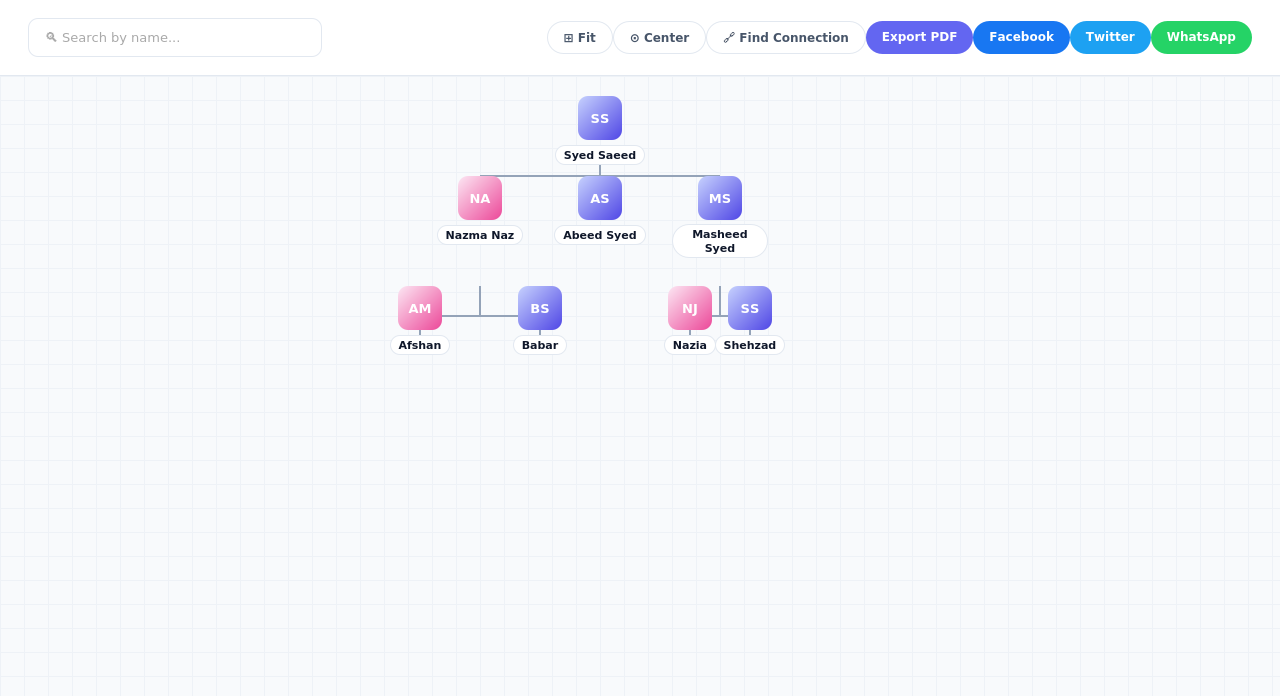
- Interactive, zoomable family tree — search by name, expand/collapse branches, fit-to-screen and center controls
- Add photos for each family member, with automatic initials shown when no photo is set
- Couples are shown clearly grouped together, visually distinct from other relatives
- Personal photo albums for each family member
- Social media links (Facebook, Instagram, Twitter, WhatsApp, LinkedIn, YouTube) on individual profiles
- Find Connection — instantly discover and visually highlight how any two family members are related, however distant
- Support for multiple family trees on one site, each independently configurable
- Set each tree’s visibility to Public, Members-Only, or Password-Protected
- Export any tree to PDF, or share it directly to Facebook, Twitter, or WhatsApp
👤 User Accounts & Membership
- Flexible registration: open sign-up, email verification, or admin-approval — your choice
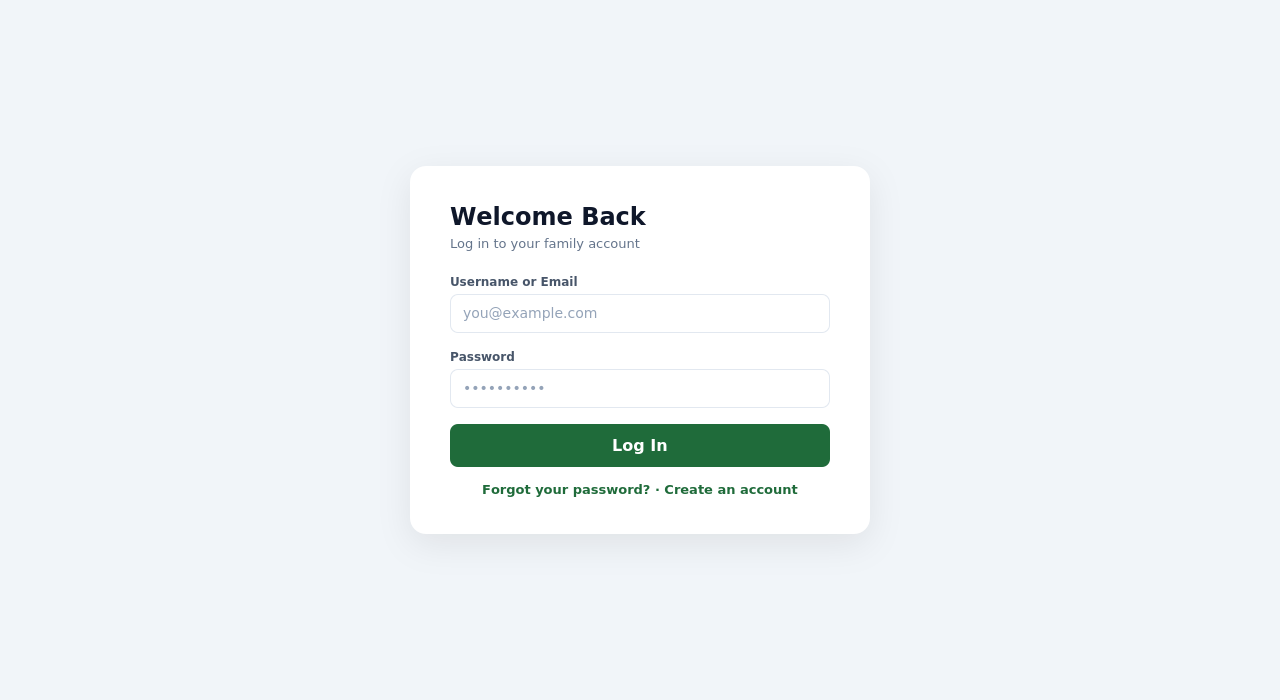
- Full login, logout, forgot-password, and reset-password flows built in
- Role-based access control (Member, Moderator, Administrator)
- Link a user account to their specific person in the family tree
💳 Subscriptions (Optional)
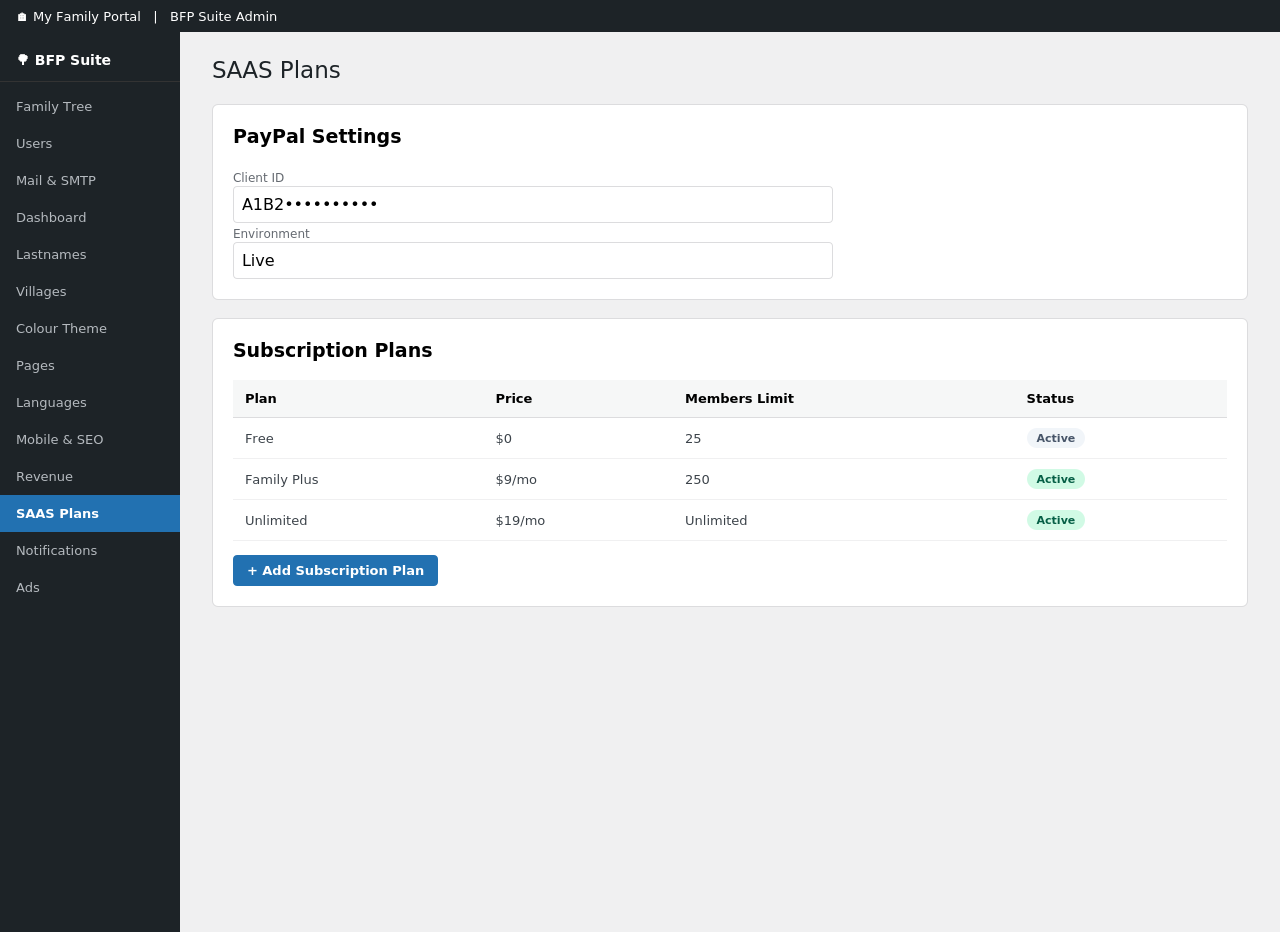
- PayPal-powered recurring subscriptions, entirely optional — the plugin works fully without it
- Unlimited custom subscription tiers with your own pricing
- Self-service “My Account” page where subscribers manage their plan and billing
- Subscription status syncs automatically via PayPal webhooks
📊 Admin Dashboard
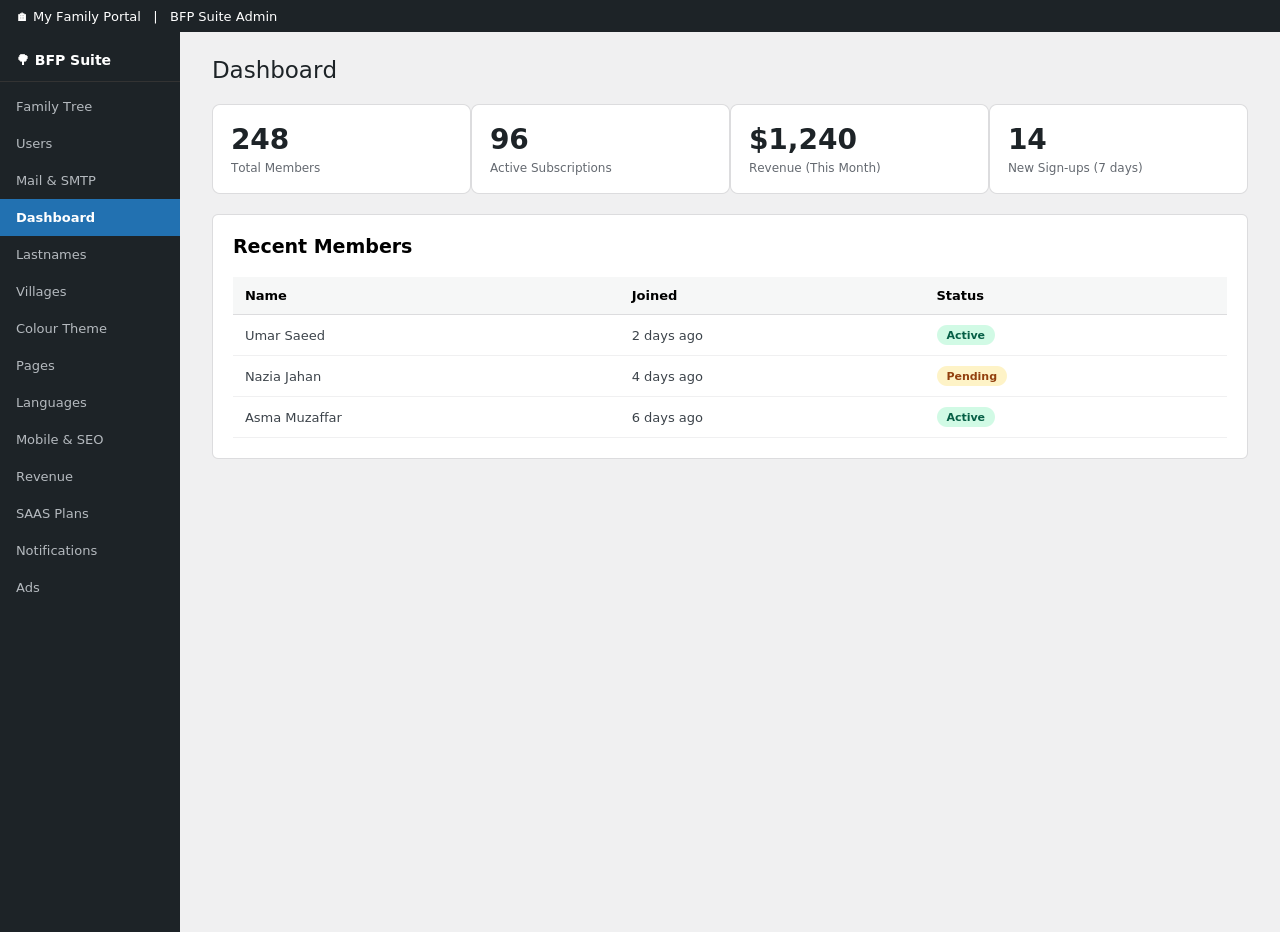
- At-a-glance stats on membership and subscriptions
- Manage a site-wide list of family surnames and villages/locations
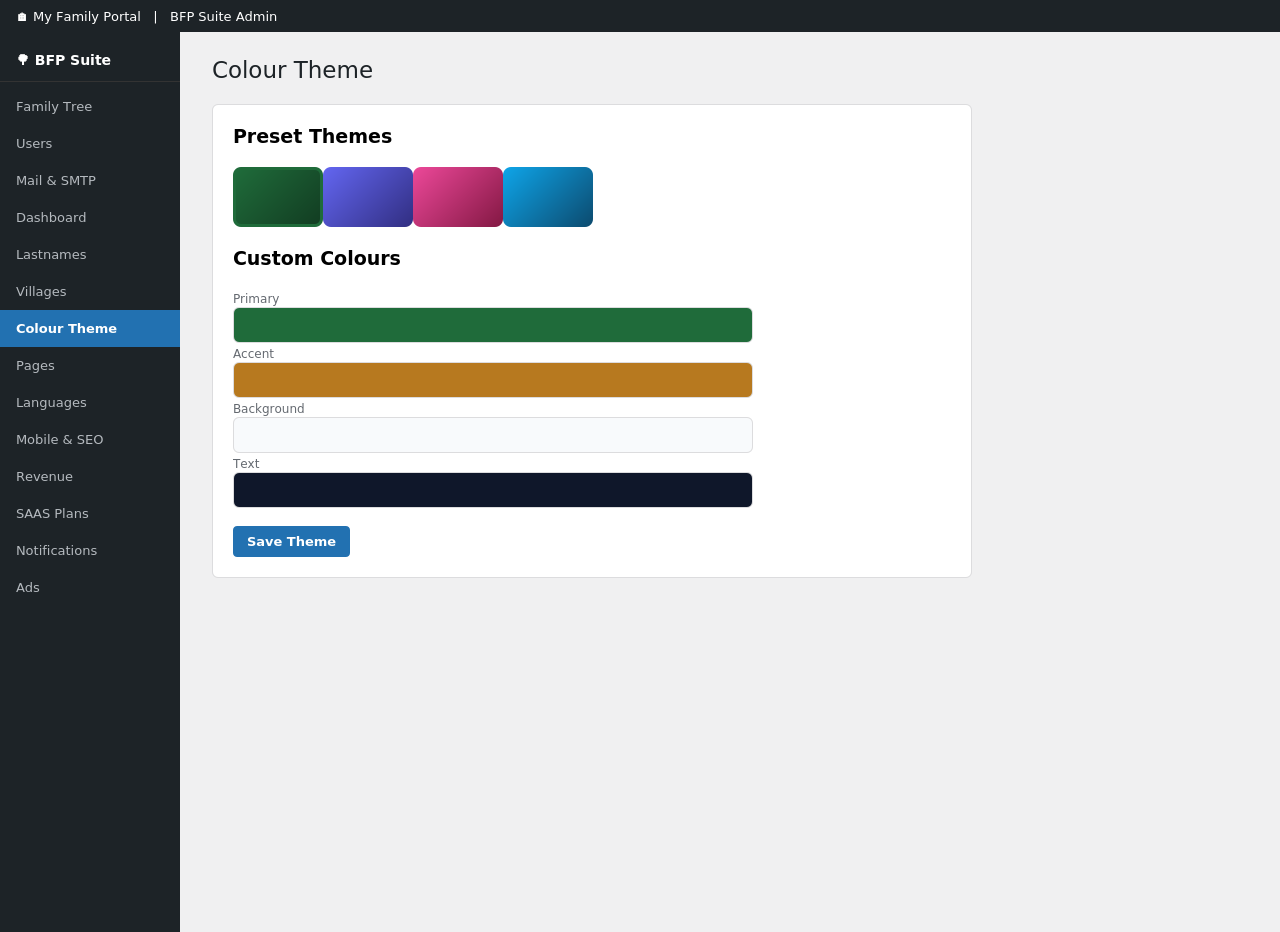
- Custom colour theme picker — restyle the tree and member pages to match your brand in a few clicks
- Automatic page setup for login, registration, password reset, and account pages
🌐 Multi-language Support
- Enable and edit translations directly from wp-admin, no separate translation plugin required
- Right-to-left (RTL) language support built in
🔔 Notifications
- In-app notification bell with unread-count badge for logged-in members
📱 Built for Every Device
- Fully responsive design — the tree, forms, and admin pages all work smoothly on phones and tablets
Every feature listed above is fully available to all users; this plugin does not lock or limit its own built-in functionality behind a subscription tier.
Shortcodes
[bsaeed_family_tree_canvas tree_id="1"]— render the family tree canvas[bsaeed_subscribe plan="basic" price="$9/mo" description="..."]— plan card with a Subscribe button[bsaeed_my_account]— subscriber dashboard (plan, status, next billing, cancel)[bsaeed_register]— registration form[bsaeed_login]— login form[bsaeed_forgot]— forgot-password form[bsaeed_reset]— password-reset form (linked from email)[bsaeed_person_album person_id="5" tree_id="1"]— photo album for a person[bsaeed_notifications]— bell icon with notification dropdown for logged-in users[bsaeed_lang_switcher]— language switcher
External services
This plugin connects to PayPal to process subscription payments. It is only used if you configure PayPal billing under Bsaeed Family Tree Builder → SAAS Plans; the family tree and user-account features work without it.
What is sent and when:
- When you configure a plan, the plugin requests an OAuth access token from PayPal using the Client ID and Secret you provide.
- When a visitor subscribes, the plugin creates a PayPal billing subscription and sends the selected plan ID.
- PayPal sends subscription status updates (activated, renewed, cancelled, etc.) to this plugin’s webhook endpoint, which the plugin verifies and stores against the relevant user account.
- No family tree data, member details, or photos are sent to PayPal — only subscription/billing information (plan ID, subscription ID, and billing status).
This service is provided by PayPal: Terms of Service and Privacy Policy.
Installation
- Upload the
bsaeed-family-tree-builderfolder to/wp-content/plugins/, or install the zip via Plugins → Add New → Upload Plugin. - Activate the plugin through the Plugins menu in WordPress.
- Go to Bsaeed Family Tree Builder in the admin menu to configure PayPal settings and subscription plans (optional — only needed if you plan to charge for access).
- Place the shortcodes above on the relevant pages (e.g. a page with slug
my-subscriptionfor[bsaeed_my_account]), or use Bsaeed Family Tree Builder → Pages to have these pages created for you automatically.
Frequently asked questions
Does this require PayPal?
No. PayPal is only used if you choose to set up paid subscription billing. The family tree and user-account features work fully without it.
Where do I configure subscription plans?
Under Bsaeed Family Tree Builder → SAAS Plans in wp-admin.
Does the free version limit how many family members, trees, or albums I can create?
No. Every feature is fully available regardless of subscription status.
Can I keep my family tree private, or only share it with certain people?
Yes. Each tree can be set to Public, Members-Only, or Password-Protected under Tree Settings.
How do I add family members to the tree?
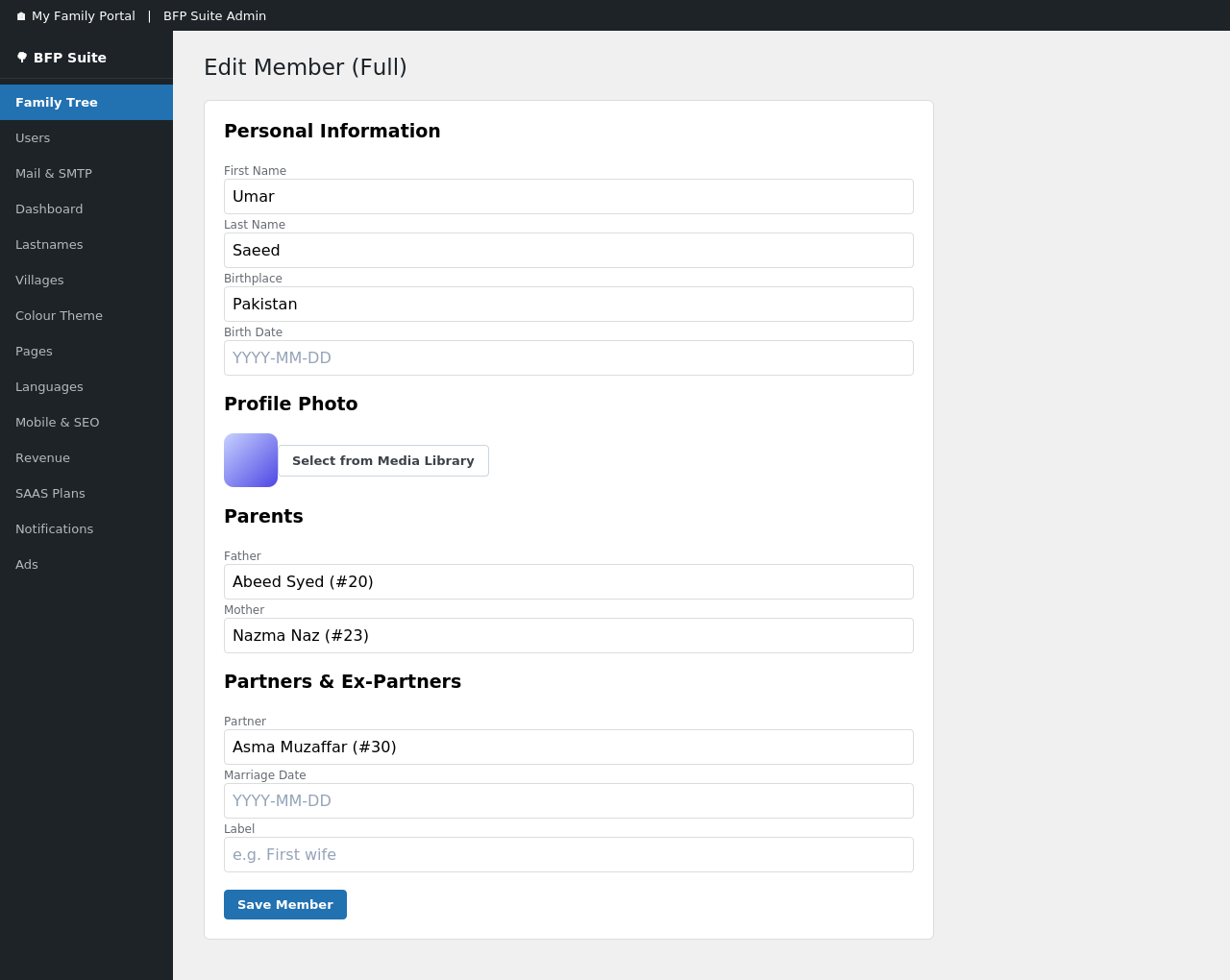
From wp-admin, go to Bsaeed Family Tree Builder → Family Tree → Add Member. You can set their name, photo, parents, and partners all from one screen.
Can I find out how two people in the tree are related?
Yes — the Find Connection tool lets you pick any two family members and shows the exact relationship path between them, highlighted directly on the tree.
Can members add their own photos?
Yes, each family member can have a photo album that logged-in members with edit access can upload to.
Does this plugin support languages other than English?
Yes. You can enable additional languages and edit translations directly from wp-admin — no separate translation plugin needed.
Can I control how new users sign up?
Yes — choose between open registration, email verification, or requiring admin approval for every new member.
Will the family tree look good on mobile?
Yes, the tree canvas and all front-end pages are fully responsive.
What happens if a subscriber cancels their PayPal subscription?
Their status updates automatically via PayPal’s webhook notifications — no manual action needed on your part.
Can I change the colours to match my site’s branding?
Yes, under Colour Theme in wp-admin — changes apply immediately across the tree and member-facing pages.
Can I run more than one family tree on the same site?
Yes, the plugin supports multiple trees, each with its own visibility settings and members.
Changelog
This version renames the plugin from "BFP Suite" to "Bsaeed Family Tree Builder" and changes its internal code prefix. If upgrading from an earlier "BFP Suite" install, deactivate and delete the old plugin, then install this version fresh; your family tree data is stored in its own database tables and is preserved.
6.0.1
- Security: closed a gap where a crafted link could display a fake “user approved/rejected” confirmation on the Users page; the flash message now requires a valid nonce tied to the real action.
- Security: sanitized the raw PayPal webhook payload before it is logged, even when signature verification fails.
- Security: hardened several password-type fields against being submitted as an array instead of a string.
- Security: fixed two DOM XSS issues where autocomplete results and notification content were inserted into the page without HTML-escaping.
- Security: removed a one-time legacy-data backfill query from two public, unauthenticated endpoints (it now runs once, correctly, at plugin activation instead) — this was reachable by anyone and could modify tree data site-wide.
- Audited every input-handling code path (AJAX handlers, form processors, admin pages) and every direct SQL query in the plugin for proper nonce/permission checks, sanitization, output escaping, and prepared statements.
6.0.0
- Renamed from “BFP Suite” to “Bsaeed Family Tree Builder” for a clearer, more distinctive plugin name.
- Fixed a subscription-hijacking risk: PayPal subscriptions are now bound to the initiating user via PayPal’s custom_id field, and verified on return before being associated with any account.
- Fixed private/password-protected trees being searchable and readable via two endpoints that did not check tree visibility.
- Added nonce verification to the language-switcher parameter, which previously updated user preferences via GET with no CSRF protection.
- Removed all subscription-tier limits on members, trees, and albums, and removed plan-based ad suppression — every feature is now fully available to all users.
- Replaced direct authentication-cookie parsing with WordPress’s session-token API for internal session handling.
- Sanitized the PayPal webhook payload before storage.
- Converted all inline
<style>/<script>output to properly registered/enqueued assets. - Updated bundled jsPDF (to 4.2.1) and GLightbox (to 3.3.1) libraries.
- Family Tree, PayPal Subscriptions, Users, Dashboard, i18n, SaaS & Notifications combined into a single suite.
Screenshots
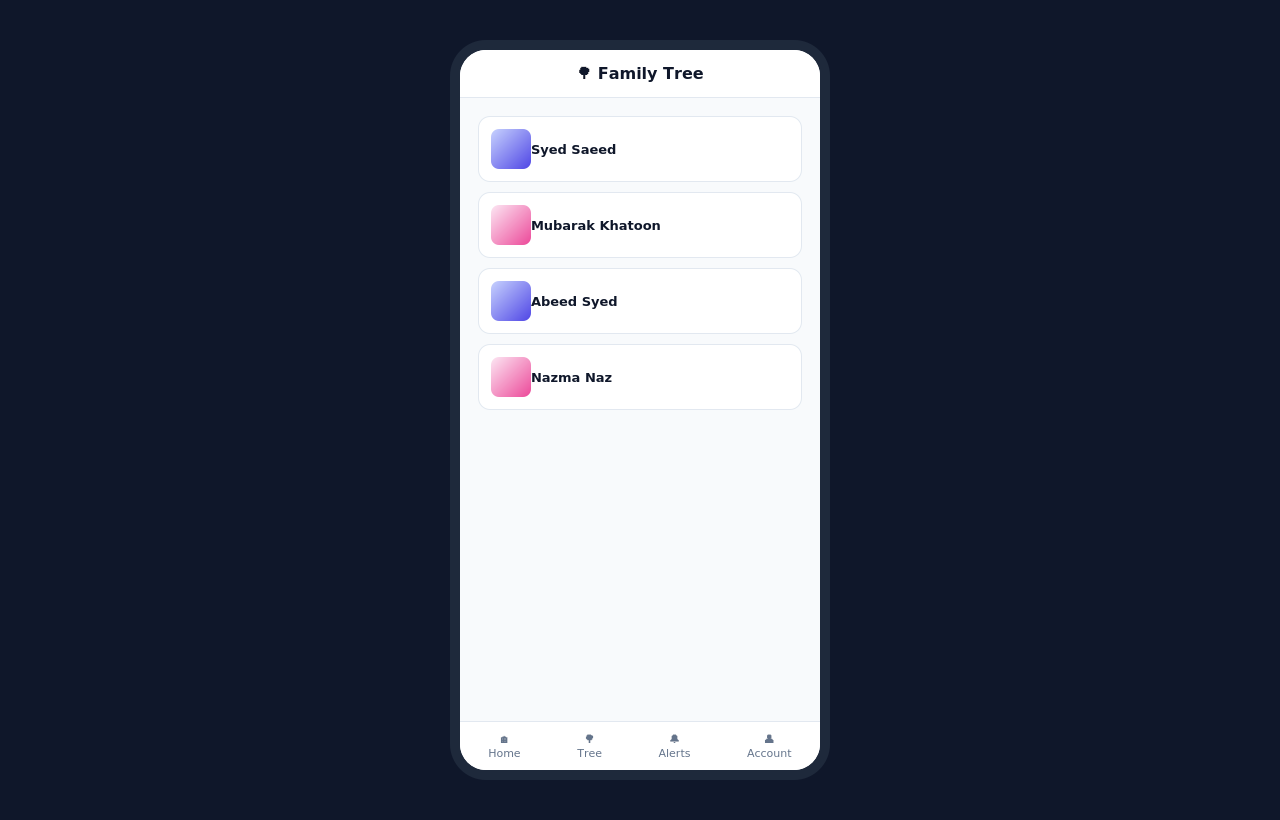
For developers
Is this your plugin? Show off the numbers.
Add a live badge to your site, docs or GitHub README. It updates on its own — no account needed.
Best Bsaeed Family Tree Builder alternatives
All family tree plugins →




FAQ
Bsaeed Family Tree Builder: quick answers
Straight answers, pulled from live WordPress.org data.
Live data from WordPress.org · checked Oct 11, 2026
Is Bsaeed Family Tree Builder free?
Yes. Bsaeed Family Tree Builder is free to download and use from the official WordPress.org plugin directory.
Is Bsaeed Family Tree Builder safe to use in 2026?
Bsaeed Family Tree Builder works, but test it on a staging site before relying on it in 2026. Was last updated 3 weeks ago, and scores 53/100 on our health check.
How many websites use Bsaeed Family Tree Builder?
Bsaeed Family Tree Builder is active on <10 WordPress websites and has been downloaded 134 times since it launched in September 2026. It was downloaded 138 times in the last 30 days.
Does Bsaeed Family Tree Builder work with WordPress 7.1?
Yes. The developer has tested Bsaeed Family Tree Builder up to WordPress 7.1.3, the latest release. It requires WordPress 5.8 or newer.
What PHP version does Bsaeed Family Tree Builder need?
Bsaeed Family Tree Builder requires PHP 7.4 or higher. Most hosts run PHP 8.x today, so it works on any modern WordPress hosting.
When was Bsaeed Family Tree Builder last updated?
The latest version, 6.0.1, was released on September 19, 2026 (3 weeks ago).
Who makes Bsaeed Family Tree Builder?
Bsaeed Family Tree Builder is developed and maintained by bsaeed.
What are the best alternatives to Bsaeed Family Tree Builder?
The most popular alternatives to Bsaeed Family Tree Builder are Genealogical Tree (600+ installs), WP Family Tree (100+ installs) and Genealogy (50+ installs).
Powered by PageForge
Want thousands of pages that rank like these? Build them in an afternoon.
This directory runs on the same engine as PageForge. Turn any spreadsheet, CSV or API into thousands of fast, SEO-ready WordPress pages — with schema, internal links and AI-written copy baked in.
- CSV, Google Sheets & API data sources
- AI content, schema & internal links per page
- Works with Elementor, Gutenberg, Yoast & Rank Math
- Free on WordPress.org — no credit card


