



Secure Iframe Embed for Genealorama
Professional genealogy integration for WordPress - Secure, interactive family trees with automatic setup and enterprise-grade authentication.

Consider an alternative
Secure Iframe Embed for Genealo… shows warning signs in 2026 — compare the alternatives below before installing. It runs on 10+ sites and was last updated 1 year ago, and scores 32/100 on our health check.
- Small user base (10+ active installs)
- Very few reviews so far
- No update in over a year
- Only tested up to WordPress 6.8 (latest is 7.1)
How does it stack up?
Side-by-side on installs, updates, ratings & support


Daily downloads
Download spikes usually follow a new release — each site that auto-updates counts as a download.
Rankings
Where Secure Iframe Embed for Gen… stands todayWordPress.org search rankings
Live position in the plugin search, top 100| Keyword | Position |
|---|---|
| embed | >100 |
| family tree | #22 |
| genealogy | #9 |
| iframe | >100 |
| secure | >100 |
Version adoption
Share of active sites per release.
About Secure Iframe Embed for Genealorama
From the official readme · v2.2.4Description
Transform your WordPress site into a comprehensive family history platform with the Secure Iframe Embed for Genealorama plugin. Designed for genealogists, family historians, and heritage enthusiasts, this plugin seamlessly integrates professional genealogy tools directly into your WordPress site.
Perfect for:
* 👨👩👧👦 Family historians sharing research with relatives
* 🏛️ Historical societies and genealogical organizations
* 📚 Researchers creating interactive family documentation
* 🌳 Anyone wanting to showcase their family tree online
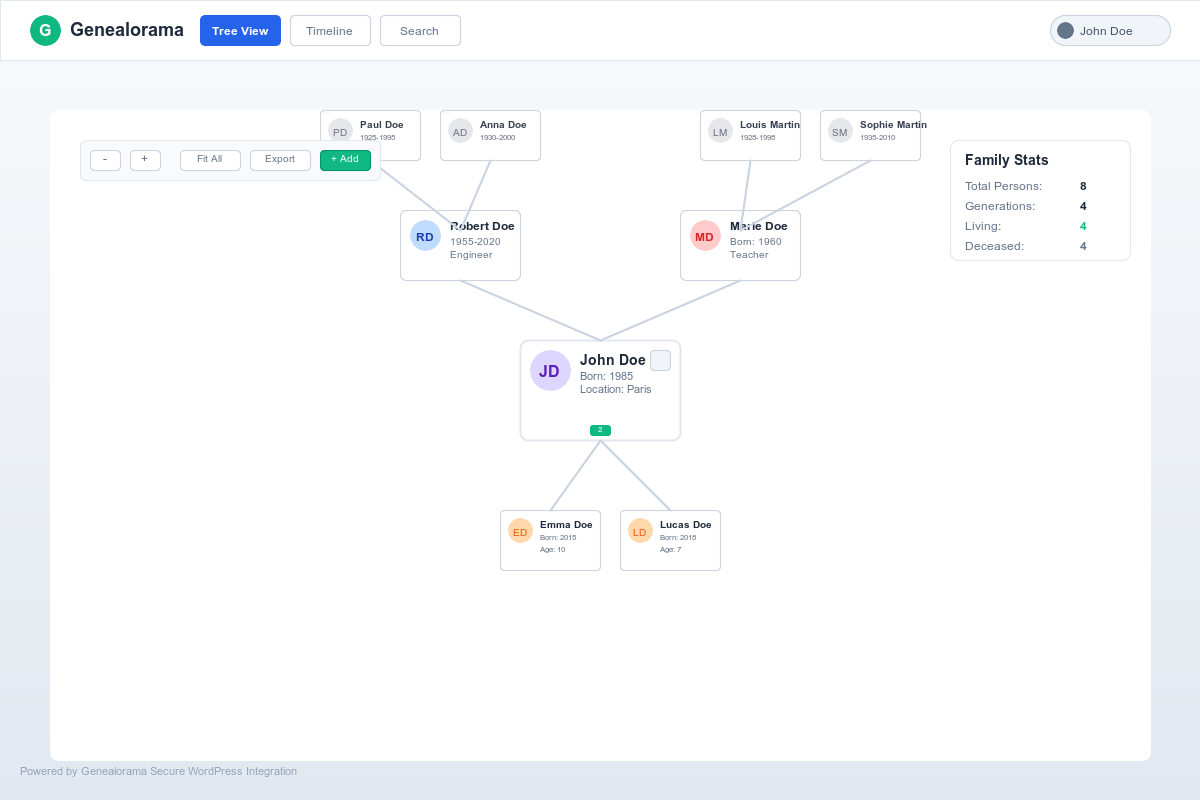
The plugin provides a secure, authenticated gateway to the Genealorama genealogy platform, allowing your logged-in users to explore interactive family trees, discover ancestral connections, and engage with genealogical data in an immersive, full-screen environment.
✨ Zero-Configuration Setup
Get started in under 60 seconds! Upon activation, the plugin automatically:
✅ Creates a dedicated genealogy page at /genealorama/ with professional full-screen layout
✅ Configures secure API integration with enterprise-grade HMAC-SHA256 authentication
✅ Sets up responsive shortcodes that work on any page or post
✅ Applies professional templates optimized for genealogy visualization
Just activate and go – no complex setup wizards or technical configuration required!
🔧 Powerful Features
🎯 User Experience
* Immersive full-screen genealogy interface – Distraction-free family tree exploration
* Responsive design – Perfect display on desktop, tablet, and mobile devices
* Automatic height adjustment – Content adapts seamlessly to your site layout
* One-click fullscreen mode – Deep-dive genealogy research experience
🔒 Enterprise Security
* HMAC-SHA256 authentication – Bank-level cryptographic security
* Member-only access – Genealogy data only accessible to logged-in users
* Replay attack protection – Temporal validation prevents security exploits
* Automatic credential validation – Real-time API key verification
⚡ Developer-Friendly
* Flexible shortcode system – [genealorama_embed] works anywhere
* Customizable parameters – Control height, fullscreen mode, and source URLs
* WordPress standards compliant – Follows all WordPress.org best practices
* Secure iframe communication – Safe postMessage API integration
📖 Quick Start Guide
🚀 Method 1: Dedicated Page (Recommended)
Just activate the plugin and visit /genealorama/ on your site – it’s automatically created with a professional full-screen layout!
📝 Method 2: Shortcode Integration
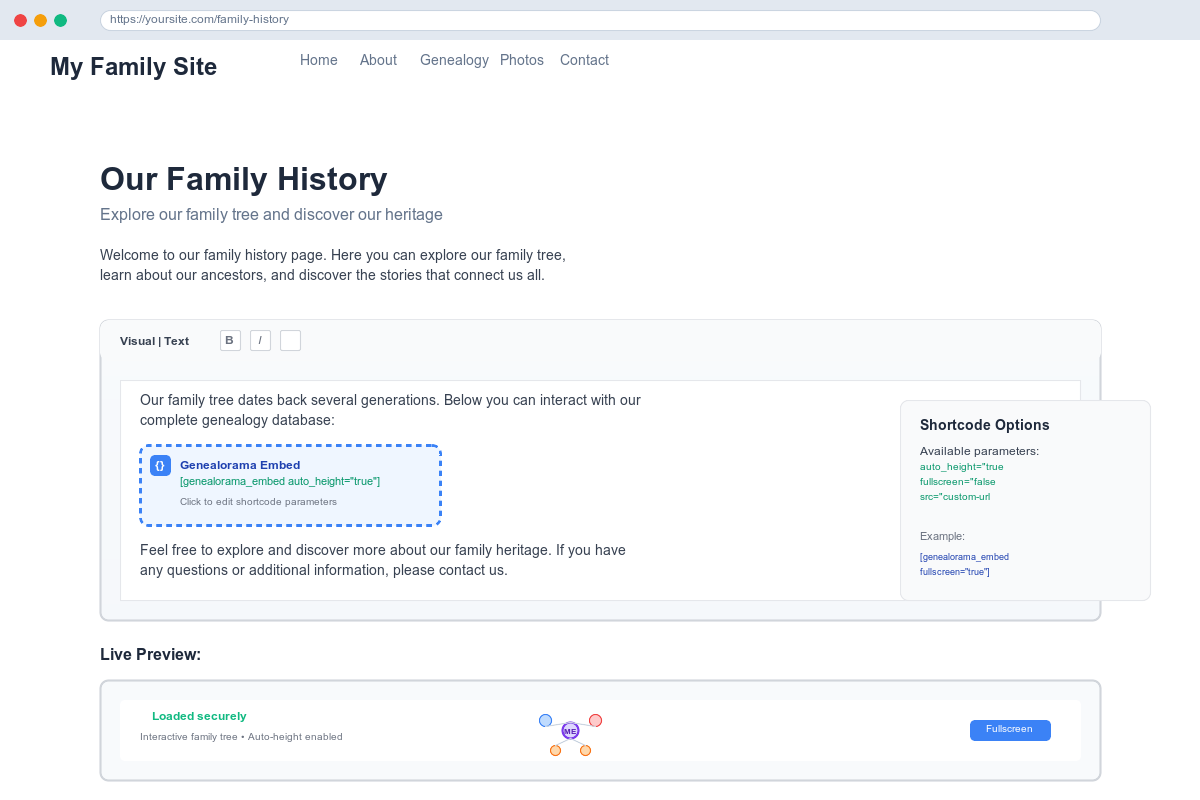
Add genealogy features to any page or post:
[genealorama_embed] - Basic integration with auto-height

[genealorama_embed fullscreen="true"] - Full-screen genealogy experience

[genealorama_embed auto_height="false"] - Fixed height display
⚙️ Available Parameters:
* src – Custom genealogy application URL
* auto_height – Automatic height adjustment (default: true)
* fullscreen – Full screen mode (default: false)
External Services
This plugin connects to external services to provide genealogy visualization functionality:
Genealorama Application Service
- Purpose: Provides the main genealogy application interface through a secure iframe
- Service URL: https://genealogie.app
- Data sent: User authentication tokens, timestamps, and signatures for secure access
- When: Every time a user loads the genealogy interface
- Terms of Service: https://genealorama.com/terms
- Privacy Policy: https://genealorama.com/privacy
Partner Registration API
- Purpose: Registers WordPress sites as authorized partners for the genealogy service
- Service URL: https://partner-registration.genealogie.app
- Data sent: Site domain, admin email, WordPress version, plugin version
- When: During initial setup when admin clicks “Get My Credentials”
- Terms of Service: https://genealorama.com/terms
- Privacy Policy: https://genealorama.com/privacy
These external connections are required for the plugin to function properly and provide secure access to genealogy services.
Installation
🎯 Automatic Installation (Recommended)
1. Search for “Secure Iframe Embed for Genealorama” in your WordPress admin under Plugins > Add New
2. Click “Install Now” and then “Activate”
3. Visit /genealorama/ on your site – You’re done!
📁 Manual Installation
1. Download the plugin ZIP file from WordPress.org
2. Go to Plugins > Add New > Upload Plugin
3. Upload the ZIP file and click “Install Now”
4. Activate the plugin
🔧 Professional Setup (Optional)
For advanced genealogy integration:
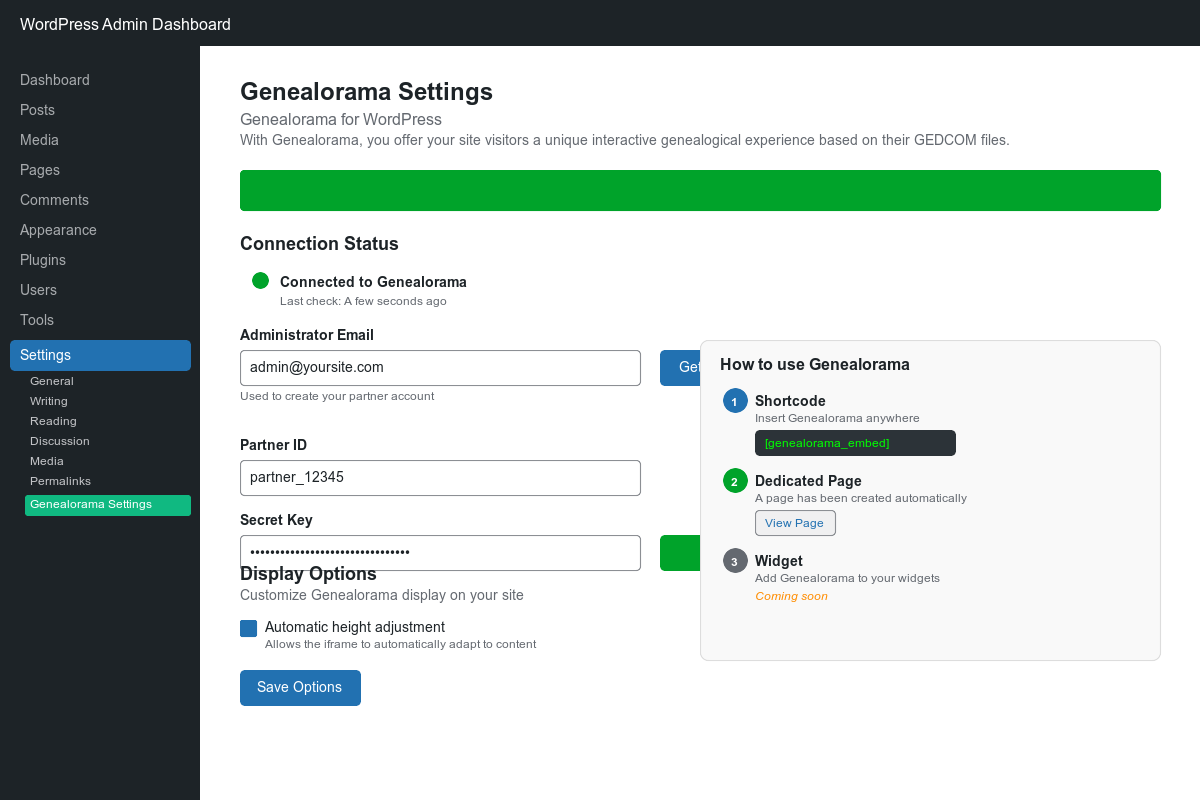
1. Navigate to Settings > Genealorama Settings
2. Enter your email address and click “Get My Credentials”
3. Credentials are automatically configured and validated
4. Click “Save Settings” to complete professional setup
Note: Basic functionality works immediately after activation – professional setup is only needed for advanced features.
Frequently asked questions
❓ Do I need technical knowledge to use this plugin?
Absolutely not! The plugin is designed for non-technical users. Simply activate it and visit /genealorama/ on your site – everything works automatically. No coding, no complex setup required.
🔧 Can I customize the appearance and functionality?
Yes! You can: * Use shortcodes on any page: [genealorama_embed] * Enable fullscreen mode: [genealorama_embed fullscreen="true"] * Control automatic height adjustment * Customize the genealogy page template
🔒 Is my family data secure?
Extremely secure! We use: * Bank-level HMAC-SHA256 encryption for all data transmission * Member-only access – only logged-in WordPress users can view genealogy data * Temporal validation to prevent replay attacks * Secure iframe isolation for safe communication
📱 Does it work on mobile devices?
Perfect mobile experience! The plugin is fully responsive and provides an excellent genealogy browsing experience on all devices – desktop, tablet, and mobile.
🌍 Can multiple family members use it simultaneously?
Yes! Multiple authenticated users can access and explore the genealogy interface simultaneously without conflicts.
⚡ Will this slow down my WordPress site?
No performance impact! The genealogy application loads in a secure iframe, keeping your WordPress site fast and responsive.
Changelog
🇫🇷 New: Complete French translation support for international users. Enhanced visual presentation with professional icons and banners. Recommended update for all users.
2.2.4
🇫🇷 Complete French Translation – Full WordPress.org internationalization support
🎨 Professional Visual Assets – New icons, banners, and screenshots for better presentation
🔧 Enhanced User Experience – Improved admin interface and user guidance
⚡ Performance Optimizations – Faster loading and better resource management
2.1.4
🔧 WordPress.org Compliance – Full adherence to WordPress.org plugin standards
🌍 Internationalization Ready – Complete translation system implementation
🛠️ Build Process Improvements – Enhanced GitHub Actions and asset management
2.0.0
🎉 Major Release: Complete Genealorama Rebrand
🔒 Enhanced Security – Advanced HMAC-SHA256 authentication system
🎨 Modern Interface – Completely redesigned admin experience
🌐 Full English Translation – Professional WordPress standards compliance
1.9.1
⚡ Performance & Reliability – Improved error handling and user feedback
🔧 Credential Validation – Enhanced API key verification system
🎨 Modern Design – Updated admin interface and user experience
1.9.0
🆕 Automatic Credential Validation – Real-time API key verification
🔧 Enhanced Admin Interface – Improved settings and configuration experience
🔒 Security Improvements – Additional protection and error detection
Screenshots
For developers
Is this your plugin? Show off the numbers.
Add a live badge to your site, docs or GitHub README. It updates on its own — no account needed.
Best Secure Iframe Embed for Genea… alternatives
All embed plugins →





FAQ
Secure Iframe Embed for Genealorama: quick answers
Straight answers, pulled from live WordPress.org data.
Live data from WordPress.org · checked Oct 11, 2026
Is Secure Iframe Embed for Genealo… free?
Yes. Secure Iframe Embed for Genealo… is free to download and use from the official WordPress.org plugin directory.
Is Secure Iframe Embed for Genealo… safe to use in 2026?
Secure Iframe Embed for Genealo… shows warning signs in 2026 — compare the alternatives below before installing. It runs on 10+ sites and was last updated 1 year ago, and scores 32/100 on our health check.
How many websites use Secure Iframe Embed for Genealo…?
Secure Iframe Embed for Genealo… is active on 10+ WordPress websites and has been downloaded 606 times since it launched in September 2025. It was downloaded 43 times in the last 30 days.
Does Secure Iframe Embed for Genealo… work with WordPress 7.1?
Secure Iframe Embed for Genealo… is officially tested up to WordPress 6.8.11, while the latest release is 7.1.3. It may still work, but try it on a staging site first.
What PHP version does Secure Iframe Embed for Genealo… need?
Secure Iframe Embed for Genealo… requires PHP 7.4 or higher. Most hosts run PHP 8.x today, so it works on any modern WordPress hosting.
When was Secure Iframe Embed for Genealo… last updated?
The latest version, 2.2.4, was released on September 19, 2025 (1 year ago).
Who makes Secure Iframe Embed for Genealo…?
Secure Iframe Embed for Genealo… is developed and maintained by Frank Bracq.
What are the best alternatives to Secure Iframe Embed for Genealo…?
The most popular alternatives to Secure Iframe Embed for Genealo… are EmbedPress (100K+ installs), iframe (60K+ installs) and Advanced iFrame (40K+ installs).
Powered by PageForge
Want thousands of pages that rank like these? Build them in an afternoon.
This directory runs on the same engine as PageForge. Turn any spreadsheet, CSV or API into thousands of fast, SEO-ready WordPress pages — with schema, internal links and AI-written copy baked in.
- CSV, Google Sheets & API data sources
- AI content, schema & internal links per page
- Works with Elementor, Gutenberg, Yoast & Rank Math
- Free on WordPress.org — no credit card


