



Total Upkeep – WordPress Backup Plugin plus Restore & Migrate by BoldGrid
Total Upkeep is more than just a “backup plugin.” It can help stop website crashes before they even happen.

Solid choice
Total Upkeep is a solid plugin choice in 2026, with a few things worth checking first. It runs on 50K+ sites, is rated 4.8/5 and was last updated 1 month ago, and scores 75/100 on our health check.
- Proven at scale on 50K+ active sites
- Loved by users — 4.8/5 from 440 reviews
- Tested with the latest WordPress (7.1)
How does it stack up?
Side-by-side on installs, updates, ratings & support



Daily downloads
Download spikes usually follow a new release — each site that auto-updates counts as a download.
Rankings
Where Total Upkeep stands todayWordPress.org search rankings
Live position in the plugin search, top 100| Keyword | Position |
|---|---|
| backup | #15 |
| cloud backup | #15 |
| database backup | #14 |
| restore | #11 |
| wordpress backup | #11 |
Version adoption
Share of active sites per release.
Rating breakdown
★★★★★★★★★★ 4.8 from 440 reviews
About Total Upkeep
From the official readme · v1.17.4Description
Total Upkeep is more than just a “backup plugin.” It can help stop website crashes before they even happen.
Website data loss can happen even if you’re doing everything “right,” like keeping your WordPress and plugins updated or having a backup plugin installed. There’s so many things outside of your control that could totally wipe out your website without any warning.
To keep your website safe, you’ll need more than just a “backup plugin.” You need a backup solution that helps prevent catastrophic data loss in the first place, and if the worst occurs, provides you with the tools to easily, quickly and painlessly get your site up and running again.
Total Upkeep is a full 360 solution that keeps your data safe and protects your website from catastrophic data loss. Features include:
- Automated and manual backups
- Full file and database backup or customize settings based on your needs
- Remote backups via FTP / SFTP, Amazon S3 and Google Drive (Premium)
- Total Upkeep checks to ensure that your web server has the necessary features to properly create backup archives, which protects the integrity of your backups
- Clone, duplicate and/or migrate your site with just a few clicks
- Site Check monitors your site for issues that could lead to site crashes, provides a tool set to restore your site even if your WordPress installation is inaccessible
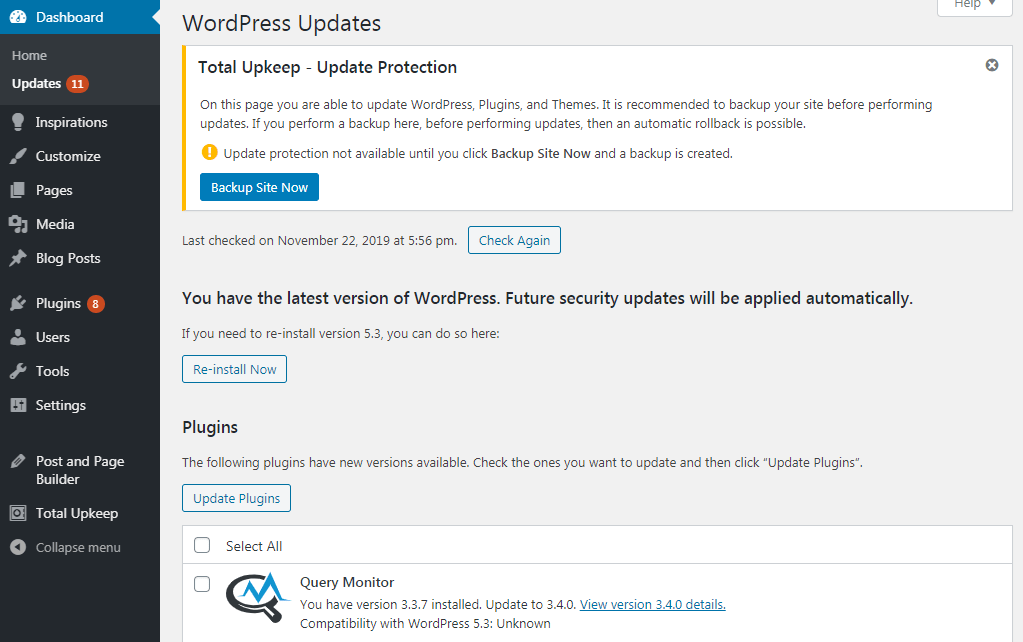
- Auto rollback feature creates a backup before updates, restores your site to the last backup if an update fails
- Create staging sites to test new plugins or themes with Total Upkeep + Cloud WordPress
I’m Intrigued! Tell Me More About Your Features…
Supports Both Automated and Manual Backups
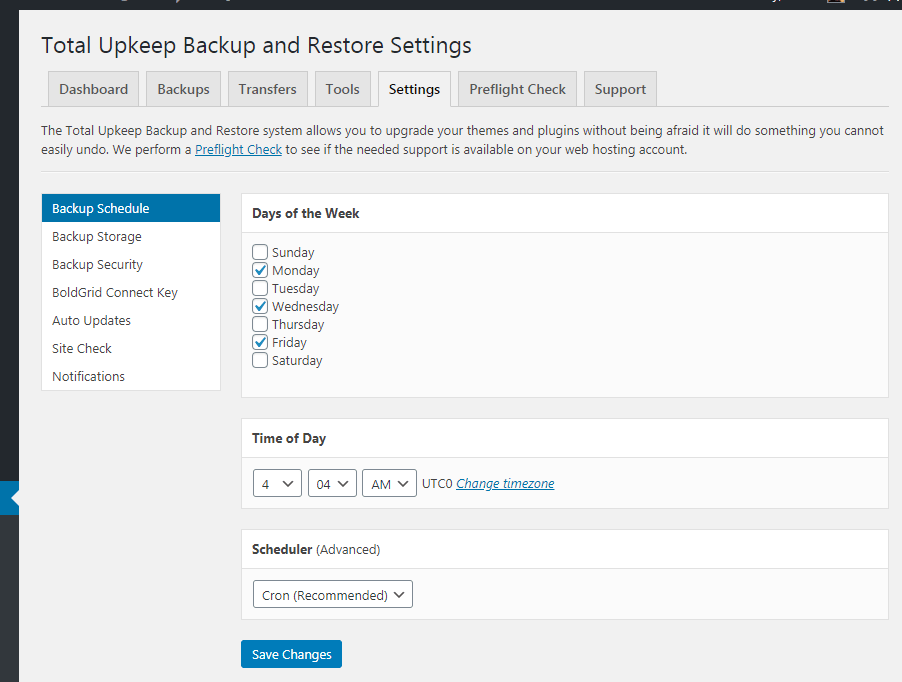
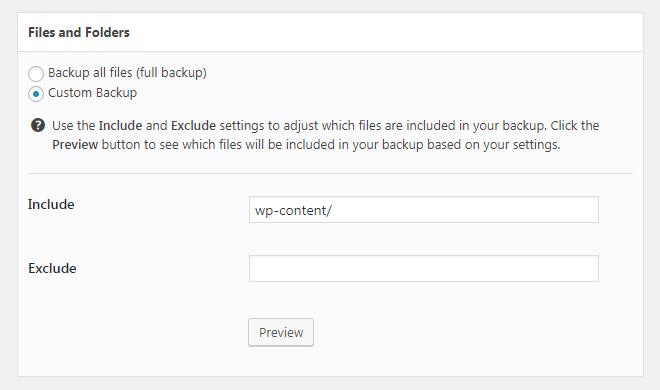
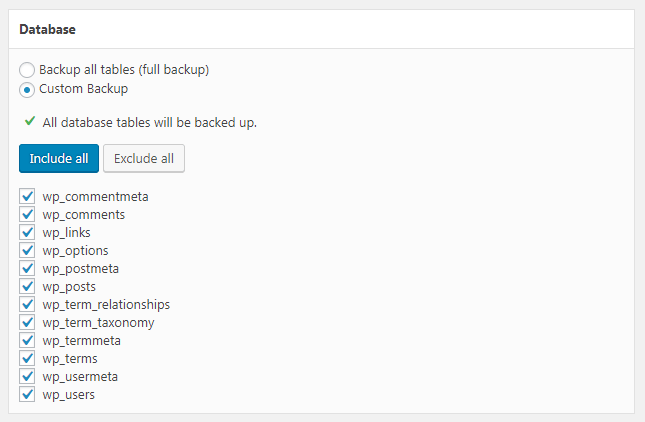
Simply select a date and time for automatic backups and Total Upkeep will create a backup archive of your entire WordPress installation and its database. If a full website or database backup isn’t required, you can choose to backup only certain files, folders and database tables.
Remote Backups
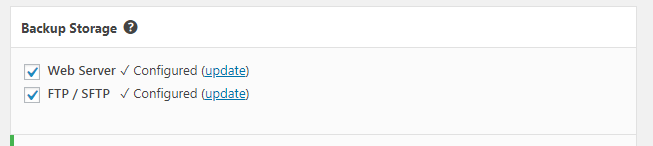
Safely store backups remotely via FTP / SFTP. The premium version of Total Upkeep allows you to automatically upload archives to Amazon S3 or Google Drive.
Easy Site Restoration and Website Migration
Download, restore, or delete backups with a single click from the Total Upkeep Dashboard.
Restore Your Website Even If WordPress Is Down
Use our restoration script to restore a backup from outside of WordPress in the event WordPress itself has been corrupted.
Restore Entire Backup Archive or Single Files
Need to restore only one file from a backup? Total Upkeep Premium gives you the option to restore a single file within the backup browser.
Historical Versions
Do you have a file that needs to be restored, but not sure which backup it’s in? The Historical Versions feature allows you to view a list of all of your backups containing that file and provides an easy way to restore the file.
Easily Clone or Migrate Your Websites
Total Upkeep allows you to easily clone a website and migrate it to another WordPress installation with just a few clicks. Install Total Upkeep on both WordPress sites, create a backup archive on the first site, then restore that backup on your second site using a protected link – simply copy and paste the link! It’s the easiest and fastest way to duplicate / clone your website.
Site Check
Site Check monitors your site at specified intervals for errors that could lead to catastrophic data loss. If Site Check detects an error, it will send you an email alert and auto restore your website using your latest backup.
Built-in Diagnostic Tools
Site Check keeps a running historical error log, allowing you to easily diagnose and troubleshoot website issues.
Powerful Website Restoration Functionality
You can configure Site Check’s settings from the Total Upkeep settings page, or via command line. If your site is totally non-functional, you can use the command line to easily restore your website from the last full backup archive.
Auto Rollback
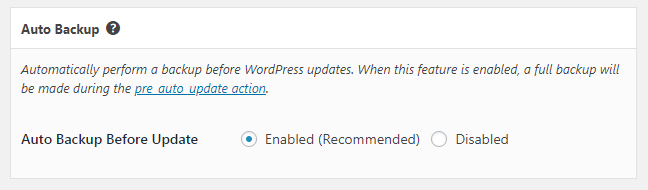
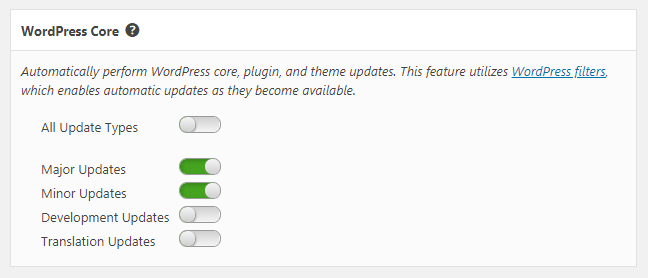
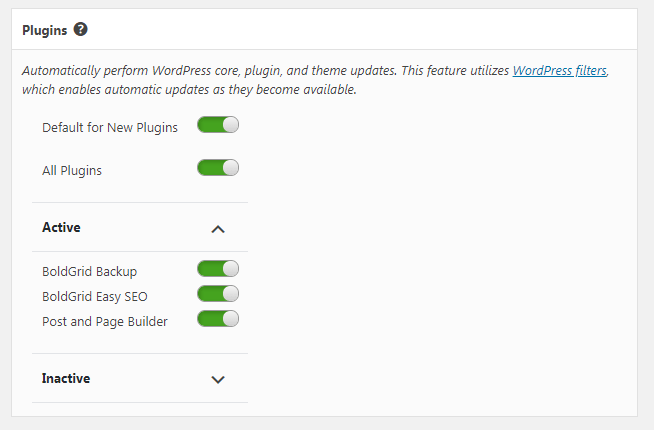
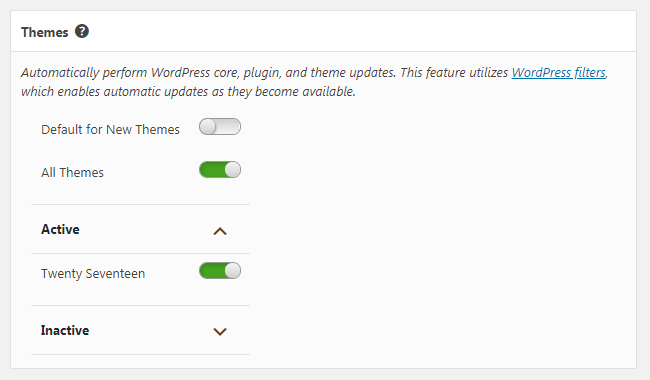
You can set Total Upkeep to automatically backup your site before updates, and automatically rollback your site to the last backup if an update fails. Automatic updates can be set for WordPress core, plugins, and themes individually.
Create Staging Sites with Total Upkeep + Cloud WordPress
Cloud WordPress allows you to create a fully functional free WordPress demo (with or without BoldGrid) in just a few clicks. Use Total Upkeep to clone and migrate your website to a Cloud WordPress installation, where you can test themes, plugins and other website changes without fear of breaking your live site.
Try out the Total Upkeep Plugin on Cloud WordPress to see for yourself!
Installation
Minimum Requirements
- PHP 7.4 or higher.
- At least one of the following PHP execution functions enabled: “popen”, “proc_open”, “exec”, “shell_exec”, “passthru”, or “system”.
- A Cron system with the “crontab” utility, or WP Cron.
- A WP_Filesystem FS_METHOD being “direct”.
Manually
- Upload the entire boldgrid-backup folder to the /wp-content/plugins/ directory.
- Activate the plugin through the Plugins menu in WordPress.
Frequently asked questions
How does Total Upkeep differ from other backup plugins?
Total Upkeep is more than just a “backup plugin.” It’s a full 360 solution with tools and features that helps prevent website crashes from happening in the first place. In addition to all the features you’ve come to expect from a plugin with website backup functionality, Total Upkeep also offers: Site Check monitors your site for issues that could lead to site crashes, provides a toolset to restore your site even if your WordPress installation is inaccessible Auto rollback feature creates a backup before updates, restores your site to the last backup if an update fails Create staging sites to…
What do I get with Total Upkeep Premium?
Total Upkeep Premium gives you extra tools to prevent website crashes, as well as additional troubleshooting and diagnostic tools. Additional remote backup options (Amazon S3, Google Drive) Single file restoration Historical versions Search for recently modified files Save a copy of a file before updating Comprehensive update history
Where can I find support for Total Upkeep?
Have a problem? First, take a look at our Getting Started guide. If that doesn’t answer your question, you can receive support for Total Upkeep at the support forum, the Team Orange User Group, our comprehensive support library, or our official questions portal.
Changelog
Security update recommended for all users. Rotates stored secrets on upgrade.
1.17.4
Release Date: Jul 30, 2026
* Security Update: Rotate stored cron and CLI cancel secrets on upgrade so previously exposed credentials are no longer valid. Thanks to Jakub Herman for responsibly reporting this issue.
1.17.3
Release Date: Jul 23, 2026
* Security Update: Harden emergency restore metadata storage and cron restore authentication. Thanks to Jakub Herman for responsibly reporting this issue.
* Bug Fix: Fix FTP / FTPS disconnect handling on PHP 8.
* Bug Fix: Fix FTP remote upload status when directory listings include path prefixes.
* Bug Fix: Fix BoldGrid Library loading when using Composer 2.
* Bug Fix: Fix early translation loading notices on WordPress 6.7+.
1.17.2
Release Date: Mar 11, 2026
* Security Update: Increased security for canceling a pending rollback.
1.17.1
Release Date: Apr 14, 2025
* Bug Fix: Fix _load_textdomain_just_in_time notices #624
1.17.0
Release Date: Mar 14, 2025
* New Feature: Direct Transfer feature added for live beta #611
* Security Update: Add Compression Level validation to settings #622
1.16.10
Release Date: Feb 26, 2025
* Bug Fix: Prevent old backlogged jobs from running due to a previous CRON bug.
Screenshots
For developers
Is this your plugin? Show off the numbers.
Add a live badge to your site, docs or GitHub README. It updates on its own — no account needed.
Best Total Upkeep alternatives
All backup plugins →





FAQ
Total Upkeep: quick answers
Straight answers, pulled from live WordPress.org data.
Live data from WordPress.org · checked Sep 28, 2026
Is Total Upkeep free?
Yes. Total Upkeep is free to download and use from the official WordPress.org plugin directory.
Is Total Upkeep safe to use in 2026?
Total Upkeep is a solid plugin choice in 2026, with a few things worth checking first. It runs on 50K+ sites, is rated 4.8/5 and was last updated 1 month ago, and scores 75/100 on our health check.
How many websites use Total Upkeep?
Total Upkeep is active on 50K+ WordPress websites and has been downloaded 2,318,501 times since it launched in May 2018. It was downloaded 4,261 times in the last 30 days.
Does Total Upkeep work with WordPress 7.1?
Yes. The developer has tested Total Upkeep up to WordPress 7.1.2, the latest release. It requires WordPress 5.0 or newer.
What PHP version does Total Upkeep need?
Total Upkeep requires PHP 7.4 or higher. Most hosts run PHP 8.x today, so it works on any modern WordPress hosting.
When was Total Upkeep last updated?
The latest version, 1.17.4, was released on August 18, 2026 (1 month ago).
Who makes Total Upkeep?
Total Upkeep is developed and maintained by BoldGrid.
What are the best alternatives to Total Upkeep?
The most popular alternatives to Total Upkeep are All-in-One WP Migration and… (5M+ installs), UpdraftPlus: WP Backup & Mi… (4M+ installs) and Jetpack (3M+ installs).
Powered by PageForge
Want thousands of pages that rank like these? Build them in an afternoon.
This directory runs on the same engine as PageForge. Turn any spreadsheet, CSV or API into thousands of fast, SEO-ready WordPress pages — with schema, internal links and AI-written copy baked in.
- CSV, Google Sheets & API data sources
- AI content, schema & internal links per page
- Works with Elementor, Gutenberg, Yoast & Rank Math
- Free on WordPress.org — no credit card


