



AltTextLab – Bulk AI Alt Text Generator for Image SEO & Accessibility
AI-powered bulk alt text generator for WordPress and WooCommerce images. Boost image SEO and accessibility automatically without manual work.

Safe pick
Yes — AltTextLab is a safe, well-maintained plugin to use in 2026. It runs on 100+ sites, is rated 5/5 and was last updated 3 weeks ago, and scores 84/100 on our health check.
- Actively developed — last update 3 weeks ago
- Tested with the latest WordPress (7.1)
- Momentum — downloads up 148.6% vs the previous 30 days
- Small user base (100+ active installs)
How does it stack up?
Side-by-side on installs, updates, ratings & support



Daily downloads
Download spikes usually follow a new release — each site that auto-updates counts as a download.
Rankings
Where AltTextLab stands todayWordPress.org search rankings
Live position in the plugin search, top 100| Keyword | Position |
|---|---|
| accessibility | #56 |
| alt text generator | #9 |
| auto alt text | #14 |
| bulk alt text | #16 |
| image alt text | #29 |
Version adoption
Share of active sites per release.
Rating breakdown
★★★★★★★★★★ 5 from 8 reviews
About AltTextLab
From the official readme · v1.5.4Description
AltTextLab – AI Alt Text Generator for WordPress
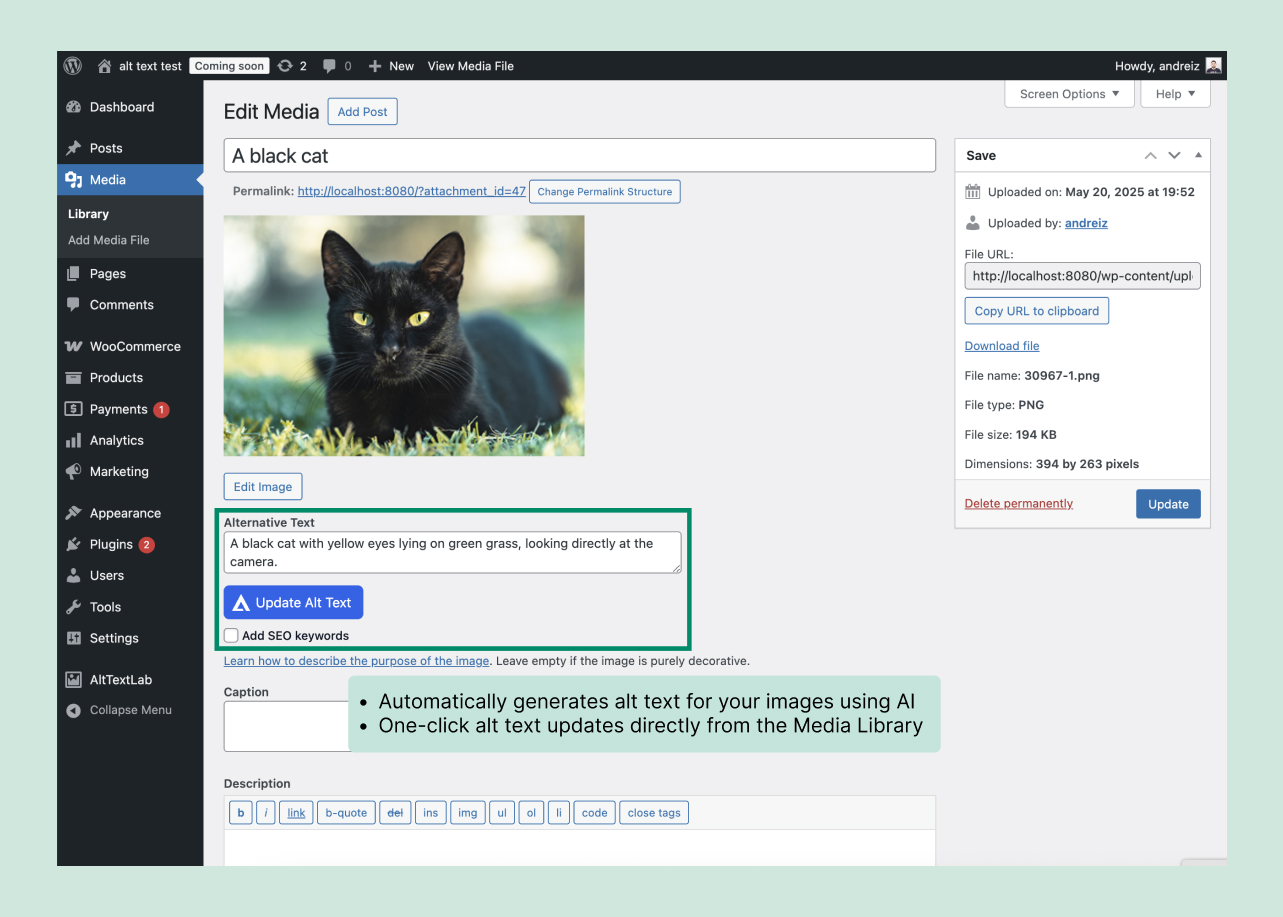
AltTextLab automatically writes accurate, SEO-optimized and accessible alt text for every image in your WordPress media library – the moment you upload, or across your entire existing library in one bulk run.
Features
-
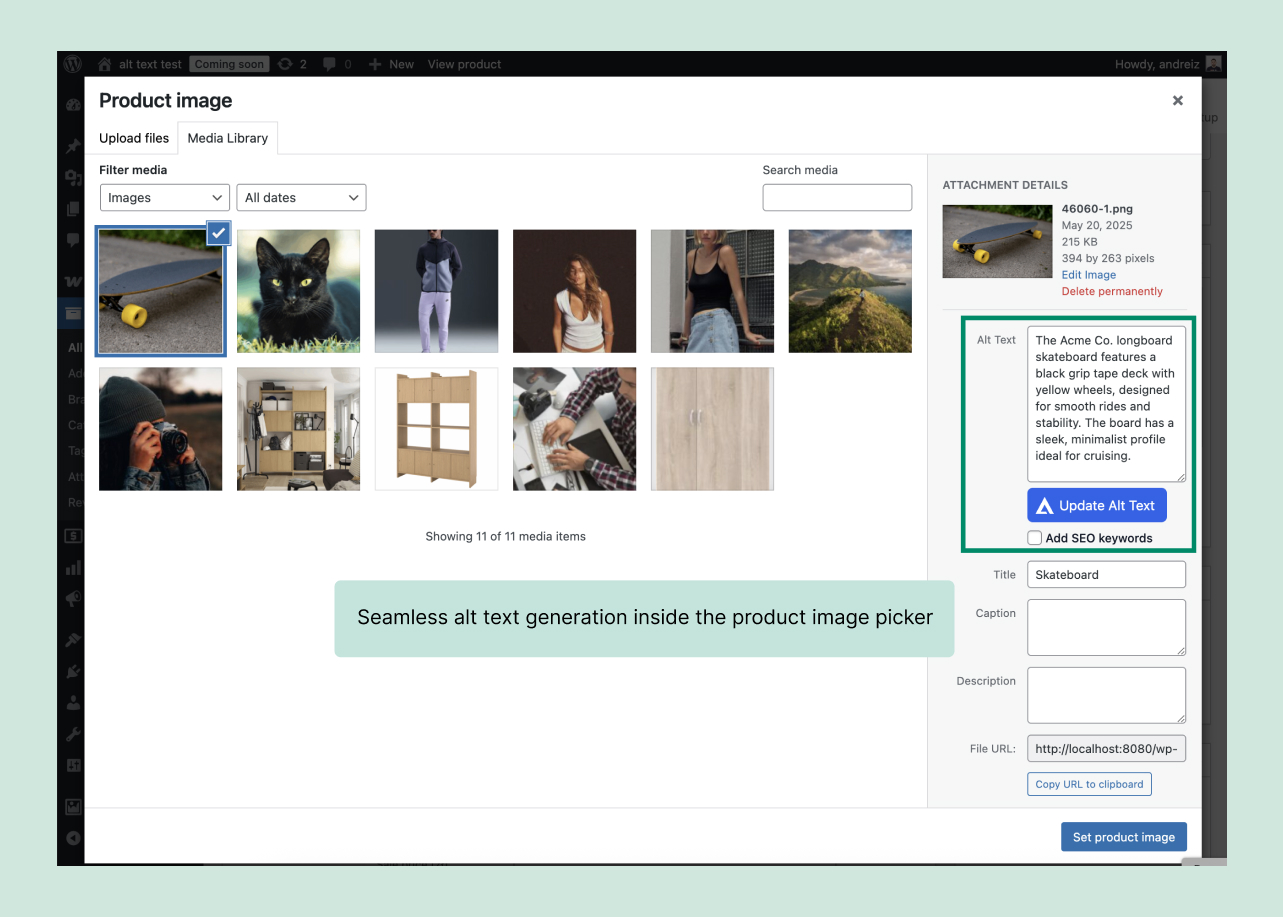
Automatic alt text on every upload
Every new upload gets alt text generated immediately, no manual trigger needed. -
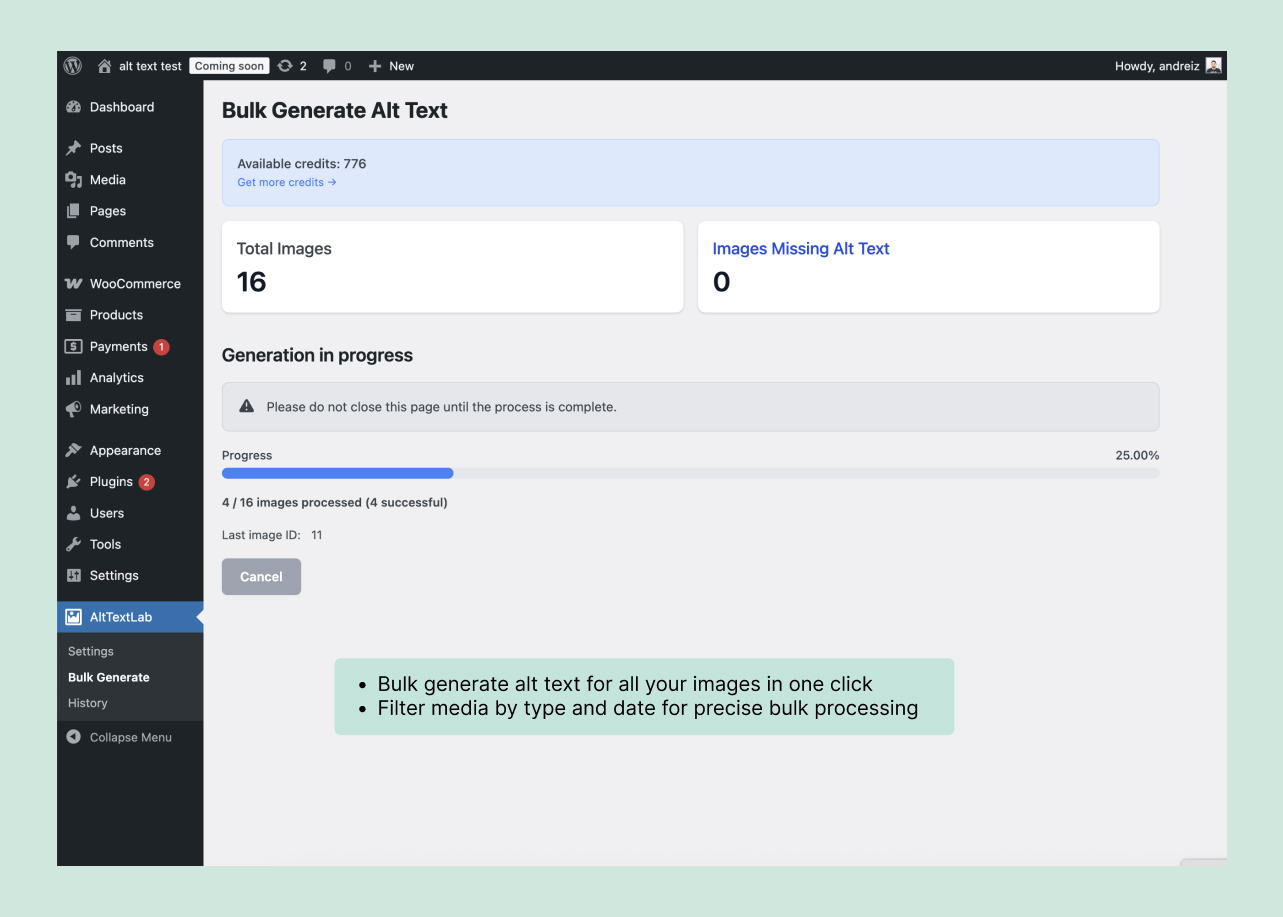
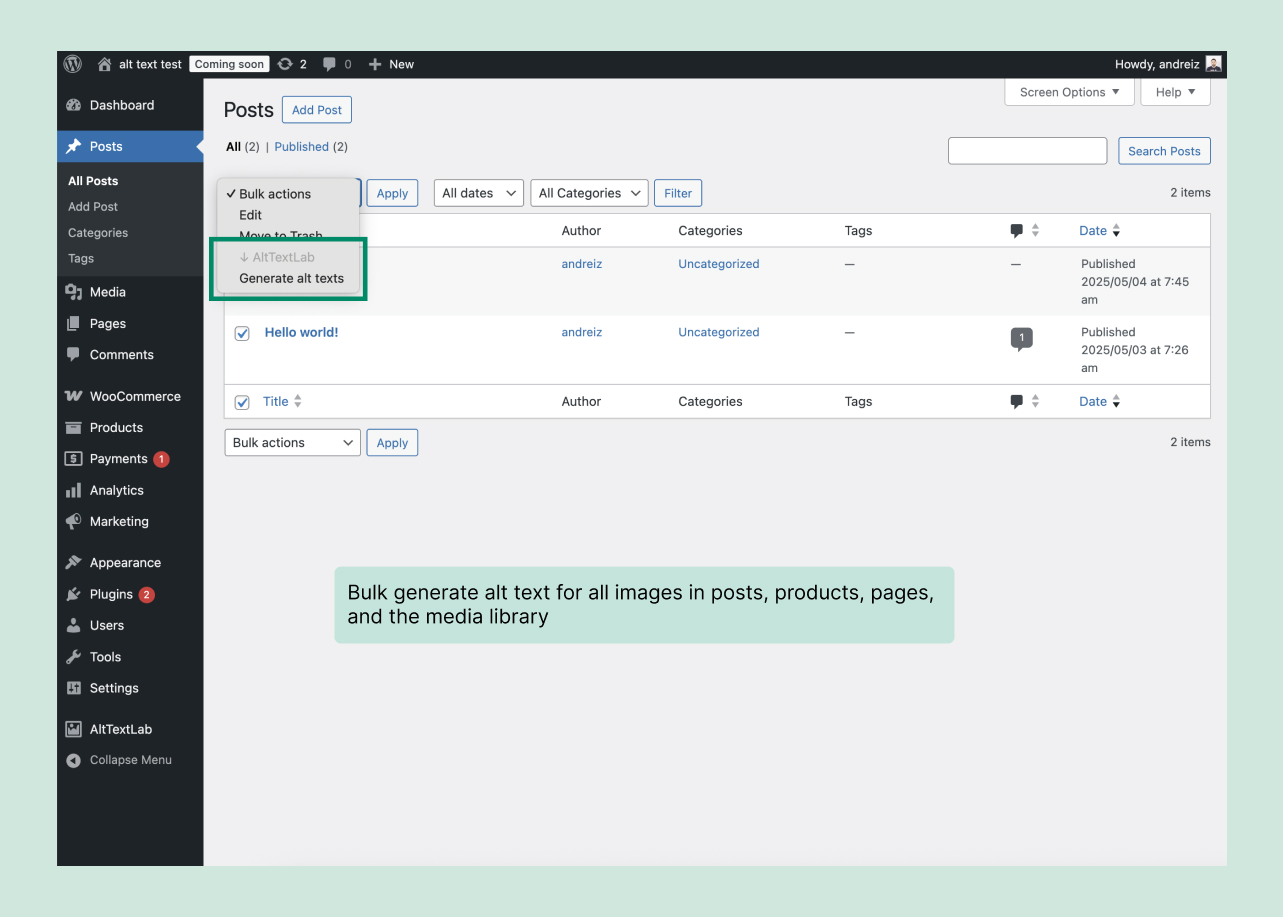
Bulk alt text generation for libraries of any size
Process your entire media library in one run — fill in only the images missing alt text, or regenerate alt text across your whole library. -
Context-aware alt text
AltTextLab reads your post title and configured SEO keywords alongside each image, so every description is relevant to the content it appears in. -
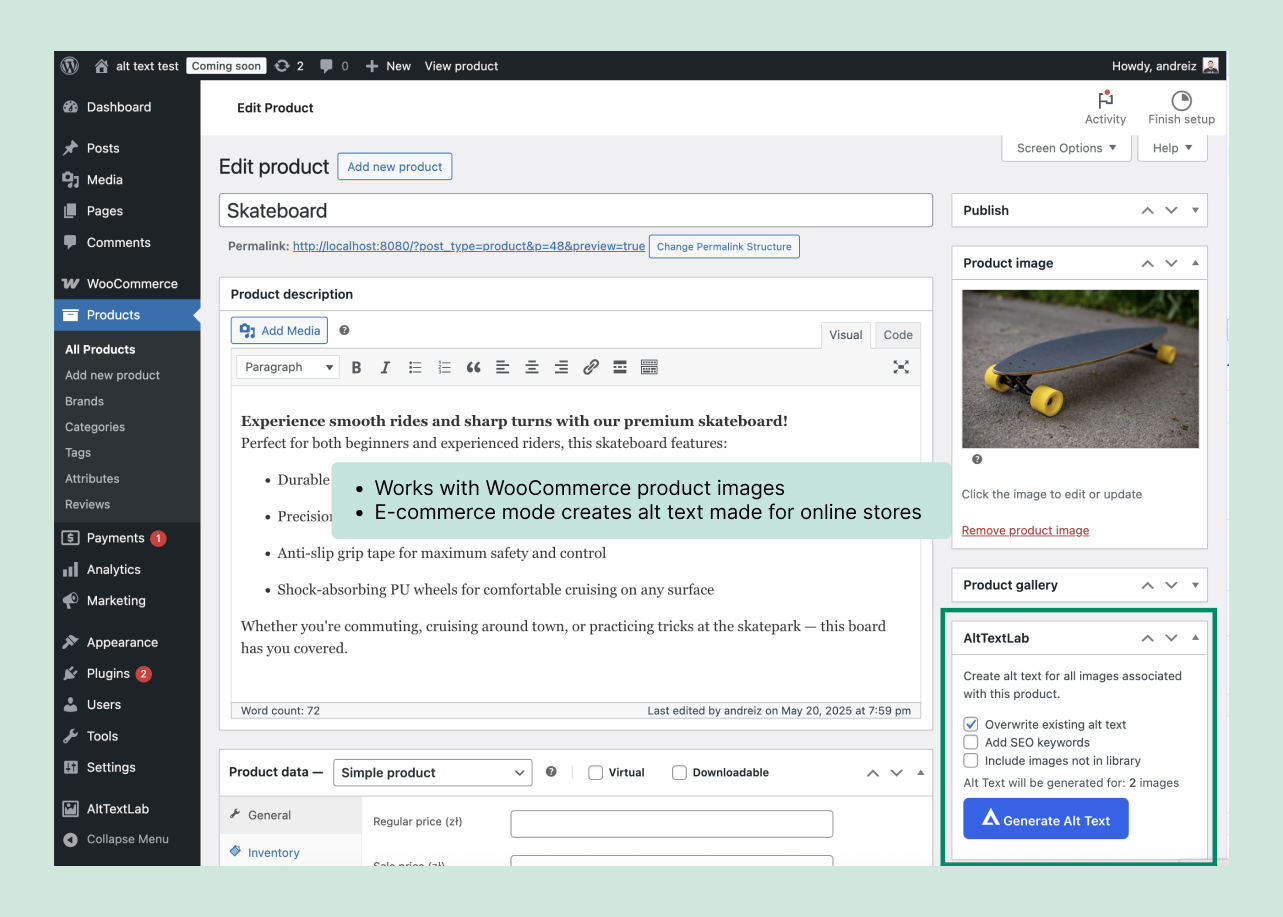
WooCommerce product data built into every alt text
AltTextLab reads your product name, brand, color, and material alongside each image to write descriptive alt text that serves both screen reader users, search engines, and LLMs. -
SEO keywords for better search rankings
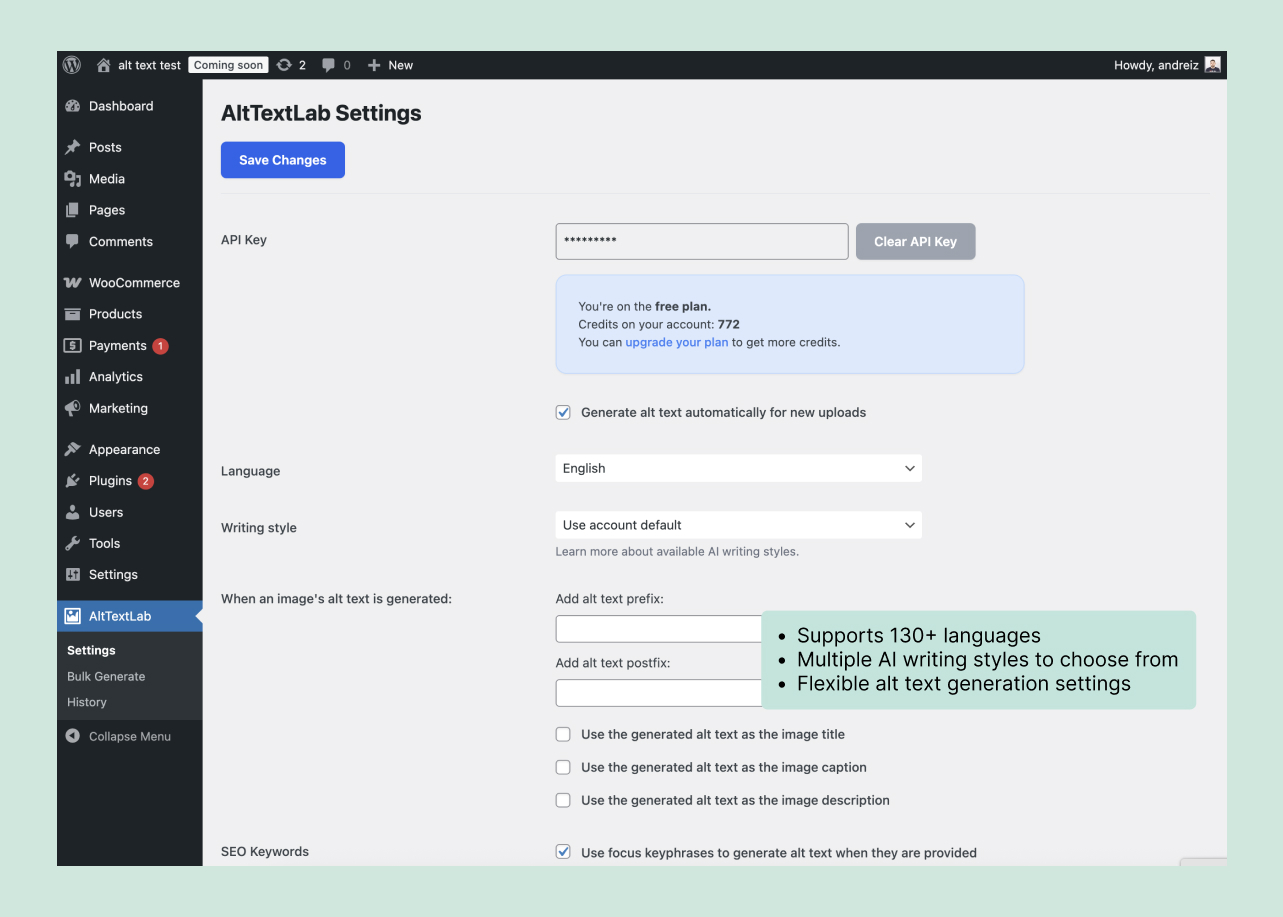
Specify your own target keywords, or let AltTextLab automatically pull your focus keyphrase from Yoast SEO, Rank Math, SEOPress, All in One SEO, The SEO Framework, SmartCrawl, or Squirrly SEO — either way, it’s woven naturally into every generated alt text. You can also exclude terms you don’t want used. -
Gutenberg, Elementor, Divi and Beaver Builder compatibility
Alt text is written directly to WordPress’s standard media library database – the same field every page builder and theme reads from. There are no sync issues, no custom field mapping. -
All major image formats supported
JPG, PNG, WebP, SVG, and AVIF, including modern formats that other tools often skip. -
Multi-language support
Generate alt text automatically in over 130 languages. WPML Translation Support. -
Writing style options for your brand voice
Pick the tone that fits your site, and optionally wrap every description with a fixed prefix or postfix, like a brand name or product line, so generated alt text sounds like your team wrote it. -
Forever free plan available
AltTextLab has a permanent free plan that gives you 25 credits per month at no cost. -
Accessibility compliance support
WCAG 2.1 AA, ADA, Section 508, and the European Accessibility Act (EAA) all call for meaningful alt text on images. AltTextLab closes that gap automatically, giving your team one less item to chase during a compliance review.
External service for alt text generation
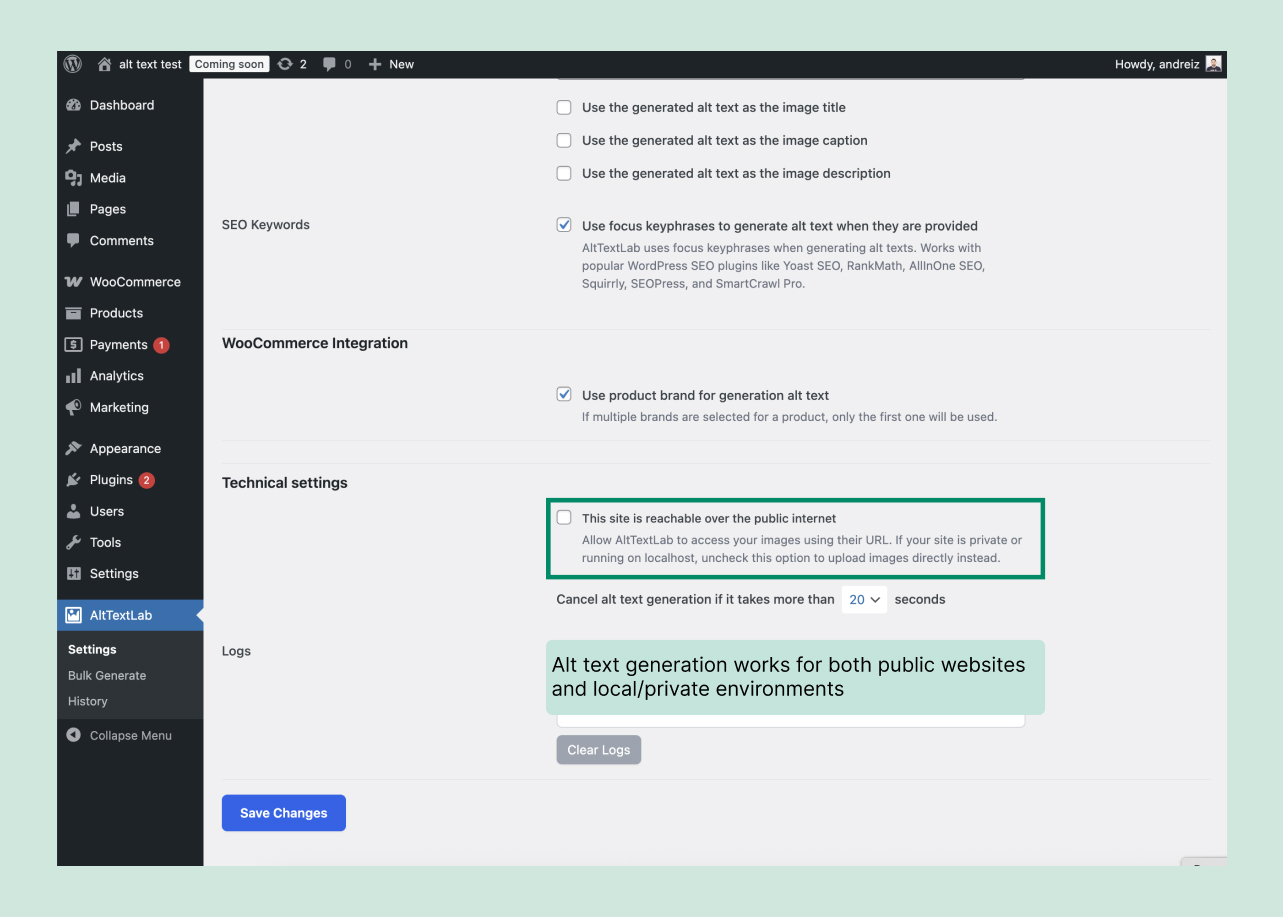
This plugin connects to the API provided by AltTextLab.com to create alt text for images using AI. This service is essential for the plugin’s core functionality.
What data is sent and when:
The plugin may send the following data to AltTextLab when generating alt text:
– The image URL or a base64-encoded version of the image
– Keywords
– The article or product title
– Brand and other relevant attributes, depending on plugin settings
The plugin may also send a request to fetch the current status of the connected AltTextLab account in order to display account information within the WordPress admin interface.
This external service is provided by AltTextLab.com. Terms of Service, Privacy Policy
Installation
- Go to Plugins → Add New in your WordPress dashboard.
- Search for “AltTextLab”.
- Click Install, then Activate the plugin.
- Create your account at alttextlab.com.
- Connect your account by entering your API key in the plugin settings.
- Upload a new image – alt text is generated automatically. Or open Bulk Generate to process your existing images.
Frequently asked questions
How does the AI alt text generation work?
The plugin sends your image to the AltTextLab processing server. The AI-powered engine analyzes the image content alongside any configured context (post title, product name, focus keyphrase, custom keywords) and returns a description tailored to your settings. That description is written directly to the standard WordPress alt field immediately, with no manual step.
Is there a free plan?
Yes. AltTextLab has a permanent free plan that gives you 25 credits per month at no cost, with no credit card required. Each credit is equal to alt text for one image. You can stay on the free plan as long as you like. When you need more than 25 images a month, paid plans start at $5/month for 100 credits. Pay-as-you-go credit packs are also available as a one-time purchase if you prefer not to subscribe.
How do I automatically add alt text to all images in my WordPress media library?
Open the AltTextLab plugin in your WordPress dashboard and click Bulk Generate. The tool scans your entire existing media library and processes all images with missing alt text in a single run. You can filter by post type, page, or product before you start. For large media libraries, images are processed in sequence without affecting your site’s front-end performance or page load speed.
Can I control the terminology and keywords in the generated alt text?
Yes. AltTextLab lets you specify relevant keywords to include in every generated description. If you use Yoast SEO, Rank Math, or another supported SEO plugin, your focus keyphrase is pulled in automatically as well.
Can I review or edit alt text before it appears on my site?
Generated alternative text is saved to your media library, where you can review and edit it at any time. The plugin maintains a processing history so you can audit what was generated, when, and for which images.
Does it work with WooCommerce product images?
Yes. AltTextLab has a dedicated WooCommerce e-commerce mode that reads your product name, brand, color, and material for each image and generates alt text specific to the product. It works on main product images and gallery images.
Will the plugin overwrite my manually written alt text?
No, not by default. AltTextLab only fills in images that currently have an empty alt attribute. Any alt text you’ve written manually is left exactly as it is. If you want to regenerate descriptions across images that already have alt text, that’s available as an explicit opt-in setting.
Can I use one AltTextLab account across multiple WordPress sites?
Yes. One account covers any number of WordPress installations with no per-site fees. Credits are shared across all your sites, and each install connects via its own API key linked to the same account.
Does alt text stay if I uninstall the plugin?
Yes. Generated image descriptions are written permanently into the standard WordPress media database. Removing the WordPress plugin has no effect on descriptions already saved – they stay in place indefinitely, exactly as written.
Is AltTextLab GDPR-compliant?
Yes. Images processed by URL are never stored on our servers and are never used to train AI models. Only the generated alt text is saved to your account for your own reference. The service is fully GDPR-aligned and compliant with EU data handling requirements for you and your site visitors. If you send image files directly, they are stored only for the duration of processing and can be deleted on request.
Changelog
1.5.4 – 2026-09-17
- Update readme
1.5.3 – 2026-09-16
- Update readme
1.5.2 – 2026-09-02
- Tested and confirmed compatibility with WordPress 7.1
1.5.1 – 2026-08-02
- Support for monthly usage limits
1.5.0 – 2026-07-25
- Registered AltTextLab abilities for the WordPress Abilities API
1.4.4 – 2026-06-18
- Update readme
Screenshots
For developers
Is this your plugin? Show off the numbers.
Add a live badge to your site, docs or GitHub README. It updates on its own — no account needed.
Best AltTextLab alternatives
All accessibility plugins →





FAQ
AltTextLab: quick answers
Straight answers, pulled from live WordPress.org data.
Live data from WordPress.org · checked Oct 6, 2026
Is AltTextLab free?
Yes. AltTextLab is free to download and use from the official WordPress.org plugin directory.
Is AltTextLab safe to use in 2026?
Yes — AltTextLab is a safe, well-maintained plugin to use in 2026. It runs on 100+ sites, is rated 5/5 and was last updated 3 weeks ago, and scores 84/100 on our health check.
How many websites use AltTextLab?
AltTextLab is active on 100+ WordPress websites and has been downloaded 5,083 times since it launched in May 2025. It was downloaded 1,253 times in the last 30 days.
Does AltTextLab work with WordPress 7.1?
Yes. The developer has tested AltTextLab up to WordPress 7.1.2, the latest release. It requires WordPress 4.7 or newer.
What PHP version does AltTextLab need?
AltTextLab requires PHP 7.0 or higher. Most hosts run PHP 8.x today, so it works on any modern WordPress hosting.
When was AltTextLab last updated?
The latest version, 1.5.4, was released on September 17, 2026 (3 weeks ago).
Who makes AltTextLab?
AltTextLab is developed and maintained by AltTextLab.
What are the best alternatives to AltTextLab?
The most popular alternatives to AltTextLab are Web Accessibility (formally… (500K+ installs), Auto Image Attributes From… (100K+ installs) and Accessibility by UserWay (80K+ installs).
Powered by PageForge
Want thousands of pages that rank like these? Build them in an afternoon.
This directory runs on the same engine as PageForge. Turn any spreadsheet, CSV or API into thousands of fast, SEO-ready WordPress pages — with schema, internal links and AI-written copy baked in.
- CSV, Google Sheets & API data sources
- AI content, schema & internal links per page
- Works with Elementor, Gutenberg, Yoast & Rank Math
- Free on WordPress.org — no credit card


