


Alt Text & Image SEO — ALTification
AI-powered alt text generator that finds and fixes image SEO gaps in WordPress.

Solid choice
Alt Text & Image SEO is a solid plugin choice in 2026, with a few things worth checking first. It runs on 20+ sites and was last updated 4 weeks ago, and scores 67/100 on our health check.
- Actively developed — last update 4 weeks ago
- Tested with the latest WordPress (7.1)
- Momentum — downloads up 74.1% vs the previous 30 days
- Small user base (20+ active installs)
- Very few reviews so far
How does it stack up?
Side-by-side on installs, updates, ratings & support



Daily downloads
Download spikes usually follow a new release — each site that auto-updates counts as a download.
Rankings
Where Alt Text & Image SEO stands todayWordPress.org search rankings
Live position in the plugin search, top 100| Keyword | Position |
|---|---|
| accessibility | >100 |
| AI | >100 |
| Alt Text | >100 |
| images | >100 |
| seo | >100 |
Version adoption
Share of active sites per release.
About Alt Text & Image SEO — ALTification
From the official readme · v1.0.7Description
ALTification uses AI to generate keyword-aware alt text, captions, and descriptions for your images — directly from your SEO plugin’s focus keyphrase and page context.
Features:
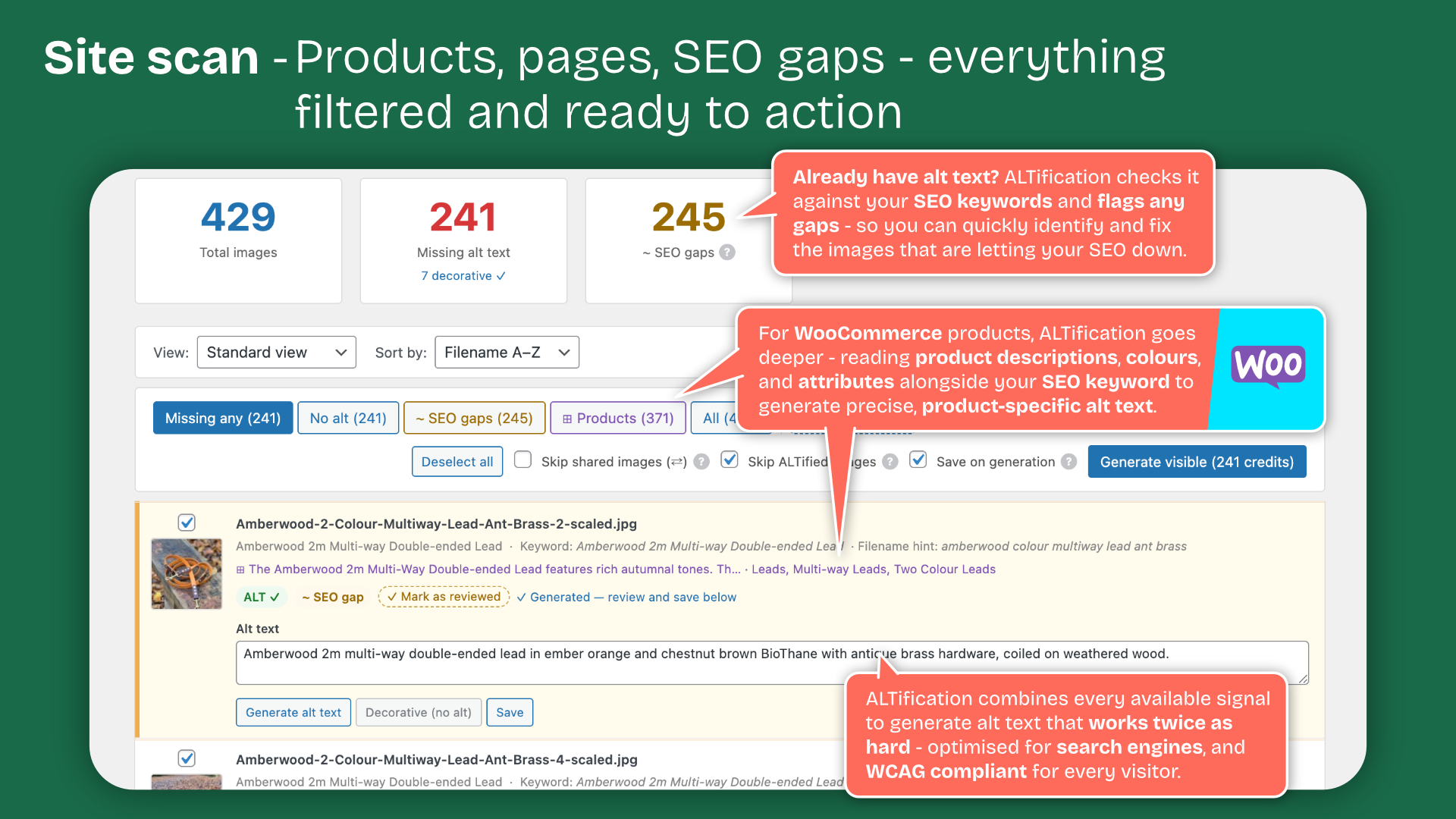
- Bulk generate alt text across your entire site with the Site Scan
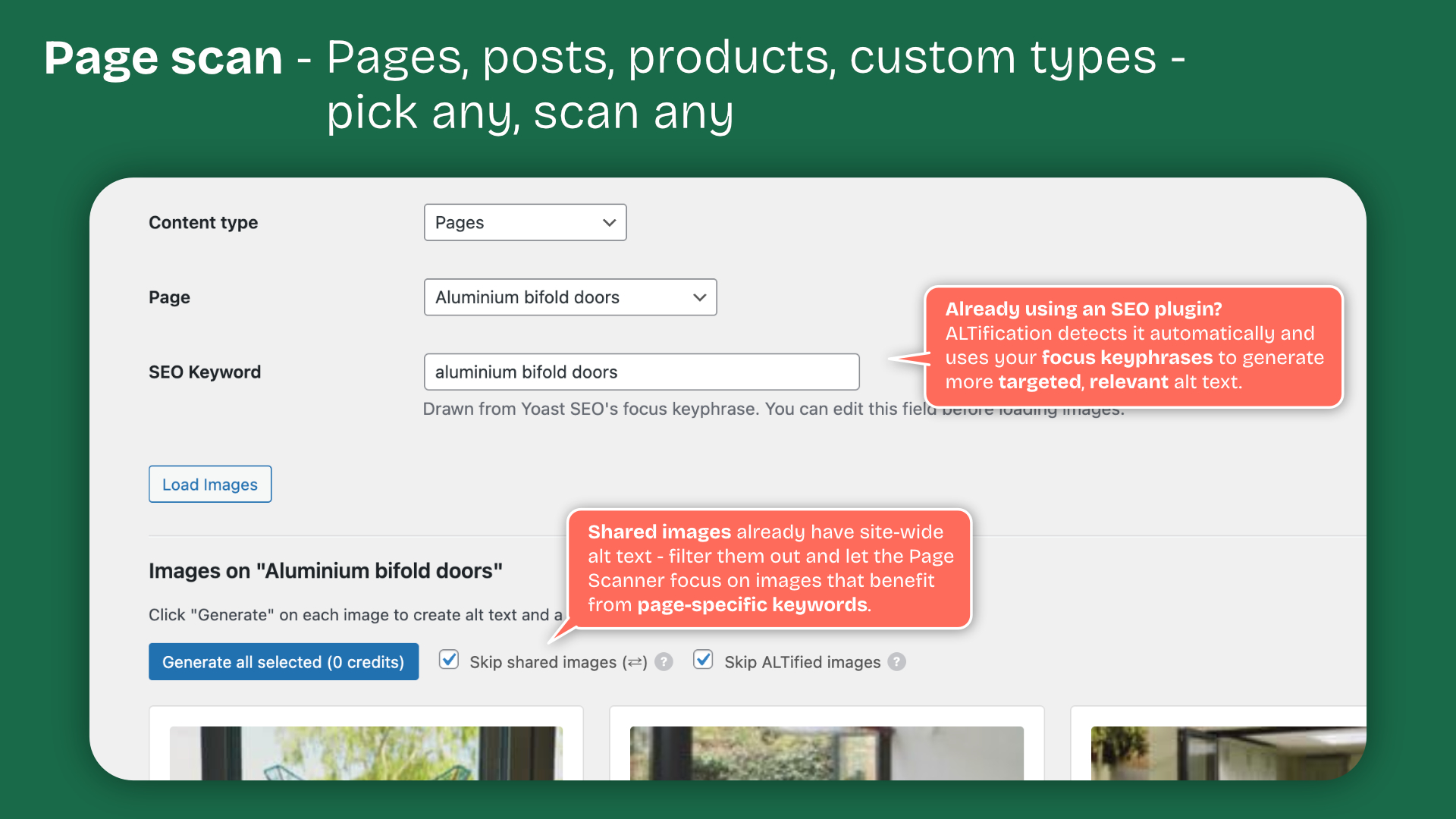
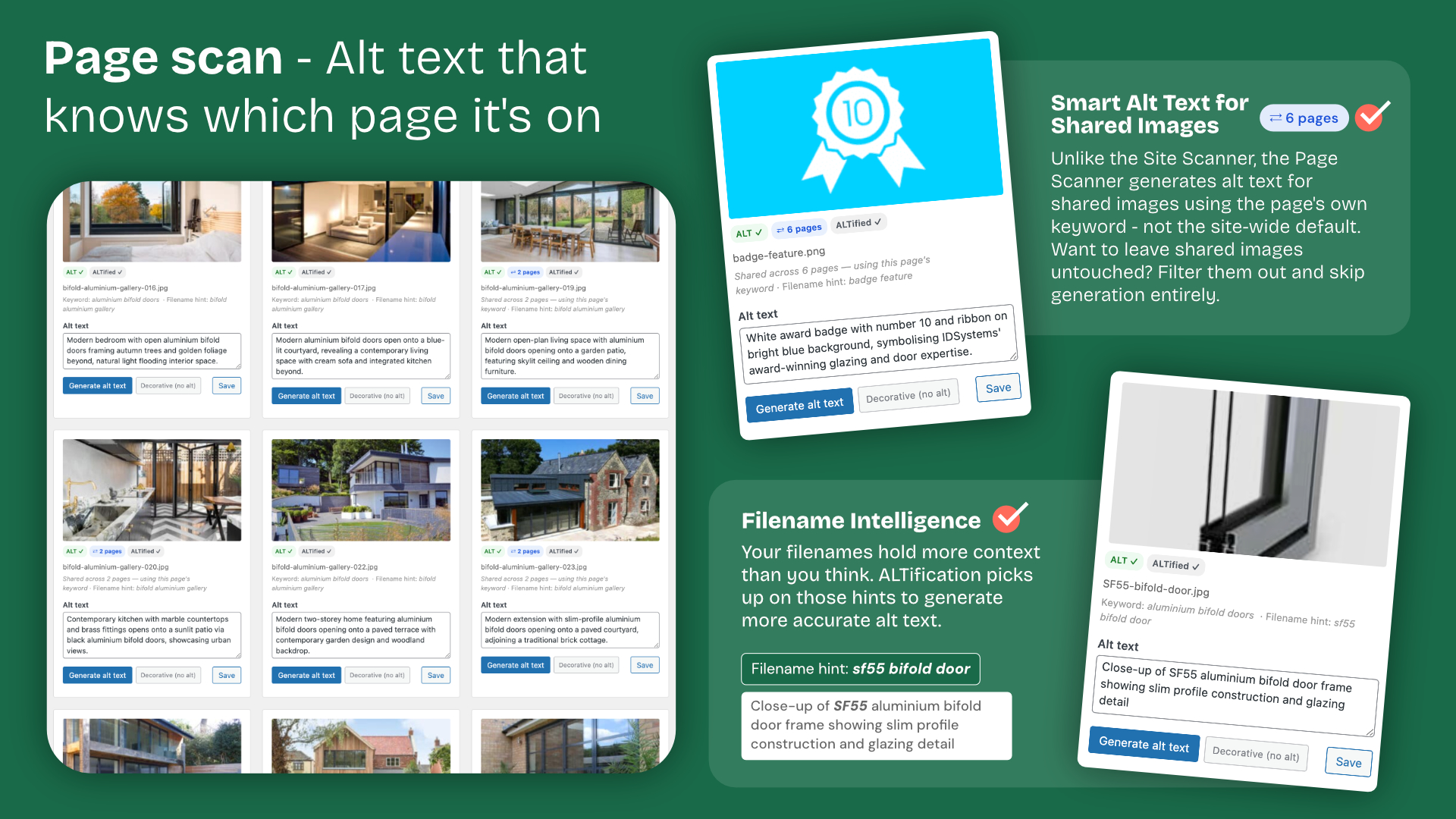
- Page-level generation with keyword context from Yoast SEO, Rank Math, AIOSEO, SEOPress, and The SEO Framework
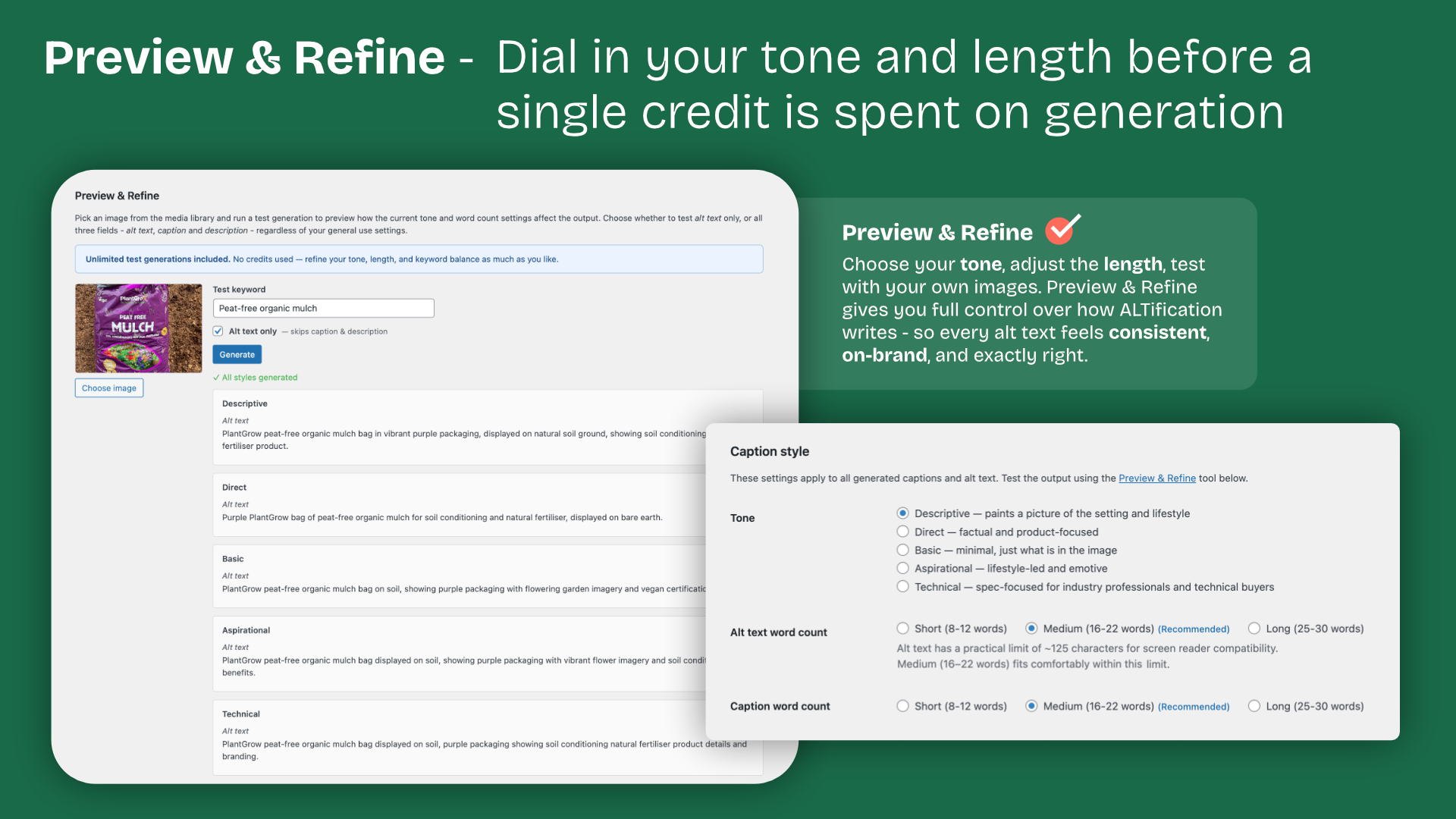
- Generate captions and descriptions alongside alt text
- Media Library column showing SEO health badges for every image
- Post editor metabox for inline generation
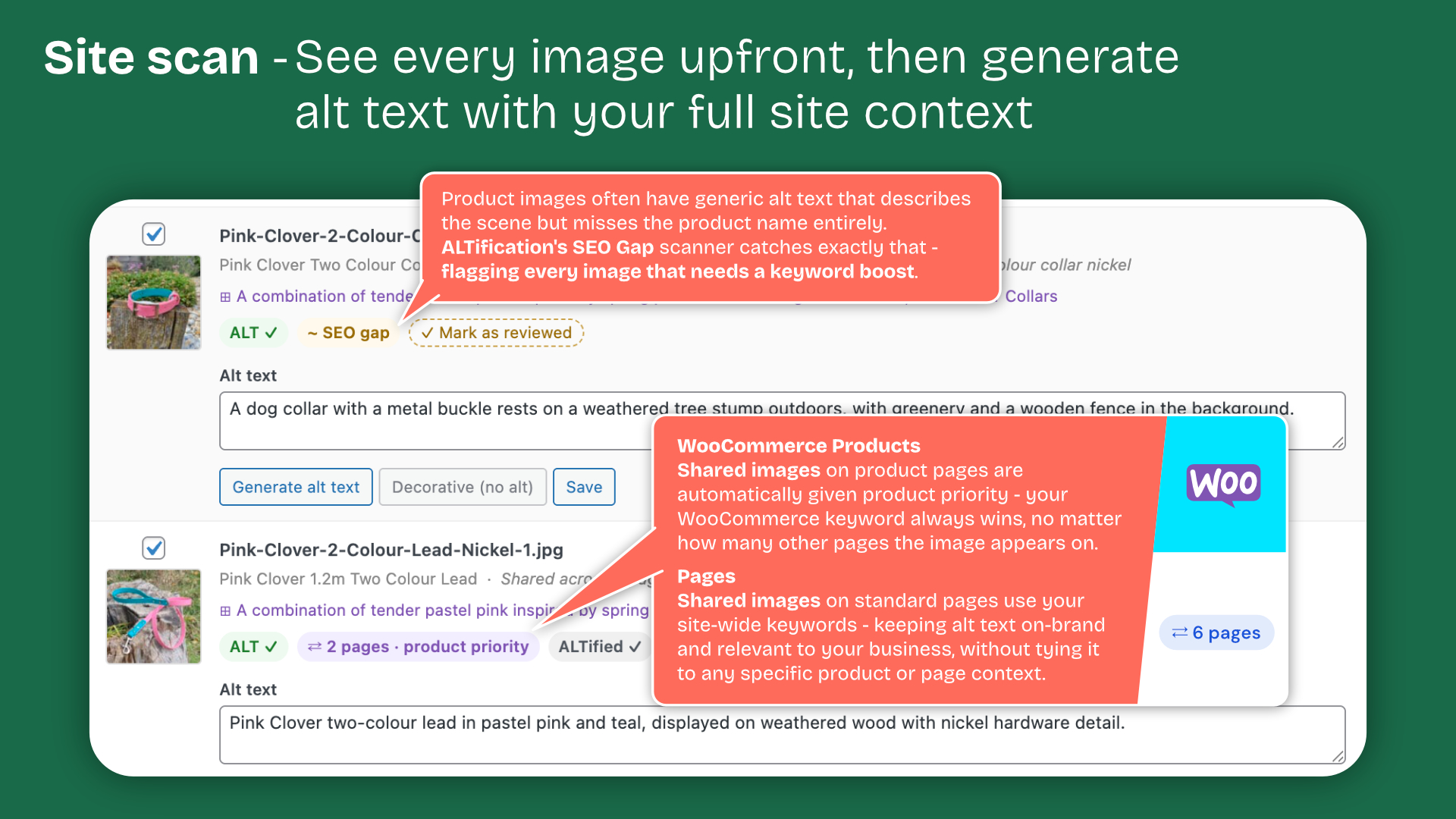
- Detect and fix SEO gaps where alt text doesn’t reflect the page keyword
- Mark decorative images to suppress alt text (WCAG compliant)
- Supports WooCommerce products, ACF image fields and shared images
- Before & After report for agency workflows
ALTification connects to the ALTification platform API to generate content. An API key is required.
External Services
This plugin sends data to the ALTification API and Anthropic (Claude) when you trigger a generation, scan, or credit check — never automatically in the background.
ALTification API
Endpoint: https://altification.ai/wp-json/altification/v1/
When you generate, the plugin sends:
- Your image (as a URL or base64-encoded data)
- The page’s SEO context (focus keyword, meta title, meta description, where available from your SEO plugin)
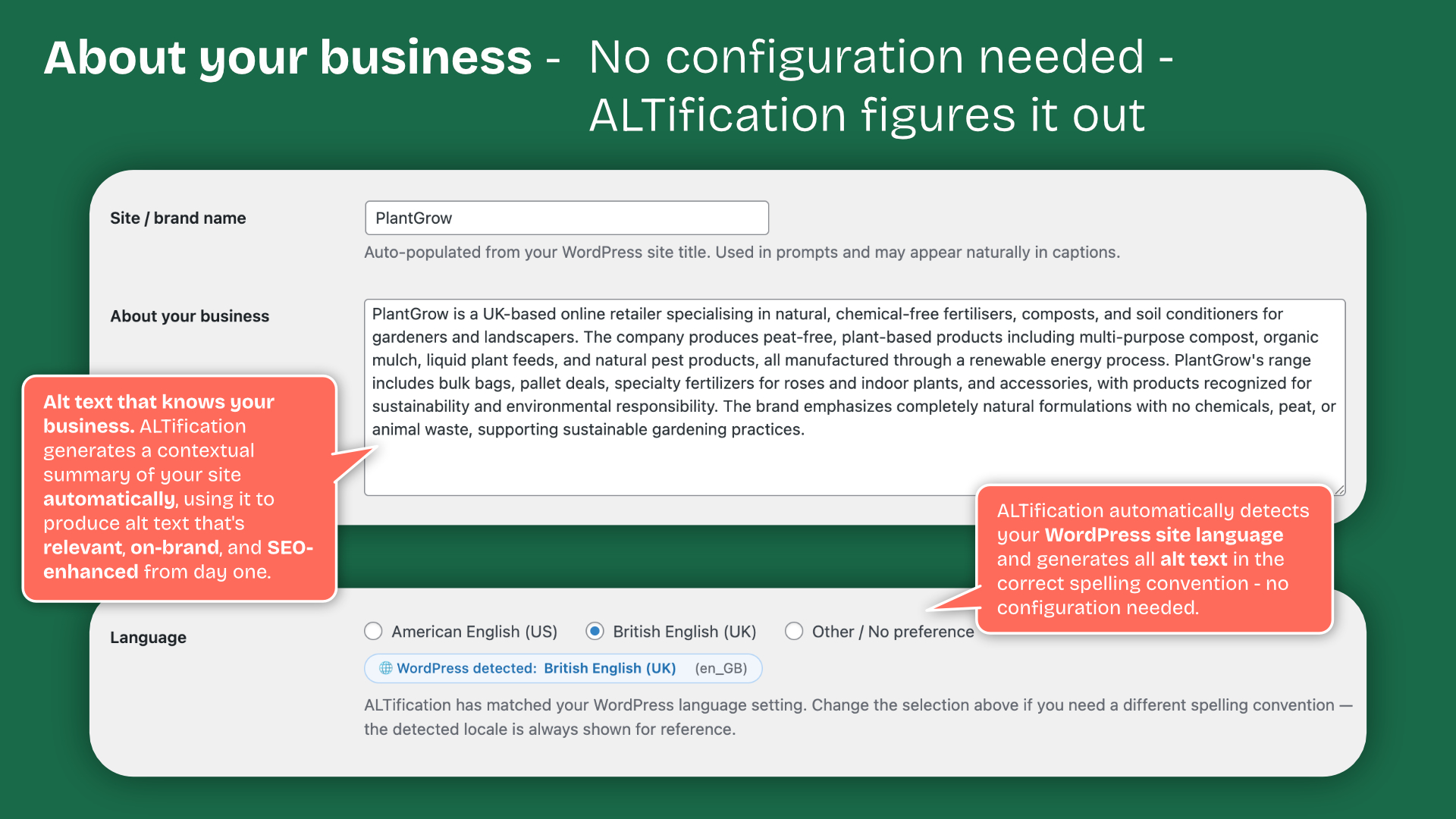
- Your site’s context (site name, language, WooCommerce product/category data if relevant, a short excerpt of your homepage text, ACF field content if you have configured ACF support)
- A non-identifying site fingerprint (an MD5 hash of WordPress’s COOKIEHASH and site URL, used to lock your API key to one site)
- Your ALTification API key
The API returns the generated text, your remaining credit balance and your account status.
ALTification does not store the image after the response is returned.
- ALTification Privacy Policy: https://altification.ai/privacy-policy/
- ALTification Terms of Service: https://altification.ai/terms/
Anthropic (Claude)
ALTification’s server uses Anthropic’s Claude API to produce generated text. The plugin does not call Anthropic directly — no Anthropic account or key is needed.
- Anthropic Privacy Policy: https://www.anthropic.com/legal/privacy
- Anthropic Commercial Terms: https://www.anthropic.com/legal/commercial-terms
Use of this plugin requires an ALTification account and API key, available at https://altification.ai.
Installation
- Upload the plugin folder to
/wp-content/plugins/. - Activate the plugin through the Plugins screen in WordPress.
- Go to ALTification → Settings and enter your API key from altification.ai.
- Run the Site Scan to assess your images, then generate alt text in bulk or page by page.
Frequently asked questions
Do I need an API key?
Yes. You only need an ALTification API key — get yours from altification.ai/dashboard. You do not need to manage your own Anthropic or other AI provider key; generation is handled on the ALTification server. See the External Services section below for details on how data is processed.
Which SEO plugins are supported for keyword context?
Yoast SEO, Rank Math, All in One SEO, SEOPress, and The SEO Framework are all supported. The focus keyphrase is read automatically when you load a page in the scanner.
Can I generate alt text for WooCommerce products?
Yes. Product images use the product’s focus keyword and the WooCommerce product context is included in the prompt.
Does it support ACF image fields?
Yes. ALTification scans for ACF image fields and prompts you to add any newly discovered fields to your settings.
Is the generated alt text saved automatically?
Optionally. You can enable “Save on generation” in the Site Scan to save automatically, or review and save manually.
Which post types are scanned?
Pages and posts always, plus every public custom post type on your site — including any registered after you last saved your settings. You can exclude individual types under ALTification → Settings → Custom post types. Leaving a type unscanned means images used only in that type are never matched to a page, so they fall back to generic alt text instead of the page’s keyword.
Why does an image say it was uploaded from a page it isn’t on?
WordPress records which post’s editor was open when a file was uploaded and shows it as “Uploaded to” in the Media Library. It is not a record of where the image is used — uploading several files in one go leaves them all pointing at a single page. ALTification only takes a keyword from a page the image was actually found on, so where the two disagree it tells you and uses your site-wide default keyword instead.
Changelog
Important fix. Images whose SEO gap you had already addressed could all reappear as gaps, with no way to clear them but regenerating. Updating restores them automatically — no credits are used. Recommended for anyone whose gap count jumped after 1.0.6.
1.0.7
- Fixed: images whose SEO gap had already been addressed could all reappear as gaps after updating, with regenerating each one the only way to clear them. The Site Scan was treating “this scan did not find the image on a page” as proof the image is not on one, and discarding the page it had already been confirmed against. Images placed by page builders, theme templates, sliders or image optimisers are routinely invisible to the scan, so on a large site this affected hundreds of images at once
- Updating restores the confirmed page on every affected image automatically. Nothing needs regenerating and no credits are used
- The Site Scan now only re-attributes an image when it actually finds it on a different page, and re-points it at that page instead of discarding what it knew
- Alt text written from the upload page’s keyword is still flagged, but now only when the keyword really is present in the alt text and the same page produced a batch of files with the same guess — the case a batch upload creates. A single file uploaded into the page it is used on is no longer flagged
- Added: “Mark visible as reviewed” on the Site Scan, to dismiss the SEO gap flag on every listed image at once. Alt text is not changed and no credits are used
- Clearer wording on the SEO gap notice, naming the page the keyword came from and how many other images were given the same one
- Fixed: the Site Scan could open on the “Missing any” filter showing an empty list, on sites whose only outstanding image is one marked decorative. Decorative images and SVGs are no longer counted as missing anything
- Fixed: images were listed as Improvable whose alt text already contained the page keyword. Improvable was decided purely on whether the alt text had been written before the image was confirmed on a page, so it offered regenerations that would spend a credit reproducing what was already there. It now also checks whether the keyword is genuinely missing from the alt text
- Fixed: the Media Library and the Site Scan reported different Improvable counts for the same images. The Media Library ran its own query that could not tell whether a page keyword was available; both screens now read the same scan result
- Removed the one-time notice about post type scanning changes
1.0.6
- Fixed: the Page Scanner and the editor sidebar could report an SEO gap on alt text that already contained the page’s focus keyphrase. These two screens were missed by the 1.0.5 fix, so they still judged alt text against the site-wide default keyword. The Site Scan and Media Library were already correct, which is why the same image could show a gap on one screen and not another
- Fixed: images could stay in the Improvable filter permanently, reappearing after every regenerate and save. Images shared across several pages were the ones affected — they generate descriptively with no page keyword, so there was never a better keyword for them to move to and they should not have been listed at all
- Improvable now means a page-specific keyword is genuinely available for that image, rather than simply that the image appears somewhere on the site
1.0.5
- Fixed: images could be flagged as an SEO gap even when their alt text already contained the page’s focus keyphrase. The check was not looking at the page the image was found on, so it compared the alt text against your site-wide default keyword instead
- Fixed: the Media Library showed the site-wide default keyword rather than the keyword of the page an image appears on, and used it when generating from that screen
- Most visible on sites using custom post types, which 1.0.4 brought into the scan for the first time. If your SEO gap count jumped after 1.0.4, this corrects it — no need to regenerate anything
1.0.4
- Fixed: images could be generated using the keyword of the page they were uploaded from rather than the page they appear on. WordPress records which post’s editor was open at upload time, so a batch upload left every file pointing at one arbitrary page
- Fixed: alt text generated on upload was marked as reviewed immediately, so an incorrect keyword was never re-checked by a later scan. It is now provisional until a scan confirms which page the image is on
- Fixed: accurate alt text could be flagged as an SEO gap, and “Fix SEO gap” would then overwrite it using an unrelated page’s keyword
- Fixed: custom post types registered after your settings were last saved were silently left out of scans. All public post types are now scanned unless you exclude them in Settings
- Fixed: WooCommerce product context could be applied to an image that belongs to a different product
- New: the Site Scan and Media Library now show when an image was uploaded from a page it does not appear on, rather than presenting that page as its source
- Affected images are re-flagged for review on your next Site Scan. Images you marked as reviewed yourself are left untouched
1.0.3
- Account dashboard now shows the site language badge for American English (US) sites, not just non-default locales
- Each generation sends an explicit language display label to the account platform
- No change to language detection or generated output
1.0.2
- Fixed a bug where the editor metabox could interfere with ACF’s own field resolution on the post edit screen, occasionally causing ACF field values to display incorrectly until a hard refresh
- Editor metabox content now loads asynchronously for better compatibility with sites using Advanced Custom Fields
- Reduced the metabox’s performance impact on sites with a large number of pages
Screenshots
For developers
Is this your plugin? Show off the numbers.
Add a live badge to your site, docs or GitHub README. It updates on its own — no account needed.
Best Alt Text & Image SEO alternatives
All accessibility plugins →





FAQ
Alt Text & Image SEO — ALTification: quick answers
Straight answers, pulled from live WordPress.org data.
Live data from WordPress.org · checked Oct 2, 2026
Is Alt Text & Image SEO free?
Yes. Alt Text & Image SEO is free to download and use from the official WordPress.org plugin directory.
Is Alt Text & Image SEO safe to use in 2026?
Alt Text & Image SEO is a solid plugin choice in 2026, with a few things worth checking first. It runs on 20+ sites and was last updated 4 weeks ago, and scores 67/100 on our health check.
How many websites use Alt Text & Image SEO?
Alt Text & Image SEO is active on 20+ WordPress websites and has been downloaded 1,254 times since it launched in June 2026. It was downloaded 632 times in the last 30 days.
Does Alt Text & Image SEO work with WordPress 7.1?
Yes. The developer has tested Alt Text & Image SEO up to WordPress 7.1.2, the latest release. It requires WordPress 6.0 or newer.
What PHP version does Alt Text & Image SEO need?
Alt Text & Image SEO requires PHP 7.4 or higher. Most hosts run PHP 8.x today, so it works on any modern WordPress hosting.
When was Alt Text & Image SEO last updated?
The latest version, 1.0.7, was released on September 4, 2026 (4 weeks ago).
Who makes Alt Text & Image SEO?
Alt Text & Image SEO is developed and maintained by A Fine Studio.
What are the best alternatives to Alt Text & Image SEO?
The most popular alternatives to Alt Text & Image SEO are Web Accessibility (formally… (500K+ installs), Auto Image Attributes From… (100K+ installs) and Accessibility by UserWay (80K+ installs).
Powered by PageForge
Want thousands of pages that rank like these? Build them in an afternoon.
This directory runs on the same engine as PageForge. Turn any spreadsheet, CSV or API into thousands of fast, SEO-ready WordPress pages — with schema, internal links and AI-written copy baked in.
- CSV, Google Sheets & API data sources
- AI content, schema & internal links per page
- Works with Elementor, Gutenberg, Yoast & Rank Math
- Free on WordPress.org — no credit card


