



aGo Migrator
Simple WordPress migrator: export site as a single archive (DB + uploads), import on the destination.

Use with caution
aGo Migrator works, but test it on a staging site before relying on it in 2026. Was last updated 3 months ago, and scores 60/100 on our health check.
- Tested with the latest WordPress (7.1)
- Small user base (<10 active installs)
- Very few reviews so far
- Needs PHP 8.1 or newer
How does it stack up?
Side-by-side on installs, updates, ratings & support



Daily downloads
Download spikes usually follow a new release — each site that auto-updates counts as a download.
Rankings
Where aGo Migrator stands todayWordPress.org search rankings
Live position in the plugin search, top 100| Keyword | Position |
|---|---|
| backup | >100 |
| export | >100 |
| import | >100 |
| migration | >100 |
| transfer | >100 |
About aGo Migrator
From the official readme · v1.1.0Description
aGo Migrator packages WordPress content (database tables + uploads + plugin and theme listings) into a single archive to move a site between environments. Lightweight alternative to enterprise migration plugins.
Features
- Export site to a single archive (database, uploads).
- Import archive on the destination site.
- Search-replace of URLs on import.
- No external services.
- Fully internationalized. Translations are contributed and delivered through translate.wordpress.org.
External services
This plugin does not connect to any external service. Nothing is sent anywhere: the archive is generated and read entirely on your own server, and the plugin makes no outbound requests of its own.
The admin page does contain links that open in a new tab only when you click them. No script, style, font or image is ever loaded from any of these sites:
- ago.cl, plugin documentation and the aGo Lab site (https://ago.cl/).
- wordpress.org, the support forum for this plugin, the “Moving WordPress” guide and the “Changing the site URL” guide (https://wordpress.org/).
- PageSpeed Insights, offered as a way to compare your site before and after a move (https://pagespeed.web.dev/).
- PayPal, the voluntary donation links (https://paypal.me/).
Privacy
The plugin processes your own site data locally to build and restore the archive. It sends no data to third parties. It stores short-lived job transients and a temporary working directory in wp-content; on uninstall, those transients and the temporary directory are removed.
Installation
- Upload
ago-migratorto/wp-content/plugins/. - Activate the plugin on both source and destination.
- Source: aGo Tools, Migrator, click Export.
- Destination: same screen, click Import and upload the archive.
Changelog
Recommended: backups are now written inside the uploads directory, every content location is resolved through its own WordPress function, and on multisite only a network administrator can export or restore.
1.1.0
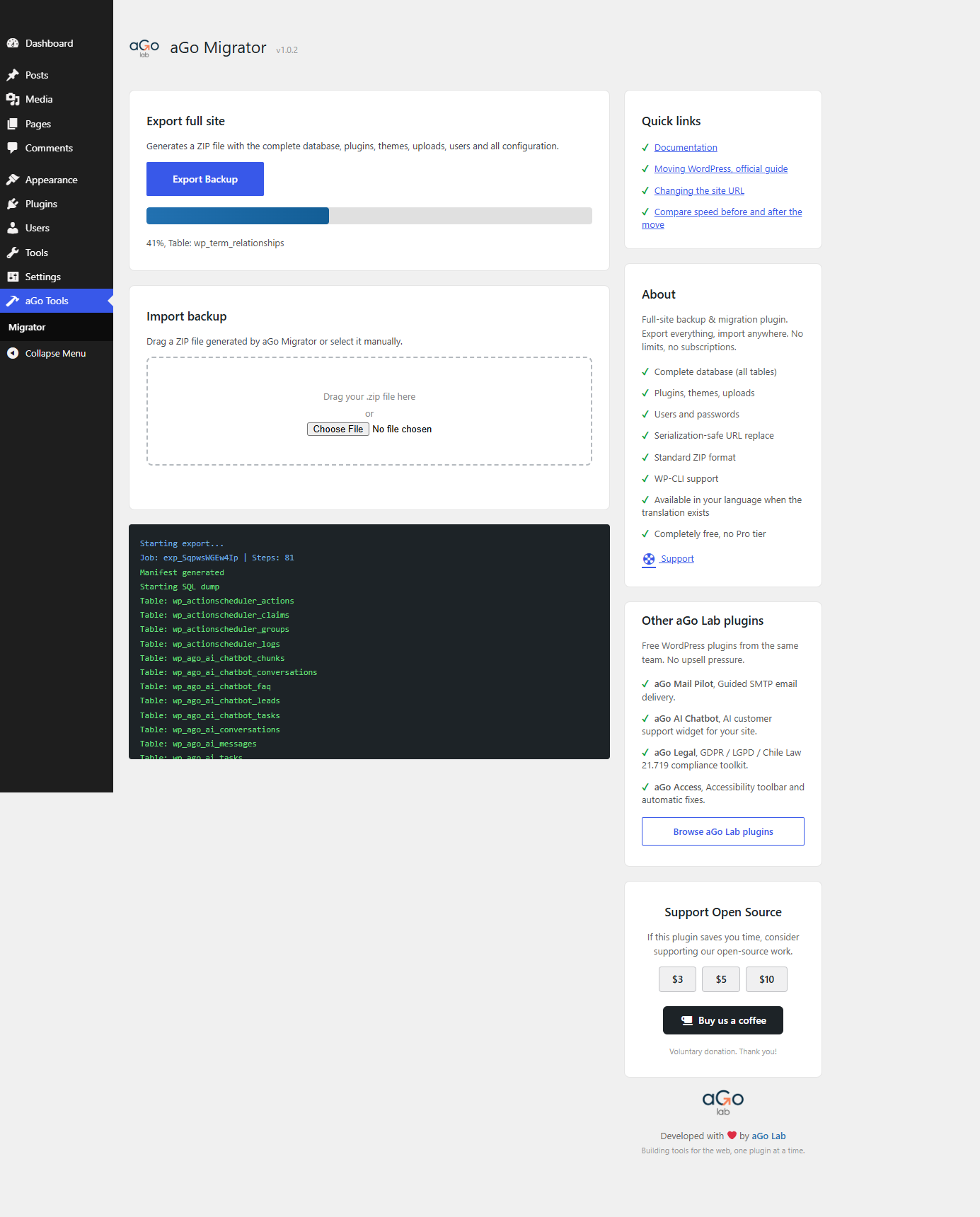
- Exporting the files of a site is now done in batches instead of one directory per request, so a large uploads folder no longer runs past the time limit of the server and costs you the whole export.
- Each location is indexed before its files are archived, so progress is reported file by file against the real total.
- WP-CLI reports each step as it goes, with its own count.
1.0.3
- A hosting or security layer that limits how many requests it accepts no longer stops an export or an import halfway: the step is repeated after a short wait and the rest of the job continues at a slower pace.
- When the server answers with an error, the log now names it, instead of showing the message of a failed attempt to read the answer as data.
1.0.2
- Every file the plugin writes now lives in a folder named after the plugin inside the uploads directory, resolved at runtime, instead of a folder in wp-content.
- Each location the plugin reads or restores (plugins, must-use plugins, themes, uploads, languages) is resolved through its own WordPress accessor, so installs that moved any of them outside wp-content are exported and restored correctly.
- On import, the archive’s upload directory is rewritten to wherever uploads live on the destination, which fixes media paths when the two sites do not share the same layout.
- An export or a restore now requires the network capability on multisite, so a single site administrator can no longer act on the whole installation.
- Upgrading or uninstalling removes the working directory used by earlier versions, so no old database dump is left behind.
- Translations are no longer bundled: they come from translate.wordpress.org, where anyone can contribute them.
1.0.1
- Security: the working directory is created on demand and always carries its server-level denial files, instead of relying on activation having run.
- Security: each backup is written inside a folder whose name is not guessable, so an archive cannot be located by trying URLs.
- Security: archives are deleted after download, by a scheduled cleanup, and whenever a new job starts. A database dump is no longer left on disk when a download is abandoned.
- Security: job identifiers are validated against a strict allow list before they are used to build a filesystem path.
- Security: a restore only runs schema and data statements from an allow list, so a tampered archive cannot reach other database commands.
- Security: archive entries with traversal segments, absolute paths, drive letters or backslashes are refused, and every write is confirmed to land inside its destination directory.
- Security: serialized objects are left untouched during search-replace rather than being unserialized.
- Security: table names are verified against the live schema and all values are escaped through the WordPress database API.
- Fixed: the activation routine never ran, which left the working directory without its protection files.
- Fixed: an SQL value containing a semicolon and a line break no longer splits a statement in two during import.
- Fixed: error messages no longer include server paths or dump contents.
- Added: Quick links and Other aGo Lab plugins cards in the sidebar, both fully translated.
1.0.0
- Initial release.
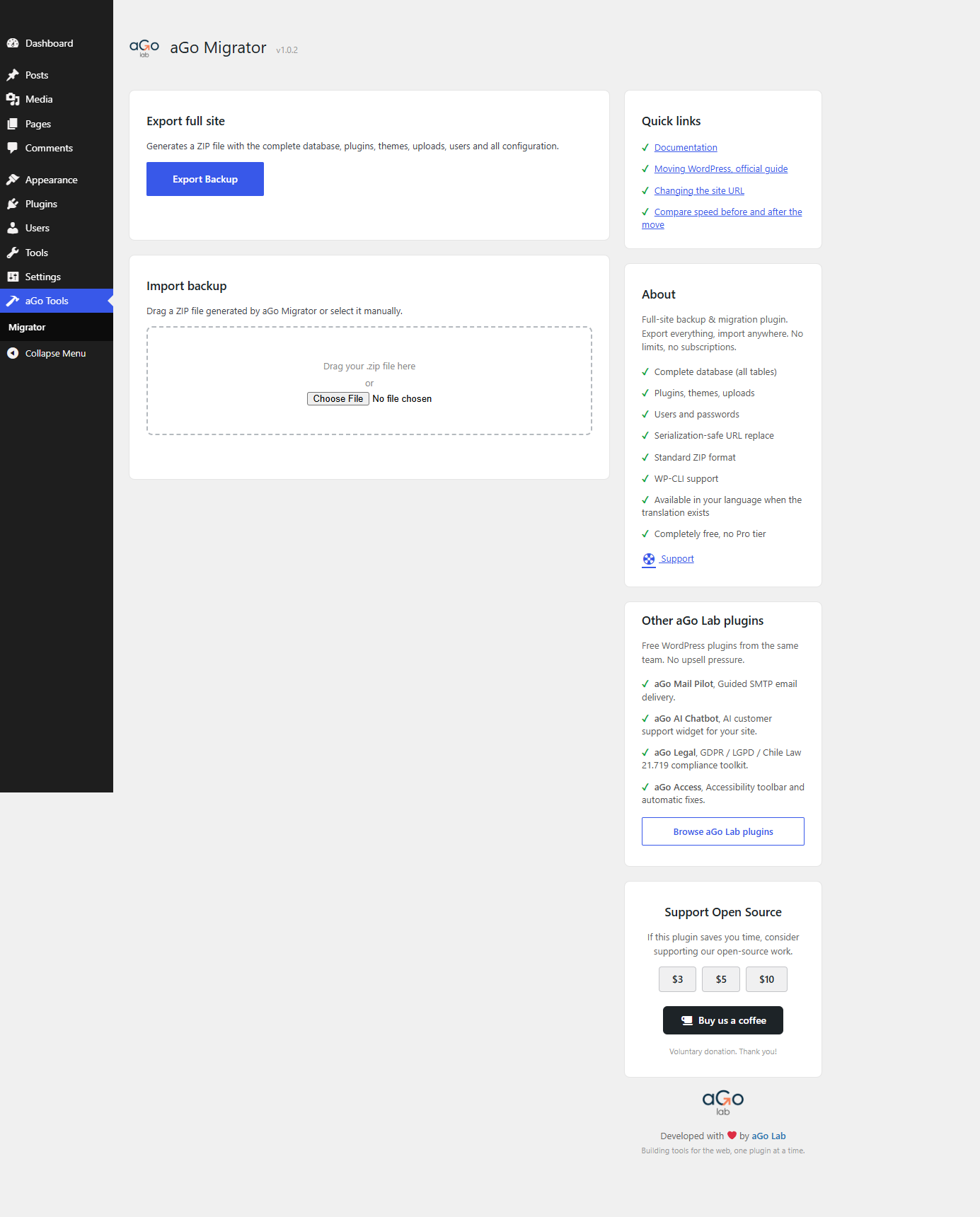
- One-click full-site export (database and uploads) to a single archive.
- Drag and drop import with manifest preview and confirmation.
- Serialization-safe search-replace of URLs on import.
- WP-CLI export and import commands.
- Fully internationalized, with translations available through translate.wordpress.org.
Screenshots
For developers
Is this your plugin? Show off the numbers.
Add a live badge to your site, docs or GitHub README. It updates on its own — no account needed.
Best aGo Migrator alternatives
All backup plugins →





FAQ
aGo Migrator: quick answers
Straight answers, pulled from live WordPress.org data.
Live data from WordPress.org · checked Nov 18, 2026
Is aGo Migrator free?
Yes. aGo Migrator is free to download and use from the official WordPress.org plugin directory.
Is aGo Migrator safe to use in 2026?
aGo Migrator works, but test it on a staging site before relying on it in 2026. Was last updated 3 months ago, and scores 60/100 on our health check.
How many websites use aGo Migrator?
aGo Migrator is active on <10 WordPress websites and has been downloaded 270 times since it launched in August 2026. It was downloaded 73 times in the last 30 days.
Does aGo Migrator work with WordPress 7.1?
Yes. The developer has tested aGo Migrator up to WordPress 7.1.4, the latest release. It requires WordPress 6.0 or newer.
What PHP version does aGo Migrator need?
aGo Migrator requires PHP 8.1 or higher. Most hosts run PHP 8.x today, so it works on any modern WordPress hosting.
When was aGo Migrator last updated?
The latest version, 1.1.0, was released on August 21, 2026 (3 months ago).
Who makes aGo Migrator?
aGo Migrator is developed and maintained by Ago lab.
What are the best alternatives to aGo Migrator?
The most popular alternatives to aGo Migrator are All-in-One WP Migration and… (5M+ installs), UpdraftPlus: WP Backup & Mi… (4M+ installs) and Jetpack (3M+ installs).
Powered by PageForge
Want thousands of pages that rank like these? Build them in an afternoon.
This directory runs on the same engine as PageForge. Turn any spreadsheet, CSV or API into thousands of fast, SEO-ready WordPress pages — with schema, internal links and AI-written copy baked in.
- CSV, Google Sheets & API data sources
- AI content, schema & internal links per page
- Works with Elementor, Gutenberg, Yoast & Rank Math
- Free on WordPress.org — no credit card


