


Accessibility Assistant – EAA ADA WCAG AODA
Enhance store inclusivity with Easy Web Accessibility Widget for EAA, ADA, WCAG & AODA compliance

Solid choice
Accessibility Assistant is a solid plugin choice in 2026, with a few things worth checking first. It runs on 100+ sites, is rated 4.3/5 and was last updated 2 months ago, and scores 68/100 on our health check.
- Small user base (100+ active installs)
How does it stack up?
Side-by-side on installs, updates, ratings & support



Daily downloads
Download spikes usually follow a new release — each site that auto-updates counts as a download.
Rankings
Where Accessibility Assistant stands todayWordPress.org search rankings
Live position in the plugin search, top 100| Keyword | Position |
|---|---|
| accessibility | #41 |
| ada | #14 |
| EAA | #5 |
| wcag | #14 |
Version adoption
Share of active sites per release.
Rating breakdown
★★★★★★★★★★ 4.3 from 9 reviews
About Accessibility Assistant
From the official readme · v6.0.7Description
Get started with Accessibility Assistant at no cost.
The free plan includes essential accessibility features, simple widget control, supports 100+ languages and standard email support — perfect for instantly enhancing your website’s accessibility.
Ensure ADA, WCAG, and EAA compliance with Accessibility Assistant. Improve accessibility with features like Accessibility Profiles, keyboard navigation, text-to-speech, contrast settings, and font scaling. The fully customizable widget supports multiple languages to match your store’s branding for EAA, ADA, WCAG and AODA. Create an inclusive experience, reduce legal risks, and comply with global accessibility standards, no coding needed. You can just simply add the widget and it will be done.
1. Ease of Access for Visually Impaired Users
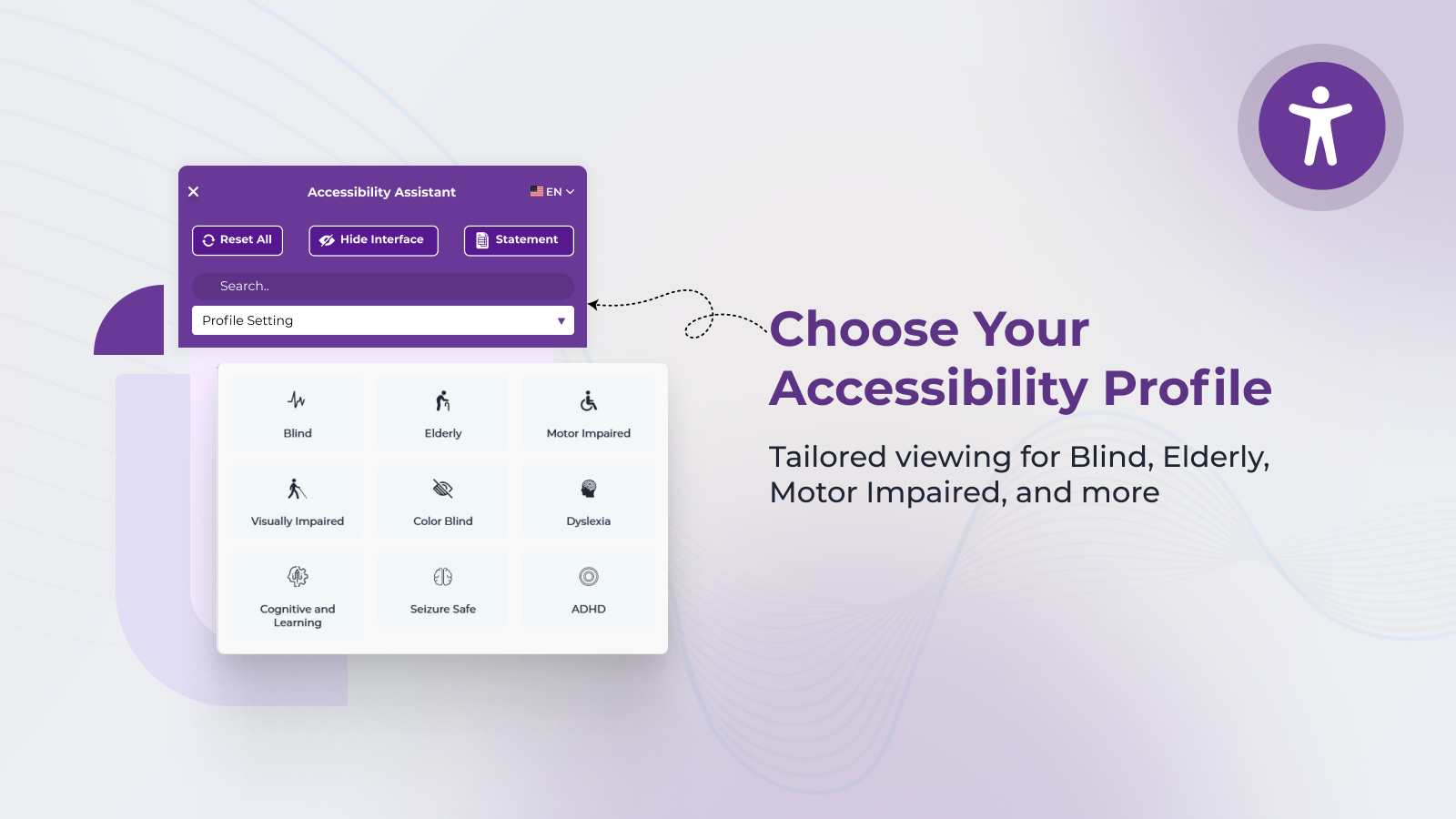
Accessibility Assistant enhances the browsing experience for users with varying levels of visual impairment by allowing them to adjust contrast, text size, cursor visibility, and reading modes — supporting greater independence and digital inclusion.
2. Ease of Access for Elderly Users
The plugin helps older adults overcome age-related vision or motor limitations by offering easy-to-use tools such as font resizing, high-contrast modes, large cursor, and keyboard navigation — making websites more readable and easier to interact with.
3. Ease of Access for Mobility-Impaired Users
For users who experience difficulty using a mouse or trackpad, Accessibility Assistant provides full keyboard navigation and interaction support, allowing them to browse, fill forms, and navigate menus without relying on a pointing device.
4. Ease of Access for Users with Temporary or Situational Disabilities
Whether due to temporary conditions like eye fatigue, injury, or environmental limitations, users can benefit from on-demand accessibility adjustments such as text-to-speech, spacing controls, and navigation enhancements — all without needing system-level changes.
5. Ease of Access for Blind and Screen Reader Users
Accessibility Assistant offers assistive tools like text-to-speech, image alt text tooltips, and improved keyboard focus support, helping blind or severely visually impaired users better access, navigate, and interact with digital content independently.
6. Ease of Access for Users with Cognitive or Learning Disabilities
Accessibility Assistant supports users with conditions such as dyslexia, ADHD, and other cognitive challenges by offering features like dyslexia-friendly fonts, reading masks, line-by-line reading guides, and simplified visual modes — helping them stay focused, reduce cognitive overload, and better comprehend website content.
Key Features – Designed for ADA, WCAG, EAA and AODA Accessibility Compliance
Accessibility Assistant for WordPress
offers a full suite of accessibility tools that empower users to personalize their browsing experience while helping site owners move toward compliance with global accessibility laws and guidelines.
Multi-language Support (100+ languages)
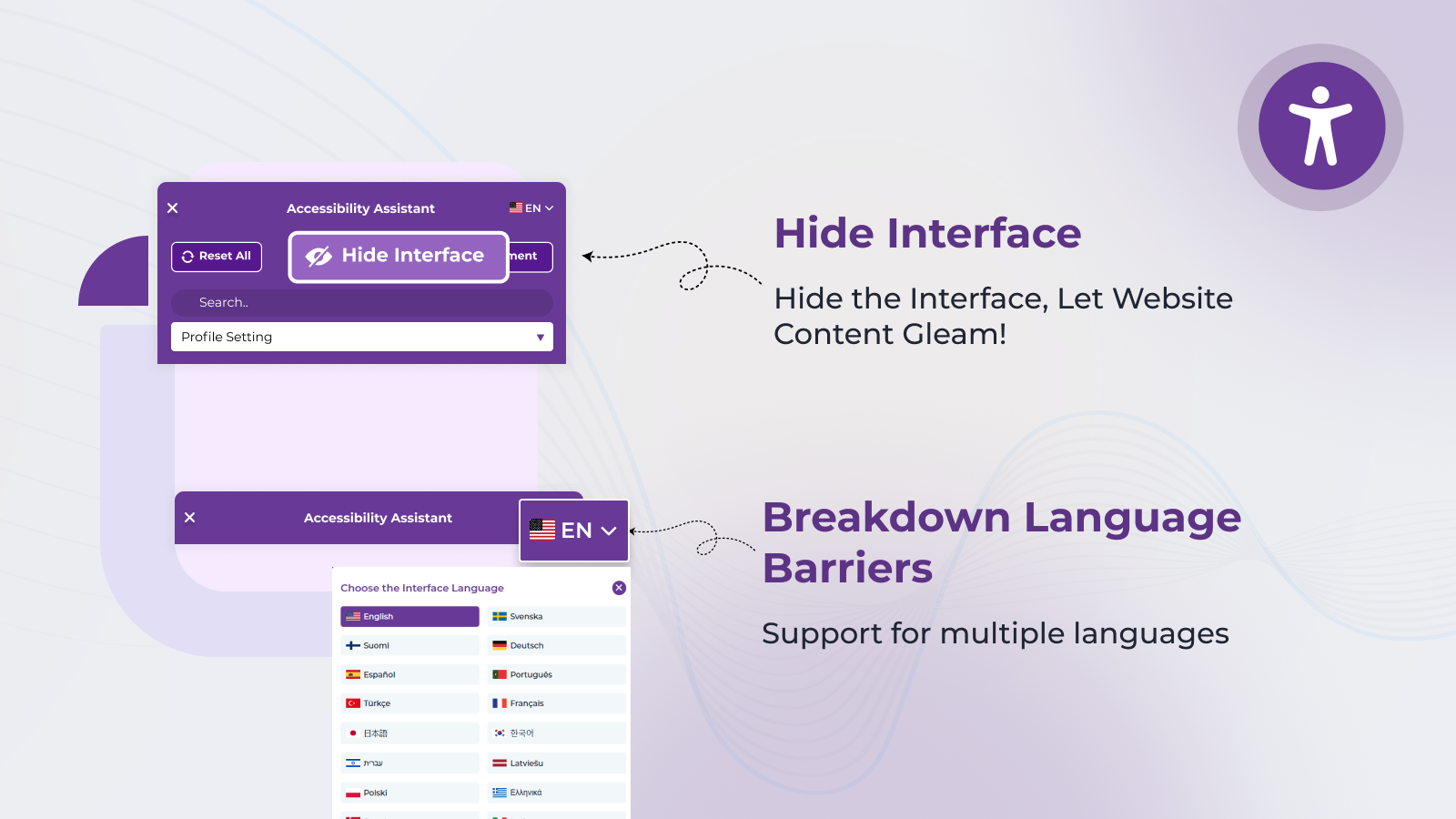
Ensures accessibility across global audiences by auto-detecting or manually setting the widget language, including support for EAA regions.
Text-to-Speech (TTS)
Allows users with visual impairments or reading challenges to listen to on-page content, enhancing compliance with WCAG and ADA standards.
Font Resizing and Content Spacing Controls
Helps users with low vision or cognitive needs adjust font size, line height, letter spacing, and word spacing for optimal readability.
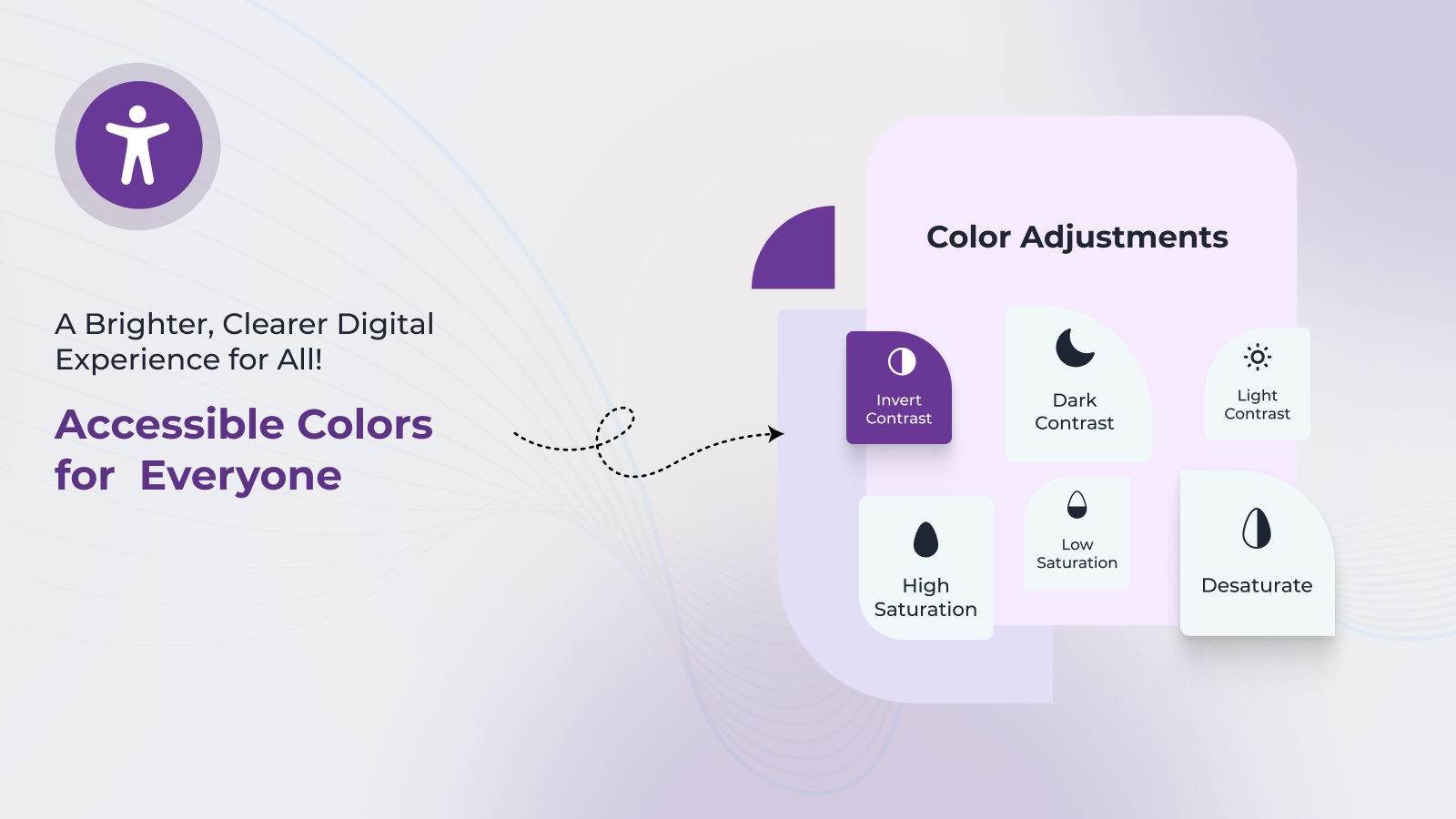
Color Contrast and Brightness Adjustment
Provides high-contrast modes and brightness controls to meet WCAG 2.1 minimum contrast ratios, supporting users with visual impairments.
Dark Mode, Light Mode, Grayscale, and High-Contrast Modes
Enables quick visual theme toggles for users sensitive to light or color, aiding compliance with visual accessibility requirements under ADA and EAA.
Keyboard Navigation and Focus Indicators
Enhances accessibility for users who rely on keyboard-only navigation, helping meet AODA and WCAG 2.1 guidelines.
Skip to Content and Quick Navigation Tools
Improves user experience for screen reader and keyboard users by offering direct access to main content areas without unnecessary tabbing.
Link and Heading Highlights
Visually highlights links and headings to assist users with cognitive disabilities or vision difficulties in navigating structured content.
Image ALT Tooltip Display
Displays existing ALT text on image hover, helping users understand visual content and supporting WCAG-compliant media handling.
Pause Animations and Stop Motion Effects
Allows users to disable motion-based content to avoid distractions or seizures, in accordance with WCAG success criteria for animations.
Reading Mask and Reading Guide
Helps focus attention by highlighting one line or area at a time, improving accessibility for users with dyslexia or attention deficits.
Large Cursor Mode
Provides an enlarged mouse pointer for better visibility and control, assisting users with vision or motor challenges.
Content Scaling and Layout Adjustment
Offers global scaling of on-page content elements to make text, buttons, and layouts more accessible without zooming the browser.
Dyslexia-Friendly Fonts
Replaces fonts with clean, readable alternatives to reduce letter confusion and improve comprehension for users with dyslexia.
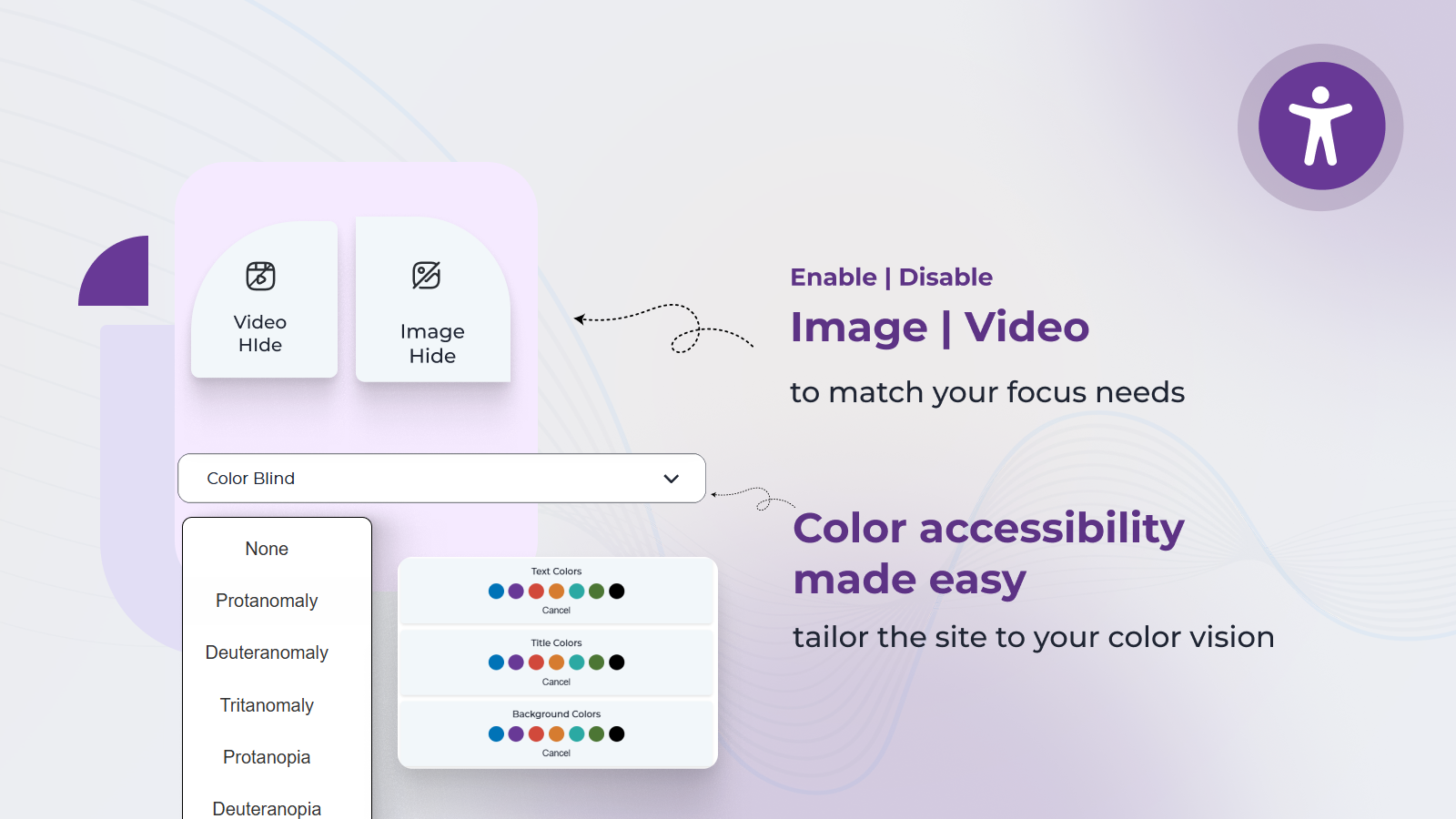
Color-Blind Mode Profiles
Enables preset profiles for common types of color blindness (e.g., red-green, blue-yellow), improving visual accessibility in EAA and WCAG contexts.
Responsive Widget for Mobile and Desktop
Ensures the accessibility tools work seamlessly across screen sizes and devices, maintaining compliance across all platforms.
Customizable Widget Layout and Position
Allows you to configure the placement, appearance, and branding of the accessibility widget to match your site’s UI/UX needs.
Supported Languages
English (en), Svenska (sv), Suomi (fi), Deutsch (de), Español (es), Português (pt), Türkçe (tr), Français (fr), 日本語 (ja), 한국어 (ko), עברית (he), Latviešu (lv), Polski (pl), Ελληνικά (el), Dansk (da), Italiano (it), Română (ro), Български (bg), Hrvatski (hr), Čeština (cs), Nederlands (nl), Eesti (et), Magyar (hu), Gaeilge (ga), Lietuvių (lt), Malti (mt), Slovenčina (sk), Slovenščina (sl)
Compatible with Popular WordPress Themes & Page Builders
Accessibility Assistant works seamlessly with a wide range of WordPress themes and page builders. Below is the list of currently supported environments:
Supported Themes:
- Astra
- OceanWP
- Flatsome
- GeneratePress
- Hello Elementor
- Neve
- Kadence
- Sydney
- Hestia
- Blocksy
- Zakra
- Storefront (official WooCommerce theme)
- WoodMart
- Porto
- Divi
- Avada
- TheGem
- Salient
- Enfold
- X Theme
- Bridge
- Betheme
- Shopkeeper
- Rey
- Electro
Supported Page Builders:
- Elementor
- WPBakery Page Builder
- Bricks
- Beaver Builder
- Gutenberg (Block Editor)
- Divi Builder
- Brizy
- SiteOrigin Page Builder
- Thrive Architect
- Visual Composer
- Cornerstone
- Oxygen Builder
- Themify Builder
- Fusion Builder
- Muffin Builder
- Avia Layout Builder
- UX Builder
If you’re using a theme or page builder that is not listed above, feel free to contact us. Our team will be happy to assist you with setup and ensure full compatibility.
Visit Our Shopify App Page:
Accessibility Assistant on Shopify
Visit Our Wix App Page:
Accessibility Assistant on Wix
Explore Our Website for More Details:
Accessibility Assistant Details
Widget Demo
Widget Demo URL
For assistance, contact us via:
– In-App Chat Support from the plugin itself
– Email Support: support@accessibilityassistant.com
– Phone Support: +91 84696 07787
– WhatsApp Support: Chat on WhatsApp
Installation
This section describes how to install the plugin and get it working.
e.g.
- Upload the plugin files to the
/wp-content/plugins/plugin-namedirectory, or install the plugin through the WordPress plugins screen directly. - Activate the plugin through the ‘Plugins’ screen in WordPress.
- Use the “Accessibility” Name screen to configure the plugin.
- (Make your instructions match the desired user flow for activating and installing your plugin. Include any steps that might be needed for explanatory purposes.)
Frequently asked questions
What does an Accessibility Assistant do?
Accessibility Assistant improves accessibility for users with visual, mobility, or other impairments, making it easier to interact with your website.
How does Accessibility Assistant help blind users?
Accessibility Assistant provides tools like increased text size, high contrast modes, keyboard navigation, and a screen reader-friendly design, making it easier for blind and visually impaired users to navigate websites.
Can I customize the accessibility options?
Yes, you can customize many of the accessibility features, including text size, color contrast, keyboard navigation, and cursor size. These can be adjusted to meet the specific needs of users.
How do I install the Accessibility Assistant plugin on my WordPress website?
To install the Accessibility Assistant plugin: 1. Navigate to the WordPress dashboard. 2. Go to Plugins > Add New. 3. Search for “Accessibility Assistant.” 4. Click “Install Now” and then “Activate.” 5. Configure the plugin settings via the “Accessibility” menu.
What features does the Accessibility Assistant plugin offer to enhance website accessibility?
The plugin provides: – Keyboard navigation enhancements. – Text resizing options. – High contrast and desaturation modes. – Link highlighting. – Customizable cursor settings.
Is the Accessibility Assistant plugin compliant with ADA and WCAG 2.1 standards?
Yes, the Accessibility Assistant is designed to help your website adhere to ADA and WCAG 2.1 compliance, ensuring inclusivity for all users.
Can I customize the Accessibility Assistant plugin to match my website’s design?
Absolutely. The plugin offers customization options for colors, sizes, and features to seamlessly integrate with your site’s aesthetics.
Does the Accessibility Assistant plugin support multiple languages?
Yes, the plugin includes a language editing page, allowing you to tailor language settings to your audience’s needs.
Is there a premium version of the Accessibility Assistant plugin with additional features?
Yes, we offer various feature plans, including premium options with advanced functionalities.
How can I get support for the Accessibility Assistant plugin?
For assistance, contact us via: – In-App Chat Support from the plugin itself – Email Support: support@accessibilityassistant.com – Phone Support: +91 84696 07787 – WhatsApp Support: Chat on WhatsApp
Does the Accessibility Assistant plugin affect website performance?
No, the plugin is optimized to function efficiently without impacting your website’s performance.
Is the Accessibility Assistant plugin compatible with other WordPress plugins and themes?
Yes, it is designed to work seamlessly with most WordPress plugins and themes.
Where can I find the Accessibility Assistant plugin’s documentation and user guide?
Comprehensive documentation and a user guide are available on our website.
How to cancel your subscription?
Navigate to the Plan page and click on the Cancel Subscription button.
Changelog
This update includes several accessibility enhancements and new features, including a language translation capability. Upgrading to this version is highly recommended for an improved user experience and enhanced functionality.
1.3.2
- Added a heatmap tracking file on plugin pages
1.4
- Added a 5 days free trial
1.4.1
- Added a new screenshots, resolved the admin access issue, added language translation
1.4.2
- Added a testimonials and loader
1.4.3
- Disabled all the options on dashboard and edit-language page and save buttons when user has no plan
- On plugin activation setup the default site languges
- On plugin activation redirecting to plan-list page
- Added a plugin deactivation feedback form
1.5
- Added a plugin main page redirection on plugin activation
- Added a new languages files
Screenshots
For developers
Is this your plugin? Show off the numbers.
Add a live badge to your site, docs or GitHub README. It updates on its own — no account needed.
Best Accessibility Assistant alternatives
All accessibility plugins →





FAQ
Accessibility Assistant: quick answers
Straight answers, pulled from live WordPress.org data.
Live data from WordPress.org · checked Oct 4, 2026
Is Accessibility Assistant free?
Yes. Accessibility Assistant is free to download and use from the official WordPress.org plugin directory.
Is Accessibility Assistant safe to use in 2026?
Accessibility Assistant is a solid plugin choice in 2026, with a few things worth checking first. It runs on 100+ sites, is rated 4.3/5 and was last updated 2 months ago, and scores 68/100 on our health check.
How many websites use Accessibility Assistant?
Accessibility Assistant is active on 100+ WordPress websites and has been downloaded 18,106 times since it launched in April 2020. It was downloaded 408 times in the last 30 days.
Does Accessibility Assistant work with WordPress 7.1?
Accessibility Assistant is officially tested up to WordPress 7.0.6, while the latest release is 7.1.2. It may still work, but try it on a staging site first.
What PHP version does Accessibility Assistant need?
Accessibility Assistant requires PHP 5.0 or higher. Most hosts run PHP 8.x today, so it works on any modern WordPress hosting.
When was Accessibility Assistant last updated?
The latest version, 6.0.7, was released on August 11, 2026 (2 months ago).
Who makes Accessibility Assistant?
Accessibility Assistant is developed and maintained by CartCoders.
What are the best alternatives to Accessibility Assistant?
The most popular alternatives to Accessibility Assistant are Web Accessibility (formally… (500K+ installs), Auto Image Attributes From… (100K+ installs) and Accessibility by UserWay (80K+ installs).
Powered by PageForge
Want thousands of pages that rank like these? Build them in an afternoon.
This directory runs on the same engine as PageForge. Turn any spreadsheet, CSV or API into thousands of fast, SEO-ready WordPress pages — with schema, internal links and AI-written copy baked in.
- CSV, Google Sheets & API data sources
- AI content, schema & internal links per page
- Works with Elementor, Gutenberg, Yoast & Rank Math
- Free on WordPress.org — no credit card


