



Zoho Flow – No-Code Workflow Automation
Integrate your WordPress plugins with your business applications and automate workflows between them. A single platform for all your integrations.

Solid choice
Zoho Flow is a solid plugin choice in 2026, with a few things worth checking first. It runs on 5K+ sites, is rated 5/5 and was last updated 4 months ago, and scores 69/100 on our health check.
How does it stack up?
Side-by-side on installs, updates, ratings & support



Daily downloads
Download spikes usually follow a new release — each site that auto-updates counts as a download.
Rankings
Where Zoho Flow stands todayWordPress.org search rankings
Live position in the plugin search, top 100| Keyword | Position |
|---|---|
| automation | #21 |
| integration | >100 |
| notification | >100 |
| webhook | #19 |
| workflow | #5 |
Version adoption
Share of active sites per release.
Rating breakdown
★★★★★★★★★★ 5 from 13 reviews
About Zoho Flow – No-Code Workflow Automation
From the official readme · v2.14.4Description
Integrate your plugins with hundreds of business applications and automate workflows between them using Zoho Flow.
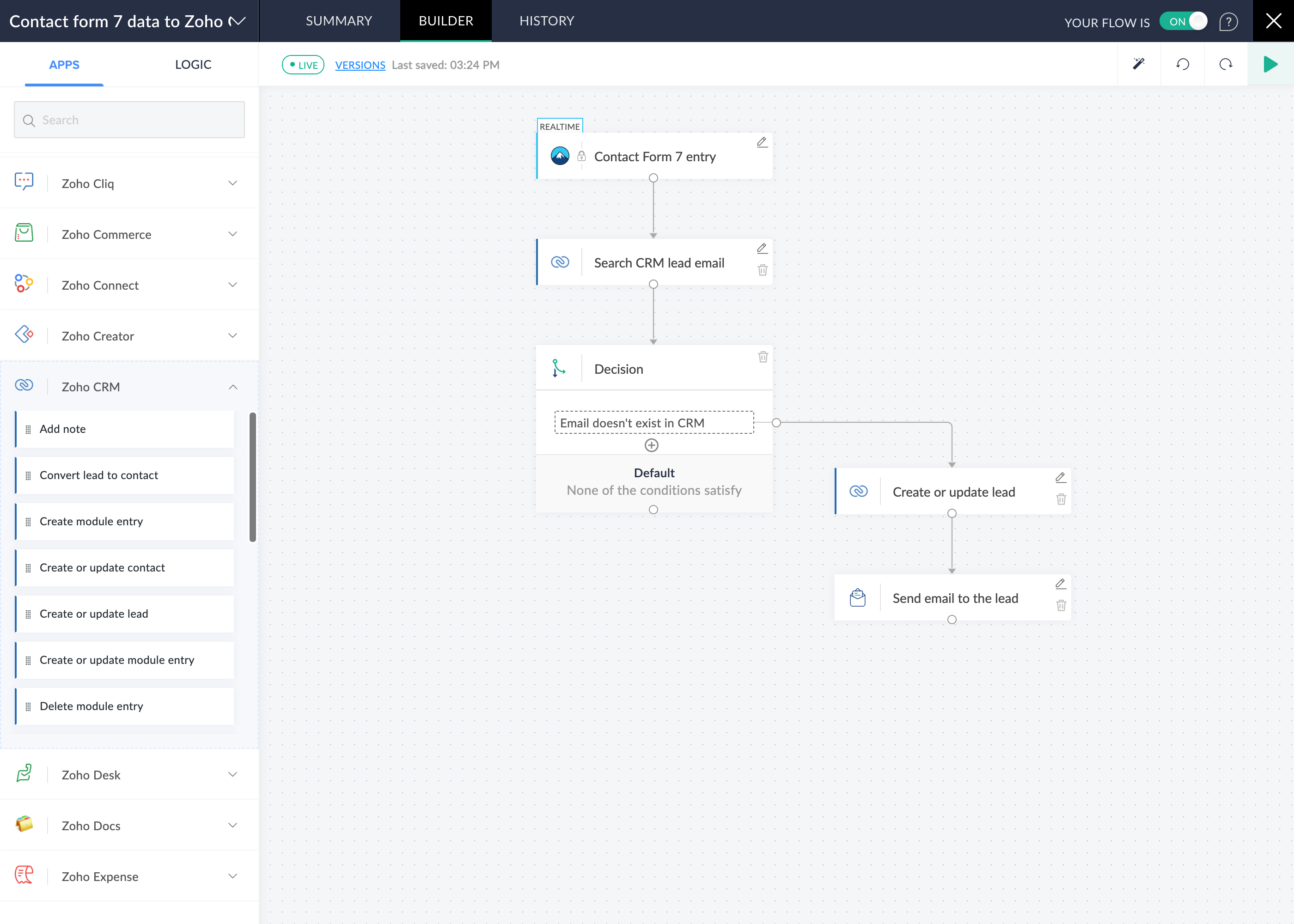
With an intuitive drag-and-drop workflow builder, you can connect all your apps and customize data flow between them exactly the way you want. Build automations that save time and eliminate human error—no coding required.
Powerful tools to help you tailor detailed workflows
- Intuitive drag-and-drop flow builder
- Trigger from multiple sources, like app events, webhooks, schedules, emails, RSS/Atom feeds, and URLs
- Conditional logic using decisions, delays, and custom functions
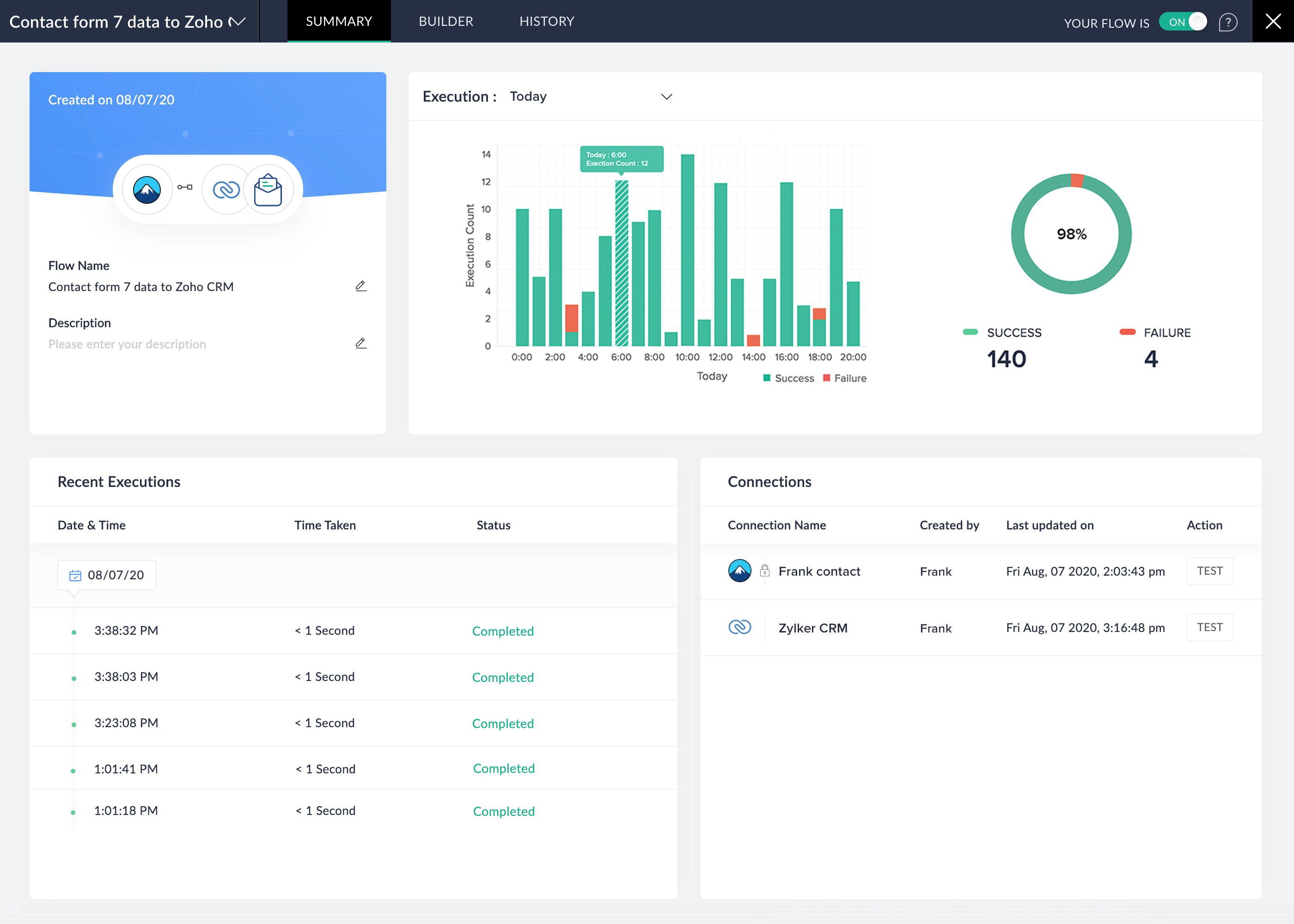
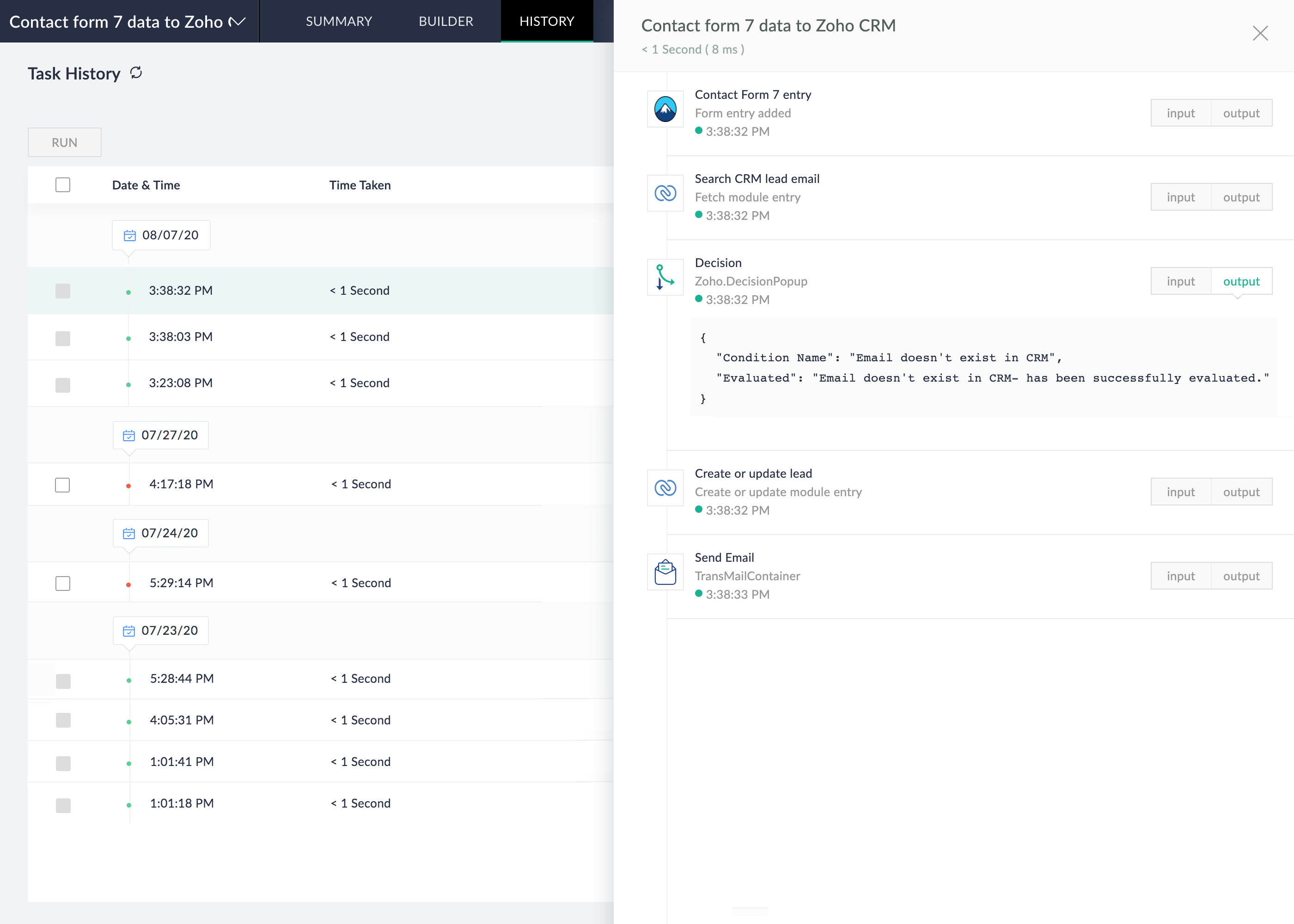
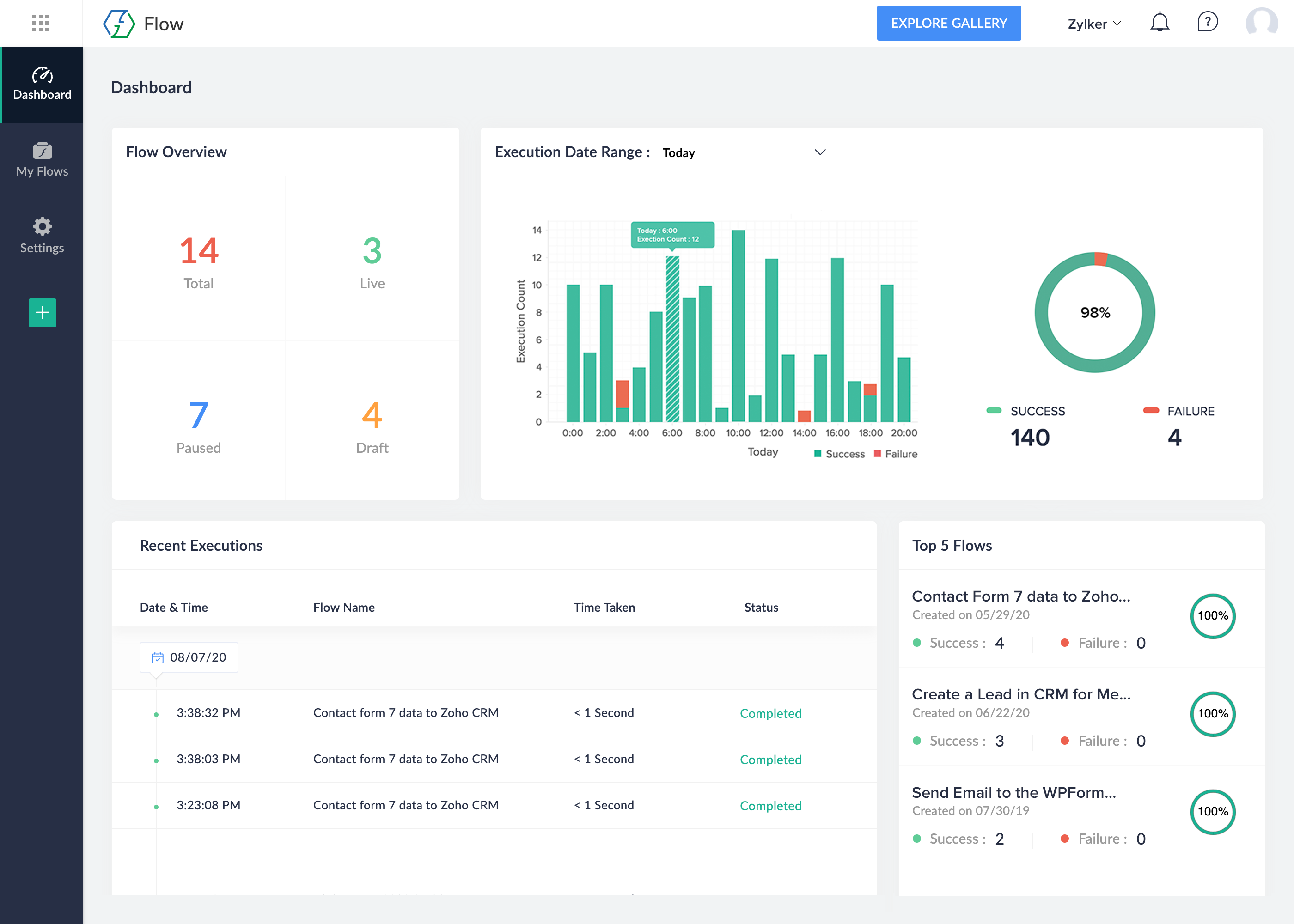
- Deeper insights with dashboards and flow histories
- On-prem integrations to connect your apps with your on-premises system
- Team collaboration with Zoho Flow organizations
- Reduced margins of error with error branching and auto and manual reruns
Integrations for your favorite plugins:
Online Forms
- Lead capture: Transfer lead information from form builders like Ninja Forms, WPForms, and Contact Form 7 to popular apps like Zoho CRM, Salesforce, and Mailchimp instantly.
-
Feedback management: Move feedback form responses collected using Gravity Forms, Fluent Forms, and other online forms to customer support software (Zoho Desk, Zendesk) in seconds, for better customer satisfaction.
Explore integrations: Contact Form 7, WPForms, Ninja Forms, Gravity Forms, Forminator, Formidable Forms, Fluent Forms, Everest Forms, Gravity Forms, Bit Form, PlanSo Forms, Quiz Maker, WS Form, Happyforms, weForms, UserFeedback, JetFormBuilder, MetForm, Kali Forms, RomethemeForm, WPZOOM Forms, Snow Monkey Forms, Gutena Forms, WP-Polls, Quiz And Survey Master, SureForms, Form Maker, Quill Forms, ARForms, BuddyForms,
HTML Forms, AIO Forms
Email and Notifications
- Reliable email delivery: Use SMTP plugin integrations to ensure reliable email delivery from WordPress, especially transactional emails.
-
Automated notifications: Integrate email plugins with form builder plugins to add subscribers to your mailing lists automatically.
Explore integrations: WP Mail SMTP, FluentSMTP, Post SMTP
CRM & Marketing Automation
- Task management: Integrate CRM plugins with task management apps, such as Zoho Projects or Asana, to assign and manage deals, add tasks for new leads, and more.
-
Email/newsletter campaigns: Connect marketing plugins like Groundhogg and Mailster to Mailgun or Mailchimp to create and send newsletters to subscribers.
Explore integrations: FluentCRM, Groundhogg, Mailster, MailPoet, The Newsletter Plugin, Hustle, Jetpack CRM
Membership and Subscriptions
- Subscription services: Use membership plugins, such as Ultimate Member and Simple Membership, alongside WordPress to create subscription-based services and restrict access to premium content.
- Seamless payments: Integrate membership plugins with payment gateways for seamless payment processing.
-
User access control: Integrate user management plugins like User Registration with membership plugins, for comprehensive user access control.
Explore integrations: Ultimate Member, Paid Memberships Pro, User Registration, WP-Members, Simple Membership, Profile Builder, BuddyBoss, Login/Signup Popup, Super Socializer, UsersWP, Restrict User Access, New User Approve, Paid Member Subscriptions, RegistrationMagic, WP User Manager, Restrict Content, DigiMember, ARMember, SureMembers
Ecommerce
-
Order fulfillment: Integrate WooCommerce with finance-based apps, such as Zoho Books or QuickBooks, to instantly create invoices for new orders.
Explore integrations: WooCommerce, Download Manager, Easy Digital Downloads
LMS & eLearning
-
Online course management: Integrate plugins, such as LearnDash, with membership plugins like DigiMember to create and manage online courses with granular access controls.
Tables
-
Data records and backups: Integrate table plugins with your ecommerce or inventory applications to record and manage stock history, prices, and more.
Explore integrations: Ninja Tables, TablePress
Anti-spam & Security
-
Spam protection: Use anti-spam plugins to protect contact forms and comment sections in your WordPress pages from spam submissions.
Explore integrations: Akismet
Website & CMS
- Auto-generated WordPress posts: Integrate WordPress with ChatGPT to regularly post articles based on preset inputs and queries.
-
Scheduled WordPress posts: Automatically publish content to WordPress from word processing and note-taking tools like Zoho Writer or OneNote.
Explore integrations: WordPress.com (fully-hosted), WordPress.org (self-hosted), Elementor Pro, Divi, Spectra, SiteOrigin Widgets Bundle, Kadence Blocks, CoBlocks, Bricks, Otter Blocks, Essential Blocks,
PublishPress Blocks
Others
- Custom data fields: Use custom field plugins to add custom data fields to forms, posts, and more.
- Customer support management: Integrate form plugins with help desk tools for managing customer support tickets and inquiries.
-
Booking management: Connect your booking plugins with calendars, payment gateways, and CRM tools to manage travel bookings efficiently.
Explore integrations: Advanced Custom Fields, Code Snippets, JetEngine, Fluent Support, GiveWP, AffiliateWP, The Events Calendar, Event Tickets, Events Manager, Amelia, Bookly, WP Booking Calendar,Simply Schedule Appointments, Appointment Hour Booking, WP Simple Booking Calendar, WP Booking System, WP Travel Engine, BookingPress, Booking Package, Bookit, VikBooking, Fluent Booking, Popup Maker, FeedbackWP, Wappointment
External services
This plugin connects to external services provided by Zoho Corporation Pvt. Ltd. to enable integration and automation features using Zoho Flow.
Zoho Flow Widget Service (flow.zoho.com)
This plugin loads a widget from Zoho Flow (flow.zoho.com) to display integration templates and allow users to create automation workflows from the WordPress admin dashboard.
-
What the service does:
Displays Zoho Flow templates and provides a way to create flows. -
When data is sent:
A request is made when an admin user opens the Zoho Flow plugin page in the WordPress dashboard. -
What data is sent:
Selected service identifier (e.g., “contact_form_7” or other integration identifiers) -
Why data is sent:
To load and display relevant Zoho Flow templates and enable flow creation. -
Service provider:
Zoho Corporation Pvt. Ltd. -
Terms of Service:
https://www.zoho.com/legal/terms.html -
Privacy Policy:
https://www.zoho.com/privacy.html
Zoho TLS Test Service (tlstest.zoho.com)
This plugin performs a TLS capability check using Zoho’s test endpoint (tlstest.zoho.com).
-
What the service does:
Verifies that your server supports secure TLS/SSL connections required for Zoho services. -
When data is sent:
A request is made during plugin initialization or setup. -
What data is sent:
A standard HTTPS request
No personal user data or WordPress site content is transmitted -
Why data is sent:
To confirm that secure communication with Zoho services is possible. -
Service provider:
Zoho Corporation Pvt. Ltd. -
Terms of Service:
https://www.zoho.com/legal/terms.html -
Privacy Policy:
https://www.zoho.com/privacy.html
Installation
Minimum Requirements
- WordPress 4.4 or greater
- PHP version 7.0.0 or greater
We recommend the following configuration:
- PHP version 7.4 or greater
- MySQL version 5.6 or greater
Steps
- Use the WordPress built-in Plugin installer, or extract the contents into the
wp-content/plugins/directory of your WordPress installation. - Activate the plugin from the ‘Plugins’ menu in WordPress.
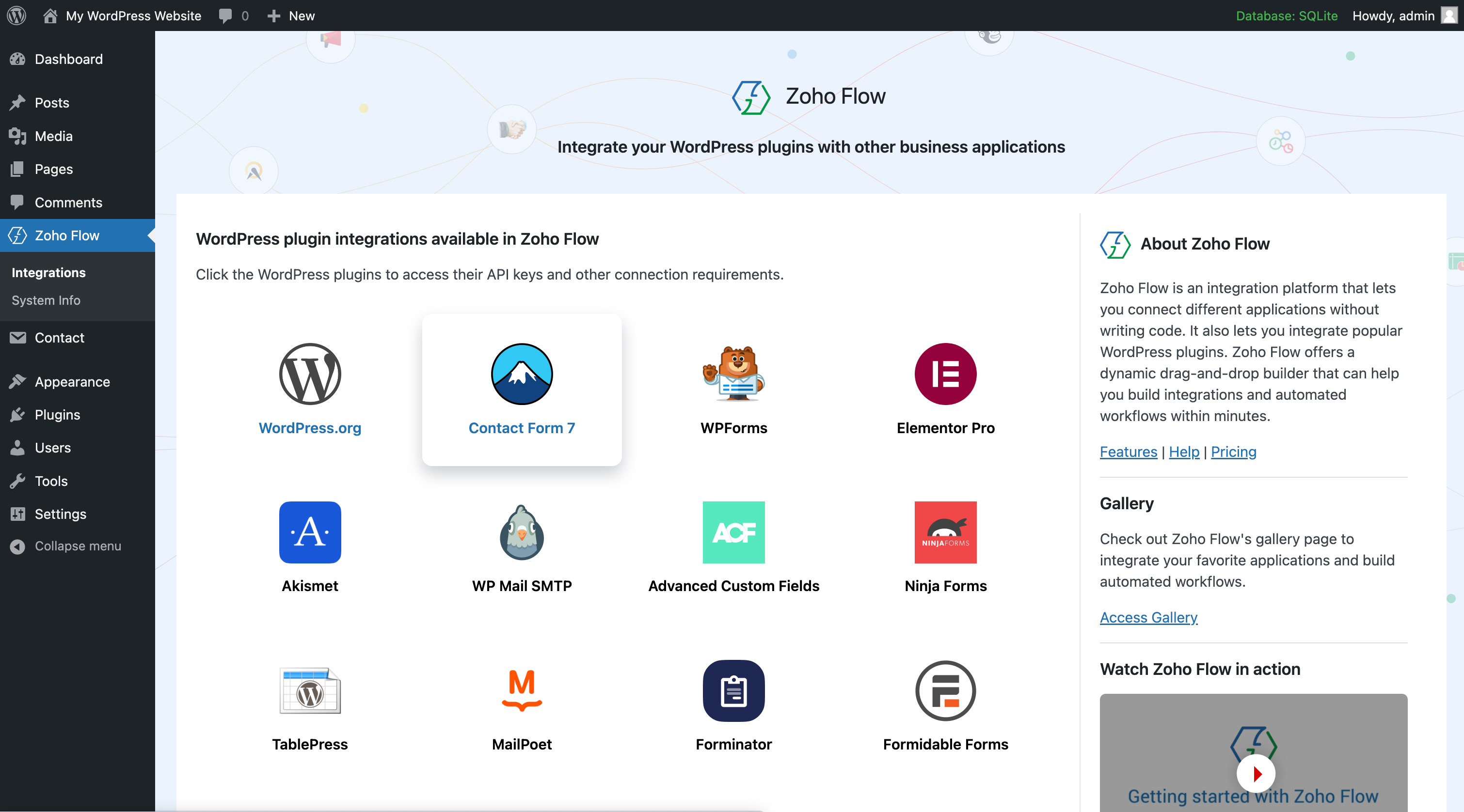
- Click Zoho Flow.
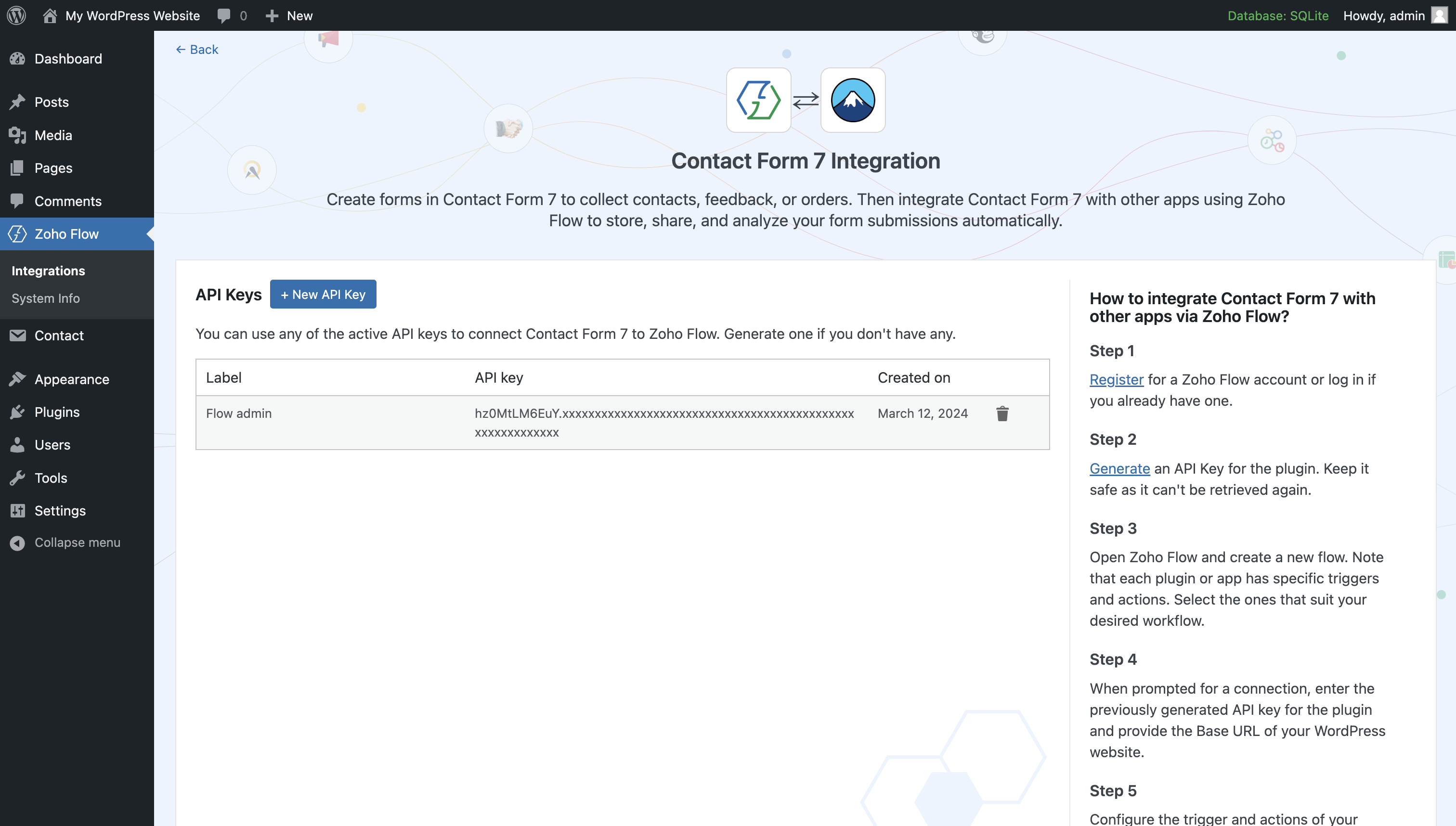
- Click the plugin which you want to integrate.
- Create an API key.
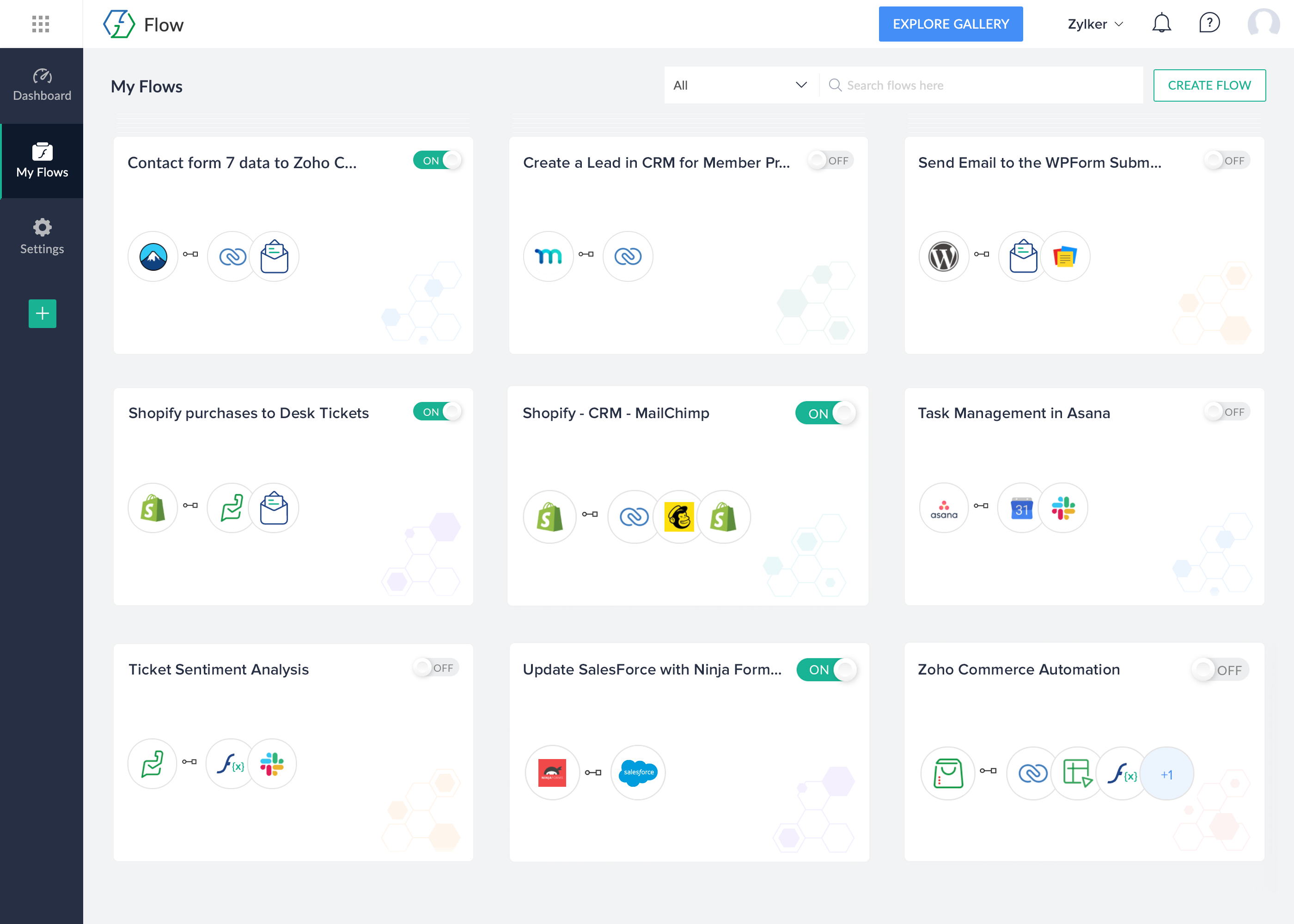
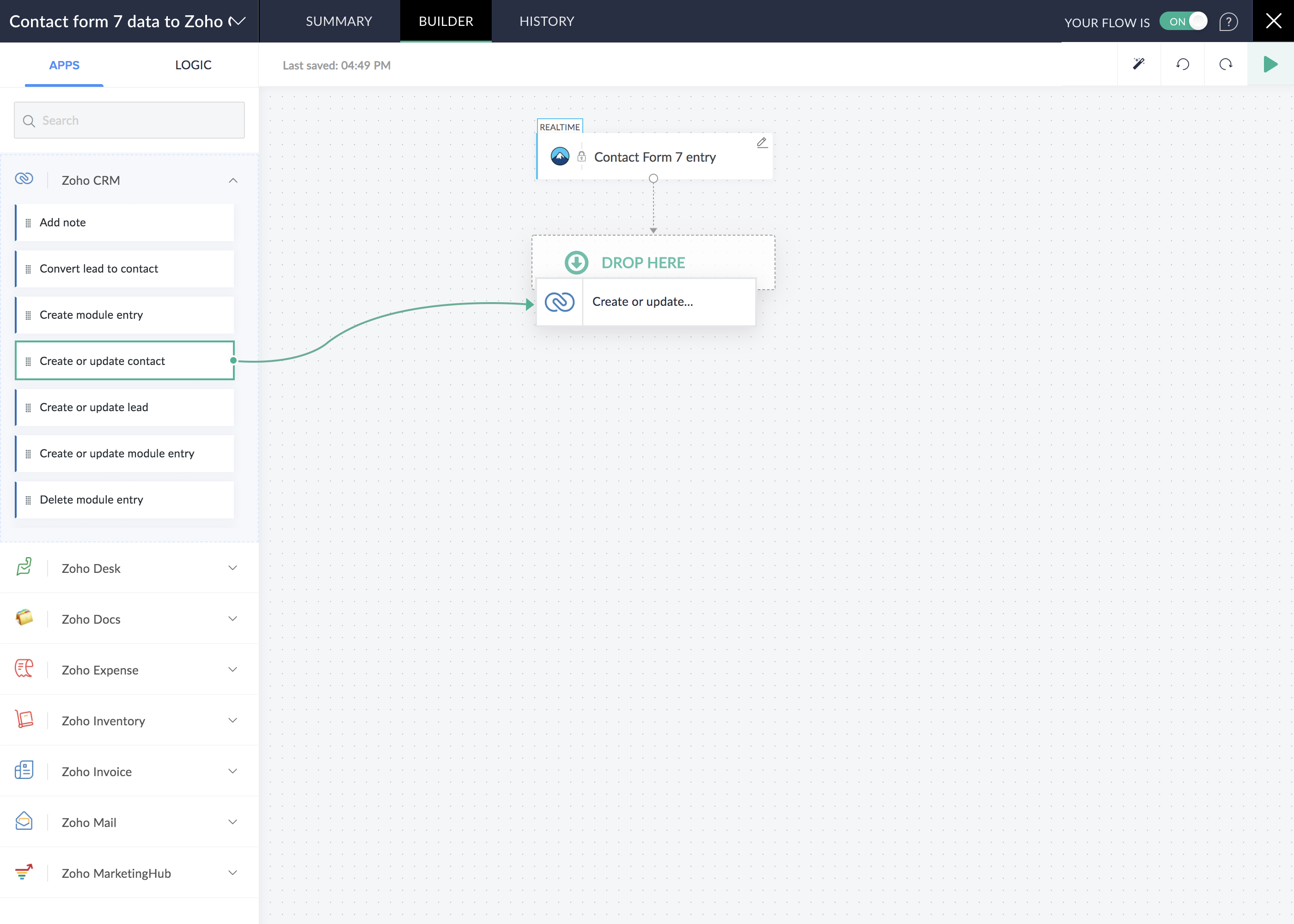
- Create a flow in Zoho Flow. Configure trigger/action for the above plugin app.
- Use this API key when you create a connection.
Frequently asked questions
What is Zoho Flow?
Zoho Flow is an integration platform that helps you connect multiple applications as well as WordPress plugins using its low code builder.
What is a flow?
A flow is a workflow created to link different cloud applications together to automate data transfer. An event triggers the flow and causes actions in other apps. A flow can have one trigger and multiple actions.
Do I need to create a separate account for Zoho Flow if I already have a Zoho account?
No, you don’t have to create a separate account for Zoho Flow if you already have a Zoho account. However, you should be on a Zoho Flow plan (either as part of a Zoho suite or separate) for your flows to work. Then, all you need to do is go to flow.zoho.com, create an organization, and start creating flows.
What should I do if I do not see the plugin I want to integrate?
Visit Zoho Flow Gallery to explore supported WordPress plugins and raise a request if you don’t see the desired plugin.
Is this a paid plugin?
The Zoho Flow plugin in WordPress is free, however, you will need to have a Zoho account and should be on a Zoho Flow plan to use the platform. Check Zoho Flow pricing here.
Does the plugin support multisite?
Yes, the Zoho Flow plugin is compatible with multisite setups. Please note that connections are site-specific, meaning you must install plugins separately for all the required sites.
What should I do if the IP restriction is enabled on my site?
If your site has IP restrictions enabled, you can whitelist Zoho Flow’s IP addresses in your security plugin.
Does the plugin support custom post types?
Yes, starting from version 2.0.0, the Zoho Flow plugin supports custom post types and their associated metadata.
Changelog
IMPORTANT: Security update - CSRF vulnerability has been fixed. Upgrade immediately.
2.14.4
- Fixed an issue with field loading for the latest versions of Hustle.
2.14.3
- Code optimization to comply with WordPress coding standards.
2.14.2
- Security fix for CSRF vulnerability. This is a mandatory update for all users.
2.14.1
Ultimate Member integration
- Fatal errors handled
2.14.0
Screenshots
For developers
Is this your plugin? Show off the numbers.
Add a live badge to your site, docs or GitHub README. It updates on its own — no account needed.
Best Zoho Flow alternatives
All automation plugins →





FAQ
Zoho Flow: quick answers
Straight answers, pulled from live WordPress.org data.
Live data from WordPress.org · checked Sep 27, 2026
Is Zoho Flow free?
Yes. Zoho Flow is free to download and use from the official WordPress.org plugin directory.
Is Zoho Flow safe to use in 2026?
Zoho Flow is a solid plugin choice in 2026, with a few things worth checking first. It runs on 5K+ sites, is rated 5/5 and was last updated 4 months ago, and scores 69/100 on our health check.
How many websites use Zoho Flow?
Zoho Flow is active on 5K+ WordPress websites and has been downloaded 112,961 times since it launched in August 2020. It was downloaded 1,437 times in the last 30 days.
Does Zoho Flow work with WordPress 7.1?
Zoho Flow is officially tested up to WordPress 7.0.6, while the latest release is 7.1.2. It may still work, but try it on a staging site first.
What PHP version does Zoho Flow need?
Zoho Flow requires PHP 7.0.0 or higher. Most hosts run PHP 8.x today, so it works on any modern WordPress hosting.
When was Zoho Flow last updated?
The latest version, 2.14.4, was released on June 2, 2026 (4 months ago).
Who makes Zoho Flow?
Zoho Flow is developed and maintained by Zoho Flow.
What are the best alternatives to Zoho Flow?
The most popular alternatives to Zoho Flow are OttoKit: All-in-One Automat… (90K+ installs), Zapier for WordPress (50K+ installs) and Uncanny Automator (40K+ installs).
Powered by PageForge
Want thousands of pages that rank like these? Build them in an afternoon.
This directory runs on the same engine as PageForge. Turn any spreadsheet, CSV or API into thousands of fast, SEO-ready WordPress pages — with schema, internal links and AI-written copy baked in.
- CSV, Google Sheets & API data sources
- AI content, schema & internal links per page
- Works with Elementor, Gutenberg, Yoast & Rank Math
- Free on WordPress.org — no credit card


