


Zeno – AI-Powered Chatbot
An AI-powered WordPress automation chatbot plugin that helps you automate support, engage visitors, and answer questions using OpenAI or Google Gemini

Solid choice
Zeno – AI-Powered Chatbot is a solid plugin choice in 2026, with a few things worth checking first. It runs on 10+ sites, is rated 5/5 and was last updated 3 months ago, and scores 62/100 on our health check.
- Momentum — downloads up 104.2% vs the previous 30 days
- Small user base (10+ active installs)
- Very few reviews so far
How does it stack up?
Side-by-side on installs, updates, ratings & support



Daily downloads
Download spikes usually follow a new release — each site that auto-updates counts as a download.
Rankings
Where Zeno – AI-Powered Chatbot stands todayWordPress.org search rankings
Live position in the plugin search, top 100| Keyword | Position |
|---|---|
| ai assistant | >100 |
| AI Chatbot | #60 |
| chatbot | #61 |
| customer support | >100 |
| support bot | >100 |
Version adoption
Share of active sites per release.
Rating breakdown
★★★★★★★★★★ 5 from 4 reviews
About Zeno – AI-Powered Chatbot
From the official readme · v1.5.2Description
Zeno Chatbot: Revolutionize Your WordPress Site with AI-Powered Support
Key Features and Intelligent Learning
Zeno Chatbot is an advanced AI-powered WordPress chatbot plugin. This innovative tool empowers you to seamlessly integrate a fully customizable chatbot into your WordPress site, harnessing the power of cutting-edge OpenAI (GPT-5 Mini and others) or Google Gemini models for intelligent, human-like interactions.
What sets Zeno Chatbot apart is its ability to learn directly from your WordPress pages, posts, and uploaded resources—including images and PDFs. This transforms your site’s content into a dynamic, interactive knowledge base, delivering precise, context-aware responses without any coding required.
- 24/7 Automated Customer Support: Provide instant, round-the-clock assistance to keep your visitors engaged and satisfied.
- User-Friendly Setup: Secure, intuitive installation from your WordPress dashboard—deploy in minutes, no technical expertise needed.
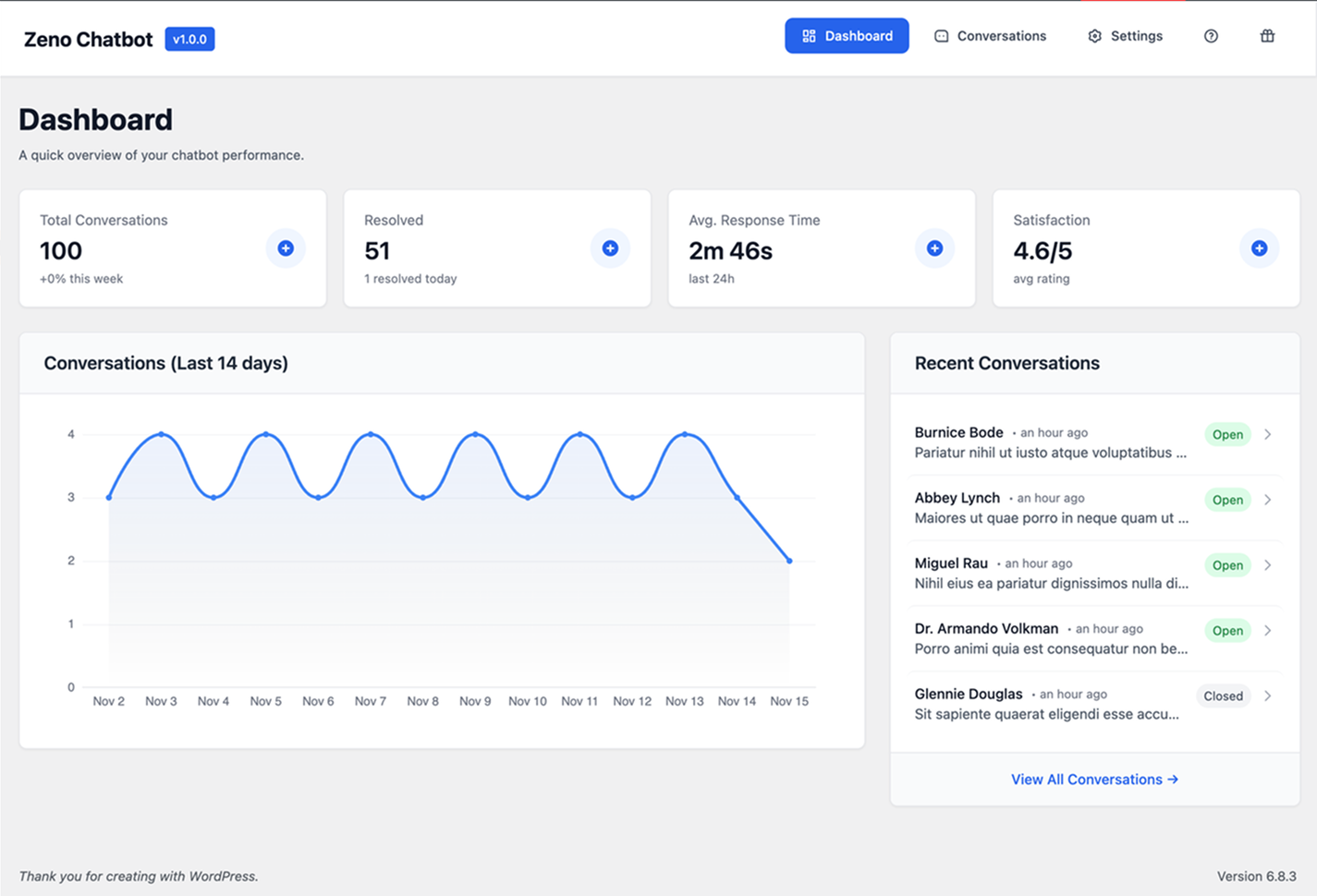
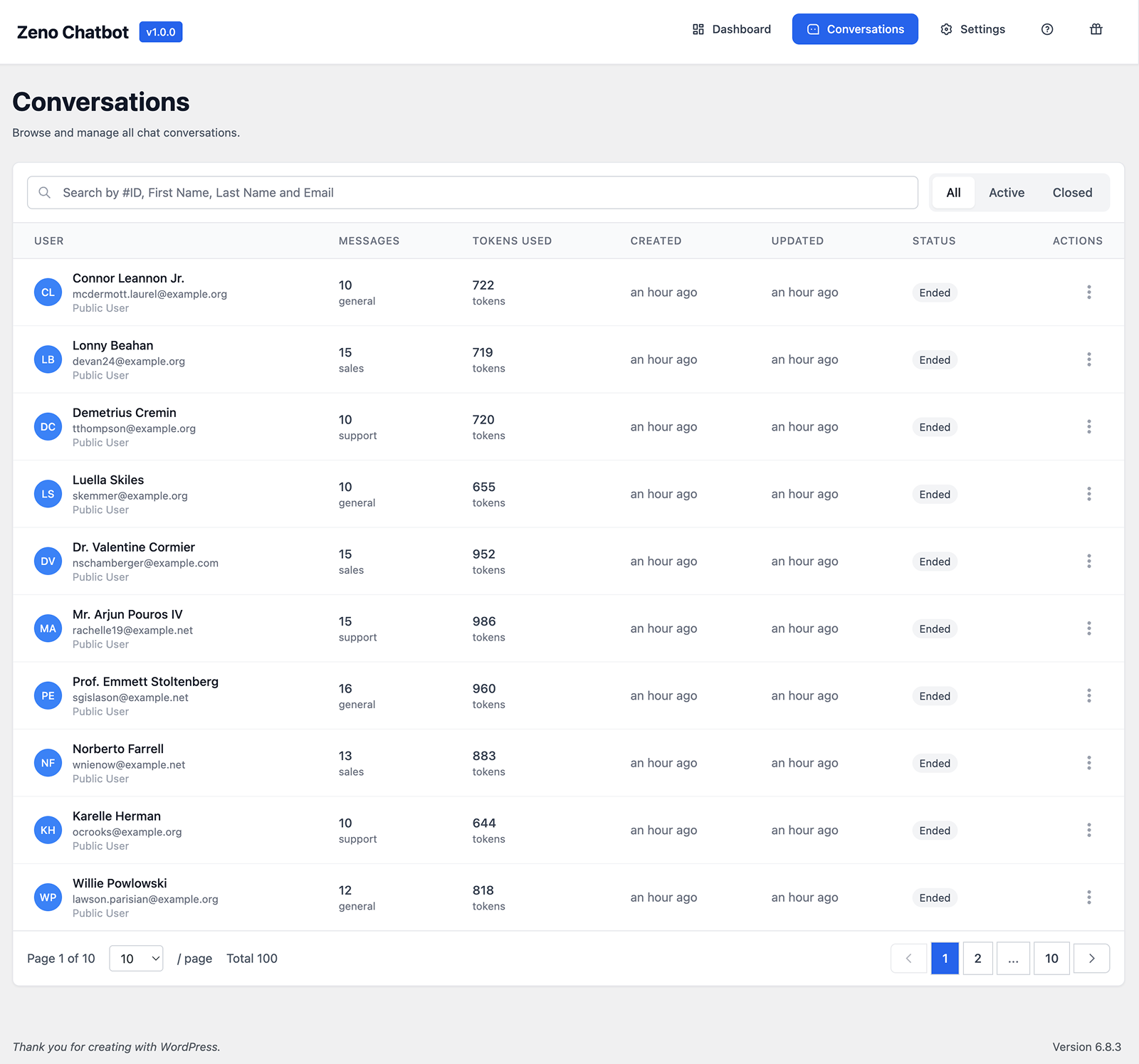
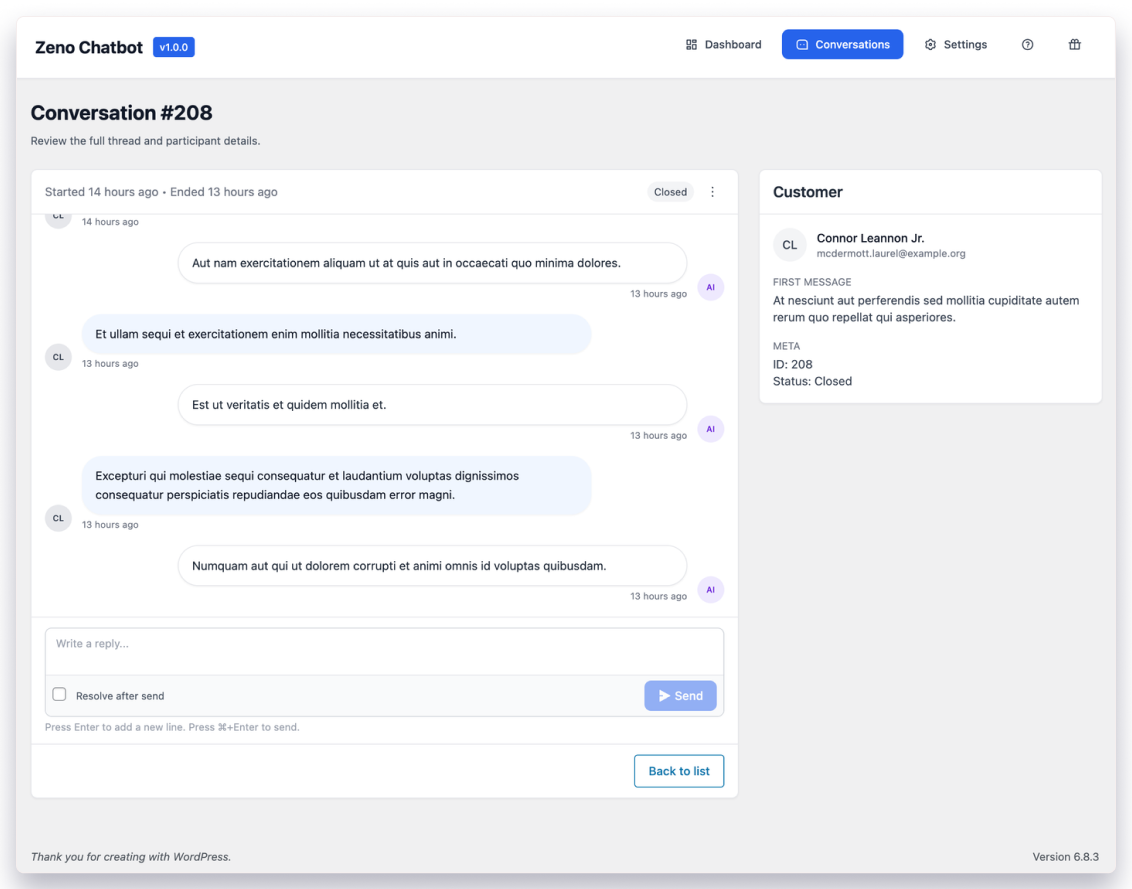
- Advanced Monitoring & Analytics: Track conversations, customer satisfaction, and emerging issues via a comprehensive dashboard.
- Seamless Email Integration: Convert chats into trackable email threads for effortless follow-up.
Ideal for Diverse Websites
Whether you’re running a blog, SaaS tools, or eCommerce stores, Zeno Chatbot excels at handling FAQs, offering real-time guidance, and streamlining user journeys. It reduces support workload, boosts engagement, and elevates your site’s overall user experience—all while maintaining your brand’s voice through super customizable widgets (colors, styles, and visualizations).
Why Choose Zeno Chatbot?
Built exclusively for the WordPress community, this free plugin (with premium features on the horizon) ensures fast, accurate, and friendly conversations that feel truly personalized. Say goodbye to generic bots and hello to a virtual assistant that anticipates needs and resolves queries on autopilot.
[Discover Zeno Chatbot today] (https://chatbotwp.ai) and unlock the future of effortless, AI-driven customer engagement!
🚀 Why Use Zeno Chatbot?
- Reduce your support workload with instant, 24/7 AI assistance.
- Train the chatbot using your own WordPress content.
- Fully customizable widget to match your site’s brand.
- Choose from OpenAI GPT or Google Gemini for response generation.
- Secure and easy setup directly from your WordPress dashboard.
Key Features of Zeno Chatbot
-
AI-Powered by Leading Models
Powered by OpenAI (GPT-5 Mini and others) or Google Gemini for smart, human-like conversations -
Trains Directly on Your Content
Automatically learns from your WordPress pages, posts, and uploaded resources including images, and PDF files -
100% No-Code Setup
Easy installation and configuration directly from your WordPress dashboard -
Fully Customizable Chat Widget
Match your brand with complete control over colors, styles, position, avatars, and welcome messages -
24/7 Automated Customer Support
Instant answers to FAQs, product questions, and visitor inquiries anytime -
Context-Aware & Accurate Responses
Understands your site content deeply for relevant, on-brand replies -
Advanced Analytics Dashboard
Monitor conversations, track customer satisfaction, and identify common issues -
Chat-to-Email Integration
Seamlessly convert ongoing chats into trackable email threads for follow-up -
Perfect for Any WordPress Site
Ideal for blogs, SaaS sites, eCommerce stores, agencies, and membership sites -
Secure & Privacy-Focused
No external third-party dependencies that compromise your data -
Free to Start
Core plugin is completely free, with premium features in development -
Rich Markdown Responses
AI responses display with beautiful formatting including headers, lists, code blocks, and links for improved readability
🧠 LLM Integration
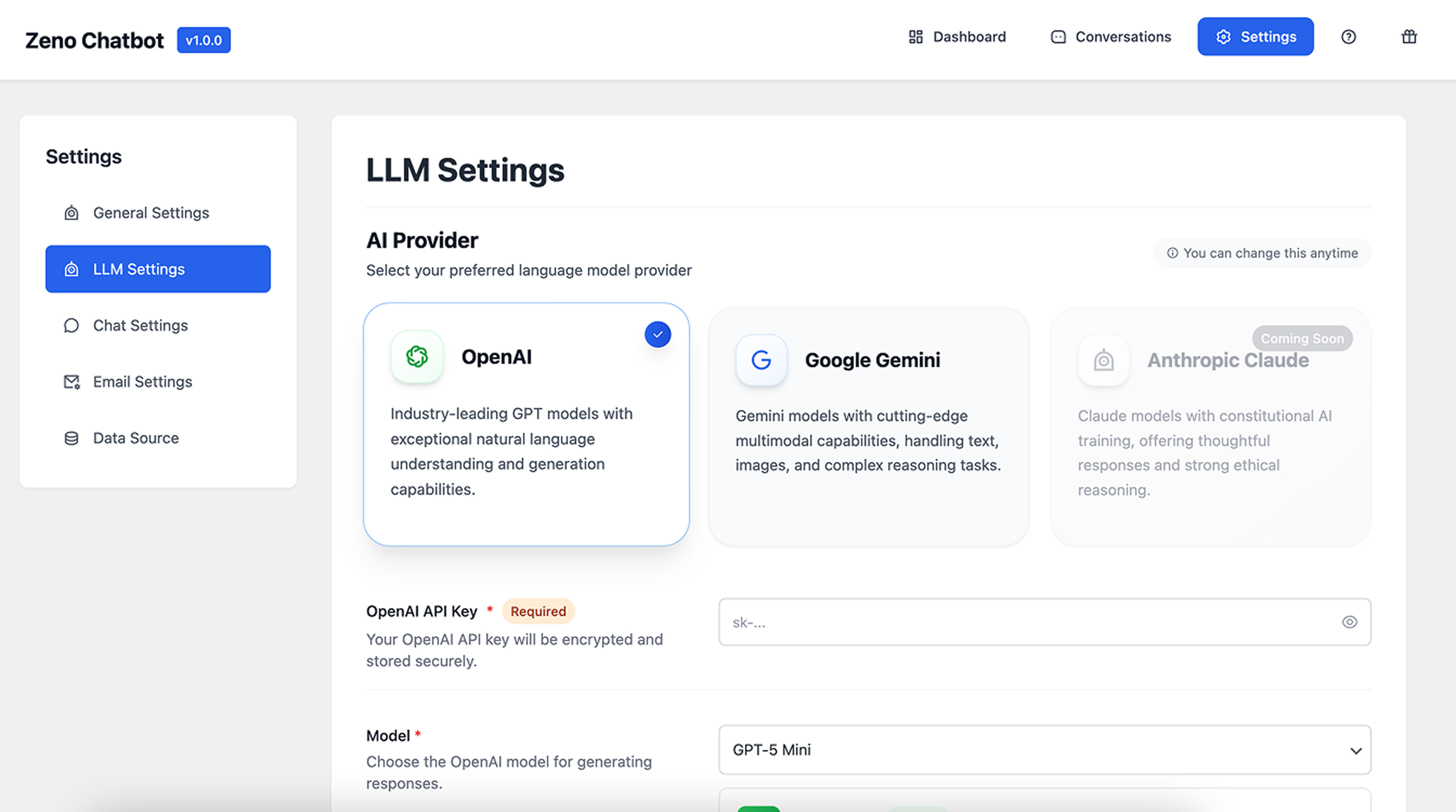
- Choose your preferred AI provider: OpenAI, Google Gemini, or Anthropic Claude (coming soon).
- Supports advanced models like GPT-5 Mini.
- Store and encrypt your API key securely.
- Adjust model selection for cost-performance balance.
💬 Customizable Chat Widget
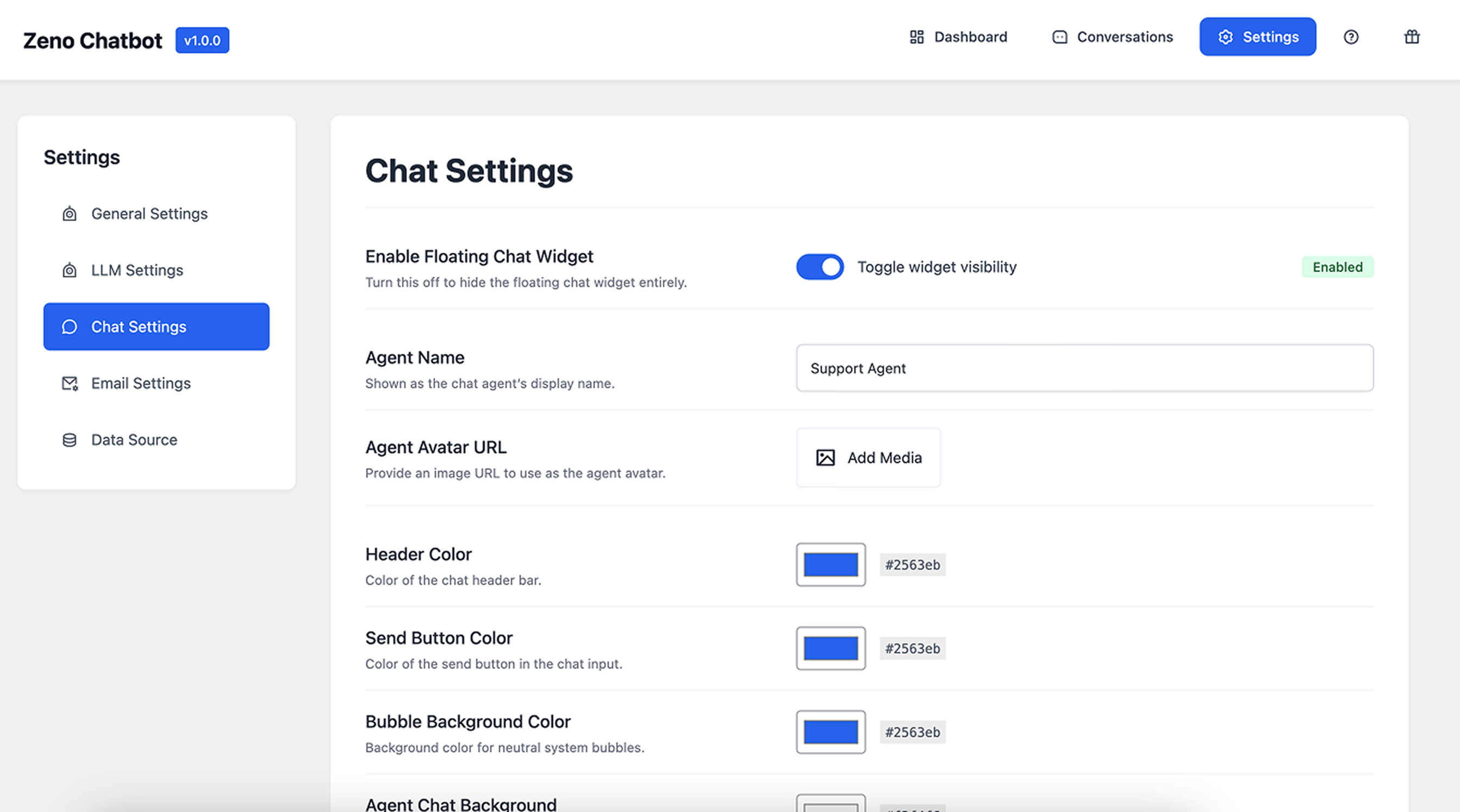
- Enable or disable floating widget visibility.
- Add custom agent name, avatar, and chat design.
- Personalize colors (header, send button, chat bubbles).
- Works seamlessly with any WordPress theme.
⚙️ General & System Settings
- Define your chatbot’s tone, behavior, and system prompts.
- Customize fallback or error messages.
- Manage all settings through an elegant, modern UI.
📧 Email Notifications
- Configure outbound email settings for chat transcripts and alerts.
- Set From Name, From Email, and Reply-To fields.
- Compatible with WordPress mail and SMTP plugins.
📚 Knowledge Base Integration
- Train the chatbot with internal content (Pages, Posts).
- Upload resources – Add images and PDF files from your Media Library.
- Option to rebuild or clear your content index anytime.
- Enable automatic updates when content changes.
- Files up to 15MB supported with automatic format detection.
📊 Smart Dashboard & Analytics
- Monitor total conversations, response time, and user satisfaction.
- View chat performance analytics over the last 14 days.
- Quick insights to measure and improve engagement.
🧩 Built-in Help & Guide
- Learn setup and usage directly inside the plugin:
- Why Zeno Chatbot
- How to Use
- Setting up LLM & API Key
- Options at a Glance
- Credits
Alternative to:
Roadmap
v1.5.0 – Enhanced Analytics & Insights
- Vector-based semantic search
- Sentiment and intent analysis
- Conversion tracking and popular topic dashboard
- Real-time analytics and report export (CSV, PDF)
v1.6.0 – Multilingual Support & Localization
- Auto-detect and respond in the visitor’s language
- Support for 50+ languages including RTL (Right-to-Left)
- Custom translations for widget UI
- Language-specific AI model selection
v1.7.0 – Advanced Document Processing
- Content priority and relevance scoring
- TXT file support
- Automatic document summarization
Troubleshooting
If your chatbot shows:
“I apologize, but I encountered an issue processing your request.”
Please check the following:
1. Ensure a valid OpenAI API key is entered.
2. Verify your Data Source is indexed.
3. Review System Prompts for formatting errors.
4. Try rebuilding the index and saving settings again.
If the issue persists, please contact our support team.
License
This plugin is licensed under the GPL-2.0+ license.
You are free to modify, extend, and redistribute under the same terms.
Installation
-
Upload Plugin – Upload the
zeno-chatbot.zipfile via Plugins → Add New → Upload Plugin. Or search “Zeno Chatbot” in the WordPress Plugin Directory. -
Activate – Click Activate after installation.
-
Set Up AI Provider – Go to Settings → LLM Settings. – Choose OpenAI or Google Gemini. – Enter your API Key and select your model.
-
Configure Data Source – Go to Settings → Data Source. – Select Pages and Posts to train your chatbot. – Click Rebuild Index to start indexing. – Optionally, upload images or PDFs in the Resources tab.
-
Customize Chat Widget – Adjust agent name, avatar, and colors under Chat Settings. – Ensure Floating Chat Widget is enabled.
-
Save Settings – Save changes and test your chatbot live.
-
Resources Upload – Upload images and PDFs to enhance chatbot knowledge.
Frequently asked questions
What LLMs does Zeno Chatbot support?
Zeno supports OpenAI or Google Gemini LLMs to generate responses. Your API keys are encrypted and securely stored.
Can I train the chatbot using my own WordPress content?
Yes. Zeno Chatbot can use your WordPress posts and pages as a knowledge base to answer questions contextually.
Is it compatible with all WordPress themes?
Yes. The chatbot widget is lightweight and works seamlessly with any modern theme.
Can I customize the chatbot design?
Absolutely. You can edit the chat header color, bubble color, button color, agent name, avatar, and background.
Can I see what visitors are asking and how the bot is performing?
Definitely. A built-in analytics dashboard shows conversation history, satisfaction ratings, most-asked questions, and unresolved topics
What file types can I upload as resources?
You can upload images (JPG, PNG, GIF, WebP) and PDF files up to 15MB each. These files are processed and made available as context for your AI chatbot.
Does the chatbot support markdown in responses?
Yes! AI responses now render with rich formatting including headers, bullet lists, numbered lists, code blocks, bold, italic, and clickable links.
Changelog
Fixes Chat Settings not syncing to the public widget, the agent name/avatar not applying, and several Email Settings and Saved Replies issues. Adds optional Business Domain and Contact Info fields in General Settings. Backward compatible — no migration required and existing data is untouched.
1.5.2 (June 18, 2026)
New Features:
* Added Business Domain and Contact Info fields in General Settings — the AI now uses these to describe what your business does and how to reach you, for more accurate, on-brand replies
Bug Fixes:
* Fixed Chat Settings not syncing to the public chat widget — header and launcher colors, header text color, send-button icon color, online indicator, auto-open, and the Support Ticket / Contact Us links now apply correctly on the live widget
* Fixed the configured agent avatar not appearing in the live chat and admin preview
* Fixed the AI agent name always showing as “Support” instead of the name set in Chat Settings
* Fixed multi-line System Prompt and error-message text losing line breaks when saved
* Fixed Email Settings silently saving an empty or invalid From address; From Name and From Email are now validated and fall back to the site admin email and site title
* Fixed Reply-To now correctly defaulting to the From address when left blank
* Fixed Saved Replies so keywords can be cleared, new replies default to a valid language, and the analytics keyword bar shows the correct color
Improvements:
* Saved Replies now also guide AI answers — when a visitor’s question doesn’t exactly match a saved reply, the AI can still answer using your saved replies as approved reference, so reworded questions (“when are you open?” vs “what are your business hours?”) get accurate answers
* Added Header Text Color and Send Button Icon Color controls in Chat Settings
* Settings now return clear validation errors instead of silently saving partial or invalid values
1.5.1 (June 15, 2026)
Bug Fixes:
* Fixed two-way CSS styling conflicts between the chatbot widget and WordPress themes — all widget classes are now fully namespaced with zeno_chatbot– prefix
* Fixed user message bubble losing padding on the right side
Improvements:
* Removed unavailable Claude Fable 5 model from Anthropic model list
* Existing installations configured with Fable are automatically remapped to Claude Opus 4.8
1.5.0 (June 13, 2026)
New Features:
* Added Anthropic Claude integration — supports Claude Opus 4.8, Claude Sonnet 4.6, and Claude Haiku 4.5 with extended thinking support
Improvements:
* Lowered minimum PHP requirement from 8.0 to 7.4 — the plugin now runs on every PHP version WordPress supports (7.4–8.3, continuously tested)
* Major dashboard performance overhaul: statistics and charts now use single aggregate queries instead of per-conversation and per-day queries (up to 100x fewer database queries on busy sites)
* Improved data fetching and LLM tool call handling for more reliable AI responses
* Faster chat replies: saved-reply matching loads embedding data only when semantic matching actually runs, and repeated user messages reuse cached embeddings
* Reduced AI token usage: knowledge-base context sent to the AI is now size-capped per request
* Chat widget assets (JS/CSS) are no longer loaded on the frontend when the floating widget is disabled
* Conversation summaries are now generated in the background instead of delaying chat close and admin replies
* Content index rebuilds now process posts in batches, keeping memory usage flat on sites with large content libraries
* Faster failover on embedding API issues (request timeout reduced from 30s to 10s)
Bug Fixes:
* Fixed admin pages incorrectly rendering in a PHP error state (php-error body class) caused by a suppressed connection warning from the asset dev-server probe
* Fixed a fatal error on PHP 7.4 caused by PHP 8.0+ type declarations in the hook dispatcher
1.4.0 (April 26, 2026)
New Features:
* Added support for OpenAI GPT-5.5, GPT-5.4, GPT-5.4 Mini, GPT-5.4 Nano, GPT-5, GPT-5 Mini, and GPT-5 Nano models
* Added support for Google Gemini 2.5 Pro model
* Improved extensibility for third-party developers
Improvements:
* Updated default AI model to GPT-5 Mini for better cost-performance balance
* Deprecated older models (GPT-4o, GPT-3.5 Turbo, GPT-4 Turbo, GPT-4.1 Nano, ChatGPT-4o) now labeled in settings UI
* Improved PHP 8.4 compatibility
* Improved Pro extension compatibility
Bug Fixes:
* Fixed fatal database error on fresh WordPress installations caused by Action Scheduler tables not being created during activation
* Fixed “unexpected output during activation” warning
* Fixed Action Scheduler initialization timing when activating on a fresh site
1.3.2 (February 24, 2026)
Bug Fixes:
* Prevented Action Scheduler database table-missing errors during scheduler boot by skipping Action Scheduler queries until its tables exist
* Hardened recurring scheduler self-healing by using Action Scheduler’s ensure-recurring hook when supported and best-effort activation seeding for maintenance/cleanup jobs
* Fixed scheduler boot re-entrancy that could recurse into cleanup scheduling and exhaust memory when Action Scheduler was already initialized
1.3.0 (February 17, 2026)
New Features:
* Internal Content expansion: added dedicated Sitemap, Product Index, and Knowledge Notes data sources in settings
* Sitemap indexing workflow: auto/manual source selection, chunked processing, progress modal, and completion summary
* Product indexing workflow: field-selectable WooCommerce indexing with chunked processing and dedicated product JSON output
* Conversation lifecycle controls: added dedicated Conversation Settings panel with auto-close and auto-summary options
* Conversation summaries: added summary status/actions in conversation details with retry/regenerate support
Improvements:
* Unified Internal Content overview loading into a single API payload
* Migrated indexing workflows to service-driven architecture with contract-locked response adapters
* Added transparent derived-text cache invalidation hooks across indexed knowledge sources
* Added consistency checks for scheduler usage, indexing contracts, and critical security invariants
Bug Fixes:
* Fixed invalid REST handler mapping for conversation status/reply endpoints
* Fixed markdown heading rendering in Knowledge Notes preview
* Fixed class loading regressions by enforcing Composer autoload flow and authoritative dump workflow
* Fixed summary generation transcript grounding to improve summary quality
Security:
* Strengthened chat session integrity with signed session payload verification
* Hardened public markdown rendering with strict sanitization and safe link protocol enforcement
* Reduced public error leakage by returning generic client-facing error responses
* Enforced scoped chat/history rate limiting and improved abuse controls
* Added same-site sitemap traversal enforcement for root and nested sitemap URLs
Screenshots
For developers
Is this your plugin? Show off the numbers.
Add a live badge to your site, docs or GitHub README. It updates on its own — no account needed.
Best Zeno – AI-Powered Chatbot alternatives
All ai assistant plugins →



FAQ
Zeno – AI-Powered Chatbot: quick answers
Straight answers, pulled from live WordPress.org data.
Live data from WordPress.org · checked Sep 29, 2026
Is Zeno – AI-Powered Chatbot free?
Yes. Zeno – AI-Powered Chatbot is free to download and use from the official WordPress.org plugin directory.
Is Zeno – AI-Powered Chatbot safe to use in 2026?
Zeno – AI-Powered Chatbot is a solid plugin choice in 2026, with a few things worth checking first. It runs on 10+ sites, is rated 5/5 and was last updated 3 months ago, and scores 62/100 on our health check.
How many websites use Zeno – AI-Powered Chatbot?
Zeno – AI-Powered Chatbot is active on 10+ WordPress websites and has been downloaded 2,710 times since it launched in November 2025. It was downloaded 825 times in the last 30 days.
Does Zeno – AI-Powered Chatbot work with WordPress 7.1?
Zeno – AI-Powered Chatbot is officially tested up to WordPress 7.0.6, while the latest release is 7.1.2. It may still work, but try it on a staging site first.
What PHP version does Zeno – AI-Powered Chatbot need?
Zeno – AI-Powered Chatbot requires PHP 7.4 or higher. Most hosts run PHP 8.x today, so it works on any modern WordPress hosting.
When was Zeno – AI-Powered Chatbot last updated?
The latest version, 1.5.2, was released on June 17, 2026 (3 months ago).
Who makes Zeno – AI-Powered Chatbot?
Zeno – AI-Powered Chatbot is developed and maintained by r_mizan.
What are the best alternatives to Zeno – AI-Powered Chatbot?
The most popular alternatives to Zeno – AI-Powered Chatbot are WPVibe (40K+ installs), Uncanny Automator (40K+ installs) and Hyve Lite (7K+ installs).
Powered by PageForge
Want thousands of pages that rank like these? Build them in an afternoon.
This directory runs on the same engine as PageForge. Turn any spreadsheet, CSV or API into thousands of fast, SEO-ready WordPress pages — with schema, internal links and AI-written copy baked in.
- CSV, Google Sheets & API data sources
- AI content, schema & internal links per page
- Works with Elementor, Gutenberg, Yoast & Rank Math
- Free on WordPress.org — no credit card


