



WPG Dashboard Menu Manager
Admin menu editor for WordPress: reorder, rename, hide and permission admin menu items per role and user.

Solid choice
WPG Dashboard Menu Manager is a solid plugin choice in 2026, with a few things worth checking first. Was last updated 3 weeks ago, and scores 64/100 on our health check.
- Actively developed — last update 3 weeks ago
- Tested with the latest WordPress (7.1)
- Small user base (<10 active installs)
- Very few reviews so far
How does it stack up?
Side-by-side on installs, updates, ratings & support


Daily downloads
Download spikes usually follow a new release — each site that auto-updates counts as a download.
Rankings
Where WPG Dashboard Menu Manager stands todayWordPress.org search rankings
Live position in the plugin search, top 100| Keyword | Position |
|---|---|
| admin menu | >100 |
| admin menu editor | >100 |
| admin sidebar | >100 |
| menu editor | >100 |
| menu permissions | >100 |
About WPG Dashboard Menu Manager
From the official readme · v1.1.1Description
WPG Dashboard Menu Manager is a visual admin menu editor for WordPress. It gives you full control of your admin sidebar without touching a line of code: your current menu loads into a drag-and-drop editor where you can reorder items, rename titles, hide anything you do not want, and add your own custom links with icons.
Every admin menu item can be allowed or denied per role and per individual user, so you can hand editors a shorter menu, keep a plugin’s settings page away from subscribers, or hide a single item from one specific user.
Reorder, rename and hide admin menu items
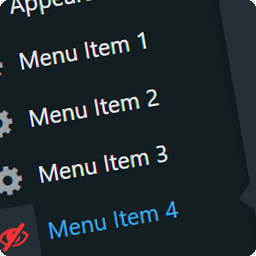
Drag any row to change the order of your admin menu, rename its title, swap its icon, or hide it from the sidebar. Hidden items keep working at their direct URL, so existing bookmarks and direct links do not break.
Menu permissions per role and per user
Every item carries its own Allow / Deny / Inherit rule. Inherit follows WordPress, Allow forces the item to stay visible, and Deny hides the item and blocks its direct URL for that role or user.
Features
- Visual drag & drop editor for the entire admin menu and submenus
- Rename menu items, change icons, and reorder everything
- Hide any item from the sidebar (direct URLs stay accessible)
- Add custom menu links with your own title, URL, and icon
- Open items in a new window or in an iframe
- Per-role and per-user access rules for every item (Allow / Deny / Inherit)
- Require a custom capability for any menu item
- Menu separators and section headings
- Use shortcodes in menu titles and URLs
- Reset to the default menu any time
- Roles tab: review and edit what each role can see
- Tweaks: hide the admin bar per role, custom footer text, hide dashboard widgets per role
- Works on WordPress multisite (network admin menu editing is not included in v1)
Pro add-on
WPG Dashboard Menu Manager Pro (separate plugin) adds configuration import & export, login redirects per role, plugin visibility per role, custom admin CSS, content permissions per role, and a menu styler. Learn more at https://wpguru.in/plugin-wpg-dashboard-menu-manager.html
How it works
Open the WPG Menu Manager page in your admin sidebar. The editor loads your current admin menu as a tree. Click any item to edit its properties on the right: title, icon, URL, target, visibility, and permissions. Drag rows to reorder them. Use the actor dropdown to preview exactly what a specific role or user will see.
Hide is visual: hidden items disappear from the sidebar but their direct URLs stay accessible. Use Deny in the permissions to actually block access.
External Services
This plugin connects to a third-party service only after you explicitly opt in.
Freemius
- Used by: the plugin’s account, licensing, and Pro add-on update system.
- What is sent: the first time you open the plugin’s page, the bundled Freemius SDK asks whether you want to connect your site. If you opt in, it sends your site URL, your WordPress and PHP versions, and your admin email address. No menu configuration, post content, or user data is ever sent.
- When: only after you click to opt in. Choosing “Skip” leaves the plugin fully functional and sends nothing.
- Terms: https://freemius.com/terms/
- Privacy: https://freemius.com/privacy/
Installation
- Upload the
wpg-dashboard-menu-managerfolder to/wp-content/plugins/. - Activate the plugin through the Plugins screen in WordPress.
- Open the WPG Menu Manager page in your admin sidebar and start customizing.
Frequently asked questions
Can I change the order of items in the WordPress admin menu?
Yes. Drag any row in the editor to reorder top-level items and their submenus. The order you save is the order your users see.
Can I hide admin menu items for a specific role?
Yes. Set the item to Deny for that role, or open the Roles tab to review and edit everything a role can see in one place.
Can I restore the original menu after editing?
Yes. Use the Reset button in the Settings tab (or the editor toolbar reset form when the Pro add-on is active). Your configuration is removed and the default WordPress menu is restored.
Hidden items are gone from the sidebar, but can people still open them by URL?
Yes, by design. “Hide” removes an item from the sidebar only; the page remains accessible at its direct URL. To block access completely, set the item to Deny for the roles or users you want to restrict.
Can I give different menus to different users?
Yes. Every item has per-role and per-user rules. Use the actor dropdown in the editor to preview each role’s view, or the Roles tab to edit what a role sees.
Does it work with multisite?
The plugin works on multisite installs for the main site and sub-sites. Editing the network admin menu is not included in version 1.
Is my menu configuration stored safely?
Yes. Your menu configuration is stored in a single WordPress option (wpgdmm_config) in your own database and is never uploaded anywhere. JSON export/import is available in the Pro add-on.
Does this plugin send any data to an external server?
Not for the menu editor itself — it works entirely on your site. The bundled Freemius SDK asks your permission the first time you open the plugin page. If you opt in, it sends your site URL, WordPress and PHP versions, and your admin email so you can receive the Pro add-on’s updates and support. If you choose “Skip”, nothing is sent. See the External Services section below for details.
Changelog
1.1.1
- Renamed to WPG Dashboard Menu Manager (
wpg-dashboard-menu-manager) to avoid confusion with the existing “Admin Menu Editor” plugin. - Fix: Roles tab styles moved out of an inline
<style>block and into the enqueued admin stylesheet. - Fix: Heading and hidden-item rules are now added with
wp_add_inline_style()instead of a hand-printed<style>tag. - Fix: The save-configuration nonce is sanitized before
wp_verify_nonce(), since that function is pluggable. - Fix: Submitted configuration JSON is decoded with a depth limit and an explicit
json_last_error()check, then sanitized field-by-field. - Fix: Editor toolbar HTML from the
wpgdmm_editor_toolbar_buttonsfilter is escaped withwp_kses()against an allowlist instead of being echoed as raw HTML. - Fix: Hiding a menu item now collapses it completely in the sidebar. The hiding class was written to the menu item’s page-title slot instead of its CSS-class slot, so WordPress never applied it and the item left a blank gap behind.
1.1.0
- New: plugin split into a free core and a Pro add-on. The free plugin now focuses on the visual menu editor, roles, and tweaks; the Pro add-on (separate plugin) adds import/export, login redirects, plugin visibility, admin CSS, content permissions, and the menu styler.
- New: editor toolbar buttons and export/import forms are provided by the Pro add-on via the
wpgdmm_editor_toolbar_buttonsfilter. - Dev: reset moved to its own handler so the free plugin’s Settings tab works standalone.
1.0.2
- Fix: Redirects tab spacing — rules table now full-width with Add rule and Save on one row; no layout gap.
- Sync: Stable tag and Requires at least now match the plugin header (6.0 / 1.0.2); readme Screenshots and changelog brought up to date.
1.0.1
- Fix: default icons for Add Menu (
dashicons-admin-generic) and Add Heading (dashicons-heading); heading icon preview no longer blank in the sidebar.
1.0.0
- Initial release: visual admin menu editor with per-role/per-user permissions, custom menu items, import/export, and the full module set (Redirector, Plugin Visibility, Admin CSS, Content Permissions, Menu Styler, Tweaks).
Screenshots


For developers
Is this your plugin? Show off the numbers.
Add a live badge to your site, docs or GitHub README. It updates on its own — no account needed.
Best WPG Dashboard Menu Manager alternatives
All admin menu plugins →




FAQ
WPG Dashboard Menu Manager: quick answers
Straight answers, pulled from live WordPress.org data.
Live data from WordPress.org · checked Oct 10, 2026
Is WPG Dashboard Menu Manager free?
Yes. WPG Dashboard Menu Manager is free to download and use from the official WordPress.org plugin directory.
Is WPG Dashboard Menu Manager safe to use in 2026?
WPG Dashboard Menu Manager is a solid plugin choice in 2026, with a few things worth checking first. Was last updated 3 weeks ago, and scores 64/100 on our health check.
How many websites use WPG Dashboard Menu Manager?
WPG Dashboard Menu Manager is active on <10 WordPress websites and has been downloaded 124 times since it launched in September 2026. It was downloaded 128 times in the last 30 days.
Does WPG Dashboard Menu Manager work with WordPress 7.1?
Yes. The developer has tested WPG Dashboard Menu Manager up to WordPress 7.1.3, the latest release. It requires WordPress 6.0 or newer.
What PHP version does WPG Dashboard Menu Manager need?
WPG Dashboard Menu Manager requires PHP 7.4 or higher. Most hosts run PHP 8.x today, so it works on any modern WordPress hosting.
When was WPG Dashboard Menu Manager last updated?
The latest version, 1.1.1, was released on September 16, 2026 (3 weeks ago).
Who makes WPG Dashboard Menu Manager?
WPG Dashboard Menu Manager is developed and maintained by Rakesh Raja.
What are the best alternatives to WPG Dashboard Menu Manager?
The most popular alternatives to WPG Dashboard Menu Manager are Admin Menu Search (3K+ installs), Wider Admin Menu (2K+ installs) and My Wp Brand (2K+ installs).
Powered by PageForge
Want thousands of pages that rank like these? Build them in an afternoon.
This directory runs on the same engine as PageForge. Turn any spreadsheet, CSV or API into thousands of fast, SEO-ready WordPress pages — with schema, internal links and AI-written copy baked in.
- CSV, Google Sheets & API data sources
- AI content, schema & internal links per page
- Works with Elementor, Gutenberg, Yoast & Rank Math
- Free on WordPress.org — no credit card


