



WPCacheOn – WordPress Caching plugin
A simple and lightweight caching plugin for WordPress that boosts website loading time and enhances performance scores on GTMetrix and Pingdom.

Consider an alternative
WPCacheOn shows warning signs in 2026 — compare the alternatives below before installing. It runs on 50+ sites, is rated 4.5/5 and was last updated 1 year ago, and scores 40/100 on our health check.
- Small user base (50+ active installs)
- Very few reviews so far
- No update in over a year
- Only tested up to WordPress 6.8 (latest is 7.1)
How does it stack up?
Side-by-side on installs, updates, ratings & support



Daily downloads
Download spikes usually follow a new release — each site that auto-updates counts as a download.
Rankings
Where WPCacheOn stands todayWordPress.org search rankings
Live position in the plugin search, top 100| Keyword | Position |
|---|---|
| cache | >100 |
| caching | >100 |
| Optimize | >100 |
| performance | >100 |
| WPCacheOn | #1 |
Version adoption
Share of active sites per release.
Rating breakdown
★★★★★★★★★★ 4.5 from 4 reviews
About WPCacheOn – WordPress Caching plugin
From the official readme · v2.3.0Description
Simple and lightweight cache plugin for WordPress that will also enhance your website loading time and increase the scores at GTMetrix, Pingdom and other performance measuring tools.
Features
- Extremely efficient and fast disk cache engine, even greater results with SSD based servers
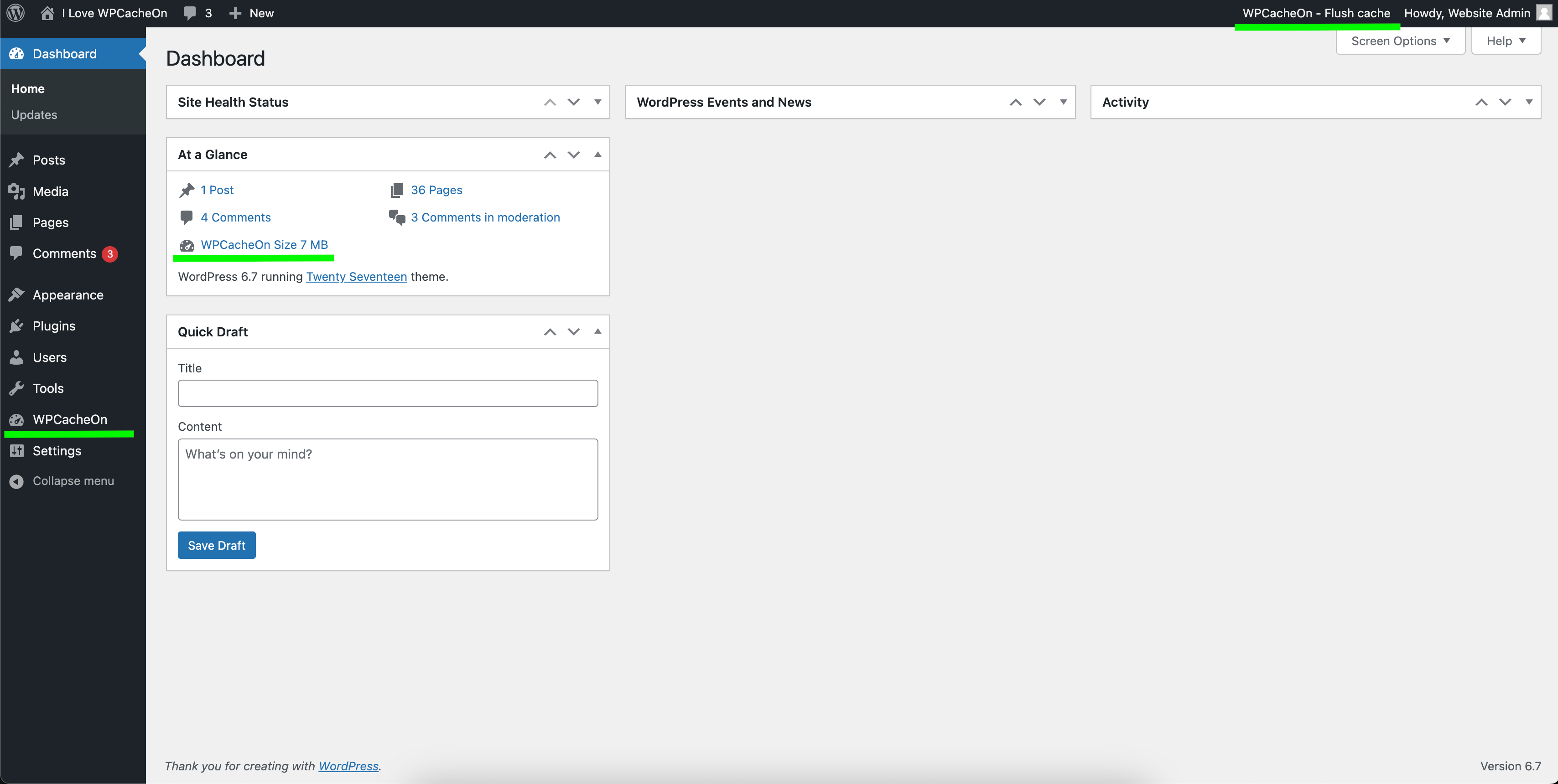
- Very convenient displaying of the cache size in the admin dashboard
- Automated and manual clearing of the cache
- Native support for Easy Digital Downloads
- HTML, CSS and JavaScript minification
- Deactivate caching for specific page
- Native support for WooCommerce
- Purge the cache for specific page
- WordPress Multisite support
- Custom Post Type support
- New minification options
- CSS and JavaScript inline
- PreCache mechanism
- PHP 8.4 compatible
- HTTP/2 Focused
- Expiry Directive
- Secure cache
How does the caching work?
This plugin requires explicitly minimal setup time and no configuration at all. No coding, no configuration – install and activate, that’s all! Your website is now optimized and loading faster!
The WPCacheOn plugin has the ability to create two cached files. First is in plain HTML and the second file is gzipped (gzip level 9). Those static files are used to deliver content faster to your website visitors without any database lookups or gzipping because the files are already precompressed.
Stay tuned for new features!
Website
- https://wpcacheon.io/ – official website of the plugin
Follow us on the social medias
Minimum System Requirements
- PHP >=5.4
- WordPress >=4.6
Recommended System Requirements
- PHP = 8.4
- WordPress = 6.7
Maintainer
- Jeffrey Cooper – 1987coopjeff@gmail.com
Credits
- Fuelled by the passion for optimizing website speed!
Changelog
User Experience (UX) improvements Fixed an issue with server zlib.output_compression (strange characters issue) Added upgrade notice, this will provide information what is new in the latest version of WPCacheOn Added upgrade link from the WPCacheOn settings page to the WordPress Updates page, when new version is available
Release 2.3.0, 28 September 2025
- Tested and confirmed compatibility with WordPress 6.8.2
- Added fallback for hosts that prevent .htaccess editing
- When .htaccess is not writable, plugin now applies HTTP cache headers via send_headers hook
- Improved activation process to handle hosting restrictions gracefully
- Added feedback modal during plugin deactivation to gather user feedback
- Fixed permalink warning message display to use proper WordPress admin styling
Release 2.2.0, 22 November 2024
- Tested and confirmed compatibility with WordPress 6.7.1
- Tested and confirmed compatibility with PHP 8.4
- Added new functionality: Redis, Memcached, and Database cache are now supported
- Added new functionality: trigger PreCache and delete cache from WP-CLI
- New stunning design for the Settings page
- Improvements in the user experience
- Various code optimizations
Release 2.1.0, 26 September 2024
- Tested and confirmed compatibility with WordPress 6.6.2
- Tested and confirmed compatibility with PHP 8.3
- Improved autoload
- Improved PreCache functionality
- Improved plugin codebase
- Showing current PHP version instead of date and time
- Fixed minor memory leak upon plugin deactivation
- Added option to trigger PreCache manually
- Added count for cached pages and posts
- Added option to control compression
- Other minor various improvements over the User Experience (UX)
- Performed complete security audit of the plugin
- Improved plugin debug logs in separate file
Release 2.0.2, 09 December 2020
- Tested and confirmed compatibility with WordPress 5.6
Release 2.0.1, 15 May 2020
- User Experience (UX) improvements
- Fixed an issue with server zlib.output_compression (strange characters issue)
- Added upgrade notice, this will provide information what is new in the latest version of WPCacheOn
- Added upgrade link from the WPCacheOn settings page to the WordPress Updates page, when new version is available
Release 2.0.0, 20 April 2020
- Tested and confirmed compatibility with WordPress 5.4
- Tested and confirmed compatibility with PHP 7.4
- Complete code rewrite and optimization
- Additional stability adjustments for caching rules
- Improvements over the PreCache mechanism
- Improved security of the cached files
- Completely rembranded WPCacheOn caching plugin
- New option – Cache Minification. Now you can control what to be minified or deactivate the minification completely.
- Resolved issue – Problems when both Autoptimize plugin and WPCacheOn plugin are activated
- Resolved issue – Content of .htaccess removed
Screenshots


For developers
Is this your plugin? Show off the numbers.
Add a live badge to your site, docs or GitHub README. It updates on its own — no account needed.
Best WPCacheOn alternatives
All cache plugins →



FAQ
WPCacheOn – WordPress Caching plugin: quick answers
Straight answers, pulled from live WordPress.org data.
Live data from WordPress.org · checked Nov 16, 2026
Is WPCacheOn free?
Yes. WPCacheOn is free to download and use from the official WordPress.org plugin directory.
Is WPCacheOn safe to use in 2026?
WPCacheOn shows warning signs in 2026 — compare the alternatives below before installing. It runs on 50+ sites, is rated 4.5/5 and was last updated 1 year ago, and scores 40/100 on our health check.
How many websites use WPCacheOn?
WPCacheOn is active on 50+ WordPress websites and has been downloaded 10,243 times since it launched in February 2019. It was downloaded 125 times in the last 30 days.
Does WPCacheOn work with WordPress 7.1?
WPCacheOn is officially tested up to WordPress 6.8.12, while the latest release is 7.1.4. It may still work, but try it on a staging site first.
What PHP version does WPCacheOn need?
WPCacheOn requires PHP 5.4 or higher. Most hosts run PHP 8.x today, so it works on any modern WordPress hosting.
When was WPCacheOn last updated?
The latest version, 2.3.0, was released on September 28, 2025 (1 year ago).
Who makes WPCacheOn?
WPCacheOn is developed and maintained by jeffreycooper.
What are the best alternatives to WPCacheOn?
The most popular alternatives to WPCacheOn are WP Super Cache (1M+ installs), WP Fastest Cache (1M+ installs) and WP-Optimize (1M+ installs).
Powered by PageForge
Want thousands of pages that rank like these? Build them in an afternoon.
This directory runs on the same engine as PageForge. Turn any spreadsheet, CSV or API into thousands of fast, SEO-ready WordPress pages — with schema, internal links and AI-written copy baked in.
- CSV, Google Sheets & API data sources
- AI content, schema & internal links per page
- Works with Elementor, Gutenberg, Yoast & Rank Math
- Free on WordPress.org — no credit card


