



Wp Post Views – WordPress Post views counter
WP Post Views is a lightweight and efficient plugin to track and display post views in WordPress.

Safe pick
Yes — Wp Post Views is a safe, well-maintained plugin to use in 2026. It runs on 4K+ sites, is rated 4.4/5 and was last updated 1 week ago, and scores 82/100 on our health check.
- Actively developed — last update 1 week ago
- Tested with the latest WordPress (7.1)
- Momentum — downloads up 23.9% vs the previous 30 days
How does it stack up?
Side-by-side on installs, updates, ratings & support



Daily downloads
Download spikes usually follow a new release — each site that auto-updates counts as a download.
Rankings
Where Wp Post Views stands todayWordPress.org search rankings
Live position in the plugin search, top 100| Keyword | Position |
|---|---|
| analytics | >100 |
| Counter | #18 |
| post views | #3 |
| stats | #66 |
| views | #5 |
Version adoption
Share of active sites per release.
Rating breakdown
★★★★★★★★★★ 4.4 from 7 reviews
About Wp Post Views
From the official readme · v1.23.4Description
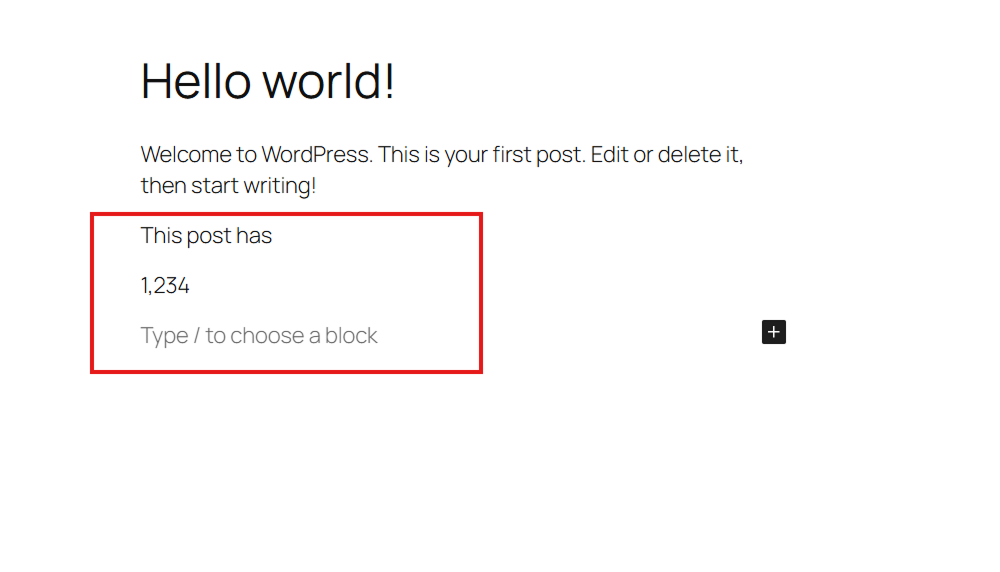
WP Post Views counts the views of your built-in post types (Posts, Pages) and Custom Post Types. It provides multiple ways to display these counts, including a modern Gutenberg block, shortcodes, and PHP functions.
Features And Options:
- Simple & Easy: Designed to be simple and easy to understand for everyone.
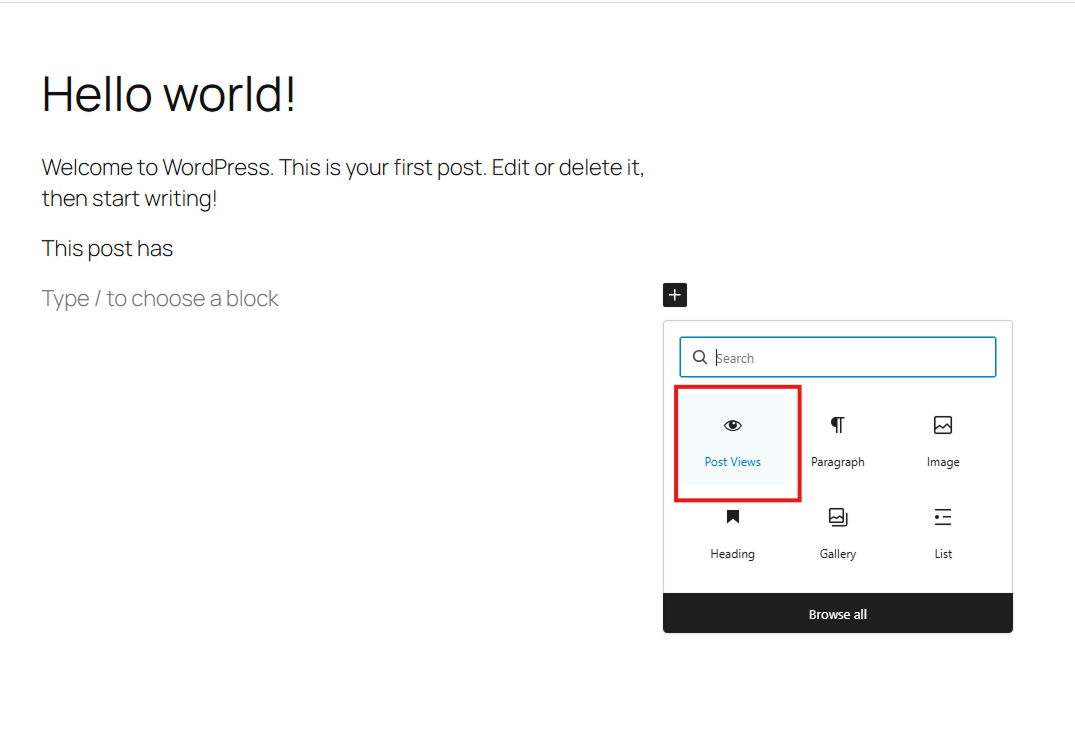
- Gutenberg Block: A dedicated “Post Views” block for easy placement in your layouts.
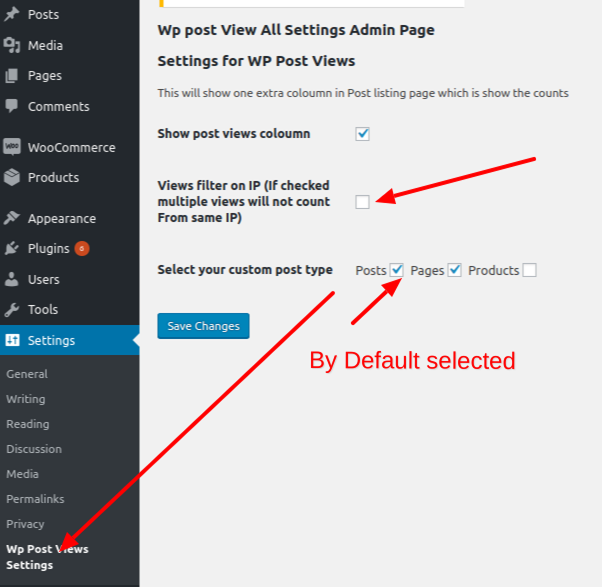
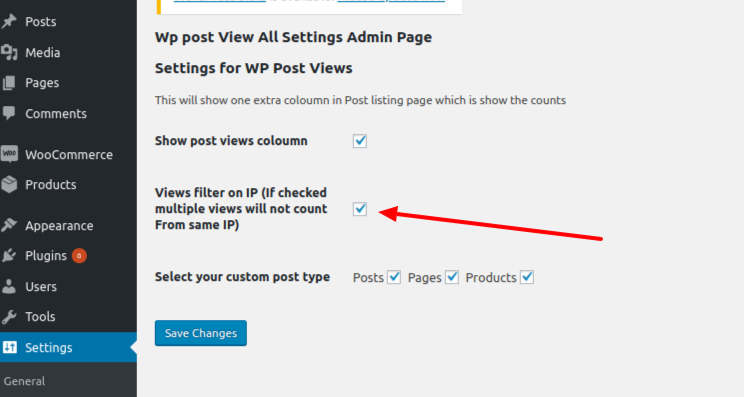
- IP Filtering: Option to filter views by IP address to ensure accurate counts.
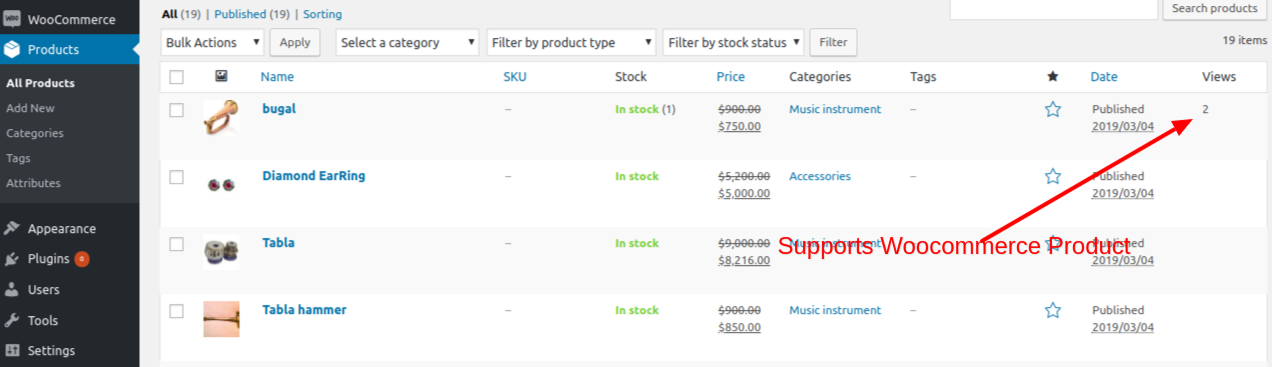
- Post Type Support: Choose which post types to track in the settings.
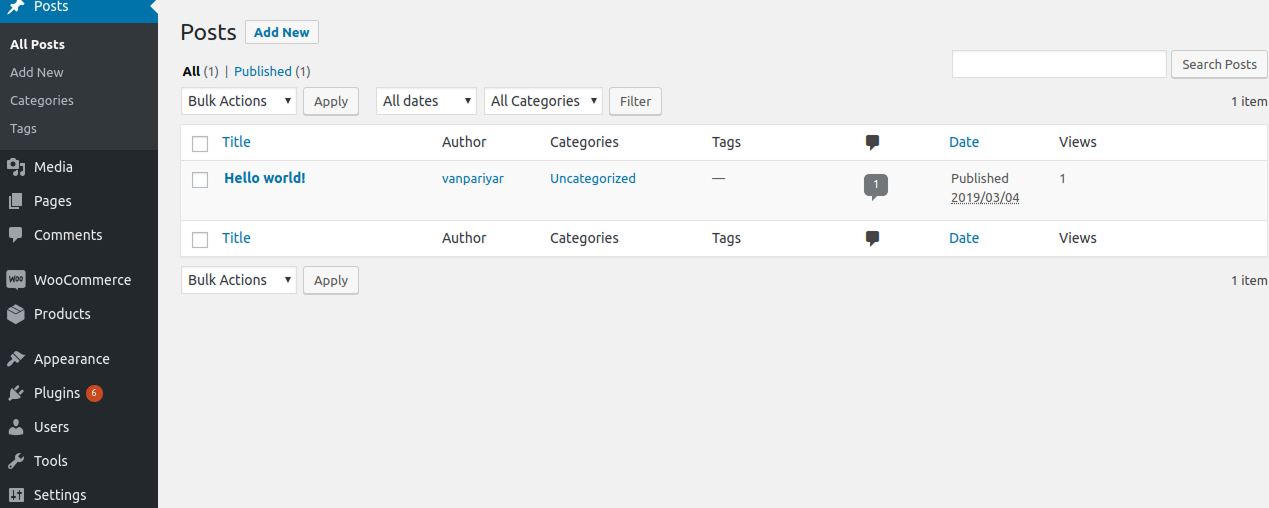
- Admin Column: View counts directly in your post/page lists in the admin dashboard.
- Performance: Optimized queries and transient caching for total view counts.
How to Display Post Views:
1. Gutenberg Block
Search for the “Post Views” block in the editor.
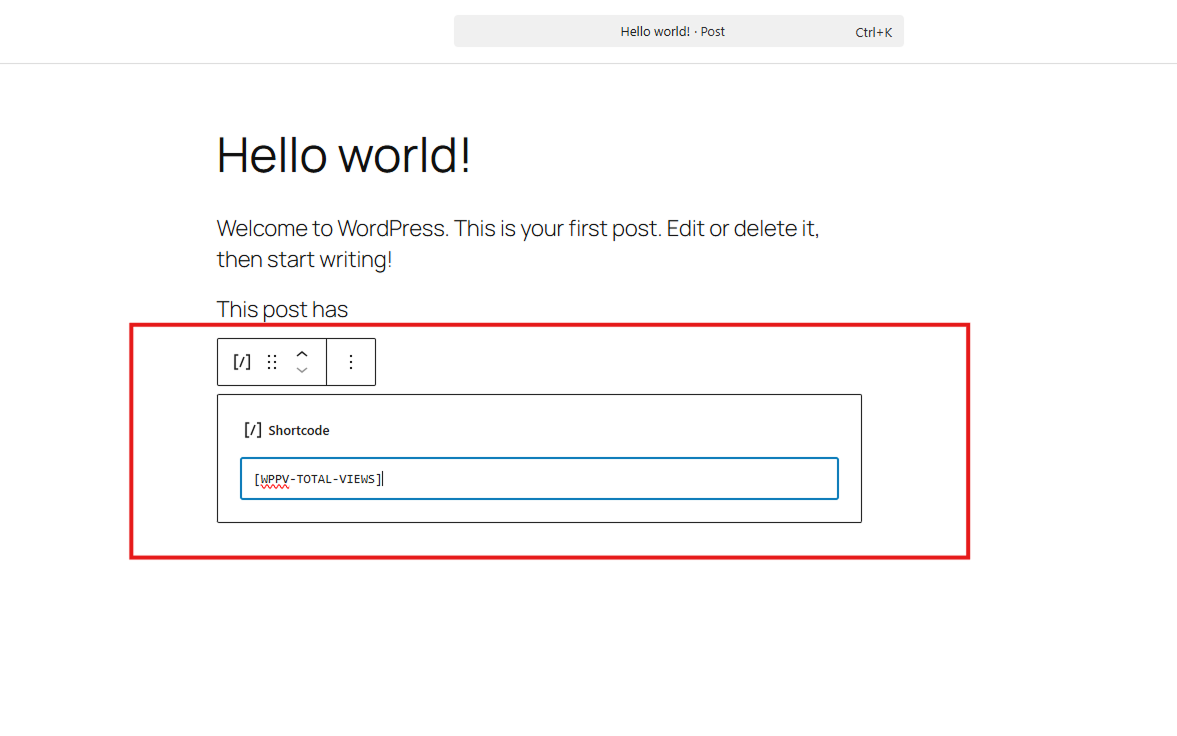
2. Shortcodes
– [WPPV-TOTAL-VIEWS]: Display the view count for the current post.
– [WPPV-TOTAL-VIEWS-PER-POST-TYPE post_type="post"]: Display total views for a specific post type.
3. PHP Function
Tutorial
Development
- Development happening on GitHub :- WP Post Views Github
- Create issue on the GitHub OR Pull request for new feature when new tag added it will automatically deployed.
Installation
- Install the plugin via the WordPress.org plugin directory or by uploading the files to
/wp-content/plugins/. - Activate the plugin through the ‘Plugins’ menu.
- Configure settings at Settings > WP Post Views.
Frequently asked questions
Does it work with caching plugins?
Yes. WP Post Views uses a lightweight JavaScript-based tracking method to ensure views are counted even when your site is served via a caching plugin (like WP Rocket, W3 Total Cache, etc.).
Can I track views for custom post types?
Absolutely. You can select which post types to track in the plugin settings page.
How can I exclude my own views?
The plugin includes an IP filtering feature. You can enter your IP address in the settings to prevent your own visits from being counted.
How do I display the view count?
You have three options: 1. Use the “Post Views” Gutenberg block. 2. Use the [WPPV-TOTAL-VIEWS] shortcode. 3. Use the get_post_view() PHP function in your theme templates.
Is it lightweight?
Yes, it’s designed with performance in mind. It uses efficient database queries and transient caching for aggregate counts to minimize server load.
Changelog
Please update for the new Gutenberg block and improved performance.
1.23.4 – 19/September/2026
- Fixed PHP test in github Actions
- Added Languages
1.23.1 – 20/05/2026
- New Feature: Added a modern Gutenberg block to display post views.
- Documentation: Launched new documentation site using VitePress.
- Workflow: Updated GitHub Actions for automated building and WordPress.org asset deployment.
- Assets: Added dedicated assets for the WordPress.org plugin page.
- Testing: Expanded PHPUnit test suite to include Gutenberg block rendering.
1.22.0 – 15/12/2025
- Added PHPUnit testing framework, Composer dependencies, and GitHub Actions for CI.
1.21.0 – 26/09/2025
- Version updates
1.18.0 – 16/12/2024
- Removed Home page checks from Ajax.
- Now home page views will be counted
1.17.0 – 30/11/2024
- Complete architecture Changed on How we count views.
- we are using simple Js insted of AJAX.
Screenshots
For developers
Is this your plugin? Show off the numbers.
Add a live badge to your site, docs or GitHub README. It updates on its own — no account needed.
Best Wp Post Views alternatives
All analytics plugins →





FAQ
Wp Post Views: quick answers
Straight answers, pulled from live WordPress.org data.
Live data from WordPress.org · checked Sep 27, 2026
Is Wp Post Views free?
Yes. Wp Post Views is free to download and use from the official WordPress.org plugin directory.
Is Wp Post Views safe to use in 2026?
Yes — Wp Post Views is a safe, well-maintained plugin to use in 2026. It runs on 4K+ sites, is rated 4.4/5 and was last updated 1 week ago, and scores 82/100 on our health check.
How many websites use Wp Post Views?
Wp Post Views is active on 4K+ WordPress websites and has been downloaded 77,719 times since it launched in February 2020. It was downloaded 3,359 times in the last 30 days.
Does Wp Post Views work with WordPress 7.1?
Yes. The developer has tested Wp Post Views up to WordPress 7.1.2, the latest release. It requires WordPress 5.4 or newer.
What PHP version does Wp Post Views need?
Wp Post Views requires PHP 7.4 or higher. Most hosts run PHP 8.x today, so it works on any modern WordPress hosting.
When was Wp Post Views last updated?
The latest version, 1.23.4, was released on September 19, 2026 (1 week ago).
Who makes Wp Post Views?
Wp Post Views is developed and maintained by Ronak J Vanpariya.
What are the best alternatives to Wp Post Views?
The most popular alternatives to Wp Post Views are Site Kit by Google (5M+ installs), MonsterInsights (2M+ installs) and WP Statistics (600K+ installs).
Powered by PageForge
Want thousands of pages that rank like these? Build them in an afternoon.
This directory runs on the same engine as PageForge. Turn any spreadsheet, CSV or API into thousands of fast, SEO-ready WordPress pages — with schema, internal links and AI-written copy baked in.
- CSV, Google Sheets & API data sources
- AI content, schema & internal links per page
- Works with Elementor, Gutenberg, Yoast & Rank Math
- Free on WordPress.org — no credit card


