



Parse.ly
The Parse.ly plugin facilitates real-time and historical analytics to your content through a platform designed and built for digital publishing.

Use with caution
Parse.ly works, but test it on a staging site before relying on it in 2026. It runs on 1K+ sites, is rated 5/5 and was last updated 1 month ago, and scores 61/100 on our health check.
- Very few reviews so far
- Only tested up to WordPress 6.9 (latest is 7.1)
How does it stack up?
Side-by-side on installs, updates, ratings & support



Daily downloads
Download spikes usually follow a new release — each site that auto-updates counts as a download.
Rankings
Where Parse.ly stands todayWordPress.org search rankings
Live position in the plugin search, top 100| Keyword | Position |
|---|---|
| analytics | >100 |
| content marketing | #92 |
| parsely | #1 |
| statistics | >100 |
| stats | >100 |
Version adoption
Share of active sites per release.
Rating breakdown
★★★★★★★★★★ 5 from 1 reviews
About Parse.ly
From the official readme · v3.24.1Description
Designed and built for digital publishers, Parse.ly helps you understand how your audience is connecting to your content.
Thousands of writers, editors, site managers, and technologists already use Parse.ly to understand what content draws in website visitors, and why. Using our powerful dashboards and APIs, customers build successful digital strategies that allow them to grow and engage a loyal audience.
Join industry leaders — like NBA, Slate, News Corp, and Condé Nast — who already use Parse.ly to bring clarity to content, audience, and analytics.
Feedback, suggestions, questions or concerns? Open a new GitHub issue or email us at support@parsely.com. We always want to hear from you!
NOTE: The plugin requires an active Parse.ly account. Sign up for a free Parse.ly demo.
Features
The wp-parsely plugin is packed with features that allow for a seamless integration process, and brings the power of the Parse.ly dashboard into WordPress.
Automated integration
The plugin automatically inserts the Parse.ly metadata and JavaScript in all published pages and posts (Custom Post Types are supported). It also provides a settings page to customize your integration, with options including:
– Output Parse.ly metadata as JSON-LD or repeated meta tags.
– Choose whether logged-in users should be tracked.
– Define how to track every Post Type (as Post, Non-Post or no tracking).
Parse.ly Content Intelligence
Content Intelligence is a set of content insight tools including:
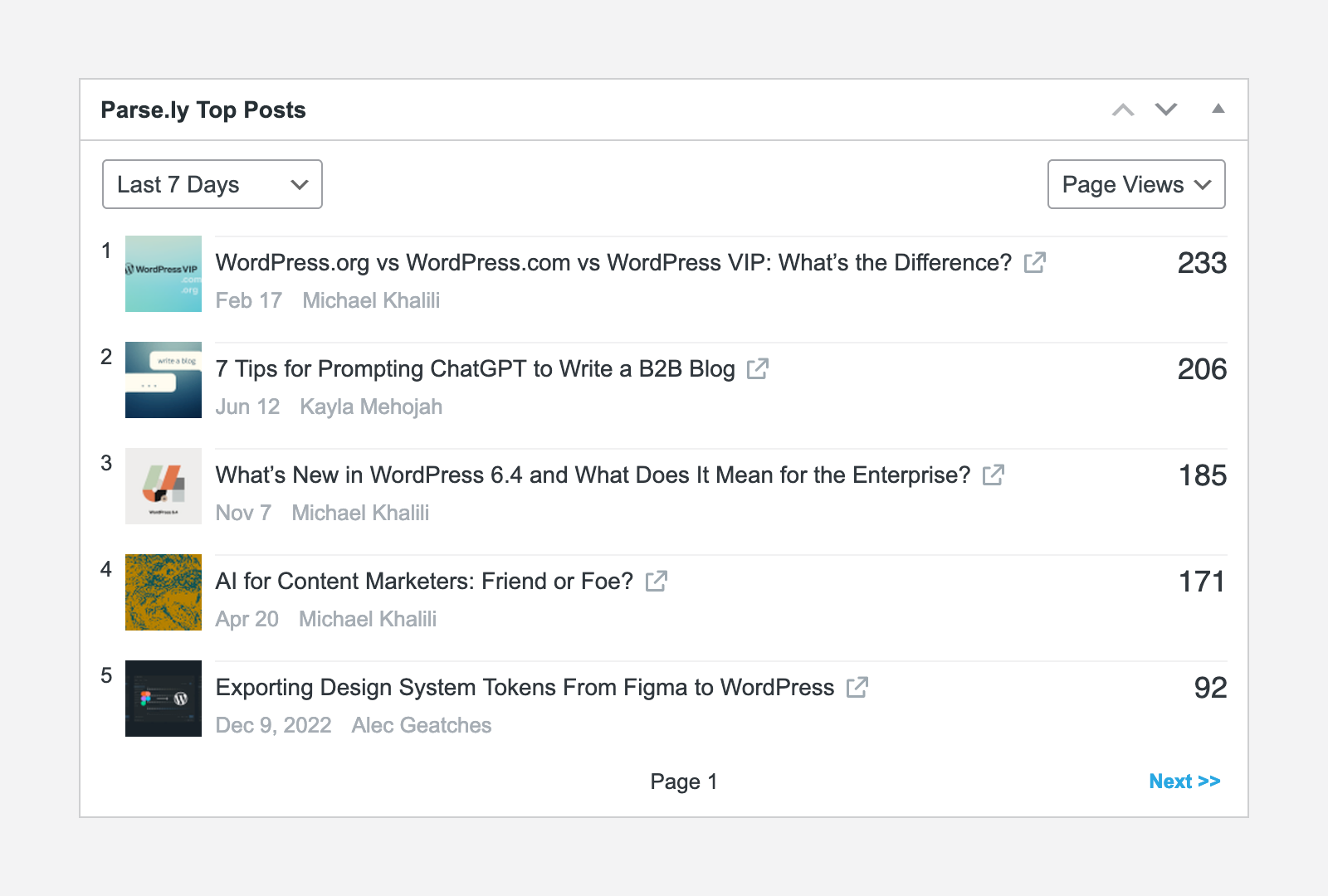
– The Parse.ly Dashboard Widget – Displays the site’s top posts in the WordPress Dashboard.
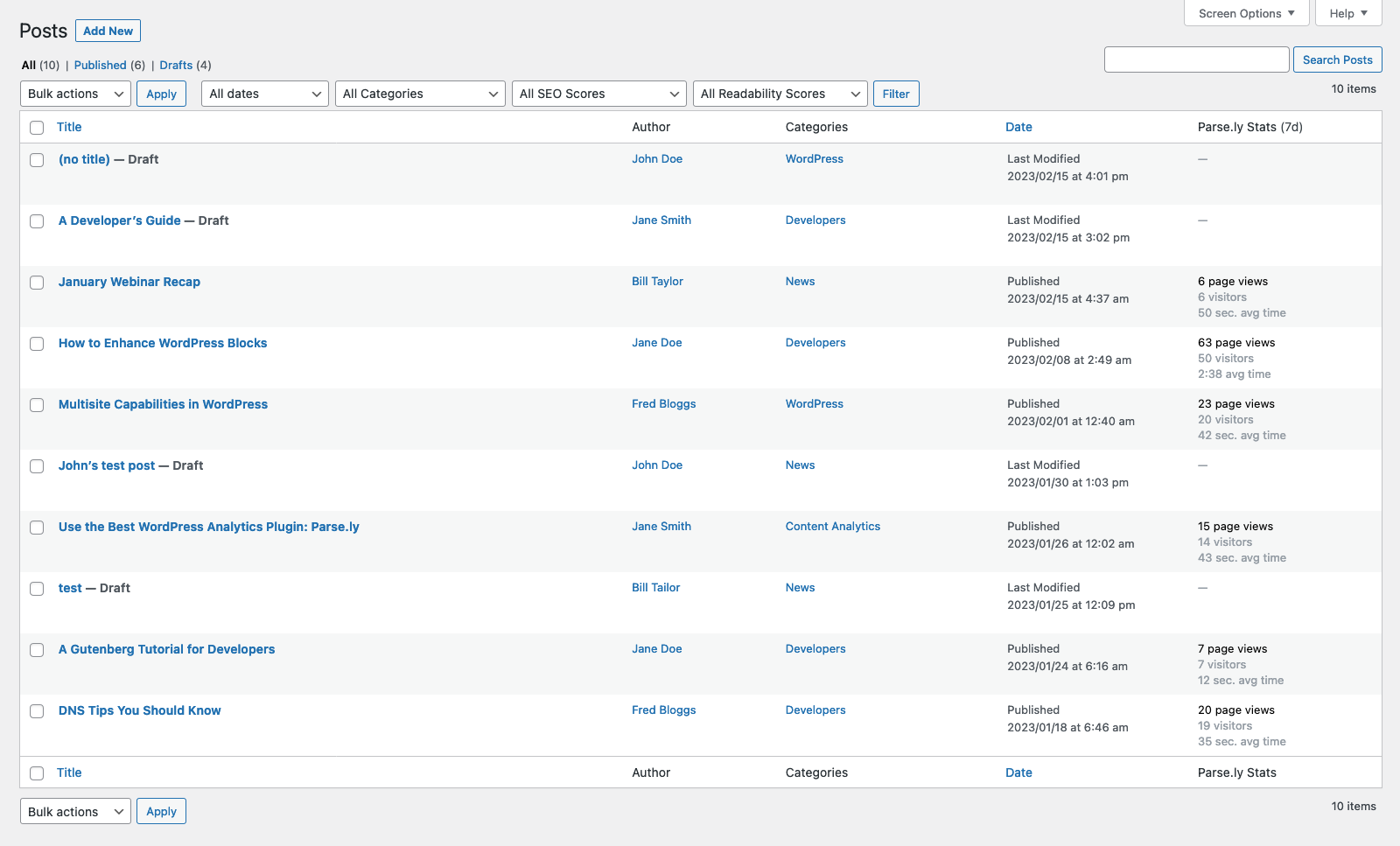
– The Parse.ly Stats Column – Displays published post performance for the last 7 days in Post Lists.
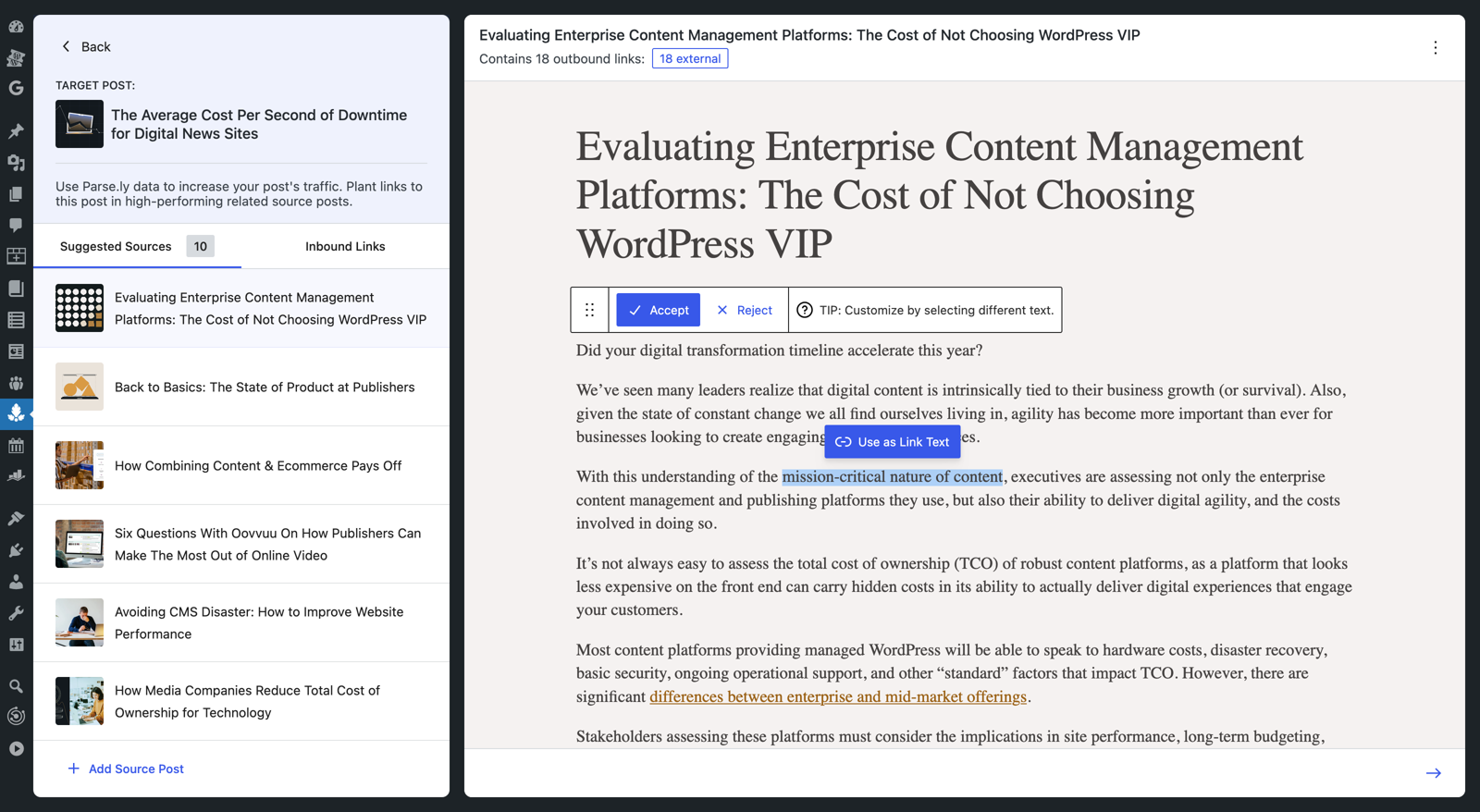
– The Engagement Boost feature – Helps you increase page views and engagement by strategically placing links to key content within high-performing articles on your site.
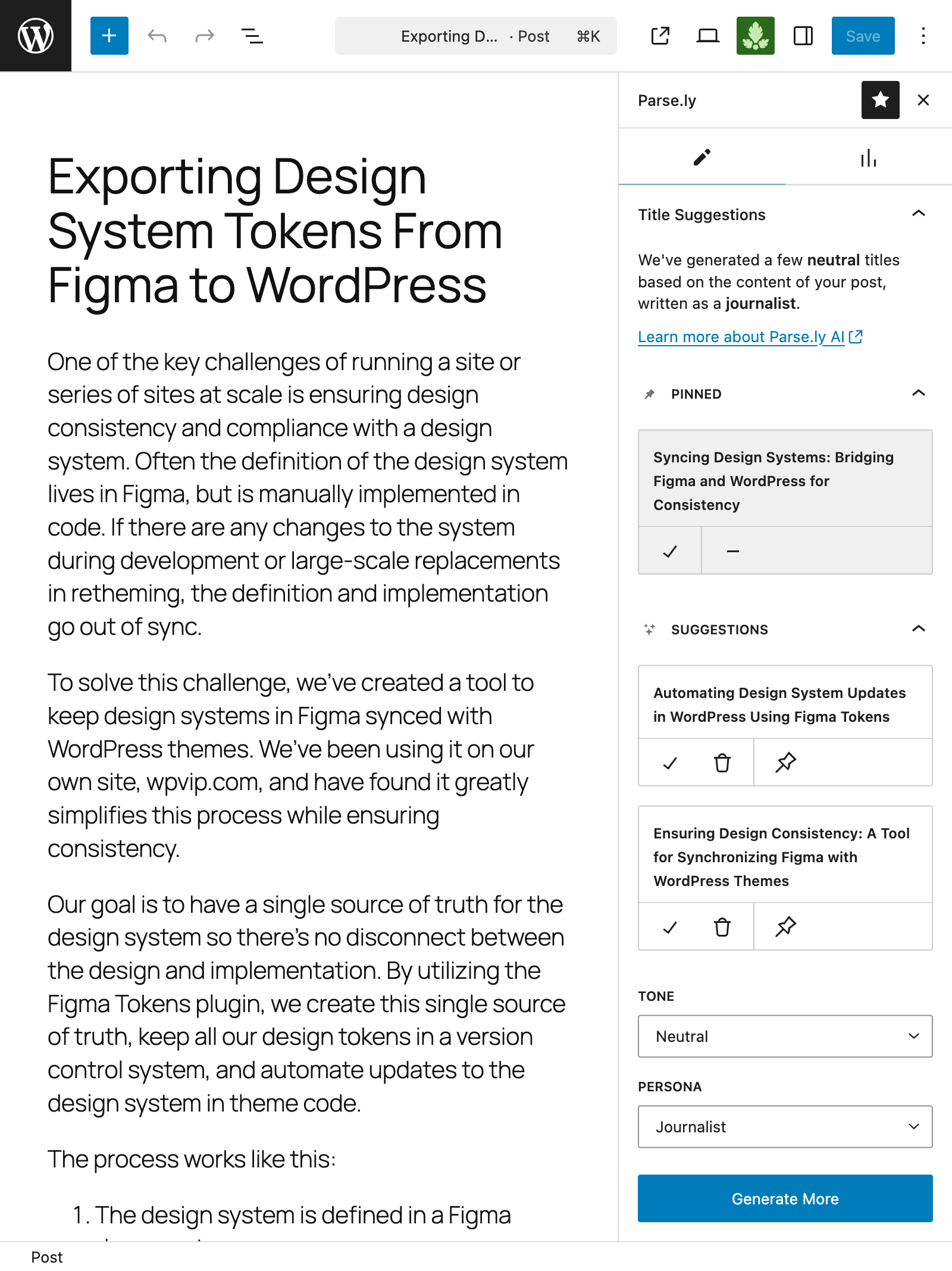
– The Parse.ly Editor Sidebar – This sidebar is integrated into the WordPress Editor and offers insights about the content currently being edited such as:
– Title Suggestions – Generates title suggestions for the post/page currently being edited.
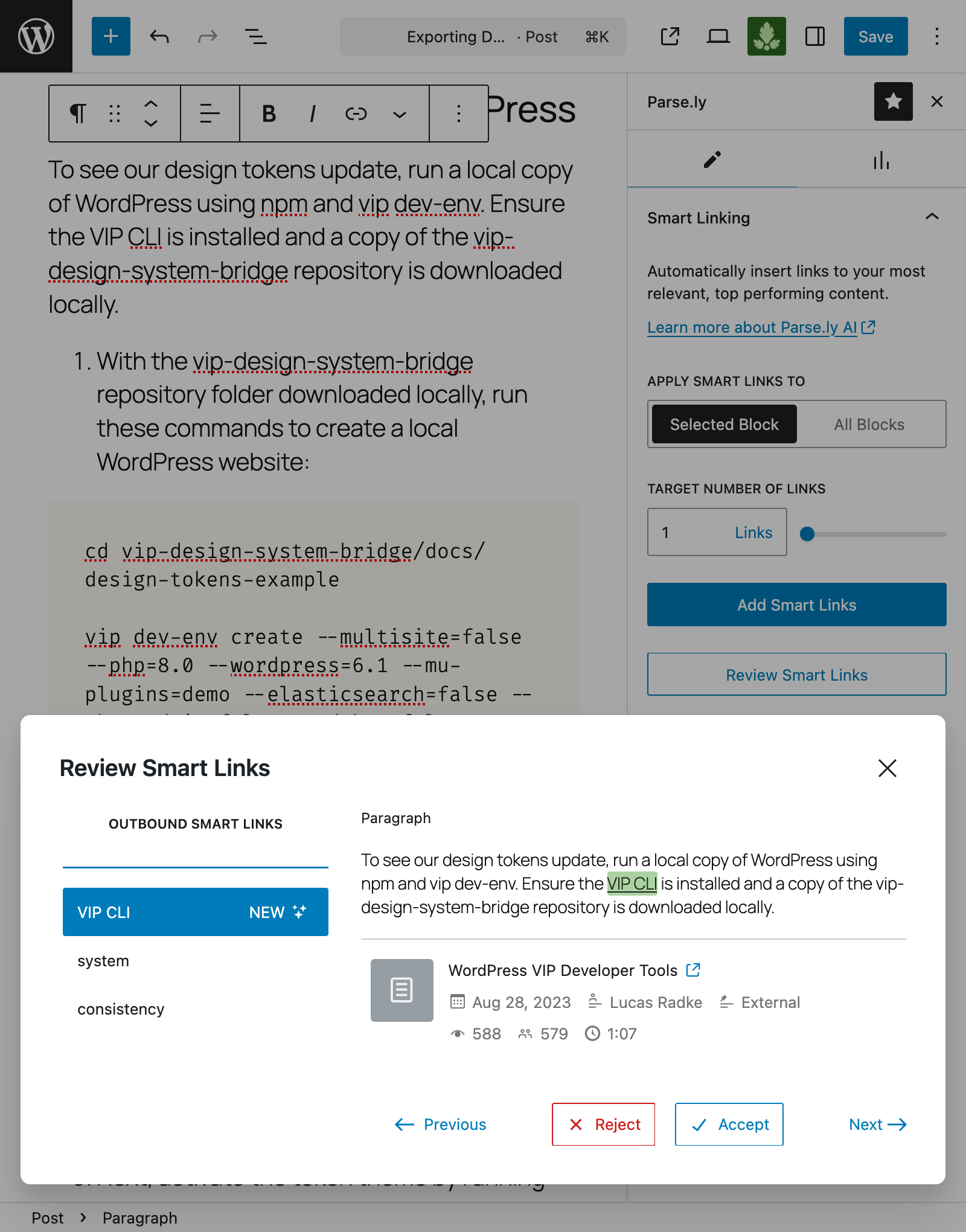
– Smart Linking – Automatically adds links to the current content that point to the most relevant and top-performing posts.
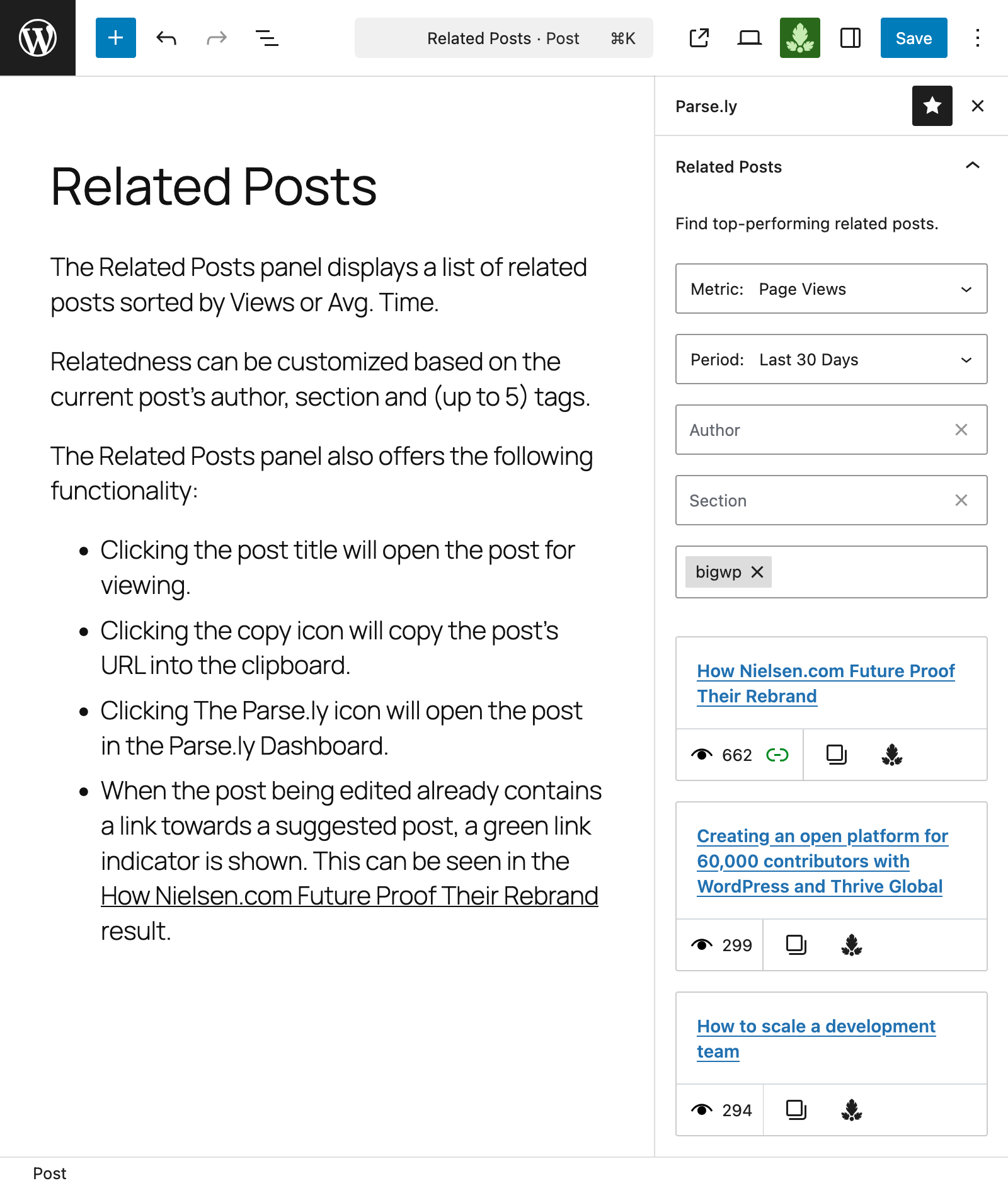
– Related Posts – Displays a list of the website’s most successful posts, similar to the post/page currently being edited.
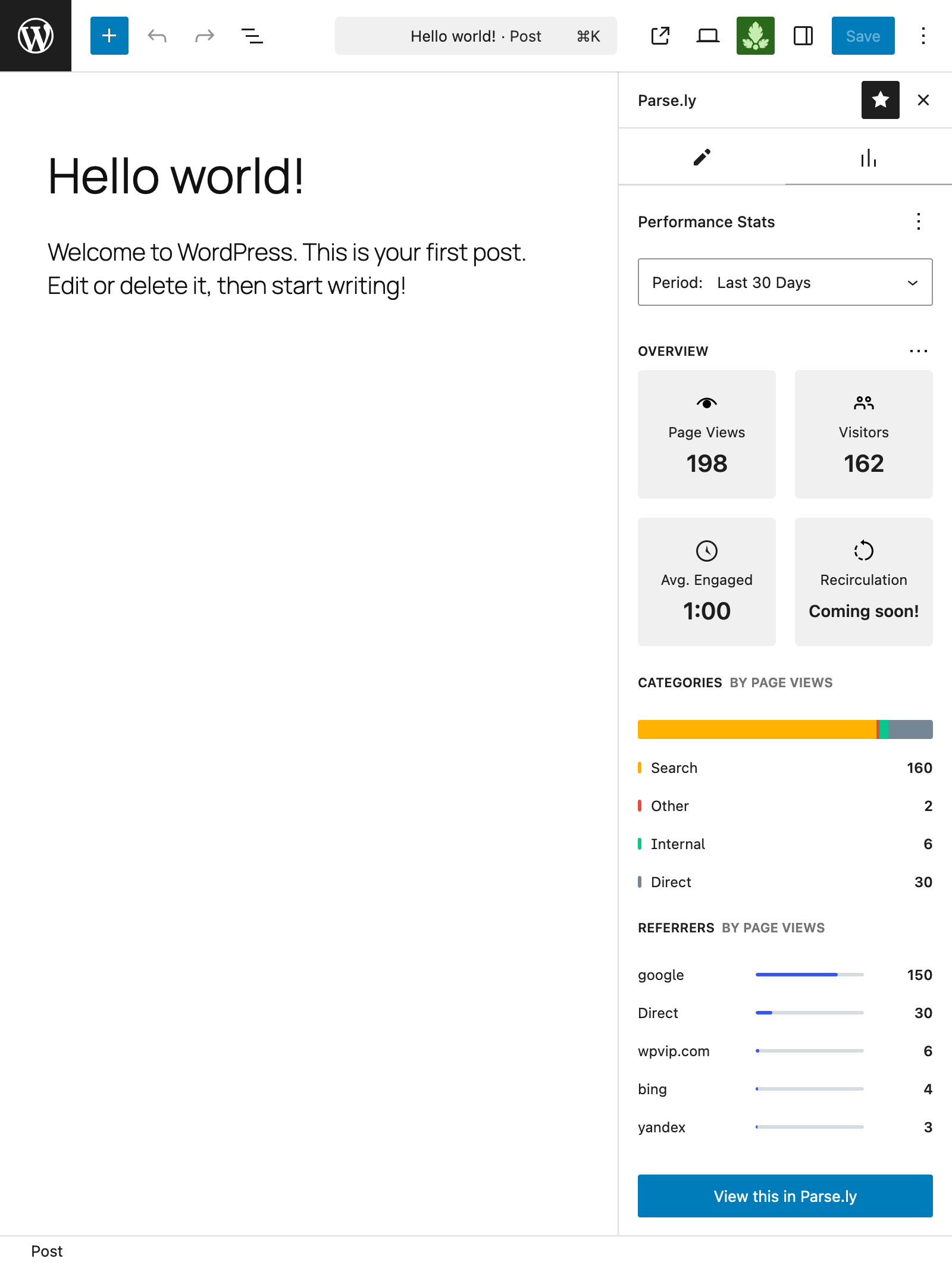
– Performance Stats – Displays performance metrics about the content currently being edited.
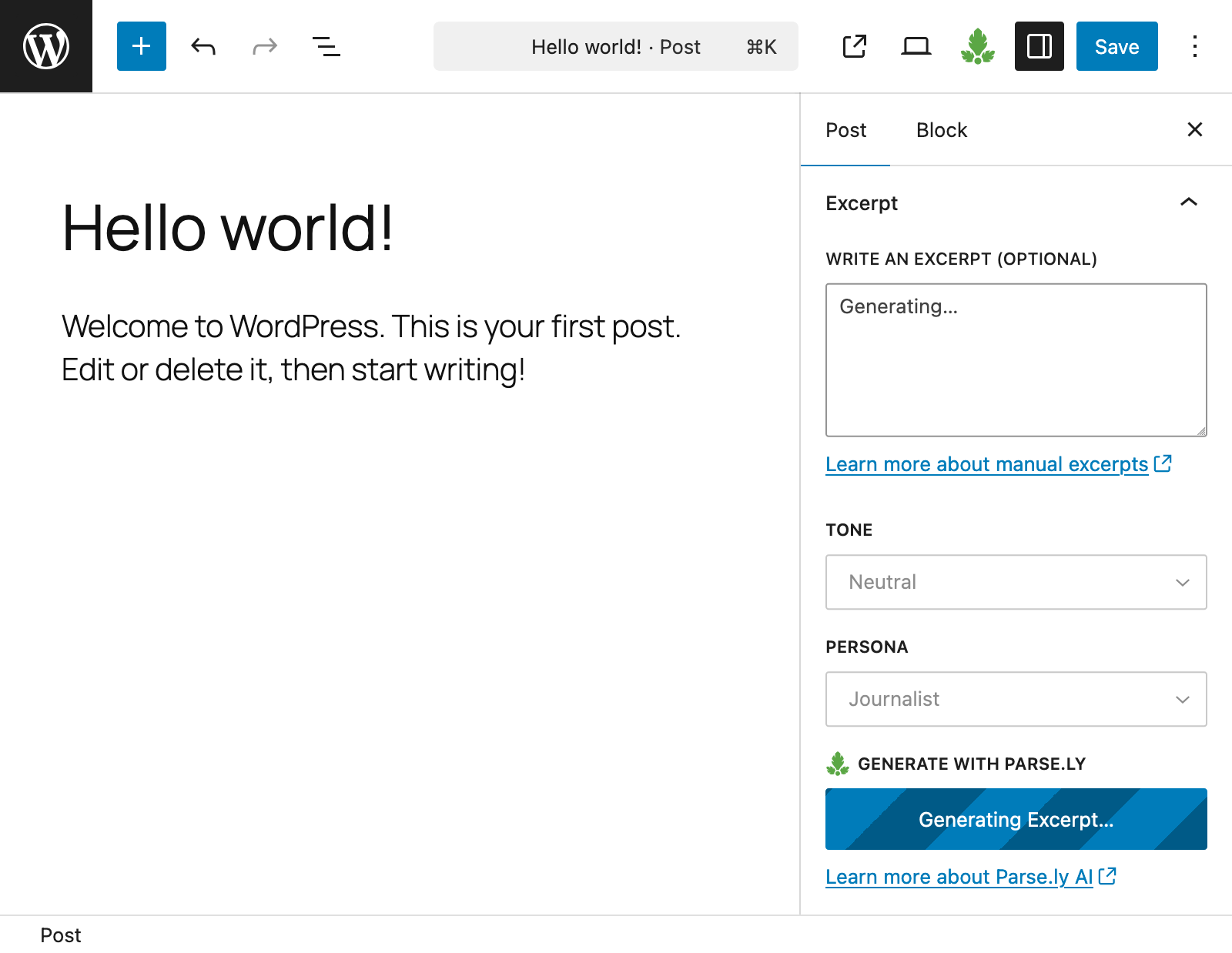
– Excerpt Suggestions – Generates an excerpt suggestion for the post/page currently being edited, from the Excerpt panel of the Post Editor’s settings.
The Parse.ly Recommendations Block
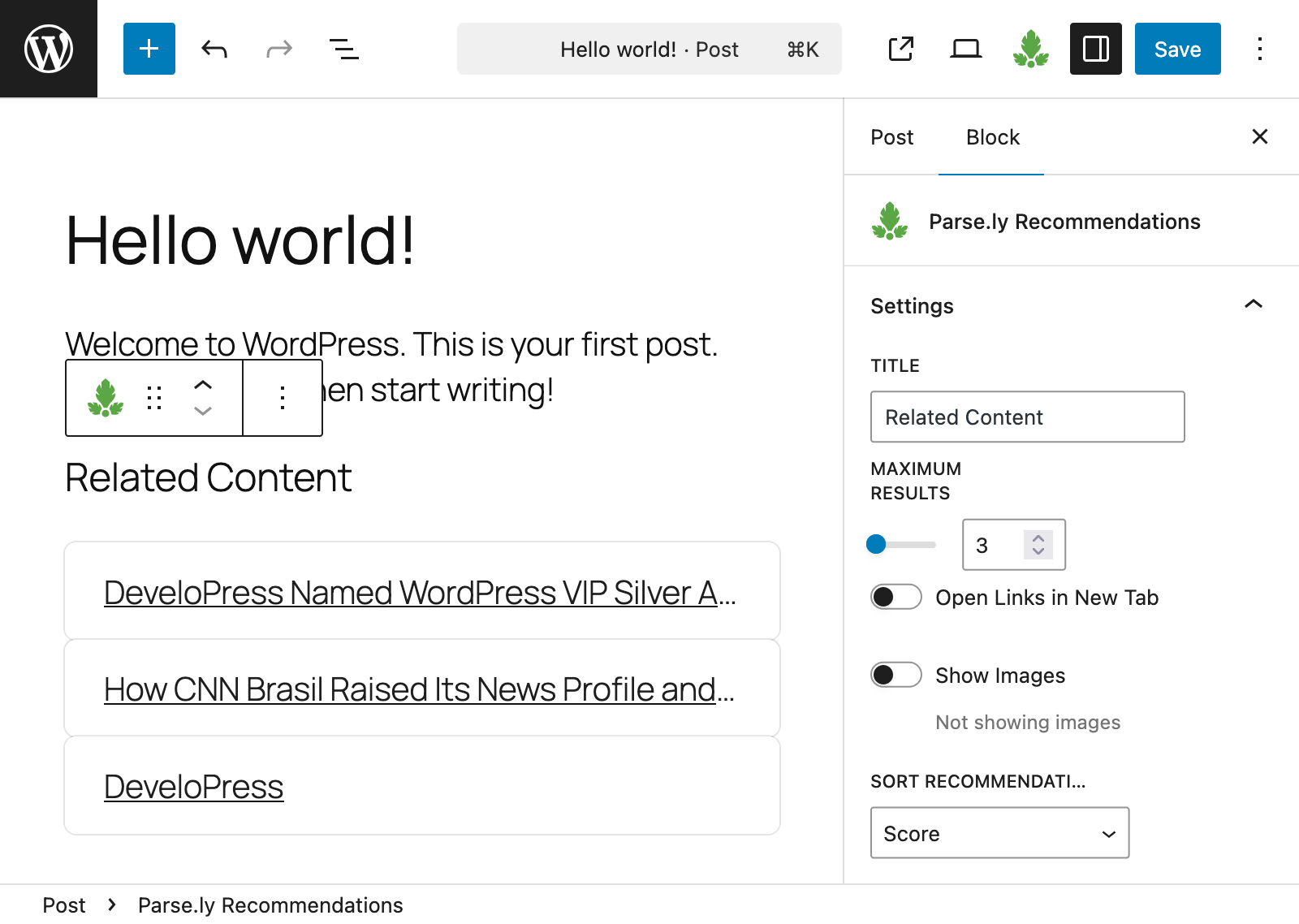
The plugin includes a Recommendations Block that displays a list of posts related to the currently viewed post/page. The Block is useful for showcasing related content to visitors, and it can also be used in Site Editing mode or as a Block-based Widget.
Advanced integrations support
While the plugin works out of the box for basic integrations, it offers a host of features that easily allow for advanced integration scenarios:
– Support for Google Tag Manager, AMP, Google Web Stories and Cloudflare is included.
– The plugin exposes the wpParselyOnLoad and wpParselyOnReady JavaScript hooks that allow for advanced integrations requiring JavaScript, such as Dynamic Tracking.
– Support for WordPress network/multisite and decoupled/headless (GraphQL and WP Rest API) setups is included.
– Last but not least, a wide range of hooks is available in order to customize the plugin’s functionality even further.
Documentation and resources
IMPORTANT: If you are a WordPress VIP customer, please consult the WordPress VIP documentation for more details.
Sample Parse.ly metadata
The standard Parse.ly JavaScript tracker inserted before the closing body tag:
<script id="parsely-cfg" data-parsely-site="example.com" src="https://cdn.parsely.com/keys/example.com/p.js"></script>
A sample JSON-LD structured data for a home page or section page:
<script type="application/ld+json">
{"@context":"http:\/\/schema.org","@type":"WebPage","headline":"WordPress VIP","url":"http:\/\/wpvip.com\/"}
</script>
A sample JSON-LD meta tag and structured data for an article or post:
<script type="application/ld+json">
{"@context":"http:\/\/schema.org","@type":"NewsArticle","mainEntityOfPage":{"@type":"WebPage","@id":"http:\/\/wpvip.com\/2021\/04\/09\/how-the-wordpress-gutenberg-block-editor-empowers-enterprise-content-creators\/"},"headline":"How the WordPress Gutenberg Block Editor Empowers Enterprise Content Creators","url":"http:\/\/wpvip.com\/2021\/04\/09\/how-the-wordpress-gutenberg-block-editor-empowers-enterprise-content-creators\/","thumbnailUrl":"https:\/\/wpvip.com\/wp-content\/uploads\/2021\/04\/ladyatdesk.png?w=120","image":{"@type":"ImageObject","url":"https:\/\/wpvip.com\/wp-content\/uploads\/2021\/04\/ladyatdesk.png?w=120"},"dateCreated":"2021-04-09T15:13:13Z","datePublished":"2021-04-09T15:13:13Z","dateModified":"2021-04-09T15:13:13Z","articleSection":"Gutenberg","author":[{"@type":"Person","name":"Sam Wendland"}],"creator":["Sam Wendland"],"publisher":{"@type":"Organization","name":"The Enterprise Content Management Platform | WordPress VIP","logo":"https:\/\/wpvip.com\/wp-content\/uploads\/2020\/11\/cropped-favicon-dark.png"},"keywords":[]}
</script>
Contributing
Development, code hosting and issue tracking of this plugin happens on the wp-parsely GitHub repository. Active development happens on the develop branch and releases are made off the trunk branch.
To run the plugin locally or to contribute to it, please check the instructions in the CONTRIBUTING file.
Installation
The plugin requires an active Parse.ly account. Sign up for a free demo of Parse.ly.
For more information, please visit the installation instructions in the official documentation.
Screenshots
For developers
Is this your plugin? Show off the numbers.
Add a live badge to your site, docs or GitHub README. It updates on its own — no account needed.
Best Parse.ly alternatives
All analytics plugins →





FAQ
Parse.ly: quick answers
Straight answers, pulled from live WordPress.org data.
Live data from WordPress.org · checked Sep 30, 2026
Is Parse.ly free?
Yes. Parse.ly is free to download and use from the official WordPress.org plugin directory.
Is Parse.ly safe to use in 2026?
Parse.ly works, but test it on a staging site before relying on it in 2026. It runs on 1K+ sites, is rated 5/5 and was last updated 1 month ago, and scores 61/100 on our health check.
How many websites use Parse.ly?
Parse.ly is active on 1K+ WordPress websites and has been downloaded 101,237 times since it launched in July 2012. It was downloaded 1,488 times in the last 30 days.
Does Parse.ly work with WordPress 7.1?
Parse.ly is officially tested up to WordPress 6.9.9, while the latest release is 7.1.2. It may still work, but try it on a staging site first.
What PHP version does Parse.ly need?
Parse.ly requires PHP 7.4 or higher. Most hosts run PHP 8.x today, so it works on any modern WordPress hosting.
When was Parse.ly last updated?
The latest version, 3.24.1, was released on August 26, 2026 (1 month ago).
Who makes Parse.ly?
Parse.ly is developed and maintained by Parse.ly.
What are the best alternatives to Parse.ly?
The most popular alternatives to Parse.ly are Site Kit by Google (5M+ installs), MonsterInsights (2M+ installs) and WP Statistics (600K+ installs).
Powered by PageForge
Want thousands of pages that rank like these? Build them in an afternoon.
This directory runs on the same engine as PageForge. Turn any spreadsheet, CSV or API into thousands of fast, SEO-ready WordPress pages — with schema, internal links and AI-written copy baked in.
- CSV, Google Sheets & API data sources
- AI content, schema & internal links per page
- Works with Elementor, Gutenberg, Yoast & Rank Math
- Free on WordPress.org — no credit card


