


WP Google Charts
Easily integrate google charts, diagrams and tables based on your Google Spreadsheets. Spice up your posts with cool visualisations!

Consider an alternative
WP Google Charts shows warning signs in 2026 — compare the alternatives below before installing. It runs on 50+ sites, is rated 4.7/5 and was last updated 13 years ago, and scores 31/100 on our health check.
- Small user base (50+ active installs)
- Very few reviews so far
- No update in 12 years
- Only tested up to WordPress 3.7 (latest is 7.1)
How does it stack up?
Side-by-side on installs, updates, ratings & supportDaily downloads
Download spikes usually follow a new release — each site that auto-updates counts as a download.
Rankings
Where WP Google Charts stands todayWordPress.org search rankings
Live position in the plugin search, top 100| Keyword | Position |
|---|---|
| Bar chart | >100 |
| charts | >100 |
| column chart | >100 |
| google charts | >100 |
| visualisation | #41 |
Version adoption
Share of active sites per release.
Rating breakdown
★★★★★★★★★★ 4.7 from 3 reviews
About WP Google Charts
From the official readme · v1.0Description
WP Google Charts
Easily integrate google charts, diagrams and tables based on your Google Spreadsheets. Spice up your posts with cool visualisations!
This is a plugin that lets you easily integrate charts, diagrams and tables based on Google Spreadsheets into your pages and posts. Adding charts, diagrams and tables is a simple and flexible way to make complex data accessible and spice up your posts.
What can you do with WP Google Charts
WP Google Charts lets you determine the type and size of your charts and diagrams using simple shortcode. It simply looks good, is free to use and saves you the hassle and restrictions of using Google’s embed code.
Using Google Spreadsheets may be better than using any proprietary solutions for your WordPress. Your data remains portable, that is, when you move away from WordPress (or even change your theme) you can still use it. WP Google Charts provides you with an easy way of displaying charts, diagrams and tables based on your spreadsheets.
The key features are:
– Embed charts and diagrams from a Google spreadsheet using simple short code.
– Display interactive and powerful visualisations of complex data.
– Have full control over type and size of the charts and diagrams.
– No need to go into the text editor in WordPress.
When to use WP Google Charts
– Rule of thumb: Any post or page for which you use statistics could look better and provide more information using charts, diagrams and tables.
– You have data stored in a spreadsheet that you want to display in an accessible and interactive way on your WordPress site.
– You want to have full control over how you display charts, diagrams and tables, but spend little time on fiddling around with the settings.
– You want to display tables from your spreadsheets that are easily accessible and can be created in less than two minutes.
– WP Google Charts has originally been developed to provide human rights NGOs with a simple tool to publish information about violations. If your work is similar, it will be surely useful. If not, it still might be great (see rule of thumb).
So how exactly does it work?
You create your Google Spreadsheet, put your data into it and embed it in your posts and pages using straightforward short code. It’s that simple.
Shortcode sounds scary. How does it work?
It’s simple. No need to bite your nails. A line of short code will look like this:
[agc key=”0AmPXLjY4S5drdEJBbGR4MkJQWkJLQ0NFb1JqOGVPTGc” charttype=”columnchart” ]
Plugin support additional params:
– gid (integer,default 0)
– transpose (0 or 1,default 0)
– stacked (true or false,default false)
– width (integer,default 600)
– height (integer,default 400)
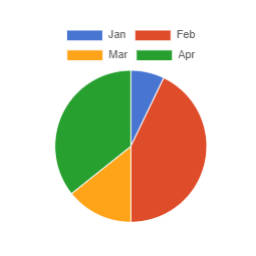
– charttype (“table”, “columnchart”, “areachart”, “barchart”, “linechart”, “piechart”, “steppedareachart” default “columnchart”)
– columns (comma separated integers of column positions start by 0)
[agc key=”0AmPXLjY4S5drdEJBbGR4MkJQWkJLQ0NFb1JqOGVPTGc” gid=”2″ transpose=”1″ stacked=”true” width=”600″ height=”400″ charttype=”columnchart” columns=”0,1,2″ ]
The agc key is the key of your Google Doc. You can find it screenshots.
Gid is the page of your spreadsheet, so if it is on the first page it is “1”, if it is on the second it is “two” and so on and so forth.
Transpose is where you can determine, if you want to reverse the columns. Can be useful for some graphs or charts. Changing the number from “1” to “0” can save you a lot of time .
Stacked yes or no let’s you determine, if the data will be shown in a more fine-grained way. Say you have a bar chart, where you want to show the constituency of each bar. This is how it looks like (see screenshot). If you want or need that, choose “yes”, if not “no”.
The chart type is easy. Just pick the one that you want to have from this list:
- “table”
- “columnchart”
- “areachart”
- “barchart”
- “linechart”
- “piechart”
- “steppedareachart”
Columns is comma separated column ids of spreadsheet,remember it start from 0,like columns=”0,2,6″.
If you have suggestions for a new add-on, feel free to let me know about it on http://www.hmayaktigranyan.com .
This plugin sponsor is http://www.huridocs.org/
Installation
- Upload the files to the
/wp-content/plugins/wp-google-charts/directory - Activate the “WP google charts” plugin through the ‘Plugins’ menu in WordPress
Changelog
Nothing to upgrade.
1.1
- added support for columns param
- fix for spreadsheet url containing special chars
1.0
- Initial features
Screenshots


For developers
Is this your plugin? Show off the numbers.
Add a live badge to your site, docs or GitHub README. It updates on its own — no account needed.
Best WP Google Charts alternatives
All Bar chart plugins →| Rank | Plugin | Active installs |
|---|---|---|
| 1 |
 SB Chart block
Displays a Chart for CSV content.
SB Chart block
Displays a Chart for CSV content.
|
300+ |
| 3 |
 Linear Tag Cloud
A simple and clean tag cloud with a list of tags in percentual lines.
Linear Tag Cloud
A simple and clean tag cloud with a list of tags in percentual lines.
|
10+ |
| 4 |
 Chartivio
Create professional charts in seconds. Chartivio is a powerful wordpress chart builder…
Chartivio
Create professional charts in seconds. Chartivio is a powerful wordpress chart builder…
|
<10 |
FAQ
WP Google Charts: quick answers
Straight answers, pulled from live WordPress.org data.
Live data from WordPress.org · checked Oct 19, 2026
Is WP Google Charts free?
Yes. WP Google Charts is free to download and use from the official WordPress.org plugin directory.
Is WP Google Charts safe to use in 2026?
WP Google Charts shows warning signs in 2026 — compare the alternatives below before installing. It runs on 50+ sites, is rated 4.7/5 and was last updated 13 years ago, and scores 31/100 on our health check.
How many websites use WP Google Charts?
WP Google Charts is active on 50+ WordPress websites and has been downloaded 8,978 times since it launched in November 2013. It was downloaded 170 times in the last 30 days.
Does WP Google Charts work with WordPress 7.1?
WP Google Charts is officially tested up to WordPress 3.7.41, while the latest release is 7.1.3. It may still work, but try it on a staging site first.
When was WP Google Charts last updated?
The latest version, 1.0, was released on January 9, 2014 (13 years ago).
Who makes WP Google Charts?
WP Google Charts is developed and maintained by hmayaktigranyan.
What are the best alternatives to WP Google Charts?
The most popular alternatives to WP Google Charts are SB Chart block (300+ installs), Linear Tag Cloud (10+ installs) and Chartivio (<10 installs).
Powered by PageForge
Want thousands of pages that rank like these? Build them in an afternoon.
This directory runs on the same engine as PageForge. Turn any spreadsheet, CSV or API into thousands of fast, SEO-ready WordPress pages — with schema, internal links and AI-written copy baked in.
- CSV, Google Sheets & API data sources
- AI content, schema & internal links per page
- Works with Elementor, Gutenberg, Yoast & Rank Math
- Free on WordPress.org — no credit card


