



Chartivio
Transform your data into a visual experience. Chartivio is a powerful yet user-friendly wordpress chart builder that allows you to create and manage professional, minimalst charts using a familiar custom post type…

Consider an alternative
Chartivio shows warning signs in 2026 — compare the alternatives below before installing. Was last updated 7 months ago, and scores 36/100 on our health check.
- Small user base (<10 active installs)
- Very few reviews so far
- Only tested up to WordPress 6.9 (latest is 7.1)
How does it stack up?
Side-by-side on installs, updates, ratings & supportDaily downloads
Download spikes usually follow a new release — each site that auto-updates counts as a download.
Rankings
Where Chartivio stands todayWordPress.org search rankings
Live position in the plugin search, top 100| Keyword | Position |
|---|---|
| Bar chart | >100 |
| chart | >100 |
| charts | >100 |
| data visualization | >100 |
| pie chart | >100 |
About Chartivio
From the official readme · v1.1.1Description
Transform your data into a visual experience. Chartivio is a powerful yet user-friendly wordpress chart builder that allows you to create and manage professional, minimalst charts using a familiar custom post type interface.
Most data visualization tools are either too complex or too heavy; Chartivio bridges that gap by offering a lightweight charts solution that prioritizes performance and aesthetics. Featuring a modern, split-screen admin UI, you can see your changes in real-time. Whether you are building a business dashboard or a blog infographic, Chartivio provides the best charts with zero coding required.
By utilizing simple wordpress charts, you ensure your audience stays engaged with data that moves as they scroll, without sacrificing site speed.
Chart Types available in Chartivio
- Interactive Bar Charts – Highlight data trends with professional data visualization.
- Minimalst Line Graphs – Keep your site fast with a lightweight charts design.
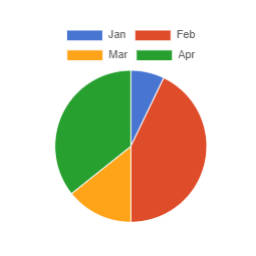
- Responsive Pie & Doughnut Charts – Perfectly responsive charts that scale for any mobile device.
- Dynamic CSV Integration – The easiest csv to chart workflow available for WordPress.
Third-Party Libraries
This plugin includes the following third-party library:
- Chart.js v4.5.1 – Licensed under MIT License
- Source: https://www.chartjs.org/
- Bundled locally in: assets/js/chartjs/chart.umd.min.js
- Used for rendering interactive charts
Installation
- Upload the
chartiviofolder to the/wp-content/plugins/directory. - Activate the plugin through the ‘Plugins’ menu in WordPress.
- Go to the ‘Chartivio’ menu in your sidebar to start creating your first chart.
- Copy the generated shortcode (e.g.,
[chartivio id="XX"]) and paste it into any post or page.
Frequently asked questions
How do I display a chart on my site?
Simply create your chart, copy the unique shortcode, and paste it into any Post, Page, or Widget area.
Can I import data from Excel?
Yes! Use our csv to chart feature. Save your Excel file as a .csv, upload it or link the URL, and Chartivio handles the rest.
How do I make my charts responsive?
All charts created with Chartivio are fully responsive by default. They automatically adjust to fit any screen size, from mobile devices to large desktops, ensuring a perfect viewing experience for your audience.
Changelog
1.1.1
- Fixed: CSV CORS issues by implementing a server-side AJAX proxy (
chartivio_fetch_csv). - Added: CSS Variable support (
--chart-height) for proportional responsive scaling of custom chart heights. - Improved: CSV parser robustness with Tab delimiter support and better quote handling.
- Fixed: Canvas height initialization for more consistent rendering across themes.
1.1.0
- Added: Auto-delimiter detection for CSV (Comma vs Semicolon).
- Added: UTF-8 BOM removal for cleaner CSV data parsing.
- Added: Premium UI Error Overlay with professional vertical alignment and icons.
- Added: Interactive ‘Shake to Fix’ functionality for CSV configuration.
- Added: Premium animations (fade-in/slide-up) and sleeker Doughnut cutout (70%).
- Added: Modern legend styling with circular indicators and system font stacks.
- Improved: Performance and race-condition handling during fetch operations.
- Improved: Frontend responsiveness for all screen sizes (Mobile, Tablet, Desktop).
- Fixed: Selector prefix consistency across CSS/JS/PHP (chartivio- vs dc-).
1.0.5
- Fixed: Mobile responsiveness and container height issues
- Fixed: Stray inline tags injected by WordPress formatting breaking chart dimensions
- Improved: Tablet and mobile CSS breakpoints for embedded charts
1.0.4
- Fixed: “Publishing failed. The response is not a valid JSON response” error when saving charts
- Improved: AJAX save handler stability against output from other plugins
1.0.3
- Fixed: CSV import related issue
1.0.2
- Updated: Chart.js upgraded to v4.5.1 (latest stable release)
- Fixed: WordPress.org compliance – replaced inline scripts with wp_add_inline_script()
- Fixed: Prefix consistency – all variables now use ‘chartivio_’ prefix
- Enhanced: Axis title fields now hide for pie/doughnut charts (UI improvement)
- Enhanced: Manual table – sticky action column and improved focus behavior
- Improved: Chart initialization with auto-init fallback for better compatibility
Screenshots


For developers
Is this your plugin? Show off the numbers.
Add a live badge to your site, docs or GitHub README. It updates on its own — no account needed.
Best Chartivio alternatives
All Bar chart plugins →| Rank | Plugin | Active installs |
|---|---|---|
| 1 |
 SB Chart block
Displays a Chart for CSV content.
SB Chart block
Displays a Chart for CSV content.
|
300+ |
| 2 |
 WP Google Charts
Easily integrate google charts, diagrams and tables based on your Google Spreadsheets.
WP Google Charts
Easily integrate google charts, diagrams and tables based on your Google Spreadsheets.
|
50+ |
| 3 |
 Linear Tag Cloud
A simple and clean tag cloud with a list of tags in percentual lines.
Linear Tag Cloud
A simple and clean tag cloud with a list of tags in percentual lines.
|
10+ |
FAQ
Chartivio: quick answers
Straight answers, pulled from live WordPress.org data.
Live data from WordPress.org · checked Oct 19, 2026
Is Chartivio free?
Yes. Chartivio is free to download and use from the official WordPress.org plugin directory.
Is Chartivio safe to use in 2026?
Chartivio shows warning signs in 2026 — compare the alternatives below before installing. Was last updated 7 months ago, and scores 36/100 on our health check.
How many websites use Chartivio?
Chartivio is active on <10 WordPress websites and has been downloaded 775 times since it launched in January 2026. It was downloaded 56 times in the last 30 days.
Does Chartivio work with WordPress 7.1?
Chartivio is officially tested up to WordPress 6.9.10, while the latest release is 7.1.3. It may still work, but try it on a staging site first.
What PHP version does Chartivio need?
Chartivio requires PHP 7.4 or higher. Most hosts run PHP 8.x today, so it works on any modern WordPress hosting.
When was Chartivio last updated?
The latest version, 1.1.1, was released on April 2, 2026 (7 months ago).
Who makes Chartivio?
Chartivio is developed and maintained by Aarati Parajuli.
What are the best alternatives to Chartivio?
The most popular alternatives to Chartivio are SB Chart block (300+ installs), WP Google Charts (50+ installs) and Linear Tag Cloud (10+ installs).
Powered by PageForge
Want thousands of pages that rank like these? Build them in an afternoon.
This directory runs on the same engine as PageForge. Turn any spreadsheet, CSV or API into thousands of fast, SEO-ready WordPress pages — with schema, internal links and AI-written copy baked in.
- CSV, Google Sheets & API data sources
- AI content, schema & internal links per page
- Works with Elementor, Gutenberg, Yoast & Rank Math
- Free on WordPress.org — no credit card


