


WP Frontend Profile
WP Frontend Profile gives you the ability to add a extensible user profile section to the frontend of your WordPress website. By default the plugin adds two tabs to the frontend profile. One of these tabs, titled…

Use with caution
WP Frontend Profile works, but test it on a staging site before relying on it in 2026. It runs on 100+ sites, is rated 4.3/5 and was last updated 7 months ago, and scores 49/100 on our health check.
- Momentum — downloads up 19.2% vs the previous 30 days
- Small user base (100+ active installs)
- Only tested up to WordPress 6.8 (latest is 7.1)
How does it stack up?
Side-by-side on installs, updates, ratings & support



Daily downloads
Download spikes usually follow a new release — each site that auto-updates counts as a download.
Rankings
Where WP Frontend Profile stands todayWordPress.org search rankings
Live position in the plugin search, top 100| Keyword | Position |
|---|---|
| login | >100 |
| profile | #47 |
| register | >100 |
| user meta | >100 |
| users | >100 |
Version adoption
Share of active sites per release.
Rating breakdown
★★★★★★★★★★ 4.3 from 9 reviews
About WP Frontend Profile
From the official readme · v1.3.9Description
WP Frontend Profile gives you the ability to add a extensible user profile section to the frontend of your WordPress website. By default the plugin adds two tabs to the frontend profile. One of these tabs, titled profile, allows a user to edit their user data including email, first and last names, URL and bio (description). The password tab allows a user to change their password for the site.
Plugin Extensibility
As the frontend profile is rendered with tabs you can easily add your own tabs with your own fields to store user meta data. Tabs and fields are added through filters and all the saving of the data is taken care of for you.
You can add the following field types:
- WYSIWYG
- Select
- Multi Select
- Radio
- Text Area
- Checkbox
- Password
- Text
See FAQs for how to add our own fields and tabs.
Profile Output
To output the frontend profile feature you can use the following shortcodes in editor:
- Profile page
[wpfep-profile] - Edit profile
[wpfep] - Register page
[wpfep-register] - Login page
[wpfep-login]
Features
- Added Login Widget
- Addon for Mailchimp
- Added Content Restriction feature for paid members.
Installation
- Upload the plugin folder to the
/wp-content/plugins/directory - Activate the plugin through the ‘Plugins’ menu in WordPress
After having installed the plugin:
1. Create a new Page “Profile” for profile and insert shortcode [wpfep-profile]
2. Create a new Page “Edit Profile” for editing profile and insert shortcode [wpfep]
3. Create a new Page “Login” for login form and insert shortcode [wpfep-login]
4. Create a new Page “Register” for registration form and insert shortcode [wpfep-register]
5. Set the Edit Page option from Pages tab on settings page.
Frequently asked questions
How do I add my own tab to the profile output?
Tabs can be added using the wpfep_tabs filter provided. Below is an example of how to add a tab after the default Profile and Password tabs. Note here the priority of 30 which means after the Profile tab (10) and the Password tab (20).
How do I add fields to a tab?
Fields can be added to a tab using a dynamic filter named wpfep_fields_$tab_id. The tab ID is the id of tab as declared when adding the tab (see FAQ above). This means that you can add fields to any tab even the default tabs. Below is an example of how you would add fields to a tab with the ID of wpmark_tab:
Are there any field IDs I cannot use?
Yes there are two field IDs reserved which are user_email and user_url. This is because you should not save new meta data with these keys are they already exist, but not in the user_meta table.
Changelog
For the plugin’s changelog, please see the changelog page on GitHub.
Screenshots


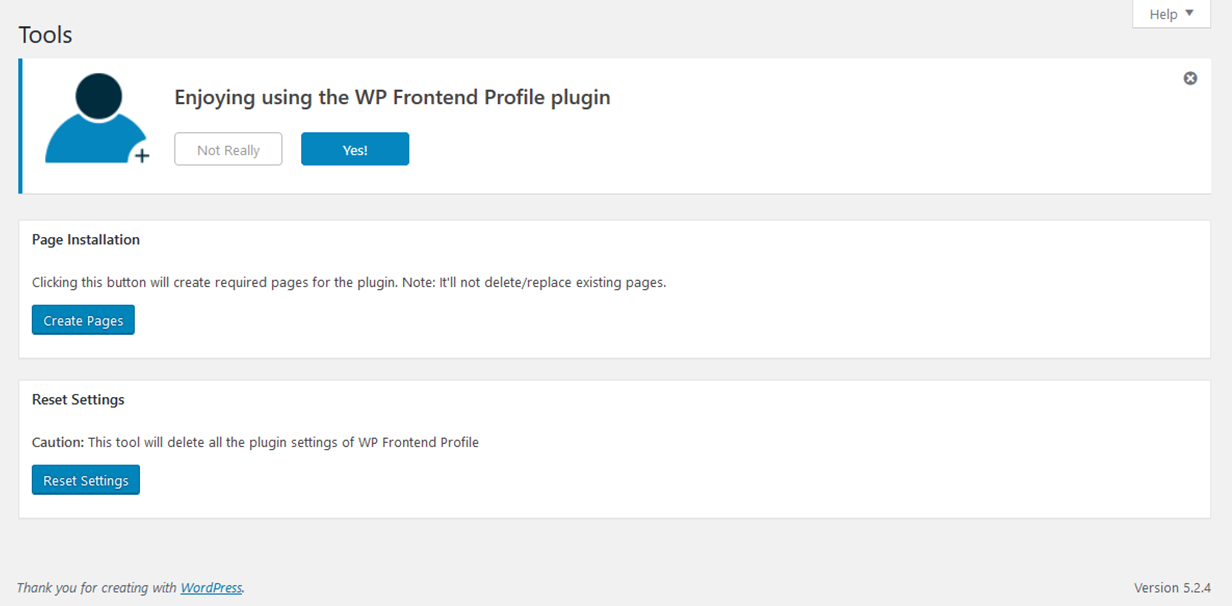

For developers
Is this your plugin? Show off the numbers.
Add a live badge to your site, docs or GitHub README. It updates on its own — no account needed.
Best WP Frontend Profile alternatives
All login plugins →





FAQ
WP Frontend Profile: quick answers
Straight answers, pulled from live WordPress.org data.
Live data from WordPress.org · checked Sep 27, 2026
Is WP Frontend Profile free?
Yes. WP Frontend Profile is free to download and use from the official WordPress.org plugin directory.
Is WP Frontend Profile safe to use in 2026?
WP Frontend Profile works, but test it on a staging site before relying on it in 2026. It runs on 100+ sites, is rated 4.3/5 and was last updated 7 months ago, and scores 49/100 on our health check.
How many websites use WP Frontend Profile?
WP Frontend Profile is active on 100+ WordPress websites and has been downloaded 24,578 times since it launched in December 2014. It was downloaded 657 times in the last 30 days.
Does WP Frontend Profile work with WordPress 7.1?
WP Frontend Profile is officially tested up to WordPress 6.8.10, while the latest release is 7.1.2. It may still work, but try it on a staging site first.
What PHP version does WP Frontend Profile need?
WP Frontend Profile requires PHP 5.2.17 or higher. Most hosts run PHP 8.x today, so it works on any modern WordPress hosting.
When was WP Frontend Profile last updated?
The latest version, 1.3.9, was released on February 21, 2026 (7 months ago).
Who makes WP Frontend Profile?
WP Frontend Profile is developed and maintained by Glowlogix.
What are the best alternatives to WP Frontend Profile?
The most popular alternatives to WP Frontend Profile are WPS Hide Login (2M+ installs), Loginizer (1M+ installs) and Security Optimizer (1M+ installs).
Powered by PageForge
Want thousands of pages that rank like these? Build them in an afternoon.
This directory runs on the same engine as PageForge. Turn any spreadsheet, CSV or API into thousands of fast, SEO-ready WordPress pages — with schema, internal links and AI-written copy baked in.
- CSV, Google Sheets & API data sources
- AI content, schema & internal links per page
- Works with Elementor, Gutenberg, Yoast & Rank Math
- Free on WordPress.org — no credit card


