



Login Lockdown & Protection
Protect, lockdown & secure login form by limiting login attempts from the same IP & banning IPs.

Safe pick
Yes — Login Lockdown & Protection is a safe, well-maintained plugin to use in 2026. It runs on 100K+ sites, is rated 4.3/5 and was last updated 1 month ago, and scores 89/100 on our health check.
- Proven at scale on 100K+ active sites
- Tested with the latest WordPress (7.1)
Daily downloads
Download spikes usually follow a new release — each site that auto-updates counts as a download.
Rankings
Where Login Lockdown & Protection stands todayWordPress.org search rankings
Live position in the plugin search, top 100| Keyword | Position |
|---|---|
| block login | #2 |
| captcha | #40 |
| firewall | #28 |
| login | #4 |
| protect login | #4 |
Version adoption
Share of active sites per release.
Rating breakdown
★★★★★★★★★★ 4.3 from 61 reviews
About Login Lockdown & Protection
From the official readme · v2.19Description
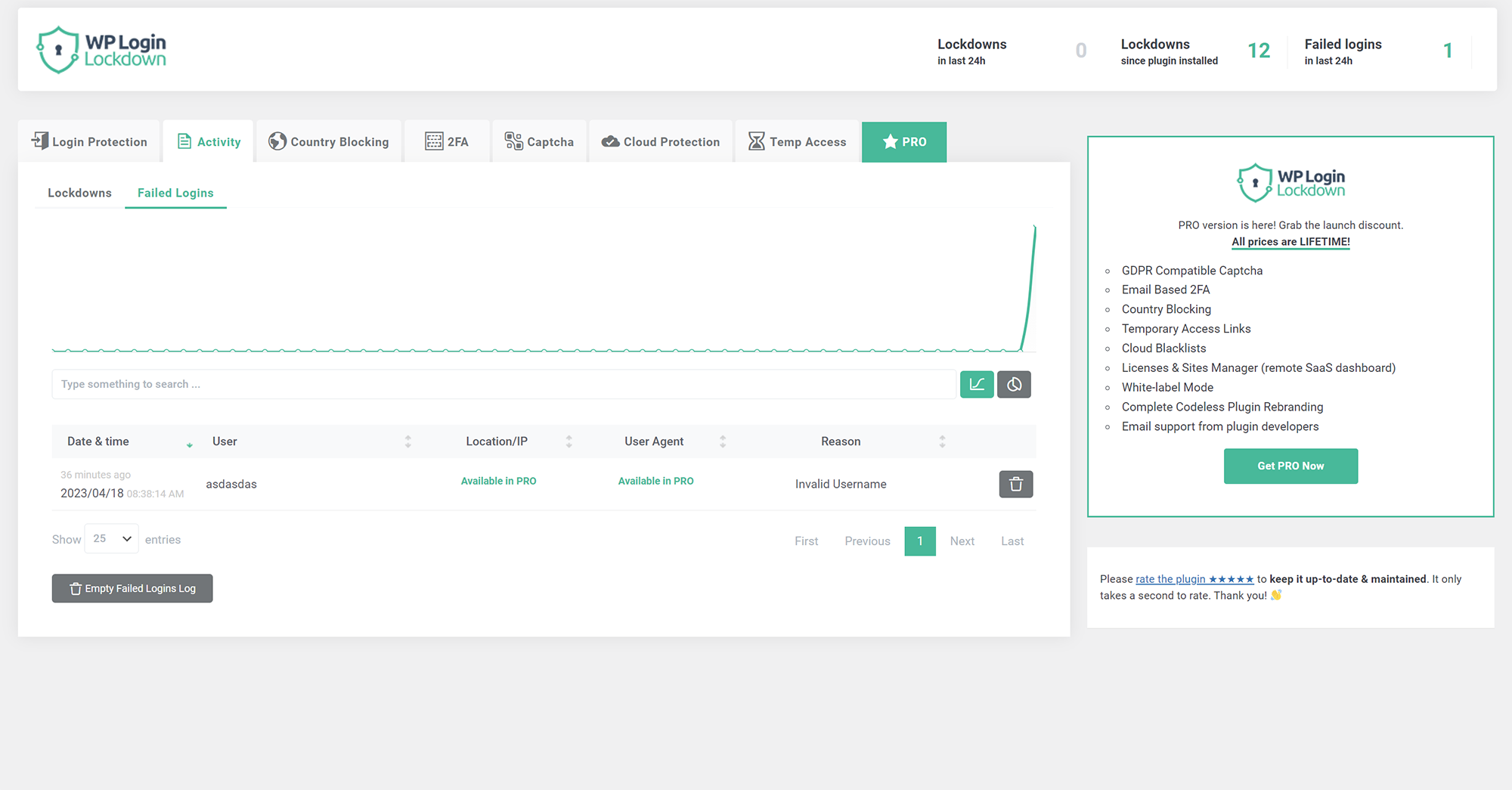
Login Lockdown records the IP address and timestamp of failed login attempts. If more than a selected number of attempts are detected within a set period of time from the same IP, then the login is disabled for all requests from that IP address (or the IP is completely blocked from accessing the site). This secures the site and helps prevent brute force password attacks & discovery.
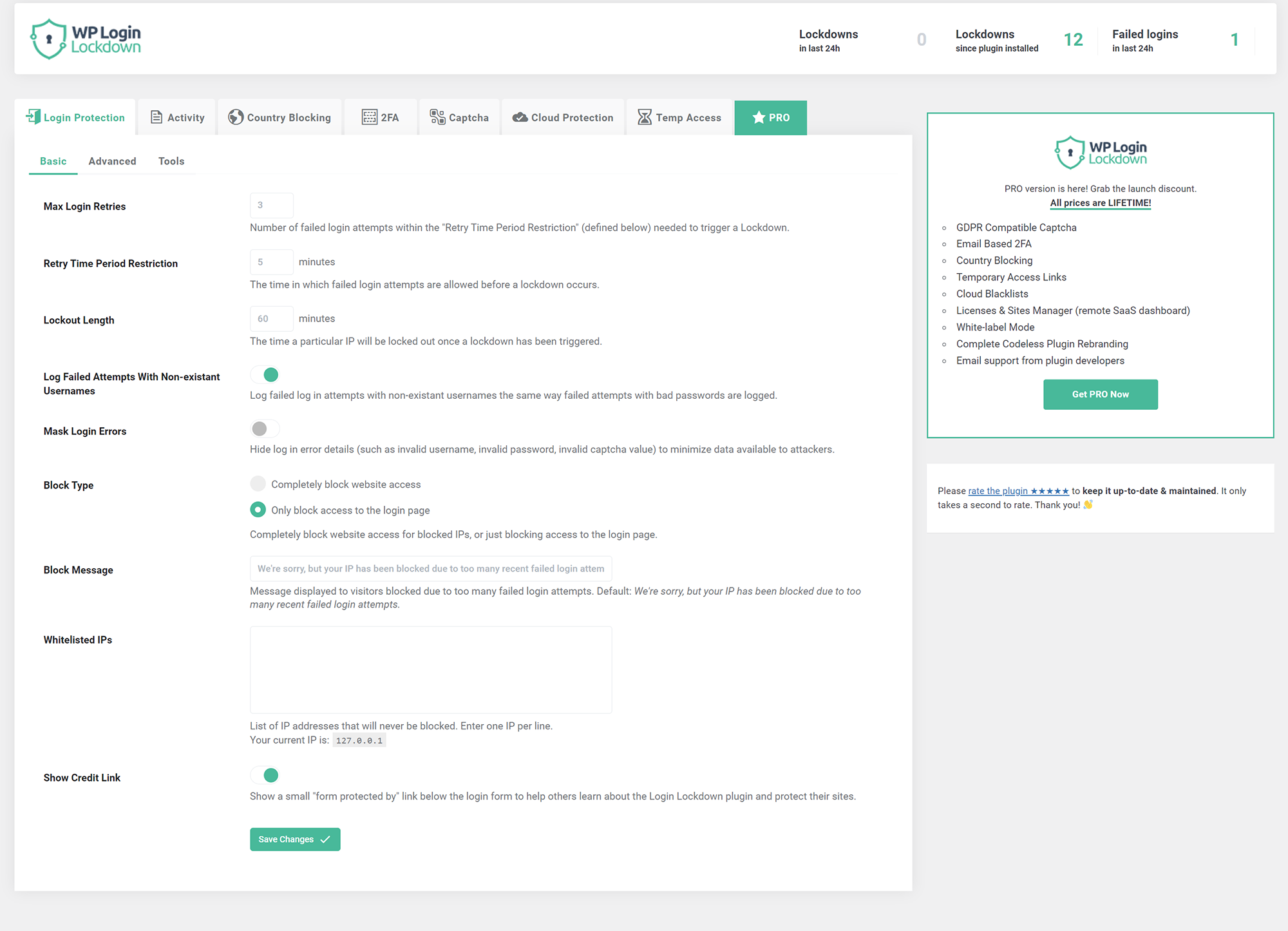
The plugin defaults to a 1 hour lock out of an IP block after 3 failed login attempts within 5 minutes. This can be modified in options. Administrators can release locked out IPs manually from the panel. A detailed log is available for all failed login attempts and all IP locks to control lockdown.
Configure the plugin from Settings – Login Lockdown.
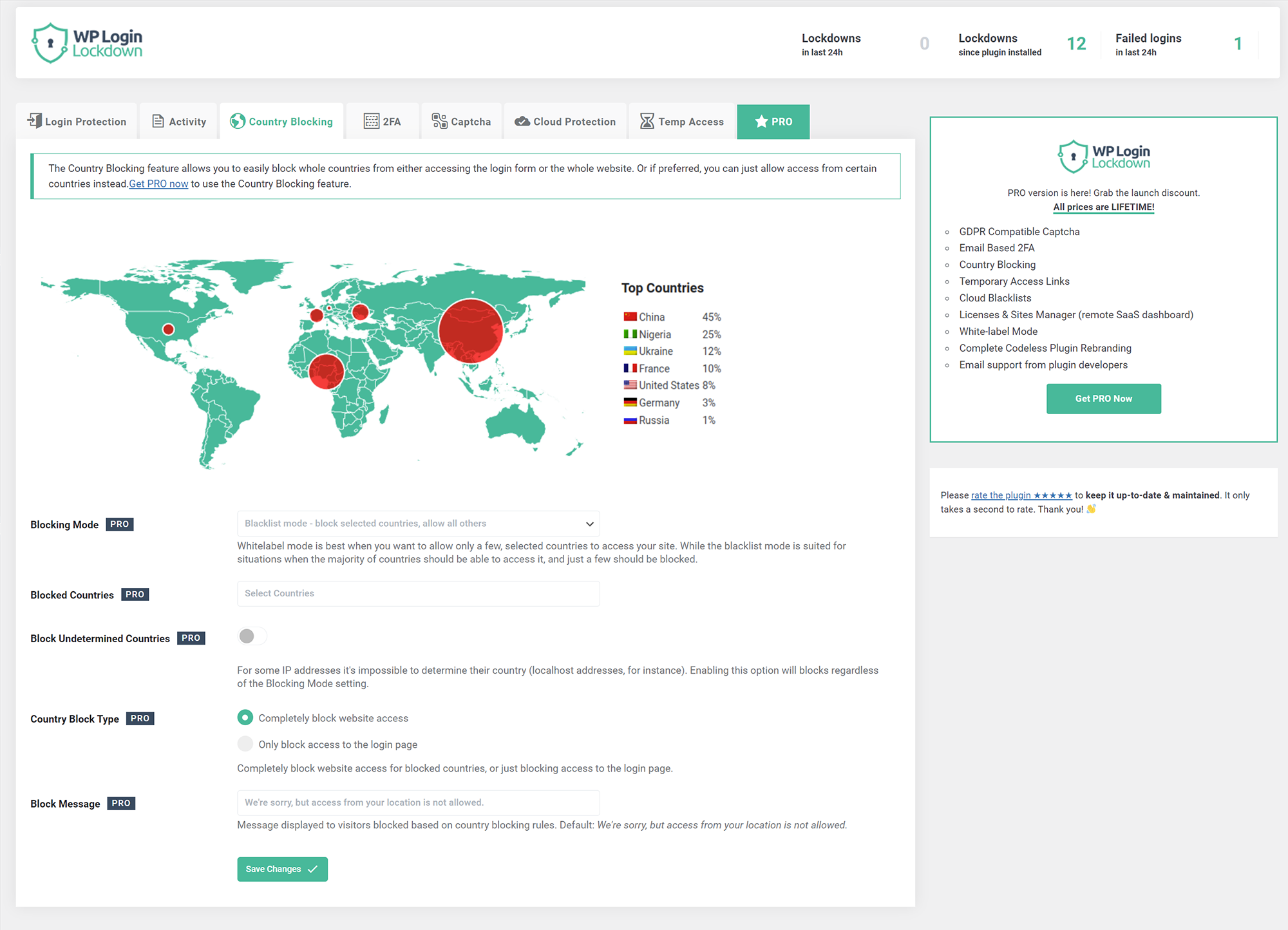
Country blocking (PRO feature)
Block unwanted countries from accessing the site, or block them from being able to log in. Display a custom message to blocked visitors so they know why they can’t access the site.
Captcha
The simplest way to get rid of bots and brute-force password attacks. Choose from 5 different versions – built-in one, two from Google (PRO feature), Cloudflare Turnstile, and hCaptcha (PRO feature). Built-in captcha is GDPR compatible.
2FA – Two Factor Authentication (PRO feature)
Provide an extra layer of security without 2FA code generating apps such as Google Authenticator. Even if somebody knows your username & password they won’t be able to log in because it needs to be confirmed by clicking a unique link sent to your email. Since you’re the only one that has access to your inbox, you’ll never get hacked.
Cloud Protection (PRO feature)
Manage IP Whitelists and Blacklists in your Login Lockdown Dashboard (a SaaS service for managing all your sites) and apply them to protect all the sites you manage from a single location.
Temporary Access (PRO feature)
Give temporary access to other people without giving them a username & password. Set the lifetime of the link and the maximum number of times it can be used to prevent abuse. Access level rights can be any you pick – admin, editor, author…
Installation
- Extract the zip file into your plugins directory into its own folder.
- Activate the plugin in the Plugin options.
- Customize the settings from Settings – Login Lockdown panel.
Changelog
v2.19
- 2026/10/06
- bug fixes
v2.18
- 2026/10/02
- security fixes
v2.17
- 2026/07/23
- minor fixes
v2.16
- 2026/04/14
- minor fixes
v2.15
- 2025/11/04
- security fix
v2.14
- 2025/08/04
- performance fixes
Screenshots
For developers
Is this your plugin? Show off the numbers.
Add a live badge to your site, docs or GitHub README. It updates on its own — no account needed.
FAQ
Login Lockdown & Protection: quick answers
Straight answers, pulled from live WordPress.org data.
Live data from WordPress.org · checked Nov 18, 2026
Is Login Lockdown & Protection free?
Yes. Login Lockdown & Protection is free to download and use from the official WordPress.org plugin directory.
Is Login Lockdown & Protection safe to use in 2026?
Yes — Login Lockdown & Protection is a safe, well-maintained plugin to use in 2026. It runs on 100K+ sites, is rated 4.3/5 and was last updated 1 month ago, and scores 89/100 on our health check.
How many websites use Login Lockdown & Protection?
Login Lockdown & Protection is active on 100K+ WordPress websites and has been downloaded 2,156,941 times since it launched in June 2008. It was downloaded 22,464 times in the last 30 days.
Does Login Lockdown & Protection work with WordPress 7.1?
Yes. The developer has tested Login Lockdown & Protection up to WordPress 7.1.4, the latest release. It requires WordPress 4.0 or newer.
What PHP version does Login Lockdown & Protection need?
Login Lockdown & Protection requires PHP 5.2 or higher. Most hosts run PHP 8.x today, so it works on any modern WordPress hosting.
When was Login Lockdown & Protection last updated?
The latest version, 2.19, was released on October 6, 2026 (1 month ago).
Who makes Login Lockdown & Protection?
Login Lockdown & Protection is developed and maintained by WebFactory.
Powered by PageForge
Want thousands of pages that rank like these? Build them in an afternoon.
This directory runs on the same engine as PageForge. Turn any spreadsheet, CSV or API into thousands of fast, SEO-ready WordPress pages — with schema, internal links and AI-written copy baked in.
- CSV, Google Sheets & API data sources
- AI content, schema & internal links per page
- Works with Elementor, Gutenberg, Yoast & Rank Math
- Free on WordPress.org — no credit card


