


Wicked Folders – Folder Organizer for Pages, Posts, and Custom Post Types
Organize your pages, posts, and custom post types into folders. Upgrade to pro for media library folders, WooCommerce integration, and more.

Solid choice
Wicked Folders is a solid plugin choice in 2026, with a few things worth checking first. It runs on 20K+ sites, is rated 4.9/5 and was last updated 2 weeks ago, and scores 79/100 on our health check.
- Proven at scale on 20K+ active sites
- Loved by users — 4.9/5 from 56 reviews
- Actively developed — last update 2 weeks ago
- Tested with the latest WordPress (7.1)
How does it stack up?
Side-by-side on installs, updates, ratings & support



Daily downloads
Download spikes usually follow a new release — each site that auto-updates counts as a download.
Rankings
Where Wicked Folders stands todayWordPress.org search rankings
Live position in the plugin search, top 100| Keyword | Position |
|---|---|
| folders | #2 |
| media library categories | #21 |
| media library folders | #9 |
| organization | #19 |
| page folders | #2 |
Version adoption
Share of active sites per release.
Rating breakdown
★★★★★★★★★★ 4.9 from 56 reviews
About Wicked Folders
From the official readme · v4.2.0Description
Ever wished you could use folders to organize your WordPress site’s pages, posts, and custom post types to make things easier to find? If so, Wicked Folders is the plugin you’ve been looking for!
Wicked Folders makes it easy to organize pages, posts, and custom post types into folders. With our pro version, you can organize your media library, users, WooCommerce products, orders, and coupons, Gravity Forms forms and entries, and more!
Compare Free vs. Pro | 🚀 Get Wicked Folders Pro
🕺 Features
Organize Pages and Posts Into Folders
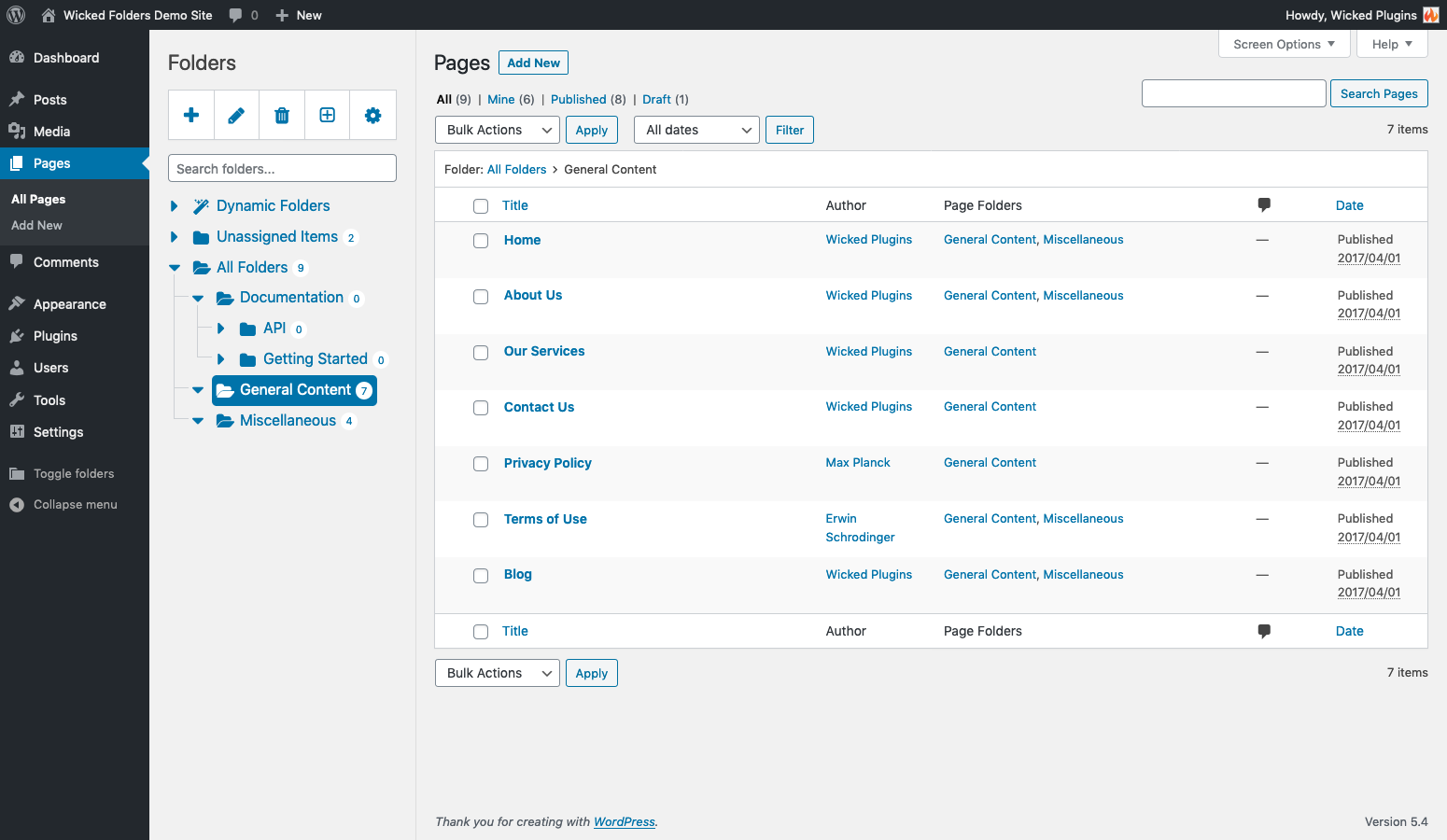
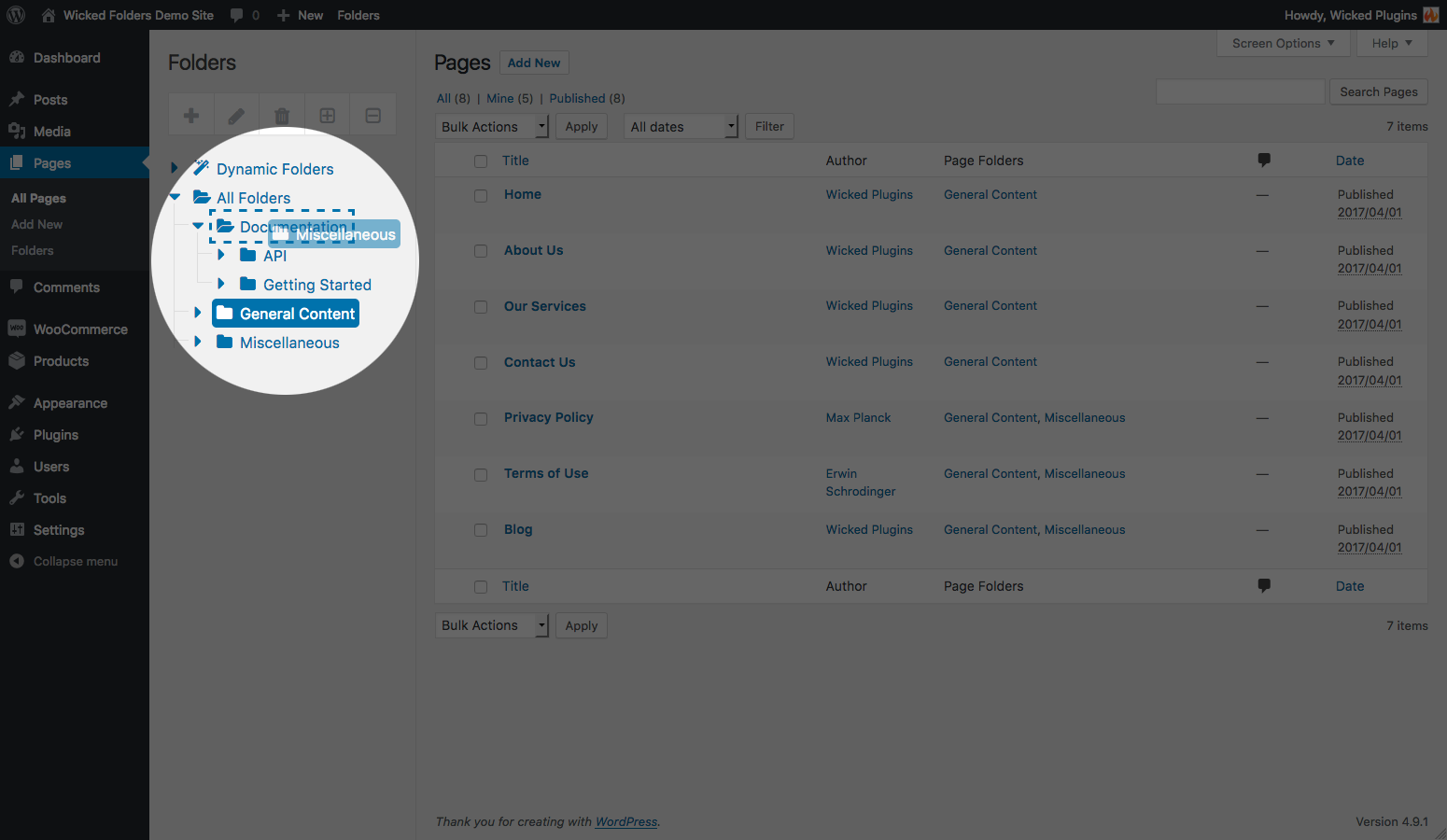
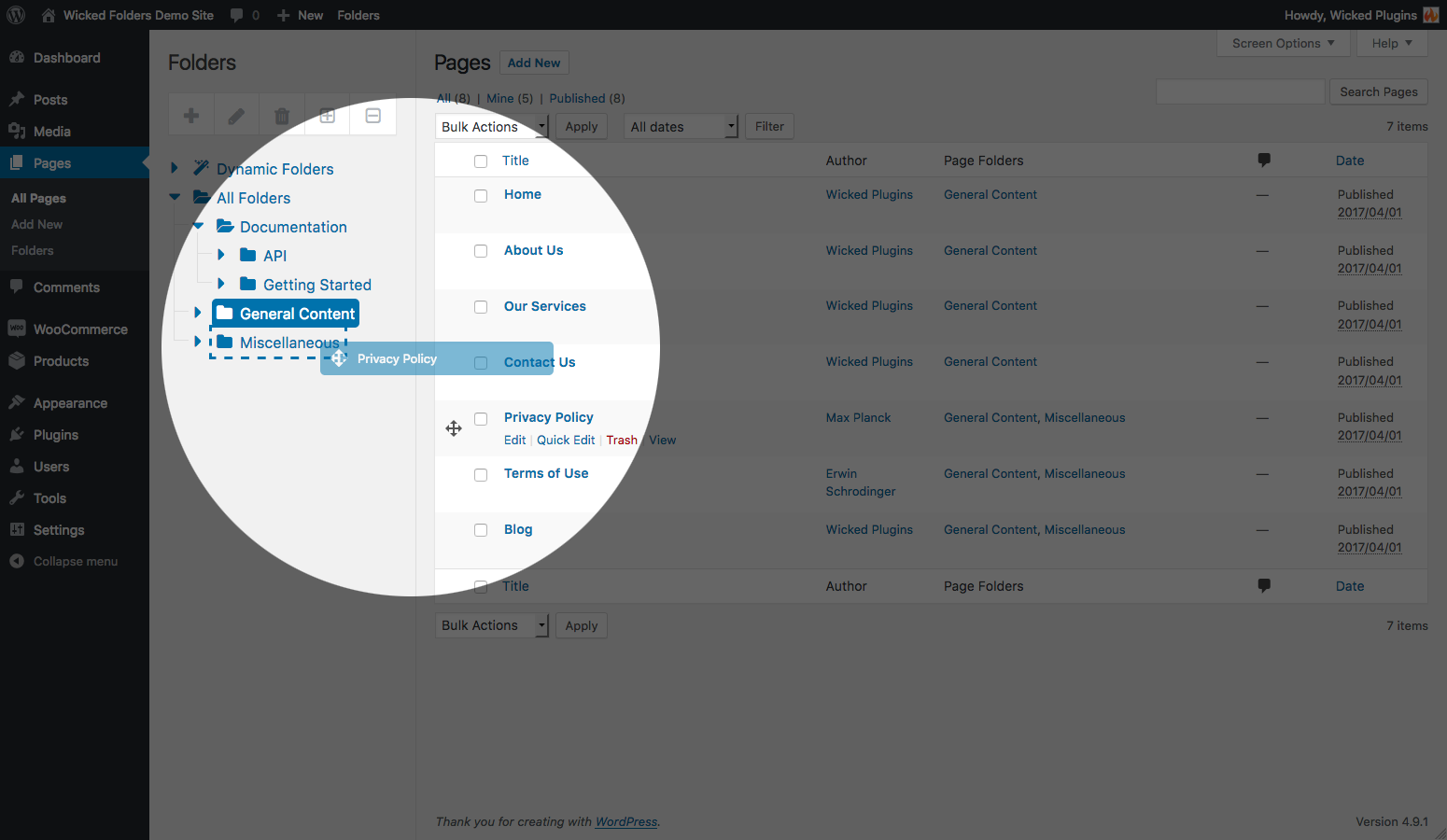
Easily create folders and drag-and-drop pages or blog posts into folders. Create unlimited folders. Drag and drop to organize folders any way you like.
Organize Custom Post Types Using Folders
Wicked Folders can also be used with most custom post types out-of-the-box to organize them into folders just like pages and posts.
Folder Colors
Assign colors to folders to make it even easier to identify folders and decorate your folder tree. Define your own color palette and add as many colors as you want.
Unassigned Items Folder
See at a glance which items haven’t been assigned to a folder.
Store Items in Multiple Folders
Assign items to more than one folder if desired for maximum organization and flexibility.
Dynamic Folders
Our one-of-a-kind dynamic folders feature lets you filter content by author, date, category, and more. The best part is Wicked Folders remembers the last dynamic folder you selected so when you return to the screen later you won’t have to filter your content again. Imagine being able to focus on posts in a specific category or by a specific author without needing to filter the posts each time you return to the list.
Page Hierarchy Dynamic Folder
A unique feature that lets you browse your pages as if each parent page were a folder showing you only the child folders of the selected page. Great for when you want to focus on a specific sub-section of your site.
Clone Folders
Easily duplicate folders. Choose whether or not to clone child folders as well.
Folder Context Menu
Access common folder actions via a handy context menu.
Bulk Delete Folders
Select folders in bulk and delete them all at once.
Folder Search
Quickly search the folder tree to find the folder(s) you’re looking for.
Folder Item Count
See how many items are in each folder (including number of unassigned items).
Resizable Folder Pane
Make the folder pane as wide or narrow as you want.
Show/Hide Folder Pane
Hide the folder pane when needed to reduce clutter and save space. When you want to see the folders again, simply toggle the folder pane open again.
Folder Breadcrumbs
Breadcrumbs displayed at the top of page, post, and custom post type lists make it easy to see the hierarchy of the selected folder and offer another way to navigate to parent folders.
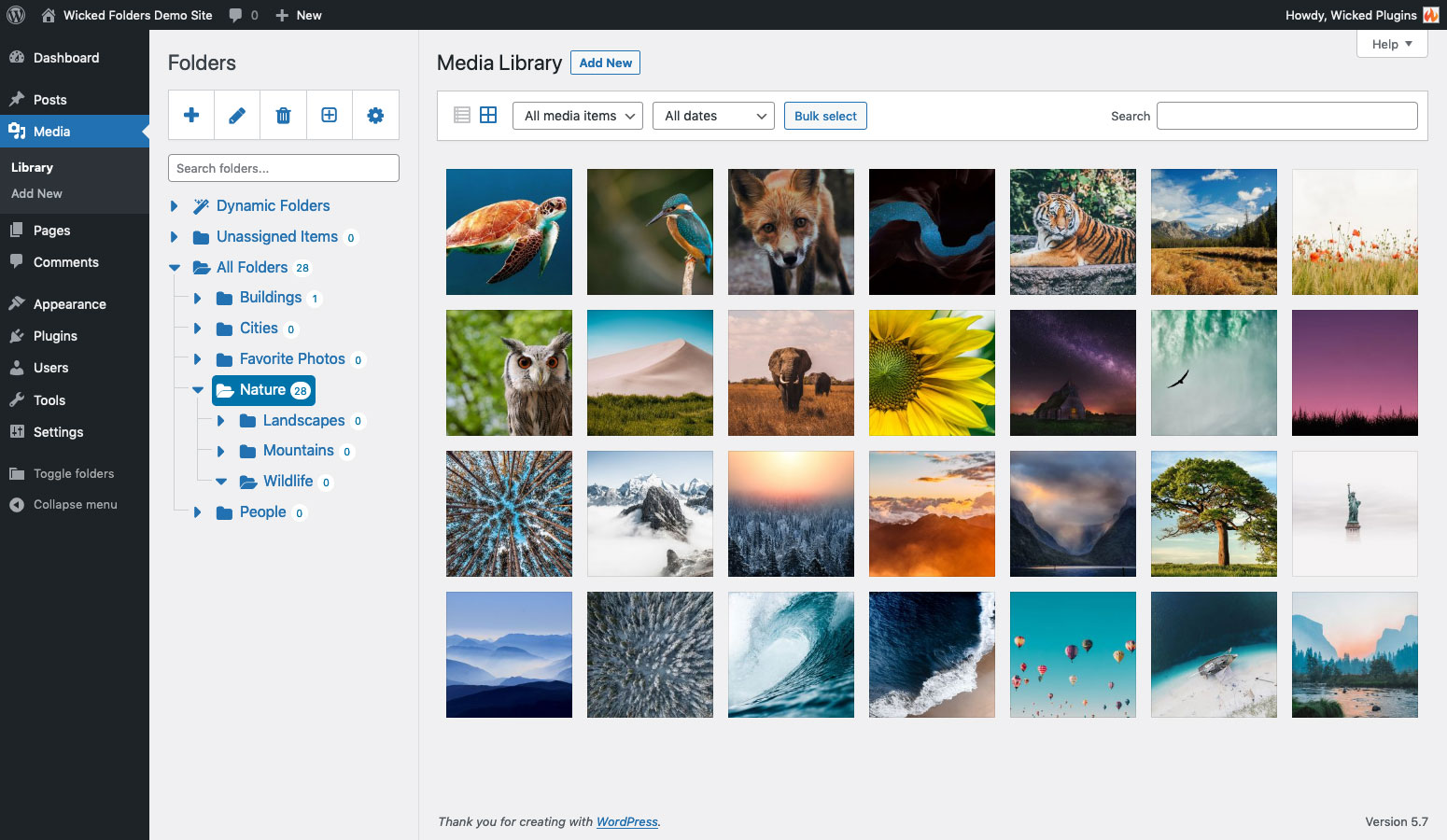
Media Library Folders (Pro)
Organize your site’s media into folders with media library folders. Filter and organize media by folder anywhere the media library appears in WordPress including when selecting images in the WordPress editor, inserting images in Elementor or Divi (or any other page builder), and inserting images from an Advanced Custom Fields image or gallery field.
Media Extension Dynamic Folder (Pro)
Instantly view media by file extension. For example, view all PDF files (.pdf) without having to sift through images and other media.
Folder Permissions (Pro)
Control which roles can create, view, edit, and delete folders and which roles can view other users’ content. Great for marketplace sites and sites where users manage their own content.
Separate Folders for Each User (Pro)
Use folder permissions to give each user their own unique set of folders that only they can see.
WooCommerce Integration (Pro)
Organize your store’s products, orders, coupons, and reviews into folders.
Gravity Forms Integration (Pro)
Organize Gravity Forms forms and entries into folders.
User Folders (Pro)
Organize your site’s users into folders.
Plugin Folders (Pro)
Organize your site’s plugins into folders
🤩 More Reasons to Love Wicked Folders
Save Time
Sifting through lots of pages or posts on a large site trying to find what you’re looking for can be time-consuming. Wicked Folders saves you time by allowing you to organize your content into folders in a way that makes sense to you.
Organize Without Fear of Breaking Your Site
Wicked Folders doesn’t change your page or post’s URL so you can organize them into folders without having to worry about your site breaking.
Clean Modern Interface That Blends Into WordPress
Wicked Folders is designed to blend into the WordPress admin so it feels like a native feature. A modern interface makes it comfortable and intuitive to use.
Lightweight and Built for Performance
Wicked Folders is a lightweight plugin that won’t bloat or slow down your site. Folders are only loaded in the admin and dynamic folders (which are generated on the fly) are lazy loaded.
WPML and Polylang Support
Wicked Folders works with WPML and Polylang.
Works With Your Favorite Page Builder
Wicked Folders seamlessly integrates with all popular page builders including Elementor, Divi, WPBakery, Beaver Builder, and others.
REST API, Filters, and Object-Oriented Architecture
For power users, Wicked Folders includes a REST API for interacting with folders. Filters and an easy-to-understand object-oriented architecture facilitate advanced customizations.
Fast Helpful Support
We’re here to help! Post a message in the support forum or contact us and we’ll get back to you ASAP.
🚀 Get Wicked Folders Pro
Ready to take your WordPress organization to the next level? Upgrade to Wicked Folders Pro and unlock powerful features beyond basic folders. Organize your entire media library, users, plugins, WooCommerce products, orders, coupons, and reviews, Gravity Forms forms and entries, TablePress tables, and so much more. Plus get powerful features like folder permissions and private folder structures.
Other Plugins by Wicked Plugins
🤖 Wicked Alt Text AI
An AI image alt text generator. Save time, improve accessibility, and boost SEO by using AI to automatically generate high-quality alt text for images.
Learn more about Wicked Alt Text AI
🔨 Wicked Block Builder
Build native WordPress blocks without needing to know React.
Learn more about Wicked Block Builder
Need Help?
Please see the FAQ section for common questions, check out the documentation or, visit the support forum if you have a question or need help.
Installation
- Upload ‘wicked-folders’ to the
/wp-content/plugins/directory, or install the plugin through the WordPress plugins screen by searching for ‘Wicked Folders’. - Activate the plugin through the ‘Plugins’ screen in WordPress
- Visit Settings > Wicked Folders and enable folders for the desired post types (folder management for pages is enabled by default)
To start organizing your content into folders, go to the Pages screen in your WordPress admin. Click the “plus” icon in the Folders panel to add your first folder. To move a page to a folder, hover your mouse over the row of the page you want to move, then click and drag the “move” icon in the first column and drag the page to a folder. To move multiple pages, check the boxes next to the pages you want to move first.
Changelog
TBD
- Fix: fatal error when viewing folders containing TablePress tables (Wicked Folders Pro)
- Fix: re-activating a license with the same key not retrying activation when the license status is invalid (Wicked Folders Pro)
- Fix: folder pane not appearing in media modal when editing a page containing an ACF block with a field that uses the media modal, such as an image field (Wicked Folders Pro)
4.2.0 (October 2, 2026)
- New: redesigned settings screen
- New: download media folders (Wicked Folders Pro)
- Fix: security issue allowing users with contributor role and above to assign items they can’t edit to folders using the REST API
- Fix: security issue allowing users with contributor role and above to overwrite another user’s folder pane state using the REST API
- Fix: folder permissions not being applied when unassigning items from folders
- Fix: security issue allowing SQL injection via the folder filter on the Users screen (Wicked Folders Pro)
4.1.3 (June 23, 2026)
- Fix: conflict causing some Divi 5 screens to not load
4.1.2 (April 22, 2026)
- Fix: folder pane appearing underneath sidebar in admin on WordPress.com-hosted sites
- Fix: folder pane appearing underneath Elementor navigation menu on Saved Templates screen
4.1.1 (March 3, 2026)
- Fix: Fatal error sometimes being caused by recursive loop when viewing post hierarchy dynamic folder
- Fix: users with contributor role and above able to delete folders using REST API
4.1.0 (November 14, 2025)
- New: setting to enable/disable lazy loading dynamic folders
- Fix: infinite reload loop when a dynamic folder is selected and the ‘Don’t reload page when navigating folders’ option is enabled
- Fix: selected folder not appearing when screen is loaded with a page hierarchy folder selected
- Fix: Elementor admin bar overlapping folder pane on Templates screen
Screenshots


For developers
Is this your plugin? Show off the numbers.
Add a live badge to your site, docs or GitHub README. It updates on its own — no account needed.
Best Wicked Folders alternatives
All folders plugins →





FAQ
Wicked Folders: quick answers
Straight answers, pulled from live WordPress.org data.
Source: WordPress.org
Is Wicked Folders free?
Yes. Wicked Folders is free to download and use from the official WordPress.org plugin directory.
Is Wicked Folders safe to use in 2026?
Wicked Folders is a solid plugin choice in 2026, with a few things worth checking first. It runs on 20K+ sites, is rated 4.9/5 and was last updated 2 weeks ago, and scores 79/100 on our health check.
How many websites use Wicked Folders?
Wicked Folders is active on 20K+ WordPress websites and has been downloaded 751,136 times since it launched in April 2017. It was downloaded 5,659 times in the last 30 days.
Does Wicked Folders work with WordPress 7.1?
Yes. The developer has tested Wicked Folders up to WordPress 7.1.5, the latest release. It requires WordPress 4.6 or newer.
When was Wicked Folders last updated?
The latest version, 4.2.0, was released on November 5, 2026 (2 weeks ago).
Who makes Wicked Folders?
Wicked Folders is developed and maintained by wickedplugins.
What are the best alternatives to Wicked Folders?
The most popular alternatives to Wicked Folders are Folders (90K+ installs), CatFolders (6K+ installs) and Organize Media Folder (2K+ installs).
Powered by PageForge
One template and a spreadsheet. A real page for every search.
PageForge turns each row of a CSV into a WordPress page with its own title, URL, SEO fields and schema, built on the layout you already designed. Free on WordPress.org.
- CSV and XLSX, plus Google Sheets on Professional and Enterprise
- Its own title, URL, SEO fields and schema for every page
- Works with the block editor, Elementor, Divi and Avada
- Free on WordPress.org, no credit card