


CatFolders – WordPress Media Library Folders & Categories
Organize and manage your files with WordPress media folders. Fast, flexible, and professional.

Safe pick
Yes — CatFolders is a safe, well-maintained plugin to use in 2026. It runs on 6K+ sites, is rated 4.3/5 and was last updated 3 weeks ago, and scores 90/100 on our health check.
- Actively developed — last update 3 weeks ago
- Tested with the latest WordPress (7.1)
- Momentum — downloads up 285% vs the previous 30 days
How does it stack up?
Side-by-side on installs, updates, ratings & support



Daily downloads
Download spikes usually follow a new release — each site that auto-updates counts as a download.
Rankings
Where CatFolders stands todayWordPress.org search rankings
Live position in the plugin search, top 100| Keyword | Position |
|---|---|
| folder | #8 |
| folders | #8 |
| gallery | >100 |
| media folder | #10 |
| media library | #21 |
Version adoption
Share of active sites per release.
Rating breakdown
★★★★★★★★★★ 4.3 from 22 reviews
About CatFolders
From the official readme · v2.5.7Description
WordPress organizes media by upload date. That’s it. When you have thousands of files, finding the right image becomes a nightmare of endless scrolling.
👉 CatFolders gives you real organization. Drag and drop files into custom folders that match how you actually work. Problem solved!
Ready to organize by project, client, topic, or content type instead of random upload dates?
Organize your WordPress Media Library with an intuitive folder-based system:
- Create unlimited folders for your media files
- Drag and drop interface for easy organization
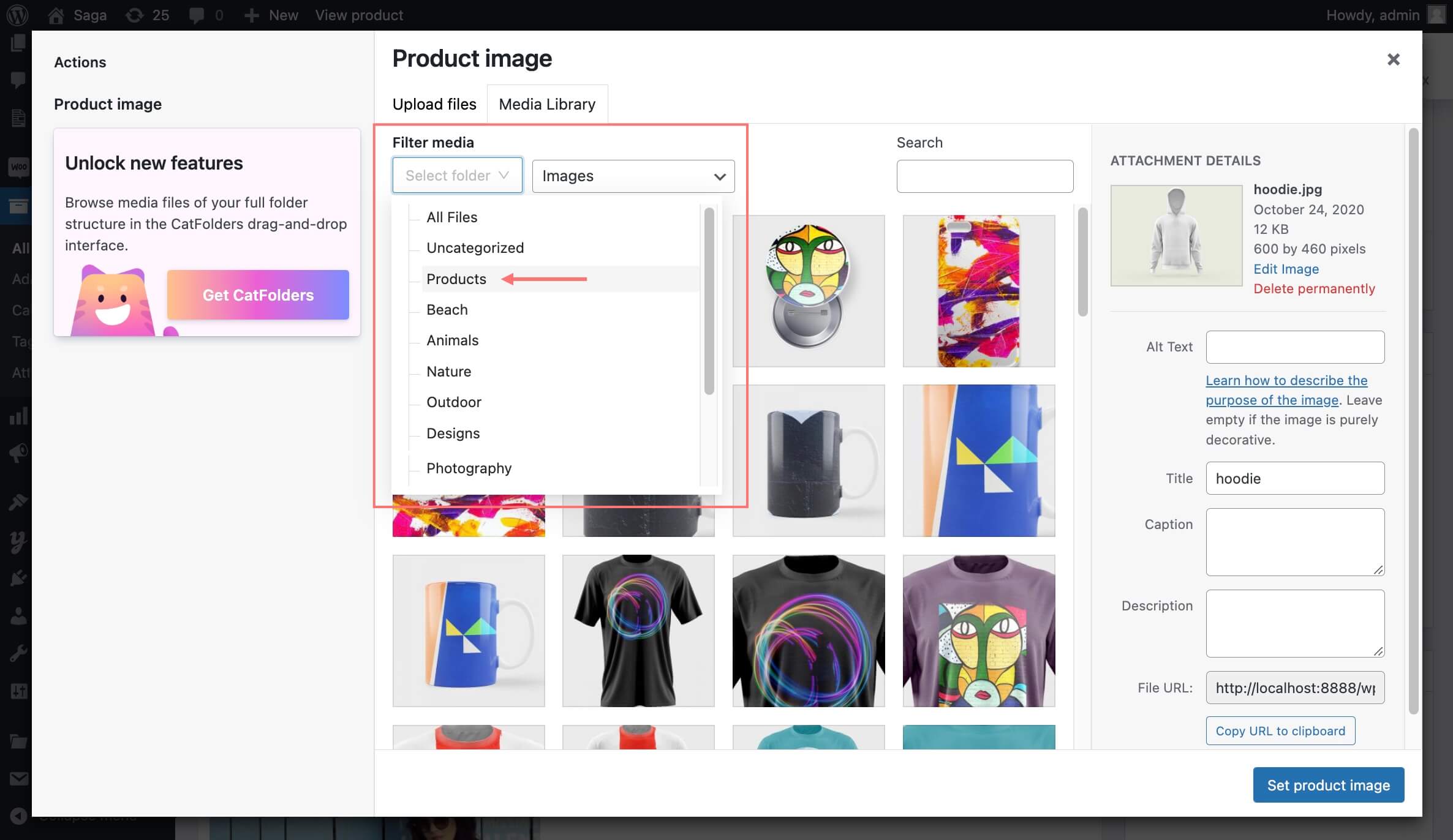
- Filter and search media by folder
- Clean, user-friendly interface integrated directly into WordPress
- Compatible with popular WP page builders and themes
🔗 Documentation | Request a Pro Demo 🚀
🗂️ Ready to take your document management to a whole new level, literally?
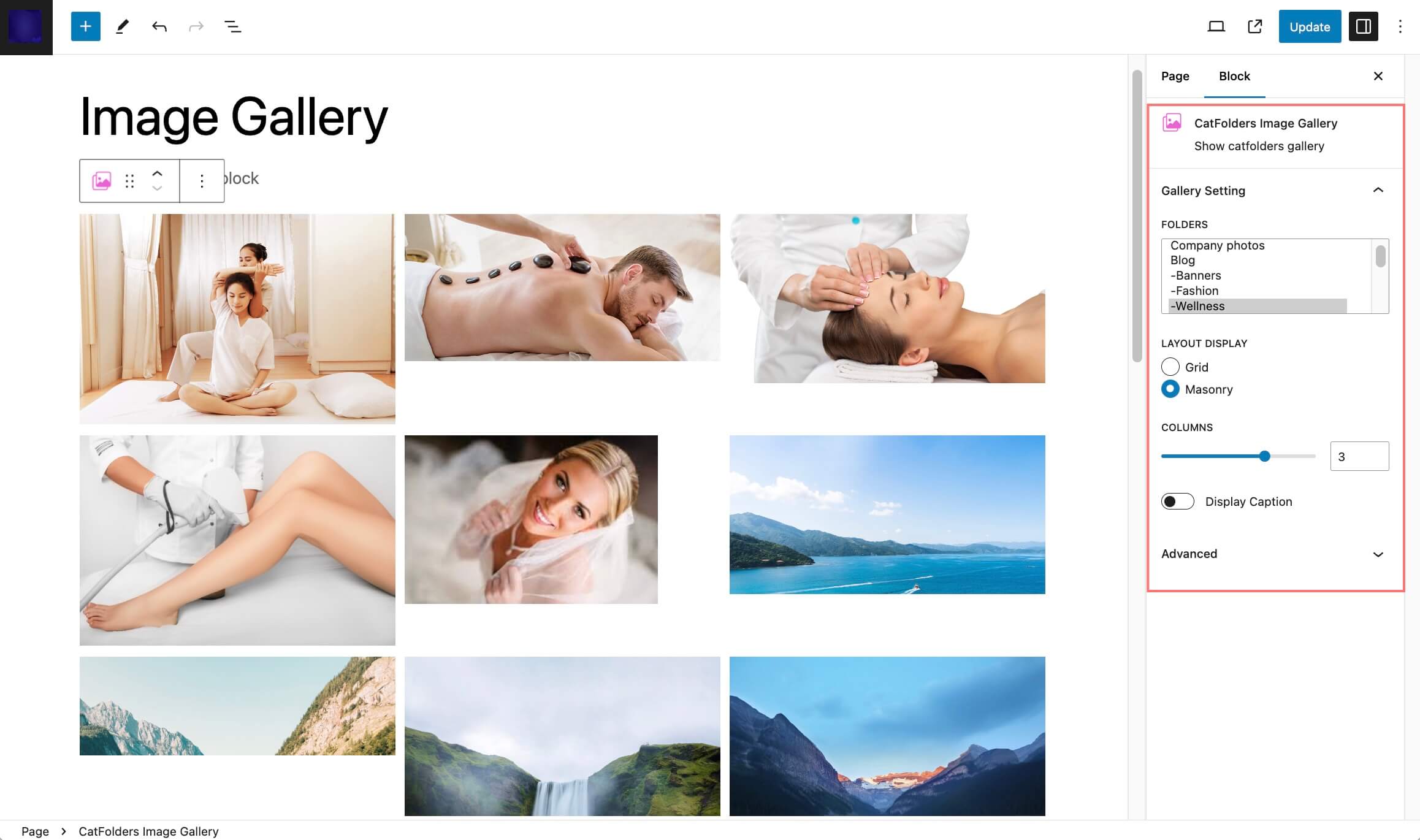
✨ Explore the CatFolders Document Gallery plugin – now integrated with the power of multi-level folders!
⚡️ FEATURES
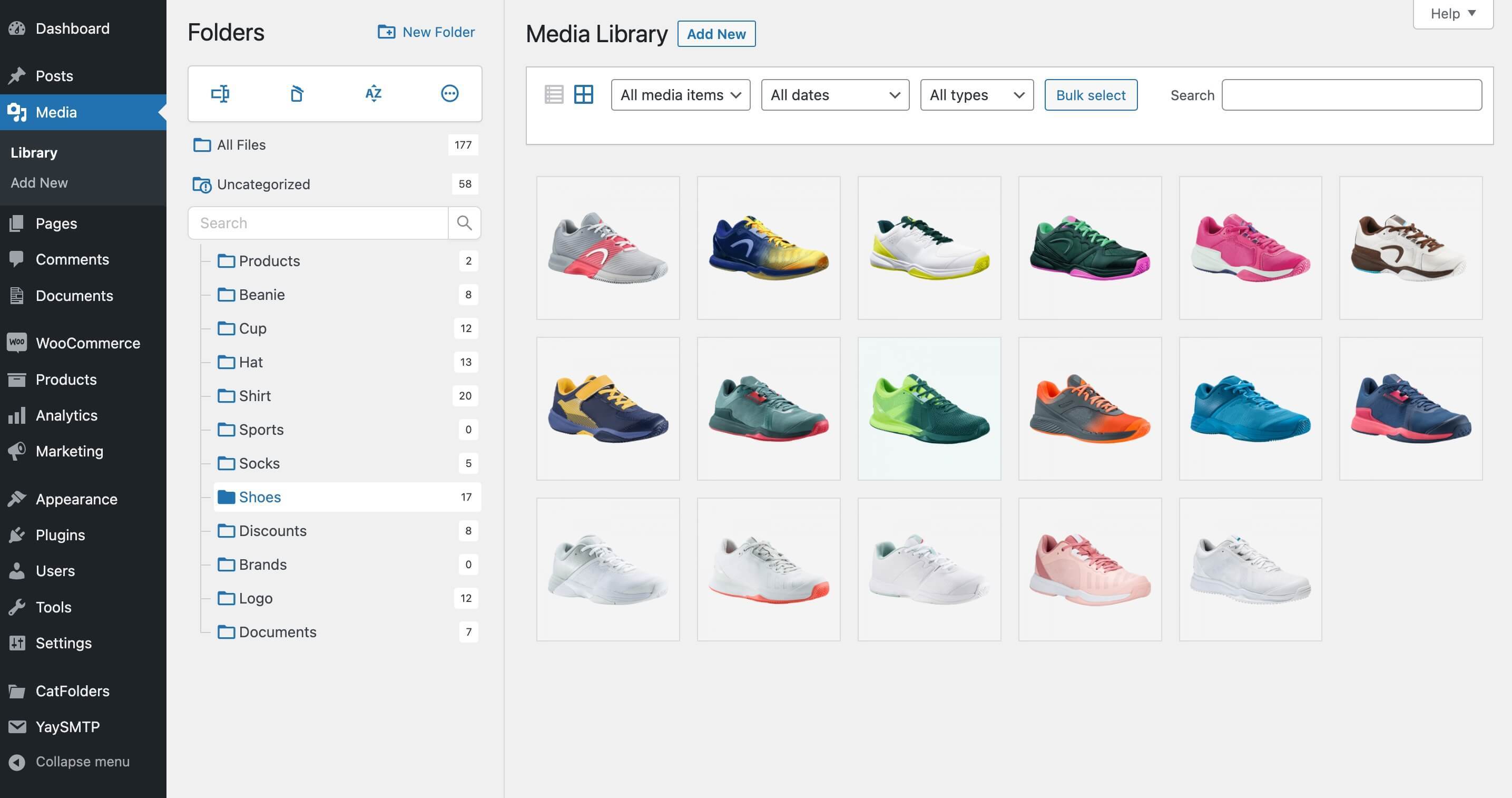
After installing and activating WP Media Folders, you will have an integrated folder tree right inside the WordPress media library.
Unlimited folders
With WP Media Folders – CatFolders Lite version, you will be able to create unlimited main folders and freely move them to the position you want.
Import categories from other WP media folders plugins
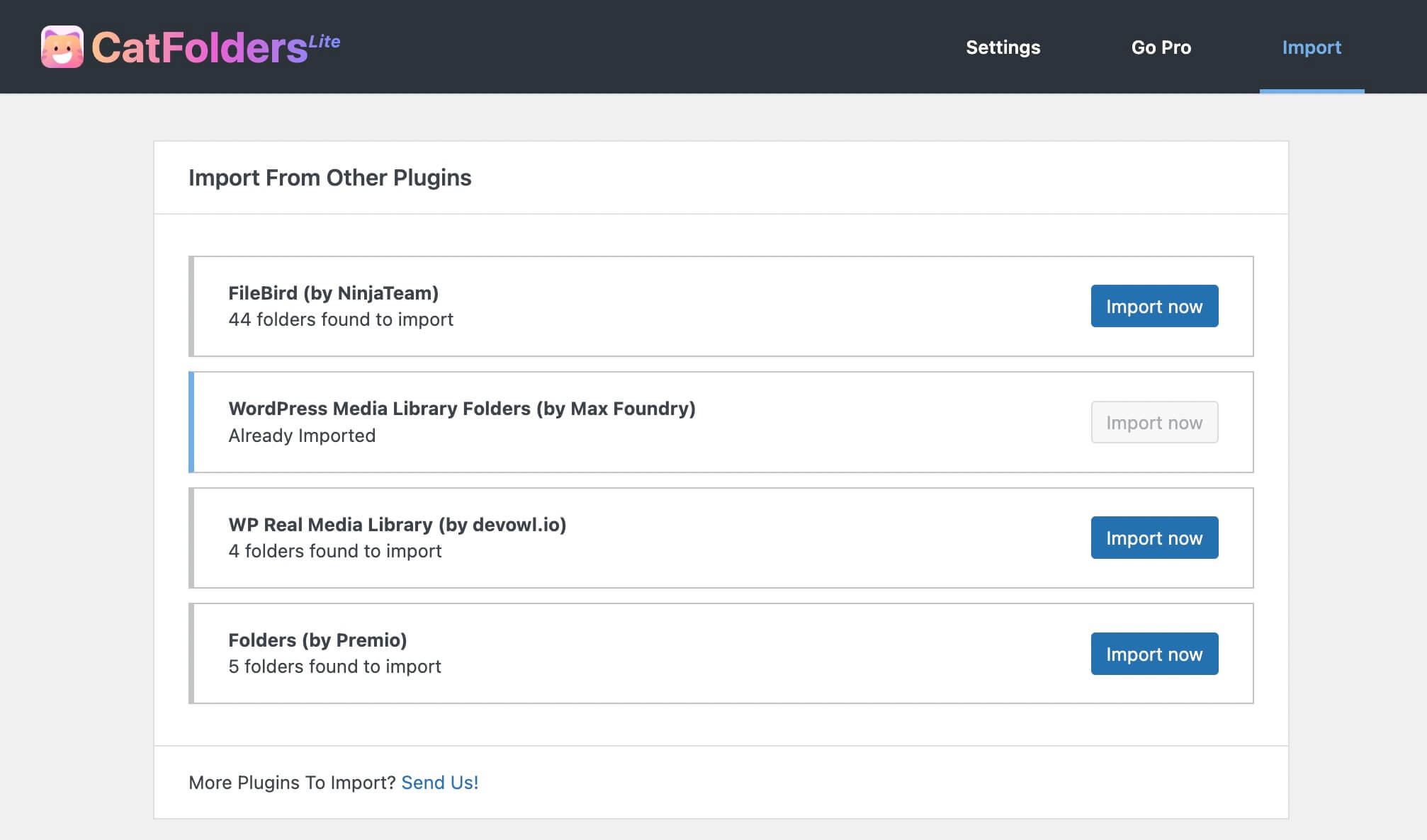
Are you considering migrating to CatFolders? We’ve got it covered! With CatFolders, importing your established folder structure is simple and takes only one click. You will then be able to find your familiar categories in CatFolders-fashion.
CatFolders supports easy folder import from these plugins:
- FileBird by NinjaTeam
- Enhanced Media Library by wpUXsolutions
- WordPress Media Library Folders by Max Foundry
- WordPress Real Media Library by Devowl
- WP Media Folder by JoomUnited
- HappyFiles by Thomas Ehrig
- Folders by Premio
- Wicked Folders
Works with Media Library Assistant
CatFolders enhances Media > Assistant admin submenu and supports the [mla_gallery] shortcode.
[mla_gallery mla_catf_folder=”120″]
[mla_gallery mla_catf_folder=”120″ attachment_category=mla-category]
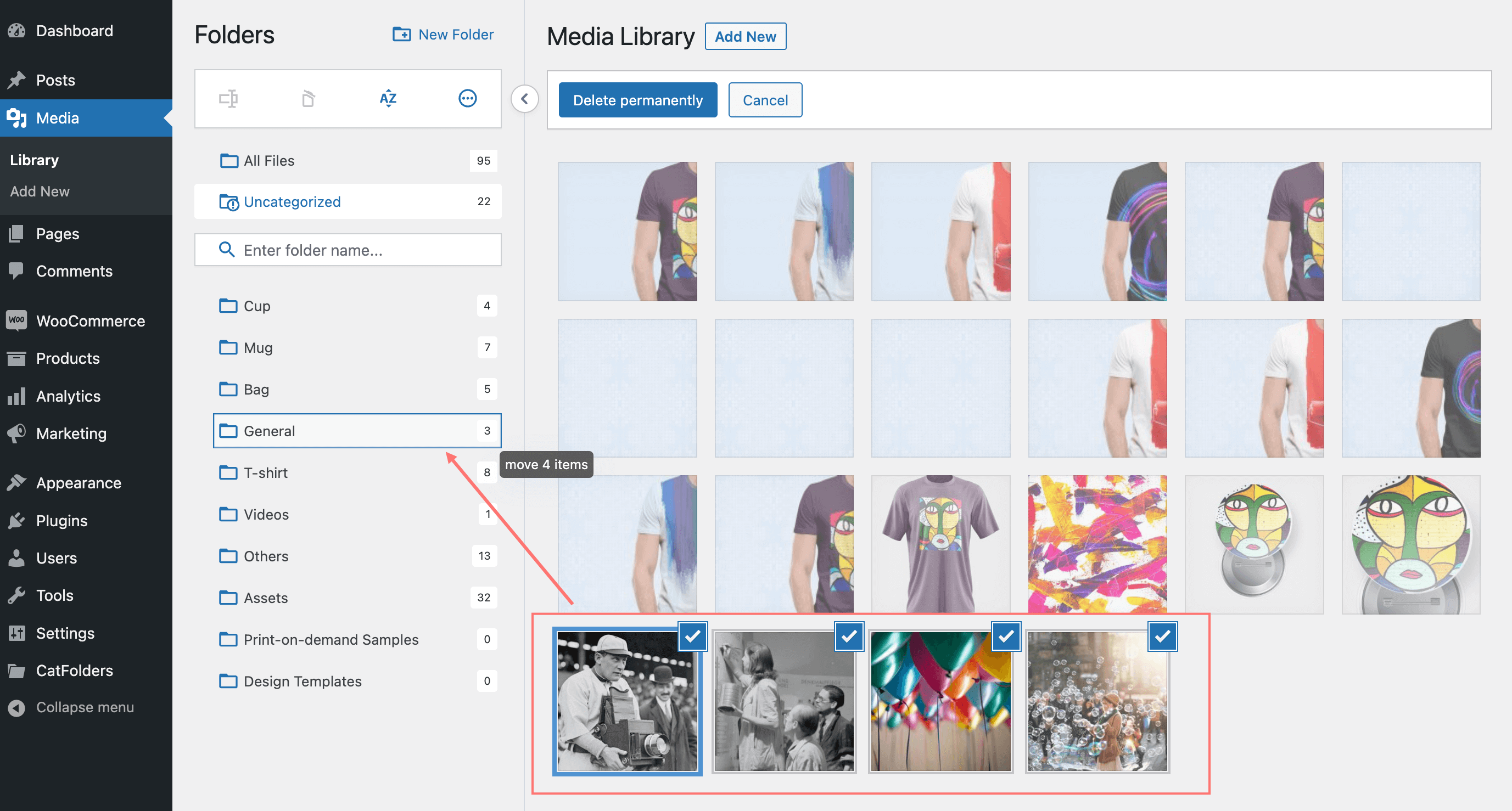
Drag and drop multiple files
You can bulk select and drag & drop many files at once to put them in a destination folder. Folders can be bulk selected as well.
SVG support
Simply enable uploading SVG and other vector file types with sanitization included!
Remember recently opened folder
CatFolders comes with a variety of options to decide which folder to be opened on your first visit. You can choose to get back to your most recent folder, or always back to a specific folder, such as “Uncategorized” or “All files.”
Collapsible folder sidebar
The sidebar reserved for the folder tree can be collapsed so that you can have the full-screen view of the WP media library when needed.
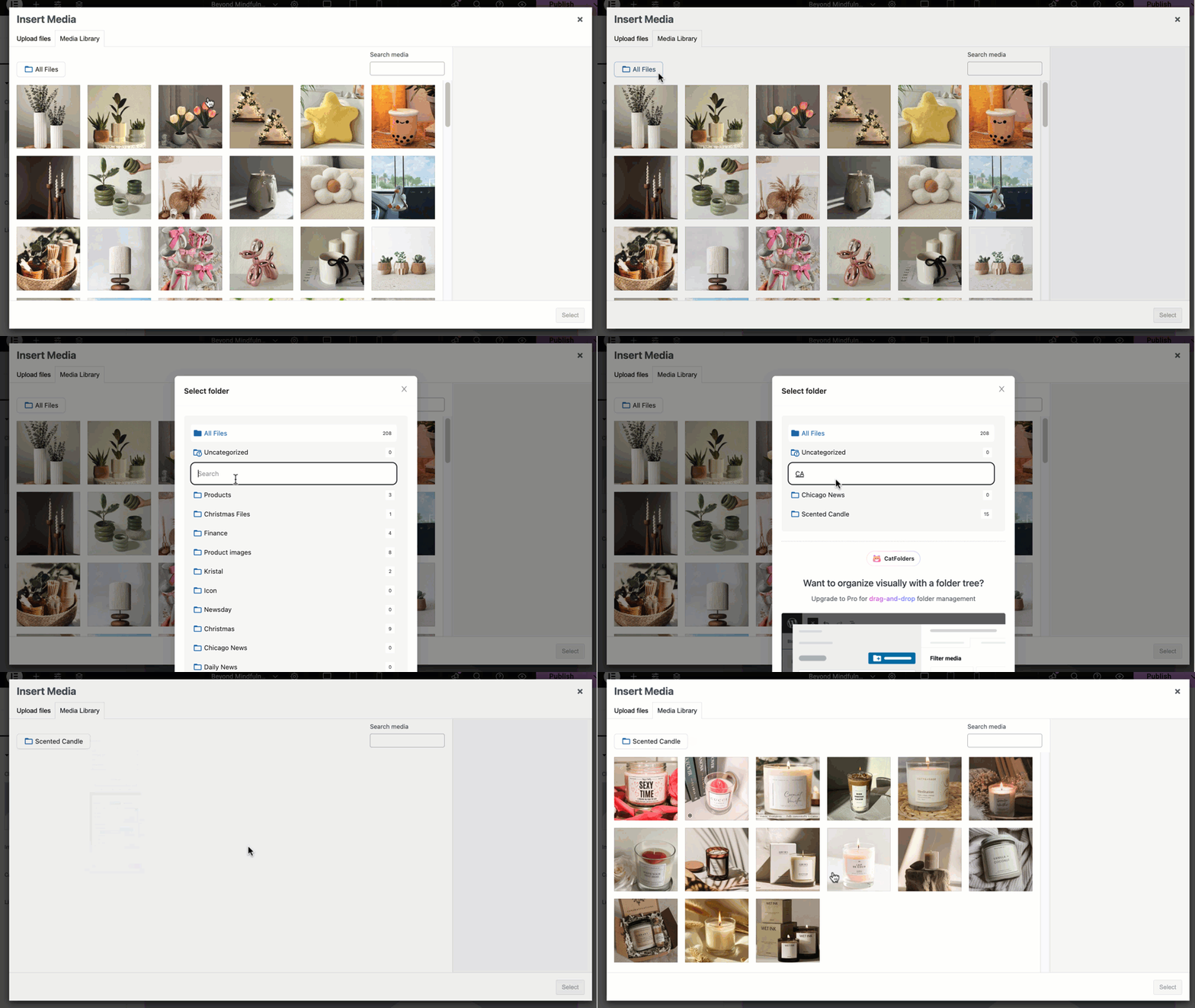
Upload files to a specific folder
The enhanced media library uploader allows you to choose a folder first and then upload multiple files from your computer to that folder. You can also bulk-upload many folders from your storage to WordPress media library in a single drag-and-drop.
Works with Grid & List view
All files in a selected folder are sortable in list mode, which means you can easily sort your file list by file name, author, date, and custom post type to which they are uploaded.
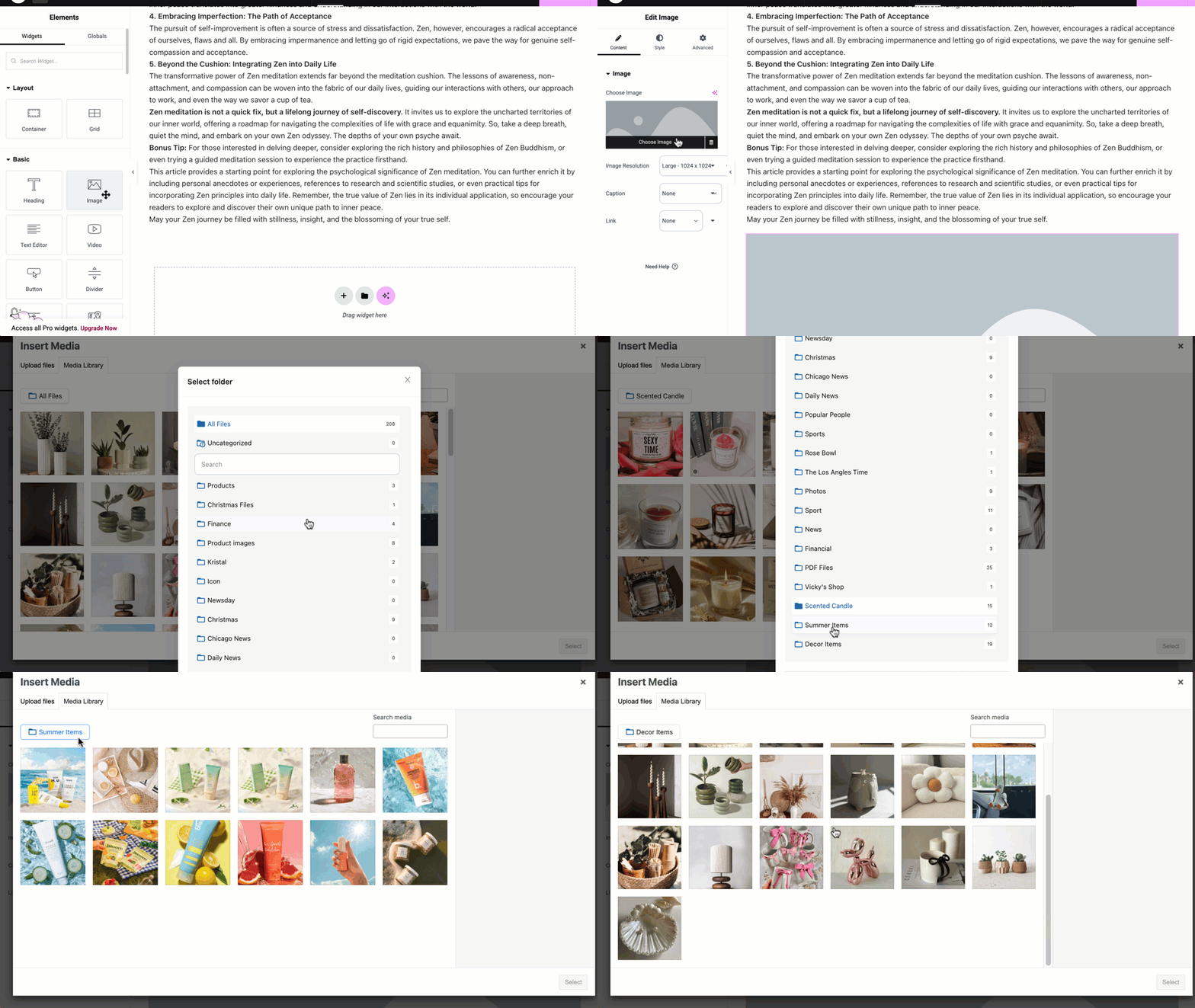
In grid mode, CatFolders works great both in the media library and the page/post editor. This helps you choose the media files you need for the work-in-progress content much faster than working with an unorganized media library.
API for developers
REST APIs allow external plugins to perform specific actions, such as getting folder structure or triggering automated tasks.
😻 WHAT’S THERE IN WP MEDIA FOLDERS PRO?
Organize pages, posts, and custom post types with folders
Once upgraded to Pro, you can bulk-select and move any page, post or CPT (WooCommerce products, coupons, Elementor templates, etc.) to your folder structure. A smart move to label everything properly!
Advanced sort options
Once upgraded, you can sort files by file name, created date, modified date, author, newest or oldest, etc. Whether you want to sort files and folders by default or temporarily, there’s always a sorting method for you.
Create subfolders
Each subfolder is a child of the parent folder above it. With CatFolders Pro, a main folder can hold unlimited subfolders. The parent/child analogy helps you organize your files more efficiently. It’s very easy to hide or show all folders below the selected folder.
Folder access permissions
Enable global folder structure where everyone sees the same categorization, or set folder permissions based on user roles. Access permissions include adding new, viewing, and editing folders. Recommended for multi-author blogs, multi-vendor marketplace websites, and ecommerce businesses.
Third-party themes and page builders
Not every theme and plugin has the same way of building, we work hard to deliver extra compatibility. So WP Media Folders will work with these builders throughout your website building stage:
- Gutenberg: The built-in, block-based editor for WordPress.
- Elementor: Drag-and-drop interface for robust page design.
- WPBakery: The all-in-one page builder for custom layouts.
- Visual Composer: Create professional-looking sites and grow your web creation business in minutes.
- Themify: The ultimate theme and page builder combo.
- Divi Builder by Elegant Themes: Various theme templates with a drag-and-drop interface.
- Thrive Architect: Full web kit with optimized page design.
- Beaver Builder: Build beautiful websites, fast and easy.
- Oxygen: Flexible and powerful WordPress builder.
- Cornerstone Page Builder: Build websites with pixel-perfect precision.
- Tatsu Builder: The next-generation builder for modern WordPress sites.
- Bricks: Visual site builder for WordPress with flexibility and control.
- Brizy WordPress Builder: Fast, intuitive, and designed for speed.
- Fusion Page Builder: The ultimate tool for unlimited design possibilities.
- Zion Builder: Easy to use page builder for Kallyas theme.
- And many more!
👋 WHY USE CATFOLDERS?
CatFolders turns WordPress categories into virtual folders, giving you a real file manager for your media library. Locate any file, document, or image instantly.
Built with ReactJS and modern coding standards, CatFolders creates lightweight virtual folders with minimal load impact. It delivers a smooth and blazing-fast media management experience.
What truly sets CatFolders apart is speed. Install the free version, import a hundred folders, and see the performance for yourself 😉
Installation
- Download the plugin from wordpress.org
- From your WordPress admin dashboard, go to Plugins > Add New, and upload the catfolders.zip file
- Install and activate it
- After activating, just go to WordPress Media > Library to create your first folder/category.
Changelog
Oct 1, 2026 – Version 2.5.7
- New: Folders for the Plugins screen (PRO version)
- Fixed: Security issue with an SQL injection. Props Mahammad Mammadov
- Fixed: Security issue due to a missing capability check. Props Akshat Parikh
Aug 23, 2026 – Version 2.5.6
- Improved: WCAG Accessibility in the media library and settings screens (a11y)
May 19, 2026 – Version 2.5.5
- Added: “Move” cursor to post type and media list mode
- Fixed: Page reloading issue when user saves the settings in media library
- Fixed: CSS issue with WP 7.0
- Fixed: Duplicated “Rename” context menu option in Pro version
Jan 8, 2026 – Version 2.5.4
- Improved: Security
Sep 8, 2025 – Version 2.5.3
- Improved: Security
Aug 27, 2025 – Version 2.5.2
- Added: Flex Layout
- Added: Lightbox
Screenshots

For developers
Is this your plugin? Show off the numbers.
Add a live badge to your site, docs or GitHub README. It updates on its own — no account needed.
Best CatFolders alternatives
All folder plugins →





FAQ
CatFolders: quick answers
Straight answers, pulled from live WordPress.org data.
Source: WordPress.org
Is CatFolders free?
Yes. CatFolders is free to download and use from the official WordPress.org plugin directory.
Is CatFolders safe to use in 2026?
Yes — CatFolders is a safe, well-maintained plugin to use in 2026. It runs on 6K+ sites, is rated 4.3/5 and was last updated 3 weeks ago, and scores 90/100 on our health check.
How many websites use CatFolders?
CatFolders is active on 6K+ WordPress websites and has been downloaded 80,746 times since it launched in October 2022. It was downloaded 5,986 times in the last 30 days.
Does CatFolders work with WordPress 7.1?
Yes. The developer has tested CatFolders up to WordPress 7.1.5, the latest release. It requires WordPress 5.2 or newer.
What PHP version does CatFolders need?
CatFolders requires PHP 7.2 or higher. Most hosts run PHP 8.x today, so it works on any modern WordPress hosting.
When was CatFolders last updated?
The latest version, 2.5.7, was released on November 1, 2026 (3 weeks ago).
Who makes CatFolders?
CatFolders is developed and maintained by CatFolders.
What are the best alternatives to CatFolders?
The most popular alternatives to CatFolders are Folders (90K+ installs), Relocate Upload (100+ installs) and Exclude Files for AIO WP Mi… (80+ installs).
Powered by PageForge
One template and a spreadsheet. A real page for every search.
PageForge turns each row of a CSV into a WordPress page with its own title, URL, SEO fields and schema, built on the layout you already designed. Free on WordPress.org.
- CSV and XLSX, plus Google Sheets on Professional and Enterprise
- Its own title, URL, SEO fields and schema for every page
- Works with the block editor, Elementor, Divi and Avada
- Free on WordPress.org, no credit card