


Web Stories
Web Stories are a visual storytelling format for the open web which immerses your readers in fast-loading, full-screen, and visually rich experiences.

Use with caution
Web Stories works, but test it on a staging site before relying on it in 2026. It runs on 60K+ sites, is rated 4.2/5 and was last updated 1 year ago, and scores 42/100 on our health check.
- Proven at scale on 60K+ active sites
- No update in over a year
- Only tested up to WordPress 6.8 (latest is 7.1)
How does it stack up?
Side-by-side on installs, updates, ratings & support



Daily downloads
Download spikes usually follow a new release — each site that auto-updates counts as a download.
Rankings
Where Web Stories stands todayWordPress.org search rankings
Live position in the plugin search, top 100| Keyword | Position |
|---|---|
| amp | #65 |
| >100 | |
| stories | #2 |
| storytelling | #6 |
| web stories | #2 |
Version adoption
Share of active sites per release.
Rating breakdown
★★★★★★★★★★ 4.2 from 87 reviews
About Web Stories
From the official readme · v1.42.0Description
Web Stories are a free, open-web, visual storytelling format for the web, enabling you to easily create visual narratives with engaging animations and tappable interactions, and immerse your readers in great and fast-loading full-screen experiences.
Benefits of Web Stories
The Web Stories format puts features and capabilities at your fingertips to engage with your audience via the power of storytelling on the open web. Specifically, you can:
- Create beautiful and engaging content easily: Web Stories make the production of stories as easy as possible from a technical perspective.
- Enjoy creative flexibility for editorial freedom and branding: The Web Stories format comes with preset but flexible layout templates, standardized UI controls, and components for sharing and adding follow-on content.
- Share and link your stories on the open web: Web Stories are part of the open web and can be shared and embedded across sites and apps without being confined to a single ecosystem.
- Track and measure your stories: Supports analytics and bookend capabilities for viral sharing and monetization.
- Capture the attention of your readers by offering fast loading times to your stories: Web Stories are lightning fast so that your audience stays engaged and entertained.
- Engage with your readers via immersive storytelling: Web Stories are a new and modern way to reach existing readers.
- Monetize effectively the beautiful and engaging stories you create: Web Stories enable monetization capability for publishers using affiliate links. For advertisers, Stories is a way to reach a unique audience within a new storytelling experience.
Web Stories Editor
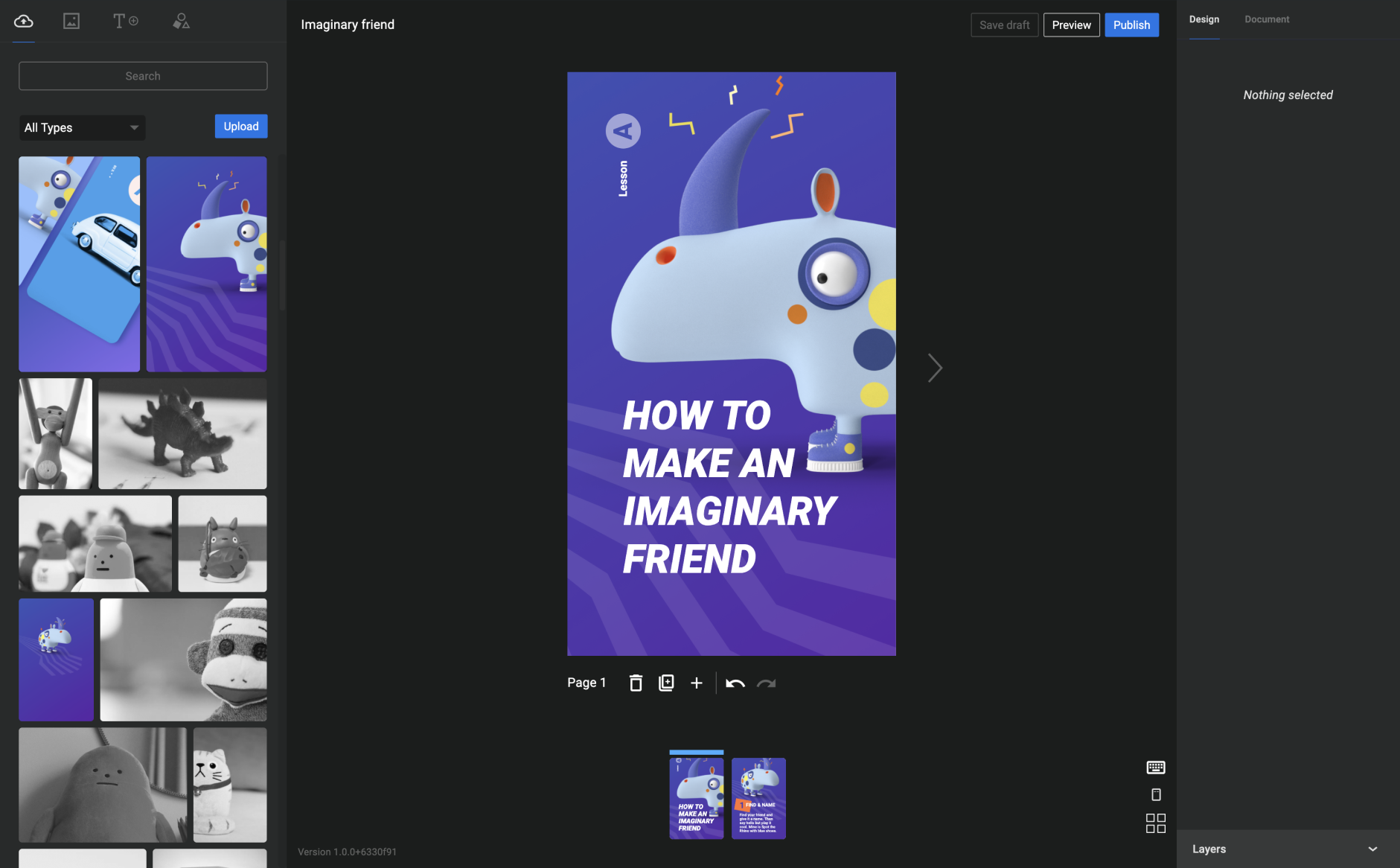
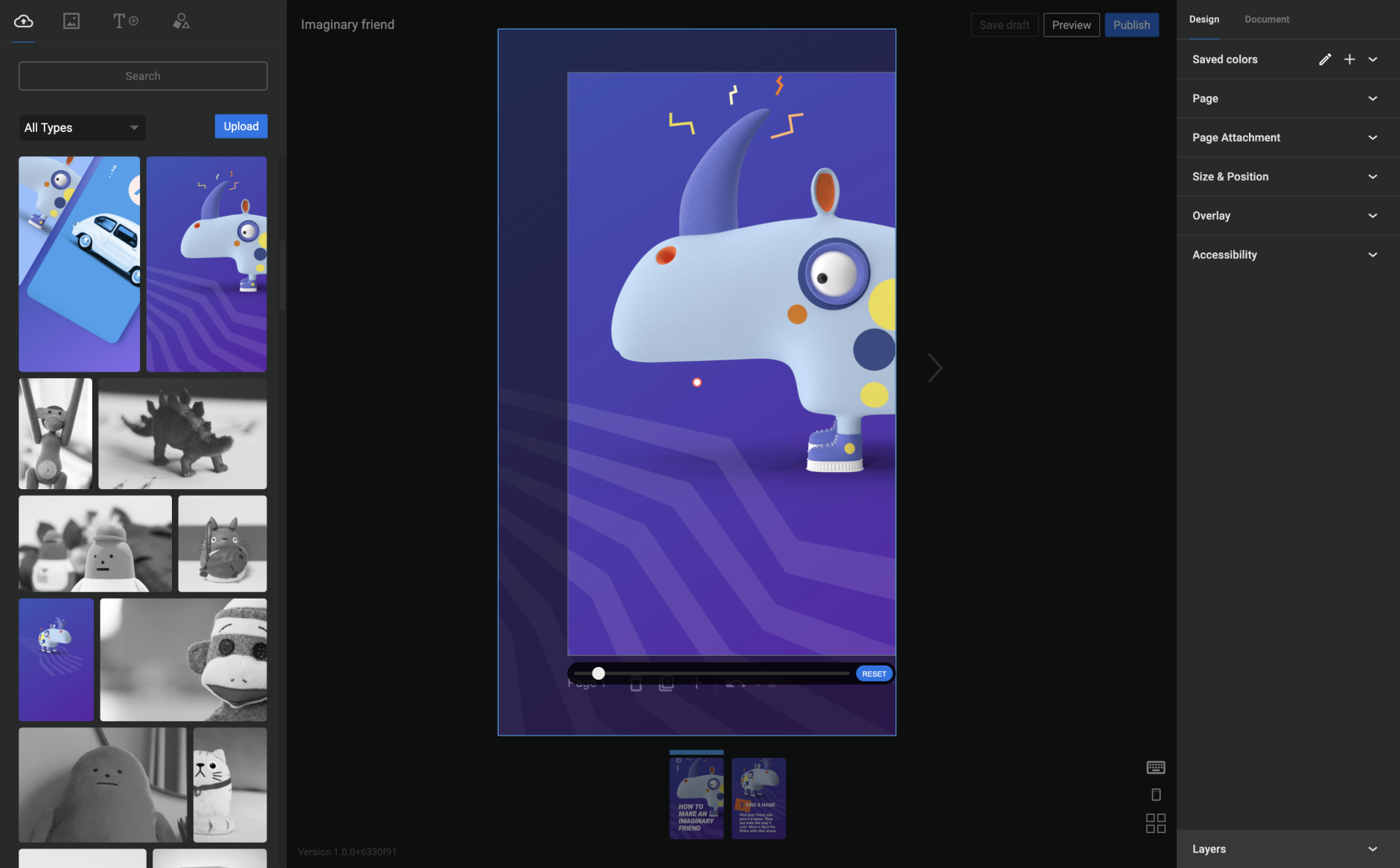
The Web Stories editor for WordPress brings together a robust set of story creation capabilities in a user-friendly, WYSIWYG creation tool. Some of the key features you can leverage out of the box are:
- A visually rich and intuitive dashboard, allowing you to easily navigate the story creation process
- Beautiful and expressive page templates to you get your story creation process started quickly and smoothly
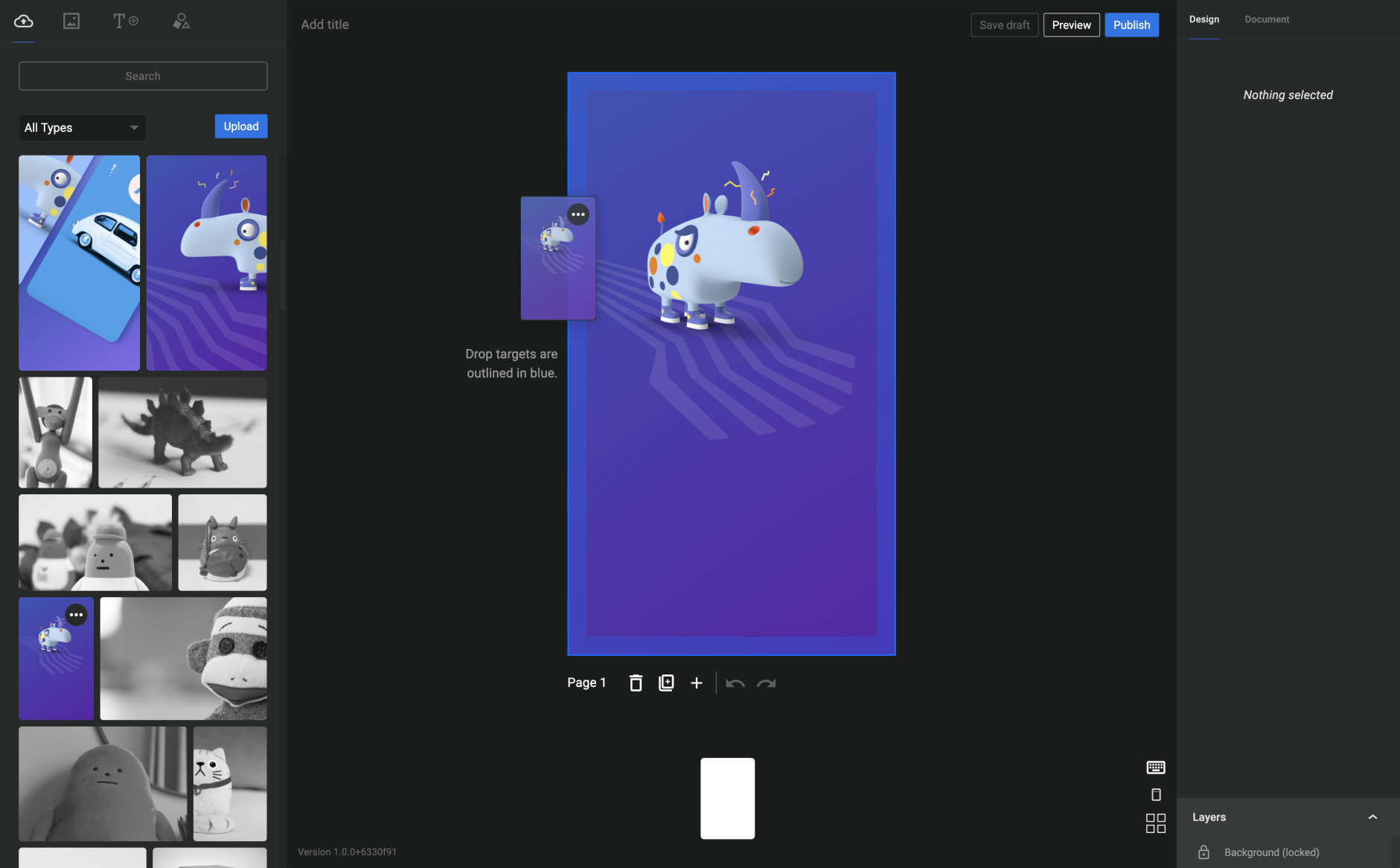
- Easy drag-and-drop capabilities, making it easy to compose beautiful stories
- Convenient access to WordPress’ media library, enabling you to grab your media assets right from the plugin dashboard as you create your stories
- Customizable color and text style presets, making it easy to tailor the style of your stories to the needs of your content strategy
- And much more!
Using the Web Stories editor for WordPress, you can easily create visual narratives with tappable interactions, and share freely across the web, or embed them on your existing content strategies. The Stories you create are yours in every way, as Web Stories belong to the open web, instead of being confined to any specific closed ecosystem or platform.
Audience: Everyone
Web Stories are for everyone! If you are a site owner, content creator, or publisher on the web, embracing the Web Stories format would be great as a way to enhance the quality of your content strategy, the value you bring to your readers, and consequently your chances of achieving sustainable success.
Terms of Service
By using this plugin, you agree to Google’s Terms of Service. By using third-party imagery and video provided by Unsplash, Coverr and Tenor, you agree to adhere to the respective Terms of Service.
Installation
Installation from within WordPress
- Visit Plugins > Add New.
- Search for Web Stories.
- Install and activate the Web Stories plugin.
Manual installation
- Upload the entire
web-storiesfolder to the/wp-content/plugins/directory. - Visit Plugins.
- Activate the Web Stories plugin.
Frequently asked questions
What browsers are supported?
For an optimal Web Story creation experience, we recommend using the latest version of commonly popular web browsers (Chrome, Firefox, Safari, Edge).
Is Web Stories for WordPress compatible with other WordPress plugins?
Because the Web Story format is new to the web ecosystem, some WordPress plugins may need extra support. We are working to improve compatibility with the Web Story editor and encourage you to file any bugs and requests in the support forum.
Can I use Web Stories for WordPress on a touch screen?
The Web Story editor is not currently supported on touch screen devices, such as a smartphone or tablet.
How do I make Web Stories appear in Google and other search engines?
For better chances of being discovered, after publishing your Web Story, we encourage you to embed it into a regular article or post on your site by using the Web Stories Gutenberg block. While the default sitemaps in WordPress and most popular plugins handle it automatically, we encourage you to check that your Web Stories are included in your XML sitemaps.
How can I optimize Web Stories to show up on search engines?
Web Stories created using Web Stories for WordPress use what’s provided in the Document tab inside the editor to generate schema.org and social meta-data automatically. Ensure you review and update all requested metadata, including cover image, excerpt and publisher logo. Please see SEO for Web Stories for further SEO guidance.
How do I implement Analytics in my Web Stories?
There are two ways to include analytics in your Web Stories: Add your Google Analytics ID in the “Settings”. If you use the Site Kit by Google WordPress plugin, you can set up Google Analytics there.
What do I do about an AMP validation issue in Search Console?
Web Stories are powered by AMP, which adds some restrictions on a page’s allowed markup. In some cases, other WordPress plugins use disallowed markup. We recommend temporarily disabling these plugins and reaching out to our support forum.
Where can I report bugs?
For help requests, support questions, or general feedback, please reach out via the support forum. Reproducible bug reports can be filed on GitHub. To report a vulnerability in this plugin, please contact the Google Security Team at g.co/vulnz.
Changelog
This release fixes a minor issues with the Web Stories shortcode. Now requires at least WordPress 6.6.
For the plugin’s full changelog, please see the Releases page on GitHub.
1.42.0
- Enhancement: raises minimum WordPress version to 6.6.
- Enhancement: updated list of available Google Fonts.
- Fixed: resolved issue with lightbox when using shortcode.
1.41.0
- Fixed: resolved issue with carousel on right-to-left languages.
- Fixed: resolved issue with lightbox when using shortcode.
1.40.0
- Enhancement: performance and UX improvements for the Web Stories block.
- Enhancement: several performance improvements in the admin due to more lightweight bundles.
- Enhancement: compatibility with WordPress 6.8.
- Enhancement: updated list of available Google Fonts.
- Fixed: Minor code quality improvements and bug fixes.
1.39.0
- Enhancement: new experimental performance improvements in the dashboard and editor.
- Fixed: resolved translation warning on WordPress 6.7.
- Fixed: improved Google Analytics 4 banner.
- Fixed: resolved edge case where the media library might crash.
Screenshots

For developers
Is this your plugin? Show off the numbers.
Add a live badge to your site, docs or GitHub README. It updates on its own — no account needed.
Best Web Stories alternatives
All amp plugins →





FAQ
Web Stories: quick answers
Straight answers, pulled from live WordPress.org data.
Live data from WordPress.org · checked Sep 27, 2026
Is Web Stories free?
Yes. Web Stories is free to download and use from the official WordPress.org plugin directory.
Is Web Stories safe to use in 2026?
Web Stories works, but test it on a staging site before relying on it in 2026. It runs on 60K+ sites, is rated 4.2/5 and was last updated 1 year ago, and scores 42/100 on our health check.
How many websites use Web Stories?
Web Stories is active on 60K+ WordPress websites and has been downloaded 2,890,387 times since it launched in September 2020. It was downloaded 5,538 times in the last 30 days.
Does Web Stories work with WordPress 7.1?
Web Stories is officially tested up to WordPress 6.8.10, while the latest release is 7.1.2. It may still work, but try it on a staging site first.
What PHP version does Web Stories need?
Web Stories requires PHP 7.4 or higher. Most hosts run PHP 8.x today, so it works on any modern WordPress hosting.
When was Web Stories last updated?
The latest version, 1.42.0, was released on May 15, 2025 (1 year ago).
Who makes Web Stories?
Web Stories is developed and maintained by Google.
What are the best alternatives to Web Stories?
The most popular alternatives to Web Stories are AMP (400K+ installs), Ad Inserter (300K+ installs) and Head, Footer and Post Injec… (200K+ installs).
Powered by PageForge
Want thousands of pages that rank like these? Build them in an afternoon.
This directory runs on the same engine as PageForge. Turn any spreadsheet, CSV or API into thousands of fast, SEO-ready WordPress pages — with schema, internal links and AI-written copy baked in.
- CSV, Google Sheets & API data sources
- AI content, schema & internal links per page
- Works with Elementor, Gutenberg, Yoast & Rank Math
- Free on WordPress.org — no credit card


