


Proxy Cache Purge
Automatically empty proxy cached content when your site is modified.

Safe pick
Yes — Proxy Cache Purge is a safe, well-maintained plugin to use in 2026. It runs on 50K+ sites, is rated 4.4/5 and was last updated 2 days ago, and scores 92/100 on our health check.
- Proven at scale on 50K+ active sites
- Actively developed — last update 2 days ago
- Tested with the latest WordPress (7.1)
- Momentum — downloads up 122% vs the previous 30 days
How does it stack up?
Side-by-side on installs, updates, ratings & support



Daily downloads
Download spikes usually follow a new release — each site that auto-updates counts as a download.
Rankings
Where Proxy Cache Purge stands todayWordPress.org search rankings
Live position in the plugin search, top 100| Keyword | Position |
|---|---|
| cache | #21 |
| nginx | #11 |
| proxy | #1 |
| Purge | #2 |
| varnish | #3 |
Version adoption
Share of active sites per release.
Rating breakdown
★★★★★★★★★★ 4.4 from 26 reviews
About Proxy Cache Purge
From the official readme · v5.13.0Description
This plugin does not install nor configure a cache proxy. It acts as an interface with such services.
One common method of caching content for websites is via the use of reverse proxy caching. Common examples of this are Varnish and NGINX. These systems allow a website to update content and have the visitor’s experience cached without the need for complex plugins storing the files locally and using up a user’s disk space.
A reverse proxy cache is installed in front of a server and reviews requests. If the page being requested is already cached, it delivers the cached content. Otherwise it generates the page and the cache on demand.
The Proxy Cache Purge plugin sends a request to delete (aka flush) the cached data of a page or post every time it’s modified.
How It Works
When content on a site is updated by WordPress, the plugin reaches out to the proxy cache service with the URL of the page, requesting the cache be deleted.
Not all pages are deleted from the cache on every change. For example, when a post, page, or custom post type is edited, or a new comment is added, only the following pages will purge:
- The front page
- The post/page edited
- Any categories, tags, and/or custom taxonomies associated with the page
- Related feeds
- Associated JSON API pages
In addition, your entire cache will be deleted on the following actions:
- Changing themes
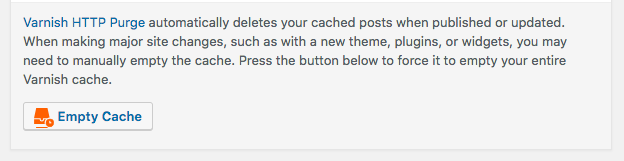
- Pressing the Empty Cache button on the toolbar
Plugins can hook into the purge actions as well, to filter their own events to trigger a purge.
On a multisite network using subfolders, only network admins can purge the main site.
Keep Your Cache Warm
Purging is only half the story. Once Proxy Cache Purge empties a page, the cache for that URL is gone, so the next visitor triggers a full uncached render and waits for it. On busy sites this “cache stampede” shows up as slow pages right after every update.
Cacheability Pro is a companion plugin that closes that gap: it automatically re-warms purged URLs in the background so visitors keep hitting fast, cached responses, and it tunes your cache headers so more of your pages stay cacheable in the first place. Proxy Cache Purge handles invalidation; Cacheability Pro handles everything around it.
Monitor Your Cache
Proxy Cache Purge keeps your cache fresh, but how often is it actually being hit? If you run your own Varnish or NGINX server, GetPageSpeed Amplify shows your cache hit rate, request volume, and backend health over time, with a free tier. Proxy Cache Purge handles invalidation; Amplify shows you whether the cache is doing its job.
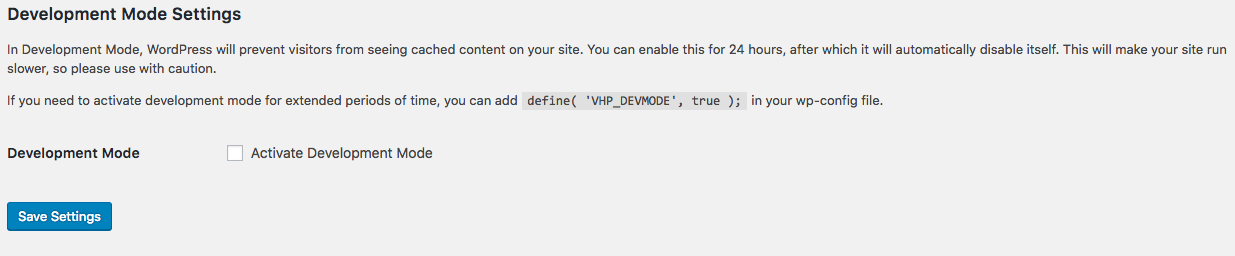
Development Mode
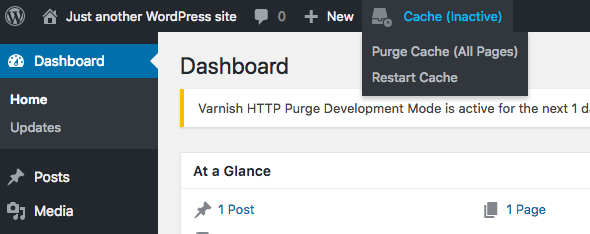
If you’re working on a site and need to turn off caching in one of two ways:
- Add
define( 'VHP_DEVMODE', true );to yourwp-config.phpfile - Go to Proxy Cache -> Settings and enable Debug Mode for 24 hours at a time
That will break cache on page loads. It is not recommended for production!
Cache Tags (BETA)
As of version 5.4.0, Proxy Cache Purge includes an optional Cache Tags / Surrogate Keys purge mode. This feature is marked as BETA and is disabled by default.
When enabled, the plugin:
- Adds cache-tag headers to WordPress responses (for example, tagging pages by post ID, post type, taxonomy terms, author, and archives).
- Uses tag-based purges instead of individual URL purges when content is updated, which can reduce purge traffic and improve consistency on complex sites.
Requirements:
- A proxy cache that supports Cache Tags / Surrogate Keys and advertises this via standard
Surrogate-Capabilityheaders (for example,Surrogate-Capability: vhp="Surrogate/1.0 tags/1").
How to enable:
- Go to Proxy Cache → Settings → Purge Method and check “Use Cache Tags (Surrogate Keys)”. The checkbox is only enabled when your cache tells WordPress it supports tags (or when you explicitly enable it via a define).
-
Alternatively, you can force-enable or force-disable detection via
wp-config.php:define( ‘VHP_VARNISH_TAGS’, true ); // Force treat cache as tag-capable
define( ‘VHP_VARNISH_TAGS’, false ); // Force treat cache as not tag-capable
Because this feature depends on your cache configuration, it is recommended that you test it carefully in staging before enabling it on production.
Background Purging with WP-Cron
On busy sites, sending many PURGE requests directly from admin requests can slow things down. When you define DISABLE_WP_CRON as true in wp-config.php (because you are running a real system cron that calls wp-cron.php), Proxy Cache Purge automatically switches to an asynchronous mode:
- Purge requests (both URL-based and tag-based, when Cache Tags are enabled) are collected into a small per-site queue.
- The queue is processed by WP-Cron in the background, keeping your admin and content-editing actions responsive even when many URLs or tags must be invalidated.
Object-cache purges (the “Purge Database Cache” option) remain synchronous and are not affected by this behaviour. The Proxy Cache settings page and Site Health integration expose basic queue status so you can verify that background purging is healthy; if the queue appears large or very old, check that your system cron is correctly invoking WordPress cron.
Important: Cron Frequency and Cache Freshness
When using background purging, the frequency of your system cron determines how quickly cache invalidations are processed. The longer the interval between cron runs, the longer visitors may see stale content after updates.
For minimal stale content, run your system cron every minute:
* * * * * /usr/bin/php /var/www/html/wp-cron.php
If you can tolerate slightly longer delays, every 2-5 minutes is also acceptable. However, running cron less frequently (e.g., every 15 minutes) means cache purges may be delayed by that amount after content changes.
Note: Scheduled posts are handled specially. When a scheduled post is published via WP-Cron, the cache is purged synchronously within the same cron run, ensuring immediate cache invalidation without waiting for the next cron execution.
For detailed instructions on setting up a proper Linux-based WordPress cron, see: WordPress Cron Optimization.
Disabling Background Purging
If you have DISABLE_WP_CRON defined but do not want background purging (for example, on low-traffic sites where immediate purges are preferred), you can force-disable cron-based purging by adding this to your wp-config.php:
define( 'VHP_DISABLE_CRON_PURGING', true );
With this constant set, all cache purges will execute immediately during the request, regardless of the DISABLE_WP_CRON setting.
WP-CLI
Purge
Purge commands let you empty the cache.
wp varnish purge– Flush the entire site cache (equivalent to clicking “Empty Cache” in admin)wp varnish purge --all– Explicitly flush the entire site cachewp varnish purge <url>– Flush cache for a specific URL and all content below it (wildcard)wp varnish purge <url> --url-only– Flush cache for only the exact URL specified (no wildcard)wp varnish purge --tag=<tag>– Flush cache by tag (requires Cache Tags mode to be enabled)wp varnish purge --sitemaps– Flush the XML sitemaps only (requires Yoast SEO sitemaps)
Examples:
wp varnish purge– Purge entire sitewp varnish purge --all– Same as above, more explicitwp varnish purge https://example.com/hello-world/– Purge this URL and everything below itwp varnish purge https://example.com/hello-world/ --url-only– Purge only this exact URLwp varnish purge https://example.com/wp-content/themes/ --wildcard– Purge all theme fileswp varnish purge --tag=p-123– Purge all pages tagged with post ID 123wp varnish purge --tag=pt-post– Purge all cached pages of post type “post”
Debug
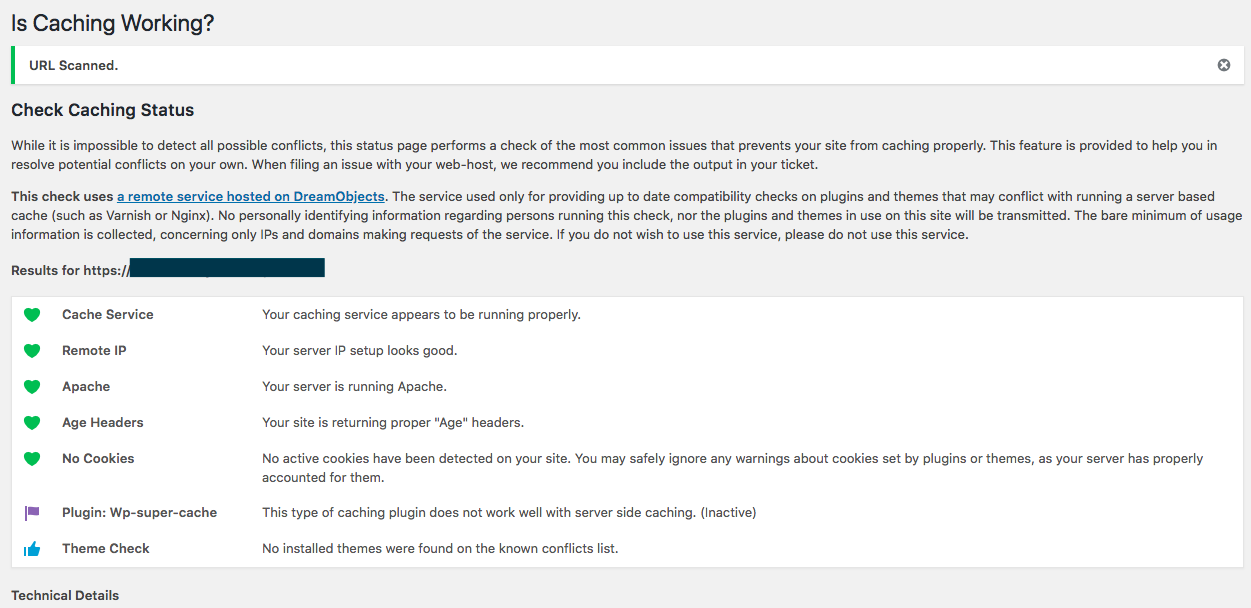
Debugging can help you figure out why your cache isn’t working as well as it could. The default is for your home page, but you can pass any URL on your domain.
wp varnish debug [<url>]
Available parameters:
[--include-headers]— Include headers in debug check output[--include-grep]— Grep active theme and plugin directories for common issues
DevMode
Development mode allows you to disable the cache, temporarily.
wp varnish devmode [<activate|deactivate|toggle>]– Change development mode state
Async purge queue (cron-mode)
When you define DISABLE_WP_CRON as true and run a real system cron for WordPress, Proxy Cache Purge can move heavy purge work into a small background queue that is processed by WP‑Cron.
You can inspect and manage that queue via WP‑CLI:
wp varnish queue status– show whether cron-mode is active, if a full purge is queued, counts of queued URLs/tags, and the last queue run time.wp varnish queue process– process any items currently in the queue (useful to run after deploys or cache‑sensitive operations).wp varnish queue clear– clear the queue without sending any PURGE requests.
These commands do not replace your normal WordPress cron (you still need a cron entry that calls wp cron event run --due-now or hits wp-cron.php), but they give you a simple operational handle when using cron‑mode.
Understanding Purge Behavior
There are different types of cache purges, and they behave differently:
Manual Purges (Admin Bar)
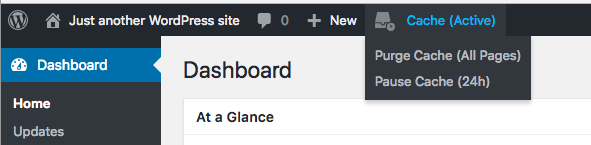
- “Purge Cache (All Pages)” – Sends a single regex purge request to invalidate the entire cache. Always executes immediately.
- “Purge Cache (this page)” – Purges only the exact URL you’re viewing. Always executes immediately.
Manual purges are always immediate, even when background cron-mode is enabled. This is intentional: when you click a button, you expect immediate results.
Automatic Purges (Post Save/Update)
When you save or update a post, the plugin automatically purges:
- The post’s URL
- The homepage
- Category archive pages
- Tag archive pages
- Author archive page
- Date-based archives
- RSS feeds
- Related REST API endpoints
This can be 20-50+ URLs depending on your site structure. When cron-mode is enabled, these automatic purges are queued and processed in the background to avoid slowing down the post editor.
Key Difference
Action
URLs Purged
Uses Cron Queue?
“Purge Cache (All Pages)”
1 (regex)
No – always immediate
“Purge Cache (this page)”
1
No – always immediate
Post save/update
20-50+
Yes (if cron-mode enabled)
If you need to immediately purge all URLs related to a specific post (not just the post URL), save the post – the automatic purge will handle all related URLs.
Installation
No special instructions apply.
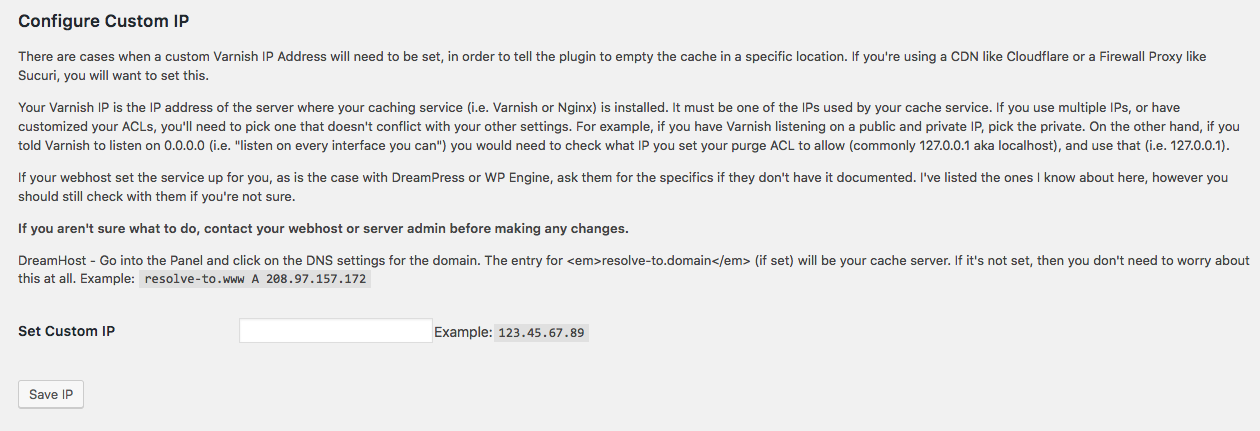
If you have a 3rd party proxy service (such as Sucuri or Cloudflare) you will need to add an IP address on the Proxy Cache -> Settings page. Alternatively you can add a define to your wp-config.php file: define('VHP_VARNISH_IP','123.45.67.89');
When using NGINX based proxies, your IP will likely be localhost.
Requirements
- Pretty Permalinks enabled
- A server based proxy cache service (such as Varnish or NGINX)
Changelog
XML sitemaps from Yoast SEO are now purged when their content changes, so your proxy can cache them for a day or longer. Adds wp varnish purge --sitemaps.
5.13.0 (2026-11)
- New: XML sitemaps are purged when the content they list changes (Yoast SEO). Publishing, updating, unpublishing or deleting a published post purges the sitemap index, the post type sitemap and the sitemaps of the post’s taxonomies; term and user changes purge the taxonomy and author sitemaps; saving a draft purges nothing. Sitemaps can now be cached for a day or longer without going stale. Paginated sitemaps are purged with one wildcard request. Sitemap purges do not count toward the 50 URL full-purge limit and work in Cache Tags mode and with Background Purging.
- New:
wp varnish purge --sitemapspurges every XML sitemap. - New:
vhp_purge_sitemaps,vhp_sitemap_purge_urlsandvhp_sitemap_entries_per_pagefilters, and theVHP_DISABLE_SITEMAP_PURGEconstant. - New: Every PURGE response is assessed against the
Cache-Purge-Resultcontract of nginx-module-cache-purge 2.6.1+. A tag purge counts as confirmed only when the endpoint reports thetagsoperation; a different operation is recorded as a mismatch and surfaced in the debug page and Site Health, because HTTP 200 alone never proves that tagged pages were invalidated. - New:
vhp_purge_resultaction with the assessment of each PURGE response, andvhp_purge_hostsfilter to add or replace PURGE targets. - Dev: Docker test harness gained an nginx + nginx-module-cache-purge arm (
tests/nginx) so the plugin is proven against real nginx tag purges, not only Varnish.
5.12.3 (2026-08)
- Fix: Multipage posts now purge every numbered page. 5.12.1 covered pages 2..N by asking the proxy for a wildcard purge of the post URL, which did not invalidate them on the reporter’s setup. The plugin now purges the real page URLs (/your-post/2, /your-post/3, …) with the same ordinary PURGE requests that already work for page 1, so it no longer depends on the proxy handling wildcards. Reported by @didierjm.
5.12.2 (2026-08)
- Fix: “max-age=0” is no longer a Site Health error when the response proves a shared cache is serving the page. Proxies that consume “s-maxage” and strip it from the response used to make correctly cached sites look broken; cache hit indicators now downgrade the finding to a warning. Reported by @davidkoster89.
5.12.1 (2026-07)
- Fix: Updating multipage posts now purges every numbered page instead of only page 1.
5.12.0 (2026-06)
- Change: The GetPageSpeed Amplify recommendation links (readme + Check Caching results) now point to the dedicated Varnish monitoring landing page for a more relevant first impression.
5.11.1 (2026-06)
- Security: The manual “Purge Cache (This Page)” action (
vhp_flush_do) now only purges URLs on this site’s own host, and requires a capability (filter:vhp_manual_purge_capability, defaultedit_published_posts) in addition to the nonce. Previously a low-privileged user could reuse the purge nonce to point the server’s outbound PURGE request at an arbitrary host – a blind SSRF reachability oracle. Reported privately by Austin Ginder.
Screenshots

For developers
Is this your plugin? Show off the numbers.
Add a live badge to your site, docs or GitHub README. It updates on its own — no account needed.
Best Proxy Cache Purge alternatives
All cache plugins →



FAQ
Proxy Cache Purge: quick answers
Straight answers, pulled from live WordPress.org data.
Source: WordPress.org
Is Proxy Cache Purge free?
Yes. Proxy Cache Purge is free to download and use from the official WordPress.org plugin directory.
Is Proxy Cache Purge safe to use in 2026?
Yes — Proxy Cache Purge is a safe, well-maintained plugin to use in 2026. It runs on 50K+ sites, is rated 4.4/5 and was last updated 2 days ago, and scores 92/100 on our health check.
How many websites use Proxy Cache Purge?
Proxy Cache Purge is active on 50K+ WordPress websites and has been downloaded 2,451,141 times since it launched in July 2011. It was downloaded 22,966 times in the last 30 days.
Does Proxy Cache Purge work with WordPress 7.1?
Yes. The developer has tested Proxy Cache Purge up to WordPress 7.1.5, the latest release. It requires WordPress 5.0 or newer.
What PHP version does Proxy Cache Purge need?
Proxy Cache Purge requires PHP 7.4 or higher. Most hosts run PHP 8.x today, so it works on any modern WordPress hosting.
When was Proxy Cache Purge last updated?
The latest version, 5.13.0, was released on November 21, 2026 (2 days ago).
Who makes Proxy Cache Purge?
Proxy Cache Purge is developed and maintained by Danila Vershinin.
What are the best alternatives to Proxy Cache Purge?
The most popular alternatives to Proxy Cache Purge are WP Super Cache (1M+ installs), WP Fastest Cache (1M+ installs) and WP-Optimize (1M+ installs).
Powered by PageForge
One template and a spreadsheet. A real page for every search.
PageForge turns each row of a CSV into a WordPress page with its own title, URL, SEO fields and schema, built on the layout you already designed. Free on WordPress.org.
- CSV and XLSX, plus Google Sheets on Professional and Enterprise
- Its own title, URL, SEO fields and schema for every page
- Works with the block editor, Elementor, Divi and Avada
- Free on WordPress.org, no credit card