


Ultimate Posts Widget
Try it out on your free dummy site: Click here => https://tastewp.com/plugins/ultimate-posts-widget. (this trick works for all plugins in the WP repo – just replace “wordpress” with “tastewp” in the URL)

Use with caution
Ultimate Posts Widget works, but test it on a staging site before relying on it in 2026. It runs on 10K+ sites, is rated 4.5/5 and was last updated 2 years ago, and scores 45/100 on our health check.
- Proven at scale on 10K+ active sites
- Loved by users — 4.5/5 from 55 reviews
- No update in 2 years
- Only tested up to WordPress 6.6 (latest is 7.1)
How does it stack up?
Side-by-side on installs, updates, ratings & support



Daily downloads
Download spikes usually follow a new release — each site that auto-updates counts as a download.
Rankings
Where Ultimate Posts Widget stands todayWordPress.org search rankings
Live position in the plugin search, top 100| Keyword | Position |
|---|---|
| custom post types | >100 |
| featured image | >100 |
| recent posts | >100 |
| sticky posts | #95 |
| widget | >100 |
Version adoption
Share of active sites per release.
Rating breakdown
★★★★★★★★★★ 4.5 from 55 reviews
About Ultimate Posts Widget
From the official readme · v2.3.2Description
Try it out on your free dummy site: Click here => https://tastewp.com/plugins/ultimate-posts-widget.
(this trick works for all plugins in the WP repo – just replace “wordpress” with “tastewp” in the URL)
UPDATE: Plugin ownership changed for this plugin. We are currently evaluating possible enhancements for it. Stay tuned! If you have any suggestions yourself, please let us know in the Support Forum.
Note: This is a classic widget type, in order for it to work on the latest version of WordPress you will need Classic Widgets plugin installed on your site.
The ultimate widget for displaying posts, custom post types or sticky posts with an array of options to customize the display.
Designed for both the average user and developer, Ultimate Posts Widgets aims to provide flexibility and ease of use for displaying any kinds of posts within your widget areas. An array of widget options are available as well as hooks, filters and custom templates for more advanced customization.
Options
- Filter by categories
- Filter by current category
- Filter by tags
- Filter by current tag
- Filter by custom post types
- Filter by sticky posts
- Select number of posts to display
- Display title
- Display publish date/time with custom format options
- Display post author and link
- Display post comment count
- Display excerpt or full content
- Display read more link with custom label
- Display featured image and at any size
- Display post categories
- Display post tags
- Display custom fields
- Add text or HTML before and after posts list
- Add CSS class to widget
- Add widget title link
- Change excerpt length (in words)
- Order by date, title, number of comments, random or a custom field
- Exclude current post from the list
Documentation
See the FAQ tab for documentation on custom templates, hooks, common issues, and more.
Support
For help please ask in the Support Forum
Enjoy this plugin? Send a tip to support development.
This plugin is part of the Inisev product family – check out our other products.
Installation
- Download and extract the zip archive
- Upload
ultimate-posts-widgetfolder to/wp-content/plugins/ - Activate the plugin through the ‘Plugins’ menu in WordPress
- Add the widget to a sidebar and configure the options as desired
Frequently asked questions
Filters
upw_enqueue_styles (boolean) Allows changing whether to load the template CSS file(s). upw_wp_query_args (array) Allows changing the WP_Query arguments for the widget. upw_custom_template_path (string) Allows changing the default custom template path.
Templates
legacy As of version 2.0.0 we changed the widget HTML markup. For installs prior to 2.0.0 you can use the legacy template to retain the old HTML markup and compatibility. standard The new standard template as of version 2.0.0. It features better HTML5 markup, improved styling on various themes without the need for custom CSS, and hfeed microformat. custom As of version 2.0.0 you can now provide your own custom template files. To do this, create a directory named upw in your theme and copy a template from the plugin’s templates directory. Edit as needed. Then, in the widget settings under the…
Images sizes
As of version 2.0.0, the plugin no longer supports setting custom image sizes from the widget options panel. To change image sizes you can either edit the built-in sizes (thumbnail, medium, and large) or define a custom image size in your theme functions.php. Edit built-in image sizes: Go to Settings > Media and change the image sizes as desired. Once image sizes are changed you will need to regenerate thumbnails to update any existing images. This can be done with AJAX Thumbnail Rebuild or Regenerate Thumbnails plugins. Note that this will affect image sizes for the entire site. Define a…
Thumbnail images are not displaying
As of version 2.0.0 timthumb is no longer used. This plugin uses the timthumb library to resize post thumbnails. Please review these requirements and troubleshooting tips if you are having problems displaying thumbnails. Right click > view image – If an image isn’t loading then this is the first thing you should do. 9 times out of 10 it will tell you what the problem is in an easy to read error message. JetPack plugin – There is a known conflict between JetPack’s “Photon” component, please disable it for compatibility with timthumb. Server requirements – PHP and the GD image library must be…
Changelog
Tested with WordPress 6.6 Minor performance improvements Improvements for PHP 8 utilization
2.3.2
- Tested with WordPress 6.6
- Minor performance improvements
- Improvements for PHP 8 utilization
2.3.1
- [NOTE] Adjusted sanitization for widget fields even further
- [NOTE] Tested up with WordPress 6.4.3
2.3.0
- [NOTE] Upgraded analyst module to latest version
- [NOTE] Improved sanitization of widget fields
- [NOTE] Tested up with WordPress 6.4.2
2.2.9
- Resolved issue related to “exclude_current” missing index
- Updated “Try it out” module
2.2.8
- Fixed incorrect calls to plugins_url
- Updated banner module
- Updated opt-in module
- Tested with WordPress 6.4
- Resolved issues with PHP 8.2
2.2.7
- Forced “Try it out” module to be disabled by default, user can still enable it manually.
Screenshots
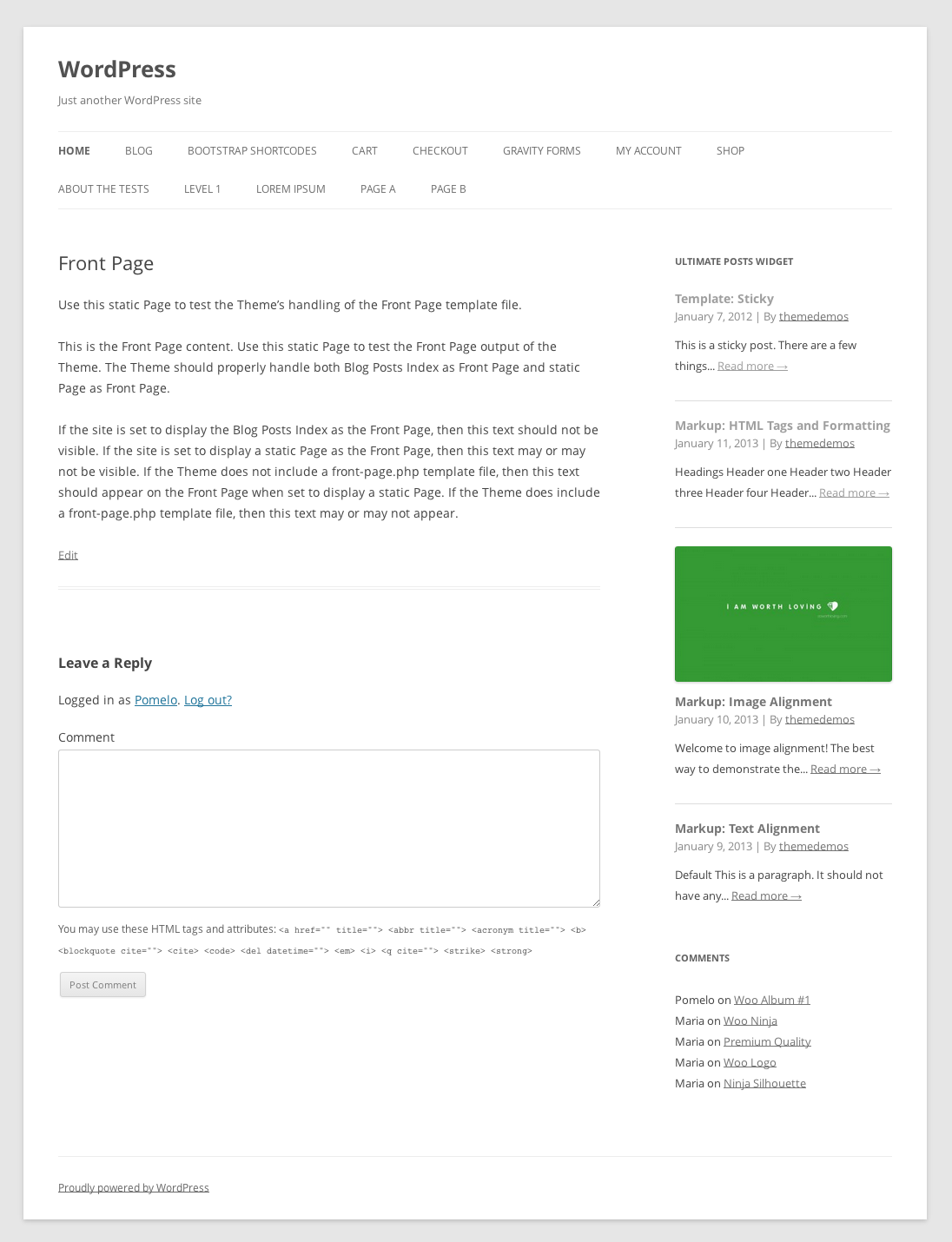

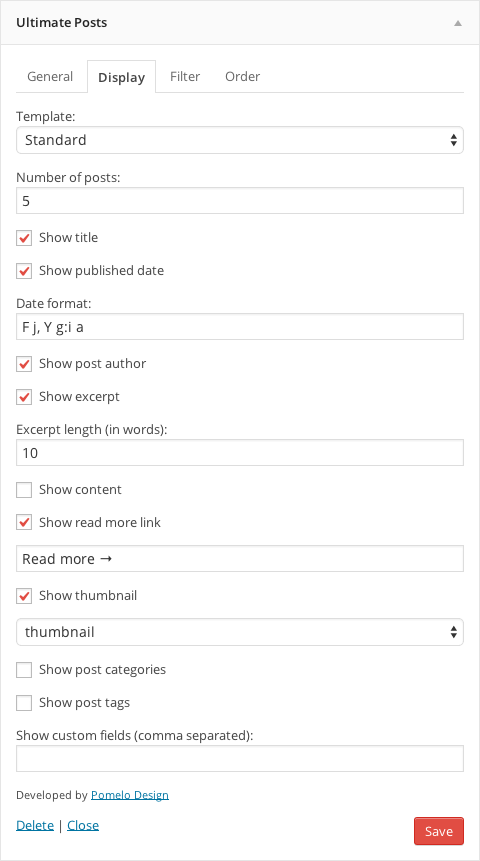
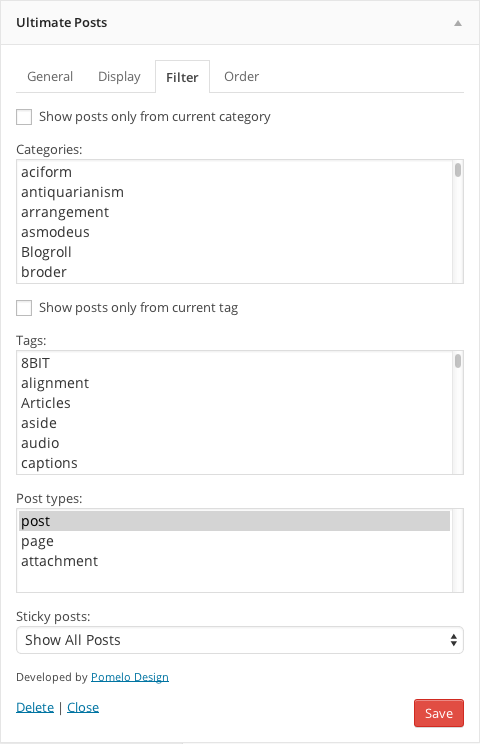

For developers
Is this your plugin? Show off the numbers.
Add a live badge to your site, docs or GitHub README. It updates on its own — no account needed.
Best Ultimate Posts Widget alternatives
All custom post types plugins →





FAQ
Ultimate Posts Widget: quick answers
Straight answers, pulled from live WordPress.org data.
Live data from WordPress.org · checked Sep 27, 2026
Is Ultimate Posts Widget free?
Yes. Ultimate Posts Widget is free to download and use from the official WordPress.org plugin directory.
Is Ultimate Posts Widget safe to use in 2026?
Ultimate Posts Widget works, but test it on a staging site before relying on it in 2026. It runs on 10K+ sites, is rated 4.5/5 and was last updated 2 years ago, and scores 45/100 on our health check.
How many websites use Ultimate Posts Widget?
Ultimate Posts Widget is active on 10K+ WordPress websites and has been downloaded 496,015 times since it launched in July 2012. It was downloaded 740 times in the last 30 days.
Does Ultimate Posts Widget work with WordPress 7.1?
Ultimate Posts Widget is officially tested up to WordPress 6.6.9, while the latest release is 7.1.2. It may still work, but try it on a staging site first.
When was Ultimate Posts Widget last updated?
The latest version, 2.3.2, was released on July 17, 2024 (2 years ago).
Who makes Ultimate Posts Widget?
Ultimate Posts Widget is developed and maintained by cl272.
What are the best alternatives to Ultimate Posts Widget?
The most popular alternatives to Ultimate Posts Widget are Custom Post Type UI (1M+ installs), Meta Box (500K+ installs) and Pods (100K+ installs).
Powered by PageForge
Want thousands of pages that rank like these? Build them in an afternoon.
This directory runs on the same engine as PageForge. Turn any spreadsheet, CSV or API into thousands of fast, SEO-ready WordPress pages — with schema, internal links and AI-written copy baked in.
- CSV, Google Sheets & API data sources
- AI content, schema & internal links per page
- Works with Elementor, Gutenberg, Yoast & Rank Math
- Free on WordPress.org — no credit card


