



Ultimate Appointment Booking & Scheduling
Appointment booking calendar and scheduling plugin that lets you set up different services, service providers, locations and availability

Solid choice
Ultimate Appointment Booking &… is a solid plugin choice in 2026, with a few things worth checking first. It runs on 80+ sites, is rated 4.1/5 and was last updated 1 month ago, and scores 77/100 on our health check.
- Tested with the latest WordPress (7.1)
- Small user base (80+ active installs)
How does it stack up?
Side-by-side on installs, updates, ratings & support



Daily downloads
Download spikes usually follow a new release — each site that auto-updates counts as a download.
Rankings
Where Ultimate Appointment Bookin… stands todayWordPress.org search rankings
Live position in the plugin search, top 100| Keyword | Position |
|---|---|
| appointment scheduling | #17 |
| appointments | #40 |
| booking calendar | >100 |
| calendar | >100 |
| reservation | #68 |
Version adoption
Share of active sites per release.
Rating breakdown
★★★★★★★★★★ 4.1 from 20 reviews
About Ultimate Appointment Booking & Scheduli…
From the official readme · v2.2.12Description
Ultimate Appointment Scheduling Demo
Appointment booking platform that lets your customers schedule appointments directly on your website with an easy-to-use calendar and booking form. Set up locations, services, and providers for those services, and let your clients start booking their appointment reservations online today!
Includes Gutenberg block for displaying appointment booking forms!
Key Appointment Booking Features
- Create appointment locations with different opening hours
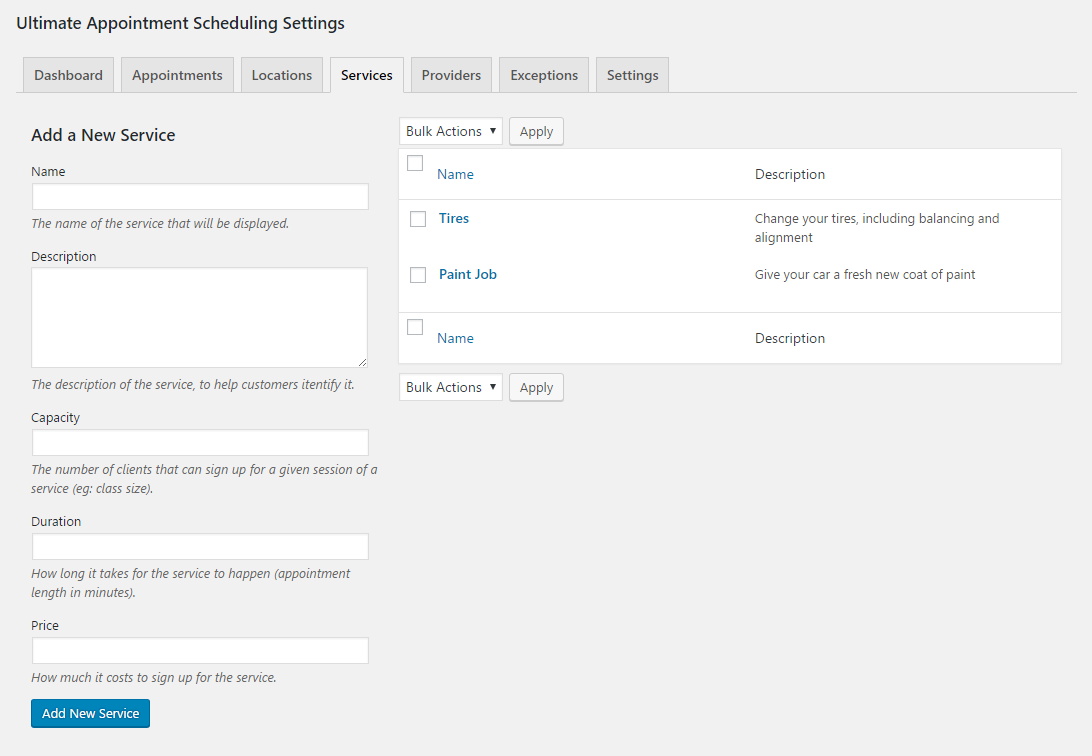
- Create appointment services that cost different amounts and take different amounts of time
- Dynamically updated booking calendar and appointment schedules, so it’s impossible to double book
- Optional multi-step booking form
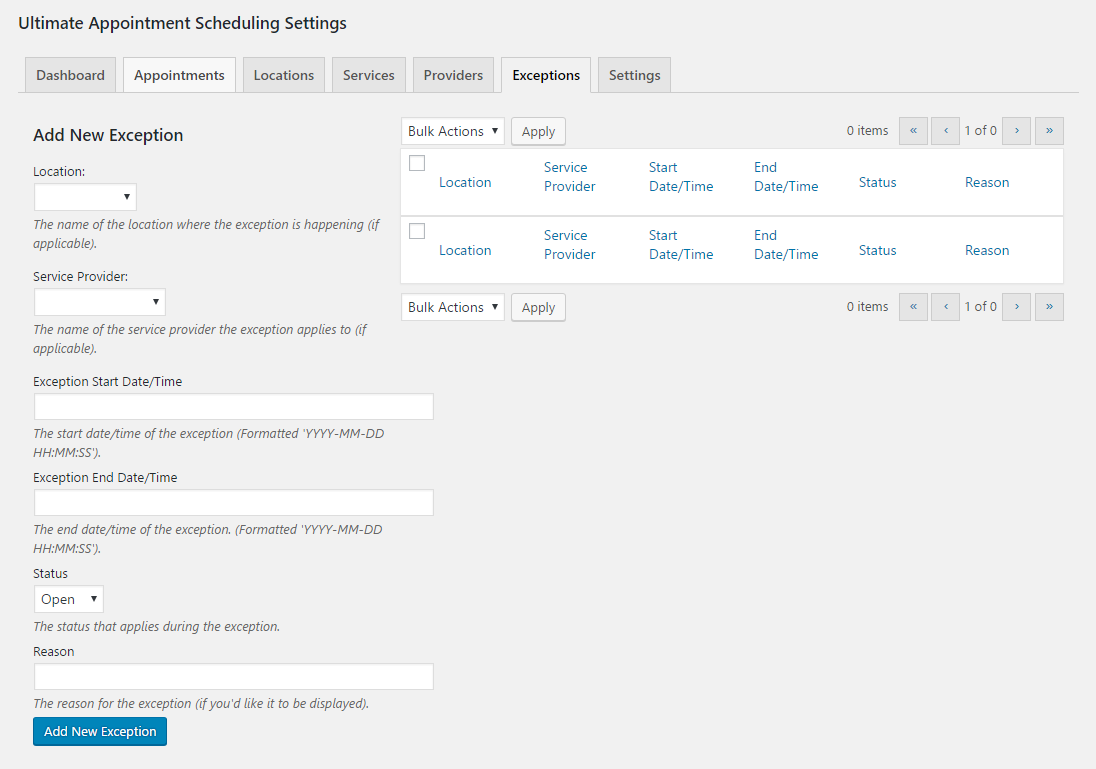
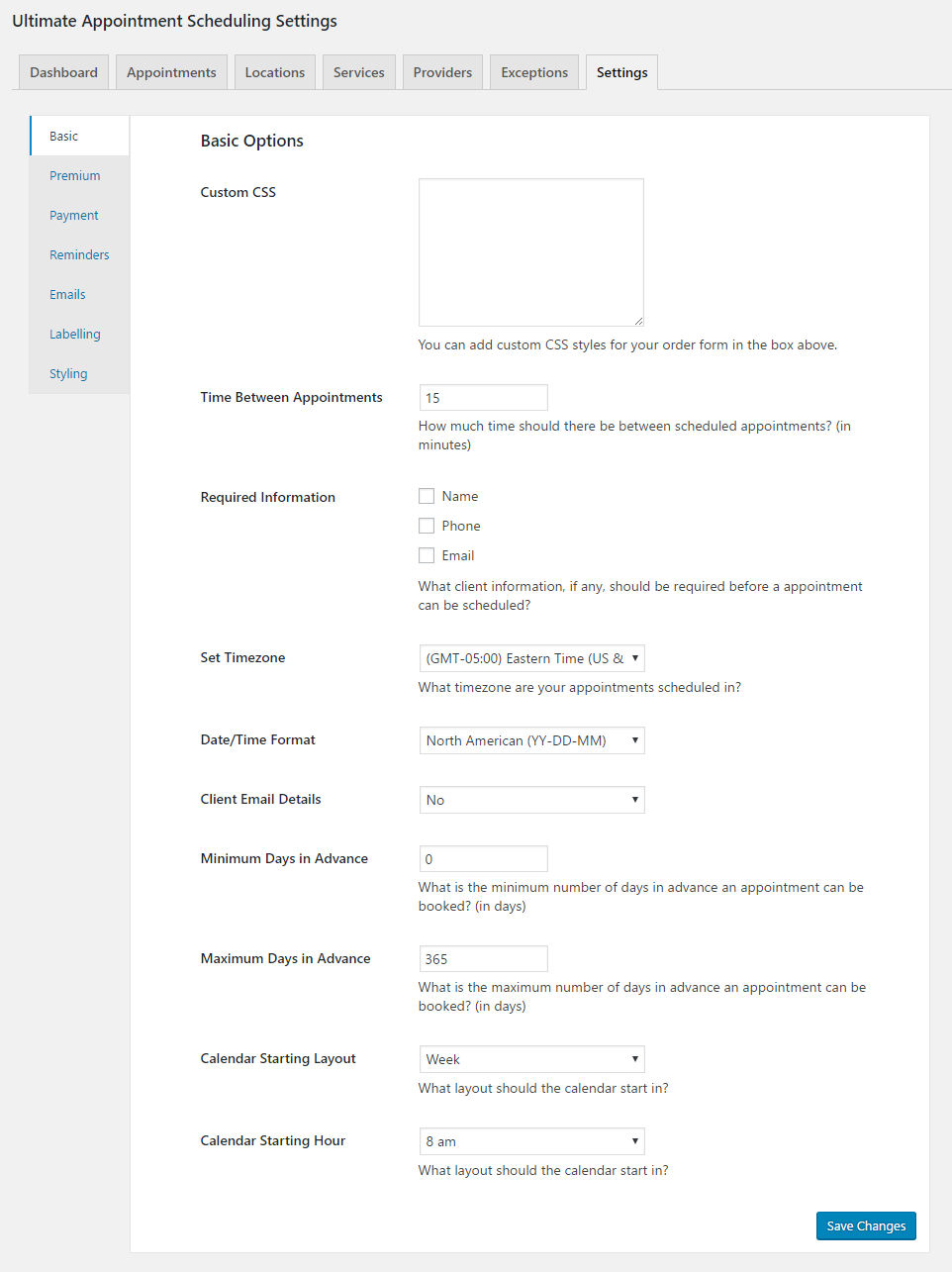
- Set required information, such as name or phone number
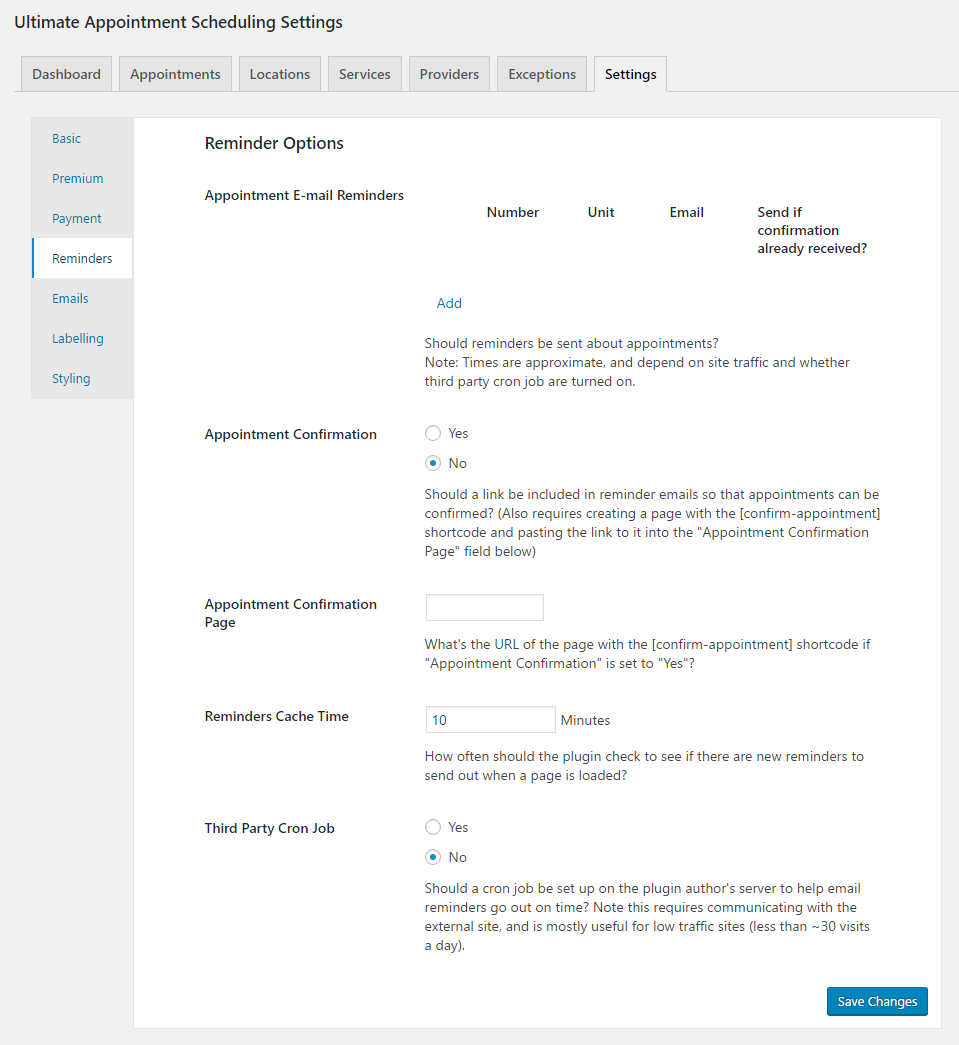
- Set up automated reminder emails that will go out to your clients a certain number of days or hours before their appointments
Great for businesses that need to set up one-on-one or one-to-many services, such as mechanics, medical professionals, event venues, exercise classes, corporate training sessions, etc. Also works to schedule meetings, for scheduling phone calls and for other situations in which a booking form and reservation system are required.
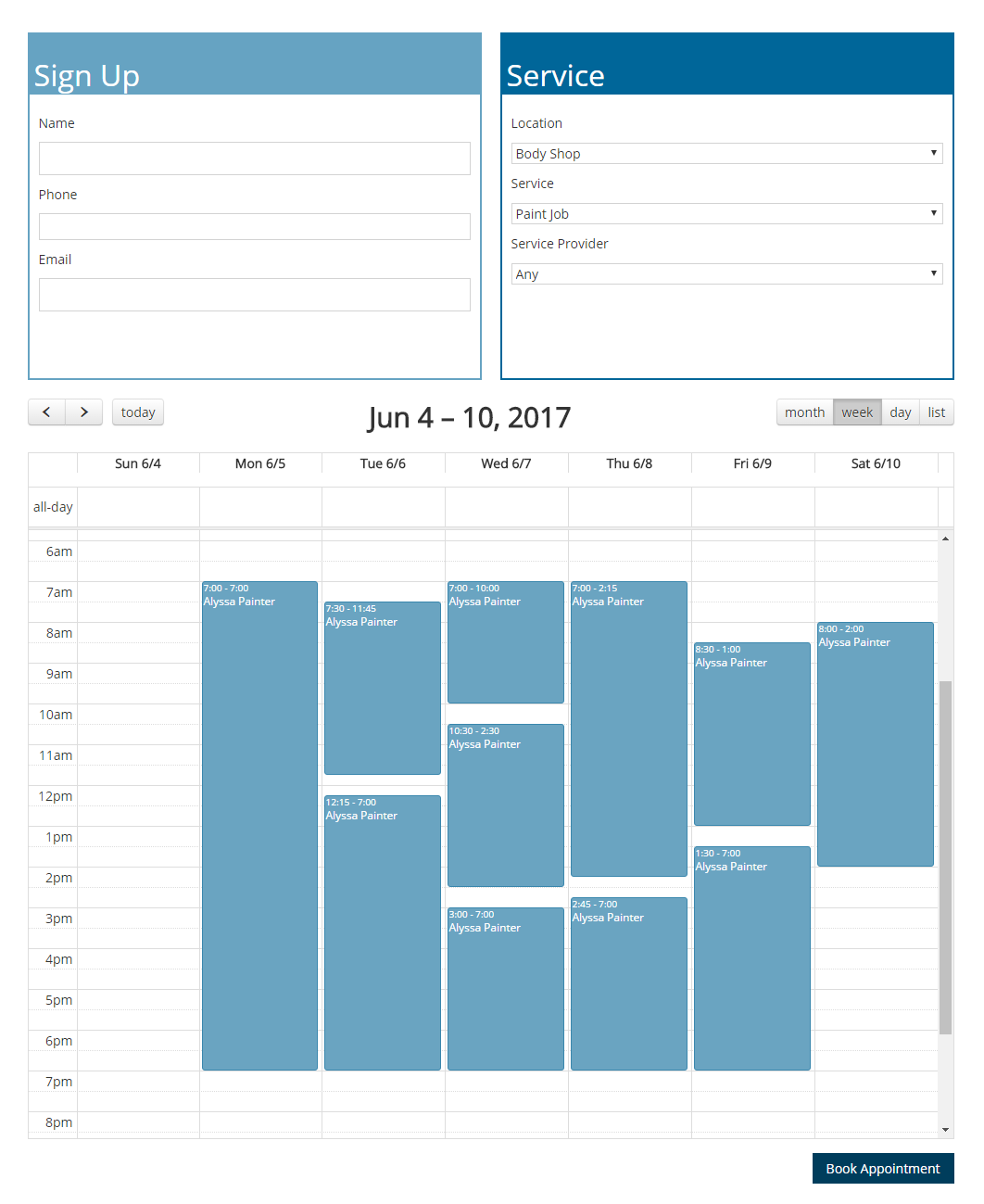
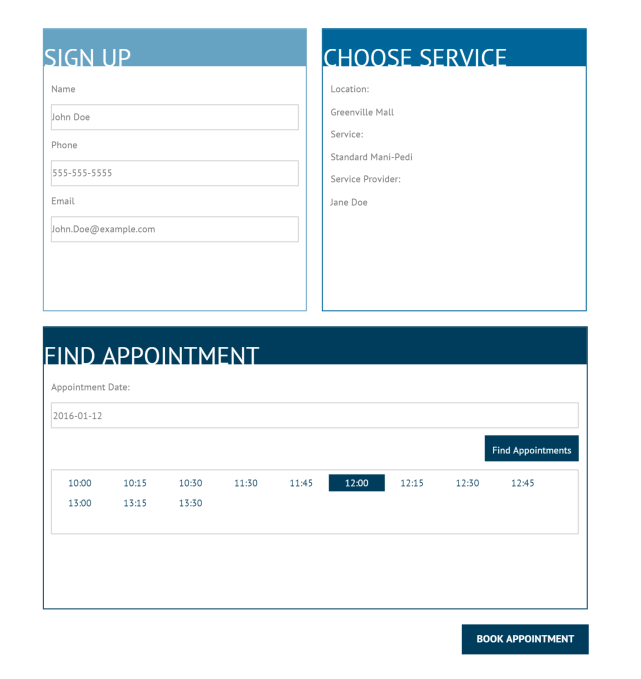
Appointment Booking Form
Adding your booking form to a page is as simple as inserting the above shortcode. You can search for it by name or find it in the Ultimate Appointment Scheduling block section. With the block, you can also insert your booking form into any widget area in your theme. Ultimate appointment booking flexibility!
[ultimate-appointment-calendar]
[ultimate-appointment-dropdown]
Alternatively, you can simply insert either of the appointment booking shortcodes above into any page to display a responsive booking form. The first will display a booking calendar, from which you can select and reserve an appointment time. The second will allow you choose a date and then display available appointment booking times that are available for you to book a reservation.
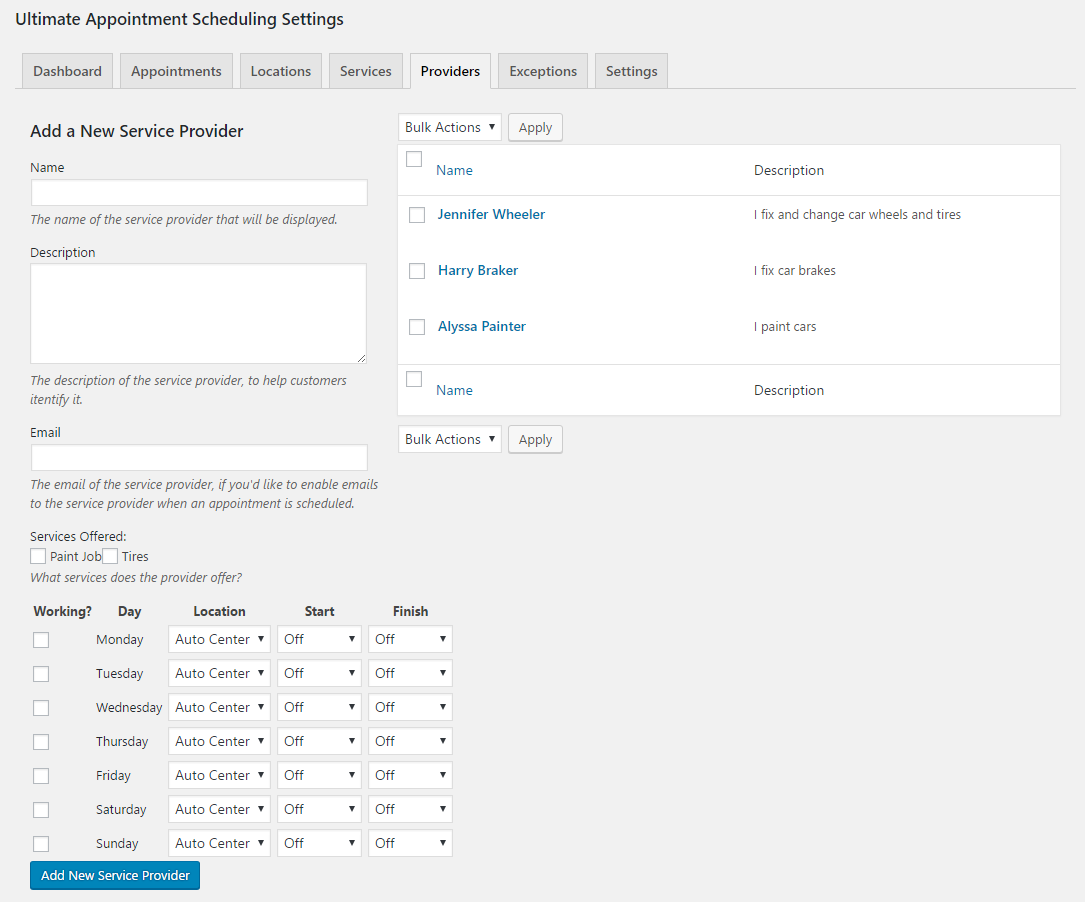
Allow your visitors and customers to book reservations for a wide array of services and appointment types. With options to create an unlimited amount of unique appointment services, to specify multiple different appointment locations, and to create service providers and specify the services they do, the booking locations they work at and their hours, all with an easy-to-use reservation form on the front end, Ultimate Appointment Scheduling provides the most simple and effecting booking solution and reservation system that is perfect for both you the admin as well as your site visitors.
Email Notifications and Reminders
The plugin comes with a flexible array of email notification and reminder options. You can configure it to automatically send a notification to the admin and to the customer when a new booking is made.
You can create an unlimited number of custom email messages, which you can assign to your different notifications.
You can also create an unlimited number of reservations reminder notifications, which will allow you to send out emails to your customers at the exact time intervals you need, to help remind them of their upcoming appointments.
Notification and email features include:
- Send an automatic email to the admin when a new booking is made
- Send automatic emails to clients when a reservation is placed and an appointment is successfully created
- Create unique email messages that you can assign to your different notifications.
- Set up automated reminder emails that will go out to your clients a certain number of days or hours before their appointments
Additional Appointment Reservation Features
Ultimate Appointment Scheduling comes with many more features that make it the most advanced and versatile booking form solution for accepting reservations on your WordPress site, including options to make your appointment services, locations and providers as specific or broad as you require, and a mobile booking form for the ultimate responsive reservation system.
- Options to set a minimum and maximum number of days before an appointment that a reservation for a service can be booked
- Set the amount of time between appointments. This, combined with the duration set for a service, will decide when appointment reservations can made.
- Set the date format and hours format
- Set a calendar offset to specify how far ahead the default opening date of the calendar will be
Premium Appointment Features
The premium version of Ultimate Appointment Scheduling comes with even more features, which will allow you to customize the form both to your exact needs and to your website. Some of the great premium features are:
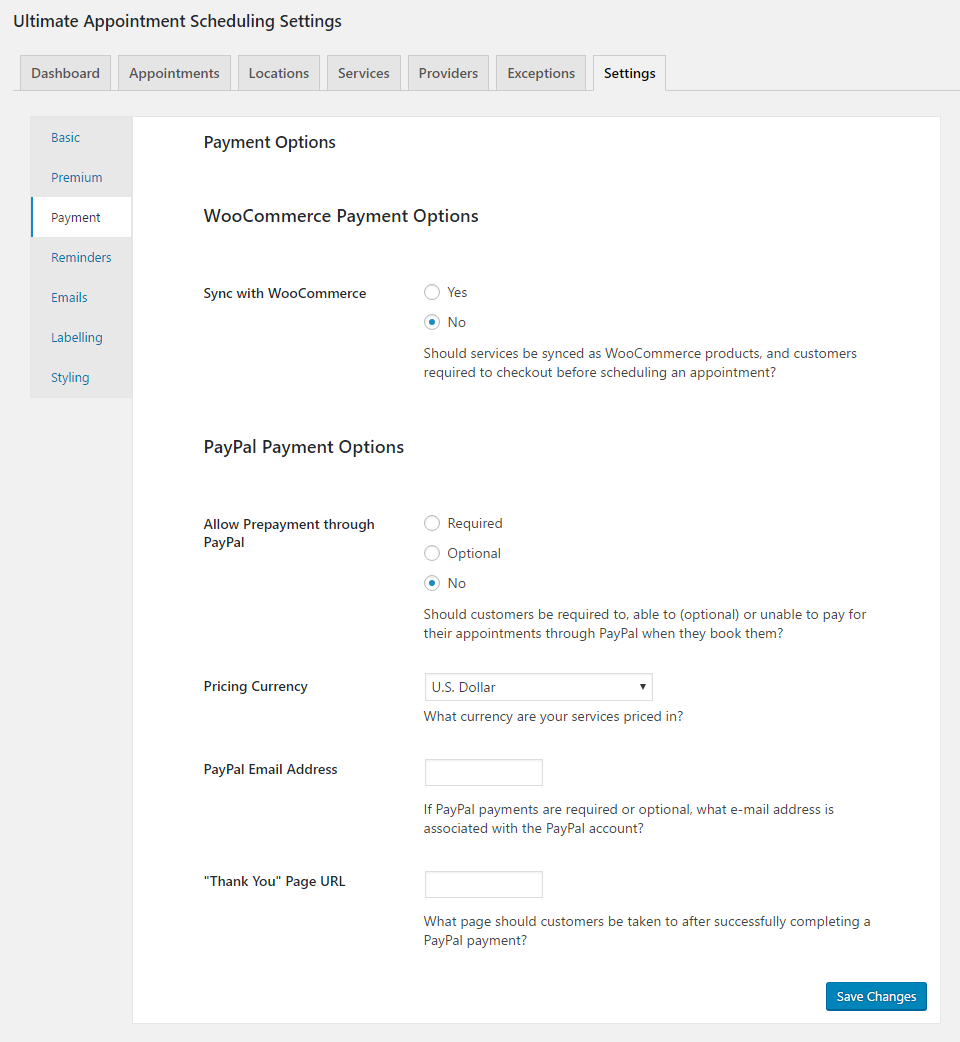
- Accept mandatory or optional payments for appointments either via PayPal or WooCommerce
- Add reCAPTACHA to your form, to help prevent spam
- Option to require login to WordPress before being able to create an appointment
- Additional booking form layout option
- Labelling options
- Customize the look of your form with an array of styling options to help you fit it in seamlessly with the rest of your site
Shortcodes
- [ultimate-appointment-calendar]: display a calendar that with available appointment times that users can click to select an appointment
- [ultimate-appointment-dropdown]: display a set of dropdown menus to find appointment times and schedule an appointment
Translations
- German (Thanks to bkleine)
Frequently asked questions
How do I get an appointment scheduler to show up on my page?
Try adding the shortcode [ultimate-appointment-dropdown] to whatever page you’d like to display it on.
What are the current UASP shortcodes?
[ultimate-appointment-dropdown]: display a set of dropdown menus to find appointment times and schedule an appointment [ultimate-appointment-calendar]: display a calendar-based booking form
How do I add custom CSS?
In the plugin admin, please do the following: Click on Options and then choose the Basic area Write down your CSS code in the Custom CSS text area Click “Save Changes” to save your changes
How do I add new fields to the booking form?
To create custom fields, you need to go to the Custom Fields tab and simply add a new field. Do not forgot to set their options (slug, type and input values) properly in order to prevent confusion.
Can I redirect to another page after the booking form is submitted?
You can do this in the shortcode. For example: [ultimate-appointment-dropdown redirect_page=”http://google.com/”]
Can I limit booking to a certain number of days before the appointment
To do this, you can use the “Minimum Days in Advance” and “Maximum Days in Advance” settings in the “Basic” area of the “Options” tab.
Can I send email reminders to people about their appointments?
You definitely can. First go to the “Emails” area of the “Options” tab and create your email. Then go to the “Reminders” area of the “Options” tab, create your reminder and choose the email you want to be sent out for the reminder.
Changelog
2.2.12 (2026-07-29)
- Fixed a warning.
- Added a direct support option to the deactivation survey, making it easier to get help right away if you’re uninstalling due to an issue.
2.2.11 (2026-05-18)
- Compatible with WordPress 7.0.
2.2.10 (2025-04-29)
- Tested with WordPress 6.8.
2.2.9 (2024-11-25)
- Tested with WordPress 6.7.
2.2.8 (2024-07-16)
- Tested with WordPress 6.6.
2.2.7 (2024-04-03)
- Fixed an issue sometimes causing the calendar to not appear in the booking form.
- Tested for compatibility with PHP 8.2 and eliminated/fixed deprecated notices associated with this.
Screenshots

For developers
Is this your plugin? Show off the numbers.
Add a live badge to your site, docs or GitHub README. It updates on its own — no account needed.
Best Ultimate Appointment Booking… alternatives
All appointment scheduling plugins →





FAQ
Ultimate Appointment Booking & Sche…: quick answers
Straight answers, pulled from live WordPress.org data.
Live data from WordPress.org · checked Oct 2, 2026
Is Ultimate Appointment Booking &… free?
Yes. Ultimate Appointment Booking &… is free to download and use from the official WordPress.org plugin directory.
Is Ultimate Appointment Booking &… safe to use in 2026?
Ultimate Appointment Booking &… is a solid plugin choice in 2026, with a few things worth checking first. It runs on 80+ sites, is rated 4.1/5 and was last updated 1 month ago, and scores 77/100 on our health check.
How many websites use Ultimate Appointment Booking &…?
Ultimate Appointment Booking &… is active on 80+ WordPress websites and has been downloaded 75,445 times since it launched in August 2015. It was downloaded 146 times in the last 30 days.
Does Ultimate Appointment Booking &… work with WordPress 7.1?
Yes. The developer has tested Ultimate Appointment Booking &… up to WordPress 7.1.2, the latest release. It requires WordPress 3.9 or newer.
When was Ultimate Appointment Booking &… last updated?
The latest version, 2.2.12, was released on August 20, 2026 (1 month ago).
Who makes Ultimate Appointment Booking &…?
Ultimate Appointment Booking &… is developed and maintained by Rustaurius.
What are the best alternatives to Ultimate Appointment Booking &…?
The most popular alternatives to Ultimate Appointment Booking &… are Appointment Booking Plugin (100K+ installs), Cal.com (2K+ installs) and Appointment Bookings for Zo… (1K+ installs).
Powered by PageForge
Want thousands of pages that rank like these? Build them in an afternoon.
This directory runs on the same engine as PageForge. Turn any spreadsheet, CSV or API into thousands of fast, SEO-ready WordPress pages — with schema, internal links and AI-written copy baked in.
- CSV, Google Sheets & API data sources
- AI content, schema & internal links per page
- Works with Elementor, Gutenberg, Yoast & Rank Math
- Free on WordPress.org — no credit card


