



TrafficPulse
TrafficPulse gives you real-time analytics right inside your WordPress dashboard — with no complex setup, no switching tabs, and no delays.

Consider an alternative
TrafficPulse shows warning signs in 2026 — compare the alternatives below before installing. Was last updated 1 year ago, and scores 30/100 on our health check.
- Small user base (<10 active installs)
- Very few reviews so far
- No update in over a year
- Only tested up to WordPress 6.8 (latest is 7.1)
How does it stack up?
Side-by-side on installs, updates, ratings & support



Daily downloads
Download spikes usually follow a new release — each site that auto-updates counts as a download.
Rankings
Where TrafficPulse stands todayWordPress.org search rankings
Live position in the plugin search, top 100| Keyword | Position |
|---|---|
| analytics | >100 |
| real-time | >100 |
| tracking | >100 |
| website stats | >100 |
About TrafficPulse
From the official readme · v1.0Description
Real-time Analytics built for News Publishers
TrafficPulse gives you real-time analytics right inside your WordPress dashboard — with no complex setup, no switching tabs, and no delays.
Google Analytics hides key metrics behind complicated dashboards. Google Search Console takes up to 48 hours to show Discover traffic.
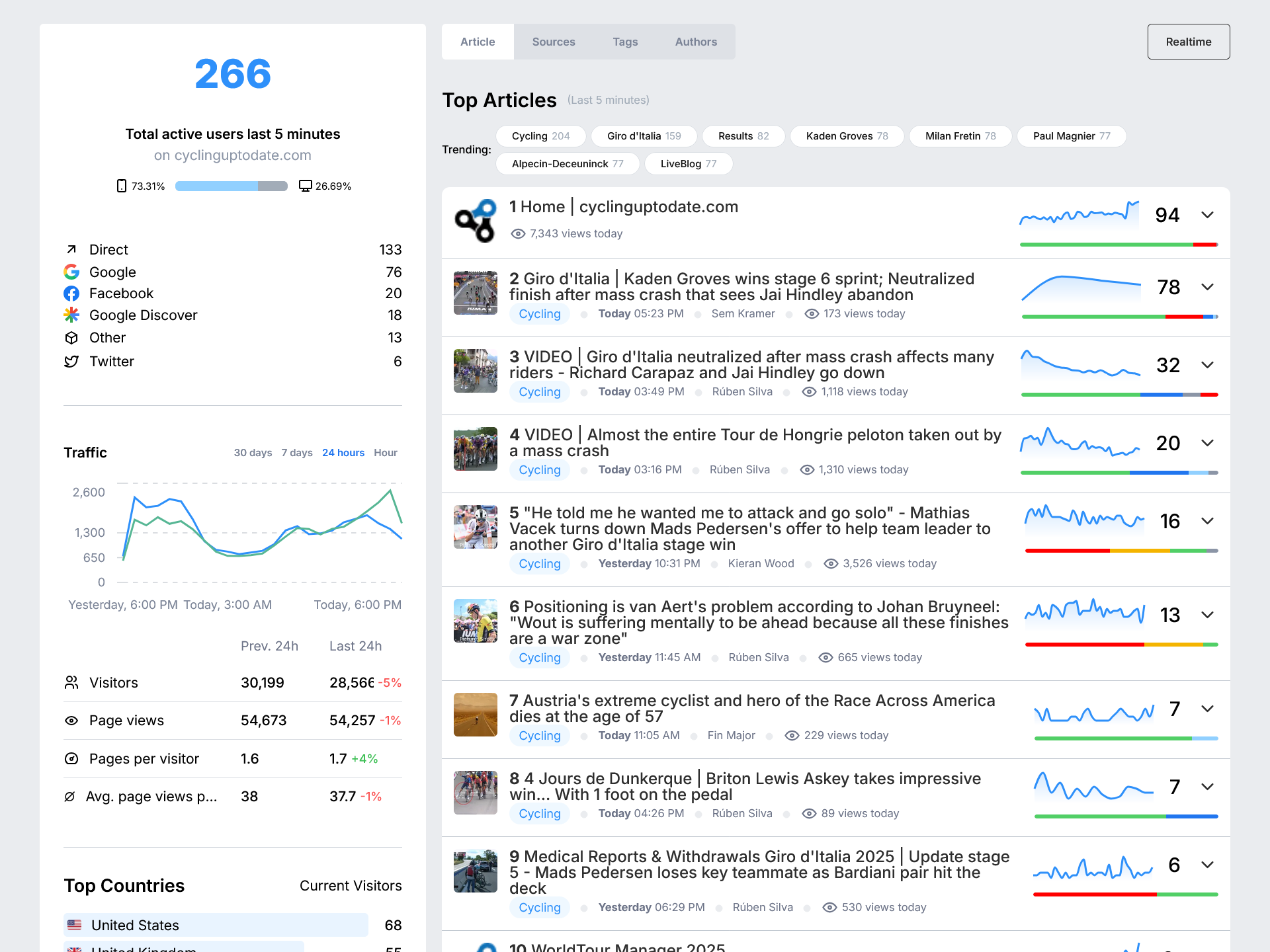
TrafficPulse shows you what’s happening right now — including real-time Google Discover data.
Whether you want to track which articles are spiking, which authors are performing best, or where your traffic is coming from, TrafficPulse is built specifically for digital newsrooms.
You get exactly the insights you need — fast — so you can take action while your stories are still trending.
Privacy-Focused Analytics
TrafficPulse is designed with privacy in mind:
- No cookies are used in the tracking process
- No personal data is collected from your visitors
- Only collects aggregated, anonymous usage metrics
- Lightweight script with minimal performance impact
Important: While TrafficPulse is built to be privacy-friendly, website owners are responsible for ensuring compliance with local privacy regulations (GDPR, PECR, CCPA, etc.) in their jurisdiction.
Key Features
- Real-time Google Discover traffic tracking
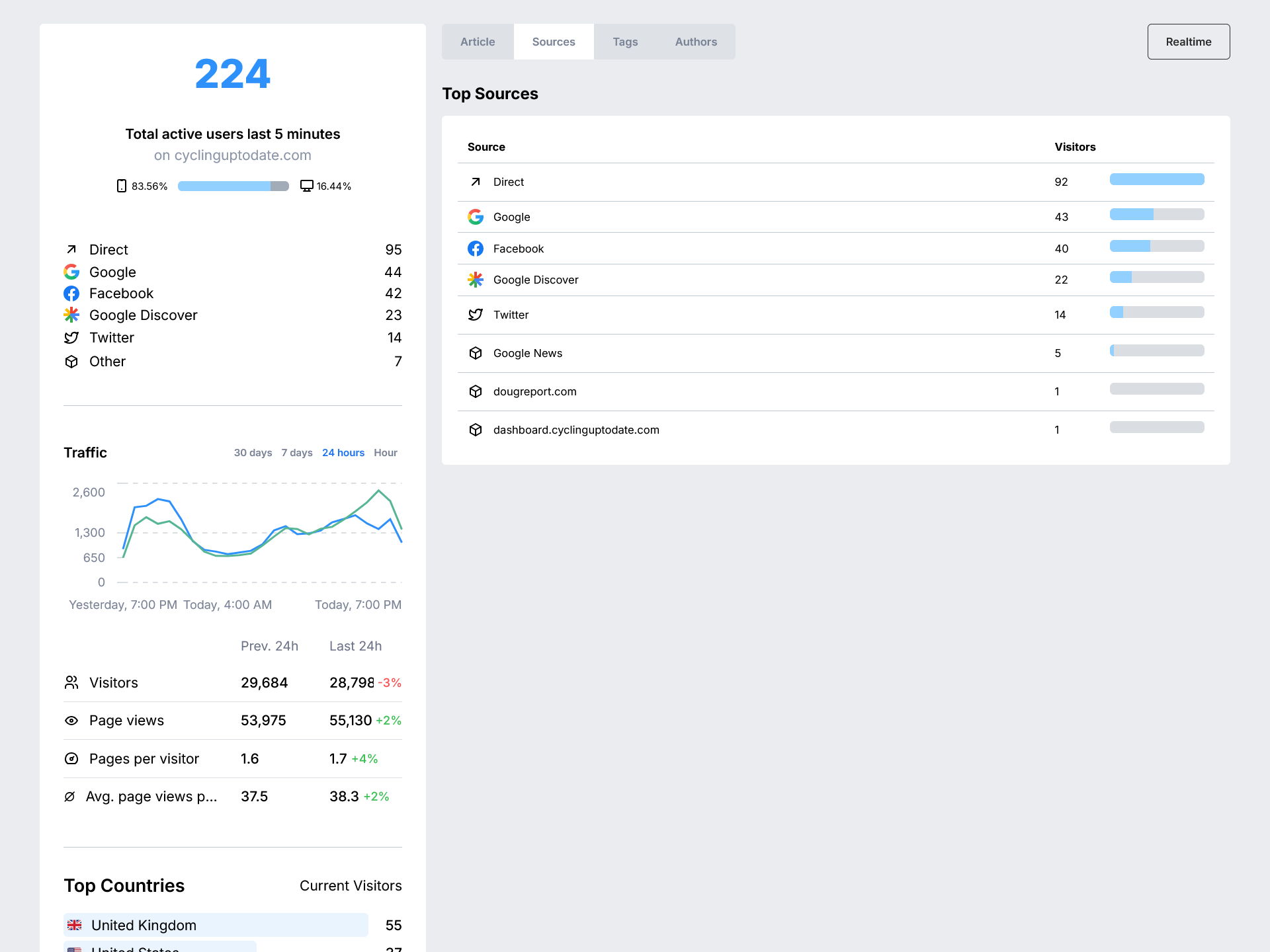
- Live page view and traffic source analytics
- See top-performing articles, authors, and tags
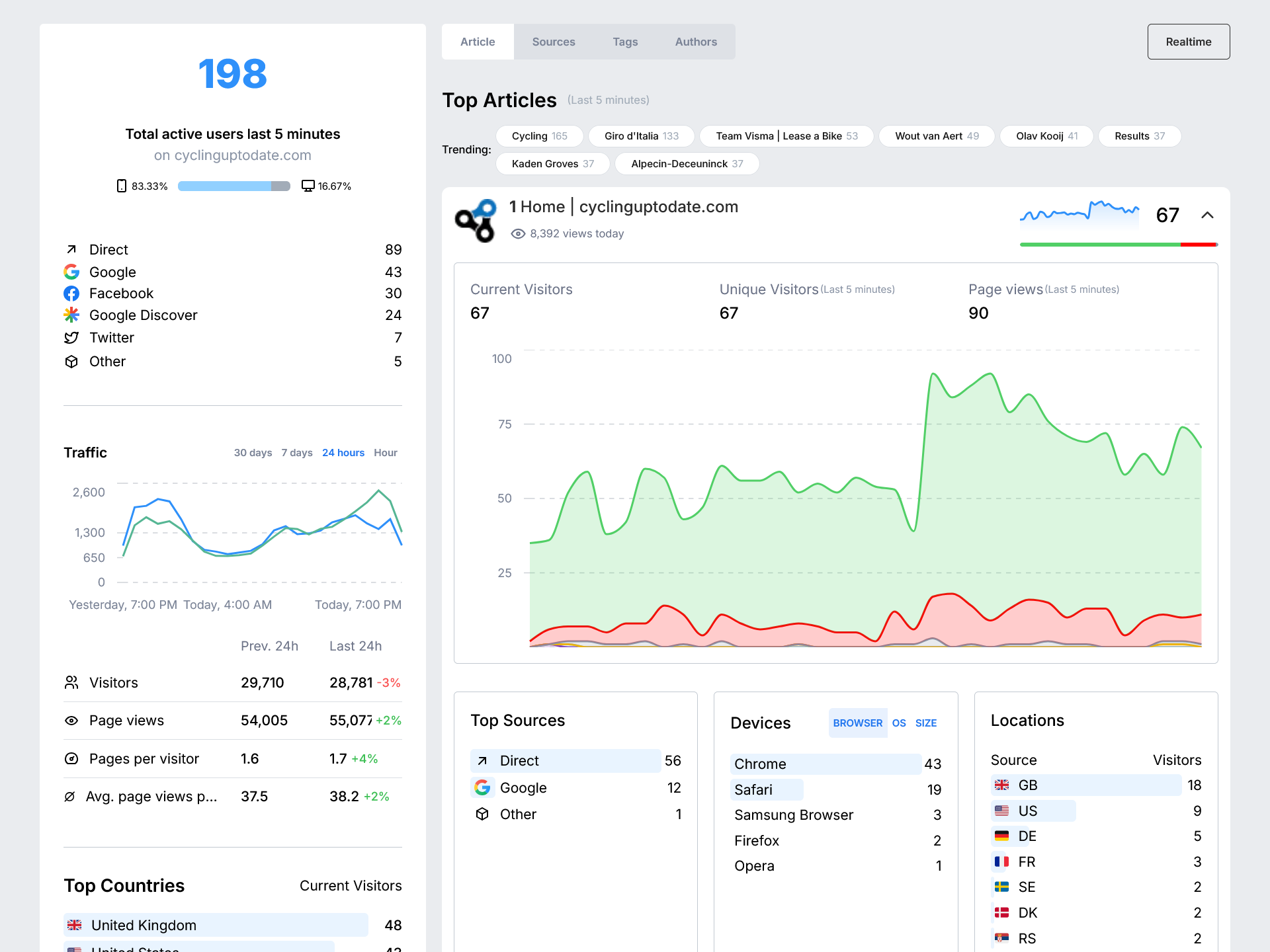
- Browser and device breakdowns
- Embedded dashboard directly in WordPress
- Lightweight tracking script with no cookies
- No personal data collected — fully privacy-friendly
TrafficPulse is a forked, self-hosted analytics solution that gives you control over your data while providing valuable insights about your website traffic.
License Information
This plugin contains code derived from Plausible Analytics, which is licensed under AGPL-3.0. As required by the AGPL-3.0 license, all derivative works must also be distributed under the same license.
External Services
This plugin connects to external services to provide its functionality. Below is detailed information about each service:
TrafficPulse Analytics Service
What it is: TrafficPulse is a privacy-focused analytics service that provides real-time website traffic data and insights.
What it’s used for: This service is used to collect, process, and display website analytics data including page views, traffic sources, visitor information, and real-time statistics.
What data is sent: The plugin sends the following data to the TrafficPulse service:
– Website domain name
– Page URLs visited by users
– Referrer information (where visitors came from)
– User agent information (browser and device type)
– Timestamp of visits
– IP addresses (processed anonymously)
When data is sent: Data is sent automatically when:
– A visitor loads any page on your website (if auto-insert is enabled)
– The admin dashboard requests analytics data for display
– API token validation occurs during plugin setup
Service URLs:
– Default API endpoint: https://radar.newsifier.nl/api/event
– Default frontend: https://radar-eu1-realtime.newsifier.nl
Privacy and Terms:
– TrafficPulse Privacy Policy
– TrafficPulse Terms of Service
Tally.so Form Service
What it is: Tally.so is a form building and data collection service.
What it’s used for: This service is used to display a contact/access request form within the plugin’s admin interface for users who need to request access to TrafficPulse.
What data is sent: When users interact with the embedded form, the following data may be collected by Tally.so:
– Form responses (name, email, message, etc. as filled by the user)
– Browser information
– IP address
– Timestamp of form submission
When data is sent: Data is sent to Tally.so only when:
– A user clicks the “Request Access” button in the plugin admin
– A user fills out and submits the embedded form
Service URL: https://tally.so/embed/3qpxz2
Privacy and Terms:
– Tally.so Privacy Policy
– Tally.so Terms of Service
Important: Users can choose not to use the Tally.so form by directly obtaining their API credentials through other means. The form is provided as a convenience but is not required for plugin functionality.
Installation
- Upload the plugin files to the
/wp-content/plugins/traffic-pulsedirectory, or install the plugin through the WordPress plugins screen. - Activate the plugin through the ‘Plugins’ screen in WordPress.
- Navigate to the TrafficPulse settings page in your WordPress admin menu.
- Enter your API token (obtain this from your TrafficPulse account).
- Verify the API URL is correct or update it if needed.
- Choose whether to auto-insert the tracking script (enabled by default).
- Click ‘Save Changes’ to activate tracking.
Disabling Auto-Insert
If you wish to manage the loading of the tracking script manually (for example, to integrate with a consent management platform):
- Go to TrafficPulse settings
- Uncheck the “Auto-insert tracking script” option
- Save your changes
- Use your own JavaScript to load the script after consent is given
Frequently asked questions
Is TrafficPulse GDPR-compliant?
TrafficPulse is designed to be privacy-friendly by not using cookies and only collecting anonymous, aggregated data. However, website owners are responsible for ensuring their implementation complies with all applicable laws and regulations. This may include providing proper disclosure to visitors and, in some cases, obtaining consent before enabling analytics.
How can I disable auto-insert of the tracking script?
You can disable automatic script insertion in the TrafficPulse settings page by unchecking the “Auto-insert tracking script” option. This allows you to manually control when and how the script is loaded.
How can I integrate with my cookie consent banner?
When auto-insert is disabled, you can use custom JavaScript to load the TrafficPulse script after user consent: `javascript // Example integration with a consent management platform consentManager.onConsentGiven(‘analytics’, function() { var script = document.createElement(‘script’); script.defer = true; script.setAttribute(‘data-domain’, ‘yourdomain.com’); script.setAttribute(‘data-api’, ‘https://radar.newsifier.nl/api/event’); script.src = ‘https://radar-eu1-realtime.newsifier.nl/js/script.js’; document.head.appendChild(script); }); `
Screenshots
For developers
Is this your plugin? Show off the numbers.
Add a live badge to your site, docs or GitHub README. It updates on its own — no account needed.
Best TrafficPulse alternatives
All analytics plugins →





FAQ
TrafficPulse: quick answers
Straight answers, pulled from live WordPress.org data.
Live data from WordPress.org · checked Oct 20, 2026
Is TrafficPulse free?
Yes. TrafficPulse is free to download and use from the official WordPress.org plugin directory.
Is TrafficPulse safe to use in 2026?
TrafficPulse shows warning signs in 2026 — compare the alternatives below before installing. Was last updated 1 year ago, and scores 30/100 on our health check.
How many websites use TrafficPulse?
TrafficPulse is active on <10 WordPress websites and has been downloaded 598 times since it launched in May 2025. It was downloaded 44 times in the last 30 days.
Does TrafficPulse work with WordPress 7.1?
TrafficPulse is officially tested up to WordPress 6.8.11, while the latest release is 7.1.3. It may still work, but try it on a staging site first.
When was TrafficPulse last updated?
The latest version, 1.0, was released on May 27, 2025 (1 year ago).
Who makes TrafficPulse?
TrafficPulse is developed and maintained by Newsifier.
What are the best alternatives to TrafficPulse?
The most popular alternatives to TrafficPulse are Site Kit by Google (5M+ installs), MonsterInsights (2M+ installs) and WP Statistics (500K+ installs).
Powered by PageForge
Want thousands of pages that rank like these? Build them in an afternoon.
This directory runs on the same engine as PageForge. Turn any spreadsheet, CSV or API into thousands of fast, SEO-ready WordPress pages — with schema, internal links and AI-written copy baked in.
- CSV, Google Sheets & API data sources
- AI content, schema & internal links per page
- Works with Elementor, Gutenberg, Yoast & Rank Math
- Free on WordPress.org — no credit card


