



The Cache Purger
Automatically purge every server-side cache on your WordPress site — plugins, hosting environments, PHP, memory stores, and CDNs — all from one place.

Safe pick
Yes — The Cache Purger is a safe, well-maintained plugin to use in 2026. It runs on 1K+ sites, is rated 4.5/5 and was last updated 1 month ago, and scores 80/100 on our health check.
- Tested with the latest WordPress (7.1)
- Needs PHP 8.2 or newer
How does it stack up?
Side-by-side on installs, updates, ratings & support



Daily downloads
Download spikes usually follow a new release — each site that auto-updates counts as a download.
Rankings
Where The Cache Purger stands todayWordPress.org search rankings
Live position in the plugin search, top 100| Keyword | Position |
|---|---|
| cache | #24 |
| cache purging | #6 |
| caching | #87 |
| performance | >100 |
| purge cache | #13 |
Version adoption
Share of active sites per release.
Rating breakdown
★★★★★★★★★★ 4.5 from 6 reviews
About The Cache Purger
From the official readme · v2.3.59Description
The Cache Purger takes the headache out of cache management. Instead of juggling a dozen different cache-clearing buttons across your stack, this plugin hooks into WordPress actions and fires them all at once — automatically, on a schedule, or with a single click from the admin bar.
It covers the full spectrum: popular caching plugins, managed hosting environments, PHP-level caches (OPcache, APC, WinCache), server-level caches (Nginx, Varnish, PageSpeed), in-memory stores (Redis, Memcache, Memcached), and external CDN/WAF APIs (Cloudflare, Sucuri, Fastly).
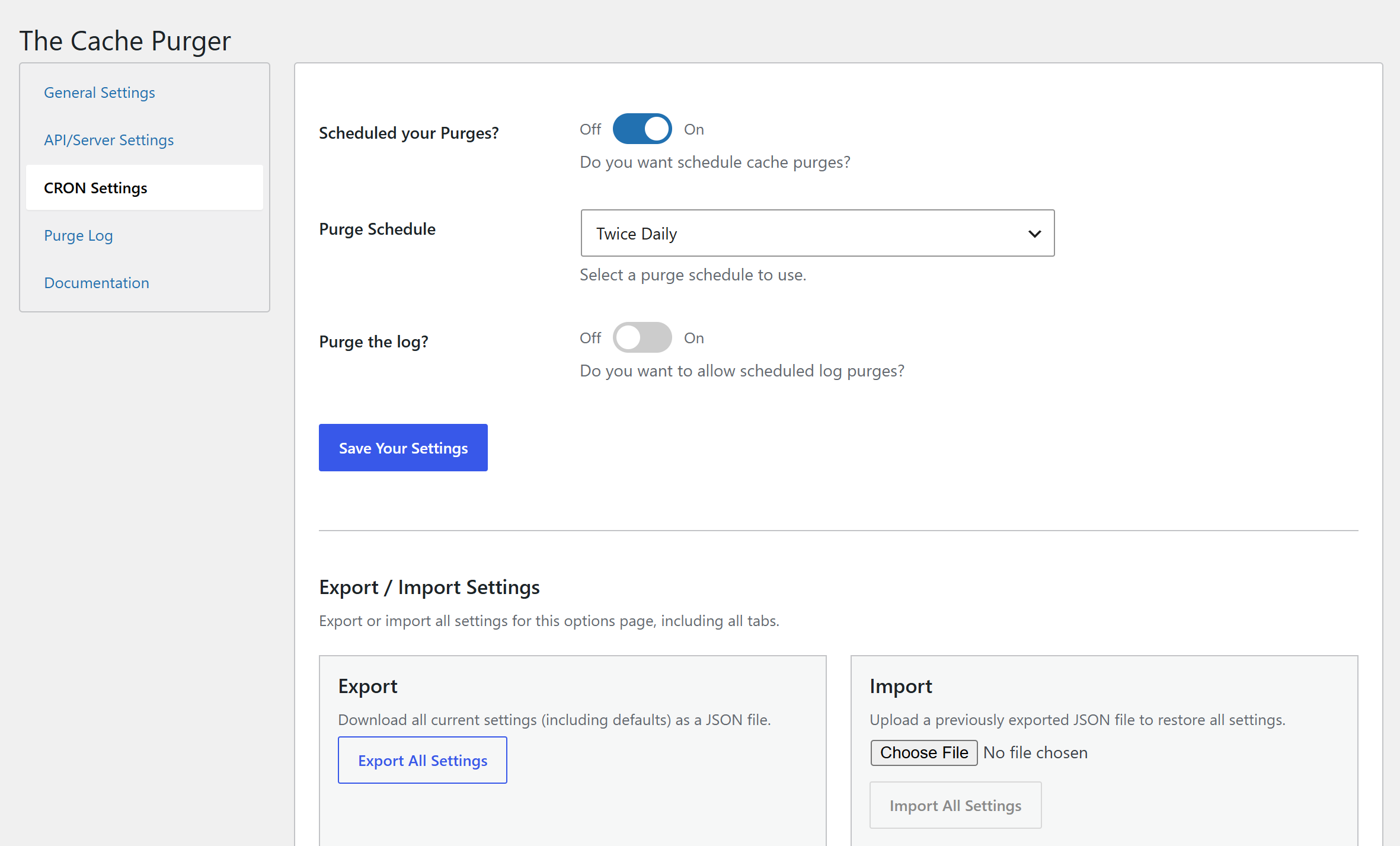
Every purge is configurable. Choose which cache types to include, which WordPress events should trigger a purge, and which specific posts, pages, CPTs, or field groups to exclude. You can also run purges on a WP Cron schedule, or kick one off manually via WP-CLI.
What Gets Purged
Caching Plugins
Flying Press, SiteGround Optimizer, Nginx Helper, LiteSpeed Cache, Cachify, Autoptimize, Fast Velocity Minify, WP Rocket, Swift Performance, Comet Cache, Hummingbird, WP Fastest Cache, WP Super Cache, W3 Total Cache, Hyper Cache, WP-Optimize, Cache Enabler, NitroPack, Divi, Elementor, WP REST Cache, and more.
Hosting Environments
WP Engine, Kinsta, GoDaddy Managed WordPress, Pantheon, Bluehost, Cloudways (Breeze), SiteGround, RunCloud, SpinupWP.
Some of these rely on the host’s companion plugin being installed. Check with your provider if you’re unsure.
Server & PHP Caches
Zend OPcache, APC/APCu, WinCache, XCache, Nginx (fastcgi/proxy cache), PageSpeed Module, Varnish, static file caches.
Memory Stores
Redis, Memcache, Memcached — with support for remote servers, authentication, per-database flushing, and prefix/key-scoped clearing.
CDN & WAF APIs
Cloudflare (full cache purge via API token), Sucuri WAF, Fastly CDN.
WordPress Built-In
Object cache, options cache, transients, persistent object cache.
Purge Triggers
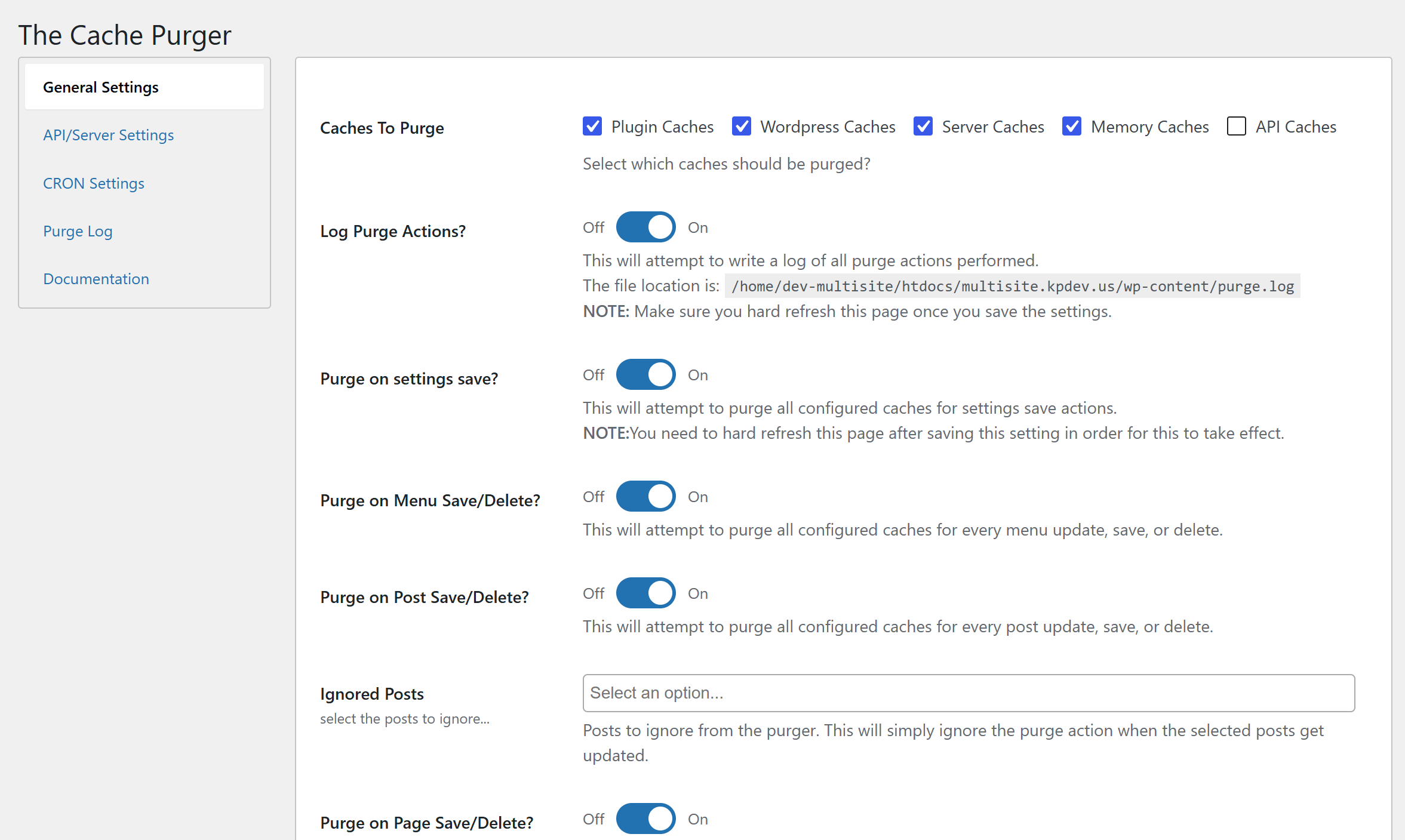
Configure purges to fire automatically on any combination of the following WordPress events:
- Post save / update / trash
- Page save / update / trash
- Custom Post Type save / update / trash
- Taxonomy / term save / delete
- Category save / delete
- Menu save / delete
- Widget save / delete
- Customizer save
- GravityForms form save / trash (requires GravityForms)
- Advanced Custom Fields field group save / trash (requires ACF)
- WooCommerce settings save (requires WooCommerce)
- Plugin activation / deactivation
- Core / plugin / theme updates
- Plugin settings save (this plugin’s own settings page)
Exclusion lists are available for posts, pages, CPTs, GravityForms forms, and ACF field groups — so you can carve out anything that shouldn’t trigger a purge.
Additional Features
- Admin bar button — Master Cache Purge available on every admin page, one click from anywhere.
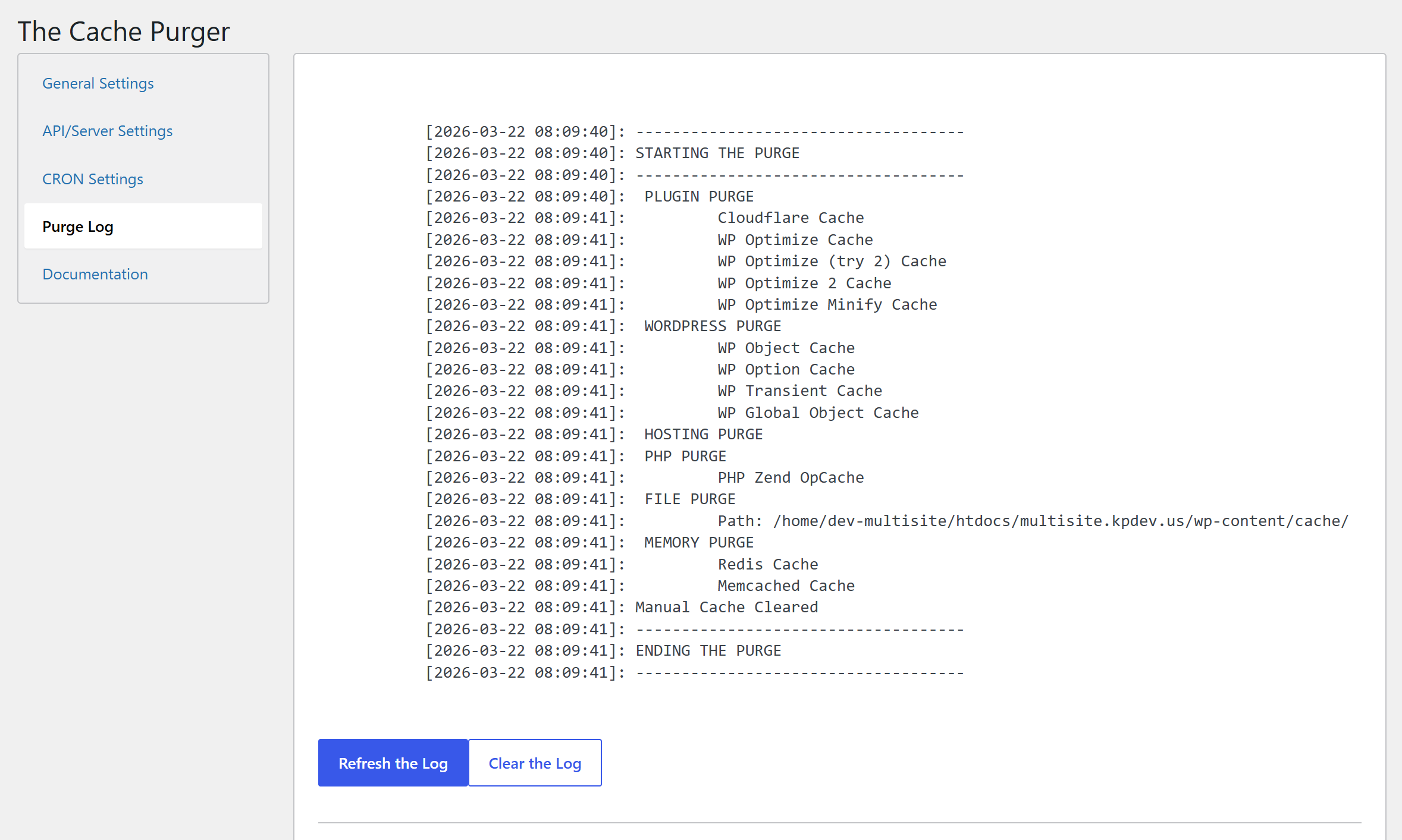
- Purge log — Optional logging of every purge action to
wp-content/purge.log, viewable directly in the settings UI with a one-click clear. - Scheduled purges — WP Cron / Action Scheduler integration with any built-in schedule.
- Scheduled log clearing — Keep your log file tidy on its own schedule.
- Export / Import settings — Move your configuration between sites in seconds.
- Multisite aware — Cannot be network-activated by design; activate per-subsite for granular control.
Installation
- Download the plugin, unzip it, and upload to your site’s
/wp-content/plugins/directory.- Alternatively, upload the zip directly via Plugins > Add New > Upload Plugin.
- Or search for “The Cache Purger” in the WordPress Plugin Repository and install from there.
- Activate the plugin through the Plugins menu in WordPress.
- Navigate to The Cache Purge in your admin menu to configure settings.
Requirements: PHP 8.2 or higher. WordPress 6.0 or higher.
Frequently asked questions
Why would I need this plugin?
If you find yourself manually clearing caches in multiple places after every site update — or if you want to automate that process entirely — this plugin handles it all from one settings screen. It’s especially useful on sites with complex stacks: a CDN in front, a caching plugin active, and a server-level cache underneath.
Which cache types are purged by default?
On a fresh install, Plugin Caches, WordPress Caches, Server Caches, and Memory Caches are all enabled. API/CDN caches (Cloudflare, Sucuri, Fastly) are opt-in, since they require API credentials.
How do I set up Cloudflare, Sucuri, or Fastly purging?
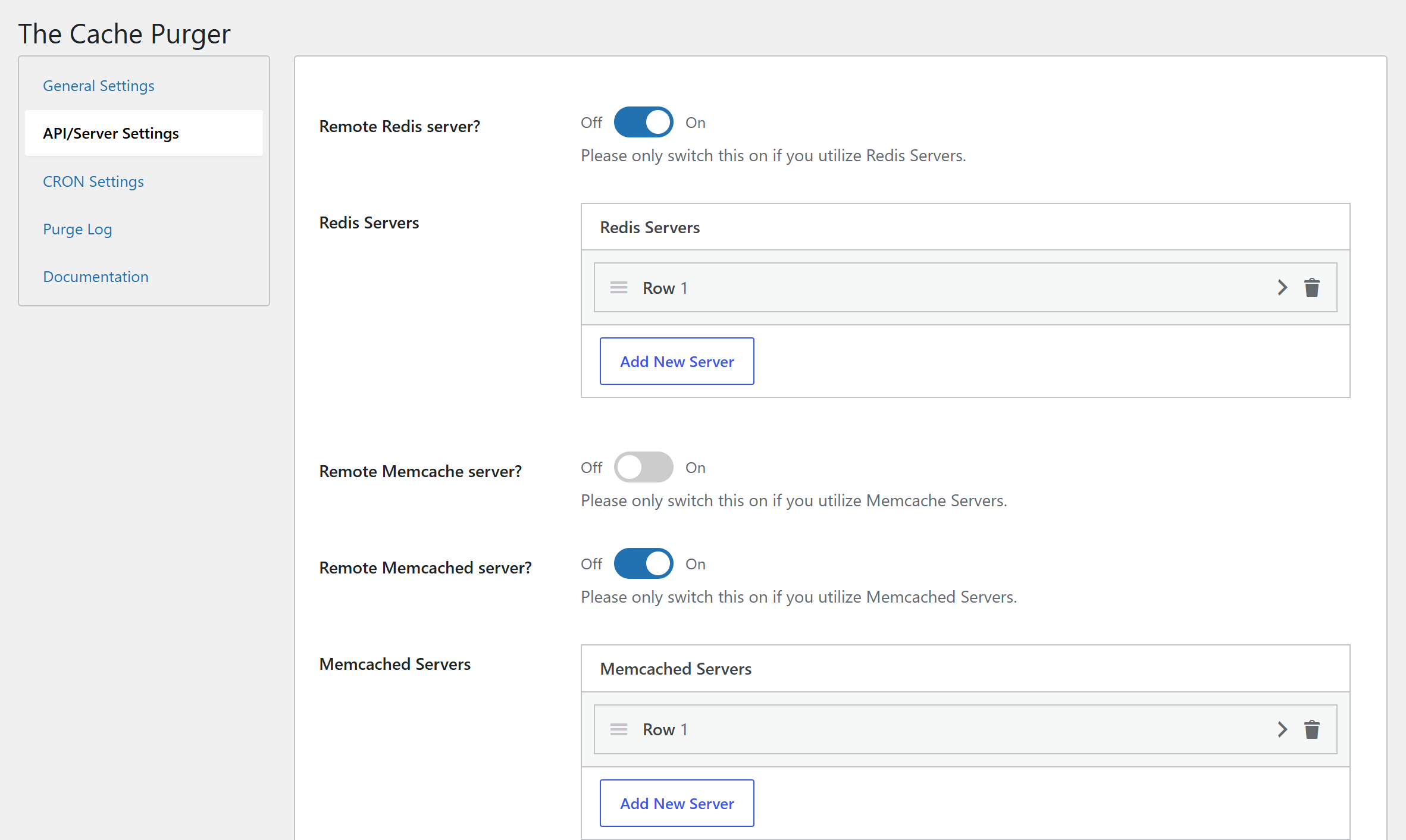
Go to The Cache Purge > API/Server Settings, enter your credentials, and make sure “API Caches” is included in your Caches To Purge selection on the Settings tab.
How do I configure remote Redis, Memcache, or Memcached servers?
Also under API/Server Settings. Enable the relevant toggle, then add your server IP(s), port(s), and any authentication or database details. Multiple servers are supported.
Can I exclude specific posts or pages from triggering a purge?
Yes. When you enable purging for posts, pages, or CPTs, an exclusion selector appears below it. Any content selected there will be ignored when saved or updated.
How do I run a purge from the command line?
wp the_cache purge Add --allow-root if running as root. On a multisite, add --url=https://yoursite.com to target a specific subsite.
Why can’t this plugin be network-activated on a multisite?
By design. Activating per-subsite gives each site its own independent configuration, which is almost always what you want in a multisite environment.
Where is the purge log stored?
At {ABSPATH}wp-content/uploads/the-cache-purger/*. Enable logging under Settings > Log Purge Actions? and it will be viewable directly in the The Purge Log tab. You can clear it manually from that tab, or set it to auto-clear on a schedule under CRON Action Settings.
Changelog
2.3.59
- Fix: Stop the file purge from deleting the WP Super Cache plugin directory
- Fix: redis connect/auth/select and catch throwables in the redis purge
- Fix: the pagespeed header detection so the purge actually runs
- Fix: Send the varnish purge Host header using the correct HTTP API key
- Fix: Guard the nginx cache globs against a false return
- Fix: Keep the php cache slug list intact across multiple purges in one request
- Fix: Render the activation and notice markup and correct the PHP version checks
- Fix: Clean up all options, transients, scheduled actions, and logs on uninstall
- Fix: Prefix the purge flag transient and clear it once the long purge finishes
- Fix: Unschedule the recurring purges when their settings are turned off
- Fix: Respect the logging setting when writing the exceptions log
- Fix: Gate the admin bar log purge node to manage_options
- Fix: Correct the mangled exclude option names in the documentation
- Fix: Prepare the transient purge query
- Fix: Purge site transients alongside the standard ones
- Fix: Silence the nonce sniff on the read-only submenu highlighting
- Fix: Document why ssl verification is disabled on origin IP purges
- Fix: Tighten header guards, redis scan iterator, and opcache invalidation
- Fix: Guard the divi cache glob against a false return
- Fix: Catch throwables from the fastly purge
- Update: Fastly module
2.3.40
- Fix version tested bump back to 7.1
- 7.2 is in too early stages to use
2.3.39
- Verify: WP Core 7.2
- Update: File cache purging now uses the WordPress Filesystem API
- Update: WP REST Cache table truncation now uses prepared identifiers
- Fix: Unslash and sanitize request method checks on manual and log purges
- Update: Required min. core version to 6.2
- Update: Frameworks; fastly, guzzle, field framework, woocommerce action scheduler
2.3.21
- Fix: Permissions for Log purging in admin bar
- Update: Logging path and filenames
- Update: Guzzle, Symphony, and Action Scheduler packages
- Fix: Admin bar onclick events
2.3.03
- Fix: pre-unslashing purge querystrings
- Verify: WP Core 7.1
2.2.97
- Add: SQLite Object Cache support
- Upgrade: Fastly CDN library
- Upgrade: Action Scheduler library
- Upgrade: Field library
- Cleanup: Pre version 2
Screenshots
For developers
Is this your plugin? Show off the numbers.
Add a live badge to your site, docs or GitHub README. It updates on its own — no account needed.
Best The Cache Purger alternatives
All cache plugins →





FAQ
The Cache Purger: quick answers
Straight answers, pulled from live WordPress.org data.
Live data from WordPress.org · checked Oct 15, 2026
Is The Cache Purger free?
Yes. The Cache Purger is free to download and use from the official WordPress.org plugin directory.
Is The Cache Purger safe to use in 2026?
Yes — The Cache Purger is a safe, well-maintained plugin to use in 2026. It runs on 1K+ sites, is rated 4.5/5 and was last updated 1 month ago, and scores 80/100 on our health check.
How many websites use The Cache Purger?
The Cache Purger is active on 1K+ WordPress websites and has been downloaded 24,916 times since it launched in October 2021. It was downloaded 686 times in the last 30 days.
Does The Cache Purger work with WordPress 7.1?
Yes. The developer has tested The Cache Purger up to WordPress 7.1.3, the latest release. It requires WordPress 6.2 or newer.
What PHP version does The Cache Purger need?
The Cache Purger requires PHP 8.2 or higher. Most hosts run PHP 8.x today, so it works on any modern WordPress hosting.
When was The Cache Purger last updated?
The latest version, 2.3.59, was released on September 2, 2026 (1 month ago).
Who makes The Cache Purger?
The Cache Purger is developed and maintained by Kevin Pirnie.
What are the best alternatives to The Cache Purger?
The most popular alternatives to The Cache Purger are WP Super Cache (1M+ installs), WP Fastest Cache (1M+ installs) and WP-Optimize (1M+ installs).
Powered by PageForge
Want thousands of pages that rank like these? Build them in an afternoon.
This directory runs on the same engine as PageForge. Turn any spreadsheet, CSV or API into thousands of fast, SEO-ready WordPress pages — with schema, internal links and AI-written copy baked in.
- CSV, Google Sheets & API data sources
- AI content, schema & internal links per page
- Works with Elementor, Gutenberg, Yoast & Rank Math
- Free on WordPress.org — no credit card


