


Tanupom In-Place Converter for WebP
Convert new uploads and your existing media library to WebP in place, and update the references in your content automatically.

Solid choice
Tanupom In-Place Converter for… is a solid plugin choice in 2026, with a few things worth checking first. It runs on 10+ sites and was last updated 1 month ago, and scores 62/100 on our health check.
- Tested with the latest WordPress (7.1)
- Small user base (10+ active installs)
- Very few reviews so far
How does it stack up?
Side-by-side on installs, updates, ratings & support



Daily downloads
Download spikes usually follow a new release — each site that auto-updates counts as a download.
Rankings
Where Tanupom In-Place Converter… stands todayWordPress.org search rankings
Live position in the plugin search, top 100| Keyword | Position |
|---|---|
| convert | >100 |
| image optimization | >100 |
| imagick | #54 |
| performance | >100 |
| webp | >100 |
Version adoption
Share of active sites per release.
About Tanupom In-Place Converter for WebP
From the official readme · v0.3.1Description
Most WebP plugins keep your original JPEG/PNG files and serve WebP conditionally, which leaves you maintaining two copies of every image. Tanupom In-Place Converter for WebP takes the opposite, minimal approach: it replaces the originals with WebP in place, so your whole library ends up as a single set of WebP files. No rewrite rules, no .htaccess tricks, no duplicate storage.
It uses your server’s Imagick (ImageMagick) build to do the conversion, so heavy lifting stays on the server and the plugin itself stays small.
What it does
- Automatic conversion on upload. New uploads of JPEG, PNG, BMP, HEIC, and HEIF are converted to WebP at upload time via the
wp_handle_uploadfilter, replacing the original in place. If your server cannot output WebP (or HEIC/HEIF delegates are missing), the upload is passed through unchanged. - Inventory scan (non-destructive). Before touching anything, it reports where image URLs are used across post content, post meta, and options — so you know what a conversion will affect.
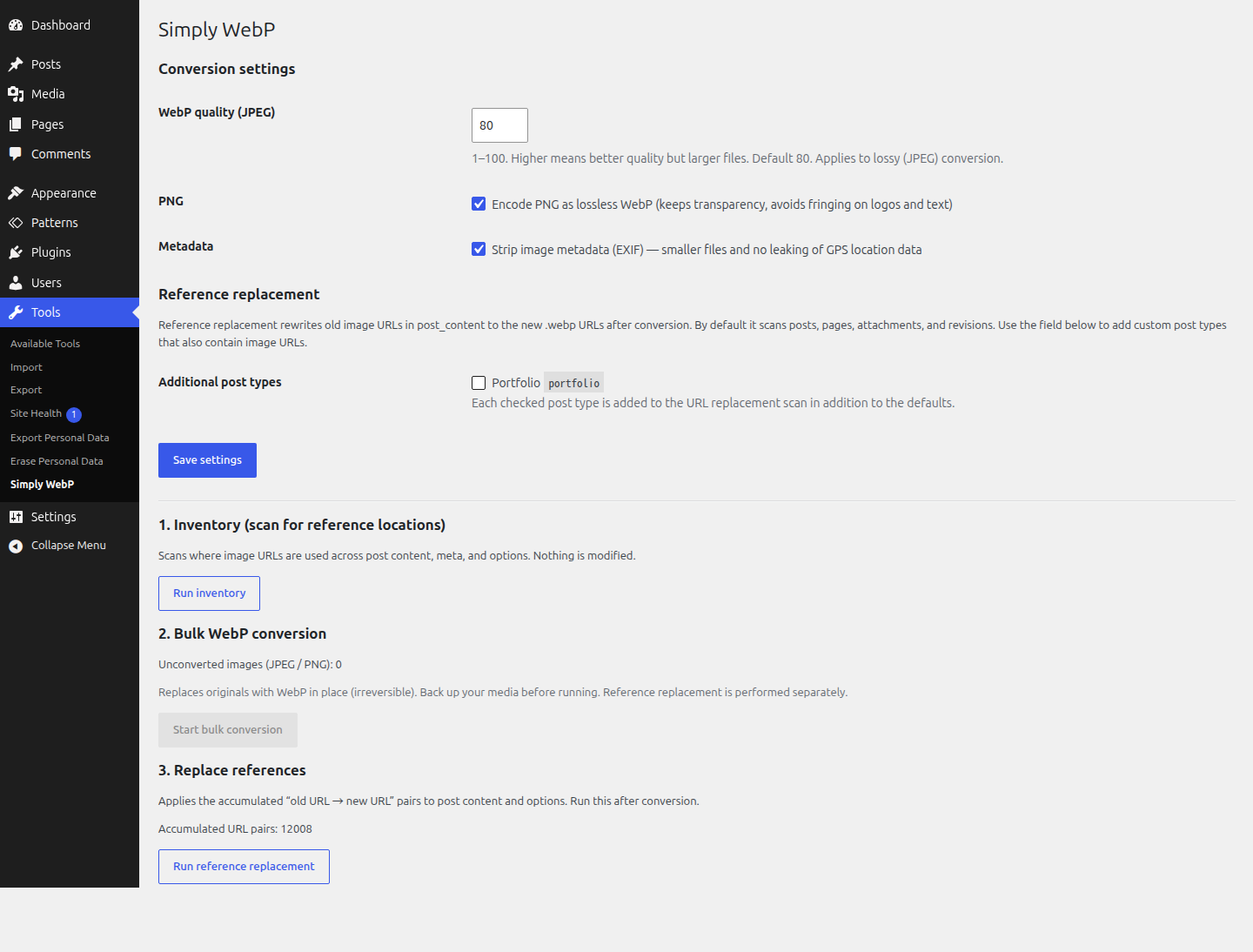
- Bulk WebP conversion. Converts every existing JPEG and PNG attachment — the original plus all of its generated sub-sizes — to WebP, then deletes the old files. Runs in small batches via AJAX so it survives shared-hosting execution-time limits, and shows live progress.
- Reference replacement. After conversion, it rewrites the old image URLs to the new
.webpURLs in your post content and options. Serialized options (widgets, theme mods) are handled with a serialize-safe replacement so the data does not break.
Conversion settings
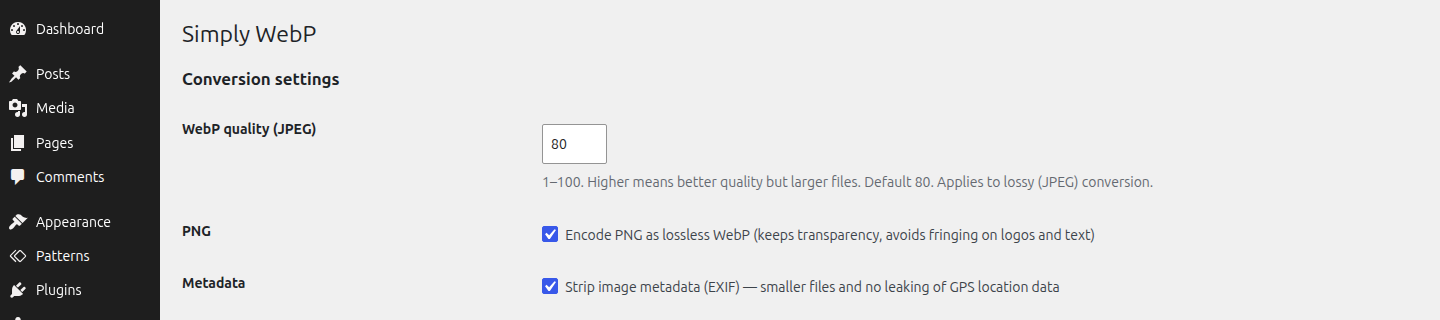
- JPEG is encoded as lossy WebP at a configurable quality (default 80).
- PNG is encoded as lossless WebP with alpha (transparency) preserved, to avoid fringing on logos and text.
- EXIF orientation is baked into the pixels before conversion (no more sideways phone photos).
- EXIF metadata is stripped (smaller files, and no leaking GPS location data).
All three of these are adjustable from the plugin’s settings.
WordPress 7.1 and client-side media processing
WordPress 7.1 moves image resizing and sub-size generation into the browser. This plugin works with it: the uploaded original still passes through the wp_handle_upload filter and is converted to WebP as before, and the browser then generates every sub-size in that same WebP format.
This also unlocks HEIC/HEIF on servers whose Imagick build has no HEIC delegate. On 7.1 the browser decodes the HEIC itself, using the operating system’s decoder, so the image reaches the server in a format Imagick can read. An iPhone photo then ends up as WebP rather than JPEG. Browser-side decoding depends on the platform doing the upload: Windows and macOS can do it, Linux currently cannot.
WordPress itself does not convert formats. Without this plugin a JPEG upload stays a JPEG, and a HEIC upload becomes a JPEG, on 7.1 just as on earlier versions.
Important: this is in-place and irreversible
This plugin replaces and deletes your original images, both at upload time and during bulk conversion. There is no automatic rollback. Back up your media library (and database) before running the bulk conversion.
Requirements
- The Imagick PHP extension, built with WebP support. The plugin detects this and disables conversion (with a notice) if your server can’t output WebP.
Installation
- Upload the
tanupom-in-place-converter-for-webpfolder to/wp-content/plugins/, or install it from the Plugins screen. - Activate the plugin through the Plugins screen in WordPress.
- Go to Tools → In-Place WebP.
- Back up your media library and database first.
- (Optional) Run Inventory to see where image URLs are referenced.
- Click Start bulk conversion and let it run to completion.
- Click Run reference replacement to update your content to the new WebP URLs.
Frequently asked questions
Does it keep my original JPEG/PNG files?
No. This plugin is deliberately “in place”: it converts the originals to WebP and deletes the old files. This keeps your library to a single set of files. Make a backup before running it.
Can I undo the conversion?
Not from within the plugin. Restore from your backup if you need the originals back. This is why a backup is required before conversion.
My server says WebP conversion is unavailable. Why?
Your Imagick build can’t output WebP. Ask your host to enable WebP support in ImageMagick/Imagick, or use a server that provides it.
Does it convert images automatically when I upload them?
Yes, since 0.2.0. New uploads of JPEG, PNG, BMP, HEIC, and HEIF go through the wp_handle_upload filter and are written to disk as WebP, replacing the original. The same conversion settings (quality, lossless PNG, strip metadata) are used. If your server’s Imagick build cannot output WebP, or HEIC/HEIF delegates are missing, the upload is passed through unchanged so nothing breaks.
Will it break image URLs in my posts?
After conversion, run Run reference replacement. It rewrites old image URLs to the new .webp URLs in post content and options, including serialized options, using a serialize-safe replacement.
What about HEIC, GIF, BMP or already-WebP files?
The two conversion paths cover different formats: Automatic conversion on upload accepts JPEG, PNG, BMP, HEIC, and HEIF. BMP/HEIC/HEIF actually convert only when your server’s Imagick has the corresponding delegate; otherwise the upload is passed through unchanged. On WordPress 7.1 this no longer applies to HEIC/HEIF: the browser decodes them before they reach the server, so they convert even without a HEIC delegate. Bulk conversion of the existing library is limited to JPEG and PNG. GIF (typically animated) and existing WebP files are always left untouched. Other MIME types are ignored.
Changelog
New uploads are now converted to WebP automatically. If you also intend to run the bulk converter for old files, back up your media library and database first — bulk conversion is in-place and irreversible.
0.3.1
- Verified against WordPress 7.1 and its client-side media processing. No code changes were required: uploads still pass through the
wp_handle_uploadfilter, and sub-sizes generated in the browser inherit the converted WebP format. - Documented the 7.1 behaviour, including HEIC/HEIF uploads now converting on servers whose Imagick has no HEIC delegate.
- Removed the bundled Japanese translation files. Translations are delivered as language packs from translate.wordpress.org. The bundled copies were never loaded, because the plugin declares no
Domain Pathand no longer callsload_plugin_textdomain().
0.3.0
- Renamed the plugin to “Tanupom In-Place Converter for WebP”. Internal prefixes, option names, and the
tanupom_ipc_replace_post_typesfilter were renamed to match. - Translations now load automatically; the explicit
load_plugin_textdomain()call was removed.
0.2.0
- Added automatic WebP conversion of new uploads (JPEG, PNG, BMP, HEIC, HEIF) via the
wp_handle_uploadfilter, with graceful fallback when the server cannot output WebP. - Added a “Reference replacement” settings section: select additional public custom post types whose
post_contentshould be scanned during URL replacement. - Added the
tanupom_ipc_replace_post_typesfilter so developers can override the scanned post types programmatically. - Added Japanese translation (.po / .mo).
- Internal cleanup: improved code documentation and consistency.
0.1.0
- Initial release.
- Inventory scan of image URL usage across content, meta, and options.
- Bulk in-place WebP conversion of existing JPEG/PNG attachments and their sub-sizes.
- Serialize-safe reference replacement for post content and options.
- Adjustable conversion settings (WebP quality, lossless PNG, strip metadata).
Screenshots
For developers
Is this your plugin? Show off the numbers.
Add a live badge to your site, docs or GitHub README. It updates on its own — no account needed.
Best Tanupom In-Place Converter fo… alternatives
All convert plugins →





FAQ
Tanupom In-Place Converter for WebP: quick answers
Straight answers, pulled from live WordPress.org data.
Live data from WordPress.org · checked Sep 28, 2026
Is Tanupom In-Place Converter for… free?
Yes. Tanupom In-Place Converter for… is free to download and use from the official WordPress.org plugin directory.
Is Tanupom In-Place Converter for… safe to use in 2026?
Tanupom In-Place Converter for… is a solid plugin choice in 2026, with a few things worth checking first. It runs on 10+ sites and was last updated 1 month ago, and scores 62/100 on our health check.
How many websites use Tanupom In-Place Converter for…?
Tanupom In-Place Converter for… is active on 10+ WordPress websites and has been downloaded 250 times since it launched in July 2026. It was downloaded 86 times in the last 30 days.
Does Tanupom In-Place Converter for… work with WordPress 7.1?
Yes. The developer has tested Tanupom In-Place Converter for… up to WordPress 7.1.2, the latest release. It requires WordPress 5.5 or newer.
What PHP version does Tanupom In-Place Converter for… need?
Tanupom In-Place Converter for… requires PHP 7.4 or higher. Most hosts run PHP 8.x today, so it works on any modern WordPress hosting.
When was Tanupom In-Place Converter for… last updated?
The latest version, 0.3.1, was released on August 23, 2026 (1 month ago).
Who makes Tanupom In-Place Converter for…?
Tanupom In-Place Converter for… is developed and maintained by tanupom.
What are the best alternatives to Tanupom In-Place Converter for…?
The most popular alternatives to Tanupom In-Place Converter for… are EWWW Image Optimizer (1M+ installs), ShortPixel Adaptive Images (10K+ installs) and Cimo (10K+ installs).
Powered by PageForge
Want thousands of pages that rank like these? Build them in an afternoon.
This directory runs on the same engine as PageForge. Turn any spreadsheet, CSV or API into thousands of fast, SEO-ready WordPress pages — with schema, internal links and AI-written copy baked in.
- CSV, Google Sheets & API data sources
- AI content, schema & internal links per page
- Works with Elementor, Gutenberg, Yoast & Rank Math
- Free on WordPress.org — no credit card


