



Shortcodes Analyzer
Scan your entire WordPress site in one click to find exactly where every shortcode is used across posts, pages, and custom post types.

Consider an alternative
Shortcodes Analyzer shows warning signs in 2026 — compare the alternatives below before installing. It runs on 70+ sites and was last updated 8 months ago, and scores 40/100 on our health check.
- Small user base (70+ active installs)
- Very few reviews so far
- Only tested up to WordPress 6.9 (latest is 7.1)
How does it stack up?
Side-by-side on installs, updates, ratings & support



Daily downloads
Download spikes usually follow a new release — each site that auto-updates counts as a download.
Rankings
Where Shortcodes Analyzer stands todayWordPress.org search rankings
Live position in the plugin search, top 100| Keyword | Position |
|---|---|
| cleanup | >100 |
| shortcode | >100 |
| shortcode detector | #6 |
| shortcode finder | #21 |
| unused plugins | >100 |
Version adoption
Share of active sites per release.
About Shortcodes Analyzer
From the official readme · v1.0.1Description
🔍 Shortcodes Analyzer is a lightweight WordPress admin tool that scans your entire website and shows you exactly where each shortcode is being used — across posts, pages, and custom post types.
Whether you are cleaning up unused plugins, migrating content, troubleshooting broken shortcodes, or auditing your site before a redesign, this plugin gives you the complete picture in seconds with a single click.
No settings to configure. No database entries. Just install, activate, and scan.
✨ Key Features
✅ One-Click Full Site Scan — Analyze every registered shortcode across your entire website instantly
✅ Post, Page & CPT Support — Detects shortcode usage in posts, pages, and all custom post types
✅ Plugin Detection — Shows which plugin provides each shortcode so you know the source
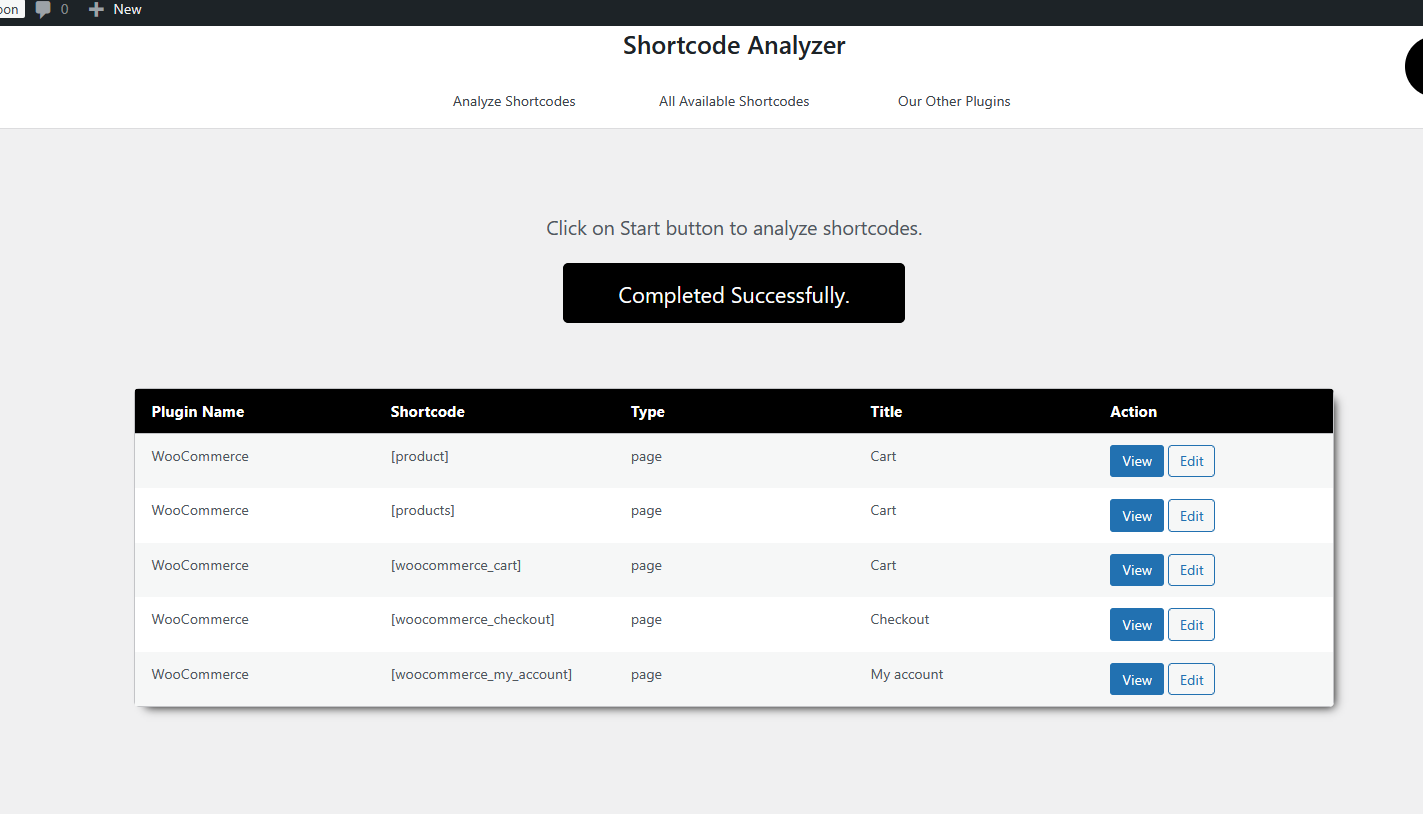
✅ Direct Edit & View Links — Jump straight to any post or page using a shortcode
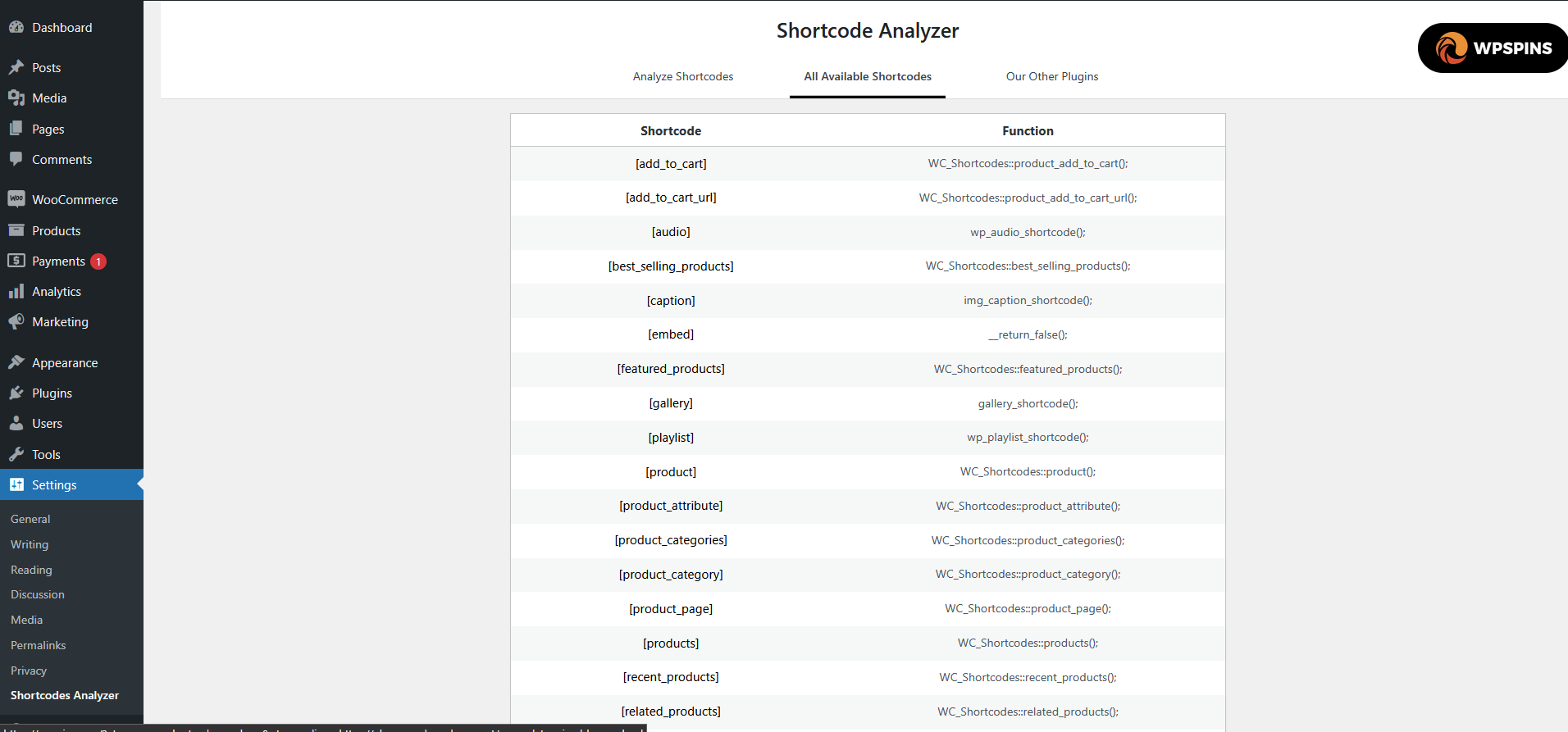
✅ All Shortcodes List — View every registered shortcode and its callback function at a glance
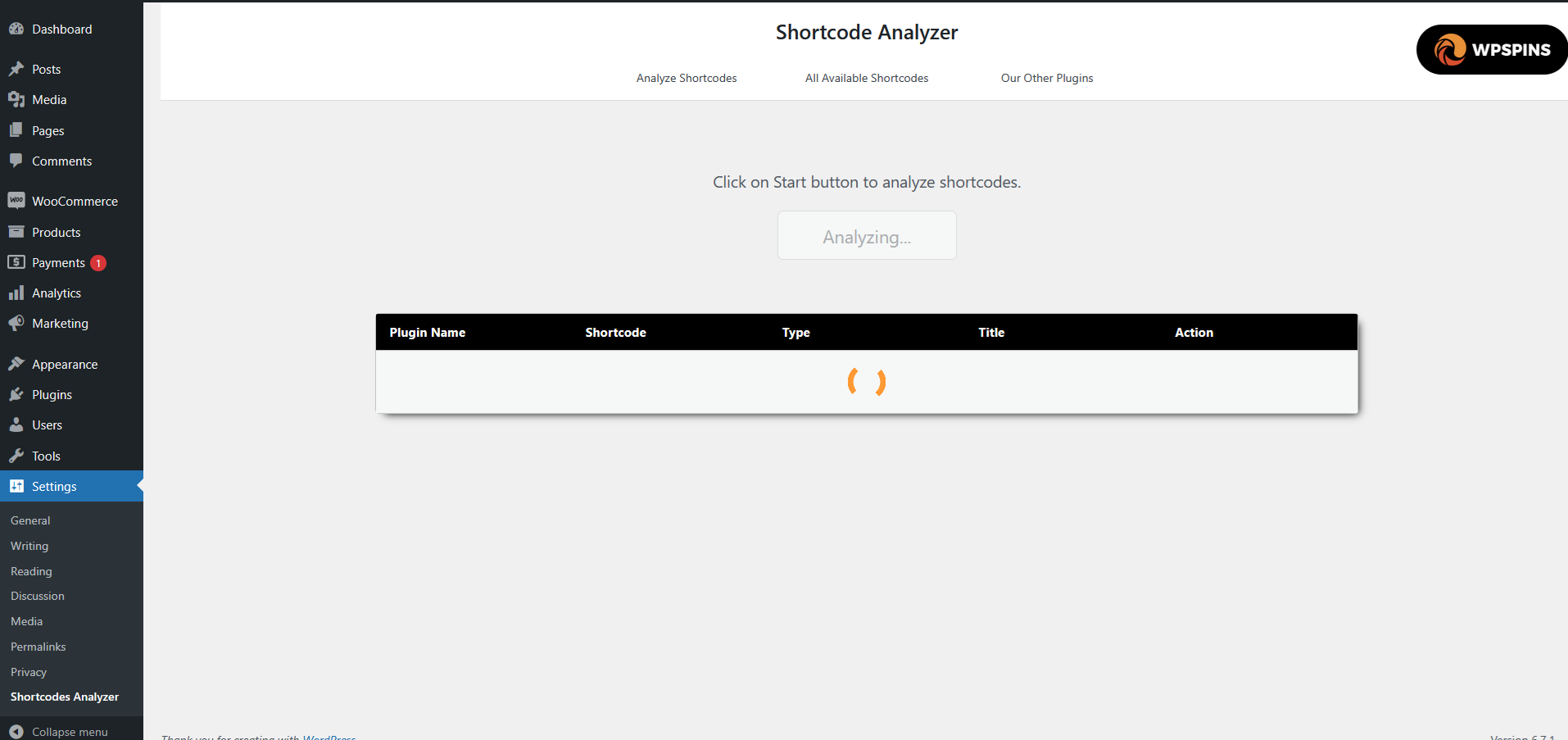
✅ Real-Time Progress — Watch results appear live as each shortcode is scanned
✅ Zero Configuration — Works out of the box with no settings to configure
✅ Lightweight & Fast — No frontend scripts, no database bloat, admin-only functionality
✅ Secure — Nonce verification, prepared SQL queries, and proper output escaping throughout
📋 10+ Use Cases
- 🧹 Plugin Cleanup — Find out if a plugin’s shortcodes are actually used before deactivating or deleting it
- 🔧 Troubleshoot Broken Shortcodes — Quickly locate posts displaying raw shortcode text like
[shortcode_name]instead of rendered content - 📦 Site Migration Prep — Audit all shortcode dependencies before migrating to a new host or theme
- 🎨 Theme Switching — Check which shortcodes will break when switching themes (theme-registered shortcodes)
- 📊 Content Audit — Get a full inventory of shortcode usage as part of a site content review
- ⚡ Performance Optimization — Identify and remove plugins whose shortcodes are no longer in use to speed up your site
- 🔄 Plugin Replacement — When switching from one plugin to another (e.g., changing page builders), find all posts that need updating
- 👥 Client Handoff — Generate a shortcode usage report before handing a site to a client or new developer
- 🛡️ Security Review — Identify shortcodes from outdated or abandoned plugins that may pose security risks
- 📝 Documentation — Know exactly which plugins power which content areas when documenting a site’s functionality
- 🧪 Staging & Testing — Verify shortcode usage matches between staging and production environments
- 🗑️ Post-Redesign Cleanup — After a site redesign, find leftover shortcodes from old plugins that are no longer needed
🛠️ How to Use
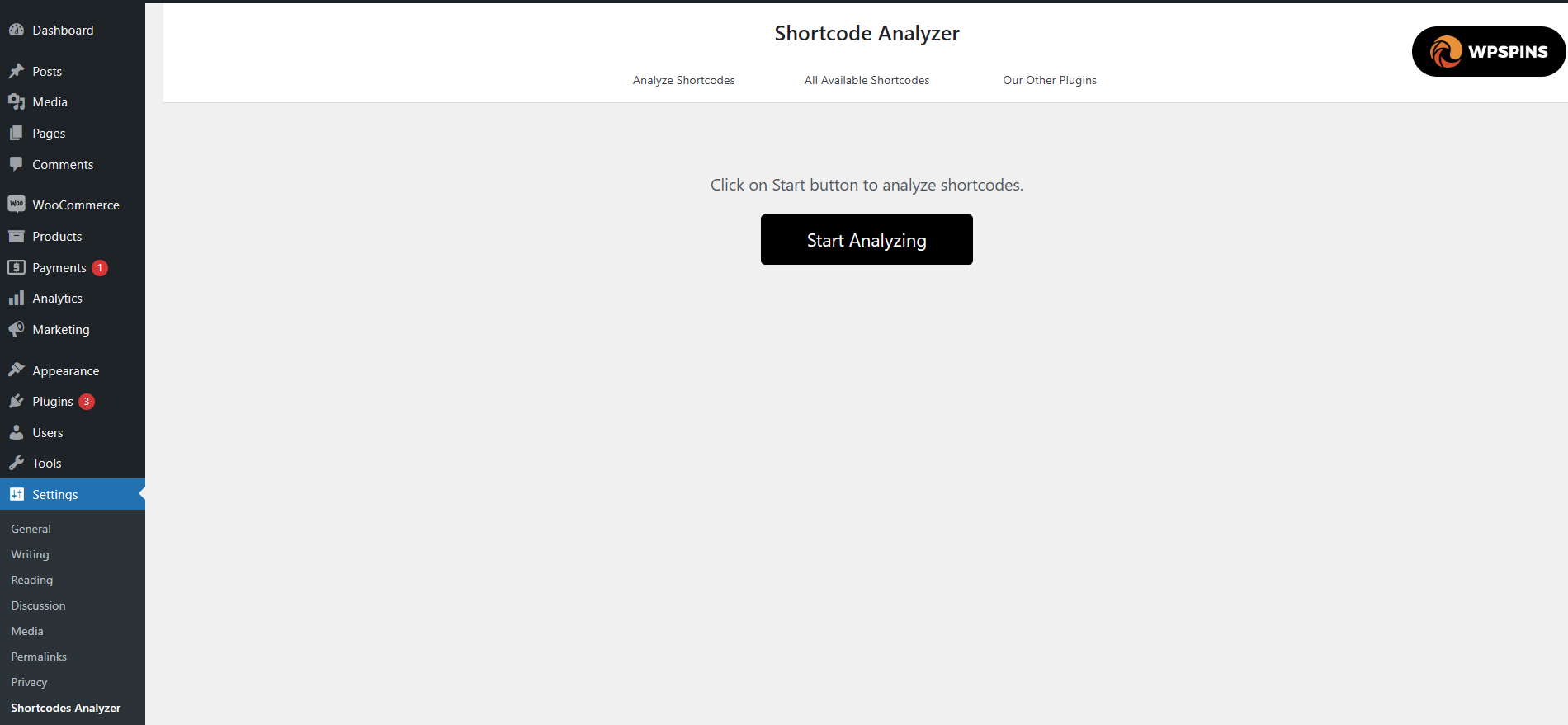
Step 1: Open the Analyzer
Navigate to Settings > Shortcodes Analyzer in your WordPress admin dashboard.
Step 2: Start Scanning
Click the “Start Analyzing” button. The plugin will begin scanning all registered shortcodes across your website.
Step 3: Review Results
As each shortcode is processed, results appear in a table showing:
- Plugin — Which plugin provides the shortcode
- Shortcode — The shortcode name
- Post Type — Whether it is used in a post, page, or custom post type
- Title — The title of the content using the shortcode
- Actions — Quick links to View or Edit the post/page
Step 4: Browse All Shortcodes
Switch to the “All Available Shortcodes” tab to see every shortcode registered on your site along with its callback function.
⚙️ Settings
This plugin requires no configuration. It works immediately after activation:
- Location: Settings > Shortcodes Analyzer
- Access: Administrator role required (manage_options capability)
- Database: No options or tables are created — the plugin is a pure scanning tool
- Frontend: No scripts or styles are loaded on the frontend — admin only
🤝 Works Great With These Popular Plugins
Shortcodes Analyzer works with any plugin or theme that registers shortcodes. Here are some popular plugins it pairs well with:
- WPBakery Page Builder — Find all pages built with WPBakery shortcodes before migrating to another builder
- Elementor — Detect legacy shortcode-based widgets when transitioning between builders
- Contact Form 7 — Locate every page where your contact forms are embedded
- Gravity Forms — Track which posts and pages use your Gravity Forms shortcodes
- WooCommerce — Find WooCommerce shortcodes like
[products],[cart], and[checkout]across your site - TablePress — Identify all posts displaying TablePress tables
- Advanced Custom Fields (ACF) — Detect ACF shortcode usage across content
- Shortcodes Ultimate — Audit usage of the many shortcodes this plugin registers
- Easy Digital Downloads — Track where EDD purchase buttons and download shortcodes appear
- bbPress / BuddyPress — Locate forum and community shortcodes embedded in pages
🔗 Need a Custom Plugin or Feature?
Looking for custom WordPress development? Get in touch with us at WPspin LLC for custom plugin development and feature requests.
Installation
- Upload the
shortcodes-analyzerfolder to the/wp-content/plugins/directory - Activate the plugin through the Plugins menu in your WordPress Dashboard
- Navigate to Settings > Shortcodes Analyzer to start scanning
Frequently asked questions
Does this plugin slow down my website?
No. Shortcodes Analyzer only runs when you click the scan button in the admin panel. It loads no scripts or styles on the frontend and creates no database tables.
Does it work with custom post types?
Yes. The scanner checks all published content including posts, pages, and any registered custom post types.
Can I find shortcodes from a specific plugin?
Yes. The scan results show which plugin provides each detected shortcode, so you can filter by plugin name.
Is it safe to use on a live site?
Absolutely. The plugin only reads data — it never modifies your content, database, or files.
Changelog
1.0.1
- Updated plugin description and documentation
- Updated tested up to WordPress 6.9
- Added support contact banner in admin
- Improved plugin tags for better discoverability
1.0.0
- First version of the plugin.
Screenshots
For developers
Is this your plugin? Show off the numbers.
Add a live badge to your site, docs or GitHub README. It updates on its own — no account needed.
Best Shortcodes Analyzer alternatives
All cleanup plugins →





FAQ
Shortcodes Analyzer: quick answers
Straight answers, pulled from live WordPress.org data.
Live data from WordPress.org · checked Oct 25, 2026
Is Shortcodes Analyzer free?
Yes. Shortcodes Analyzer is free to download and use from the official WordPress.org plugin directory.
Is Shortcodes Analyzer safe to use in 2026?
Shortcodes Analyzer shows warning signs in 2026 — compare the alternatives below before installing. It runs on 70+ sites and was last updated 8 months ago, and scores 40/100 on our health check.
How many websites use Shortcodes Analyzer?
Shortcodes Analyzer is active on 70+ WordPress websites and has been downloaded 1,145 times since it launched in February 2025. It was downloaded 107 times in the last 30 days.
Does Shortcodes Analyzer work with WordPress 7.1?
Shortcodes Analyzer is officially tested up to WordPress 6.9.10, while the latest release is 7.1.3. It may still work, but try it on a staging site first.
When was Shortcodes Analyzer last updated?
The latest version, 1.0.1, was released on February 12, 2026 (8 months ago).
Who makes Shortcodes Analyzer?
Shortcodes Analyzer is developed and maintained by WPspin LLC.
What are the best alternatives to Shortcodes Analyzer?
The most popular alternatives to Shortcodes Analyzer are WP-Sweep (100K+ installs), Simple Revisions Delete (10K+ installs) and Delete Duplicate Posts (10K+ installs).
Powered by PageForge
Want thousands of pages that rank like these? Build them in an afternoon.
This directory runs on the same engine as PageForge. Turn any spreadsheet, CSV or API into thousands of fast, SEO-ready WordPress pages — with schema, internal links and AI-written copy baked in.
- CSV, Google Sheets & API data sources
- AI content, schema & internal links per page
- Works with Elementor, Gutenberg, Yoast & Rank Math
- Free on WordPress.org — no credit card


