


Image Regenerate & Select Crop
Advanced management for images, register new sub-sizes, sub-sizes details, regenerate and cleanup files.

Safe pick
Yes — Image Regenerate & Select Crop is a safe, well-maintained plugin to use in 2026. It runs on 8K+ sites, is rated 4.7/5 and was last updated 2 weeks ago, and scores 92/100 on our health check.
- Loved by users — 4.7/5 from 58 reviews
- Actively developed — last update 2 weeks ago
- Tested with the latest WordPress (7.1)
- Momentum — downloads up 249.8% vs the previous 30 days
Daily downloads
Download spikes usually follow a new release — each site that auto-updates counts as a download.
Rankings
Where Image Regenerate & Select C… stands todayWordPress.org search rankings
Live position in the plugin search, top 100| Keyword | Position |
|---|---|
| bulk regenerate | #1 |
| cleanup | #24 |
| crop | #1 |
| image optimization | #33 |
| regenerate | #4 |
Version adoption
Share of active sites per release.
Rating breakdown
★★★★★★★★★★ 4.7 from 58 reviews
About Image Regenerate & Select Crop
From the official readme · v8.2.2Description
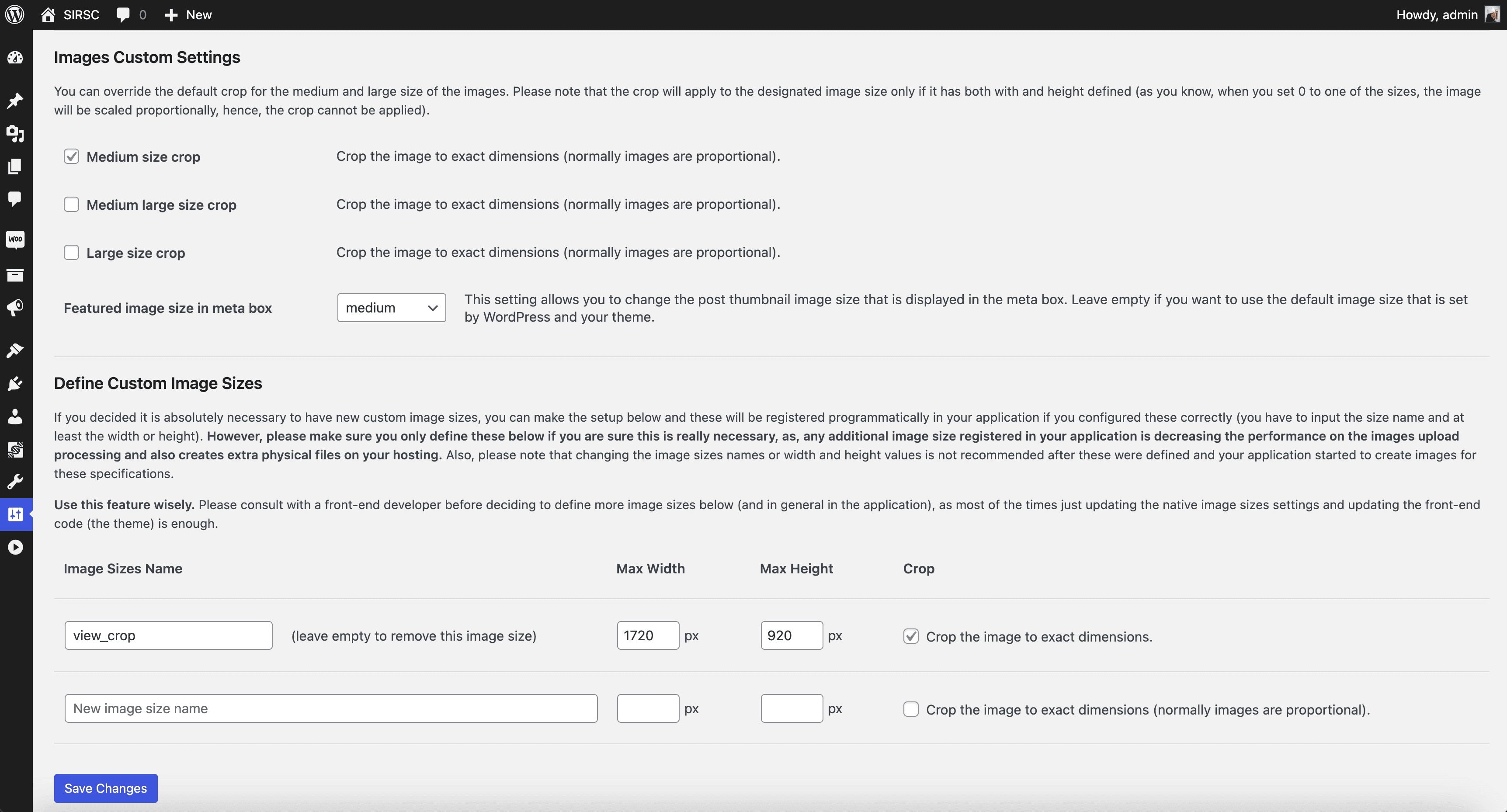
Image Regenerate & Select Crop plugin provides enhanced control over image settings and files regeneration, allowing you to override native medium and large crop options, and register new sub-sizes. The plugin appends additional buttons to regenerate and crop images (providing detailed information about the registered image sub-sizes and their status within the application) and enables configuration of the plugin for global or specific post-type attached images.
For the latest updates and detailed feature descriptions, visit https://iuliacazan.ro/image-regenerate-select-crop/.
Key Features
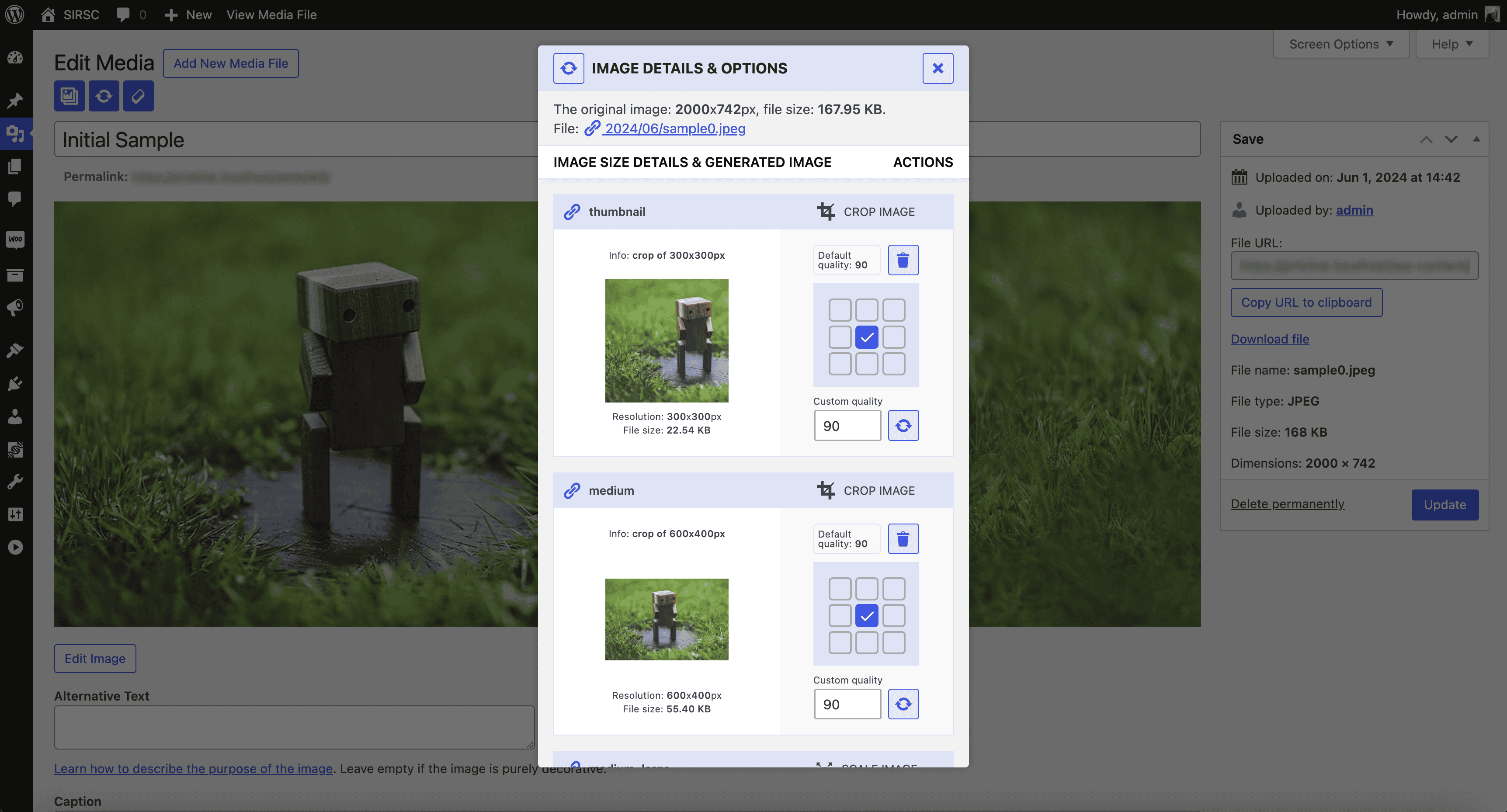
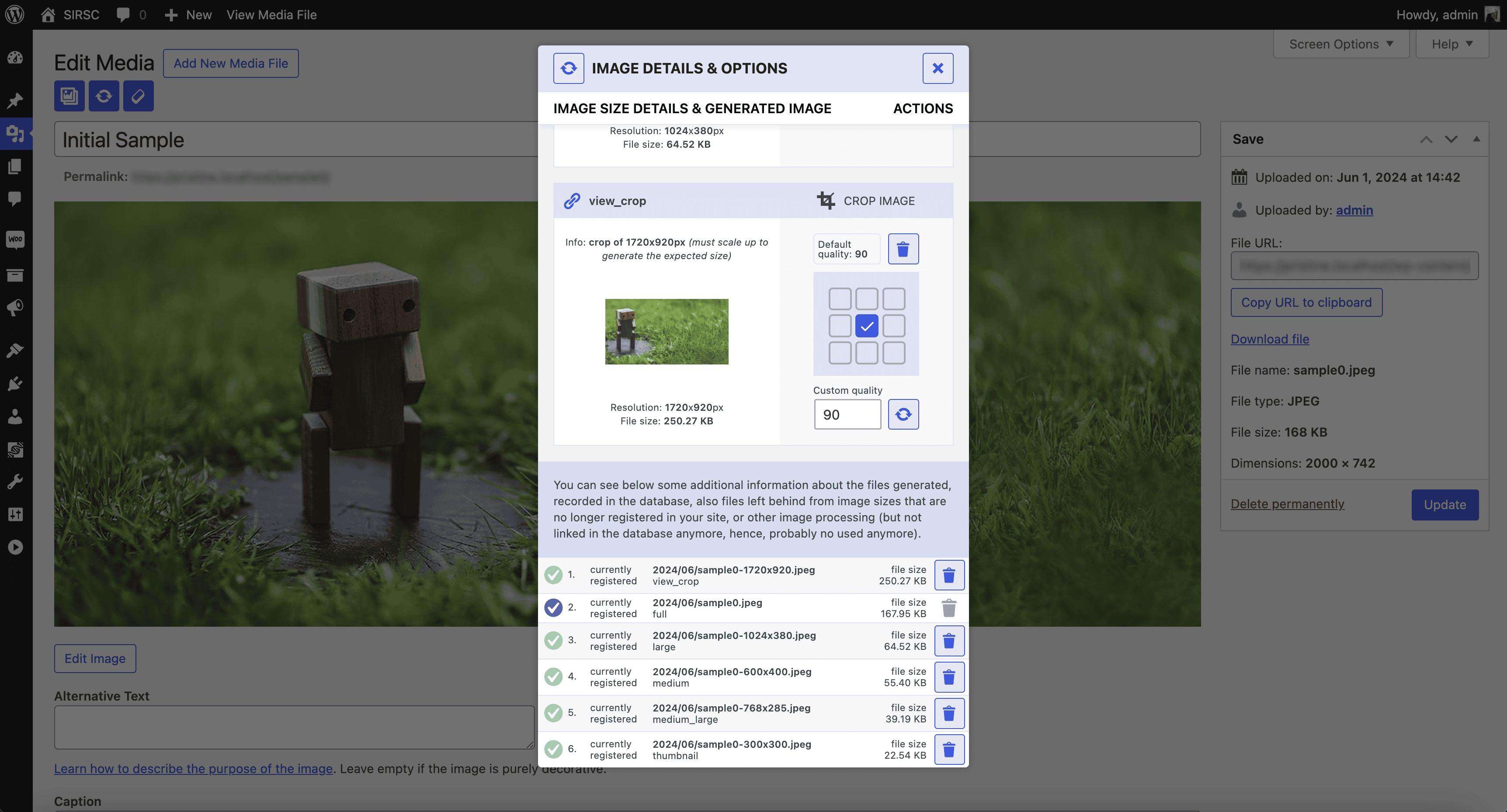
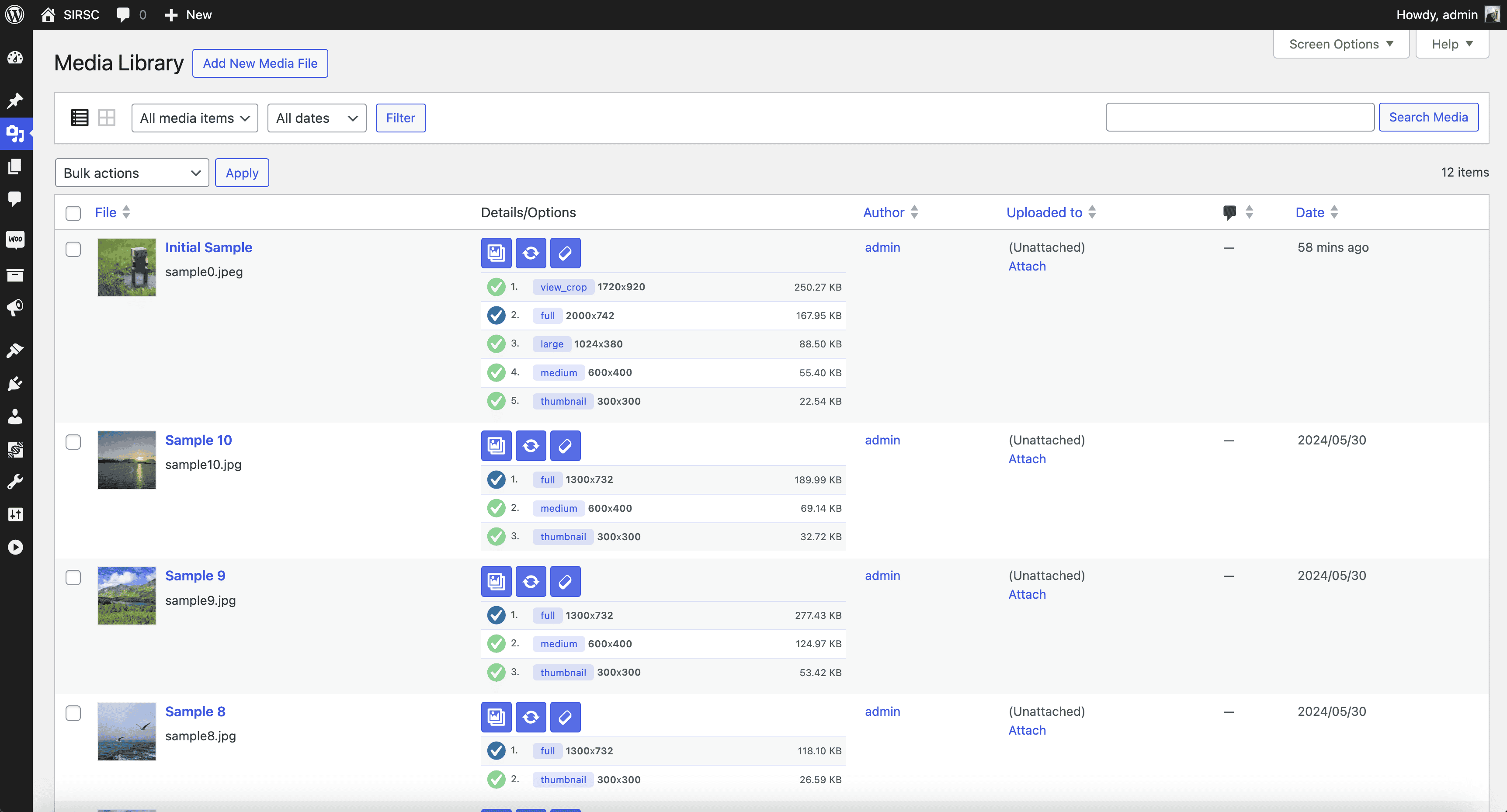
- Details button: opens a lightbox displaying detailed information on any missing sub-size files and options for manual generation if applicable. For crop-type images, the plugin offers the one-click re-crop option, using specific portions of the original image with an instant preview feature.
- Regenerate button: allows one-click regeneration of all image sizes for a specific image, ensuring that all uploaded images are updated with the newly registered sizes.
- Raw cleanup button: allows you to delete all files and metadata for the attachment, keeping only the original file and information, so you can easily regenerate afterward only the desired sub-sizes.
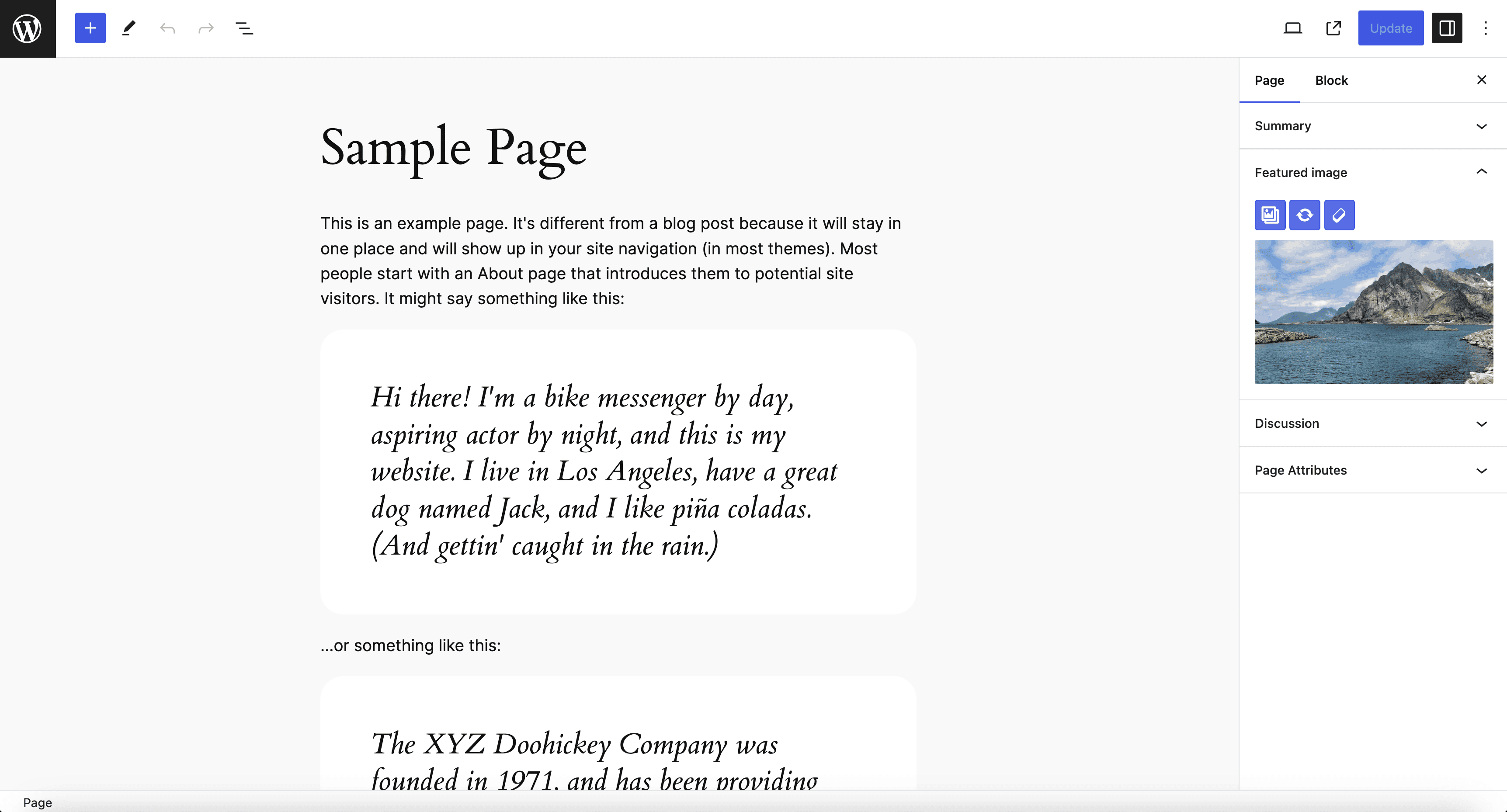
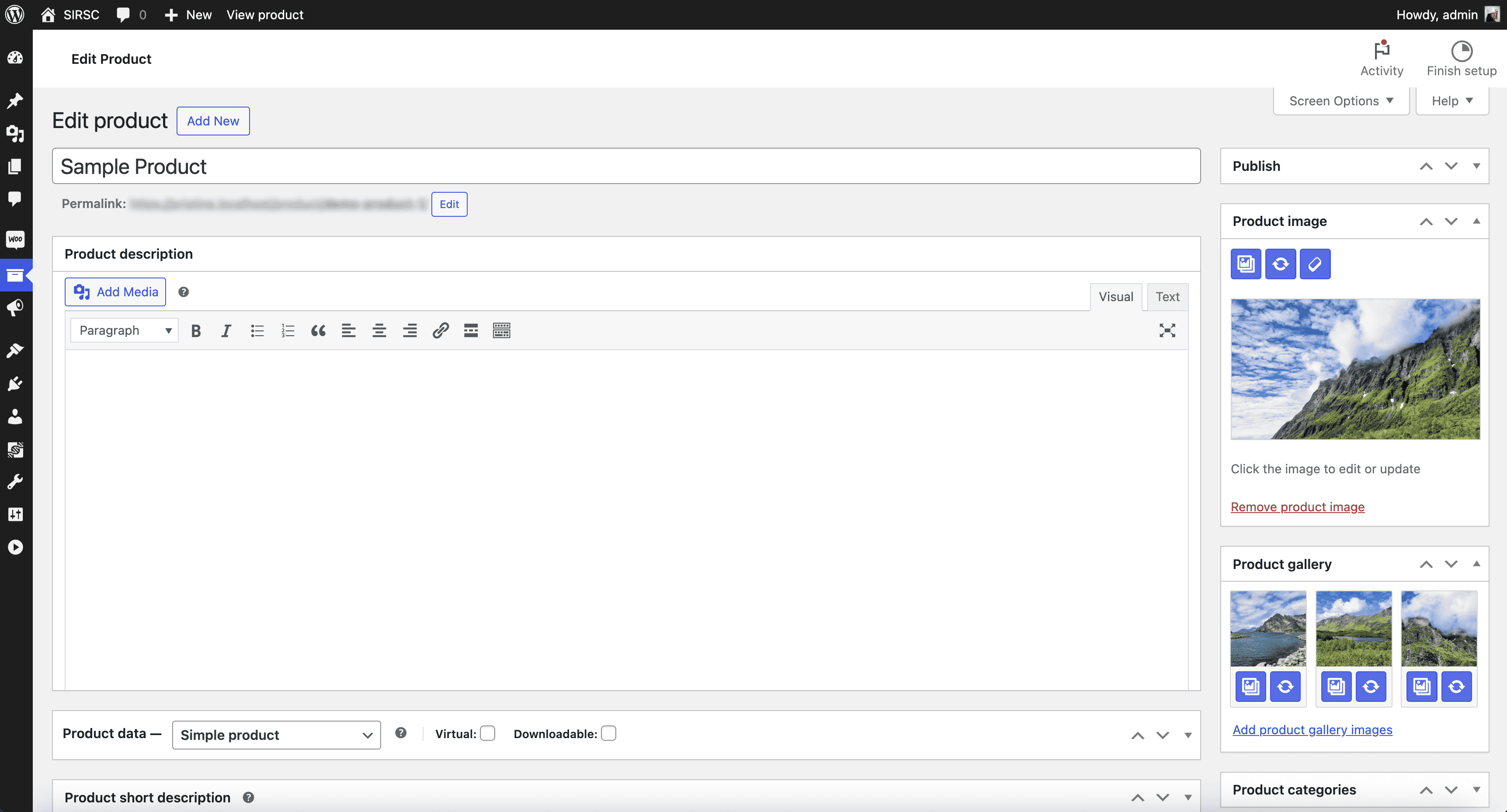
- The plugin integrates seamlessly without requiring additional code, adding the buttons to the “Edit Media” page, as well as “Edit Post” and “Edit Page” sections where a featured image is present, and in the image block. It is compatible with custom post types (including WooCommerce products) and supports various resolutions and responsive layouts.
Demo
License
This program is distributed in the hope that it will be useful, but WITHOUT ANY WARRANTY; without even the implied warranty of MERCHANTABILITY or FITNESS FOR A PARTICULAR PURPOSE.
Frequently asked questions
How to use the plugin wp-cli commands?
See details and examples at https://iuliacazan.ro/image-regenerate-select-crop/#wp-cli-faq
Can I use the buttons in my code?
If you want to display the custom buttons in your plugins, you can use the custom action with $attachmentId parameter as the image post->ID you want the button for. Usage example : do_action( ‘image_regenerate_select_crop_button’, $attachmentId );
What is the image placeholder mode?
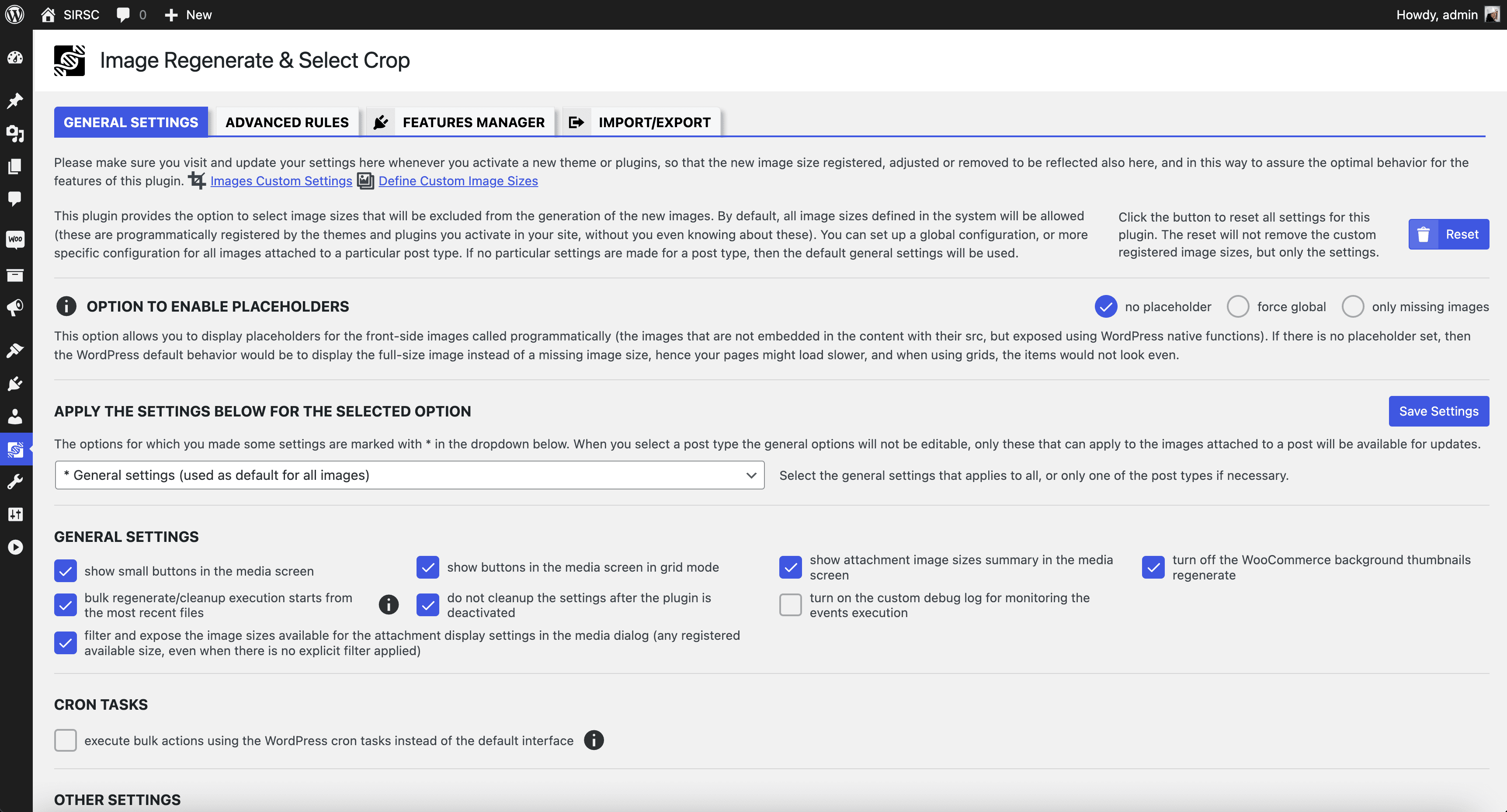
This option allows you to display placeholders for front-side images called programmatically (that are not embedded in content with their src, but retrieved with the wp_get_attachment_image_src, and the other related WP native functions). If there is no placeholder set, then the default behavior would be to display the full size image instead of the missing image size. If you activate the “force global” option, all the images on the front side that are related to posts will be replaced with the placeholders that mention the image size required. This is useful for debugging, to quickly…
How to ignore globally a sub-size?
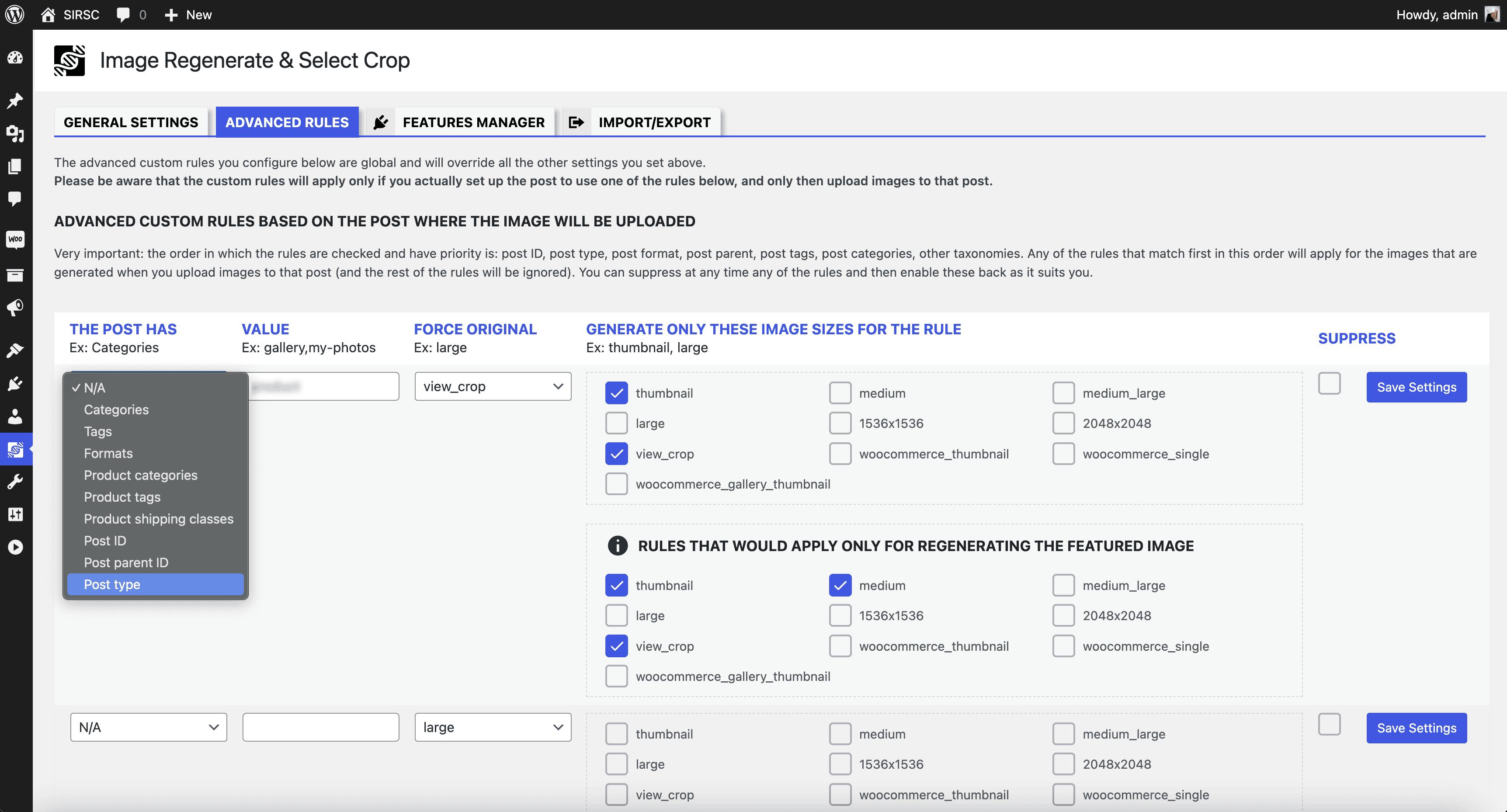
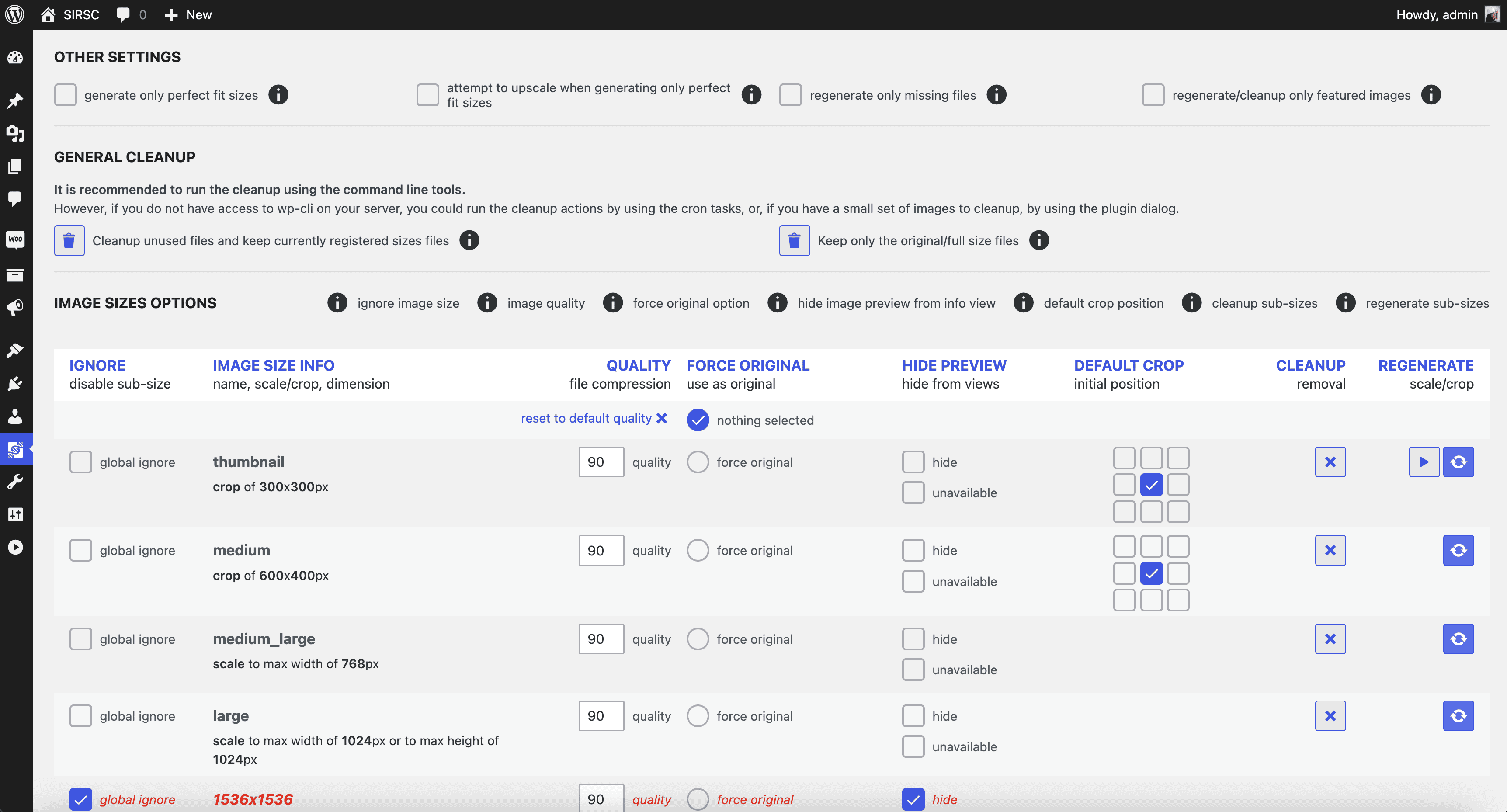
You can exclude globally from the application some of the sub-sizes that are registered through various plugins and themes’ options, but you don’t need these in your application at all (these are just stored in your folders and database but not used). By excluding these, unnecessary image sizes will not be generated at all.
What does force original do?
This option means that the original image will be scaled to a max width or a max height specified by the image size you select. This might be useful if you do not use the original image in any of the layouts at the full size, and this might save some storage space. Leave “nothing selected” to keep the original image as what you upload.
When to use the cleanup all option?
This option allows you to clean up all the image sizes you already have in the application but you don’t use these at all. Please be careful, once you click to remove the selected image size, and the action is irreversible, the images generated will be deleted from your folders and database records.
When to use the regenerate all option?
This option allows you to regenerate all the images for the selected sub-sizes. Please be careful, once you click to regenerate the selected image size, the action is irreversible, and the images already generated will be overwritten.
What is the default crop?
This option allows you to set a default crop position for the images generated for a particular image sub-size. This default option will be used when you chose to regenerate an individual image or all of these and also when a new image is uploaded.
Changelog
8.2.2
- Tested up to 7.1.0
- Added the sub-size sharpen option
- Harmonized the rounding valued for sub-sizes
See the changelog for detailed information on changes made in the earlier versions.
Screenshots
For developers
Is this your plugin? Show off the numbers.
Add a live badge to your site, docs or GitHub README. It updates on its own — no account needed.
FAQ
Image Regenerate & Select Crop: quick answers
Straight answers, pulled from live WordPress.org data.
Live data from WordPress.org · checked Sep 26, 2026
Is Image Regenerate & Select Crop free?
Yes. Image Regenerate & Select Crop is free to download and use from the official WordPress.org plugin directory.
Is Image Regenerate & Select Crop safe to use in 2026?
Yes — Image Regenerate & Select Crop is a safe, well-maintained plugin to use in 2026. It runs on 8K+ sites, is rated 4.7/5 and was last updated 2 weeks ago, and scores 92/100 on our health check.
How many websites use Image Regenerate & Select Crop?
Image Regenerate & Select Crop is active on 8K+ WordPress websites and has been downloaded 360,737 times since it launched in November 2014. It was downloaded 5,236 times in the last 30 days.
Does Image Regenerate & Select Crop work with WordPress 7.1?
Yes. The developer has tested Image Regenerate & Select Crop up to WordPress 7.1.2, the latest release. It requires WordPress 5.3 or newer.
What PHP version does Image Regenerate & Select Crop need?
Image Regenerate & Select Crop requires PHP 7.3.5 or higher. Most hosts run PHP 8.x today, so it works on any modern WordPress hosting.
When was Image Regenerate & Select Crop last updated?
The latest version, 8.2.2, was released on September 14, 2026 (2 weeks ago).
Who makes Image Regenerate & Select Crop?
Image Regenerate & Select Crop is developed and maintained by Iulia Cazan.
Powered by PageForge
Want thousands of pages that rank like these? Build them in an afternoon.
This directory runs on the same engine as PageForge. Turn any spreadsheet, CSV or API into thousands of fast, SEO-ready WordPress pages — with schema, internal links and AI-written copy baked in.
- CSV, Google Sheets & API data sources
- AI content, schema & internal links per page
- Works with Elementor, Gutenberg, Yoast & Rank Math
- Free on WordPress.org — no credit card


