


Search & Replace
With Search & Replace you can search for everything and replace this with everything but before you do this you can easily create a simple database backup and restore it.

Consider an alternative
Search & Replace shows warning signs in 2026 — compare the alternatives below before installing. It runs on 100K+ sites, is rated 4.3/5 and was last updated 2 years ago, and scores 35/100 on our health check.
- Proven at scale on 100K+ active sites
- No update in 2 years
- Only tested up to WordPress 6.5 (latest is 7.1)
How does it stack up?
Side-by-side on installs, updates, ratings & support



Daily downloads
Download spikes usually follow a new release — each site that auto-updates counts as a download.
Rankings
Where Search & Replace stands todayWordPress.org search rankings
Live position in the plugin search, top 100| Keyword | Position |
|---|---|
| import | >100 |
| migrate | >100 |
| replace | #52 |
| search | >100 |
| sql | >100 |
Version adoption
Share of active sites per release.
Rating breakdown
★★★★★★★★★★ 4.3 from 283 reviews
About Search & Replace
From the official readme · v3.2.3Description
With Search & Replace you can search for everything and replace this with everything but before you do this you can easily create a simple database backup and restore it.
For avoiding problem please keep in mind that this plugin search and replace strictly what is specified in “Replace With”.
Common error example:
Search For: http://web.com/wordpress/
Replace With: http://neuweb.com/wordpress
The url become something like: http://neuweb.com/wordpresscontent/…
Correct “Replace with”:
Search For: http://web.com/wordpress/
Replace With: http://neuweb.com/wordpress/
The url become something like: http://neuweb.com/wordpress/content/…
We have implemented special features!
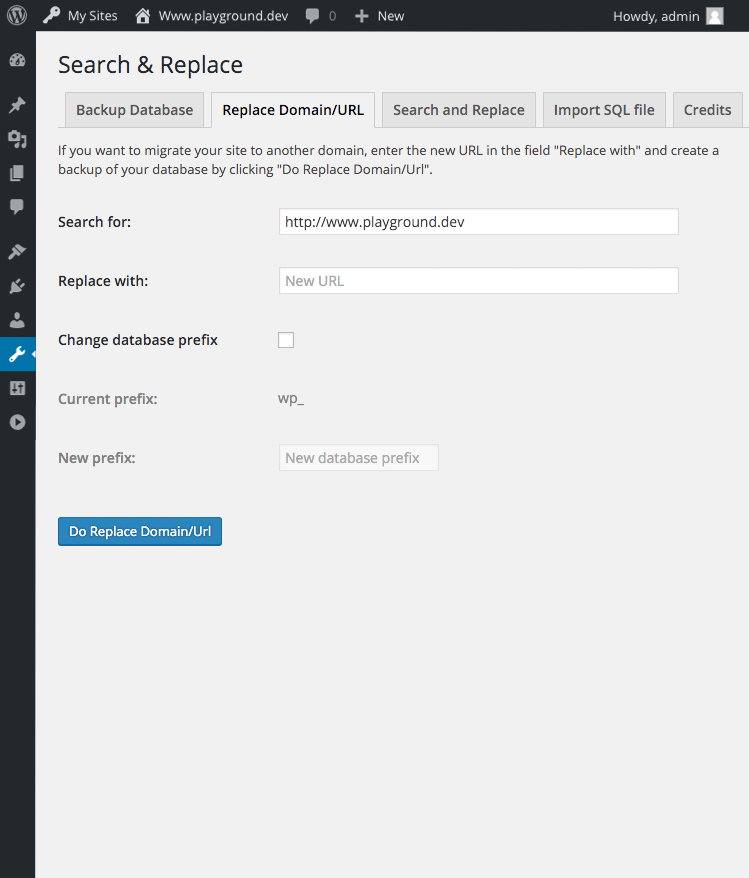
The first one is “Replace a Domain / URL” that is useful for a quick and simple transfer or a migration of a WordPress site.
The second feature is full support for serialized data. There are a lot more features – check them out! 🙂
Our goal with this plugin is to give you a good solution for manipulating your data for both Developers and Users of WordPress.
Note: This plugin requires PHP 5.6 or higher to be activated.
Checkout our GitHub Repository
Features
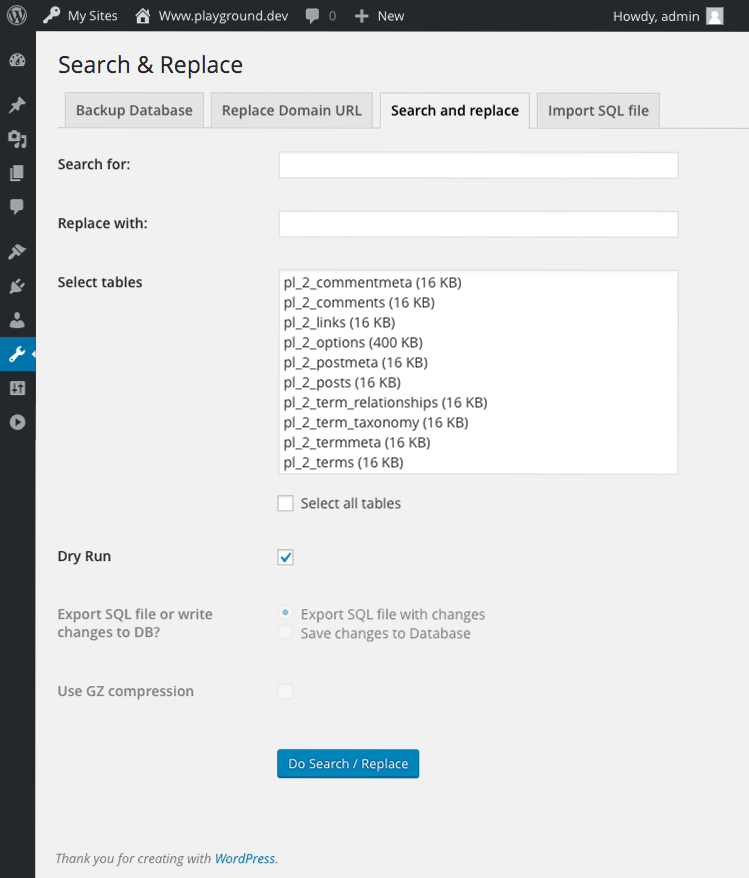
- Search & replace data in your WordPress database
- Change domain/URL of WordPress installation
- Handle serialized data
- Choose dry run or download SQL file
- Change table prefix
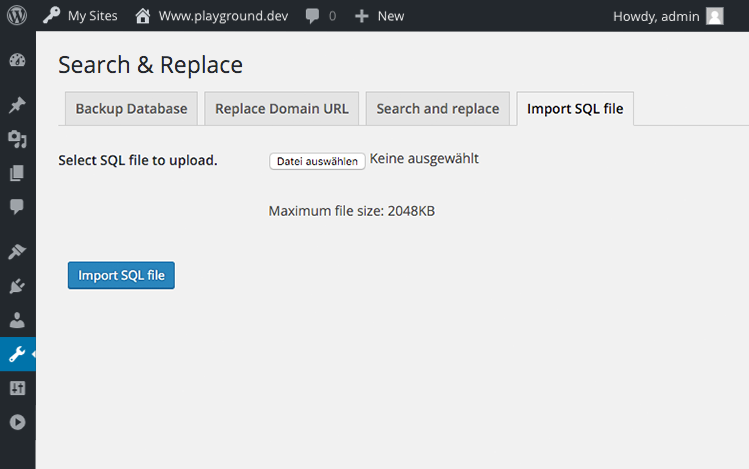
- Backup & restore your database
- WordPress Multisite support
- Localized and ready for your own language
Crafted by WP Media
Made by WP Media.
Donation?
You want to donate – we prefer a positive review, not more.
Installation
Requirements
- WordPress 4.0 (Single and Multisite)
- PHP 5.6, newer PHP versions will work faster.
Changelog
3.2.3 (2024-08-26)
- Fix a vulnerability when deserializing objects from the database
- Fix deprecation logs about optional parameters declared before required parameters
3.2.2 (2024-05-16)
- Now owned by WP Media
- Fixed potential time based SQL injection
3.2.1 (2019-06-06)
- Update readme for tested up WP versions
- Add check for replace function to get more solid replace for custom tables. #132
- Fix small typos
- Fix Throwable because we set as minimum php 5.6
3.2.0 (2019-01-17)
- Added CSV format alternative for search/replace #82.
- Improve code structure, preparation for more solid UnitTests.
- Improve Modal Table UI.
- Added Multiline searching #119.
- Fix several issues to run always with php 5.6 to 7.2.
v3.1.2 (2016-12-31)
- hotfix: prevent declaration error with Requisite
v3.1.1 (2016-12-24)
- Refactor Plugin loading #67
- Display error notice is the search value the current domain and save changes to Database selected
Screenshots


For developers
Is this your plugin? Show off the numbers.
Add a live badge to your site, docs or GitHub README. It updates on its own — no account needed.
Best Search & Replace alternatives
All import plugins →





FAQ
Search & Replace: quick answers
Straight answers, pulled from live WordPress.org data.
Live data from WordPress.org · checked Sep 27, 2026
Is Search & Replace free?
Yes. Search & Replace is free to download and use from the official WordPress.org plugin directory.
Is Search & Replace safe to use in 2026?
Search & Replace shows warning signs in 2026 — compare the alternatives below before installing. It runs on 100K+ sites, is rated 4.3/5 and was last updated 2 years ago, and scores 35/100 on our health check.
How many websites use Search & Replace?
Search & Replace is active on 100K+ WordPress websites and has been downloaded 3,209,277 times since it launched in May 2007. It was downloaded 4,322 times in the last 30 days.
Does Search & Replace work with WordPress 7.1?
Search & Replace is officially tested up to WordPress 6.5.12, while the latest release is 7.1.2. It may still work, but try it on a staging site first.
What PHP version does Search & Replace need?
Search & Replace requires PHP 5.6 or higher. Most hosts run PHP 8.x today, so it works on any modern WordPress hosting.
When was Search & Replace last updated?
The latest version, 3.2.3, was released on August 26, 2024 (2 years ago).
Who makes Search & Replace?
Search & Replace is developed and maintained by WP Media.
What are the best alternatives to Search & Replace?
The most popular alternatives to Search & Replace are One Click Demo Import (1M+ installs), Widget Importer & Exporter (200K+ installs) and Customizer Export/Import (100K+ installs).
Powered by PageForge
Want thousands of pages that rank like these? Build them in an afternoon.
This directory runs on the same engine as PageForge. Turn any spreadsheet, CSV or API into thousands of fast, SEO-ready WordPress pages — with schema, internal links and AI-written copy baked in.
- CSV, Google Sheets & API data sources
- AI content, schema & internal links per page
- Works with Elementor, Gutenberg, Yoast & Rank Math
- Free on WordPress.org — no credit card


