



Sarrloop Accessibility
A lightweight accessibility toolkit with user-controlled text size, contrast, motion, cursor, reading, and keyboard assistance features.

Solid choice
Sarrloop Accessibility is a solid plugin choice in 2026, with a few things worth checking first. Was last updated 2 weeks ago, and scores 64/100 on our health check.
- Actively developed — last update 2 weeks ago
- Tested with the latest WordPress (7.1)
- Small user base (<10 active installs)
- Very few reviews so far
How does it stack up?
Side-by-side on installs, updates, ratings & support


Daily downloads
Download spikes usually follow a new release — each site that auto-updates counts as a download.
Rankings
Where Sarrloop Accessibility stands todayWordPress.org search rankings
Live position in the plugin search, top 100| Keyword | Position |
|---|---|
| a11y | >100 |
| accessibility | >100 |
| contrast | >100 |
| text size | >100 |
| toolbar | >100 |
About Sarrloop Accessibility
From the official readme · v2.3.0Description
Sarrloop Accessibility provides a clean, privacy-friendly, dependency-free accessibility toolbar for WordPress websites.
Visitors can easily use the accessible toolbar to adjust the website presentation according to their visual and motor needs. Site administrators can customize the button appearance, icon, position, and select exactly which assistive features to enable.
Assistive Features
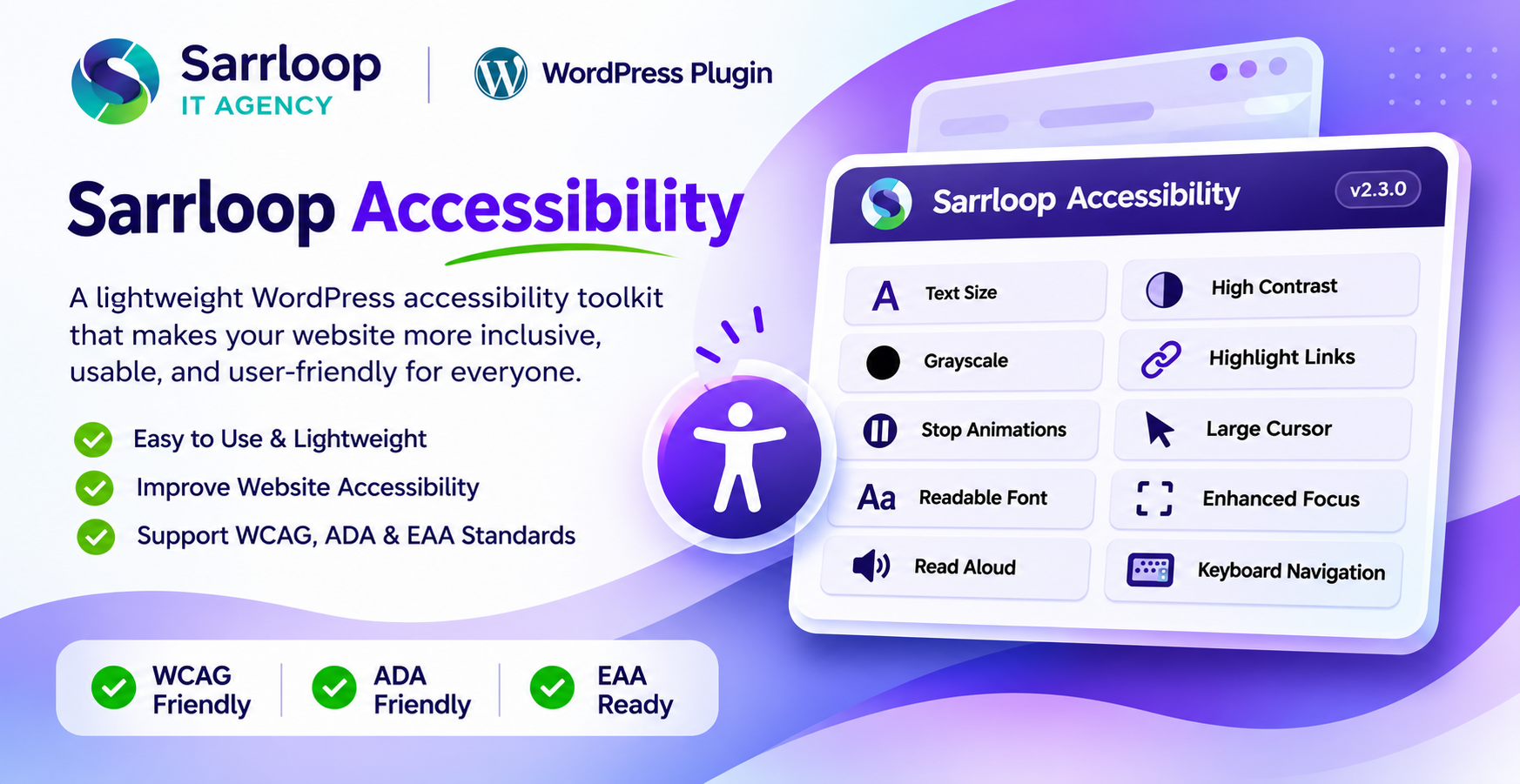
- Text Size Controls: Increase, decrease, or reset page text scaling smoothly.
- High Contrast Mode: High-contrast dark background with sharp white text for high legibility.
- Grayscale Mode: Desaturate site colors to assist color sensitivity and readability.
- Highlight Links: Underlines and highlights all links across the page.
- Stop Animations: Disables CSS animations, smooth scrolling, and transitions.
- Large Cursor: Activates an enlarged high-contrast pointer cursor.
- Readable Font: Applies clean, highly legible system sans-serif typography.
- Enhanced Focus: Shows prominent outline indicators for keyboard focus states.
- Read Aloud (TTS): Reads text aloud using the browser’s native Speech Synthesis API.
- Keyboard Navigation Assistance: Aids sequential keyboard tabbing and navigation.
Highlights
- Compact, ergonomic layout: Thoughtfully designed to provide full accessibility assistance without cluttering or overwhelming the website layout.
- Site Language Adaptive: Automatically adapts to the website’s active locale with standard WordPress internationalization (i18n) and gettext support.
- Full RTL (Right-to-Left) Support: Native right-to-left alignment and layout adaptation for Arabic, Hebrew, Urdu, Persian, and other RTL languages.
- Pure SVGs, No Third-Party CDNs: Dependency-free, lightweight vector icons bundled directly inside the plugin.
- Zero External Tracking: Respects visitor privacy. All preferences are preserved locally in the browser using
localStorage. - Clean Code & WordPress Standards: Written following official WordPress Coding Standards (WPCS) and plugin security best practices.
Disclaimer: Sarrloop Accessibility is an assistive toolkit designed to improve visitor convenience. It does not automatically guarantee full legal compliance with WCAG, ADA, Section 508, or EAA. Website owners remain responsible for ensuring accessible content, accessible semantic HTML themes, media captions, forms, and documents.
Installation
- Upload the
sarrloop-accessibilityfolder to the/wp-content/plugins/directory, or install the ZIP file via Plugins > Add New > Upload Plugin. - Activate the plugin through the Plugins screen in WordPress.
- Navigate to Settings > Sarrloop Accessibility in your WordPress admin dashboard.
- Customize the widget position, icon, design style, and select the desired accessibility features.
- Click Save Settings.
Changelog
Recommended update: adds icon-only trigger display, resolves text and close-button clipping issues, and refreshes SVG icons.
2.3.0
- Fixed text scaling engine (A+, A-, A) to reliably resize both rem-based and px-based typography across all themes and page builders.
- Fixed Large Cursor mode with high-visibility 38px Base64 vector cursors for arrow and link pointer states.
- Added “Button style” selector (Icon only, Icon and text, Text only) in admin settings with “Icon only” as default.
- Fixed close button icon rendering in panel header and protected against aggressive theme button CSS overrides.
- Fixed text clipping in 2-column feature grid by widening panel container and enabling flexible word wrapping.
- Prevented bottom vertical truncation on the “Reset all settings” button.
- Upgraded SVG icons to match Flaticon reference specifications.
2.2.0
- Resolved WordPress plugin installer package detection issue.
- Standardized clean zip directory structure for one-click WordPress plugin upload.
- Synchronized version numbers across plugin header, constants, and localization files.
2.0.0
- Added dependency-free SVG icon system with admin icon picker.
- Added full internationalization (i18n) support for global languages.
- Added full native Right-to-Left (RTL) layout support.
- Modernized admin settings dashboard and card/sidebar widget styles.
1.0.0
- Initial release.
- Added compact, ergonomic accessibility toolbar.
- Added text scaling, contrast, grayscale, and link highlighting.
- Added stop animations, large cursor, and readable typography options.
- Added native browser text-to-speech (read aloud) with language detection.
- Added local browser preference storage.
Screenshots
For developers
Is this your plugin? Show off the numbers.
Add a live badge to your site, docs or GitHub README. It updates on its own — no account needed.
Best Sarrloop Accessibility alternatives
All a11y plugins →



FAQ
Sarrloop Accessibility: quick answers
Straight answers, pulled from live WordPress.org data.
Live data from WordPress.org · checked Nov 18, 2026
Is Sarrloop Accessibility free?
Yes. Sarrloop Accessibility is free to download and use from the official WordPress.org plugin directory.
Is Sarrloop Accessibility safe to use in 2026?
Sarrloop Accessibility is a solid plugin choice in 2026, with a few things worth checking first. Was last updated 2 weeks ago, and scores 64/100 on our health check.
How many websites use Sarrloop Accessibility?
Sarrloop Accessibility is active on <10 WordPress websites and has been downloaded 312 times since it launched in November 2026. It was downloaded 317 times in the last 30 days.
Does Sarrloop Accessibility work with WordPress 7.1?
Yes. The developer has tested Sarrloop Accessibility up to WordPress 7.1.4, the latest release. It requires WordPress 6.4 or newer.
What PHP version does Sarrloop Accessibility need?
Sarrloop Accessibility requires PHP 7.4 or higher. Most hosts run PHP 8.x today, so it works on any modern WordPress hosting.
When was Sarrloop Accessibility last updated?
The latest version, 2.3.0, was released on November 1, 2026 (2 weeks ago).
Who makes Sarrloop Accessibility?
Sarrloop Accessibility is developed and maintained by Sarrloop.
What are the best alternatives to Sarrloop Accessibility?
The most popular alternatives to Sarrloop Accessibility are Web Accessibility (formally… (500K+ installs), WP Accessibility (60K+ installs) and AccessibleWP (10K+ installs).
Powered by PageForge
Want thousands of pages that rank like these? Build them in an afternoon.
This directory runs on the same engine as PageForge. Turn any spreadsheet, CSV or API into thousands of fast, SEO-ready WordPress pages — with schema, internal links and AI-written copy baked in.
- CSV, Google Sheets & API data sources
- AI content, schema & internal links per page
- Works with Elementor, Gutenberg, Yoast & Rank Math
- Free on WordPress.org — no credit card


