



WP Accessibility Helper (WAH)
Short Description WP Accessibility Helper helps solve accessibility problems

Solid choice
WP Accessibility Helper (WAH) is a solid plugin choice in 2026, with a few things worth checking first. It runs on 10K+ sites, is rated 4.7/5 and was last updated 3 weeks ago, and scores 78/100 on our health check.
- Proven at scale on 10K+ active sites
- Loved by users — 4.7/5 from 57 reviews
- Actively developed — last update 3 weeks ago
- Tested with the latest WordPress (7.1)
- Momentum — downloads up 1148.6% vs the previous 30 days
How does it stack up?
Side-by-side on installs, updates, ratings & support



Daily downloads
Download spikes usually follow a new release — each site that auto-updates counts as a download.
Rankings
Where WP Accessibility Helper (WA… stands todayWordPress.org search rankings
Live position in the plugin search, top 100| Keyword | Position |
|---|---|
| a11y | #7 |
| accessibility | #6 |
| contrast | #4 |
| WAI | #1 |
| wcag | #21 |
Version adoption
Share of active sites per release.
Rating breakdown
★★★★★★★★★★ 4.7 from 57 reviews
About WP Accessibility Helper (WAH)
From the official readme · v0.6.7Description
WordPress Accessibility made easy!
Web accessibility refers to the inclusive practice of removing barriers that prevent interaction with, or access to websites, by people with disabilities. When sites are correctly designed, developed and edited, all users have equal access to information and functionality.
WP Accessibility Helper helps solve accessibility problems like font size, contrast, titles and aria-label tags, images alt and more.
Official website
English version:
https://accessibility-helper.co.il/
Hebrew version:
https://accessibility-helper.co.il/il/
Privacy terms
- WAH free uses cookies to save contrast variation colors selected by user
- We are using cookies for internal usage only and never provide this data to the third party organizations/companies
Installation
- Upload the plugin files to the
/wp-content/plugins/wp-accessibility-helperdirectory, or install the plugin through the WordPress plugins screen directly. - Activate the plugin through the ‘Plugins’ screen in WordPress
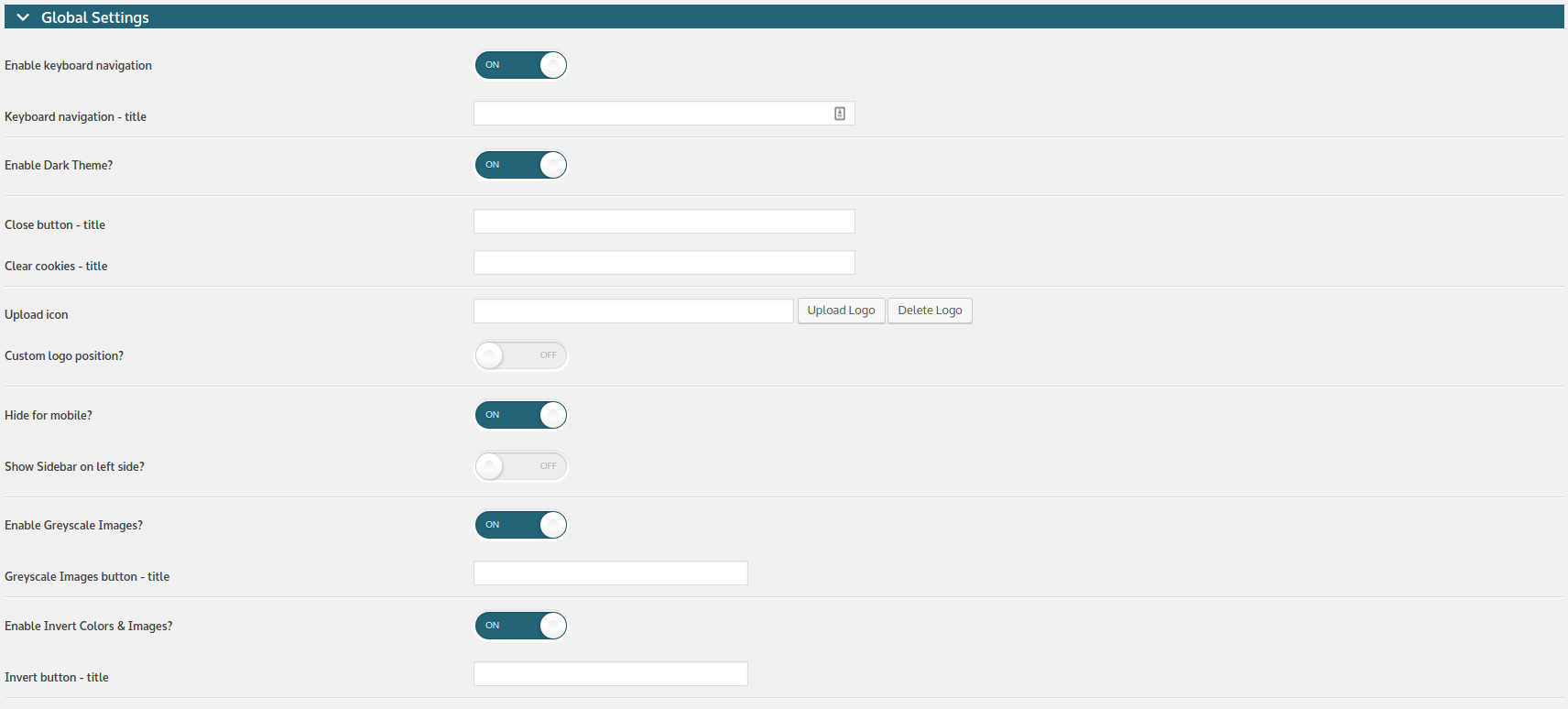
- Use the Accessibility screen to configure the plugin
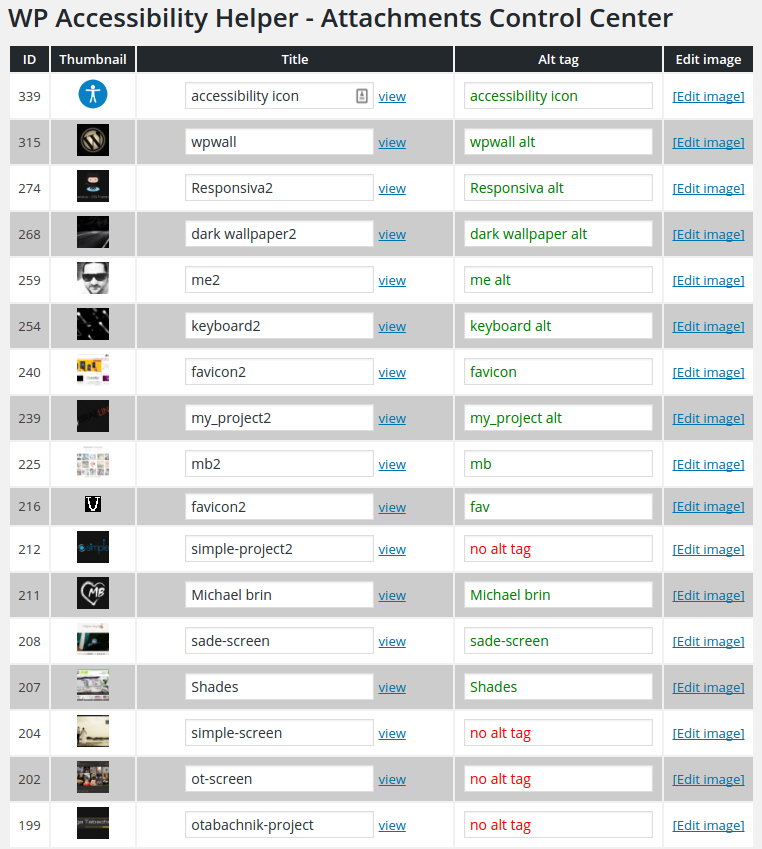
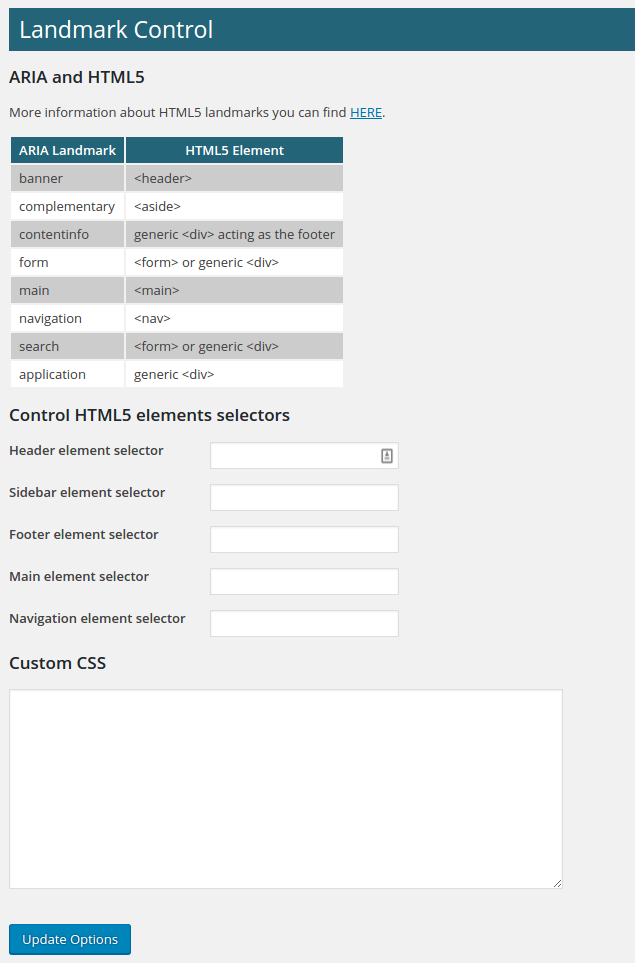
Accessibilityadmin menu – the main plugin optionsAttachments Control– allows you control all images uploaded to mediaLandmark & CSS– ARIA, HTML5 and custom CSS propertiesContribute– Contribute =)
Frequently asked questions
How can I report security bugs?
You can report security bugs through the Patchstack Vulnerability Disclosure Program. The Patchstack team help validate, triage and handle any security vulnerabilities. Report a security vulnerability.
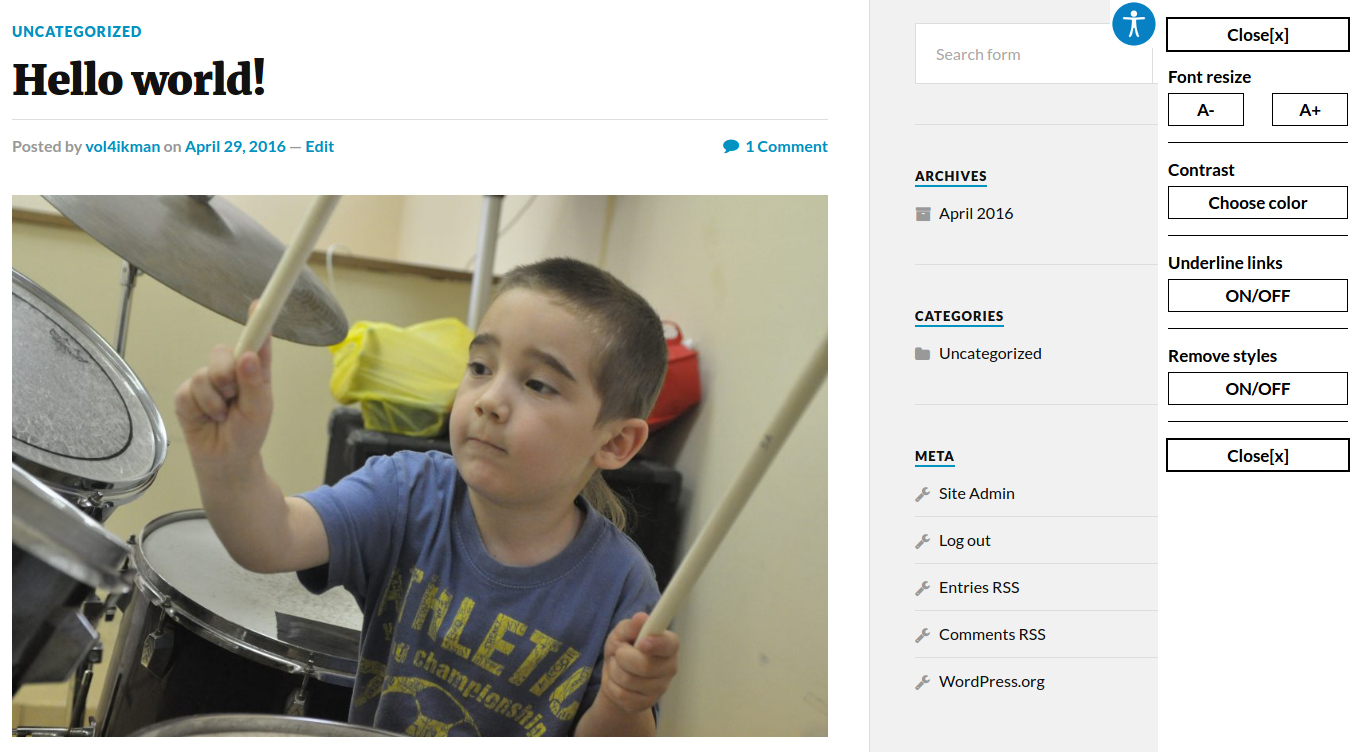
I can not see the accessibility icon. What shoud I do?
Please verify that your WordPress theme has: ` wp_head(); wp_footer(); and your body tag has body_class(); `
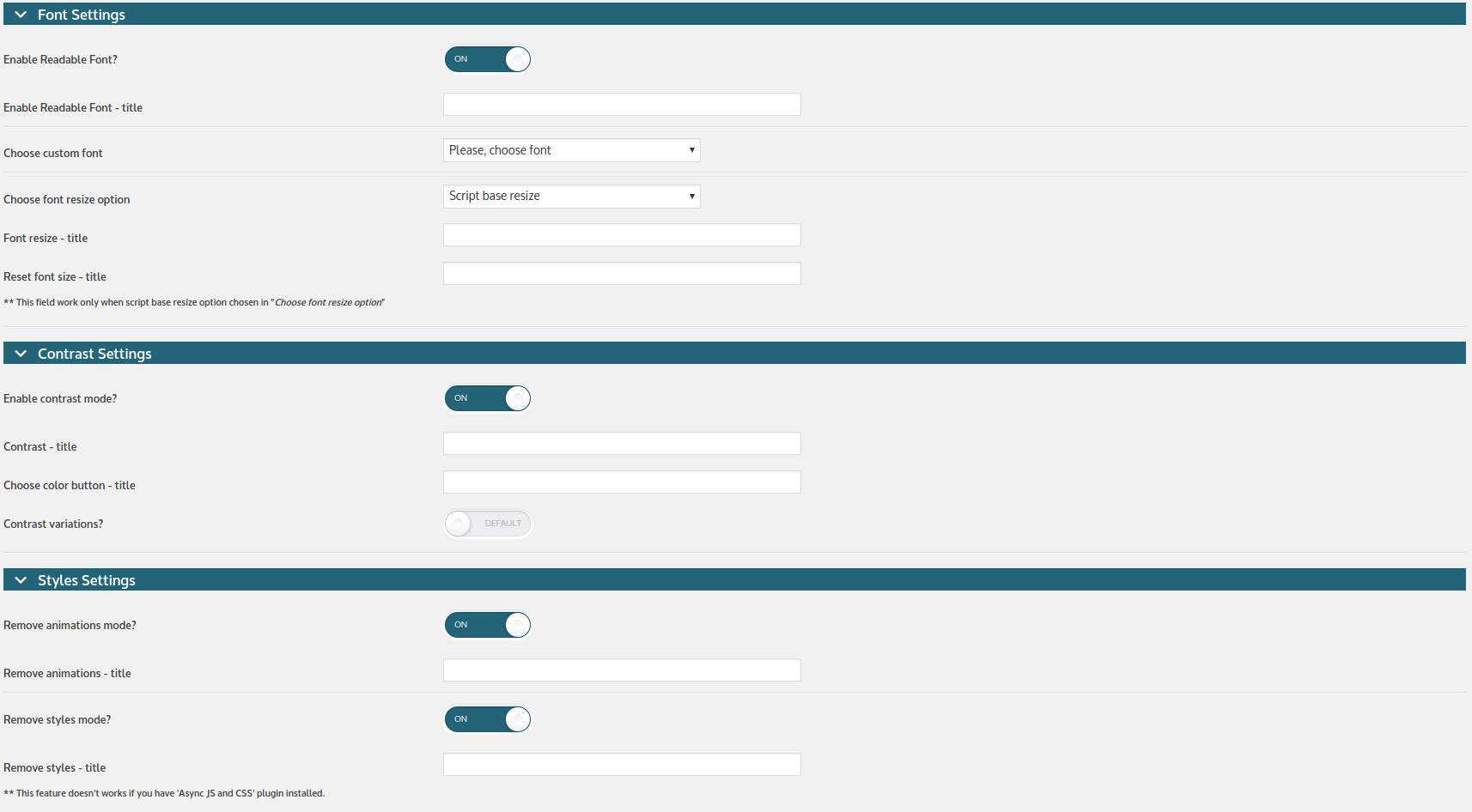
Font Settings
You should use REM units resize, only when your theme is built with REM units, not in PX (pixels). Zoom in/out page will be useful for websites with unclear html/css standards, a website that was overridden and fixed several times. For example, one part of a code was written in REM units, and the second part – in pixels or percents… Script base resize option will be useful for… everyone =) This script calculates font size for the next HTML tags: h1,h2,h3,h4,h5,h6,a.
Full list of the (free version) plugin features:
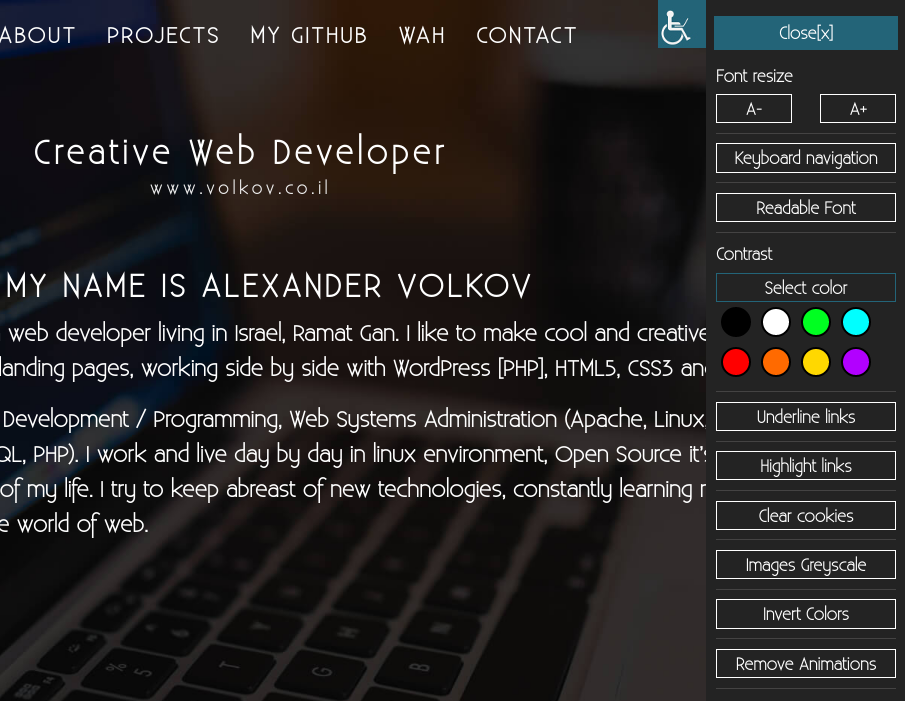
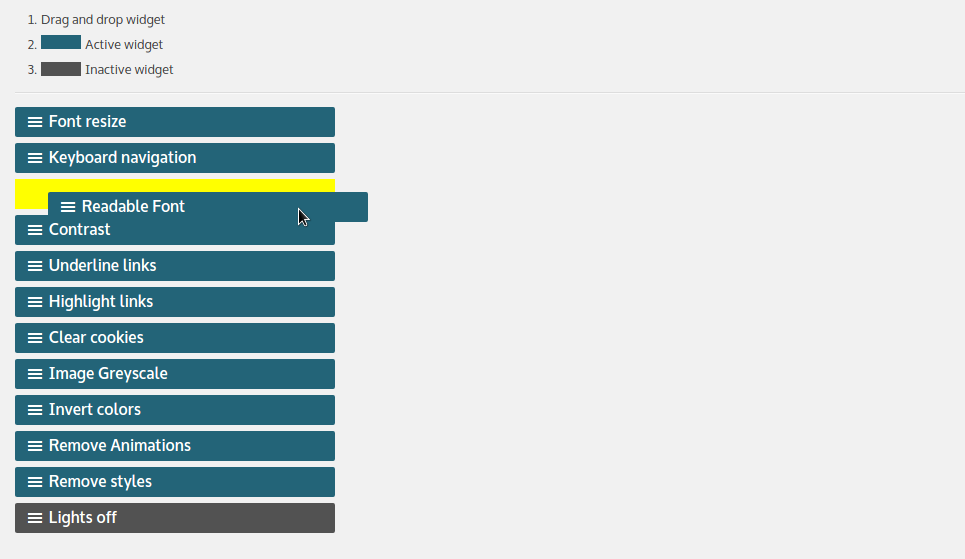
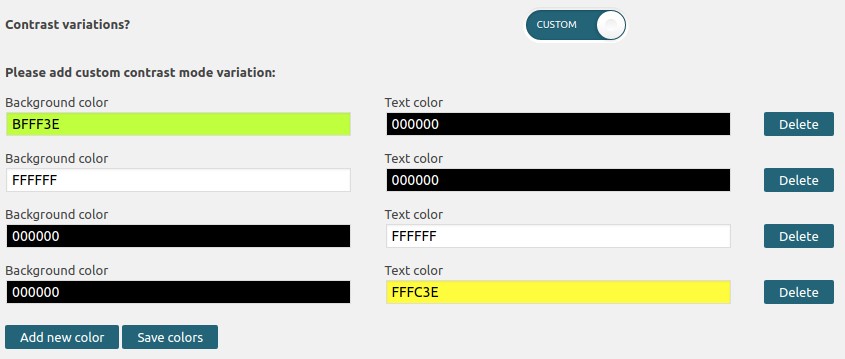
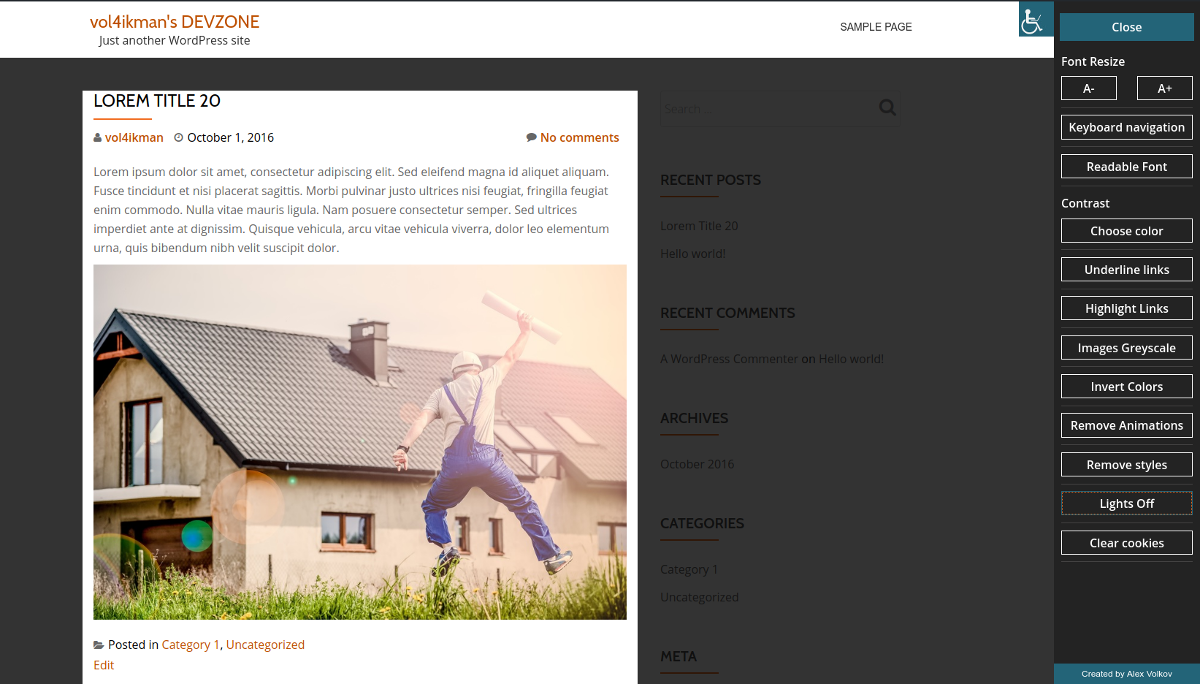
Skip links menu Reset font size button added ( when script base font resize option selected ) Skip link inside accessibility sidebar Font resize (REM or ZOOM or SCRIPT) DOM Scanner – check pages and post for accessibility errors, like: image alt, links role and titles, and much more. Custom colors for contrast mode Lights Off mode Actions & Filters Hooks was added (please read FAQ section) Custom logo position Contrast mode (color gamma) Unload all css files (display page in raw html) Underline all links Highlight all links Attachments control center with ability add/edit images titles and…
Video tutorials
Video tutorials
About the plugin author:
Created and supported by Alex Volkov Official website
Suggestions and ideas
Ideas or new features requests upload HERE
Video
WP Accessibility Helper Attachments control screen
Live DEMO
Live demo here PRO version demo
Donate & Docs
Donate & Docs here
Important Notice!
WP Accessibility Helper makes it possible to improve accessibility on your website, but in any case does not guarantee 100% result (at any level: A, AA, AAA). In order for your site to be at 100% accessible to people with disabilities, you should consult an expert. More information about “what is web accessibility?” you can find here: LINK In any case, it all depends on the quality of the code of your website =)
Changelog
If you upgrade from 0.5.6.0 version (or lower) you need delete plugin and reinstall it again.
0.6.6 – [29 May 2025]
- Fix custom colors variations
0.6.5 – [28 May 2025]
- Security update – Vulnerability Type: Stored XSS Administrator + role
0.6.4 – [28 May 2025]
- Security update – Vulnerability Type: Stored XSS Administrator + role
0.6.3 – [16 Jul 2024]
- Security update
0.6.2.8 – [15 Mar 2024]
- Security update
0.6.2.7 – [12 Mar 2024]
- Security update
- Broken Access Control vulnerability fixes
Screenshots
For developers
Is this your plugin? Show off the numbers.
Add a live badge to your site, docs or GitHub README. It updates on its own — no account needed.
Best WP Accessibility Helper (WAH) alternatives
All a11y plugins →





FAQ
WP Accessibility Helper (WAH): quick answers
Straight answers, pulled from live WordPress.org data.
Live data from WordPress.org · checked Sep 26, 2026
Is WP Accessibility Helper (WAH) free?
Yes. WP Accessibility Helper (WAH) is free to download and use from the official WordPress.org plugin directory.
Is WP Accessibility Helper (WAH) safe to use in 2026?
WP Accessibility Helper (WAH) is a solid plugin choice in 2026, with a few things worth checking first. It runs on 10K+ sites, is rated 4.7/5 and was last updated 3 weeks ago, and scores 78/100 on our health check.
How many websites use WP Accessibility Helper (WAH)?
WP Accessibility Helper (WAH) is active on 10K+ WordPress websites and has been downloaded 498,725 times since it launched in April 2016. It was downloaded 10,051 times in the last 30 days.
Does WP Accessibility Helper (WAH) work with WordPress 7.1?
Yes. The developer has tested WP Accessibility Helper (WAH) up to WordPress 7.1.2, the latest release. It requires WordPress 4.3 or newer.
What PHP version does WP Accessibility Helper (WAH) need?
WP Accessibility Helper (WAH) requires PHP 7.4 or higher. Most hosts run PHP 8.x today, so it works on any modern WordPress hosting.
When was WP Accessibility Helper (WAH) last updated?
The latest version, 0.6.7, was released on September 2, 2026 (3 weeks ago).
Who makes WP Accessibility Helper (WAH)?
WP Accessibility Helper (WAH) is developed and maintained by Alex Volkov.
What are the best alternatives to WP Accessibility Helper (WAH)?
The most popular alternatives to WP Accessibility Helper (WAH) are Web Accessibility (formally… (500K+ installs), WP Accessibility (60K+ installs) and AccessibleWP (20K+ installs).
Powered by PageForge
Want thousands of pages that rank like these? Build them in an afternoon.
This directory runs on the same engine as PageForge. Turn any spreadsheet, CSV or API into thousands of fast, SEO-ready WordPress pages — with schema, internal links and AI-written copy baked in.
- CSV, Google Sheets & API data sources
- AI content, schema & internal links per page
- Works with Elementor, Gutenberg, Yoast & Rank Math
- Free on WordPress.org — no credit card


