



Revisit Session Recording
Record and replay user sessions on your WordPress site to understand behavior, identify issues, and improve UX with Revisit.

Consider an alternative
Revisit Session Recording shows warning signs in 2026 — compare the alternatives below before installing. Was last updated 9 months ago, and scores 36/100 on our health check.
- Small user base (<10 active installs)
- Very few reviews so far
- Only tested up to WordPress 6.9 (latest is 7.1)
How does it stack up?
Side-by-side on installs, updates, ratings & support



Daily downloads
Download spikes usually follow a new release — each site that auto-updates counts as a download.
Rankings
Where Revisit Session Recording stands todayWordPress.org search rankings
Live position in the plugin search, top 100| Keyword | Position |
|---|---|
| analytics | >100 |
| session recording | #35 |
| session replay | #33 |
| user behavior | >100 |
| ux | >100 |
About Revisit Session Recording
From the official readme · v1.0.0Description
Revisit Session Recording allows you to record and replay user sessions on your WordPress website. Watch exactly how visitors interact with your site, identify usability issues, and make data-driven decisions to improve the user experience.
Why Session Recording?
Understanding your users is crucial for building a successful website. With Revisit, you can:
- See Through Your Users’ Eyes – Watch real sessions to understand how people actually use your site
- Find and Fix UX Issues – Identify where users get confused, stuck, or frustrated
- Optimize Conversions – Improve checkout flows, forms, and key conversion paths
- Debug Faster – Replay sessions to understand bug reports and reproduce issues
- Validate Changes – See how users respond to new features and designs
Key Features
- Effortless Setup – Connect your Revisit account and start recording in under 2 minutes
- Lightweight Script – Async loading with minimal impact on page performance
- Privacy First – Automatic masking of sensitive data, GDPR compliant
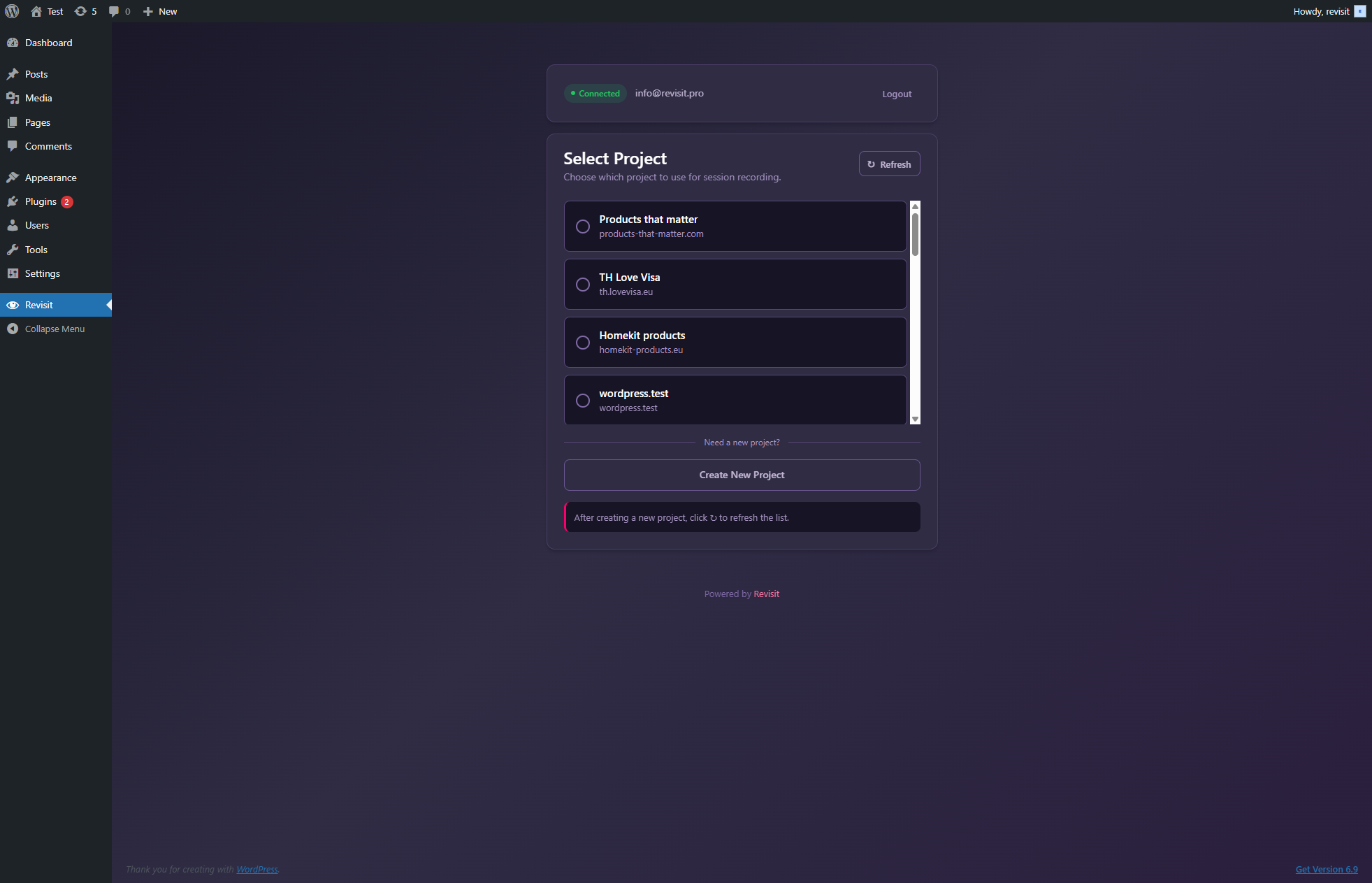
- Project Selection – Easily switch between multiple Revisit projects
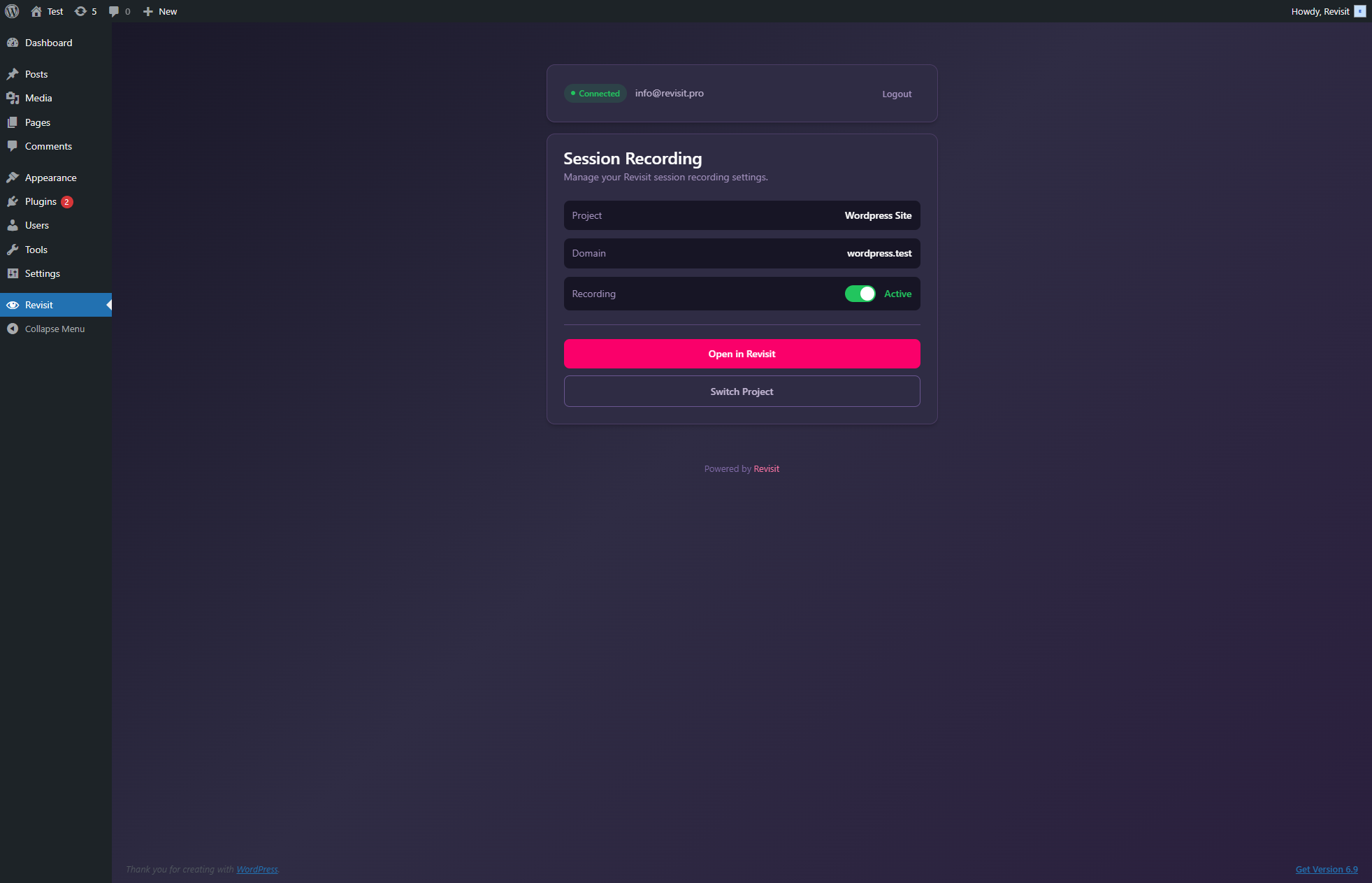
- One-Click Toggle – Enable or disable recording instantly from WordPress admin
- Secure Authentication – Token-based auth keeps your credentials safe
How It Works
- Install and activate the plugin
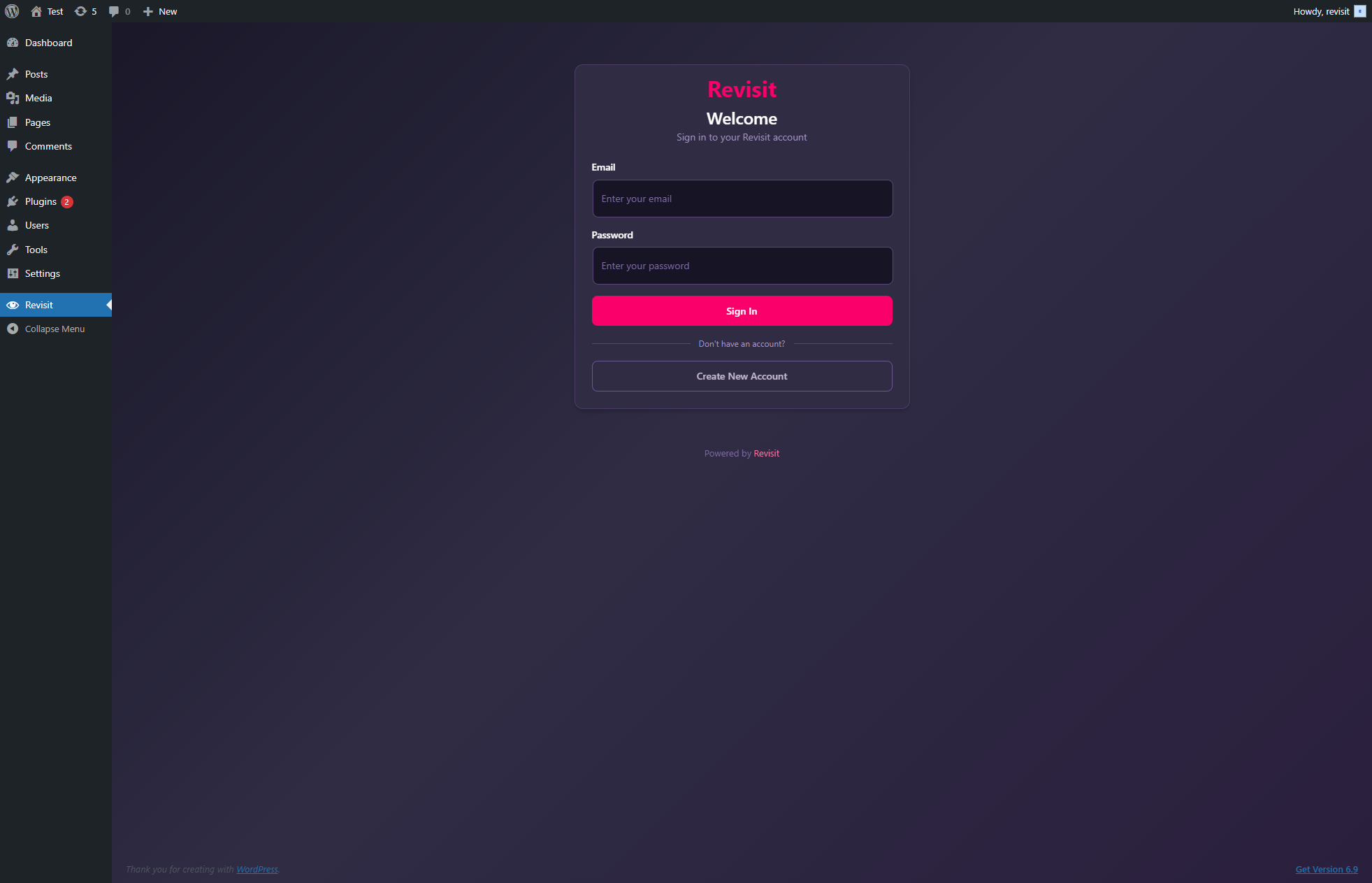
- Login with your Revisit account
- Select the project for this WordPress site
- Sessions are automatically recorded and synced to your Revisit dashboard
That’s it! No code changes needed. View recorded sessions at app.revisit.pro.
Use Cases
- E-commerce – Optimize product pages and checkout flows
- SaaS Landing Pages – Improve signup conversions
- Blogs & Content Sites – Understand reader engagement
- Membership Sites – Enhance user onboarding
- Lead Generation – Optimize forms and CTAs
About Revisit
Revisit is a modern session recording and analytics platform designed for teams who care about user experience. Learn more at revisit.pro.
Privacy
This plugin connects to the Revisit service (revisit.pro) to provide session recording functionality. When using this plugin:
Data sent to Revisit:
* Your login credentials are sent to Revisit servers for authentication (not stored by the plugin)
* Your site’s frontend visitors’ session data is recorded and sent to Revisit servers
Data stored locally:
* Authentication tokens (encrypted, stored in WordPress database)
* Selected project configuration
* User email (for display purposes only)
Third-party service:
* Service: Revisit (revisit.pro)
* Privacy Policy: https://revisit.pro/privacy
* Terms of Service: https://revisit.pro/terms
The plugin requires an active internet connection to function. Recorded session data is processed and stored by Revisit in accordance with their privacy policy.
For GDPR compliance, you should inform your site visitors about session recording in your privacy policy.
Installation
Automatic Installation (Recommended)
- Go to Plugins > Add New in your WordPress admin
- Search for “Revisit Session Recording”
- Click Install Now and then Activate
- Navigate to Revisit in your admin sidebar
- Login with your Revisit account and select a project
Manual Installation
- Download the plugin ZIP file
- Go to Plugins > Add New > Upload Plugin
- Upload the ZIP file and click Install Now
- Activate the plugin
- Go to Revisit in your admin menu to configure
First Time Setup
- Click Revisit in your WordPress admin sidebar
- Enter your Revisit email and password
- If you have MFA enabled, enter your authenticator code
- Select the project you want to use for this site
- Recording starts automatically!
Don’t have a Revisit account? Sign up free
Frequently asked questions
Do I need a Revisit account?
Yes, you need a Revisit account to use this plugin. You can create a free account in seconds.
Does this slow down my website?
No. The recording script loads asynchronously and is optimized for performance. It typically adds less than 50ms to page load time.
What exactly is recorded?
Revisit records user interactions including: – Mouse movements and clicks – Scrolling behavior – Form interactions (with sensitive fields automatically masked) – Page navigation – Console errors and network issues
Is recorded data secure?
Absolutely. All data is: – Transmitted over HTTPS with TLS 1.3 – Stored in encrypted databases – Processed in compliance with GDPR, CCPA, and other privacy regulations – Automatically purged based on your retention settings
Can I exclude certain pages from recording?
Yes! You can configure recording rules in your Revisit dashboard, including: – Exclude specific URLs or URL patterns – Exclude logged-in users – Record only specific pages – Set custom sampling rates
How do I view recorded sessions?
Login to your Revisit dashboard at app.revisit.pro to view, search, and analyze recorded sessions.
Can I use this with WooCommerce?
Yes! Revisit works great with WooCommerce. See how customers interact with your products and optimize your checkout flow.
Does this work with page builders?
Yes, Revisit is compatible with all major page builders including Elementor, Beaver Builder, Divi, and Gutenberg.
Can I use multiple projects?
Yes, you can switch between projects anytime from the plugin settings. This is useful if you manage multiple sites or want to separate staging from production data.
What if I have MFA enabled on my Revisit account?
The plugin fully supports Multi-Factor Authentication. After entering your password, you’ll be prompted for your authenticator code.
Changelog
Initial release of Revisit Session Recording for WordPress. Start understanding your users today!
1.0.0
- Initial release
- Secure login with Revisit account
- MFA (Multi-Factor Authentication) support
- Project selection and switching
- Recording script injection
- One-click recording toggle
- Modern admin interface
Screenshots
For developers
Is this your plugin? Show off the numbers.
Add a live badge to your site, docs or GitHub README. It updates on its own — no account needed.
Best Revisit Session Recording alternatives
All analytics plugins →





FAQ
Revisit Session Recording: quick answers
Straight answers, pulled from live WordPress.org data.
Live data from WordPress.org · checked Sep 29, 2026
Is Revisit Session Recording free?
Yes. Revisit Session Recording is free to download and use from the official WordPress.org plugin directory.
Is Revisit Session Recording safe to use in 2026?
Revisit Session Recording shows warning signs in 2026 — compare the alternatives below before installing. Was last updated 9 months ago, and scores 36/100 on our health check.
How many websites use Revisit Session Recording?
Revisit Session Recording is active on <10 WordPress websites and has been downloaded 316 times since it launched in December 2025. It was downloaded 39 times in the last 30 days.
Does Revisit Session Recording work with WordPress 7.1?
Revisit Session Recording is officially tested up to WordPress 6.9.9, while the latest release is 7.1.2. It may still work, but try it on a staging site first.
What PHP version does Revisit Session Recording need?
Revisit Session Recording requires PHP 7.4 or higher. Most hosts run PHP 8.x today, so it works on any modern WordPress hosting.
When was Revisit Session Recording last updated?
The latest version, 1.0.0, was released on December 30, 2025 (9 months ago).
Who makes Revisit Session Recording?
Revisit Session Recording is developed and maintained by Revisit.
What are the best alternatives to Revisit Session Recording?
The most popular alternatives to Revisit Session Recording are Site Kit by Google (5M+ installs), MonsterInsights (2M+ installs) and WP Statistics (600K+ installs).
Powered by PageForge
Want thousands of pages that rank like these? Build them in an afternoon.
This directory runs on the same engine as PageForge. Turn any spreadsheet, CSV or API into thousands of fast, SEO-ready WordPress pages — with schema, internal links and AI-written copy baked in.
- CSV, Google Sheets & API data sources
- AI content, schema & internal links per page
- Works with Elementor, Gutenberg, Yoast & Rank Math
- Free on WordPress.org — no credit card


