


Responsive Filterable Portfolio Gallery – Media Grid & Video Portfolio
Build a beautiful, responsive, and filterable portfolio grid with images, videos, and custom links in minutes. Includes a native Gutenberg block.

Safe pick
Yes — Responsive Filterable Portfolio… is a safe, well-maintained plugin to use in 2026. It runs on 1K+ sites, is rated 4.6/5 and was last updated 4 weeks ago, and scores 80/100 on our health check.
- Actively developed — last update 4 weeks ago
- Tested with the latest WordPress (7.1)
- Momentum — downloads up 44% vs the previous 30 days
How does it stack up?
Side-by-side on installs, updates, ratings & support



Daily downloads
Download spikes usually follow a new release — each site that auto-updates counts as a download.
Rankings
Where Responsive Filterable Portf… stands todayWordPress.org search rankings
Live position in the plugin search, top 100| Keyword | Position |
|---|---|
| filterable portfolio | #3 |
| Gutenberg block | >100 |
| media grid | #11 |
| portfolio | #10 |
| portfolio gallery | #13 |
Version adoption
Share of active sites per release.
Rating breakdown
★★★★★★★★★★ 4.6 from 18 reviews
About Responsive Filterable Portfolio Gallery
From the official readme · v1.0.28Description
Need a clean, professional way to showcase your work without slowing down your website or writing a single line of code?
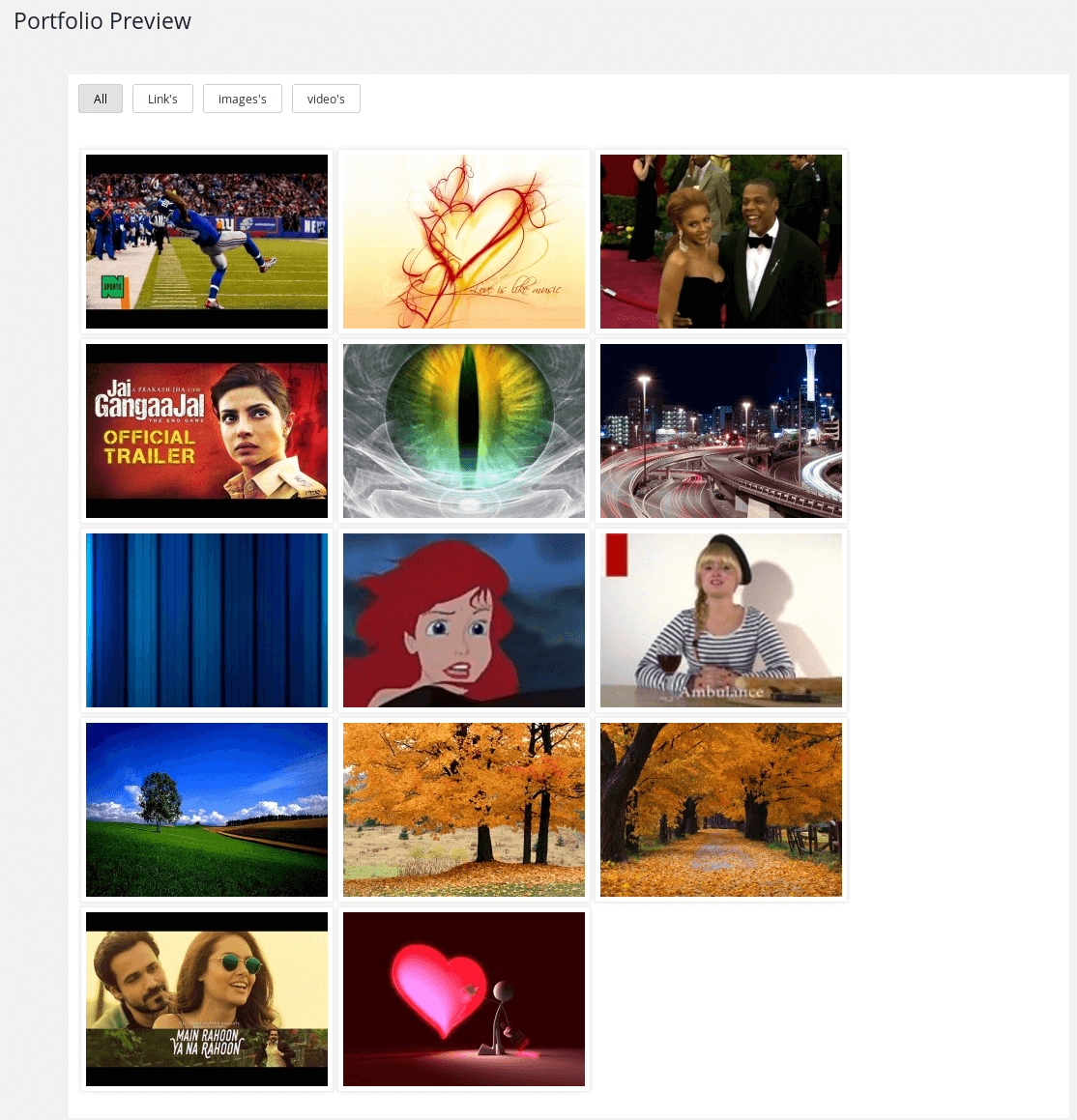
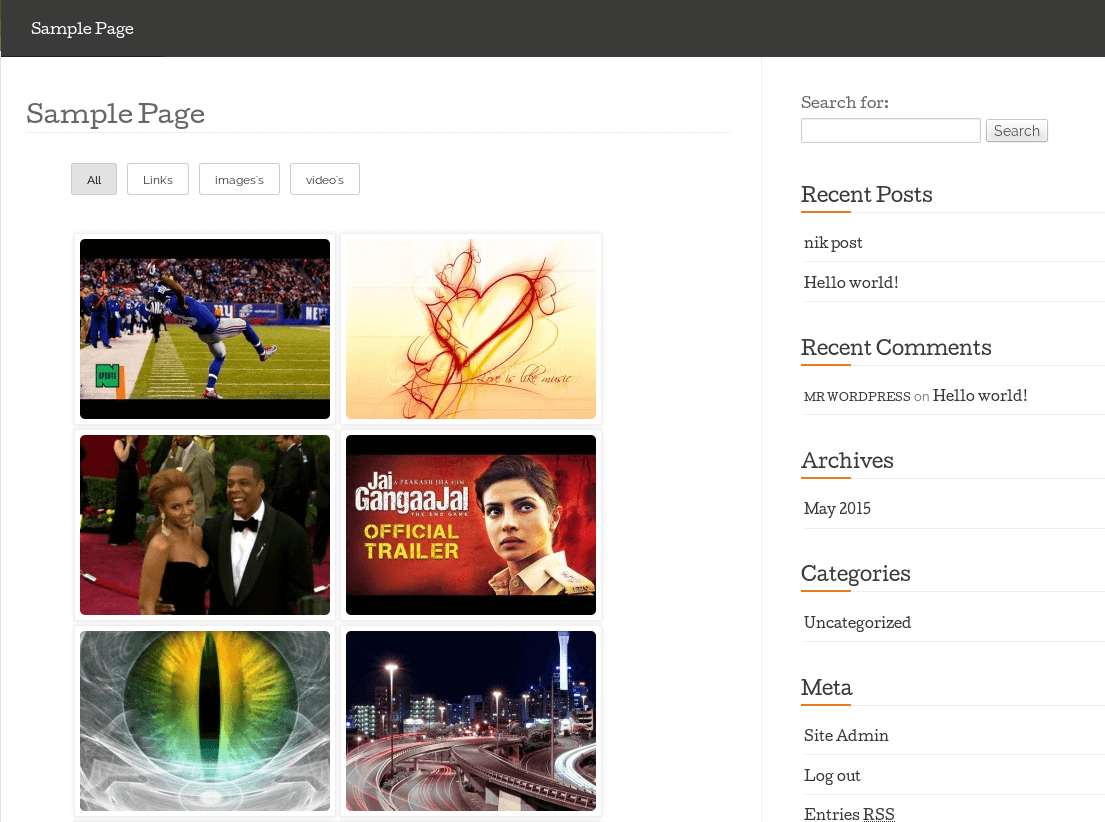
Responsive Filterable Portfolio lets you create stunning, mobile-friendly media grids that your visitors can filter by category instantly. Whether you want to showcase photography, client case studies, design concepts, or video showreels, this plugin handles it automatically.
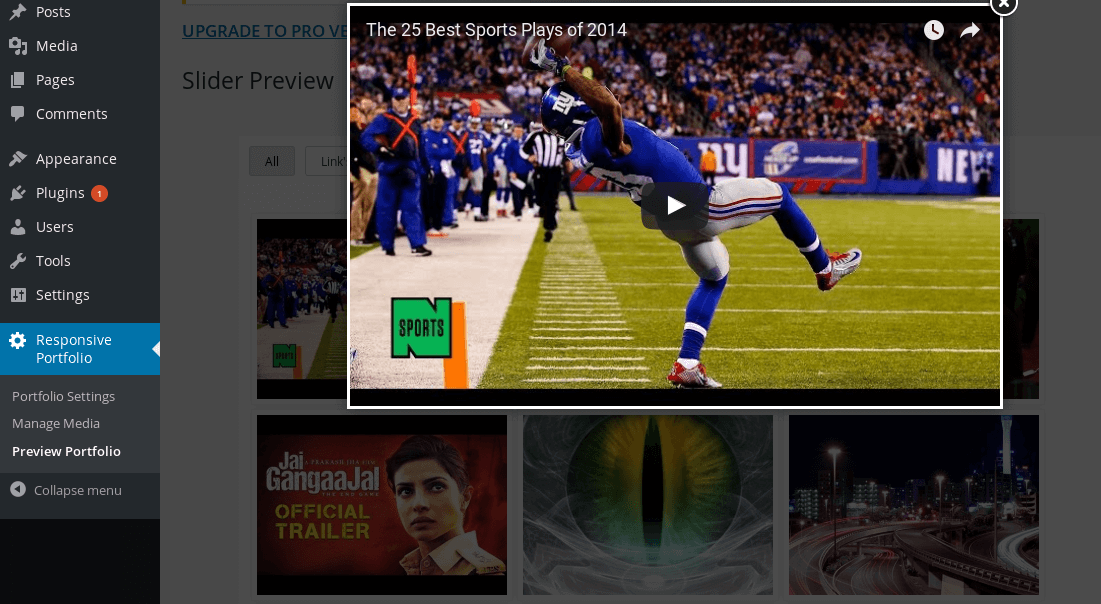
Simply add your images, YouTube videos, Dailymotion videos, or custom links, assign your tags, and watch your portfolio build itself with ultra-smooth filtering transitions and a built-in responsive lightbox popup.
It works flawlessly out of the box with any WordPress theme via a simple shortcode or our dedicated, lightweight Gutenberg block.
🚀 Key Links
Why WordPress Creators Love It
- Instant One-Click Tag Filtering — Seamless category filtering without frustrating page reloads.
- Mixed Media Freedom — Blend images, YouTube/Dailymotion videos, and external clickable links inside a single cohesive grid.
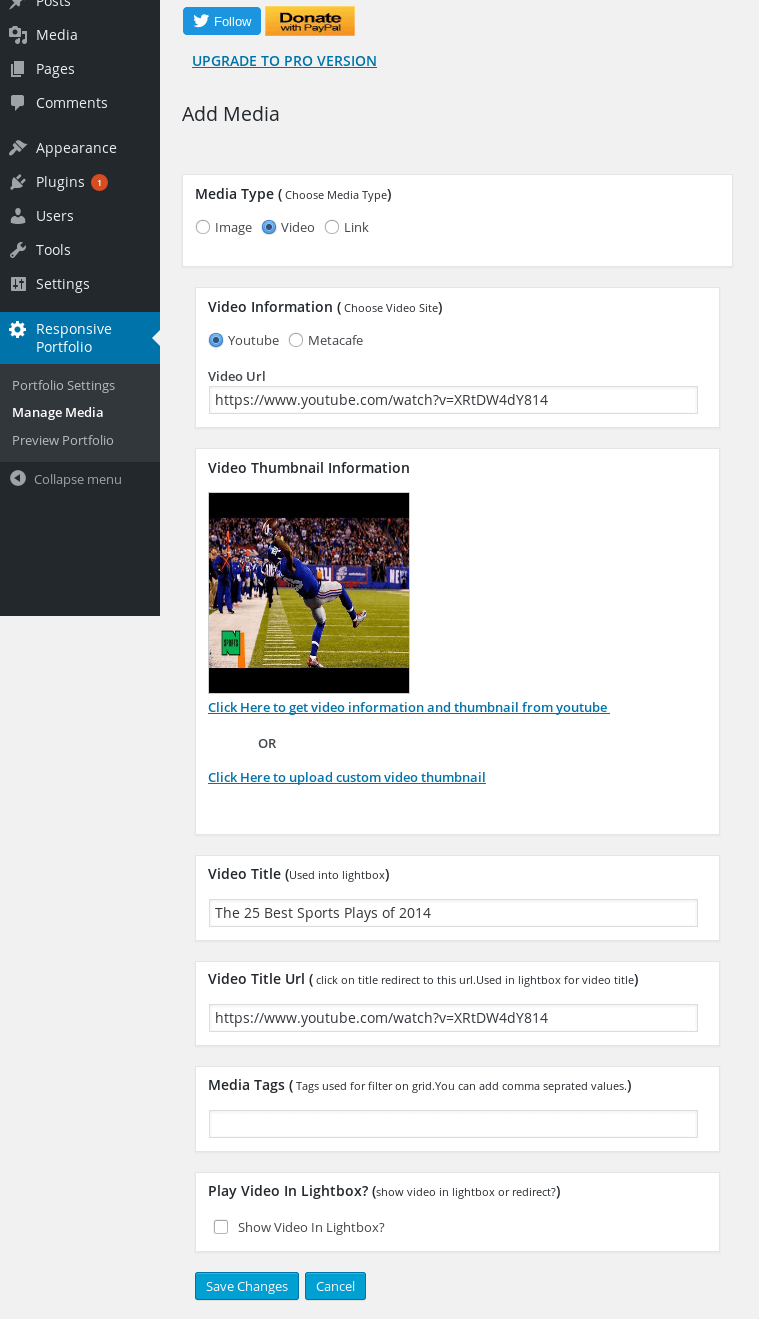
- Smart Video Thumbnail Fetching — Simply paste a video URL; the plugin automatically pulls the thumbnail, title, and description for you.
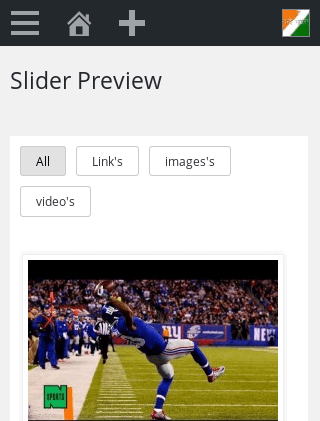
- Optimized Responsive Lightbox — Media opens in an elegant, modern popup modal that scales flawlessly from large 4K monitors down to mobile screens.
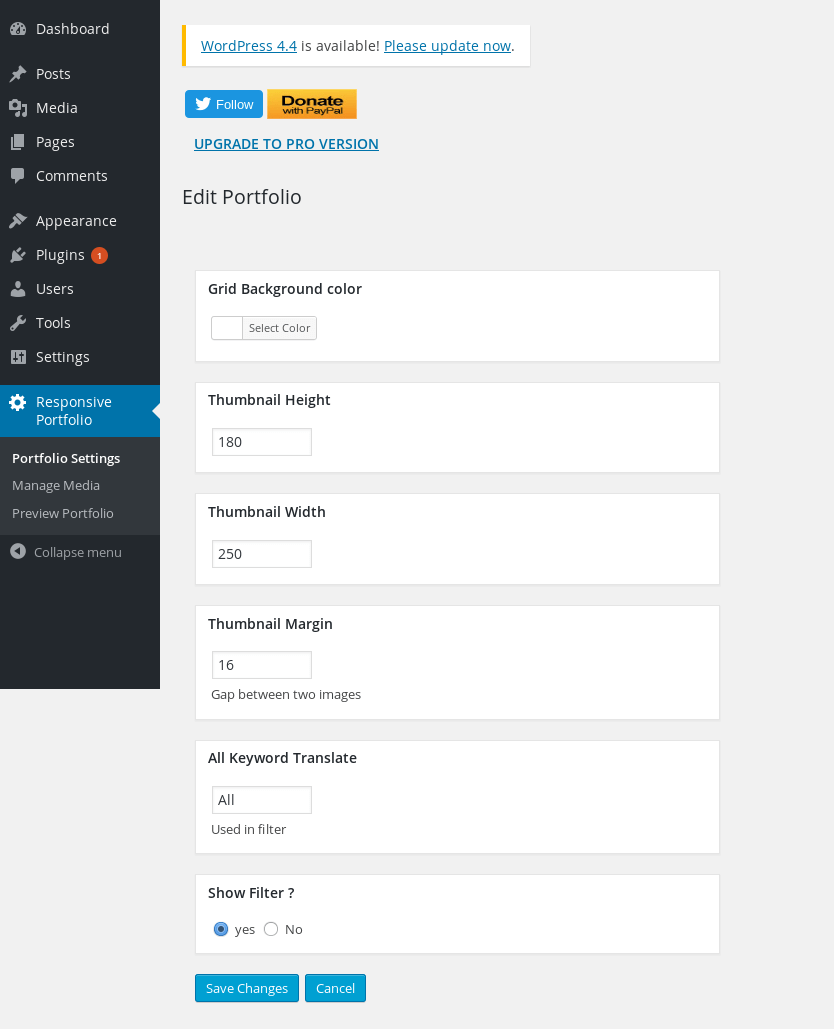
- 100% No-Code Customization — Tweak thumbnail heights, widths, spacing, and background colors straight from your dashboard settings.
- Blazing-Fast WebP Support — Fully compatible with lightweight, next-gen image formats to keep your Core Web Vitals score high.
- Native Gutenberg Block Included — Drag, drop, and configure your portfolio visually right within the block editor.
Perfect For:
Photographers, UX/UI Designers, Creative Agencies, Freelancers, Videographers, Architects, and Web Developers who need a beautiful gallery that “just works.”
Free vs Pro Comparison
- Portfolio Grids – Free version includes 1 grid. Pro version unlocks UNLIMITED separate grids for different pages.
- Layout Styles – Free version includes standard grid layout. Pro version adds beautiful Masonry & Justified layout styles.
- Media Sources – Free version supports Images, YouTube, and Dailymotion. Pro version adds Vimeo, Metacafe, and self-hosted HTML5 video.
- Image Uploading – Free version requires single image uploading. Pro version introduces Mass Image Bulk Uploading to save you time.
- Sorting Controls – Free version has basic sorting. Pro version features an advanced drag-and-drop Mass Order Update UI.
- Pagination Controls – Free version displays all items at once. Pro version includes pagination controls for large, heavy portfolios.
- Lightbox Extensions – Free version uses a standard lightbox. Pro version adds media descriptions and custom thumbnail captions right inside the popup.
- Click Behavior – Free version opens items in a lightbox only. Pro version lets you choose between opening in a lightbox OR redirecting directly to a custom link.
- Multisite Support – Free version is for single-site use. Pro version includes full WordPress Multisite compatibility.
- Support & Ads – Free version relies on community forums. Pro version offers priority developer support and is 100% ad-free.
👉 Unlock All Pro Features Now – Lifetime Access with One-Time Payment
Usage
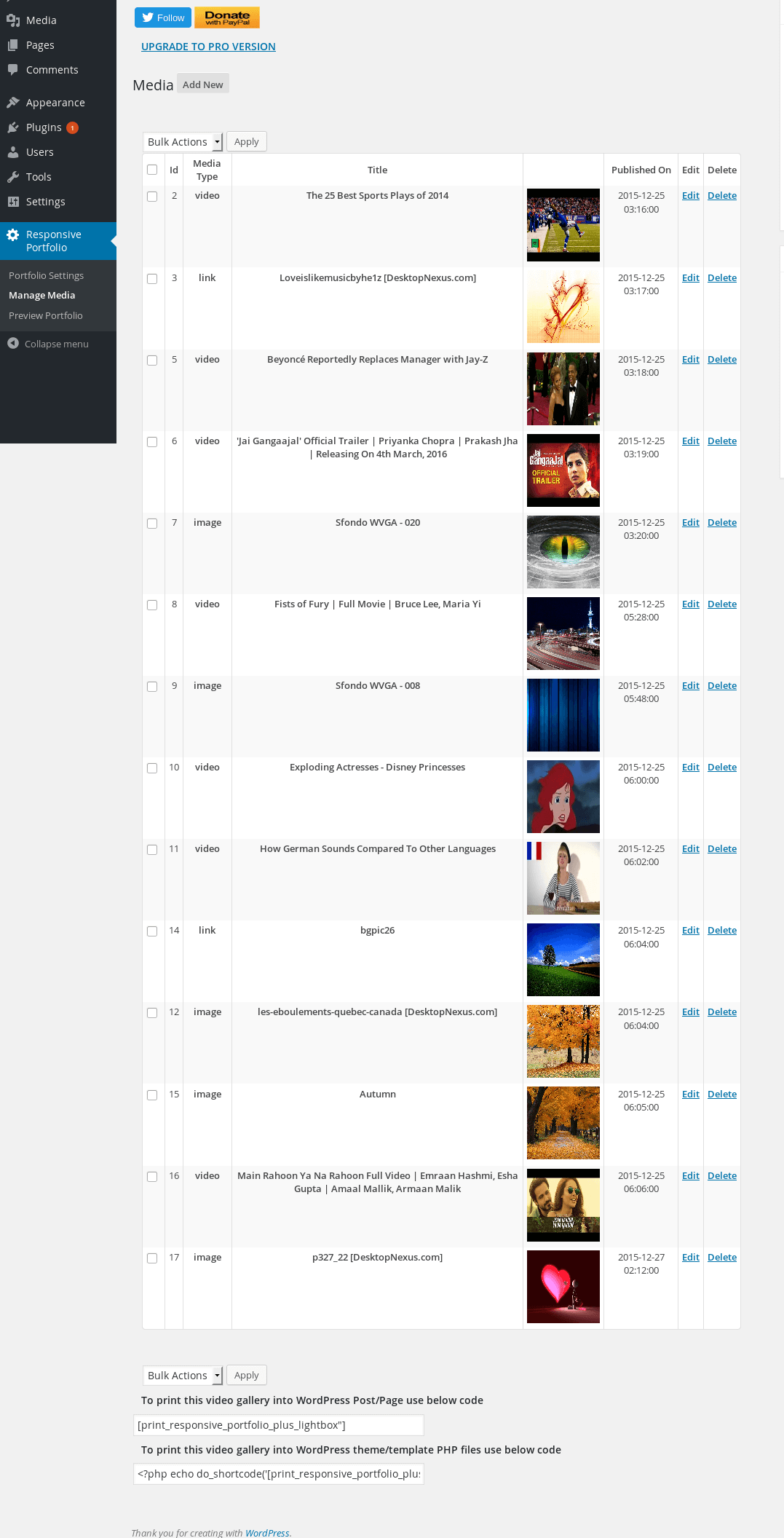
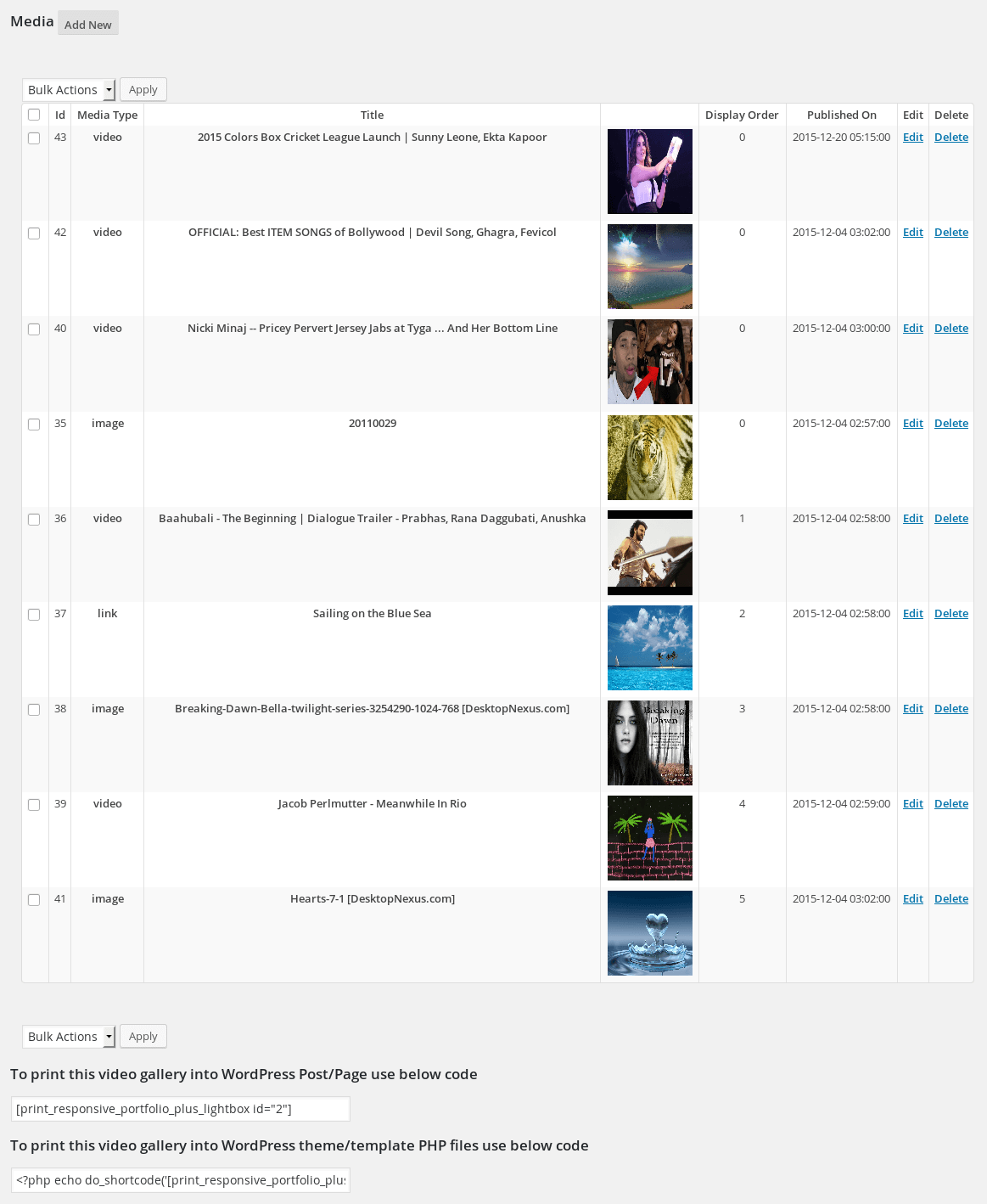
- Add Media: Go to Responsive Portfolio > Manage Media to add your images, links, or videos. Don’t forget to add tags for your filter categories!
- Style It: Tweak your grid alignment, thumbnail sizes, margins, and colors in Portfolio Settings.
- Display It: * Gutenberg Editor: Search for the “Responsive Filterable Portfolio” block and add it to your page.
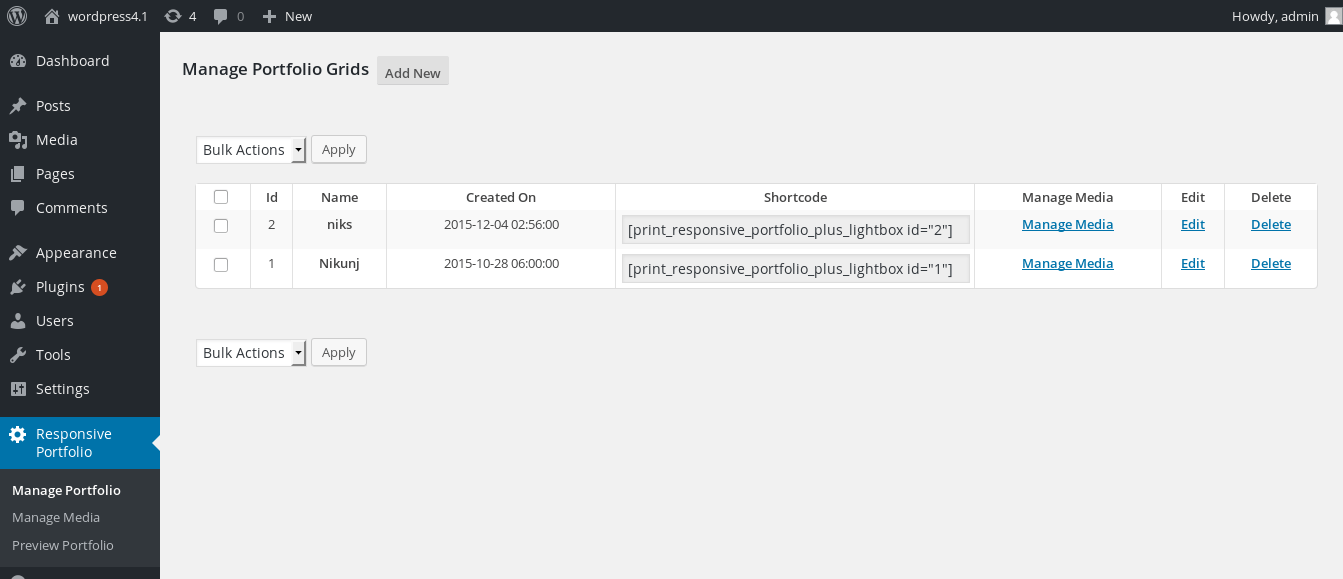
- Shortcode: Paste
[print_responsive_portfolio_plus_lightbox]into any page, post, or widget area. - PHP Template: Use
<?php echo do_shortcode('[print_responsive_portfolio_plus_lightbox]'); ?>directly in your theme files.
- Shortcode: Paste
License
This plugin is free and open-source software, released under the GPLv2 or later license. You are fully welcome to use it on personal, freelance, or commercial client websites free of charge.
Installation
From your WordPress Dashboard
- Go to Plugins > Add New and search for
Responsive Filterable Portfolio. - Click Install Now and then Activate.
- Navigate to the new Responsive Portfolio menu item in your sidebar to start adding media.
Manual Installation
- Download the plugin zip file and extract the
responsive-filterable-portfoliofolder. - Upload the folder to your
/wp-content/plugins/directory via FTP. - Activate the plugin through the Plugins menu in your WordPress dashboard.
Frequently asked questions
How do I display the portfolio grid on my website?
You can easily add it using the custom Gutenberg block named “Responsive Filterable Portfolio” inside your editor. Alternatively, you can copy and paste the shortcode [print_responsive_portfolio_plus_lightbox] into any page, post, or widget text area.
What media types are supported in the free version?
The free version fully supports local Images, YouTube videos, Dailymotion videos, and custom redirect links. If you need support for Vimeo, Metacafe, or self-hosted HTML5 video files, please upgrade to the Pro version.
Can I create multiple distinct portfolio galleries for different pages?
The free version allows you to create and display one primary portfolio grid across your site. To build unlimited, independent portfolio grids with different items and tags on different pages, you will need the Pro version.
Why isn’t my YouTube video fetching a thumbnail?
Please ensure you paste the full youtube.com/watch?v=... URL format rather than the shortened youtu.be/... link. Once pasted, click the info-fetching button to pull the thumbnail and metadata automatically.
How do I customize the appearance of the layout?
Head over to the Portfolio Settings page in your admin menu. From there, you can completely customize thumbnail heights, widths, grid item spacing, and container background colors without needing to write CSS rules.
Changelog
Admin experience improvements and clean-up. Safe update for all users.
1.0.28
- Improve security on save files (Images etc)
1.0.27
- Added a friendly, dismissible review request prompt on the plugin admin pages.
- Added Pro feature previews in the admin UI so you can see what Pro unlocks.
- Cleaned up the admin side panel.
1.0.26
- Added a native Gutenberg block — add your portfolio from the block editor, no shortcode needed.
- Added an icon to the admin menu.
- Replaced third-party ads in the admin side panel with Pro version information.
- Fixed an upgrade link that was not displaying.
Screenshots
For developers
Is this your plugin? Show off the numbers.
Add a live badge to your site, docs or GitHub README. It updates on its own — no account needed.
Best Responsive Filterable Portfol… alternatives
All filterable portfolio plugins →


FAQ
Responsive Filterable Portfolio Gal…: quick answers
Straight answers, pulled from live WordPress.org data.
Live data from WordPress.org · checked Sep 30, 2026
Is Responsive Filterable Portfolio… free?
Yes. Responsive Filterable Portfolio… is free to download and use from the official WordPress.org plugin directory. The developer also sells premium add-ons or a Pro version with extra features.
Is Responsive Filterable Portfolio… safe to use in 2026?
Yes — Responsive Filterable Portfolio… is a safe, well-maintained plugin to use in 2026. It runs on 1K+ sites, is rated 4.6/5 and was last updated 4 weeks ago, and scores 80/100 on our health check.
How many websites use Responsive Filterable Portfolio…?
Responsive Filterable Portfolio… is active on 1K+ WordPress websites and has been downloaded 79,865 times since it launched in January 2016. It was downloaded 586 times in the last 30 days.
Does Responsive Filterable Portfolio… work with WordPress 7.1?
Yes. The developer has tested Responsive Filterable Portfolio… up to WordPress 7.1.2, the latest release. It requires WordPress 4.9 or newer.
What PHP version does Responsive Filterable Portfolio… need?
Responsive Filterable Portfolio… requires PHP 5.6 or higher. Most hosts run PHP 8.x today, so it works on any modern WordPress hosting.
When was Responsive Filterable Portfolio… last updated?
The latest version, 1.0.28, was released on September 2, 2026 (4 weeks ago).
Who makes Responsive Filterable Portfolio…?
Responsive Filterable Portfolio… is developed and maintained by Nks.
What are the best alternatives to Responsive Filterable Portfolio…?
The most popular alternatives to Responsive Filterable Portfolio… are Radius Portfolio (7K+ installs), Portfolio Grid (800+ installs) and Portfolio Block (800+ installs).
Powered by PageForge
Want thousands of pages that rank like these? Build them in an afternoon.
This directory runs on the same engine as PageForge. Turn any spreadsheet, CSV or API into thousands of fast, SEO-ready WordPress pages — with schema, internal links and AI-written copy baked in.
- CSV, Google Sheets & API data sources
- AI content, schema & internal links per page
- Works with Elementor, Gutenberg, Yoast & Rank Math
- Free on WordPress.org — no credit card


