


Re:amaze Helpdesk & Live Chat
Boost sales conversions, loyalty, and engagement. Manage your social, email, sms, live chat, FAQ for your WordPress or WooCommerce store.

Consider an alternative
Re:amaze Helpdesk & Live Chat shows warning signs in 2026 — compare the alternatives below before installing. It runs on 300+ sites, is rated 5/5 and was last updated 2 years ago, and scores 33/100 on our health check.
- Small user base (300+ active installs)
- Very few reviews so far
- No update in 2 years
- Only tested up to WordPress 6.5 (latest is 7.1)
How does it stack up?
Side-by-side on installs, updates, ratings & support


Daily downloads
Download spikes usually follow a new release — each site that auto-updates counts as a download.
Rankings
Where Re:amaze Helpdesk & Live Ch… stands todayWordPress.org search rankings
Live position in the plugin search, top 100| Keyword | Position |
|---|---|
| AI | >100 |
| customer support | >100 |
| help desk | >100 |
| live chat | >100 |
| woocommerce | >100 |
Version adoption
Share of active sites per release.
Rating breakdown
★★★★★★★★★★ 5 from 3 reviews
About Re:amaze Helpdesk & Live Chat
From the official readme · v2.3.2Description
Introducing Re:amaze for WordPress and WooCommerce. Integrated customer communications, helpdesk and live chat for your blog, WooCommerce store or WordPress site.
- Stay connected to your customers and users as efficiently as possible, both offline and online via Live Chat.
- All your email, Facebook, Messenger, Twitter, Instagram, SMS/MMS, and chat conversations in one place so you can interact with customers no matter where they are.
- Use Re:amaze Cues to automatically target and message online customers using rules and conditions.
- Multi-brand and multi-store support. Have multiple WordPress sites? Manage them all in one place!
- Deploy beautiful Help Sites loaded with your FAQ articles so customers can help themselves.
- Send automated Customer Satisfaction Surveys and keep track of your service quality.
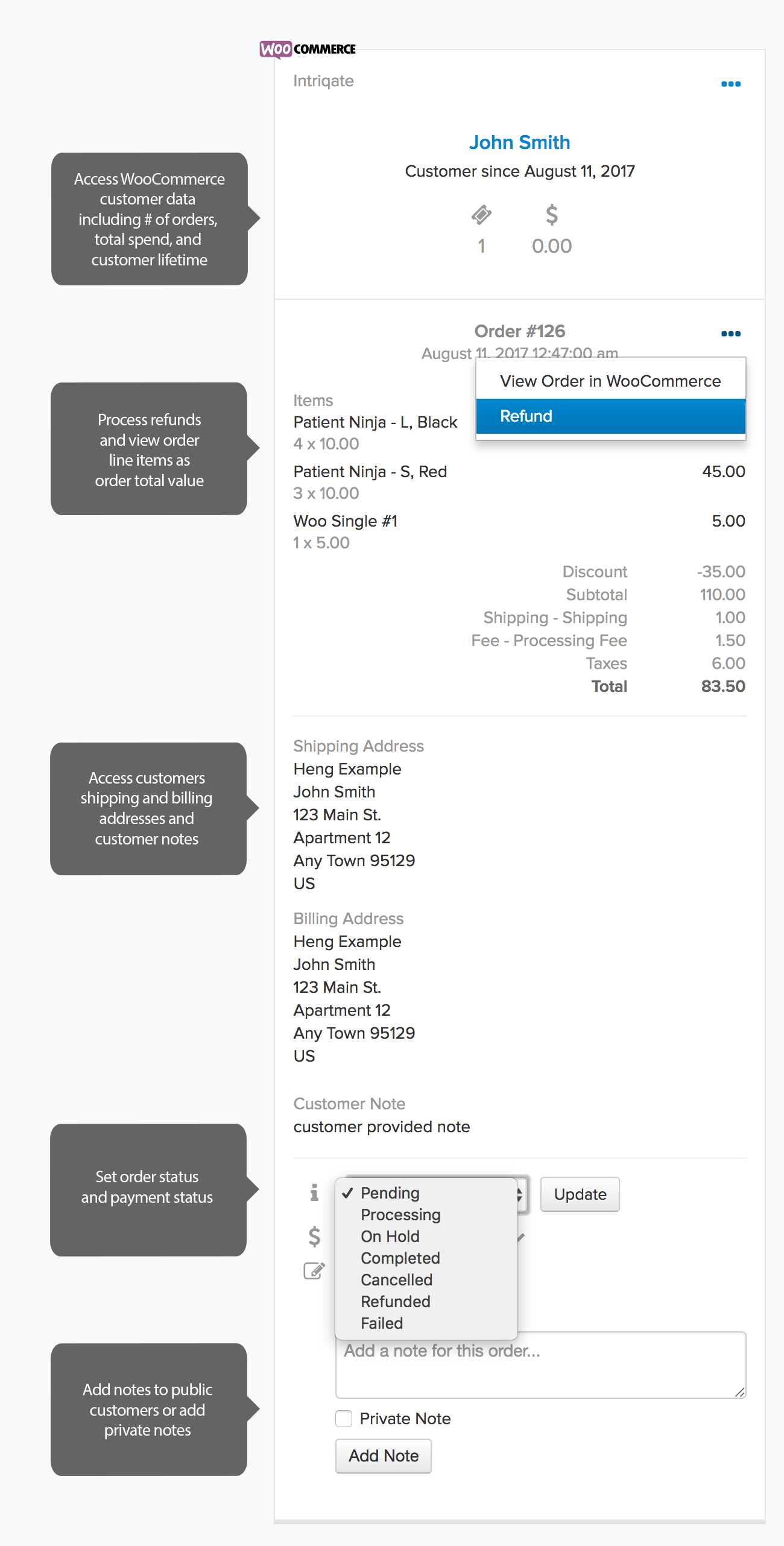
- View and manage WooCommerce customer and order information. Issue refunds, add order notes, update order status while engaging with a customer.
Re:amaze helps companies like Fit Tea, Built Bar, Dose of Colors, and Wild Nutrition streamline their customer support and build great relationships with their customers.
The Best Multi-Channel Helpdesk and Live Chat Platform for eCommerce Businesses
Connect your Emails, Facebook, Messenger, Twitter, Instagram, SMS/MMS, VOIP, and live chat conversations to a shared inbox so you can provide amazing customer service.
Detailed Features
Connect multiple WooCommerce stores to a single Re:amaze help desk and get real time customer order data during customer service.
Create macros with WooCommerce dynamic variables to quickly reply to support tickets with workflows and templates.
- See order details, histories, and lifetime value
- See recent activity, and customers’ screens
- See shipping and fulfillment
- Set order status
- Process refunds and cancellations
- Edit customer and order notes
Boost Engagement, Conversions, and Sales
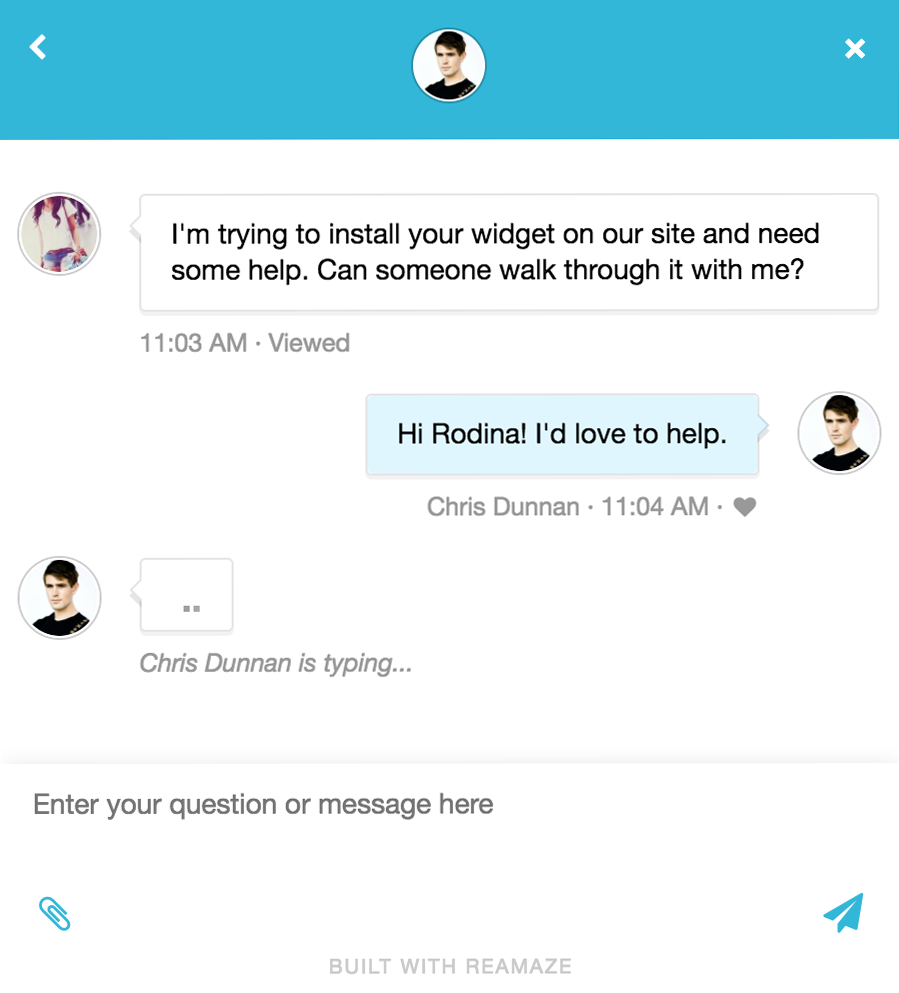
Add a live chat customer service experience to your storefront to engage customers.
- Fully customizable livechat support to match your brand
- Minimal coding required
- SEO-friendly script loading for fast page loads
Apply powerful rules and condition triggers for automatic customer messaging.
- Send call-to-actions, discounts, and promotions via live chat
- Ask for reviews automatically after a purchase
- Up-sell relevant products at checkout
- Prevent shopping cart abandonment
Reduce Customer Service Volume By 40%
Use Chatbots and workflows to respond quickly with relevant messages and FAQ articles.
- Hello Bot can automatically greet customers
- FAQ Bot can reply with FAQ articles for faster customer support
- Order Bot can answer order questions
- Chatbot builder (coming soon)
- Create workflows for advanced chat support scenarios
Perfect For Self Service
- FAQ and knowledge base management
- Powerful article editor
- Optimized for SEO
- Show your FAQ in live chat
- Embeddable
Give Agents Full Customer Service Clarity
- Powerful Live Dashboard for customer support, sales, and marketing
- See customer activity and location
- Send 1-on-1 chat messages and optimize sales
- See customer screens and co-browse using Peek!
Create Happy Customers
Schedule satisfaction surveys after customer service emails or chats have been addressed.
- Available for email and live chat tickets
- Customers can rate your customer support quality
- Get additional feedback for you to review
- Detailed reporting for support tickets
Better Teamwork
Customer support teams are more efficient when using Re:amaze.
- CRM and segmentation
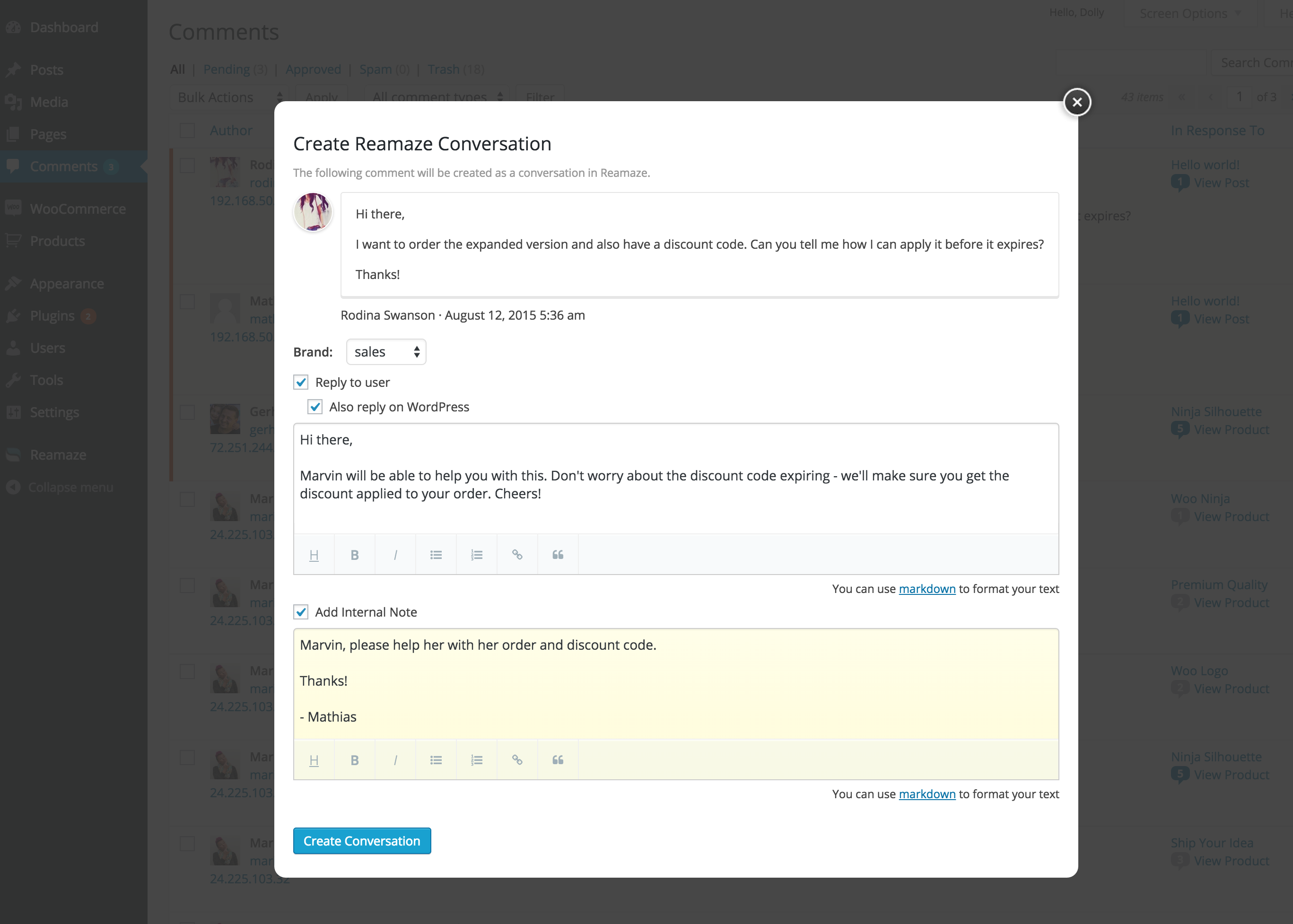
- Internal notes
- Team activity sharing
- Response templates
- Office hours
- Autoresponders
- Email templates
- iOS and Android mobile apps
Mobile Apps Available
Re:amaze is mobile ready for your team so you can always impress customers with a few taps. Download our mobile apps and receive push notifications for direct messaging with customers while you’re on the go.
- iOS – Get iOS App
- Android – Get Android App
Installation
Automatic Installation
- From your WordPress Admin, go to ‘Plugins’ -> ‘Add New’
- Search for ‘Reamaze for WordPress’
- Click ‘Install Now’ and activate the plugin
Manual installation
Download the Re:amaze For WordPress plugin and uploading it to your WordPress server via FTP. The WordPress codex contains instructions on how to do this here.
Changelog
Use async mini-loader for widget
2.3.2
- Use async mini-loader for widget
2.3.1
- Add Cues Publishing capability from Re:amaze
2.3.0
- Add Chat Widget Publishing capability from Re:amaze
2.2.0
- Fix Parsedown conflict
- Updated to WP 6.1 support
2.1.0
- new Re:amaze Connect onboarding experience
2.0.0
BREAKING CHANGE – This release removes the ability to enter your widget code via the Reamaze Settings in WordPress. Widget scripts will have to inserted manually into your WordPress theme.
Screenshots






For developers
Is this your plugin? Show off the numbers.
Add a live badge to your site, docs or GitHub README. It updates on its own — no account needed.
Best Re:amaze Helpdesk & Live Chat alternatives
All AI plugins →





FAQ
Re:amaze Helpdesk & Live Chat: quick answers
Straight answers, pulled from live WordPress.org data.
Source: WordPress.org
Is Re:amaze Helpdesk & Live Chat free?
Yes. Re:amaze Helpdesk & Live Chat is free to download and use from the official WordPress.org plugin directory.
Is Re:amaze Helpdesk & Live Chat safe to use in 2026?
Re:amaze Helpdesk & Live Chat shows warning signs in 2026 — compare the alternatives below before installing. It runs on 300+ sites, is rated 5/5 and was last updated 2 years ago, and scores 33/100 on our health check.
How many websites use Re:amaze Helpdesk & Live Chat?
Re:amaze Helpdesk & Live Chat is active on 300+ WordPress websites and has been downloaded 24,781 times since it launched in August 2015. It was downloaded 1,272 times in the last 30 days.
Does Re:amaze Helpdesk & Live Chat work with WordPress 7.1?
Re:amaze Helpdesk & Live Chat is officially tested up to WordPress 6.5.15, while the latest release is 7.1.5. It may still work, but try it on a staging site first.
When was Re:amaze Helpdesk & Live Chat last updated?
The latest version, 2.3.2, was released on July 12, 2024 (2 years ago).
Who makes Re:amaze Helpdesk & Live Chat?
Re:amaze Helpdesk & Live Chat is developed and maintained by Reamaze.
What are the best alternatives to Re:amaze Helpdesk & Live Chat?
The most popular alternatives to Re:amaze Helpdesk & Live Chat are Elementor Agent Ready Websi… (10M+ installs), Jetpack (3M+ installs) and All in One SEO (2M+ installs).
Powered by PageForge
One template and a spreadsheet. A real page for every search.
PageForge turns each row of a CSV into a WordPress page with its own title, URL, SEO fields and schema, built on the layout you already designed. Free on WordPress.org.
- CSV and XLSX, plus Google Sheets on Professional and Enterprise
- Its own title, URL, SEO fields and schema for every page
- Works with the block editor, Elementor, Divi and Avada
- Free on WordPress.org, no credit card