


Reactions – Emoji Reactions for Posts
Reactions are stored as ordinary WordPress comments (with a reaction comment type), so they inherit your existing comment moderation. They’re also automatically excluded from your theme’s comment list, comment feeds…

Solid choice
Reactions is a solid plugin choice in 2026, with a few things worth checking first. It runs on 10+ sites, is rated 3.9/5 and was last updated 4 weeks ago, and scores 74/100 on our health check.
- Actively developed — last update 4 weeks ago
- Tested with the latest WordPress (7.1)
- Small user base (10+ active installs)
How does it stack up?
Side-by-side on installs, updates, ratings & support



Daily downloads
Download spikes usually follow a new release — each site that auto-updates counts as a download.
Rankings
Where Reactions stands todayWordPress.org search rankings
Live position in the plugin search, top 100| Keyword | Position |
|---|---|
| comments | >100 |
| emoji | #41 |
| engagement | >100 |
| likes | >100 |
| reactions | #14 |
Version adoption
Share of active sites per release.
Rating breakdown
★★★★★★★★★★ 3.9 from 8 reviews
About Reactions – Emoji Reactions for Posts
From the official readme · v0.2.0Description
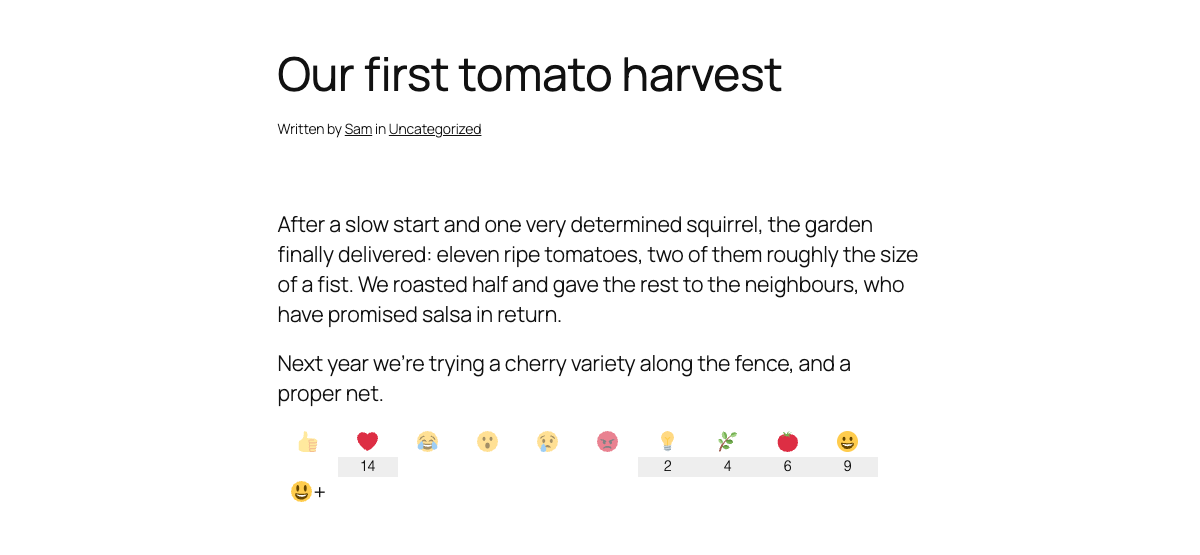
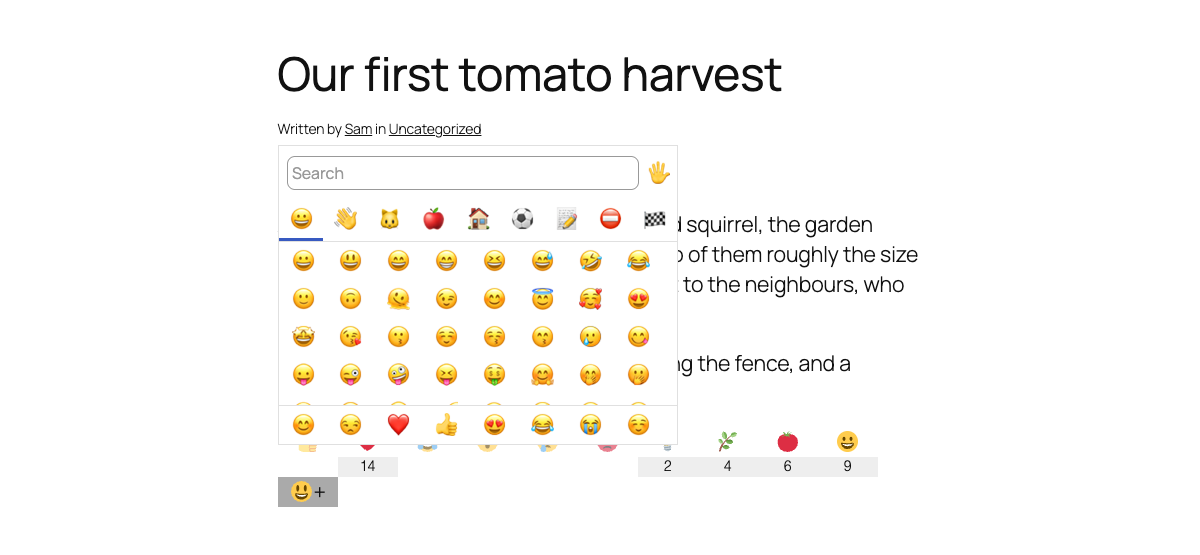
Adds an emoji reaction picker under each post’s content.
Reactions are stored as ordinary WordPress comments (with a reaction comment type), so they inherit your existing comment moderation. They’re also automatically excluded from your theme’s comment list, comment feeds, things like the Recent Comments widget, and the Comments screen in wp-admin, so they never show up twice or inflate your comment count.
Additional background is at https://make.wordpress.org/core/2016/03/07/reactions/.
Settings
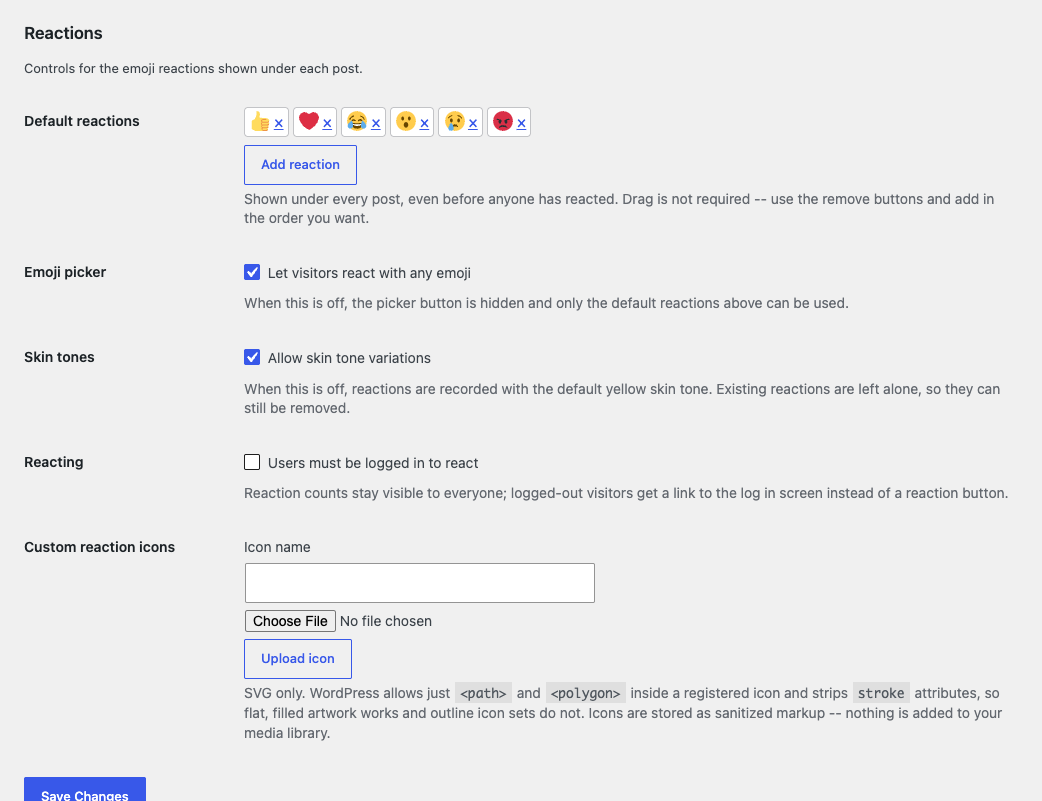
Settings > Discussion gains a Reactions section:
- Default reactions — emoji shown under every post, even before anyone has reacted, so visitors can react in one click.
- Emoji picker — turn off to hide the picker button, restricting reactions to the default set above.
- Skin tones — turn off to record reactions with the default skin tone.
- Reacting — require visitors to be logged in. Reaction counts stay visible to everyone; logged-out visitors get a link to the log in screen instead of a reaction button.
- Custom reaction icons — upload your own SVG icons to use as reactions alongside emoji, registered through the Icon Registration API added in WordPress 7.1.
Changing a setting is never retroactive. Turning off skin tones or the picker, or retiring a custom icon, stops new reactions of that kind without stranding any that visitors have already left — those keep showing, and can still be removed.
Installation
- Upload the plugin files to
/wp-content/plugins/react, or install through the WordPress plugins screen directly. - Activate the plugin through the ‘Plugins’ screen in WordPress.
- Optionally, visit Settings > Discussion to choose your default reactions.
Changelog
Adds settings, custom icons and undoable reactions, and keeps reactions out of wp-admin's Comments. Removes the react_categories filter, so check any code that uses it.
0.2.0
- Reaction tallies are now counted by the database and cached per post, instead of every reaction on a post being loaded on each page view. Both the reactions under a post and the REST endpoint use the same cached tallies.
- Reactions no longer show up in wp-admin’s Comments screen, the dashboard’s Activity widget, or the comment counts in the posts list. They can still be listed by choosing “Reactions” from the Comments screen’s comment type dropdown.
- Added a Reactions section to Settings > Discussion: configurable default reactions, an optional emoji picker, a skin tone toggle, an option to require visitors to be logged in, and custom SVG reaction icons registered via the WordPress 7.1 Icon Registration API. Every setting is enforced on the server, and changing one never strands reactions that have already been left.
- Fixed a click on the reactions container’s own padding being treated as a click on a reaction, which sent a malformed request.
- Fixed a reaction toggled back off keeping a stale count until the next page load.
- Swaps the hand-rolled emoji picker for the third-party emoji-picker-element web component (Apache-2.0 licensed, compatible with this plugin’s GPLv2-or-later license via the “or later” clause). This drops support for browsers old enough to lack
document.addEventListener(). Breaking: removes thereact_categoriesfilter — the new picker manages its own category grid internally, with no equivalent per-category customization hook. - Fixes reactions always being attributed to “Anonymous”, even when the reacting user is logged in.
- Adds the ability to remove a reaction by reacting again with the same emoji (a toggle), for both logged-in users and logged-out visitors (via a per-browser identifier kept in
localStorage, never sent except with a reaction request). - Fixes WP 7.1 / PHP 8.5 compatibility issues.
- Fixes a stored-XSS vector where unescaped reaction comment content could be rendered on the front end.
- Fixes reactions being counted twice (in both the reaction widget and the normal comment count/list/feeds) by filtering them out of default comment queries, with a cache to avoid a per-post-per-page-load COUNT query.
- Fixes two DOM-based injection issues where post content containing an element with a reused, unreserved ID could be picked up by the reaction picker’s
getElementById()lookups and treated as trusted markup. - Adds
react_reaction_created,react_reaction_removedandreact_reaction_count_invalidatedactions, andreact_reaction_markup,react_reaction_count_cache_group, andreact_reaction_count_cache_ttlfilters.
0.1.0
First release.
Screenshots
For developers
Is this your plugin? Show off the numbers.
Add a live badge to your site, docs or GitHub README. It updates on its own — no account needed.
Best Reactions alternatives
All comments plugins →



FAQ
Reactions: quick answers
Straight answers, pulled from live WordPress.org data.
Source: WordPress.org
Is Reactions free?
Yes. Reactions is free to download and use from the official WordPress.org plugin directory.
Is Reactions safe to use in 2026?
Reactions is a solid plugin choice in 2026, with a few things worth checking first. It runs on 10+ sites, is rated 3.9/5 and was last updated 4 weeks ago, and scores 74/100 on our health check.
How many websites use Reactions?
Reactions is active on 10+ WordPress websites and has been downloaded 19,110 times since it launched in March 2016. It was downloaded 383 times in the last 30 days.
Does Reactions work with WordPress 7.1?
Yes. The developer has tested Reactions up to WordPress 7.1.5, the latest release. It requires WordPress 4.7 or newer.
What PHP version does Reactions need?
Reactions requires PHP 7.0 or higher. Most hosts run PHP 8.x today, so it works on any modern WordPress hosting.
When was Reactions last updated?
The latest version, 0.2.0, was released on October 30, 2026 (4 weeks ago).
Who makes Reactions?
Reactions is developed and maintained by Gary Pendergast.
What are the best alternatives to Reactions?
The most popular alternatives to Reactions are Akismet Anti-spam: Spam Pro… (5M+ installs), Disable Comments (1M+ installs) and Antispam Bee (700K+ installs).
Powered by PageForge
One template and a spreadsheet. A real page for every search.
PageForge turns each row of a CSV into a WordPress page with its own title, URL, SEO fields and schema, built on the layout you already designed. Free on WordPress.org.
- CSV and XLSX, plus Google Sheets on Professional and Enterprise
- Its own title, URL, SEO fields and schema for every page
- Works with the block editor, Elementor, Divi and Avada
- Free on WordPress.org, no credit card