



Disqus Comment System
Disqus is the web's most popular comment system. Use Disqus to increase engagement, retain readers, and grow your audience.

Solid choice
Disqus Comment System is a solid plugin choice in 2026, with a few things worth checking first. It runs on 30K+ sites, is rated 2.7/5 and was last updated 4 days ago, and scores 68/100 on our health check.
- Proven at scale on 30K+ active sites
- Actively developed — last update 4 days ago
- Momentum — downloads up 303% vs the previous 30 days
- Mixed reviews — 2.7/5 from 219 ratings
- Only tested up to WordPress 6.9 (latest is 7.1)
How does it stack up?
Side-by-side on installs, updates, ratings & support
![Disable Comments – Remove Comments & Stop Spam [Multi-Site Support]](https://ps.w.org/disable-comments/assets/icon-256x256.png?rev=2509854)


Daily downloads
Download spikes usually follow a new release — each site that auto-updates counts as a download.
Rankings
Where Disqus Comment System stands todayWordPress.org search rankings
Live position in the plugin search, top 100| Keyword | Position |
|---|---|
| comments | #49 |
| Disqus | #1 |
| >100 | |
| engagement | #42 |
| threaded | #4 |
Version adoption
Share of active sites per release.
Rating breakdown
★★★★★★★★★★ 2.7 from 219 reviews
About Disqus Comment System
From the official readme · v3.1.5Description
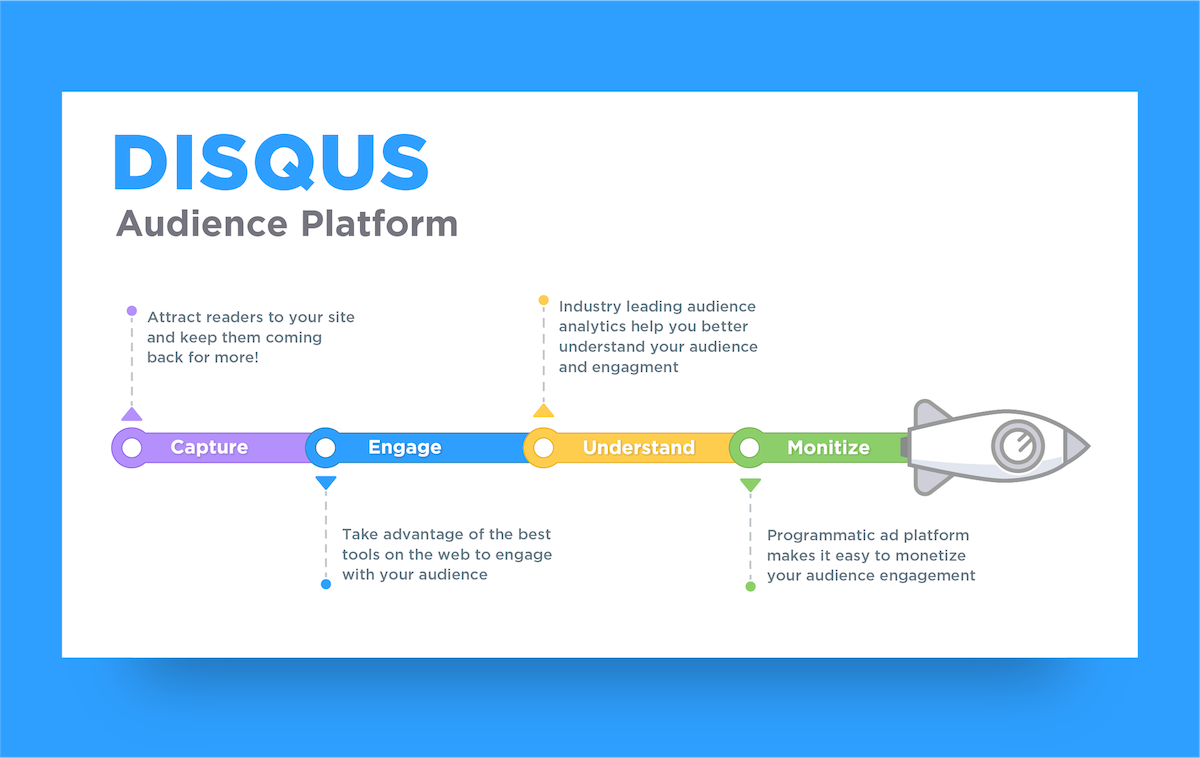
Disqus is the web’s most popular commenting system trusted by millions of publishers to increase reader engagement, grow audience and traffic, and monetize content. Disqus helps publishers of all sizes engage directly with their audiences to build loyalty, retain readers, and foster thriving communities.
The Disqus for WordPress plugin lets site owners and developers easily add Disqus to their sites, replacing the default WordPress comment system. Disqus installs in minutes and automatically imports your existing comments.
In addition to our free-to-use, ad-supported Basic plan, we also offer ad-optional subscription plans that come with more advanced features and access to priority support. Please see our pricing page for more details.
NEW: Disqus Polls – Engage your audiences with interactive polls, and seamlessly install them on your site.
Why Disqus?
- Simple one-click installation that seamlessly integrates with WordPress without ever needing to edit a single line of code or losing any of your existing comments
- Keep users engaged on your site longer with a commenting experience readers love
- Bring users back to your site with web and email notifications and personalized digests
- Improve SEO ranking with user generated content
- Keep spam out with our best-in-class anti-spam filter powered by Akismet
- Single profile for commenting on over 4 million sites including social login support for Facebook, Twitter, and Google accounts
- Trusted by sites like ABC News, Entertainment Weekly, and Rotten Tomatoes
Disqus Features
- Syncs comments automatically to WordPress for backup and flexibility if you ever decide to switch to a different platform
- Loads asynchronously with advanced caching so that Disqus doesn’t affect your site’s performance
- Monetization options to grow revenue
- Export comments to WordPress-compatible XML to backup or migrate to another system
- Analytics dashboard for measuring overall engagement on your site
- Mobile responsive design
- NEW: Disqus Polls – Create and embed interactive polls directly on your site to boost engagement and gather insights from your audience.
Engagement Features
- Realtime comments system with fun discussion interactions: voting, photo and video upload, rich media embed (Youtube, Twitter, Vimeo, and more), spoiler tags, mentions
- Comment text formatting (e.g. bold, link, italics, quote) using HTML tags as well as code syntax highlighting
- Threaded comment display (nested 3 levels) with ability to collapse individual threads
- Sort discussion by oldest, newest, and best comments
- Flexible login options – Social login with Facebook, Twitter, and Google, SSO, and guest commenting support
- Instant activity notifications, email notifications, and digests pull readers back in
- User profiles that show you recent comment history and frequented communities
- Recommendations widget that shows where active discussions are happening elsewhere on your site
Moderation Features
- Automatic anti-spam filter powered by Akismet
- Automated pre-moderation controls to flag comments based on links, user reputation
- Moderate directly in the discussion, via email, or moderation panel
- Email notifications for newly posted comments, replies
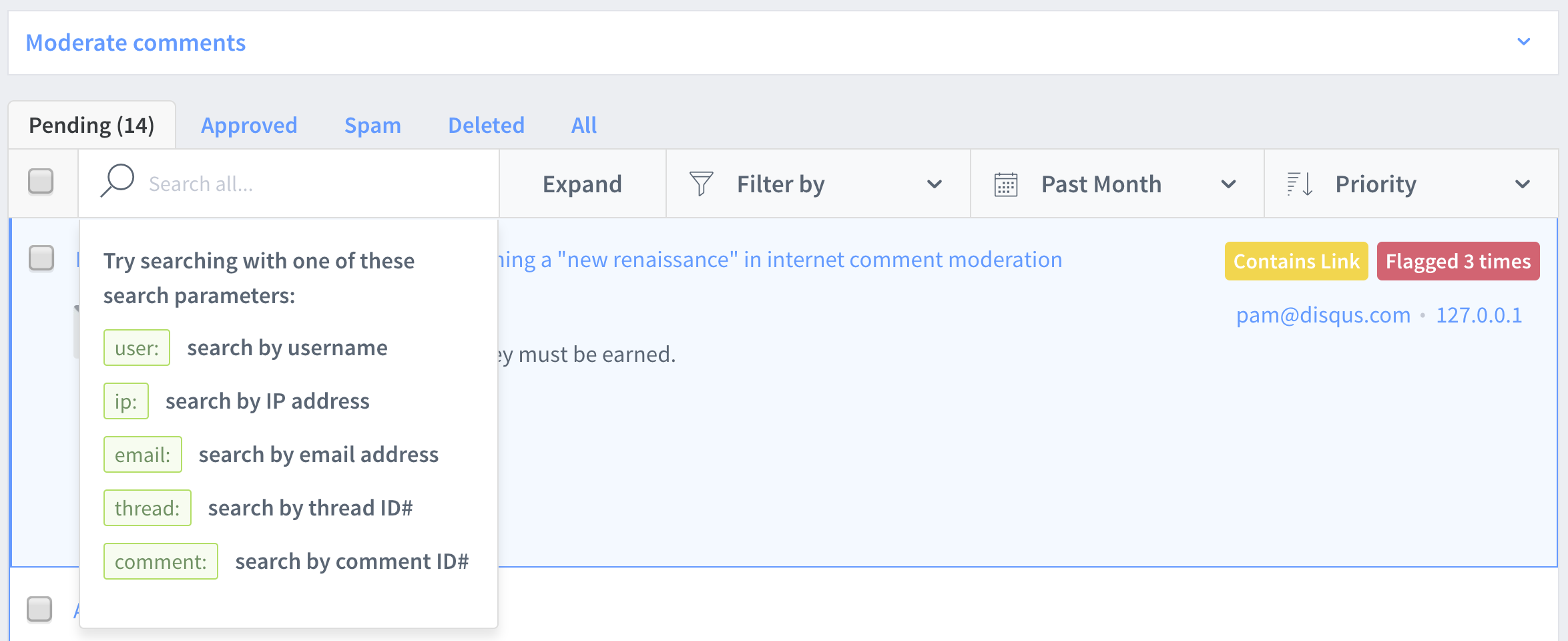
- Moderation Panel that lets you search, filter, sort, and manage your comments
- Self-moderation tools like user blocking, comment flagging
Support
- Search our Knowledge Base for solutions to common troubleshooting questions
- Check out our support community, Discuss Disqus, to see if your question has been answered
- Talk to our Support team at disqus.com/support
- Visit our Getting Started page to learn the basics of Disqus
Installation
- Go to “Plugins” > “Add Plugin”
- Search for “Disqus Comment System” by Disqus
- Click “Install Now”
- Activate the plugin
- (Automatic: easiest) From the Install page of the Disqus plugin settings, follow the Automatic Installation steps to set up Disqus on your site. During this process, you will need to create a Disqus account and register your site. This also creates the API application required for enabling Comment Syncing.
- (Manual: fastest) Enter your site’s Disqus shortname in Site Configuration. This requires you to have created a Disqus account and registered your site.
NOTE: It is recommended that you backup your database before installing the plugin.
Syncing comments to WordPress
Comment Syncing copies comments made in Disqus to your WordPress installation as backup in case you ever decide to switch back to native WordPress comments. Syncing is not enabled by default. To enable syncing, you’ll need to set it up either by creating an API application (follow instructions here) or via Automatic Installation in the plugin.
For more information, go to https://help.disqus.com/customer/portal/articles/960360
Installation trouble?
Frequently asked questions
Is Disqus free to use on my site?
Yes! Disqus is free to use. We also provide subscription plans for larger, commercial sites that want access to more powerful moderation and audience tools and customization.
How do I customize the look-and-feel of Disqus?
Disqus automatically checks your site’s font and background color and adapts to either a light or dark color scheme, along with a serif or sans-serif font. If these are detected incorrectly, you can override them in your Settings.
Will I lose comments if I deactivate Disqus?
The Disqus for WordPress plugin automatically syncs comments back to WordPress. These comments will remain in WordPress should Disqus be deactivated or removed. You can also export your comments from Disqus at any time.
Can I import my existing WordPress comments into Disqus?
Yes, you can import your existing WordPress comments into Disqus during installation.
How do I set up Single Sign-On (SSO)?
SSO allows users in your database to comment without requiring them to register with Disqus. Access to SSO is currently available as an add-on for users with a Business subscription. If you would like to enable this feature, contact our Support team. Also check out our guide for setting up SSO on WordPress.
I’m experiencing an issue with my installation of Disqus.
Check out our WordPress Troubleshooting guide with specific solutions for potential problems you might be experiencing.
Changelog
3.1.5
- Fixed synced comments attaching to missing WordPress posts and leaving an empty “In response to” column
- Show a Disqus thread link in “In response to” when a synced comment has no matching local post (WordPress 6.1+)
- Notify admins on older WordPress that unmatched synced comments may have an empty “In response to” column until they upgrade to 6.1 or later
3.1.4
- Added dismissible admin notice explaining free version ads and paid plan options
- Fixed deprecation warning when syncing comments with null author name
3.1.3
- Fixed bug with Disqus SSO and Gravatar Images
- Switched DISQUSVERSION to constant (issue #139)
- Fixed comment data issue if post author is null (issue #140)
- Fixed various conditions missing type checks (issue #141)
3.1.2
- Add Disqus Polls Information
3.1.1
- Add WP 6.5 to Github Actions CI
3.1
- Disqus Embed now loads correctly on WordPress Block Themes.
- Improved visibility for latest plugin version and important changes.
- Added links to remove ads and clarified language around ad-supported plans.
- Modernized styling and effects to match Disqus colors.
Screenshots







For developers
Is this your plugin? Show off the numbers.
Add a live badge to your site, docs or GitHub README. It updates on its own — no account needed.
Best Disqus Comment System alternatives
All comments plugins →




FAQ
Disqus Comment System: quick answers
Straight answers, pulled from live WordPress.org data.
Live data from WordPress.org · checked Sep 28, 2026
Is Disqus Comment System free?
Yes. Disqus Comment System is free to download and use from the official WordPress.org plugin directory.
Is Disqus Comment System safe to use in 2026?
Disqus Comment System is a solid plugin choice in 2026, with a few things worth checking first. It runs on 30K+ sites, is rated 2.7/5 and was last updated 4 days ago, and scores 68/100 on our health check.
How many websites use Disqus Comment System?
Disqus Comment System is active on 30K+ WordPress websites and has been downloaded 4,495,439 times since it launched in August 2008. It was downloaded 15,656 times in the last 30 days.
Does Disqus Comment System work with WordPress 7.1?
Disqus Comment System is officially tested up to WordPress 6.9.9, while the latest release is 7.1.2. It may still work, but try it on a staging site first.
What PHP version does Disqus Comment System need?
Disqus Comment System requires PHP 5.6 or higher. Most hosts run PHP 8.x today, so it works on any modern WordPress hosting.
When was Disqus Comment System last updated?
The latest version, 3.1.5, was released on September 23, 2026 (4 days ago).
Who makes Disqus Comment System?
Disqus Comment System is developed and maintained by Disqus.
What are the best alternatives to Disqus Comment System?
The most popular alternatives to Disqus Comment System are Akismet Anti-spam: Spam Pro… (5M+ installs), Disable Comments (1M+ installs) and Antispam Bee (700K+ installs).
Powered by PageForge
Want thousands of pages that rank like these? Build them in an afternoon.
This directory runs on the same engine as PageForge. Turn any spreadsheet, CSV or API into thousands of fast, SEO-ready WordPress pages — with schema, internal links and AI-written copy baked in.
- CSV, Google Sheets & API data sources
- AI content, schema & internal links per page
- Works with Elementor, Gutenberg, Yoast & Rank Math
- Free on WordPress.org — no credit card


