



Physicks
Create interactive physics-powered compositions with a drag-and-drop canvas editor. Add animated, clickable objects to any page via shortcode.

Use with caution
Physicks works, but test it on a staging site before relying on it in 2026. Was last updated 3 months ago, and scores 55/100 on our health check.
- Small user base (<10 active installs)
- Very few reviews so far
How does it stack up?
Side-by-side on installs, updates, ratings & support



Daily downloads
Download spikes usually follow a new release — each site that auto-updates counts as a download.
Rankings
Where Physicks stands todayWordPress.org search rankings
Live position in the plugin search, top 100| Keyword | Position |
|---|---|
| animation | >100 |
| canvas | >100 |
| interactive | >100 |
| Physics | #20 |
| shortcode | >100 |
About Physicks
From the official readme · v1.0.0Description
Physicks lets you build interactive canvas compositions powered by real-time physics. Using a visual drag-and-drop editor, you can create dynamic layouts with animated objects that respond to gravity, bouncing, dragging, and cursor interaction — then embed them anywhere on your site with a simple shortcode.
Key Features
Editor
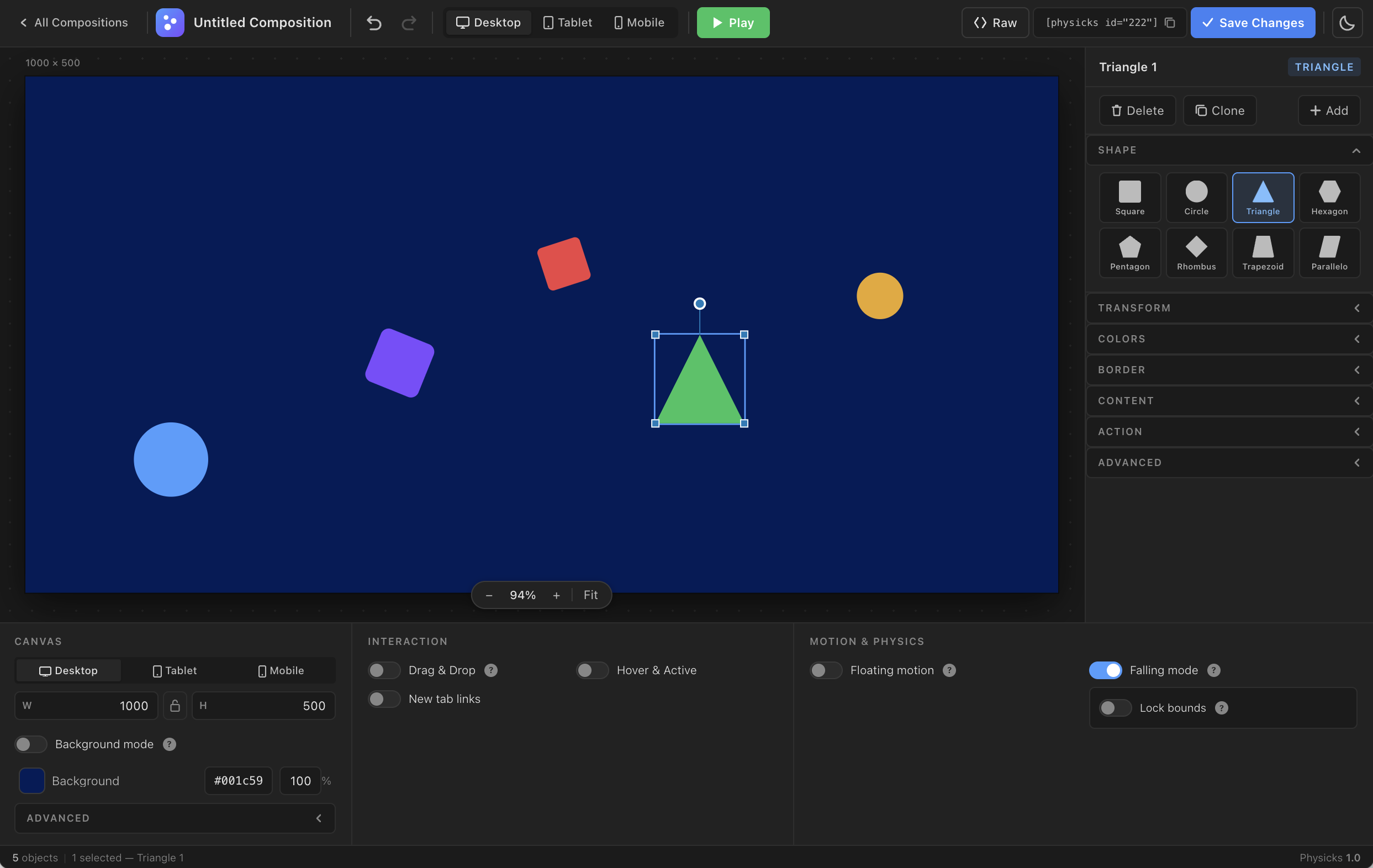
- Visual canvas editor — place, resize, rotate, and style objects directly in the WordPress admin
- Full undo/redo history
- Desktop and Mobile canvas views — design separate layouts for each viewport
- Raw JSON mode — copy, paste, and transfer entire compositions between projects
- Clone objects, align freely, snap guides for precise placement
Objects
- 8 built-in shapes: squares, circles, triangles, hexagons, pentagons, rhombuses, trapezoids, and parallelograms
- Per-object customisation: background color/image, text color, padding, border radius, rotation
- Hover and Active states — define separate colors and images for each interaction state
- Border controls: width, color, stroke position (inside/centered/outside), line join, line cap, dash patterns
- Content editor — add rich text or HTML inside any object
- Click actions: open link, open in new tab
- Custom CSS class per object for theme-level styling
Physics & Motion
- Falling physics powered by Matter.js — drop on load or drop on click
- Configurable gravity, bounce (restitution), and friction
- Floating motion — objects drift gently around the canvas
- Collision physics — objects bounce off each other and canvas walls
- Cursor repulsion / attraction — objects react to cursor position with configurable radius and force
- Border animation — animated stroking effects cycle through object borders
- Drag & drop objects on the frontend canvas
Responsive & Performance
- Canvas scales proportionally to fit any container width
- Separate mobile canvas with configurable breakpoint
- Assets loaded only on pages where a composition is embedded
- Minified JS files in production (admin toggle to use unminified for debugging)
- Vendor libraries bundled locally — no external CDN requests
Compatibility
- Works with Elementor, Divi, WPBakery, and any theme/page builder that supports shortcodes
- Compatible with WPML, Loco Translate, and Polylang
- Import/export compositions as JSON for easy migration
- SVG upload support with server-side sanitisation
Bundled Libraries
- Matter.js v0.19.0 — MIT Licence
- poly-decomp.js v0.3.0 — MIT Licence
Privacy
Physicks does not collect any visitor data. All physics processing happens in the visitor’s browser. No cookies are set for site visitors.
External Services
Google Fonts (optional, disabled by default)
If you enable the Google Fonts option in Physicks → Settings → Performance, the plugin will load font files from Google’s servers on the pages where a composition is embedded:
- Service: Google Fonts (
fonts.googleapis.com,fonts.gstatic.com) - When: On frontend page load, only on pages containing a Physicks composition, only if the option is enabled
- Data sent: Standard HTTP request (IP address, browser user agent, referring URL)
- Disabled by default — no Google Fonts requests are made unless you explicitly enable this setting
- Google Privacy Policy: https://policies.google.com/privacy
- Google Fonts Privacy: https://developers.google.com/fonts/faq/privacy
Build Tools
Physicks ships minified JavaScript for production performance. All unminified source files are included in the plugin ZIP alongside the minified versions (assets/js/*.js are the sources; assets/js/*.min.js are the compiled outputs).
To rebuild the minified files from source, run npm install && npm run build in the plugin root. Node.js 18+ and npm are required.
Installation
Automatic installation
- Go to Plugins → Add New in your WordPress admin.
- Search for “Physicks”.
- Click Install Now, then Activate.
Manual installation
- Download the plugin ZIP file.
- Go to Plugins → Add New → Upload Plugin.
- Choose the ZIP file and click Install Now, then Activate.
First steps
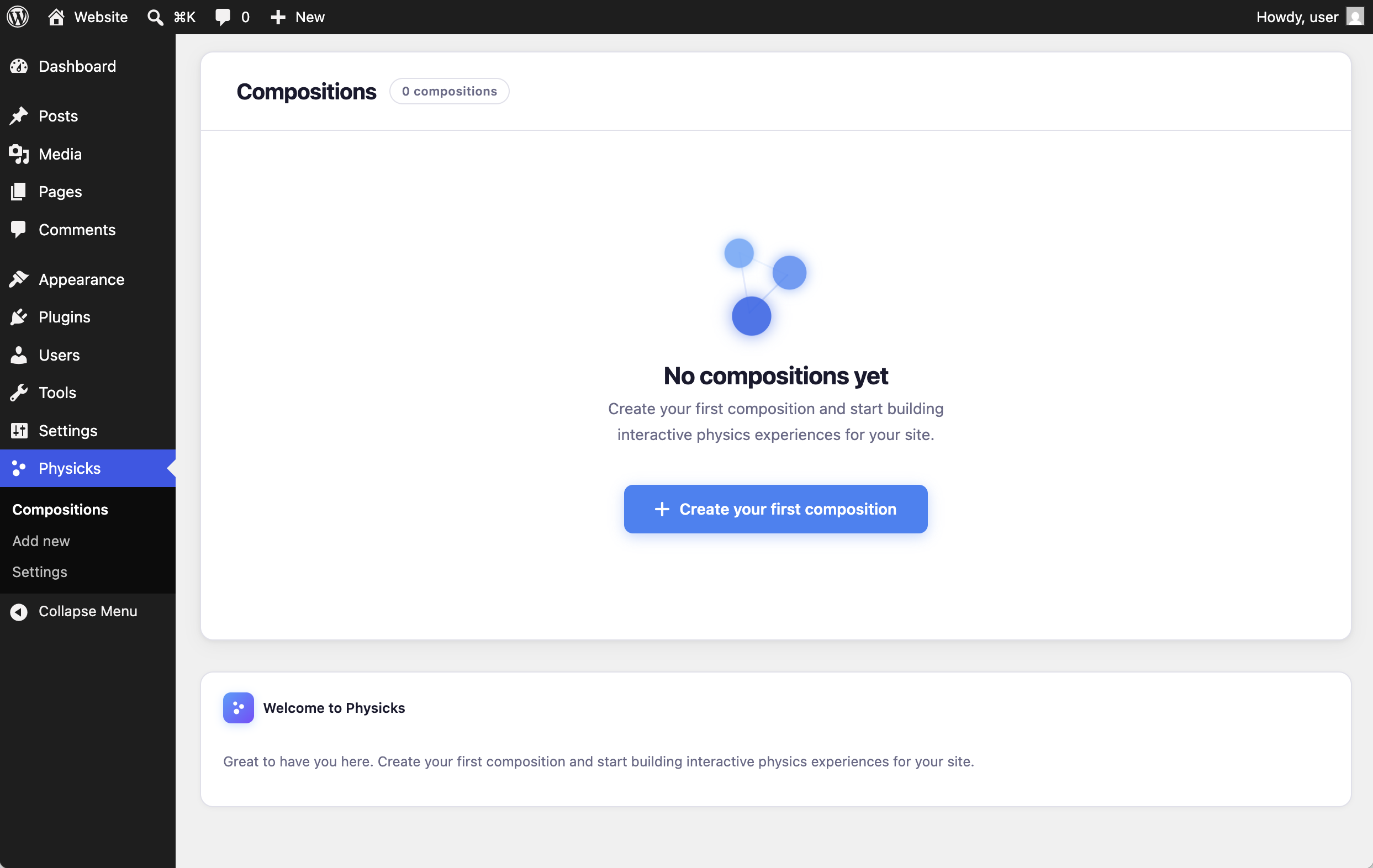
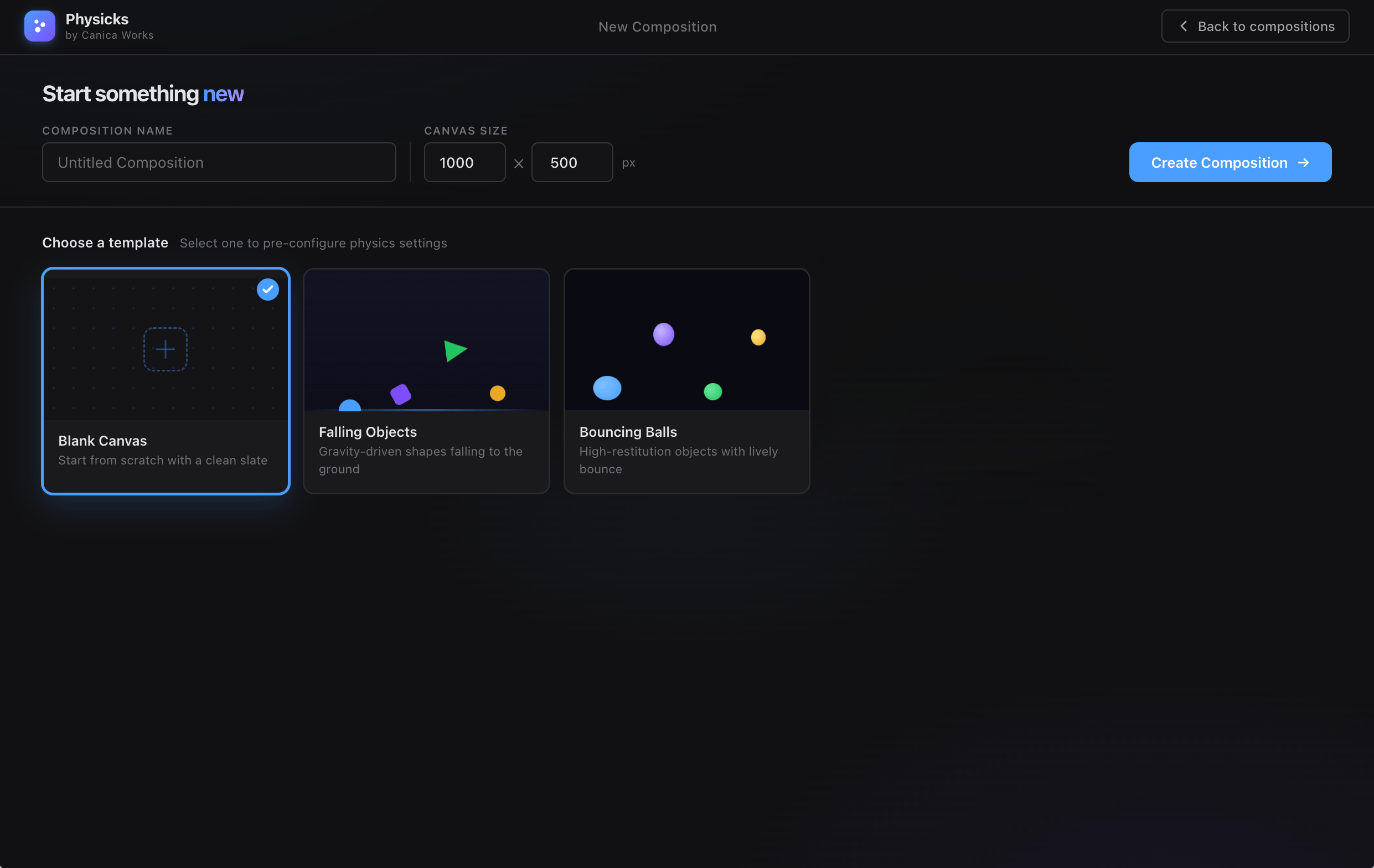
- Navigate to Physicks → Add new to create your first composition.
- Give it a title and click Save Draft to unlock the canvas editor.
- Click + Add New in the Object panel to start adding shapes.
- Use the Settings panel below the canvas to configure physics and interaction options.
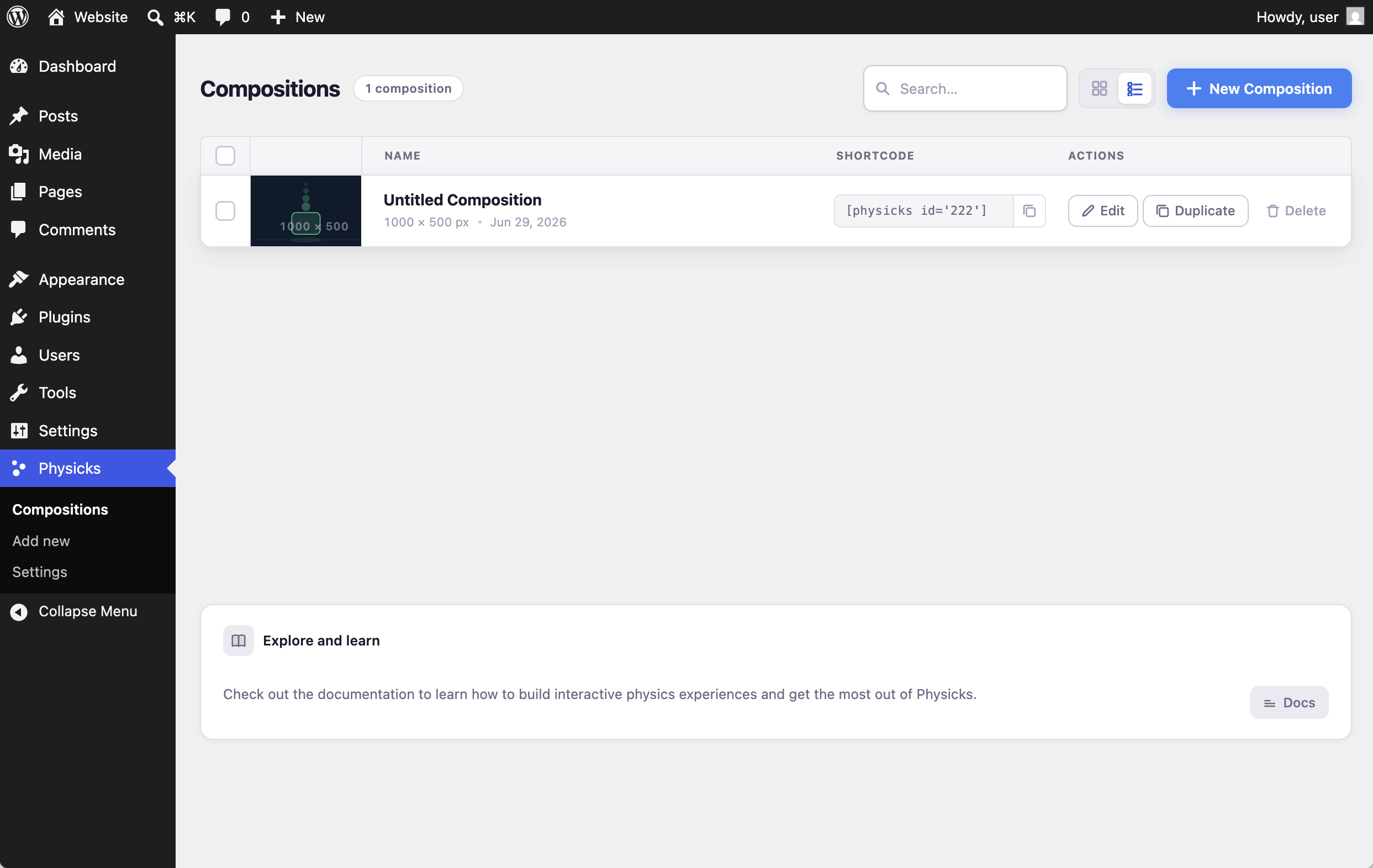
- Copy the shortcode shown in the compositions list (e.g.
[physicks id="123"]) and paste it into any page or post.
Frequently asked questions
What browsers are supported?
Physicks requires a modern browser with support for CSS clip-path, mask-image, SVG, and the Fetch API. This covers all current versions of Chrome, Firefox, Safari, and Edge. Internet Explorer is not supported.
Does this work with page builders?
Yes. Physicks uses a standard shortcode ([physicks id="X"]) which works in any context that supports shortcodes, including Elementor, Divi, WPBakery, Beaver Builder, and most others. Enable Page Builder Compatibility in Physicks → Settings → Performance if the composition does not appear in a page builder’s live editor preview.
Does the physics simulation run on mobile?
Yes. The canvas scales responsively and the physics simulation runs on all devices. Touch drag is supported. You can also design a separate mobile layout using the Mobile tab in the editor and configure the breakpoint width at which it activates.
Will it slow down my site?
The physics library (Matter.js, ~80 KB minified) and the Physicks frontend script (~27 KB minified) are only loaded on pages where you embed a composition using the shortcode. They are never loaded site-wide unless you explicitly enable Load Assets Globally in the plugin settings.
Can I transfer compositions between sites?
Yes. Use Physicks → Settings → Export Compositions to download a JSON file containing all your compositions and their settings, then import it on the destination site using the Import option on the same page. You can also copy and paste individual compositions using the Raw JSON button in the editor.
Is the plugin compatible with caching plugins?
Yes. Physicks outputs compositions as static HTML with data attributes — there is no AJAX on the frontend. Most caching plugins are fully compatible. If assets are not loading after enabling a caching plugin, enable Cache Compatibility in Physicks → Settings → Performance.
How do I style the canvas container?
You can add a custom CSS class to the canvas via the Settings panel and target it in your theme’s CSS. You can also add composition-specific CSS directly in the Custom CSS field in the Settings panel — use .physicks-front as the container selector.
Does Physicks support translation?
Yes. The plugin is fully internationalised. A .pot template file is included in the /languages/ directory and is compatible with WPML, Loco Translate, and Polylang.
Changelog
Initial release. No upgrade steps required.
1.0.0
- Initial release.
Screenshots
For developers
Is this your plugin? Show off the numbers.
Add a live badge to your site, docs or GitHub README. It updates on its own — no account needed.
Best Physicks alternatives
All animation plugins →





FAQ
Physicks: quick answers
Straight answers, pulled from live WordPress.org data.
Live data from WordPress.org · checked Sep 26, 2026
Is Physicks free?
Yes. Physicks is free to download and use from the official WordPress.org plugin directory.
Is Physicks safe to use in 2026?
Physicks works, but test it on a staging site before relying on it in 2026. Was last updated 3 months ago, and scores 55/100 on our health check.
How many websites use Physicks?
Physicks is active on <10 WordPress websites and has been downloaded 176 times since it launched in June 2026. It was downloaded 43 times in the last 30 days.
Does Physicks work with WordPress 7.1?
Physicks is officially tested up to WordPress 7.0.6, while the latest release is 7.1.2. It may still work, but try it on a staging site first.
What PHP version does Physicks need?
Physicks requires PHP 7.4 or higher. Most hosts run PHP 8.x today, so it works on any modern WordPress hosting.
When was Physicks last updated?
The latest version, 1.0.0, was released on June 29, 2026 (3 months ago).
Who makes Physicks?
Physicks is developed and maintained by Canica Works.
What are the best alternatives to Physicks?
The most popular alternatives to Physicks are Blocks Animation: CSS Anima… (90K+ installs), Greenshift (70K+ installs) and UiCore Animate (40K+ installs).
Powered by PageForge
Want thousands of pages that rank like these? Build them in an afternoon.
This directory runs on the same engine as PageForge. Turn any spreadsheet, CSV or API into thousands of fast, SEO-ready WordPress pages — with schema, internal links and AI-written copy baked in.
- CSV, Google Sheets & API data sources
- AI content, schema & internal links per page
- Works with Elementor, Gutenberg, Yoast & Rank Math
- Free on WordPress.org — no credit card


