


Animation Addons for Elementor – GSAP Motion Elementor Addons & Website Templates
GSAP-powered animation addons for Elementor: motion effects, 100+ widgets, extensions, ready-made templates and a header and footer builder.

Solid choice
Animation Addons for Elementor is a solid plugin choice in 2026, with a few things worth checking first. It runs on 10K+ sites, is rated 4.6/5 and was last updated 6 days ago, and scores 77/100 on our health check.
- Proven at scale on 10K+ active sites
- Loved by users — 4.6/5 from 66 reviews
- Actively developed — last update 6 days ago
- Tested with the latest WordPress (7.1)
How does it stack up?
Side-by-side on installs, updates, ratings & support



Daily downloads
Download spikes usually follow a new release — each site that auto-updates counts as a download.
Rankings
Where Animation Addons for Elemen… stands todayWordPress.org search rankings
Live position in the plugin search, top 100| Keyword | Position |
|---|---|
| animation | #6 |
| elementor | #41 |
| elementor addons | #14 |
| elementor templates | #29 |
| elementor widgets | #43 |
Version adoption
Share of active sites per release.
Rating breakdown
★★★★★★★★★★ 4.6 from 66 reviews
About Animation Addons for Elementor
From the official readme · v4.2.2Description
Build stunning, high-performance Elementor websites with advanced GSAP-powered motion, powerful widgets, and thousands of ready-made Elementor templates — all without writing a single line of code.
Animation Addons includes 300+ full website templates, 10,000+ professionally designed Elementor section templates, and 100+ powerful widgets — built to help you launch faster and increase conversions.
Create full Elementor websites for free — including 80+ free website templates, 100+ widgets, and built-in animation features.
Upgrade only if you need advanced GSAP power animated website.
👉 Animation Addons
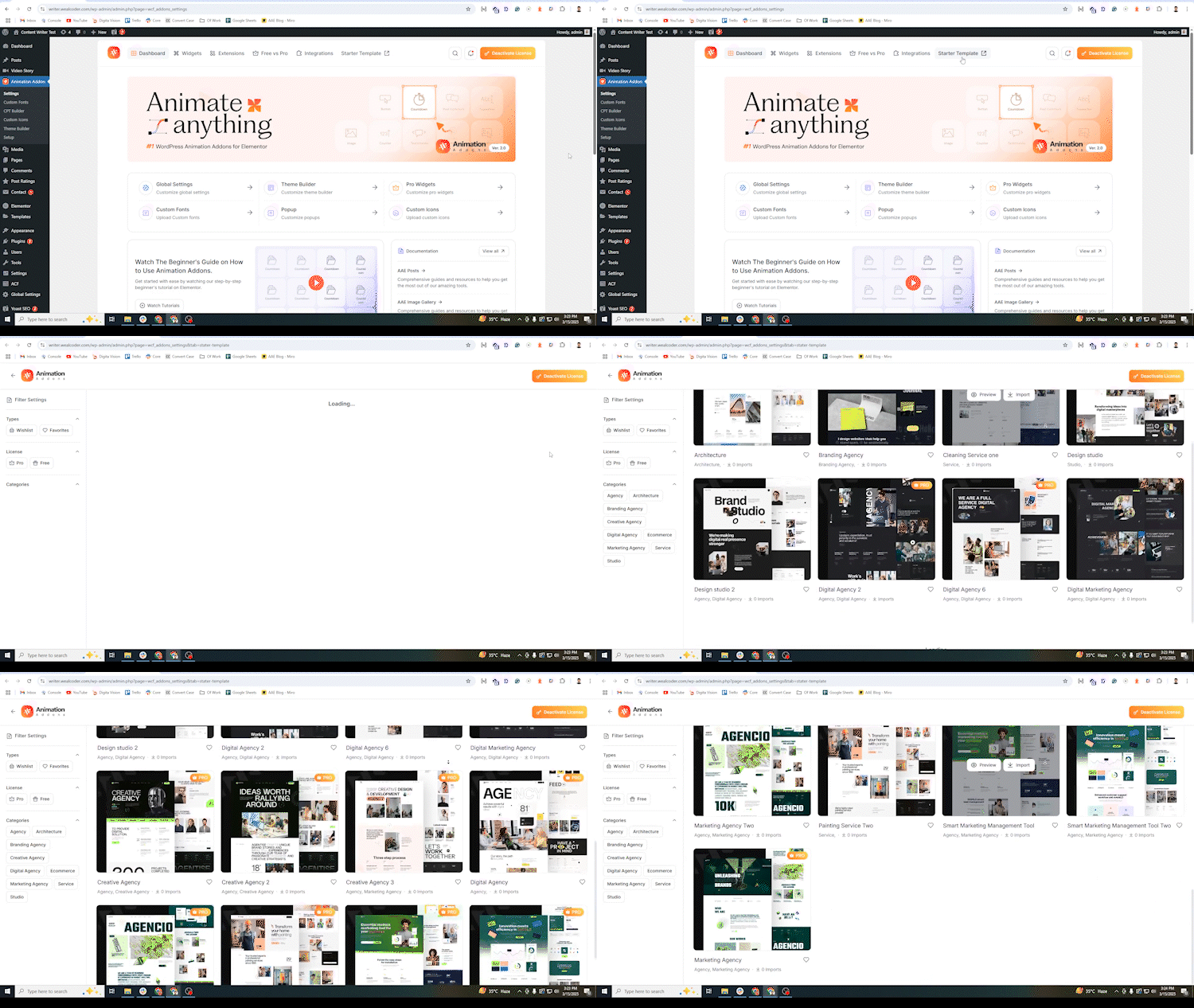
👉 300+ Elementor Templates
We’re Preparing for Elementor 4.0
A major update is on the way! We are actively working on full compatibility with Elementor Version 4.0.
Why Most Elementor Websites Feel Static
Many Elementor websites rely on basic motion effects that look repetitive and limited.
Creating advanced scroll animations or GSAP-powered interactions often requires custom coding or heavy add-ons that affect performance.
Animation Addons solves this by bringing professional GSAP animation capabilities directly inside Elementor.
A Powerful Elementor Animation Plugin — Without the Complexity
Animation Addons is a GSAP-powered Elementor animation plugin that helps you create smooth scroll animations, interactive motion effects, and dynamic layouts directly inside Elementor.
Instead of writing custom code, you can apply advanced motion effects, use ready-made Elementor widgets, and launch from professionally designed website templates — all optimized for performance and conversion.
Build modern, animated Elementor websites that look premium and load fast.
Who Are Animation Addons For?
Animation Addons is built for creators who want more than basic Elementor motion effects — and who want to build faster without increasing development costs.
Perfect For:
Agencies & Freelancers
Deliver client websites faster using advanced Elementor animations, ready-made website templates, and prebuilt section layouts. Reduce custom coding time, lower development costs, and increase project margins.
SaaS & Startup Landing Pages
Launch high-converting Elementor landing pages with GSAP-powered scroll animations and professional section templates — without hiring a JavaScript developer.
Portfolio & Creative Websites
Showcase work with smooth text animations, scroll storytelling, and interactive motion effects while saving hours of custom development.
Small Business Owners & Creators
Build professional animated Elementor websites using ready-to-use templates and widgets — no coding knowledge required.
Save Time. Reduce Costs. Launch Faster.
Instead of building animations from scratch or hiring developers for custom GSAP integration, Animation Addons gives you advanced motion tools and Elementor templates in one lightweight plugin — helping you complete projects faster and keep your workflow efficient.
Powerful Animation Engine for Elementor
Create advanced Elementor animations with a flexible, GSAP-powered motion system built directly into your workflow.
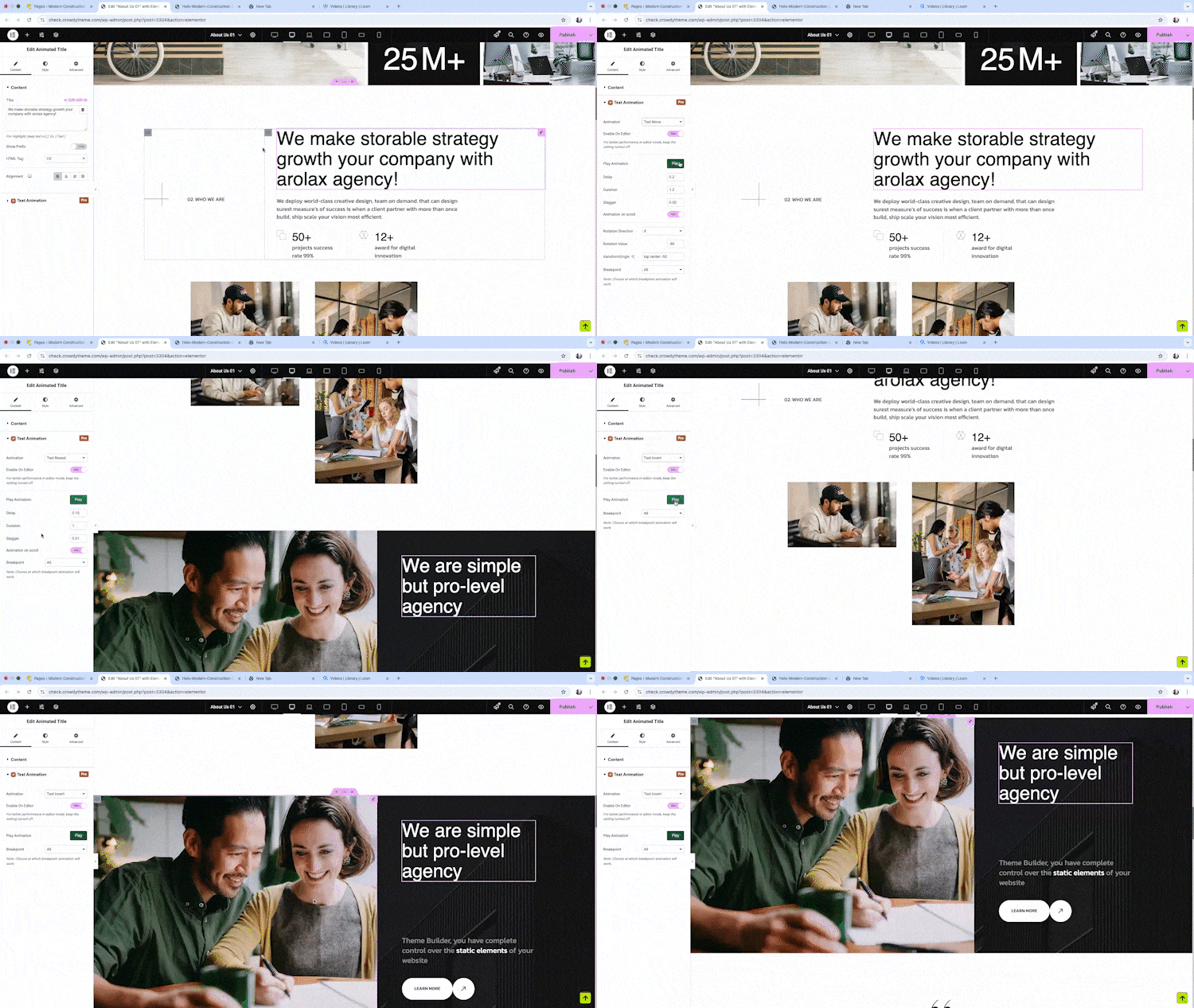
✓ Build advanced scroll-based animations with ScrollTrigger, parallax effects, and smooth scrolling.
✓Animate headings with SplitText effects, create interactive hover and text reveal animations, and build timeline-based motion effects.
✓Create MotionPath, DrawSVG, Lottie, FLIP, MorphSVG, and Draggable animations with custom triggers, and smooth page transition using ScrollSmoother.
Massive Elementor Template Library
Speed up development with one of the largest Elementor template collections available:
👉 300+ Full Elementor Website Templates
👉 80+ Free Elementor Website Templates
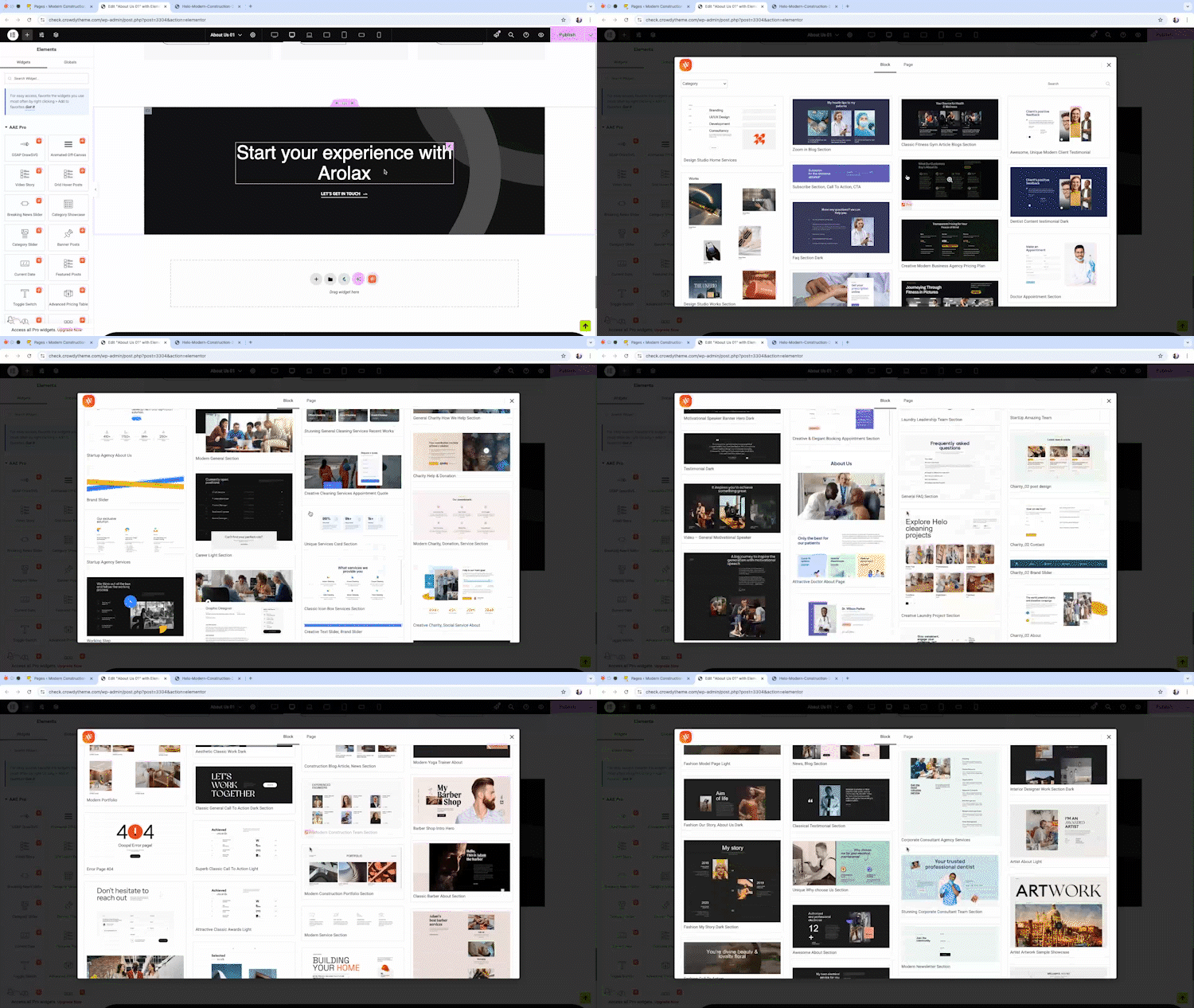
👉 10,000+ Modern Elementor Section Templates
👉 15,00+ Creative Elementor Page templates
👉 Conversion-focused layouts
👉 Pre-animated designs ready to use
Launch complete Elementor websites in minutes instead of weeks.
100+ Powerful Widgets & Extensions
Extend Elementor with advanced widgets and smart extensions designed for real-world websites.
👉 100+ Free Elementor Widgets
👉 25+ Free Elementor Extensions
👉 Horizontal Scroll Demo
👉 Pin Elements / Sticky Elements Demo
👉 SplitText Animation Demo
👉 Advanced Image Animation Demo
All built to work seamlessly inside Elementor.
Built for Performance & Speed
Animation Addons is designed as a lightweight Elementor animation plugin.
Smart Asset Loading
Only the animation scripts and features you use are loaded — preventing unnecessary bloat on your website.
Optimized GSAP Integration
Advanced GSAP animation features like ScrollTrigger, SplitText, and MotionPath are implemented efficiently to ensure smooth motion without slowing down page speed.
Reduced Motion Support
Built-in options allow you to respect user accessibility preferences and disable animations where needed.
Clean, Modular Architecture
Every widget, template, and animation extension is structured to work seamlessly with Elementor — without conflicting scripts or heavy dependencies.
Build animated Elementor websites that look dynamic and load fast.
Powerful GSAP Animation Engine for Elementor
Animation Addons brings a complete GSAP-powered motion system directly inside Elementor — allowing you to create advanced, high-performance animations without writing custom JavaScript.
Build modern, interactive Elementor websites using professional animation tools and workflow-friendly controls.
🌟 ScrollTrigger
🎨 GSAP Animation Builder
🎬 Preset Animation
⚡ Smooth Scrolling
🌐 Horizontal Scrolling
📌 Sticky Elements
⏳ Timeline-Based Animation
✂️ Split Text Animation & Text Scramble
🔄 Flip Animation & Draggable
🛒 Scroll To Animation
🎥 Lottie Animation
🖼️ DrawSVG Animation & Morph SVG
➡️ Motion Path Animation
📏 Stagger Animation
🌪️ Scroll Smoother
🌍 Parallax Effects
🎥 Nested Elements
🎞️ Clip Path Animation
📸 Image Sequence Animation
🌟 Reveal Animation
🌫️ Bounce & Fade Animation
✨ Cursor Hover, Cursor MoveEffect and Custom Cursor Effects]
Powerful Features That Make Everything Easier
- Live Copy Paste
- Live Section Download
- Real-Time Preview
- Add Animation to Existing Design
- Preset Animation
- Full Responsive Control
- Lightweight & Optimised
- SEO Friendly
- Code Snippet
- Header Footer Builder
- Dynamic Content
- CPT – Customo Post Type Builder
- Works with Elementor Free and Pro
- Compatible with Other Addons
No Coding Required for Animation
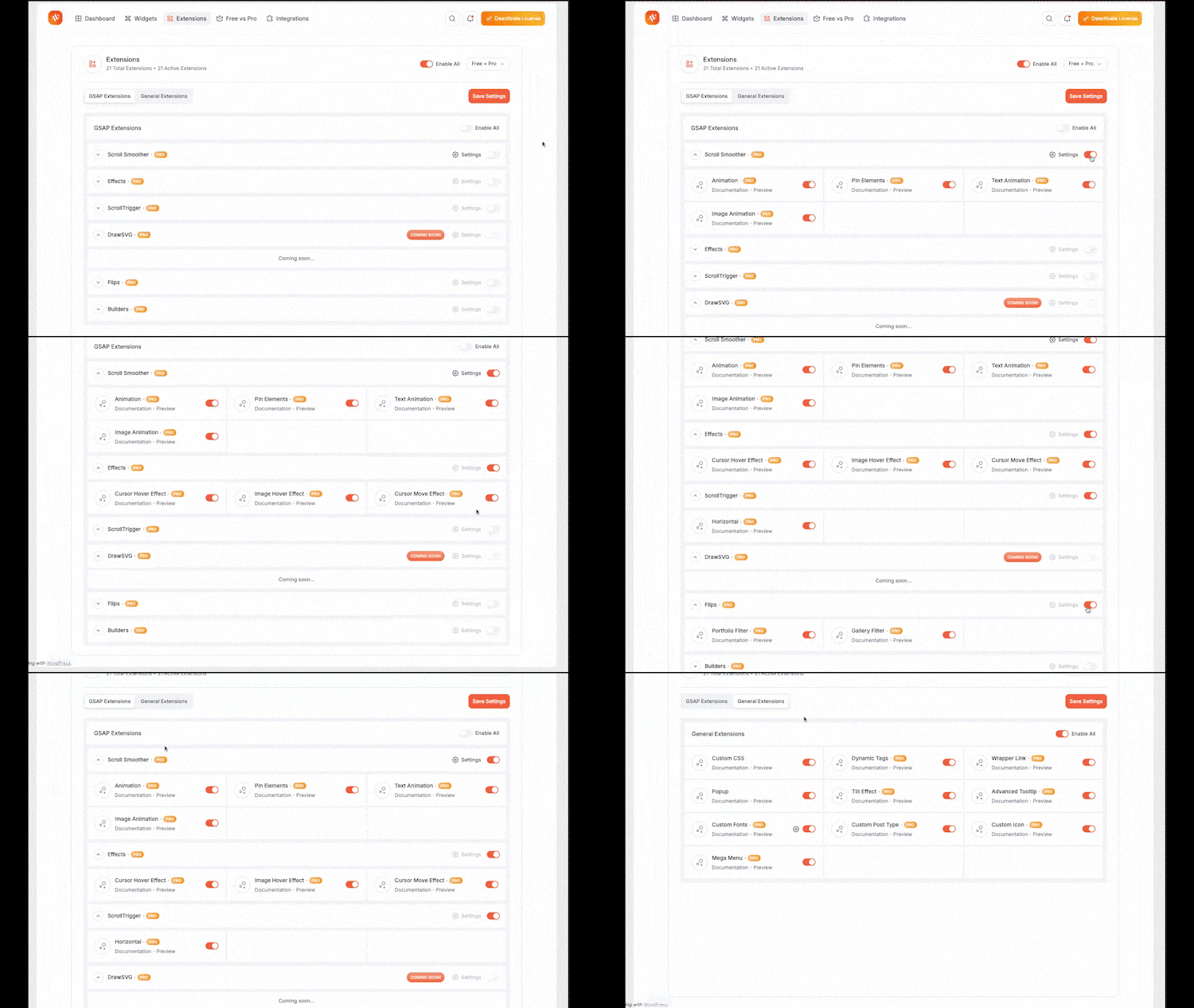
25 Powerful Elementor Extensions
Animation Addons comes with a growing collection of powerful extensions that enhance your Elementor experience. Enable only what you need to keep your site lightweight and fast.
Explore our Free extensions or unlock advanced Pro extensions for even more creative control.
Free Elementor Extensions:
-
Code Snippet:
Add and manage custom HTML, CSS, PHP, and JavaScript inside WordPress and Elementor. -
Custom CSS:
Apply advanced custom CSS directly within Elementor for free. -
Popup Builder for Elementor:
Create responsive WordPress popups in Elementor to boost engagement and conversions. -
Custom Fonts Integration:
Upload and use custom fonts in Elementor to maintain consistent branding. -
Custom Icon Fonts (IcoMoon Support):
Import custom icon fonts, including IcoMoon, for fully branded Elementor designs. -
Custom Post Type (CPT) Builder:
Create and manage custom post types in WordPress without coding — ideal for dynamic Elementor websites. -
Wrapper Link for Elementor:
Make entire Elementor sections or containers clickable without adding custom code. -
Mega Menu Builder:
Create advanced, fully customizable mega menus in Elementor for better website navigation. -
Advanced Tooltip for Elementor:
Add interactive tooltips in Elementor to display additional information on hover.
Pro Extensions:
Pro Animation Extensions
- Smooth Scroller for Elementor
Add smooth scrolling effects for a modern, fluid browsing experience. -
Advanced Animation Controls:
Create custom Elementor animations with flexible triggers and timing. -
Pin Element on Scroll:
Keep sections or widgets fixed during scrolling for sticky effects. -
Text Animation for Elementor: (SplitText Effects)
Build dynamic SplitText animations in Elementor, including text reveal, fade, 3D text, character-by-character, and word animations. -
Image Animation:
Apply dynamic motion effects to images for better visual engagement. -
Cursor Hover Effect:
Add interactive hover animations triggered by cursor movement. -
Image Reveal on Hover:
Reveal images smoothly on hover for modern design layouts. -
Cursor Move Effect:
Create motion effects that respond to user cursor movement. -
Horizontal ScrollTrigger:
Build horizontal scroll animations using GSAP ScrollTrigger. -
Portfolio Filter:
Add animated filters to organize and display portfolio items. -
Tilt Effect:
Create mouse-based tilt animations for interactive Elementor elements.
100+ Exclusive Widgets for Elementor
Design beautiful, dynamic websites with 100+ exclusive Elementor widgets — and the best part? Most of them are completely free. From creative layouts to powerful marketing elements, everything is built to be easy, flexible, and ready to use. Just drag, drop, and customize your way.
70+ Free Elementor Widgets
Core Content Widgets
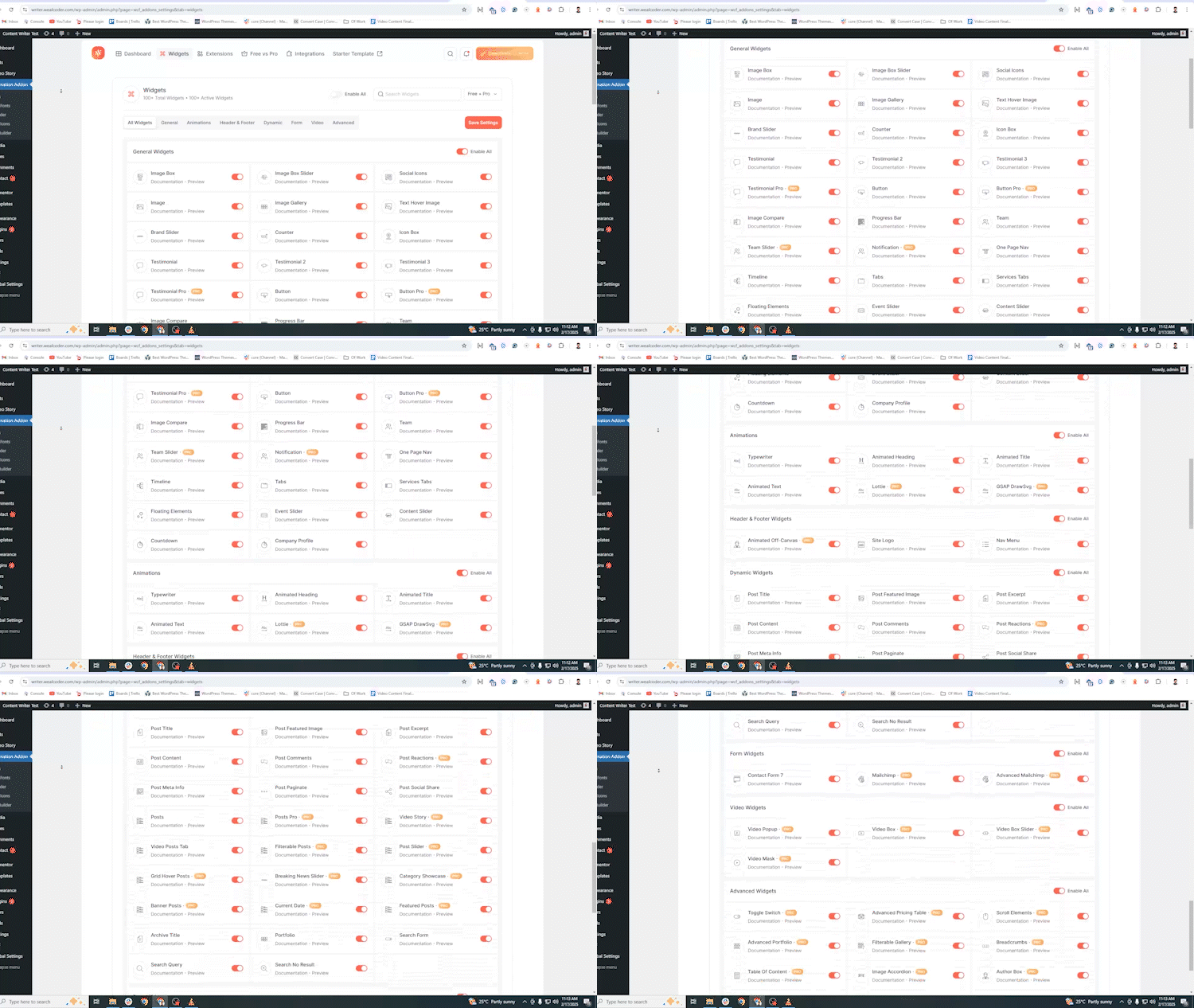
- Image Box: Display images with animated layouts in multiple styles.
-
Image Box Slider: Showcase images in responsive slider layouts.
-
Image: Display logos, photos, and media in PNG, JPEG, WebP, or GIF format.
-
Image Gallery: Create animated and styled image galleries.
-
Brand Slider: Show client or brand logos in a customizable slider.
-
Text Hover Image: Add text overlay effects on image hover.
-
Image Compare / Image Comparison: Compare two images side-by-side using a smooth slider.
-
Image Hotspot: Add clickable hotspots to highlight image details.
Marketing & Conversion Widgets
-
Counter : Display animated number counters for statistics.
-
Progress Bar: Show progress indicators in multiple styles.
-
Countdown: Add countdown timers for events or promotions.
-
Notification: Display customizable alerts and announcements.
-
Advanced Pricing Table: Present structured pricing layouts professionally.
UI & Interaction Widgets
- Button / Advanced Button: Create customizable Elementor buttons with modern styles.
- Icon Box: Display icons with titles and descriptions.
- Tabs:
Organize content using tabbed layouts. - Services Tab: Present services effectively with multiple styling options.
- Advanced Accordion: Create collapsible content sections.
- Toggle Switcher: Add interactive on/off toggle elements.
- Clickdrop: Expand content with smooth click-to-reveal interaction.
- Advanced Tooltip: Show additional information on hover.
- Floating Elements: Add floating, rotating, zooming, and motion effects.
- Tilt Effect: Create mouse-based tilt animations.
Slider & Motion Widgets
-
Event Slider: Display events in dynamic slider layouts.
-
Content Slider: Create responsive content sliders.
-
Nested Slider: Build advanced multi-layer sliders in Elementor.
-
Scrollmotion Cards: Add scroll-triggered animated cards.
Testimonial & Team Widgets
-
Testimonial (Classic / Modern / Advanced): Display client testimonials in multiple styles.
-
Team: Showcase team members professionally.
Navigation & Layout Widgets
-
One Page Nav: Create smooth scrolling navigation.
-
Nav Menu: Build customizable Elementor navigation menus.
-
Site Logo: Display your website logo.
-
Breadcrumbs: Show navigation path for better UX.
Dynamic WordPress Widgets
-
Post Title / Post Content / Post Excerpt: Display dynamic WordPress post data inside Elementor.
-
Post Featured Image: Show featured images dynamically.
-
Post Meta Info: Display post metadata such as date and author.
-
Post Pagination: Add navigation between posts.
-
Post Social Share: Enable social sharing for posts.
-
Posts / Featured Posts / Banner Posts: Show blog posts in grid, slider, or banner layouts.
-
Archive Title: Display dynamic archive page titles.
-
Portfolio: Create filterable portfolio grids.
-
Loop Grid: Build dynamic post grids with full customization.
-
Category Showcase: Highlight post categories visually.
-
Grid Hover Posts: Show posts in animated hover layouts.
-
Post Reactions: Add emoji reactions to blog posts.
-
Post Rating / Post Rating Form: Allow and display user ratings.
-
Video Posts Tab: Display video posts inside tab layouts.
-
Current Date: Show the current date dynamically.
-
Search Form: Add a WordPress search form. Display search results.
Form & Integration Widgets
-
Contact Form 7: Style and customize Contact Form 7 in Elementor.
-
Mailchimp / Advanced Mailchimp: Add email subscription forms for lead generation.
-
Media & Special Widgets
-
Weather: Display real-time weather information.
-
Author Box: Show author information below posts.
Animation Widgets
- Animated Text
- Animated Title
-
Typewriter Widget: Create classic typewriter text effects.
-
Posts Read Later: Allow users to save WordPress posts and read them later.
-
Filterable Posts: Display WordPress posts with category and tag filtering options.
-
Advanced Mailchimp: Add customizable Mailchimp subscription forms inside Elementor.
-
YouTube Video: Embed and display YouTube videos easily in Elementor pages.
Pro Widgets
Pro Animation Widgets
-
GSAP DrawSVG: Animate SVG paths in Elementor using GSAP DrawSVG effects.
-
Lottie Widget: Add lightweight, interactive Lottie animations to Elementor pages.
-
Cube Scroll Reveal:
Reveal elements with 3D cube-style scroll animations.
Pro Header & Footer Widgets
- Animated Off-Canvas: Create animated off-canvas panels for menus or content sections.
Pro Dynamic Widgets
-
Video Box Slider: Display videos in a responsive slider layout.
-
Advanced Posts: Show WordPress posts with advanced layouts and customization.
-
Video Story: Present posts or content in engaging video story format.
-
Live Events: Highlight upcoming or ongoing events dynamically.
-
Posts Slider: Display WordPress posts in an animated slider.
-
Breaking News Slider: Show latest news in an attention-grabbing ticker slider.
Pro Video Widgets
-
Video Popup: Display videos inside a popup modal to improve engagement.
-
Video Box: Embed external or self-hosted videos directly inside Elementor.
-
Video Mask: Apply creative masks and visual effects to video elements.
-
Scrollable Video: Create interactive scroll-based video layouts.
Pro Advanced Widgets
-
Stacked Cards: Create layered card layouts with smooth stacking animations.
-
Scrollmotion Cards: Add scroll-triggered animated card effects.
-
Flip Box: Add interactive flip, slide, fade, and zoom effects.
-
Scroll Elements: Build scroll-driven interactions inside Elementor.
-
Vertical Marquee: Add continuous vertical scrolling text or images.
-
Advanced Portfolio: Create responsive portfolio grids or sliders.
-
Nested Motion Card: Design layered cards with smooth motion effects.
Animation Addons vs Basic Elementor Animations
Elementor includes basic motion effects, but advanced animation and dynamic interactions often require additional tools.
Here’s how Animation Addons expands what’s possible:
Basic Elementor Motion Effects
- Simple entrance animations
- Limited scroll effects
- No advanced timeline control
Animation Addons
- Advanced scroll animations powered by GSAP
- ScrollTrigger-based interactions
- SplitText animations
- MotionPath and DrawSVG effects
- Full timeline and trigger control
When to Use Each
If you only need simple entrance effects, Elementor’s built-in animations may be enough.
If you want professional scroll storytelling, interactive motion, and advanced Elementor animation control — Animation Addons gives you the tools to go further.
Trusted By Leading WordPress & Elementor Creators
Animation Addons is trusted and reviewed by top WordPress & Elementor educators who actively demonstrate real-world animation workflows.
Featured & Reviewed By:
Matt Tutorials- “Want to add advanced GSAP animations to your Elementor website without code
Hamza – GoTechUG- “build advanced scroll animations inside Elementor. The Animation Addons team has gone above and beyond — the template kits are beautifully built and packed with animations.”
Buddydevelopers- “Adding advanced scroll and GSAP animations can be a nightmare, but Animation Addons makes it smooth and hassle-free.”
Documentation and Support
- For documentation and tutorials Documentation.
- have more questions? contact support.
- For more information Animation Addons.
Code Snippets
The Code Snippet feature lets a site administrator store small pieces of CSS,
JavaScript, and HTML and have the plugin output them on the site.
What runs, and when:
- CSS, JavaScript, and HTML snippets are printed into the page at the location
you choose (Header, Footer, Body Open, Content). Only snippets you have marked
active are output. - HTML snippets are where a tracking tag such as Google Tag Manager or Meta Pixel
goes, or any other markup you want in the head, the …
Installation
Minimum Requirements
- WordPress 6.6 or greater
- PHP version 7.4 or greater
- MySQL version 5.7 or greater
Recommended Requirements
- PHP version 8.3 or greater
- MySQL version 5.7 or greater
- WordPress Memory limit of 128 MB or greater (1024 MB or higher is preferred)
Installation
Note: This plugin requires Elementor to function. Please ensure Elementor is installed and activated before proceeding.
- Install the plugin directly from the WordPress Plugins screen, or manually upload the plugin files to /wp-content/plugins/animation-addons directory.
- Activate the plugin from the Plugins section in your WordPress dashboard.
- Access all settings via the admin sidebar under Animation Addons.
- Find all widgets categorized as AAE pro, AAE, AAE Header & Footer, AAE Archive, AAE Single, AAE Search inside the Elementor editor.
For any questions, visit our FAQ page or reach out via our Contact Form. 🚀
Frequently asked questions
What snippet types are supported in Code Snippets?
The free version of Animation Addons supports custom CSS, JavaScript, and HTML code snippets directly. Custom PHP code snippet execution is an advanced feature supported in Animation Addons Pro.
What is Animation Addons for Elementor?
Animations Addons for Elementor is a cutting-edge WordPress plugin that enhances the built-in Elementor functionality. It’s packed with advanced widgets, pre-designed builders, and custom animations to empower users to build dynamic, interactive, and professional websites. All the widgets and features cater to enhancing the functionality, interactivity, and design aesthetics of websites. Some of its premium widgets include Advanced Accordion, Advanced Portfolio, Toggle Switcher, Table of Content, Flip Box, Filterable Slider, Video Mask, and so on. The Elementor Addons also has an intuitive…
Why Animation Addons for Elementor is the Best Plugin for WordPress Animation?
Animation Addons for Elementor combines GSAP’s animation power with Elementor’s user-friendly design, which makes it the ultimate tool for WordPress animations. Here’s why it’s the best WordPress animation plugin: Seamless Elementor Integration: Easily animate any element without coding. Extensive Animation Library: Pre-built animations for diverse design needs. GSAP-Powered Features: Access advanced tools like ScrollTrigger, ScrollSmoother, MotionPath, SplitText, ScrollTo, Observer, Draggable, ScrambleText, DrawSVG, Easing Effects, and MorphSVG. Advanced Control: Manage timelines, easing…
How do Animation Addons for Elementor outperform other GSAP plugins for WordPress?
Animation Addons for Elementor outperforms other GSAP plugins for WordPress in several key ways: Complete GSAP Integration: Unlike other plugins, it fully integrates with GSAP’s suite of features, offering tools like ScrollTrigger, ScrollSmoother, MotionPath, MorphSVG, and Flip, providing greater flexibility and control over animations. Performance-Focused: Built to ensure high-performance animations, it avoids the performance issues that some other plugins might introduce by offering smooth, fluid animations that don’t impact site speed. Superior Ease of Use: While other GSAP plugins may…
How do I enable smooth scrolling with Animation Addons for Elementor?
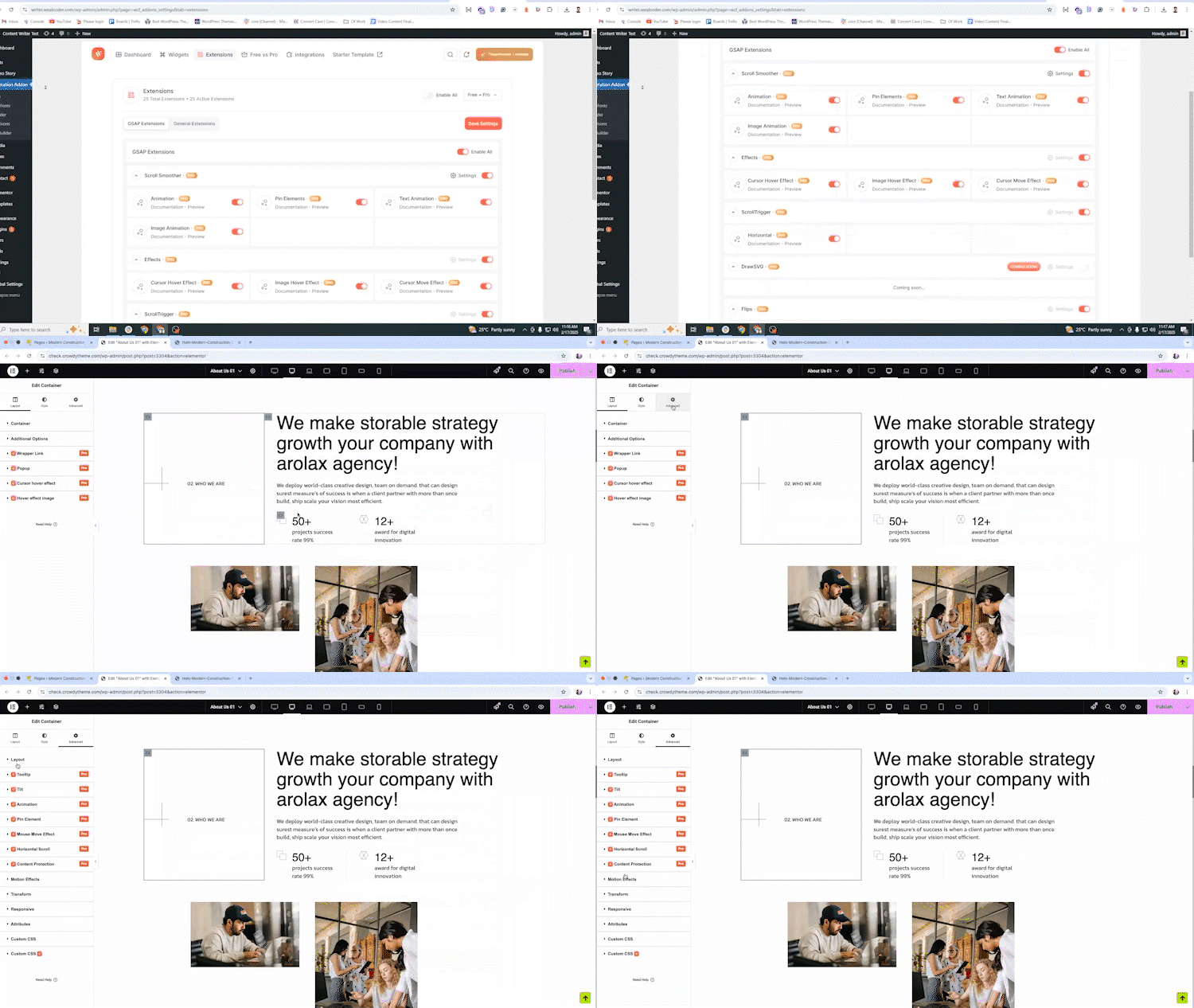
To enable smooth scrolling, go to Animation Addons > Settings in your WordPress dashboard. Then navigate to the “Extensions” tab. Under the “Gsap Extension” option, enable the “Smooth Scroller” option. Finally, click on “Save Settings” to activate the effect.
Can I use Animation Addons for Elementor without any coding experience?
Yes, you can use Animation Addons for Elementor without any coding experience. The plugin is designed with a user-friendly interface that allows you to create stunning animations easily through Elementor’s drag-and-drop editor. You can select from a wide range of pre-built animations, customize them visually, and apply them to any element on your page—no coding required. The intuitive setup and real-time visual previews make it simple for anyone, regardless of coding knowledge, to create professional animations.
What types of animations can I add with Animation Addons for Elementor?
You can animate anything with our addon. It empowers you to add a wide variety of advanced animations, including scroll-triggered animations, hover effects, and other custom animations tailored to your unique design needs. From text to image, you can animate everything you want.
Do the Animation Addons For Elementor have any issues with performance, speed, and CLS?
No, our Elementor Addons ensure the best website speed & performance. Despite using GSAP and other animations like Lottie, it doesn’t affect the loading times. Our animations are SEO-friendly and lightweight. Our plugin also complies with CLS (Cumulative Layout Shift) to ensure the Core Web Vital performance.
How do I resolve plugin conflicts or errors?
To resolve a conflict or error, you have to download the latest version of Animation Addons for Elementor and Elementor plugins. We continuously update our plugin with new features and animations.
Is there any documentation or support available for the plugin?
Yes, our website provides detailed, easy-to-understand documentation and dedicated 24/7 support to troubleshoot technical issues.
Can I use the plugin without Elementor Page Builder?
No. You cannot use it without Elementor since it’s an addon for Elementor.
Do I need to know the code to use Animation Addons for Elementor?
You don’t need to know the code to use the widgets and modules of Animation Addons for Elementor. That means, without any coding expertise, you can leverage all the elements to enhance your web design experience.
Changelog
🌀 Animation Addons for Elementor v4.2.2 – 20th September 2026
- Fixed: A site running Animation Addons Pro 4.2 or older produced a fatal error on every page once this plugin updated to 4.2.1 — the add-on calls two helper functions by their previous names. Both names are back, as compatibility wrappers, and stay for the next five releases; update the Pro add-on when its update is offered.
- Fixed: On a multilingual (WPML) site the dashboard could go blank when switching to the Legacy (V3) list. The browser’s page translation was rewriting the dashboard’s text while it updated; the dashboard now opts out of page translation, and if anything else ever interrupts it, it shows a message with a Reload button instead of an empty page.
- Fixed: The form tables are no longer re-created on a site where they already exist — a database reset that kept the plugin’s tables logged
Table 'wp_aae_forms' already existson the next page load. Each table is now checked first; an existing one is only brought up to date. - Fixed: A starter-template import now reports which files it could not download instead of finishing as if nothing had gone wrong, and no longer loses an import’s progress in three cases where it silently did.
- Changed: The build now empties its output folder first, so a compiled file whose source has been removed can never ship again; two unused preset stylesheets were removed on the same rule. The Source Code section of this readme names the source of every compiled file and the exact build commands.
🌀 Animation Addons for Elementor v4.2.1 – 17th September 2026
- Changed: Every function, class, constant and namespace this plugin defines now carries a unique
aaeaddonprefix, which is what WordPress.org asks of every plugin. The previous names still resolve, so a site running the Pro add-on keeps working while both are updated. - Changed: Settings are moving to matching storage names, and nothing happens on its own. A new Migration screen shows exactly what will be copied, per category, and copies it only when you press Start — with a progress report you can leave and come back to. Your existing data is copied, never deleted, so the previous version can be reinstalled at any time and finds everything where it left it.
- Fixed: Security. Three endpoints a visitor can reach checked a nonce but not what they were being asked to act on: a loop template could be rendered by number, a newsletter signup could be pointed at a different mailing list, and an icon-pack id could carry a file path. All three now resolve what they are given against the saved page, and the public counters and searches carry a per-visitor rate limit.
- Changed: Faster for visitors. A page view now parses about 440 KB less PHP than 4.1.0 — roughly a quarter of the plugin — because the dashboard, importer, editor and admin halves are loaded only where they can actually run. Nothing about what renders has changed.
- Fixed: The plugin now passes WordPress.org’s Plugin Check with no errors reported.
- Fixed: The admin screens moved to the new prefixed addresses; a bookmark or a link to an old one redirects to the right screen instead of showing an empty page.
- Fixed: The settings screens no longer produce a fatal error when Elementor is deactivated.
- Fixed: The Post Rating widget’s sample review and its “/5” line can now be translated.
🌀 Animation Addons for Elementor v4.1.0 – 8th September 2026
- Changed: This plugin no longer installs, activates, deactivates or switches any plugin or theme on your site. Elementor is declared through the “Requires Plugins” header, and WordPress handles the dependency. The only installer left is the one-click Elementor install, which runs from WordPress.org, only on a click, behind a nonce and the “install_plugins” capability.
- Removed: Activation and deactivation tracking, the deactivation feedback modal, and the setup wizard’s email sign-up. The plugin sends nothing to data.animation-addons.com from anywhere, and collects nothing on activation or deactivation.
- Removed: The remote changelog fetch and the remote starter-template menu fetch. The dashboard now reads its own bundled menu instead of contacting a remote site on every load.
- Removed: Two unused libraries, typed.js and chroma.js, that visitors were downloading and nothing ever called. Select2 upgraded from the 4.1.0 release candidate to 4.1.0 final.
- Added: A complete “External Services” section in this readme. Every service the plugin can contact is listed with what it is for, when the request happens, exactly what is sent, its endpoints, and that service’s terms and privacy policy.
- Changed: PHP code snippets are no longer evaluated by the free plugin. CSS, JavaScript and HTML snippets are unchanged.
- Changed: The admin menu moved from position 8 to 81, below Settings, where plugin menus belong.
- Removed: The promotional WordPress Dashboard widget that reordered the Dashboard to put itself on top, and a seasonal notice stylesheet that loaded on every admin screen for a notice that never rendered.
- Fixed: Every translatable string now passes a literal text domain, so all 9,326 of them are extractable by translators. Previously 481 call sites passed a wrapper or a class constant and were invisible to the parser, including the entire ISO country list.
- Fixed: Security pass across the whole plugin. Every AJAX action and REST route now checks both a nonce and a capability; an uploaded icon pack can no longer leave an executable file in a public folder; the two public share and reaction counters validate their values against a fixed list; and every output buffer is closed in the function that opened it.
- Fixed: Admin styles no longer load on every admin screen, only on the plugin’s own screens.
- Fixed: readme.txt and the plugin header now state the same minimum WordPress version.
🌀 Animation Addons for Elementor v4.0.0 – August 2026
- Added: Support for Elementor’s V4 atomic elements: an atomic widget set, atomic animation extensions, and a dashboard for switching each widget and extension on or off.
- Added: Starter template and page import that carries an Elementor V4 design system (global classes and global variables), with an option to copy linked template images into your own Media Library.
- Added: Form Builder, Code Snippets, Custom Fonts, Custom Icons and Post Type Builder screens under a single Animation Addons menu.
- Improved: Performance options for how the animation runtime is delivered, including lazy loading and a reduced-motion mode.
🌀 Animation Addons for Elementor v2.7.1 – 21th July 2026
- Fixed: WordPress Security Fixation.
🌀 Animation Addons for Elementor v2.7.0 – 7th July 2026
- Fixed: Variability issue fixed.
- Improved: Removed unused code.
Screenshots

For developers
Is this your plugin? Show off the numbers.
Add a live badge to your site, docs or GitHub README. It updates on its own — no account needed.
Best Animation Addons for Elementor alternatives
All animation plugins →





FAQ
Animation Addons for Elementor: quick answers
Straight answers, pulled from live WordPress.org data.
Live data from WordPress.org · checked Sep 26, 2026
Is Animation Addons for Elementor free?
Yes. Animation Addons for Elementor is free to download and use from the official WordPress.org plugin directory.
Is Animation Addons for Elementor safe to use in 2026?
Animation Addons for Elementor is a solid plugin choice in 2026, with a few things worth checking first. It runs on 10K+ sites, is rated 4.6/5 and was last updated 6 days ago, and scores 77/100 on our health check.
How many websites use Animation Addons for Elementor?
Animation Addons for Elementor is active on 10K+ WordPress websites and has been downloaded 336,012 times since it launched in April 2024. It was downloaded 18,260 times in the last 30 days.
Does Animation Addons for Elementor work with WordPress 7.1?
Yes. The developer has tested Animation Addons for Elementor up to WordPress 7.1.2, the latest release. It requires WordPress 6.6 or newer.
What PHP version does Animation Addons for Elementor need?
Animation Addons for Elementor requires PHP 7.4 or higher. Most hosts run PHP 8.x today, so it works on any modern WordPress hosting.
When was Animation Addons for Elementor last updated?
The latest version, 4.2.2, was released on September 20, 2026 (6 days ago).
Who makes Animation Addons for Elementor?
Animation Addons for Elementor is developed and maintained by Wealcoder.
What are the best alternatives to Animation Addons for Elementor?
The most popular alternatives to Animation Addons for Elementor are Blocks Animation: CSS Anima… (90K+ installs), Greenshift (70K+ installs) and UiCore Animate (40K+ installs).
Powered by PageForge
Want thousands of pages that rank like these? Build them in an afternoon.
This directory runs on the same engine as PageForge. Turn any spreadsheet, CSV or API into thousands of fast, SEO-ready WordPress pages — with schema, internal links and AI-written copy baked in.
- CSV, Google Sheets & API data sources
- AI content, schema & internal links per page
- Works with Elementor, Gutenberg, Yoast & Rank Math
- Free on WordPress.org — no credit card


