


Peak Publisher
One place for all your plugins: publish to wordpress.org without SVN, self‑host the rest, and serve updates — all inside WordPress.

Solid choice
Peak Publisher is a solid plugin choice in 2026, with a few things worth checking first. It runs on 10+ sites, is rated 5/5 and was last updated 3 weeks ago, and scores 73/100 on our health check.
- Actively developed — last update 3 weeks ago
- Tested with the latest WordPress (7.1)
- Small user base (10+ active installs)
- Very few reviews so far
- Needs PHP 8.1 or newer
How does it stack up?
Side-by-side on installs, updates, ratings & support



Daily downloads
Download spikes usually follow a new release — each site that auto-updates counts as a download.
Rankings
Where Peak Publisher stands todayWordPress.org search rankings
Live position in the plugin search, top 100| Keyword | Position |
|---|---|
| plugins | >100 |
| publish | >100 |
| self hosted | >100 |
| updates | >100 |
| wordpress.org | >100 |
Version adoption
Share of active sites per release.
Rating breakdown
★★★★★★★★★★ 5 from 4 reviews
About Peak Publisher
From the official readme · v2.0.0Description
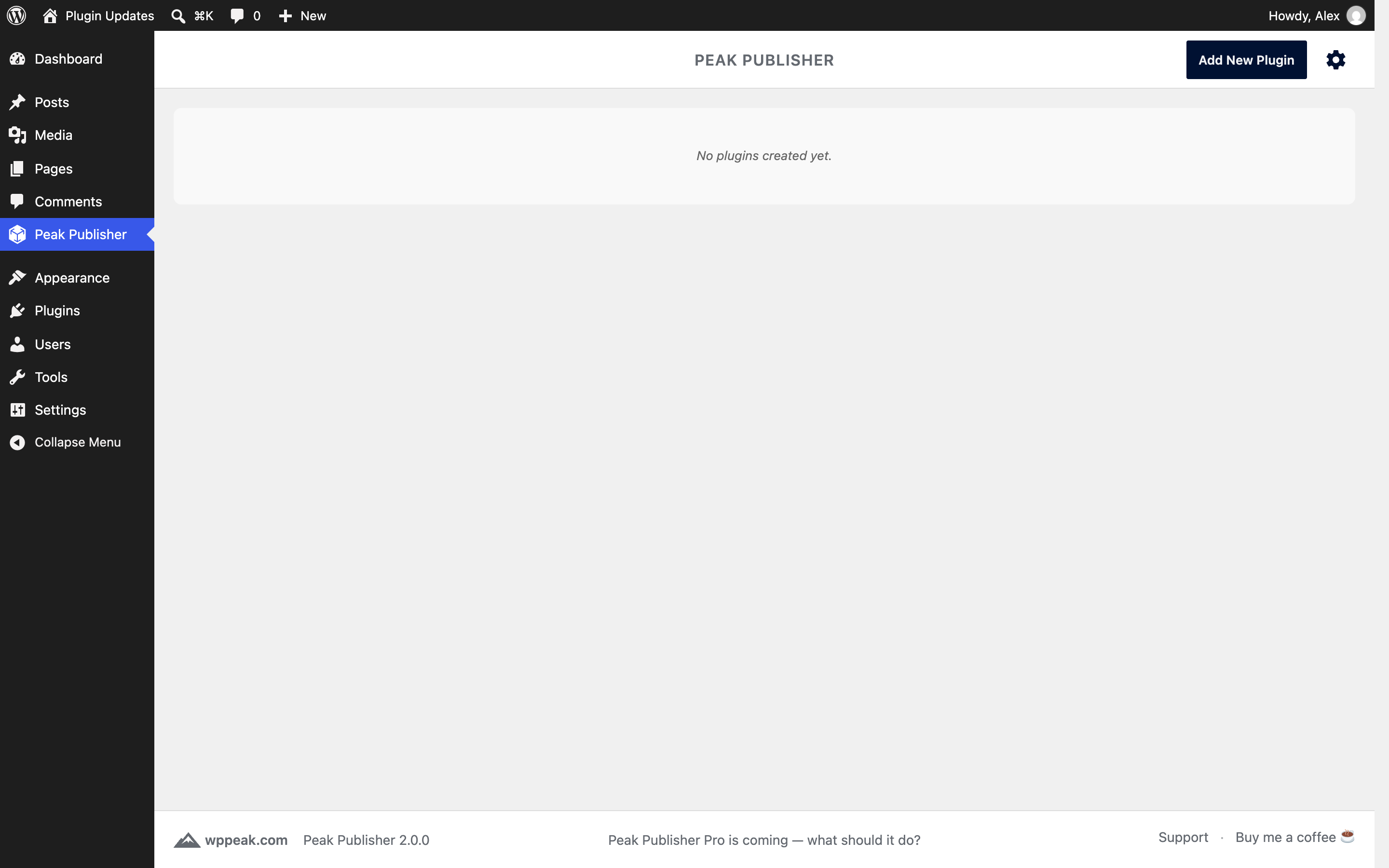
Peak Publisher is one place for all your plugins, wherever they are hosted. Plugins on wordpress.org are published by dropping the plugin folder — Peak Publisher talks to SVN for you, builds the tag, sets the Stable tag and commits once. Plugins for clients, teams and products are self‑hosted: your WordPress site becomes their update server, and installed copies receive updates directly from you via a standard Update URI.
Both channels share one task‑focused admin UI: add plugins and releases via drag & drop, let every upload be validated, decide with one switch which release your sites receive, manage icons, banners, screenshots and the Live Preview, keep Tested up to current, and see installations, downloads and ratings in one list.
Publish your first plugin in minutes — to wordpress.org or to your own update server — and every next release with a single drop.
KEY FEATURES
🚀 Clean admin UI with a guided “Add New Plugin” flow
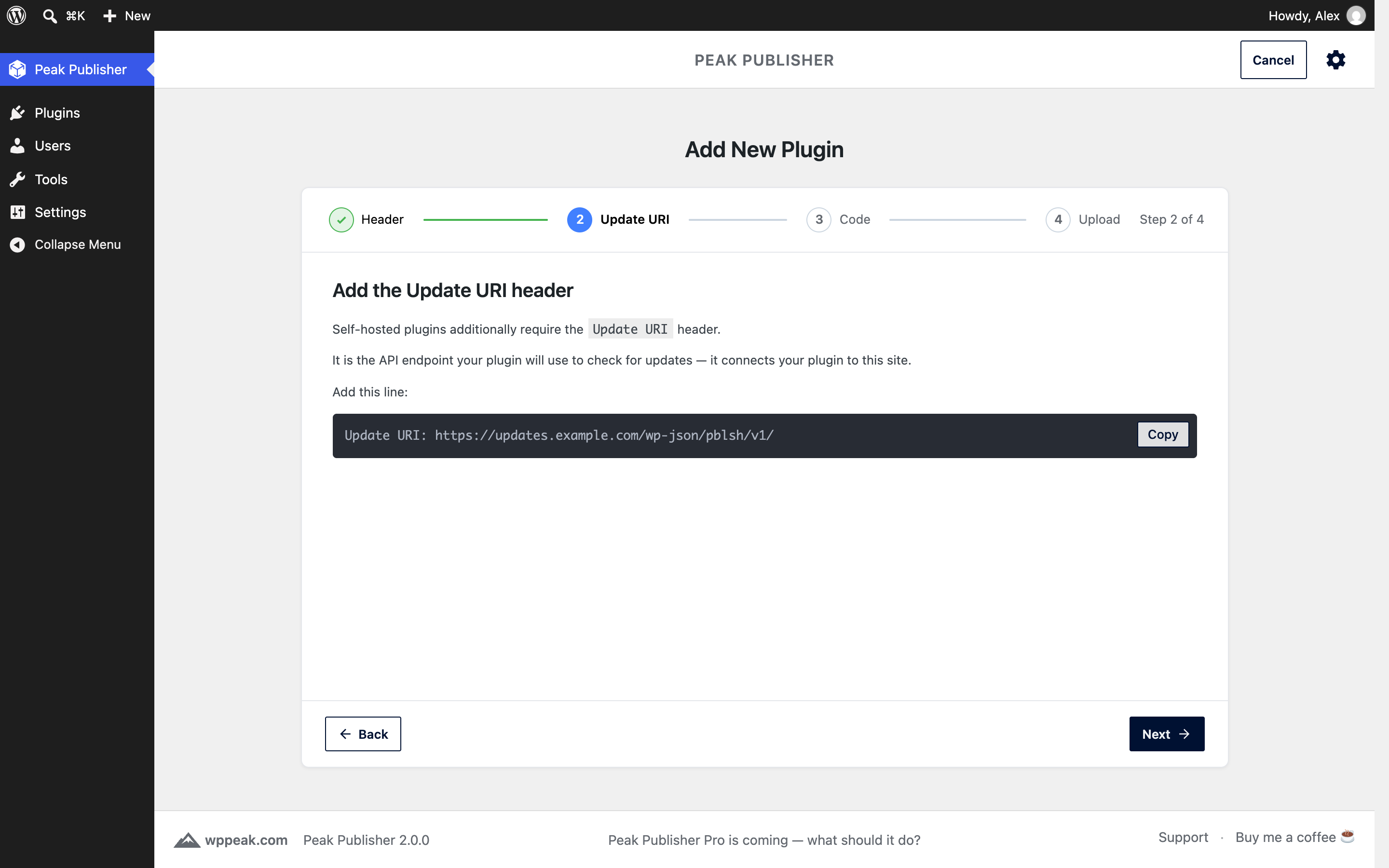
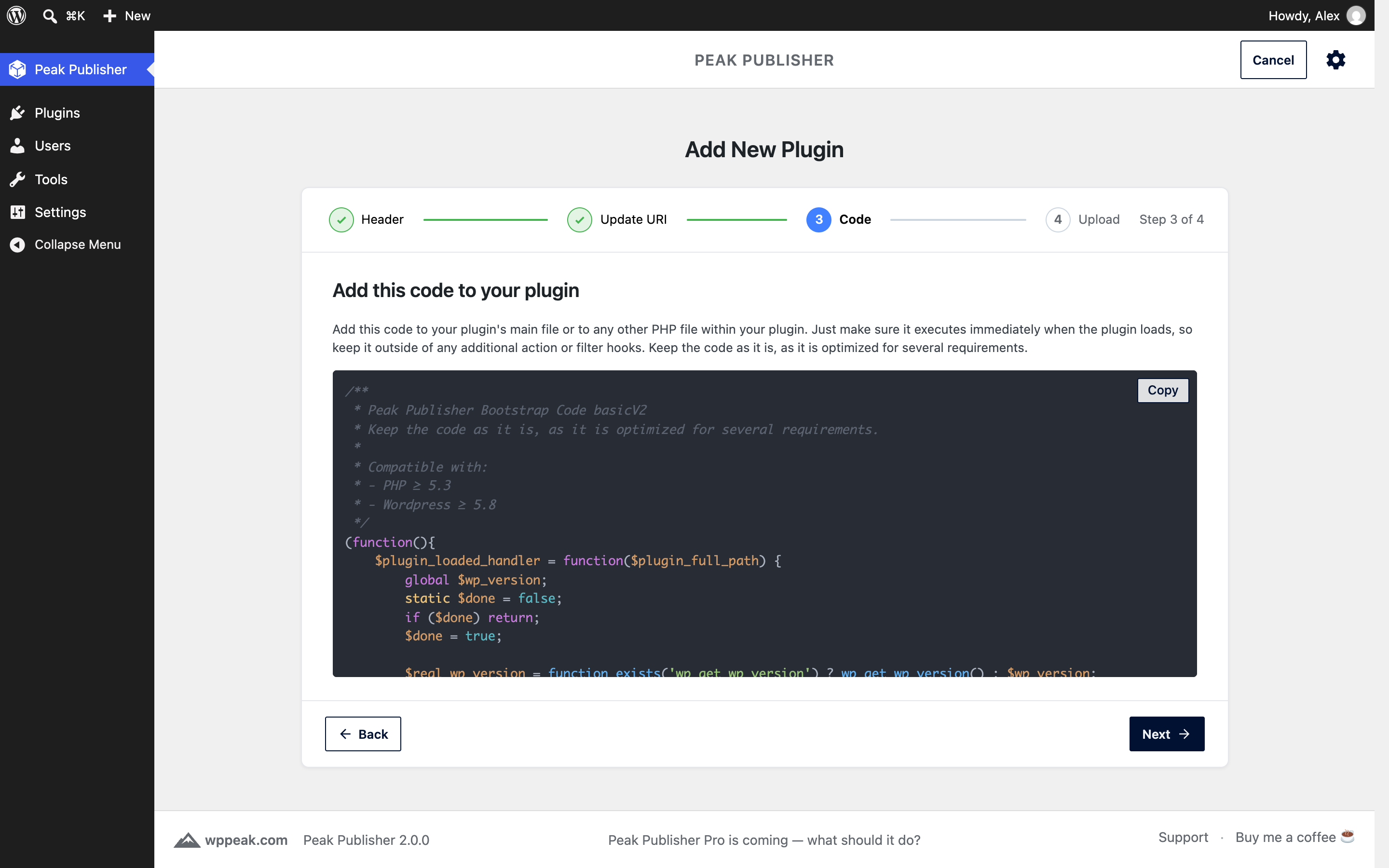
The flow starts with the channel and asks only what is still needed: for wordpress.org where your plugin stands (not submitted yet, approved, or already published — then it is imported with its releases and assets), for self‑hosted the headers and the bootstrap code to add.
☝️ Drag & drop a ZIP or simply the whole plugin folder
You can drop a ZIP file, but the easiest way is to drop the raw plugin folder or the folder’s contents — anywhere in Peak Publisher. It recognizes whether the drop is a new plugin or a new version of an existing one.
📦 Publish to wordpress.org without an SVN client
Peak Publisher reads trunk and the tags, creates the new tag as a copy of trunk or the previous tag plus what changed, updates trunk, writes the Stable tag and commits once — large plugins in seconds, not minutes. Every commit is recorded with its revision and links to its changeset on Trac.
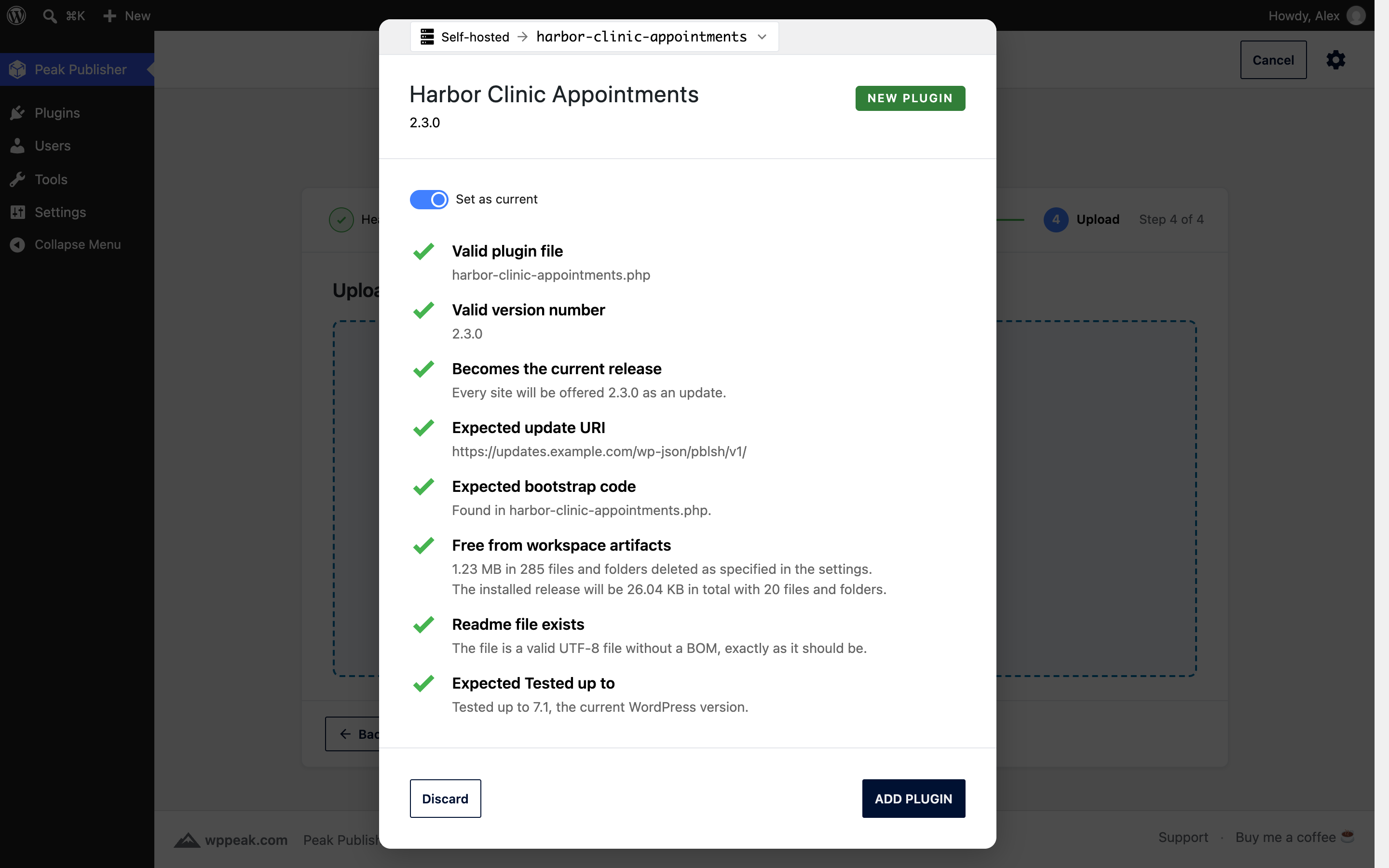
✅ Automatic validation with a checklist that explains itself
Headers, version format, Update URI, Tested up to, Requires Plugins, readme.txt — every finding is a line of the checklist with what it means and, where you have a choice, a decision to confirm.
🎯 The current release is a decision, not a status
On every upload a switch says whether the new version is what sites receive. “Make current release” promotes or rolls back any version later. On wordpress.org this is the Stable tag — written for you, never forgotten — and the current release cannot be deleted by accident.
🖼️ Assets by wordpress.org’s rules — on both channels
Icons, banners and screenshots with the right names, sizes and byte limits; screenshot captions come from the current release’s readme. On wordpress.org, your changes collect in a working copy and go up in one commit; changes made elsewhere are shown side by side instead of being overwritten.
▶️ Live Preview
Edit the blueprint of your wordpress.org plugin with fields for landing page, theme and plugins — or as JSON — and test it in WordPress Playground before you commit. The required plugins of the current release are kept in the preview, and a status line tells you whether wordpress.org has imported the file and whether the preview is public.
🧪 Tested up to per release
See which version was tested with which WordPress, raise it with one click, and let the next upload carry the highest known value. A status column in the plugin list shows what needs attention.
📈 Figures for both channels
Self‑hosted: unique installations of the last 24 hours and downloads per day. wordpress.org: active installs, downloads and rating from the directory, refreshed daily — the download history is kept beyond the directory’s window.
🧽🫧 Auto‑cleanup of workspace artifacts (e.g. .git, node_modules)
To provide clean packages and reduce package size, Peak Publisher removes development files and operating system artifacts from your uploads using patterns that you can configure. (optional)
🔐 Optional restriction via IP, CIDR or domain whitelist
Self‑hosted packages are stored in a private, server‑protected directory with no direct web access. By default the API is reachable from anywhere; with a whitelist of IP addresses, CIDR ranges or domain names you restrict access to update metadata and downloads.
🔑 Encrypted wordpress.org credentials
The SVN password is stored encrypted (AES‑256‑GCM) with a key outside the database — see the FAQ.
Some More Features
📄 Readme.txt: Provide your users with a description, changelog, screenshots, tested up to and more — the “View details” popup of a self‑hosted plugin looks like the one of a wordpress.org plugin.
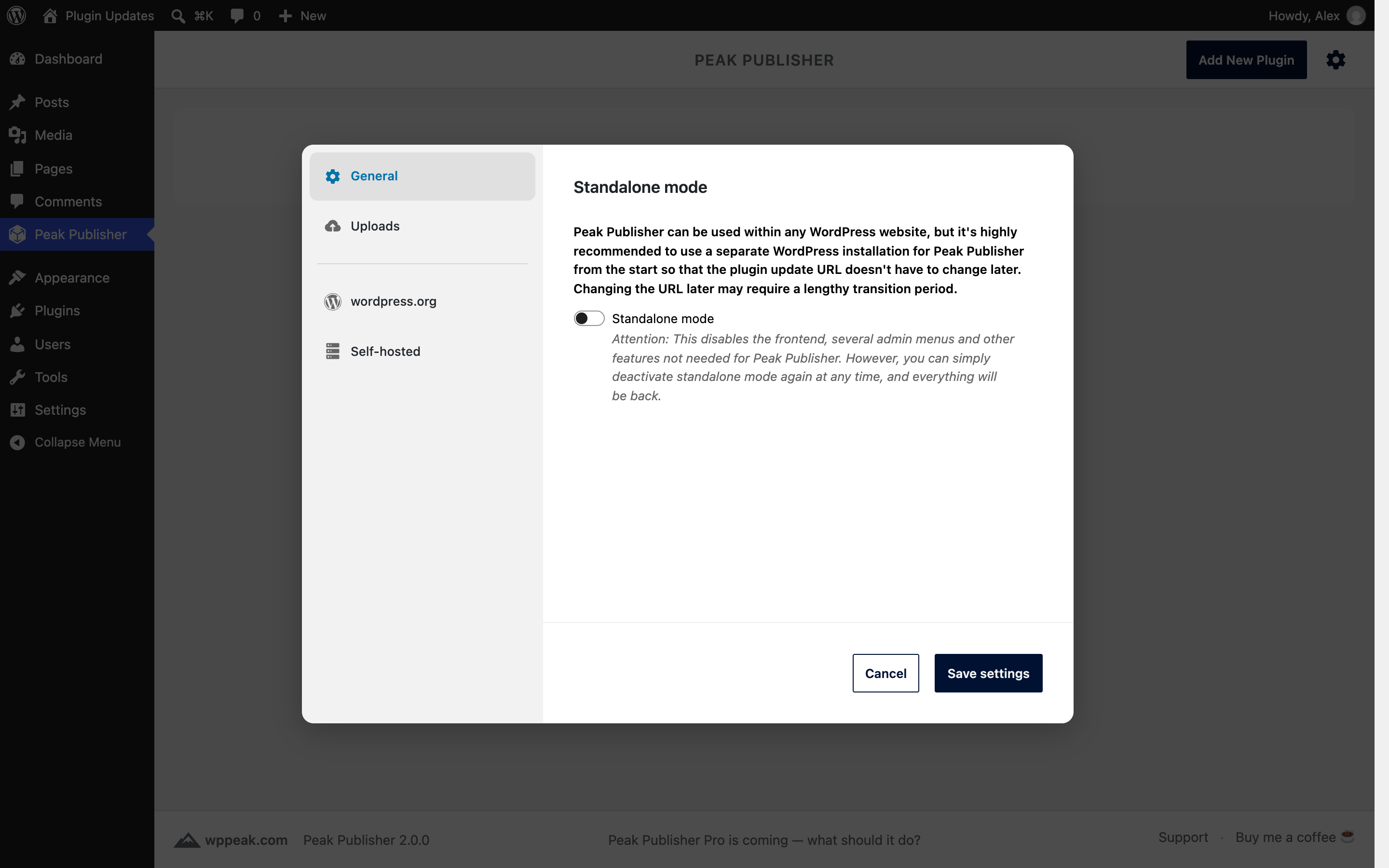
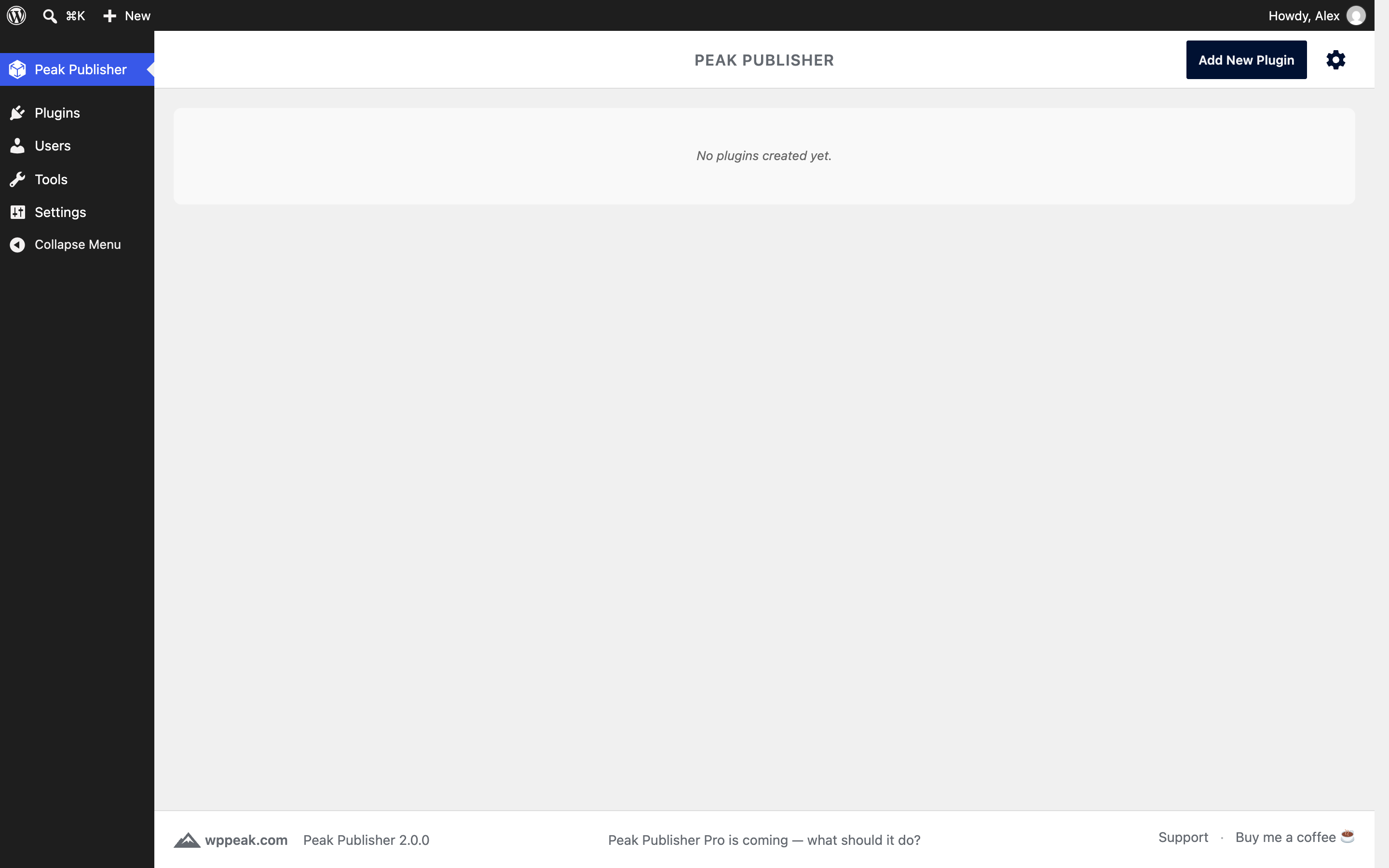
🧭 Standalone mode: Turn a dedicated site into a pure update server — frontend and unneeded admin menus off, with a redirect URL of your choice.
📋 Operations log: Every write Peak Publisher makes to your published plugins is recorded — on wordpress.org every commit with its account and revision.
HOW IT WORKS
Self‑hosted
- Install Peak Publisher
on a dedicated WordPress site (recommended)
or any site you control. - Follow the “Add New Plugin” flow
choose Self‑hosted, then add theUpdate URIheader and the bootstrap code to your plugin. - Upload your plugin
drag & drop the zipped plugin or the plugin folder. - Read the checklist
Peak Publisher validates your upload and shows you the result. - Click “Add new plugin”
to finish the process. - Drop your next release with an increased version number
once you have one ready — the switch “Set as current” decides whether sites receive it.
wordpress.org
- Connect your wordpress.org account
under Settings → wordpress.org with your username and SVN password. - Follow the “Add New Plugin” flow
choose wordpress.org and say where your plugin stands: not submitted yet (the flow takes you to the submission page), approved but nothing published yet, or already published. - Import or upload
a published plugin is imported with its releases, assets and figures; an approved one is published with its first upload. - Drop your next release
Peak Publisher creates the tag, updates trunk, writes the Stable tag and commits once. - Manage the rest in the editor
assets and the Live Preview, Tested up to, “Make current release” — each a commit under your account.
WHO IS IT FOR?
- Plugin developers who publish on wordpress.org and want to leave the SVN client behind
- Agencies that deliver custom plugins to multiple clients
- Product teams with private/proprietary extensions
- Anyone with plugins on both sides who wants them in one list
External services
Peak Publisher contacts wordpress.org as soon as you connect a wordpress.org account or import a wordpress.org plugin — for exactly those plugins, and only then. Without an account and without wordpress.org plugins in Peak Publisher, it contacts no external service, with the one exception of embedded videos named below. Client sites of your self‑hosted plugins talk to your Peak Publisher site only.
wordpress.org
Operated by the WordPress Foundation and Automattic. Privacy policy: https://wordpress.org/about/privacy/ — the terms for publishing plugins: https://developer.wordpress.org/plugins/wordpress-org/detailed-plugin-guidelines/
When your server contacts it:
- api.wordpress.org — the plugin directory’s info API, to notice changes made elsewhere and to fetch the figures of your wordpress.org plugins: every 5 minutes while someone looks at the plugin list, during import, and for the Live Preview the listings of other plugins and themes; the download statistics once a day.
- plugins.svn.wordpress.org — the plugin repository. Reads without credentials during import and whenever the directory shows that something changed. Writes with your username and SVN password: publishing a release, “Make current release”, deleting a release, committing assets and the Live Preview, setting Tested up to.
- wordpress.org — the plugin page, to check whether the Live Preview is public, when you look at the Live Preview; and the profile avatar lookup when you connect, edit or test the account.
- core.svn.wordpress.org — the default theme of the current WordPress branch, once per branch, when you look at a Live Preview.
What is sent: the slugs of your plugins, the files you publish (plugin files, assets, the blueprint), your account’s username and — only to plugins.svn.wordpress.org, over HTTPS — its SVN password, and your server’s IP address. Every request identifies itself as “PeakPublisher/{version}”; your site’s address is never part of a request.
In your browser: the admin UI loads plugin icons from s.w.org and ps.w.org, theme screenshots from ts.w.org and the account’s avatar from secure.gravatar.com (Gravatar, by Automattic — terms: https://wordpress.com/tos/, privacy: https://automattic.com/privacy/). These servers see your browser’s IP address and, as referrer, your site’s domain. The Live Preview’s “Test” button opens playground.wordpress.net with the blueprint, and the download of a wordpress.org release comes from downloads.wordpress.org.
Embedded videos in a readme
When the readme.txt of a self‑hosted plugin contains a video URL alone on a line, Peak Publisher asks the provider’s oEmbed endpoint for the embed code — exactly as wordpress.org does, limited to its providers (YouTube, Vimeo, WordPress.com, WordPress.tv, Vine, SoundCloud, Instagram, Mixcloud, Cloudup) and without any account. The provider sees your server’s IP address and the video URL. Change the list with the filter pblsh_readme_oembed_providers.
Privacy
Peak Publisher does not track users and sends no telemetry. The only external service it talks to is wordpress.org, for the plugins you keep there, as described under “External services”. For self‑hosted plugins, all communication happens between the client sites and your Peak Publisher site.
About the client sites of a self‑hosted plugin, Peak Publisher stores two things: the installation count keeps, per site, a salted and non‑reversible hash of its home URL, the installed version and when it was last seen — for 24 hours, and only while the count is switched on under Settings → Self‑hosted; the download count keeps one number per day. All files are stored on your server in a protected directory.
Changelog
Release drafts are gone: every release is listed and downloadable by version, and the one marked current is what sites receive. A notice after the update names every former draft. New: publish to wordpress.org without SVN.
2.0.0 – 2026-10-24
wordpress.org as a distribution channel
- Connect a wordpress.org account (username and SVN password, stored encrypted) and import your published plugins with their releases, assets and figures
- Publish by drag & drop: the new tag is created as a copy of trunk or the previous tag plus what changed, trunk is updated and the Stable tag written — in one commit, large plugins in seconds
- “Make current release” and deleting a release work on wordpress.org too; the current release is protected from deletion
- Assets: icons, banners and screenshots mirrored from SVN, edited in a working copy and committed together; conflicts with changes made elsewhere are shown side by side
- Live Preview: edit the plugin’s blueprint.json with fields for landing page, theme and plugins or as JSON, test it in Playground, see whether wordpress.org has imported it and whether the preview is public; the required plugins of the current release are kept in the preview
- Figures from the directory: active installs, downloads and rating, refreshed daily; the download history is kept beyond the directory’s window
- Operations log: every commit Peak Publisher makes is recorded with its account and revision and links to its changeset on Trac
- The list and the editor follow changes made on wordpress.org through the directory, without touching SVN
- Publishing shows its steps and survives gateway timeouts; a second publish while one runs is refused and the running one followed instead
Self-hosted
- Daily download counts, served as
downloadedby the public API - The whitelist of the public API takes CIDR ranges, e.g. 203.0.113.0/24 or 2001:db8::/32
Both channels
- Release drafts are gone: every release is listed and downloadable by version; the current release — the one sites receive — is decided on every upload and changed with “Make current release” (see Upgrade Notice)
- Tested up to per release: shown in the list, the editor and the upload checklist, set with one click, carried to the highest known value at upload; the public API serves it
- Version numbers must follow the wordpress.org format: digits and dots, optionally -alpha, -beta or -RC with a number
- Assets follow wordpress.org’s rules on both channels: slots, file names, byte limits; screenshot captions come from the current release’s readme
- Requires Plugins: served by the public API in wordpress.org’s format; a wordpress.org publish is refused when the import would reject the header
- The plugin’s slug comes from the folder, ZIP or main file name; every release ZIP has the slug as its root (the setting “Add top-level folder if missing” is gone)
- readme.txt is always stored as UTF-8 without a BOM (the setting is gone)
- The readme parser and the icon generator are wordpress.org’s current code: readmes render as the directory renders them, generated icons match its
- “Add New Plugin” starts with the channel and, for wordpress.org, with where the plugin stands; tips explain headers, review, captions, Live Preview and version numbers
- Status column in the plugin list, the channel and slug of every plugin, figures aligned with the name, the list sorted by name
- New page header and footer, the logo in the admin menu, relative times, settings grouped into General, Uploads, wordpress.org and Self-hosted
- Deleting Peak Publisher from the Plugins screen removes the wordpress.org accounts and the encryption key; plugins and releases stay
- New filters:
pblsh_readme_oembed_providers,pblsh_readme_shortcodes,pblsh_enable_banner_svg
Security
- A readme’s content is never read as a path or URL (before, a readme that began with http(s):// was fetched, and one consisting of a single path line was read from disk)
- Readme sections are rendered under wordpress.org’s limits: no oEmbed discovery (before, every URL alone on a line was fetched by the server), embeds only from the provider list, no shortcodes of the site
- SVG assets must be free of active content — scripts, event handlers, javascript: links — on both channels: an upload is refused, and a file on wordpress.org that fails the rule is kept off this site, which serves its assets from its own origin
Fixes
- Installation count of self-hosted plugins
- Number of files and folders shown for an upload
- Release slug collisions between the two channels
- Plugin header lines crossing the 8 KB boundary are left alone
- curl_close(), deprecated in PHP 8.5, is no longer called; servers without curl_multi read wordpress.org one request at a time
- Release ZIPs keep empty folders
- Self-hosted releases can be built on WordPress before 6.4.4 again; since 1.3.1 the publish failed there
- An IPv6 client passes through a domain entry of the whitelist
1.3.1 – 2026-04-04
- Fixed minor compatibility issues with WordPress 7.0
1.3.0 – 2026-03-21
- Added standalone redirect URL setting for redirecting frontend visitors in standalone mode
- Added visual highlighting of the update notification icon in the admin toolbar in standalone mode
1.2.0 – 2026-03-08
- Added asset management: upload, replace, reorder, and delete plugin icons, banners, and screenshots directly in the admin UI
- Icons, banners, and screenshots are served to client sites via the wordpress.org-compatible API
- Geopattern fallback icons for plugins without a custom icon (following the WordPress.org convention)
- Added permalink structure check: shows a notice when “Plain” permalinks are active (REST API requirement)
1.1.3 – 2026-02-12
- New bootstrap code (basicV2): multisite support and safe handling when update transient has no response/no_update keys
- Upload workflow detects basicV1 vs basicV2 bootstrap and shows the matching recommendation
1.1.2 – 2026-01-24
- Fixed description tab for plugins without a readme.txt (added previous solution as a fallback)
Screenshots



For developers
Is this your plugin? Show off the numbers.
Add a live badge to your site, docs or GitHub README. It updates on its own — no account needed.
Best Peak Publisher alternatives
All plugins plugins →




FAQ
Peak Publisher: quick answers
Straight answers, pulled from live WordPress.org data.
Live data from WordPress.org · checked Nov 16, 2026
Is Peak Publisher free?
Yes. Peak Publisher is free to download and use from the official WordPress.org plugin directory.
Is Peak Publisher safe to use in 2026?
Peak Publisher is a solid plugin choice in 2026, with a few things worth checking first. It runs on 10+ sites, is rated 5/5 and was last updated 3 weeks ago, and scores 73/100 on our health check.
How many websites use Peak Publisher?
Peak Publisher is active on 10+ WordPress websites and has been downloaded 1,201 times since it launched in December 2025. It was downloaded 165 times in the last 30 days.
Does Peak Publisher work with WordPress 7.1?
Yes. The developer has tested Peak Publisher up to WordPress 7.1.4, the latest release. It requires WordPress 5.8 or newer.
What PHP version does Peak Publisher need?
Peak Publisher requires PHP 8.1 or higher. Most hosts run PHP 8.x today, so it works on any modern WordPress hosting.
When was Peak Publisher last updated?
The latest version, 2.0.0, was released on October 24, 2026 (3 weeks ago).
Who makes Peak Publisher?
Peak Publisher is developed and maintained by Helmut Wandl.
What are the best alternatives to Peak Publisher?
The most popular alternatives to Peak Publisher are WP Rollback (200K+ installs), Download Plugin (60K+ installs) and Advanced Automatic Updates (20K+ installs).
Powered by PageForge
Want thousands of pages that rank like these? Build them in an afternoon.
This directory runs on the same engine as PageForge. Turn any spreadsheet, CSV or API into thousands of fast, SEO-ready WordPress pages — with schema, internal links and AI-written copy baked in.
- CSV, Google Sheets & API data sources
- AI content, schema & internal links per page
- Works with Elementor, Gutenberg, Yoast & Rank Math
- Free on WordPress.org — no credit card


