


PaleSwitch – Light/Dark Palettes for Elementor
Manage frontend light and dark color palettes for Elementor using Global Colors.

Use with caution
PaleSwitch works, but test it on a staging site before relying on it in 2026. It runs on 10+ sites and was last updated 3 months ago, and scores 51/100 on our health check.
- Small user base (10+ active installs)
- Very few reviews so far
How does it stack up?
Side-by-side on installs, updates, ratings & support



Daily downloads
Download spikes usually follow a new release — each site that auto-updates counts as a download.
Rankings
Where PaleSwitch stands todayWordPress.org search rankings
Live position in the plugin search, top 100| Keyword | Position |
|---|---|
| color palette | #76 |
| dark mode | >100 |
| elementor | >100 |
| Frontend | >100 |
| Global Colors | >100 |
Version adoption
Share of active sites per release.
About PaleSwitch
From the official readme · v1.0.0Description
PaleSwitch helps Elementor users manage frontend dark mode using the Global Colors from the Elementor Site Settings.
This plugin is focused on the light and dark mode visitors see on the website, not the dark mode of the Elementor editor.
Instead of editing every widget manually or duplicating sections, PaleSwitch lets you define dark counterparts for Elementor Global Colors and generate the CSS variables needed for frontend dark mode.
Free features:
- Manual light/dark color editing.
- Elementor Global Colors integration.
- Automatic dark mode CSS generation.
- Elementor theme switcher widget.
- System preference detection.
- Default theme option.
PaleSwitch is useful for designers, freelancers and developers who want a cleaner workflow for frontend light/dark color systems in Elementor.
Third-party Libraries
This plugin includes Pickr 1.9.1 by Simon Reinisch, licensed under the MIT License.
Source: https://github.com/Simonwep/pickr
The included Nano theme CSS has minor style adjustments for the PaleSwitch admin interface. The original license notice is preserved in the files.
Readable source files are included:
- assets/js/pickr.js
- assets/css/nano.css
Minified files used by the plugin:
- assets/js/pickr.min.js
- assets/css/nano.min.css
Installation
- Upload the plugin files to the
/wp-content/plugins/paleswitch-for-elementordirectory, or install the plugin through the WordPress plugins screen. - Activate the plugin through the
Pluginsscreen in WordPress. - Make sure Elementor is installed and activated.
- Go to
PaleSwitchin the WordPress admin. - Configure your light/dark color values.
- Add the PaleSwitch widget inside Elementor where you want the frontend switch to appear.
Frequently asked questions
Does this change the Elementor editor theme?
No. PaleSwitch is focused on frontend dark mode, meaning the light/dark mode visitors see on the website.
Does PaleSwitch require Elementor?
Yes. PaleSwitch is designed to work with Elementor Global Colors.
Does the Free version work without the Pro version?
Yes. The Free version is fully functional and includes manual light/dark editing, CSS output and the Elementor switch widget.
Does PaleSwitch replace Elementor Global Colors?
No. PaleSwitch uses Elementor Global Colors as the base and lets you define dark counterparts for those colors.
Where is the generated CSS saved?
PaleSwitch generates a CSS file inside the WordPress uploads directory, under /wp-content/uploads/palesw-css/colors-switch-theme.css.
Screenshots
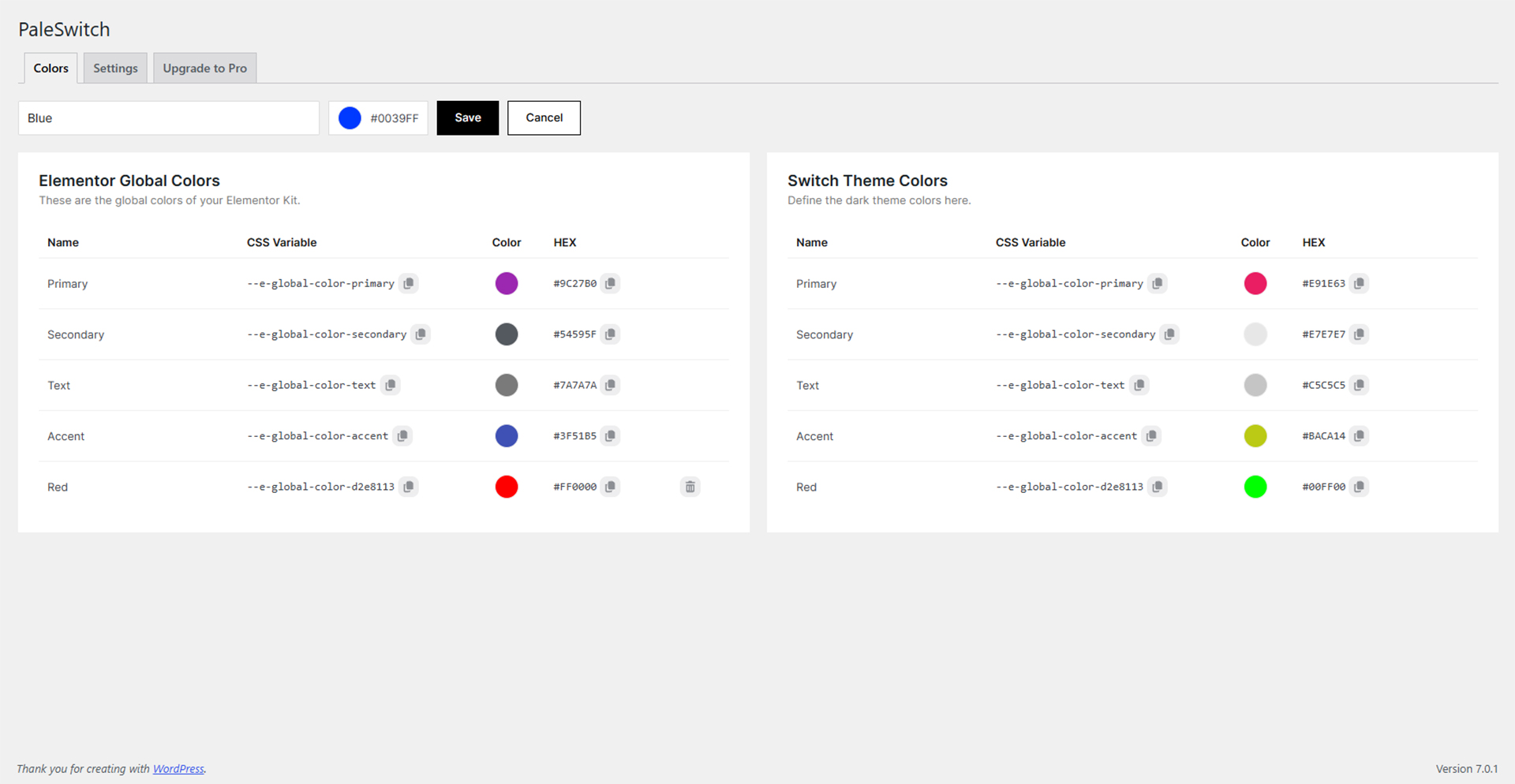
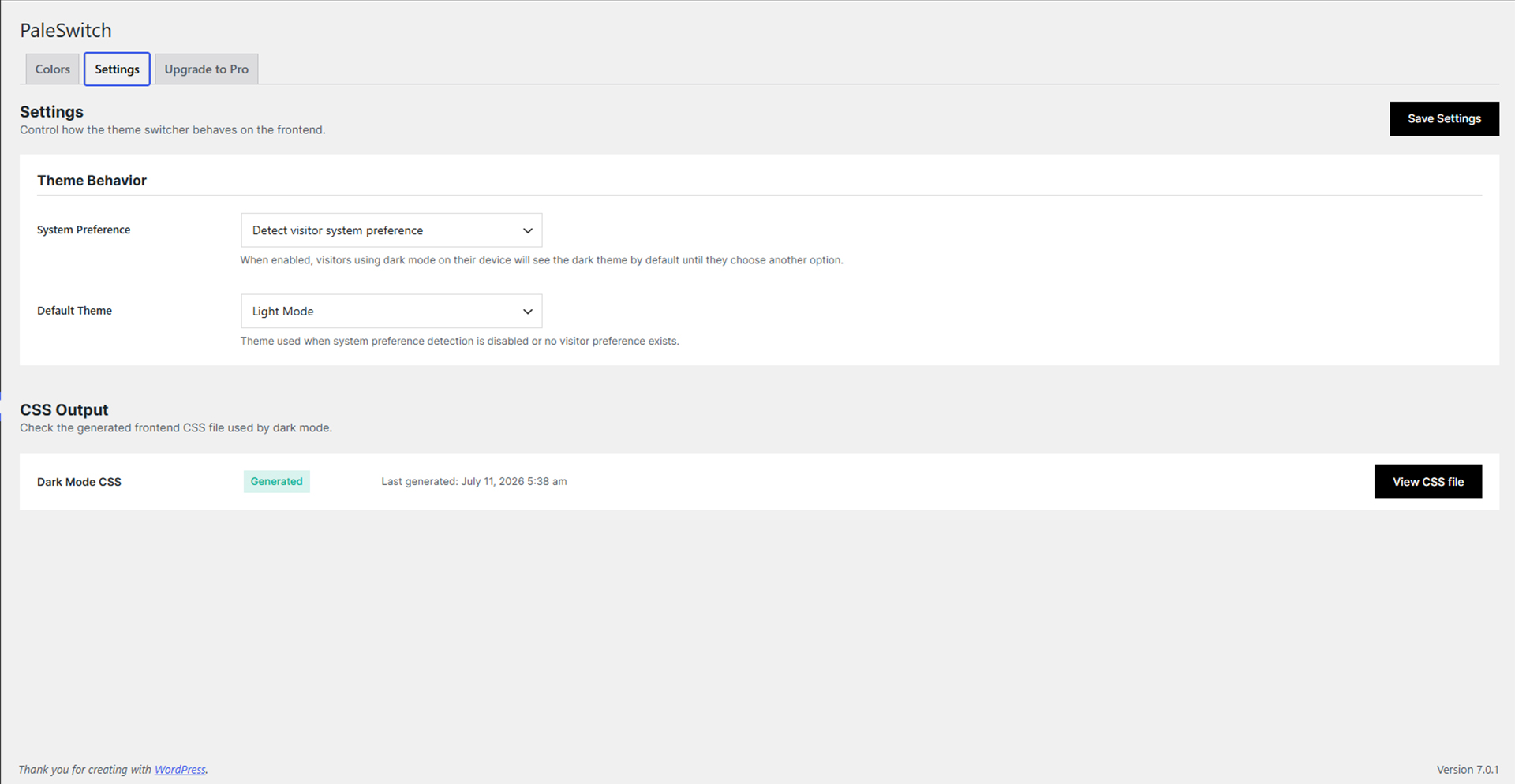
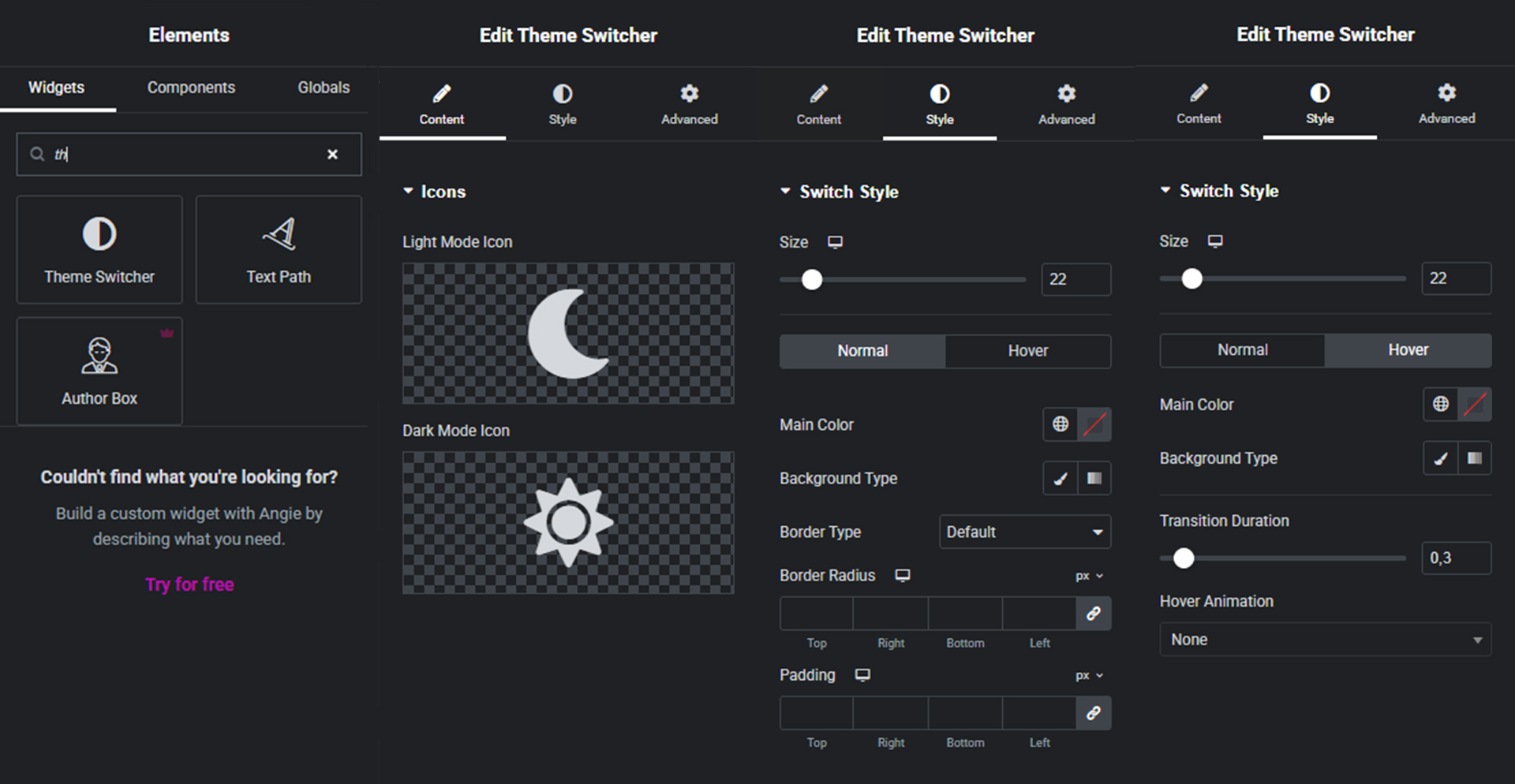
For developers
Is this your plugin? Show off the numbers.
Add a live badge to your site, docs or GitHub README. It updates on its own — no account needed.
Best PaleSwitch alternatives
All color palette plugins →




FAQ
PaleSwitch: quick answers
Straight answers, pulled from live WordPress.org data.
Live data from WordPress.org · checked Oct 16, 2026
Is PaleSwitch free?
Yes. PaleSwitch is free to download and use from the official WordPress.org plugin directory.
Is PaleSwitch safe to use in 2026?
PaleSwitch works, but test it on a staging site before relying on it in 2026. It runs on 10+ sites and was last updated 3 months ago, and scores 51/100 on our health check.
How many websites use PaleSwitch?
PaleSwitch is active on 10+ WordPress websites and has been downloaded 255 times since it launched in July 2026. It was downloaded 56 times in the last 30 days.
Does PaleSwitch work with WordPress 7.1?
PaleSwitch is officially tested up to WordPress 7.0.7, while the latest release is 7.1.3. It may still work, but try it on a staging site first.
What PHP version does PaleSwitch need?
PaleSwitch requires PHP 7.4 or higher. Most hosts run PHP 8.x today, so it works on any modern WordPress hosting.
When was PaleSwitch last updated?
The latest version, 1.0.0, was released on July 11, 2026 (3 months ago).
Who makes PaleSwitch?
PaleSwitch is developed and maintained by AguilArt Design.
What are the best alternatives to PaleSwitch?
The most popular alternatives to PaleSwitch are Block Editor Colors (3K+ installs), Custom Color Palette for Gu… (1K+ installs) and Editor Custom Color Palette (100+ installs).
Powered by PageForge
Want thousands of pages that rank like these? Build them in an afternoon.
This directory runs on the same engine as PageForge. Turn any spreadsheet, CSV or API into thousands of fast, SEO-ready WordPress pages — with schema, internal links and AI-written copy baked in.
- CSV, Google Sheets & API data sources
- AI content, schema & internal links per page
- Works with Elementor, Gutenberg, Yoast & Rank Math
- Free on WordPress.org — no credit card


