


Brand Assets
Create a WordPress brand assets page with color palettes, logo downloads, and brand guidelines visitors can actually use.

Use with caution
Brand Assets works, but test it on a staging site before relying on it in 2026. It runs on 10+ sites and was last updated 6 months ago, and scores 51/100 on our health check.
- Small user base (10+ active installs)
- Very few reviews so far
How does it stack up?
Side-by-side on installs, updates, ratings & support



Daily downloads
Download spikes usually follow a new release — each site that auto-updates counts as a download.
Rankings
Where Brand Assets stands todayWordPress.org search rankings
Live position in the plugin search, top 100| Keyword | Position |
|---|---|
| block | >100 |
| brand assets | #2 |
| brand guidelines | #19 |
| color palette | >100 |
| media kit | #87 |
Version adoption
Share of active sites per release.
About Brand Assets
From the official readme · v1.0.0Description
Brand Assets helps you publish a clean, usable brand assets page in WordPress. Instead of sending people to scattered folders or outdated PDFs, you can present approved colors, downloadable logos, and brand guidance directly on your site.
Whether you need a public media kit, a client handoff page, or an internal brand guidelines page, Brand Assets gives you block-based tools to build it in Gutenberg.
What you can build
- A brand assets page with your logos, color palette, and typography guidance.
- A media kit page for journalists, partners, and affiliates.
- A client-facing brand page with downloadable files and usage guidance.
- A simple internal design reference for your team.
Key features
- Add a dedicated brand color palette block to any page or post.
- Show color swatches with adjustable width, height, spacing, borders, and optional CMYK values.
- Use the included brand page pattern to launch a complete brand guidelines page faster.
- Add downloadable brand files by applying the
ba-downloadclass to list items in the editor. - Show a configurable popover on your site logo that links visitors to the right brand assets page.
- Manage plugin settings from Settings → Brand Assets or the plugin row settings link.
Why site owners use Brand Assets
- Keep logos, colors, and downloadable files in one clear place.
- Make it easier for clients, press contacts, and partners to find approved assets.
- Build a more professional brand guidelines page without custom development.
- Keep your WordPress site and your brand presentation aligned.
Quick start
- Install and activate Brand Assets.
- Create a page for your brand assets or media kit.
- Insert the Brand Assets pattern or add the Color Palette – Brand Assets block.
- Add your approved colors, logo files, and supporting content.
- Go to Settings → Brand Assets and connect your logo popover to the page.
Support
- Source code: https://github.com/ProgressPlanner/brand-assets
- Documentation: https://progressplanner.com/plugins/brand-assets/
- Issues: https://github.com/ProgressPlanner/brand-assets/issues
Installation
- Upload the plugin files to the
/wp-content/plugins/brand-assets/directory, or install Brand Assets through the WordPress plugins screen. - Activate the plugin through the Plugins screen in WordPress.
- Create or open the page where you want to publish your brand assets.
- Insert the Color Palette – Brand Assets block or the included Brand Assets pattern.
- Add your colors, files, and brand guidance content.
- Optional: go to Settings → Brand Assets to configure the logo popover and choose the target page.
For manual installs, you can also upload the plugin folder over FTP before activating it in WordPress.
Frequently asked questions
How do I create a brand assets page in WordPress?
Install Brand Assets, create a page, and insert either the included pattern or the Color Palette – Brand Assets block. From there, add your logos, colors, downloads, and brand guidance content.
How do I add a color palette to my brand guidelines page?
Add the Color Palette – Brand Assets block in the editor, then enter your brand colors as hex values. You can adjust swatch size, spacing, borders, and optionally show CMYK values.
Can I add downloadable logo files or PDFs?
Yes. Add a list in the block editor, place your download links inside it, and add the ba-download class to the relevant list items. The plugin will automatically add the download attribute to links inside those items.
What does the logo popover do?
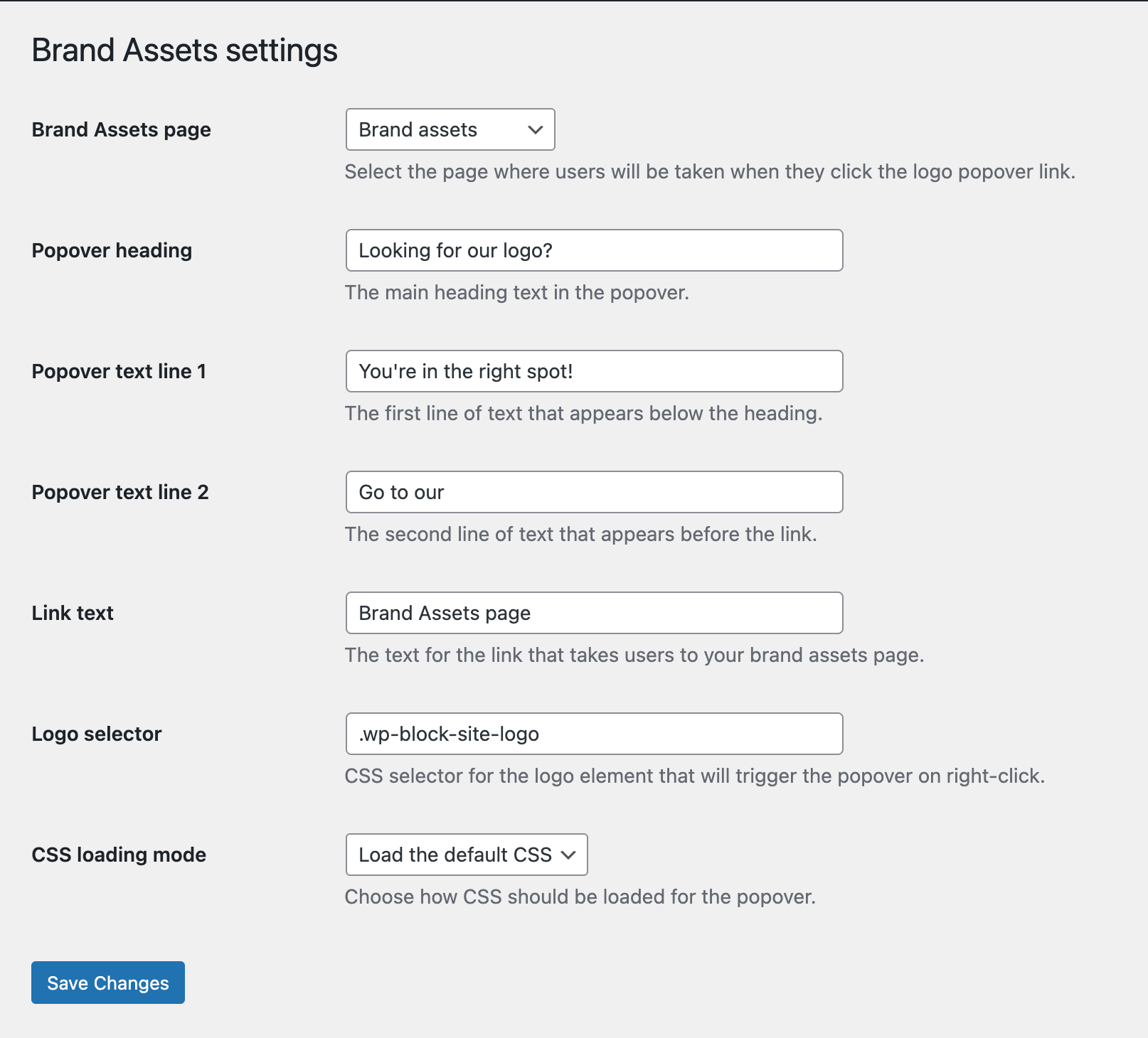
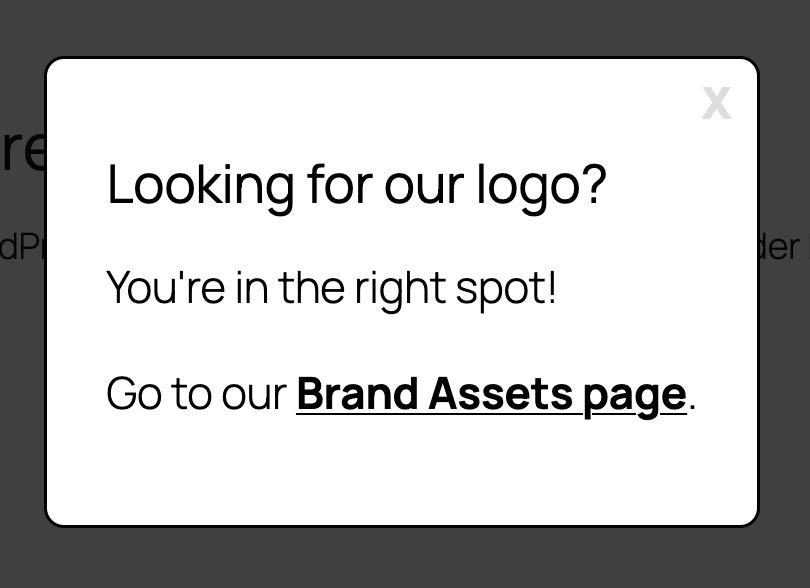
The logo popover lets visitors right-click your site logo and jump straight to your brand assets page. You can customize the heading, supporting text, link label, target page, and logo selector in the plugin settings.
Does Brand Assets work with any WordPress theme?
Yes. The block and settings are designed to work with standard WordPress themes, and the popover styling is self-contained.
Can I customize the popover styling?
Yes. The settings screen includes controls for colors, spacing, borders, max width, and font size. Developers can also filter the frontend CSS path if they want to load their own stylesheet.
Is there a ready-made layout for a media kit or brand guidelines page?
Yes. Brand Assets includes a pre-built block pattern with logo sections, downloadable asset links, a brand color palette area, and typography examples so you can start faster.
Changelog
First stable release of Brand Assets on FAIR.
1.0.0
- First stable release on FAIR.
0.1.0
- Initial release.
- Added the Brand Assets block for displaying color palettes.
- Added customizable swatch styling and optional CMYK values.
- Added responsive frontend output.
Screenshots
For developers
Is this your plugin? Show off the numbers.
Add a live badge to your site, docs or GitHub README. It updates on its own — no account needed.
Best Brand Assets alternatives
All block plugins →





FAQ
Brand Assets: quick answers
Straight answers, pulled from live WordPress.org data.
Live data from WordPress.org · checked Oct 14, 2026
Is Brand Assets free?
Yes. Brand Assets is free to download and use from the official WordPress.org plugin directory.
Is Brand Assets safe to use in 2026?
Brand Assets works, but test it on a staging site before relying on it in 2026. It runs on 10+ sites and was last updated 6 months ago, and scores 51/100 on our health check.
How many websites use Brand Assets?
Brand Assets is active on 10+ WordPress websites and has been downloaded 324 times since it launched in April 2026. It was downloaded 56 times in the last 30 days.
Does Brand Assets work with WordPress 7.1?
Brand Assets is officially tested up to WordPress 7.0.7, while the latest release is 7.1.3. It may still work, but try it on a staging site first.
What PHP version does Brand Assets need?
Brand Assets requires PHP 7.4 or higher. Most hosts run PHP 8.x today, so it works on any modern WordPress hosting.
When was Brand Assets last updated?
The latest version, 1.0.0, was released on April 29, 2026 (6 months ago).
Who makes Brand Assets?
Brand Assets is developed and maintained by Progress Planner.
What are the best alternatives to Brand Assets?
The most popular alternatives to Brand Assets are Spectra Legacy (1M+ installs), Breadcrumb NavXT (800K+ installs) and PDF Embedder (300K+ installs).
Powered by PageForge
Want thousands of pages that rank like these? Build them in an afternoon.
This directory runs on the same engine as PageForge. Turn any spreadsheet, CSV or API into thousands of fast, SEO-ready WordPress pages — with schema, internal links and AI-written copy baked in.
- CSV, Google Sheets & API data sources
- AI content, schema & internal links per page
- Works with Elementor, Gutenberg, Yoast & Rank Math
- Free on WordPress.org — no credit card


