


Optivanta Image Optimization
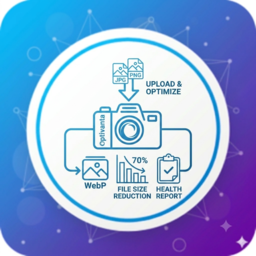
Optivanta Image Optimization is a lightweight WordPress plugin that helps reduce image file sizes and improve website performance without relying on external services or API keys.

Use with caution
Optivanta Image Optimization works, but test it on a staging site before relying on it in 2026. Was last updated 2 months ago, and scores 55/100 on our health check.
- Small user base (<10 active installs)
- Very few reviews so far
How does it stack up?
Side-by-side on installs, updates, ratings & support



Daily downloads
Download spikes usually follow a new release — each site that auto-updates counts as a download.
Rankings
Where Optivanta Image Optimization stands todayWordPress.org search rankings
Live position in the plugin search, top 100| Keyword | Position |
|---|---|
| image compression | >100 |
| image optimization | >100 |
| lazy load | >100 |
| media | >100 |
| webp | >100 |
About Optivanta Image Optimization
From the official readme · v1.2.0Description
Optivanta Image Optimization is a lightweight WordPress plugin that helps reduce image file sizes and improve website performance without relying on external services or API keys.
All image optimization is performed directly on your server using the available PHP image libraries (GD or Imagick), giving you full control over your media while improving page load times.
Features
- Automatic JPEG and PNG optimization on upload
- Choose between Lossy and Lossless compression
- Resize oversized images using configurable maximum width and height
- Remove EXIF metadata from JPEG images
- Generate WebP versions when supported by your server
- Enable lazy loading for content images and iframes
- Bulk optimize existing Media Library images
- View optimization statistics and Media Library optimization status
- Open the new Image Health Dashboard with optimization score, storage savings, and scan insights
- Scan the Media Library for oversized images, missing WebP versions, and images that still need optimization
Why choose Optivanta?
- No API key required
- No external image optimization service
- No monthly usage limits
- Optimizes images locally using GD or Imagick
- Lightweight and easy to configure
- Compatible with modern WordPress installations
Installation
- Upload the
Optivanta-image-optimizationfolder to the/wp-content/plugins/directory, or install the plugin through the WordPress Plugins screen. - Activate the plugin through the Plugins menu in WordPress.
- Go to Image Optimization in the WordPress admin menu.
- Configure your preferred optimization settings.
- Use Bulk Optimize to optimize existing images in your Media Library.
Frequently asked questions
Does this plugin require an API key?
No. Optivanta performs all optimization locally on your server using PHP GD or Imagick. No external API or third-party image processing service is required.
Which image formats are supported?
Currently, JPEG and PNG images in the WordPress Media Library are supported.
Does the plugin generate WebP images?
Yes. WebP images can be generated automatically when your server supports WebP through GD or Imagick.
Can I optimize images that were uploaded before installing the plugin?
Yes. Use the Bulk Optimize feature to optimize existing images in your Media Library.
Changelog
1.1.0
- Improved image optimization workflow.
- Added performance and compatibility improvements.
- General bug fixes and code enhancements.
1.0.0
- Initial release.
For developers
Is this your plugin? Show off the numbers.
Add a live badge to your site, docs or GitHub README. It updates on its own — no account needed.
Best Optivanta Image Optimization alternatives
All image compression plugins →




FAQ
Optivanta Image Optimization: quick answers
Straight answers, pulled from live WordPress.org data.
Live data from WordPress.org · checked Sep 28, 2026
Is Optivanta Image Optimization free?
Yes. Optivanta Image Optimization is free to download and use from the official WordPress.org plugin directory.
Is Optivanta Image Optimization safe to use in 2026?
Optivanta Image Optimization works, but test it on a staging site before relying on it in 2026. Was last updated 2 months ago, and scores 55/100 on our health check.
How many websites use Optivanta Image Optimization?
Optivanta Image Optimization is active on <10 WordPress websites and has been downloaded 139 times since it launched in August 2026. It was downloaded 63 times in the last 30 days.
Does Optivanta Image Optimization work with WordPress 7.1?
Optivanta Image Optimization is officially tested up to WordPress 7.0.6, while the latest release is 7.1.2. It may still work, but try it on a staging site first.
What PHP version does Optivanta Image Optimization need?
Optivanta Image Optimization requires PHP 7.4 or higher. Most hosts run PHP 8.x today, so it works on any modern WordPress hosting.
When was Optivanta Image Optimization last updated?
The latest version, 1.2.0, was released on August 14, 2026 (2 months ago).
Who makes Optivanta Image Optimization?
Optivanta Image Optimization is developed and maintained by Kirtikumar Solanki.
What are the best alternatives to Optivanta Image Optimization?
The most popular alternatives to Optivanta Image Optimization are Image Optimizer (1M+ installs), Squeeze (3K+ installs) and Flying Images: Optimize and… (2K+ installs).
Powered by PageForge
Want thousands of pages that rank like these? Build them in an afternoon.
This directory runs on the same engine as PageForge. Turn any spreadsheet, CSV or API into thousands of fast, SEO-ready WordPress pages — with schema, internal links and AI-written copy baked in.
- CSV, Google Sheets & API data sources
- AI content, schema & internal links per page
- Works with Elementor, Gutenberg, Yoast & Rank Math
- Free on WordPress.org — no credit card


