



Image Optimizer – Compress Images and Convert to WebP or AVIF
Image Optimization (formally known as Image Optimizer) is an easy-to-use WordPress plugin that reduces image size through various compression and resizing techniques – all of which preserve the highest possible image…

Solid choice
Image Optimizer is a solid plugin choice in 2026, with a few things worth checking first. It runs on 1M+ sites, is rated 1.7/5 and was last updated 4 days ago, and scores 77/100 on our health check.
- One of the most-used plugins on the web — 1M+ active sites
- Actively developed — last update 4 days ago
- Momentum — downloads up 207.9% vs the previous 30 days
- Mixed reviews — 1.7/5 from 77 ratings
How does it stack up?
Side-by-side on installs, updates, ratings & support



Daily downloads
Download spikes usually follow a new release — each site that auto-updates counts as a download.
Rankings
Where Image Optimizer stands todayWordPress.org search rankings
Live position in the plugin search, top 100| Keyword | Position |
|---|---|
| convert AVIF | #3 |
| convert webp | #7 |
| image compression | #6 |
| image optimization | #6 |
| performance | >100 |
Version adoption
Share of active sites per release.
Rating breakdown
★★★★★★★★★★ 1.7 from 77 reviews
About Image Optimizer
From the official readme · v1.7.7Description
Image Optimization (formally known as Image Optimizer) is an easy-to-use WordPress plugin that reduces image size through various compression and resizing techniques – all of which preserve the highest possible image quality. Image Optimization supports many popular formats, including JPEG, PNG, WebP, AVIF, and GIF.
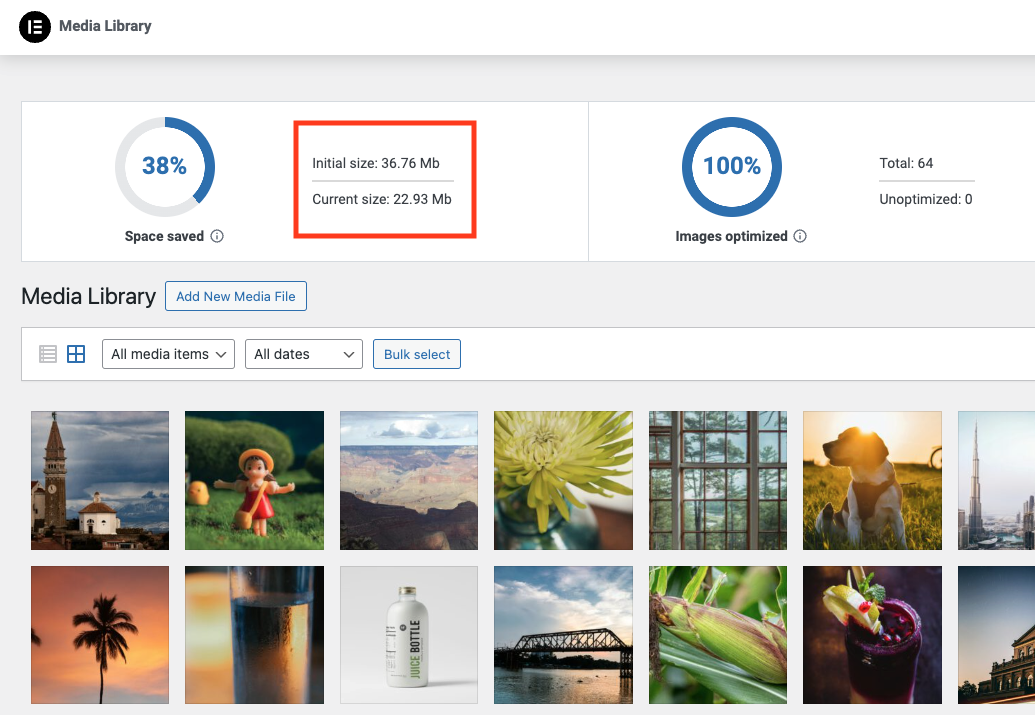
Reduced file sizes for boosted performance
Image Optimizer ensures faster loading times, enhanced user experience, and overall boosted website performance. It reduces the size of your website’s images, improving Core Web Vitals and search engine rankings. With Image Optimizer’s exceptional capabilities and unique algorithms, you can fine tune images and reduce their file sizes while retaining quality with lossless or lossy compression.
Features
- Image formats supported include JPEG, PNG, WebP, AVIF and GIF.
- Works in the background: The only plugin in the category that optimizes your images in the background, without you having to stay on the page during optimization.
- Resize large images: The user can set a maximum pixel width, after which images will automatically be resized. (default value set to 1920px)
- 2 compression levels: Lossless – highest quality with minimal compression; Lossy – maximum compression with somewhat reduced quality.
- Optimize on upload: Automatically optimizes images when you upload them.
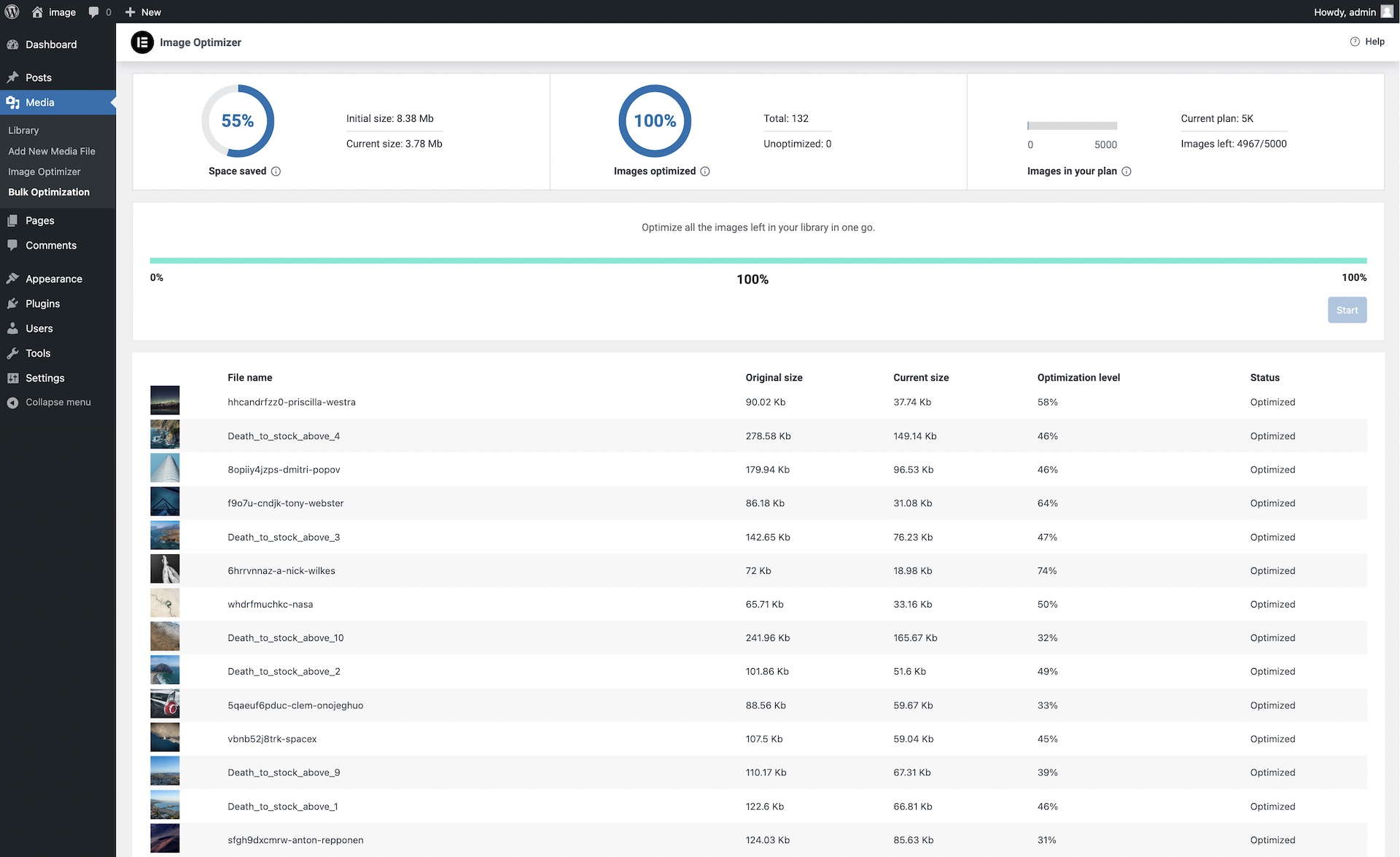
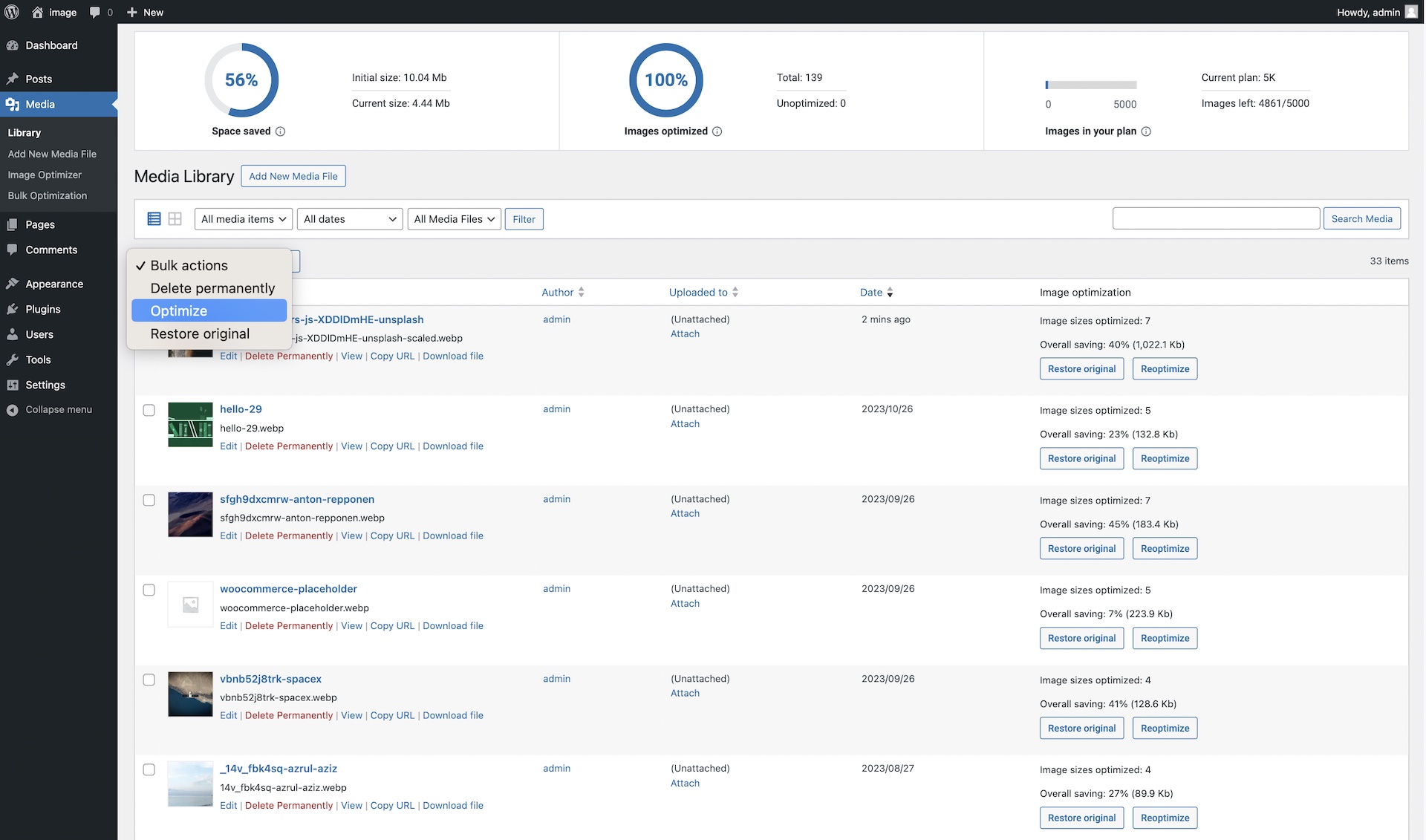
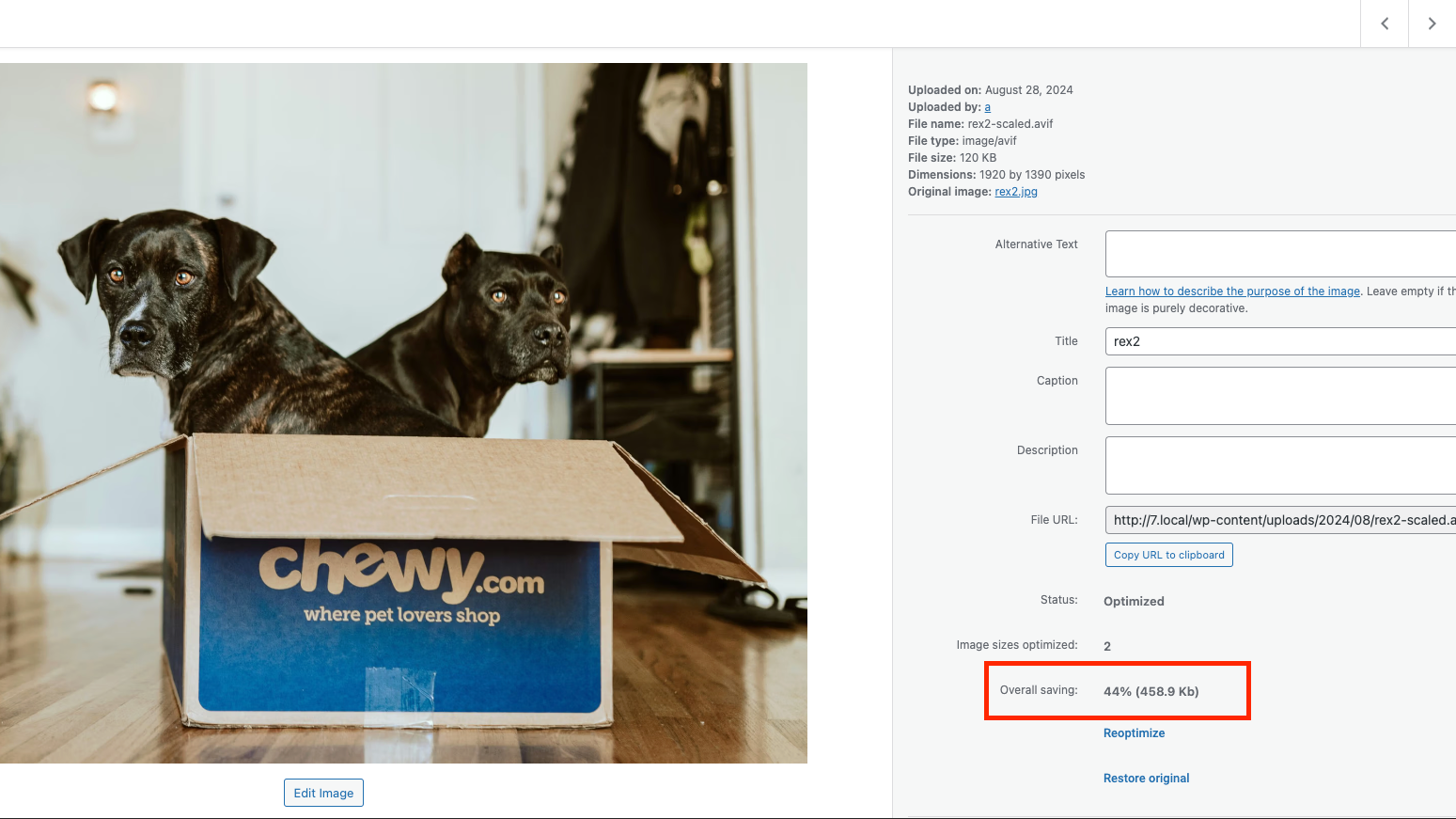
- Bulk or individual optimization: Flexible image optimization options, whether it’s on-demand scaling and compression, or bulk optimization for your entire image library.
- EXIF Metadata: Select whether to clear image metadata to reduce size even further without impacting image quality.
- Backup original images: Ability to delete backups permanently to save space. (We recommend backing up your website beforehand.)
- Restore original images (all sizes) for selected media files if needed.
- Convert to WebP and AVIF: Get efficient and faster-loading formats with WebP and AVIF for even better web performance.
- Image thumbnails: Resize all image sizes by default. Allow the user to choose specific image sizes based on WordPress-registered thumbnail sizes.
Bulk or single image optimization
Image Optimizer by Elementor lets you optimize all images in your library either one at a time, or in a batch according to your preferences and settings. Easily configure the plugin to scale or compress your images on-demand, or automatically have them triggered as they are being uploaded. Or, if you have a large number of images already uploaded, the bulk optimization feature allows you to resize and/or compress your entire library of existing images in just a few clicks.
Two Compression Levels
With Image Optimizer’s advanced algorithms, you can compress images and reduce their file size at the level that makes the most sense for you. We offer 2 types of compression for processing images giving you the perfect balance of compression and quality.
Lossless Compression: Lossless compression reduces image file sizes without sacrificing or diminishing the quality of your images. This type of compression reduces file sizes by removing unused or unnecessary data so that no image details are lost along the way. Hence, you are able to reduce the file size and still maintain the quality of your image.
Lossy Compression: Lossy compression performs maximum compression resulting in lightweight images and smaller file sizes. It reduces image size by removing image data that is generally invisible to the human eye and minimizes any compromise in image quality.
Convert to WebP and AVIF: Convert images to the slimmer WebP or AVIF formats for even better optimization with a 25-30% savings over JPEG and PNG. Most browsers support WebP, however if they don’t, you can have fallback versions of the image available in the same format as the original image.
By tailoring compression to the level you need, your visitors will enjoy faster load times, improved responsiveness, and a seamless browsing experience. Our approach also enables your website to rank higher in search results. Since a search engine’s ranking is heavily influenced by speed, user experience, and Core Web Vitals, Image Optimizer is an invaluable tool for any website, especially one that’s abundant with images.
Get started today
For more information about Image Optimizer, visit our official website or Try It Now.
If you have any questions or need support, feel free to contact us or visit our help center.
This plugin requires a connection to an active Elementor account in order to identify the user and provide the purchased service. This connection is triggered manually by the user via the plugin’s settings panel.
This plugin uses a 3rd party service operated by Elementor, which accepts a standard image in JPG, PNG, GIF or WEBP format and returns a web optimized image based on the selected settings. This flow is triggered by the user or automatically (based on the selected plugin settings) on a compatible image upload or by manually initiating the optimization process.
Related Plugins
Email Deliverability: Effortlessly manage transactional emails. High deliverability, logs and statistics, and no SMTP plugins needed.
Installation
Get started with a few easy steps
- Install using the WordPress built-in Plugin installer, or Extract the zip file and drop the contents in the wp-content/plugins/ directory of your WordPress installation.
- Activate the plugin through the ‘Plugins’ menu in WordPress.
- Go to the Image Optimization tab within the Elementor menu.
- Press the ‘Connect’ button and follow the instructions.
Frequently asked questions
Can I use Image Optimization for any of my WordPress websites?
Absolutely. Elementor’s Image Optimization is a stand-alone WordPress plugin that can be used to optimize images for any or all of your WordPress websites.
Why do I need to optimize images on my website?
Image optimization can significantly improve your website’s loading time, which is crucial for user experience and SEO. It reduces the size of your images without compromising their quality, leading to faster page load times and better performance scores.
Why should I consider Elementor’s Image Optimization?
This plugin takes a modern approach, designed to handle all the “heavy lifting” of converting and compressing images on a dedicated server, so your own server won’t suffer from downtime or the need to keep the tab open. It offers on-the-fly optimization, WebP and AVIF conversion, and other features tailored to WordPress users’ needs.
Will the original version of my images be lost after compression?
No, the Image Optimization plugin will save both the original and the compressed versions of your images. You can always restore the original image if needed.
Why should I consider converting my images to WebP or AVIF?
WebP and AVIF are modern image formats that provide superior lossless and lossy compression. They can significantly reduce image file sizez, leading to faster website load times. Most web browsers today support these format, but if they don’t, the original backup will be used.
Can I choose which images to compress?
Absolutely! You can either compress images in bulk, compress specific image files individually, or automatically compress upon image upload.
Is the EXIF metadata of images removed?
EXIF data can be removed if you choose to in the settings page. Best practice for better image optimization would be to remove EXIF metadata.
Is it possible to re-optimize images?
Yes. By changing the requested level of optimization in the settings page, you can re-optimize all images at once. In addition, at any point in time, you can reoptimize any of your images individually, whether after restoring the original, making changes to the optimization settings, or for any other reason.
Do you offer support?
Yes, the Elementor team offers full support for image optimization questions. You can contact us via https://elementor.com/contact/
How can I report security bugs?
You can report security bugs through the Patchstack Vulnerability Disclosure Program. The Patchstack team help validate, triage and handle any security vulnerabilities. Report a security vulnerability.
Changelog
1.7.7 2026-09-16
- Tweak: Security enhancements for REST access control
1.7.6 2026-06-30
- Tweak: Renamed plugin to Image Optimization
- Tweak: Improved Elementor One migration flow
- Tweak: Updated Elementor packages
1.7.5 2026-06-02
- Tweak: Security enhancements for the restore functionality
- Fix: Bulk optimization shifts the Media screen layout
- Fix: Fix incorrect error handling in meta boxes
1.7.4 2026-03-31
- Tweak: Improved WPML support
- Fix: Optimize All button missing for Elementor One users
- Fix: Fix incorrect optimization status update
1.7.3 2026-02-17
- Tweak: Enabled display of WordPress admin notices for better visibility
- Fix: Resolved issues related to feature usage tracking
- Fix: Resolved a visual glitch on the Image Optimizer Stats in the Media Library screen
1.7.2 2026-01-29
- Tweak: Updated WordPress and PHP version compatibility for the testing environment
- Tweak: Improved bulk optimization logic for tracking remaining images
- Tweak: Security enhancements for access control
- Fix: Resolved missing style loading warnings in reviews
Screenshots

For developers
Is this your plugin? Show off the numbers.
Add a live badge to your site, docs or GitHub README. It updates on its own — no account needed.
Best Image Optimizer alternatives
All convert AVIF plugins →FAQ
Image Optimizer: quick answers
Straight answers, pulled from live WordPress.org data.
Live data from WordPress.org · checked Sep 26, 2026
Is Image Optimizer free?
Yes. Image Optimizer is free to download and use from the official WordPress.org plugin directory.
Is Image Optimizer safe to use in 2026?
Image Optimizer is a solid plugin choice in 2026, with a few things worth checking first. It runs on 1M+ sites, is rated 1.7/5 and was last updated 4 days ago, and scores 77/100 on our health check.
How many websites use Image Optimizer?
Image Optimizer is active on 1M+ WordPress websites and has been downloaded 16,138,136 times since it launched in January 2024. It was downloaded 567,239 times in the last 30 days.
Does Image Optimizer work with WordPress 7.1?
Image Optimizer is officially tested up to WordPress 7.0.6, while the latest release is 7.1.2. It may still work, but try it on a staging site first.
What PHP version does Image Optimizer need?
Image Optimizer requires PHP 7.4 or higher. Most hosts run PHP 8.x today, so it works on any modern WordPress hosting.
When was Image Optimizer last updated?
The latest version, 1.7.7, was released on September 22, 2026 (4 days ago).
Who makes Image Optimizer?
Image Optimizer is developed and maintained by Elementor.
What are the best alternatives to Image Optimizer?
The most popular alternatives to Image Optimizer are Imagify Image Optimization:… (1M+ installs), CompressX (40K+ installs) and Pressidium Performance (100+ installs).
Powered by PageForge
Want thousands of pages that rank like these? Build them in an afternoon.
This directory runs on the same engine as PageForge. Turn any spreadsheet, CSV or API into thousands of fast, SEO-ready WordPress pages — with schema, internal links and AI-written copy baked in.
- CSV, Google Sheets & API data sources
- AI content, schema & internal links per page
- Works with Elementor, Gutenberg, Yoast & Rank Math
- Free on WordPress.org — no credit card


