



Gumlet – Image optimization with Resize, Compression, Lazy load, Caching & CDN delivery
Official WordPress plugin to automatically load all your WordPress images via the Gumlet service for smaller, faster, better looking images.

Safe pick
Yes — Gumlet is a safe, well-maintained plugin to use in 2026. It runs on 500+ sites, is rated 4.4/5 and was last updated 9 hours ago, and scores 80/100 on our health check.
- Actively developed — last update 9 hours ago
- Tested with the latest WordPress (7.1)
- Small user base (500+ active installs)
How does it stack up?
Side-by-side on installs, updates, ratings & support



Daily downloads
Download spikes usually follow a new release — each site that auto-updates counts as a download.
Rankings
Where Gumlet stands todayWordPress.org search rankings
Live position in the plugin search, top 100| Keyword | Position |
|---|---|
| image compression | #40 |
| image management | #89 |
| image manipulation | #6 |
| image optimization | #53 |
| images | >100 |
Version adoption
Share of active sites per release.
Rating breakdown
★★★★★★★★★★ 4.4 from 10 reviews
About Gumlet
From the official readme · v1.4.4Description
Gumlet is the One plugin to rule all 6 steps of image optimization in one go
- Auto resize images based on user screen size
- Visually lossless compression
- Convert images to WebP format
- In-built Lazy load
- Optimized images cached on Gumlet cloud
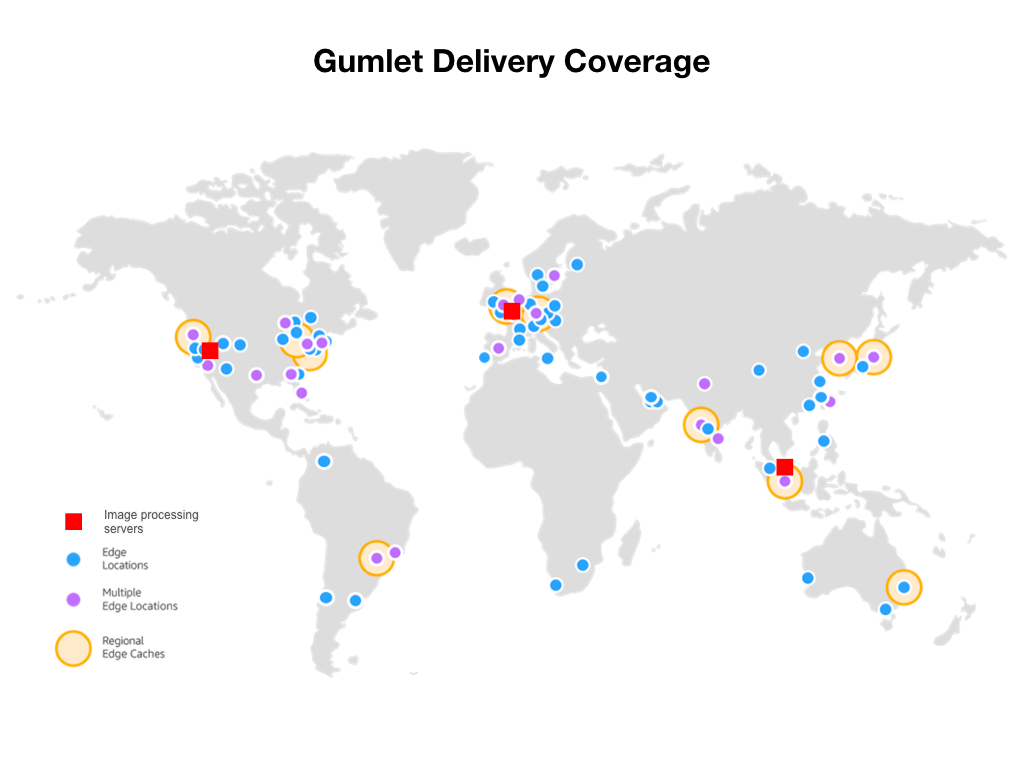
- CDN delivery by AWS CloudFront (215+ locations)
Try our fully functional free plan now!
Images make up more than 70% of your page weight. Optimizing images is the easiest way to improve page speed. A faster site leads to more engagement, sales and sign ups. Gumlet will help you INSTANTLY achieve maximum possible image optimization. This will also boost your image SEO.
This is an install and forget about it plugin. As soon as the plugin is installed all of the images on your site will be optimized. Gumlet does not touch your original images, they remain as it is. Our JavaScript detects the user device screen size and optimizes each image on the page in real time without any delay. All of this is done automatically, no manual settings required.
WHY DO I NEED IMAGE OPTIMIZATION?
Fix your Google PageSpeed image opportunities
Is your Google PageSpeed performance test opportunities telling you to:
- Defer Offscreen Images
- Optimize Images
- Properly Size Images
- Serve images with correct dimensions
- Use WebP images
- Or, Serve Images in Next-Gen Formats
Test your website with GTmetrix or Google PageSpeed Insights. If they identify any image related issues like above, Gumlet will solve them.
Even if you are using another image optimization plugin, chances are they are not doing all of the possible optimization. Get a free image optimization report with our analyzer tool. We generally deliver 25-30% extra optimization over and above other plugins.
ACCELERATE YOUR JS AND CSS FILES
Gumlet CDN can be integrated with popular plugins like WP Rocket to deliver your non-image files via CDN too. Our World class CDN would make sure your website loads as fast as possible > Read more.
WHAT OUR USERS HAVE TO SAY
Gumlet image optimization is used by more than 6000 sites across the world. From small blogs to giant publishers like BloombergQuint rely on us for optimized image delivery.
★★★★★
“A very good Image optimization plugin” – crackverbal
★★★★★
“It just works” – claytonchase
★★★★★
“Simply Great” – pawelszejko
PRICING PLANS
Like the plugin itself, the pricing plans are super simple and scale friendly!
We only charge for CDN bandwidth consumed for image delivery. There are no charges or limits on the number of images original images, or optimisations performed. You get 30 GB CDN bandwidth monthly for FREE to try out the plugin.
Note: If you are on a Gumlet Image plan, the plugin usage will be accounted in the same plan itself. You do not need a separate plan for using this plugin.
More details on our website
THE COMPLETE FEATURE LIST
- Unlimited image processing no quotas or limits on number of images.
- All image formats supported. SVG, GIF, PNG, JPEG, everything.
- Retina screen compatible.
- Cloud Based – Images are optimized and stored on our server to save your storage space and bandwidth
- No maintenance after integration. No need to run any batch processing scripts.
- Reliable – 99.5% uptime SLA
- Secure – All images are loaded via HTTPS protocol
- Support – Complete integration support. Reach-out to us anytime via chat or email.
- WooCommerce compatible.
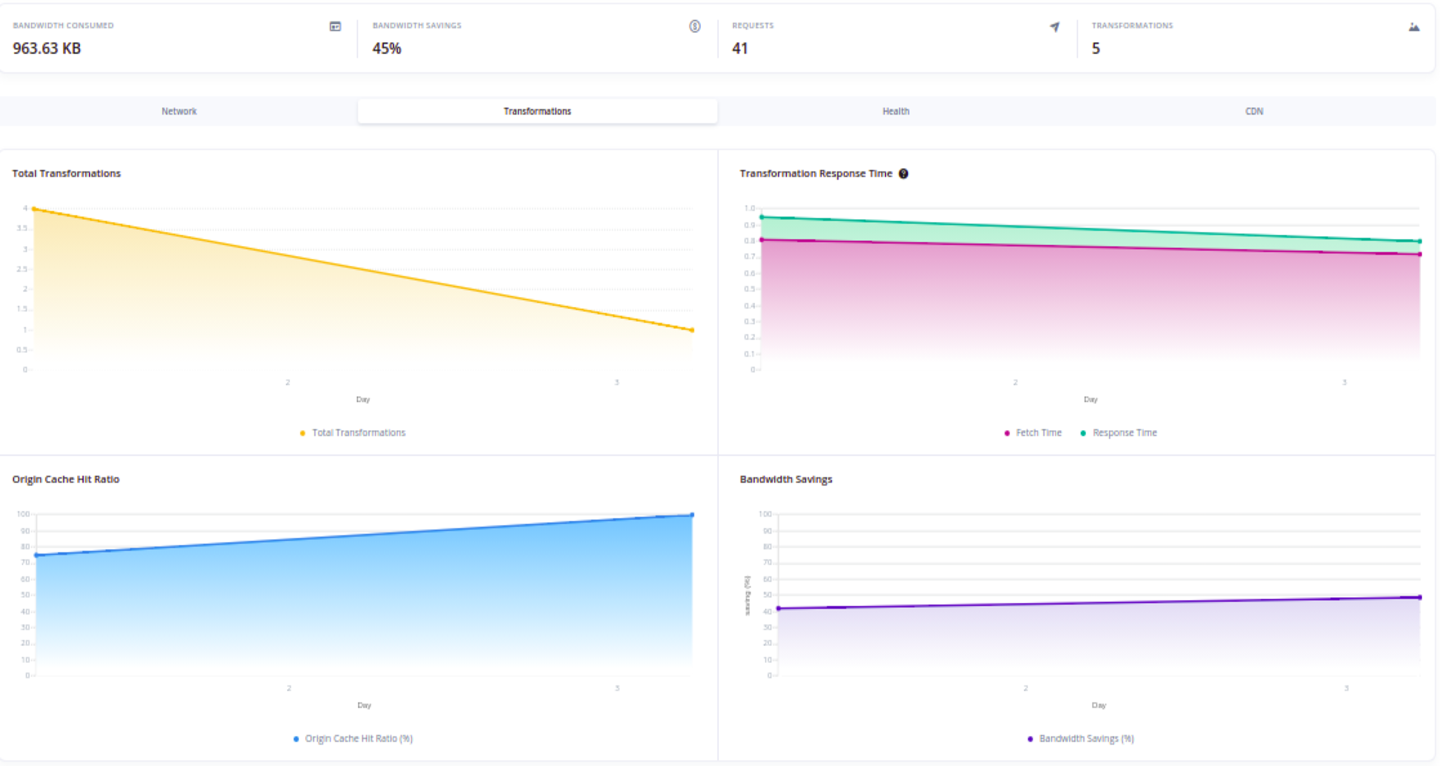
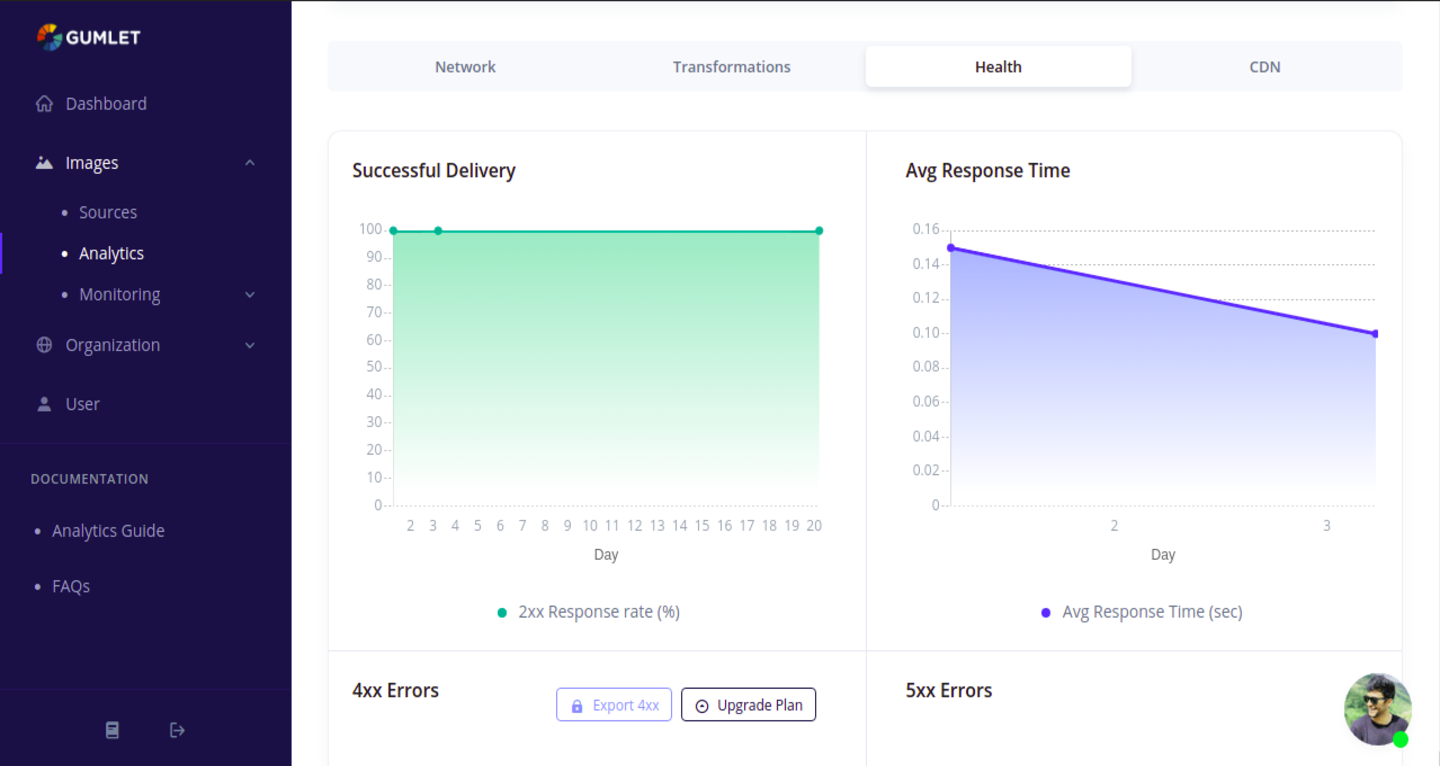
- Delivery Analytics – Keep a tab on response times, usage details in real time
- Alerts and reports – Get customized alerts and reports on image related data.
- No lock in! Disable the plugin and your images will be served as they were before installation.
- Powerful Image API – full and free access [Documentation](https://docs.gumlet.com/reference/image-transform-size
- Progressive JPEG – Display JPEG images more quickly with progressive JPEG encoding.
- Keep same storage – Optimize images stored in external sources like Amazon S3
- Image Metadata – Keep (for photographers) or Remove (for optimisation), you choose!
- GDPR compliant – We do not record or store any personal information about your users.
- Video Embed – Added support for Gumlet Video Embeds.
15 MINUTE INSTALLATION GUIDE
Yes, it actually takes only 15 minutes to set up Gumlet for your entire website. Check out our super simple installation guide
Don’t wait now, just give it a try! There is nothing to lose 😀
Get in touch!
Still not sure? Come chat with us, we will honestly help you make the right choice.
Installation
Please follow our official installation guide: https://docs.gumlet.com/docs/image-integration-wordpress
If you need any help, you can reach out to us at support@gumlet.com.
Frequently asked questions
Q: How many images can I optimize for free?
A: We have no cap on number of images that can be optimized through our plugin. You will be charged when your image delivery bandwidth exceeds 1 GB in a given month.
Q: How can I remove the 1 GB limit?
A: The limit is not hard enforced. When you cross the limit, we will send you invoice at the start of next month. Please pay it in 20 days and enjoy uninterrupted image delivery experience.
Q: Does Gumlet delete or replace my original full-size images?
A: Nope. Your original images always remain as they are and we never touch them. We only resize and compress images on-the-fly and cache it in our servers. You retain full control over your original images and they are never overwritten.
Q: I’m a photographer, can I keep all my EXIF data?
A: Yes! EXIF data stores camera settings, focal length, date, time and location information in image files. Since we never overwrite your original images, your all EXIF data will always be preserved. We only remove the EXIF data when we deliver images to your users.
Changelog
1.4.3
- WordPress 7.1 compatibility: tested up to 7.1.
1.4.2
- Fix versioning and changelog
1.4.1
- WordPress 7.0 compatibility: tested up to 7.0; requires WordPress 6.0+ and PHP 7.4+.
- Fix undefined $is_s3_host variable when rewriting S3 image URLs.
- Fix fatal error when resolving relative CSS background image paths.
- Fix PHP notice on archive and home views when checking excluded post types.
- Load gumlet.js asynchronously in the footer using wp_script_add_data instead of script_loader_tag filtering.
1.4.0
- Advanced setting: Auto Resize (auto_resize). When disabled, img src is set directly to the Gumlet URL instead of the placeholder pixel.
- Fix DOM parsing for img/source tags: do not entity-encode the whole tag before loadHTML (was preventing any img from being found).
- Support SVG URLs in replace_image_url.
- Normalize JSON-style escapes in fragments (wp_unslash, \/) before parsing.
1.3.19
- Fix fatal errors related to PHP 8.4 compatibility.
1.3.18
- Fix warnings for newer php versions
- Improved error logging
Screenshots




For developers
Is this your plugin? Show off the numbers.
Add a live badge to your site, docs or GitHub README. It updates on its own — no account needed.
Best Gumlet alternatives
All image compression plugins →




FAQ
Gumlet: quick answers
Straight answers, pulled from live WordPress.org data.
Live data from WordPress.org · checked Sep 28, 2026
Is Gumlet free?
Yes. Gumlet is free to download and use from the official WordPress.org plugin directory.
Is Gumlet safe to use in 2026?
Yes — Gumlet is a safe, well-maintained plugin to use in 2026. It runs on 500+ sites, is rated 4.4/5 and was last updated 9 hours ago, and scores 80/100 on our health check.
How many websites use Gumlet?
Gumlet is active on 500+ WordPress websites and has been downloaded 65,574 times since it launched in July 2019. It was downloaded 231 times in the last 30 days.
Does Gumlet work with WordPress 7.1?
Yes. The developer has tested Gumlet up to WordPress 7.1.2, the latest release. It requires WordPress 6.0 or newer.
What PHP version does Gumlet need?
Gumlet requires PHP 7.4 or higher. Most hosts run PHP 8.x today, so it works on any modern WordPress hosting.
When was Gumlet last updated?
The latest version, 1.4.4, was released on September 28, 2026 (9 hours ago).
Who makes Gumlet?
Gumlet is developed and maintained by adityapatadia.
What are the best alternatives to Gumlet?
The most popular alternatives to Gumlet are Image Optimizer (1M+ installs), Squeeze (3K+ installs) and Flying Images: Optimize and… (2K+ installs).
Powered by PageForge
Want thousands of pages that rank like these? Build them in an afternoon.
This directory runs on the same engine as PageForge. Turn any spreadsheet, CSV or API into thousands of fast, SEO-ready WordPress pages — with schema, internal links and AI-written copy baked in.
- CSV, Google Sheets & API data sources
- AI content, schema & internal links per page
- Works with Elementor, Gutenberg, Yoast & Rank Math
- Free on WordPress.org — no credit card


