


Master Addons for Elementor – Elementor Addons, Widgets, Mega Menu Builder, Popup Builder, Widget Builder & Template Kits
The complete Elementor addons plugin: 55+ widgets for Elementor, Mega Menu Builder, Popup Builder, Widget Builder & Elementor Template Kits.

Safe pick
Yes — Master Addons for Elementor is a safe, well-maintained plugin to use in 2026. It runs on 30K+ sites, is rated 4.5/5 and was last updated 3 days ago, and scores 93/100 on our health check.
- Proven at scale on 30K+ active sites
- Loved by users — 4.5/5 from 212 reviews
- Actively developed — last update 3 days ago
- Tested with the latest WordPress (7.1)
- Momentum — downloads up 170.4% vs the previous 30 days
How does it stack up?
Side-by-side on installs, updates, ratings & support



Daily downloads
Download spikes usually follow a new release — each site that auto-updates counts as a download.
Rankings
Where Master Addons for Elementor stands todayWordPress.org search rankings
Live position in the plugin search, top 100| Keyword | Position |
|---|---|
| elementor addons | #14 |
| elementor widgets | #43 |
| mega menu builder | #5 |
| popup builder | #17 |
| template kits | #4 |
Version adoption
Share of active sites per release.
Rating breakdown
★★★★★★★★★★ 4.5 from 212 reviews
About Master Addons for Elementor
From the official readme · v3.2.5Description
Master Addons for Elementor is the Elementor addons plugin built for teams that need more than a widget pack: 55+ widgets for Elementor, 20+ Elementor extensions, a Theme Builder, a Popup Builder, a Widget Builder, a Mega Menu Builder, and a full library of Elementor Template Kits — active on 30,000+ sites. If you searched for addons for Elementor that replace three or four single-purpose plugins, this Elementor plugin is that plugin.
Demo | Docs | Widgets | Support | Go Pro | Rate ★★★★★
Most Elementor addons stop at a widget pack. These widgets for Elementor ship with builders that normally cost three extra plugins — a Popup Builder, a Mega Menu Builder, a Widget Builder — which is why Master Addons keeps landing on best plugins for Elementor lists, and why agencies comparing the best Elementor plugins on free-tier features end up here.
Install the free build and every Elementor element below is live in the editor: no account, no trial timer. These are easy Elementor addons for beginners and a serious toolkit for developers — enable only what a project needs.
What You Can Build with These Elementor Addons
- Header footer builder output, plus an Elementor sticky header and an Elementor transparent header
- A WordPress mega menu from the Mega Menu Builder — multi-column panels on desktop, an Elementor hamburger menu on mobile
- Lead-capture popups on scroll, exit intent, click, inactivity, or page load, including an Elementor age gate
- Custom widgets and custom elements built from pasted HTML/CSS/JS in the Widget Builder — no PHP
- Comparison pages: a Pricing Table plus a drag-and-drop table builder
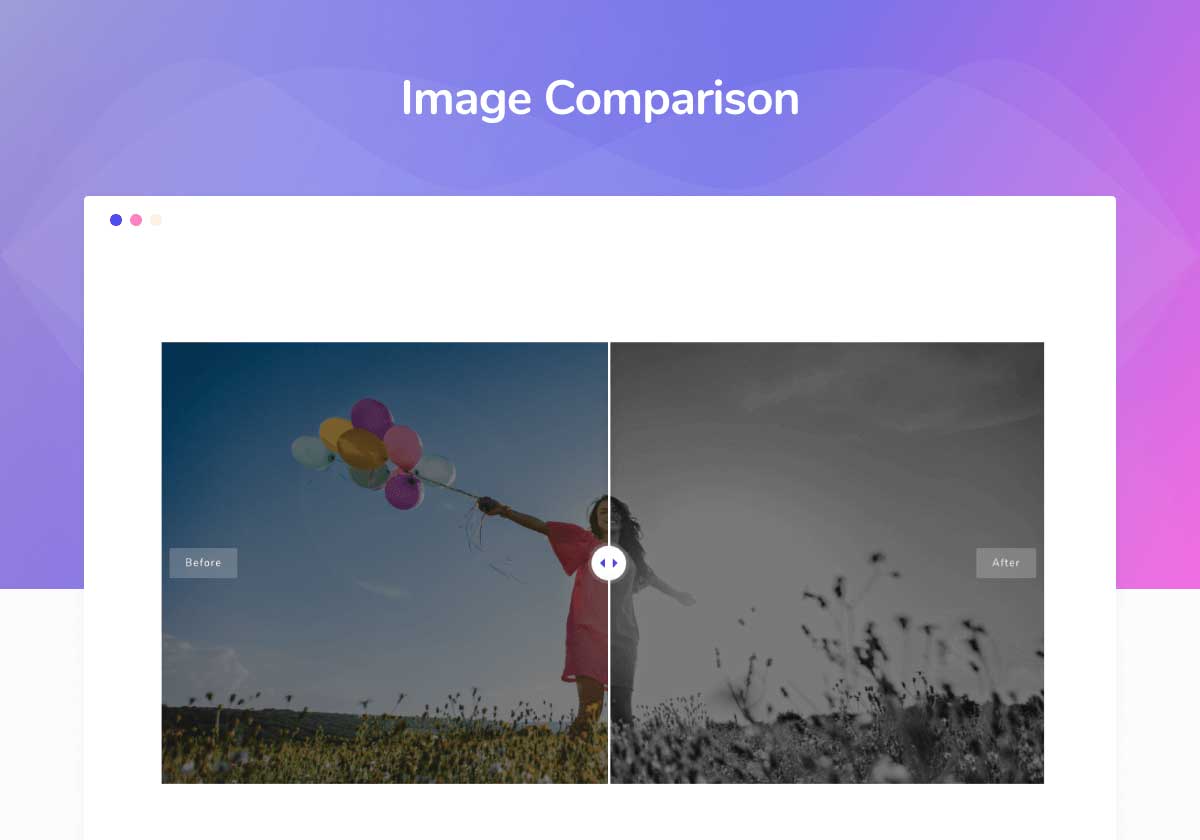
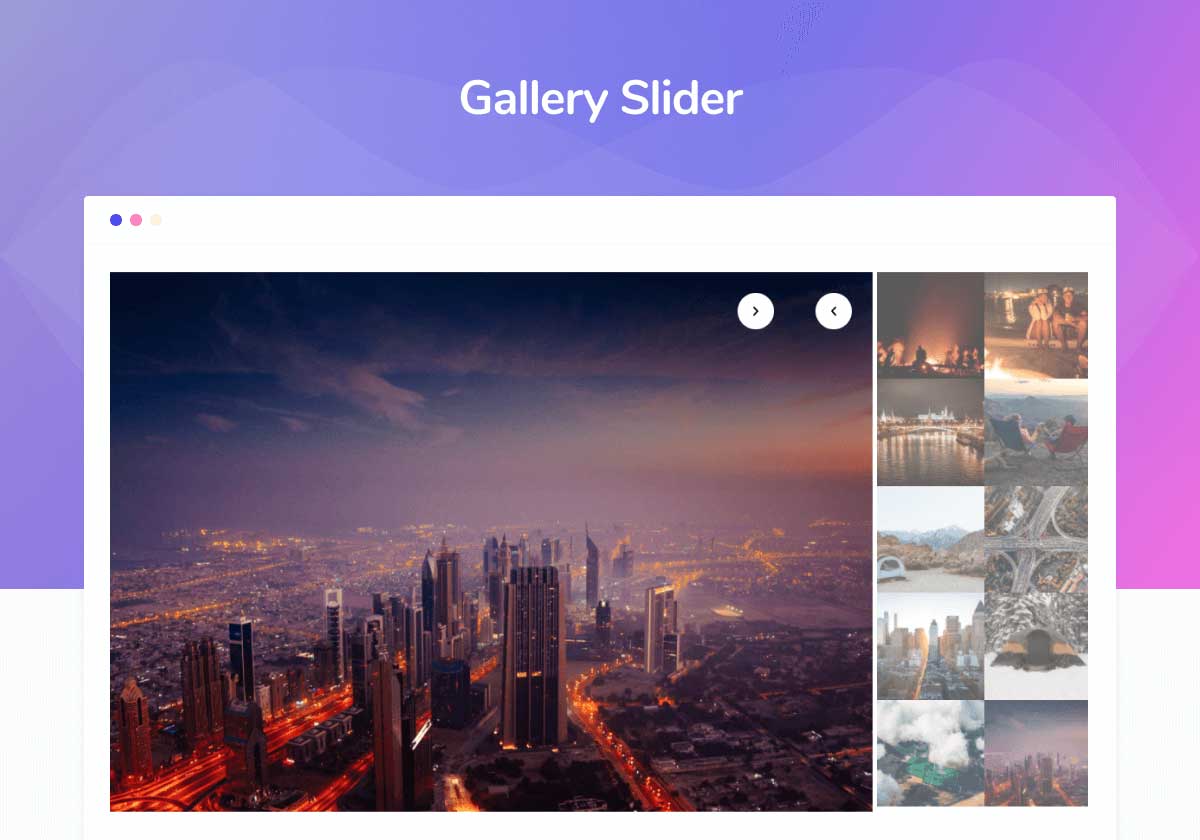
- Portfolio proof: the Image Comparison before/after slider and a Gallery Slider for a full product gallery or image gallery
- Whole Elementor website templates in one click from the Elementor Template Kits library
This is an Elementor plugin first: every builder and every widget runs inside the standard Elementor editor, so anyone who already knows the Elementor page builder is productive immediately. This Elementor WordPress plugin activates in one click, with no separate setup wizard to run through first.
The Builders
Popup Builder
The Elementor Popup Builder creates popups with five triggers: page load with delay, scroll depth (25/50/70/90%), exit intent, click, and inactivity. Target each by page, post type, or role.
Because this Popup Builder is bundled, you never need a separate popup builder plugin — the free Elementor Popup Builder covers opt-ins, an Elementor age gate, GDPR cookie consent notices, and promos. Every popup is a normal Elementor template, so any widget in this plugin drops straight inside it, and the Elementor Popup Builder ships free, not gated behind Pro. Docs →
Widget Builder & Custom Elements
The Elementor Widget Builder turns HTML, CSS, or JavaScript — an AI-generated component, a CodePen snippet, your own markup — into a native, editable widget. This is Elementor widget development with no PHP:
- Text, color, toggle, and select controls from a visual panel
- Shortcodes like
{{color}}map inputs into your code - Conditions and loops render markup per setting
- Save once, drag the finished widget in like a native element
- Export custom elements from one site, import on the next
The Widget Builder is the fastest route from snippet to client-editable widget, and a genuine dynamic builder: change one control and every instance of the widget updates. Designers use it to turn brand components into custom widgets; developers reach for the Elementor Widget Builder instead of scaffolding a plugin for one-off elements. Widgets built here appear under your own category, and the Widget Builder handles escaping and assets automatically. The free Widget Builder supports HTML; CSS and JS inside the Widget Builder are Pro. No other Elementor widget builder ships this much free. Docs →
Mega Menu Builder
Drop any Elementor widget into a menu panel — pricing tables, images, forms, blog grids — with 3,000+ icons, hover or click events, and Atomic Elements support for Elementor atomic elements.
The Mega Menu Builder is a full Elementor mega menu plugin on desktop and an Elementor hamburger menu plugin on mobile, with off-canvas, dropdown, and full-screen modes. The Elementor hamburger menu toggle is accessible (Enter / Space / Esc), and it doubles as a mobile menu on any theme. Want a WordPress mega menu without a second Elementor mega menu plugin? This is the mega menu Elementor sites reach for instead of stacking a standalone plugin on top of Elementor mega menu functionality that’s already free — one Mega Menu Builder covers both breakpoints. Docs →
Theme Builder & Header Footer Builder
The Theme Builder is Master Addons’ header footer builder: headers, footers, single post and page layouts, archive, category, author, 404, and search templates, all assigned by page, post type, or role. Add an Elementor sticky header or an Elementor transparent header from the same panel.
The same engine powers Elementor WooCommerce templates: build a product layout once and assign it shop-wide. As a light WooCommerce builder covering WooCommerce widgets like Featured Product alongside product and archive pages, it lets small stores skip a dedicated WooCommerce builder plugin and keep every Elementor WooCommerce template editable in the same header footer builder. Paired with Elementor, that turns Master Addons into an Elementor website builder for the whole site, not just isolated pages. Docs →
Elementor Template Kits & Template Library
Elementor Template Kits are complete Elementor website templates — home, inner pages, header, footer — imported in one click from the template library. Preview an Elementor kit, then import only the templates you want.
New Elementor Template Kits ship regularly and land in your template library as ordinary templates alongside your saved sections, so the library keeps growing without another import step. Beginners get starter templates to launch from; agencies get Elementor free templates to customize on every new build. Browse the full set of Elementor templates and Template Kits before you start a page from scratch. Browse →
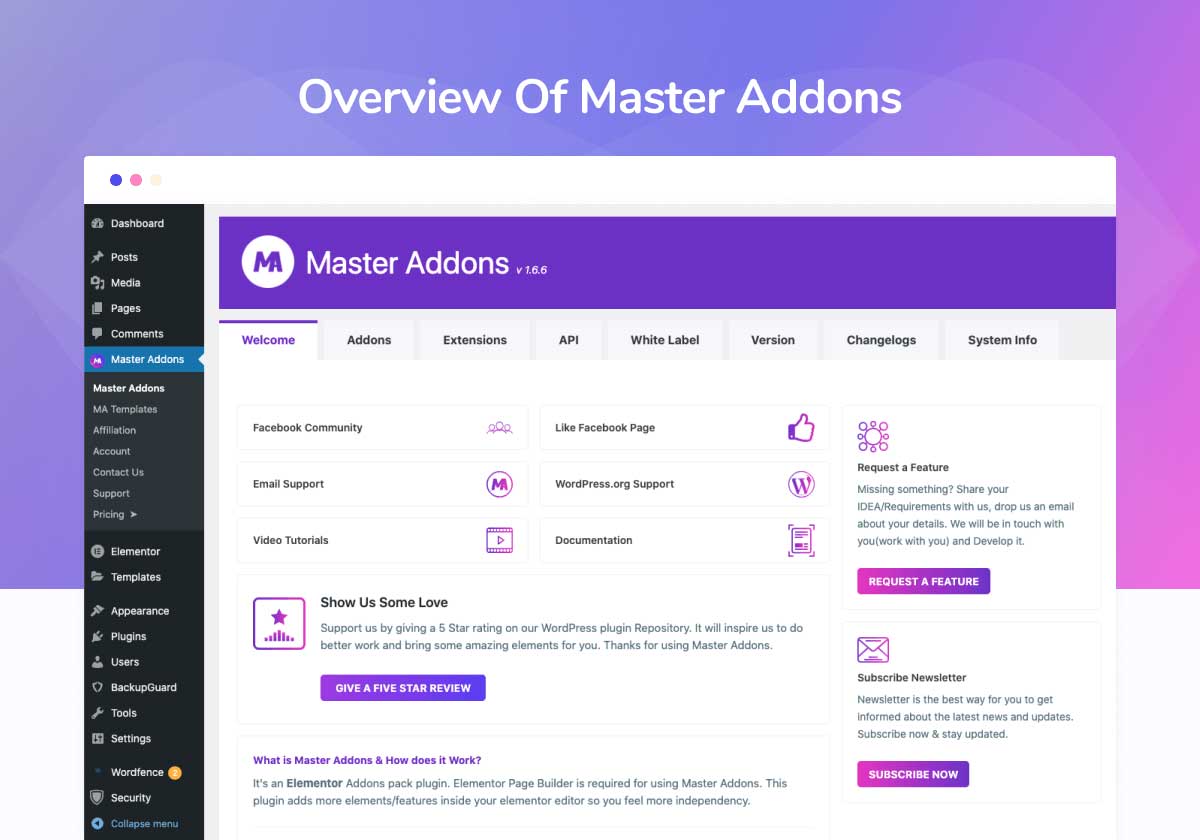
White Label
Elementor white label renames the plugin, swaps the logo, sets your agency name and URL, and hides the options panel from clients. Few Elementor extensions go this deep; Elementor white label locks branding across every site, on the Agency plan.
All Elementor Widgets
55+ Elementor Widgets
Every widget below is one of the Elementor elements available the moment you activate the plugin — no separate installs, no mixing five different widgets for Elementor from five different authors. Toggle the ones you don’t use off from the settings screen; disabled elements skip loading their assets, so pages stay light.
Heading & Text
- Animated Headlines — Elementor rotating text with loading bar, delay, and color controls. The classic Elementor rotating text hero, no JS; every rotating text set loops or stops on the last word.
- Dual Heading — A two-tone Dual Heading with independent colors, typography, and link controls.
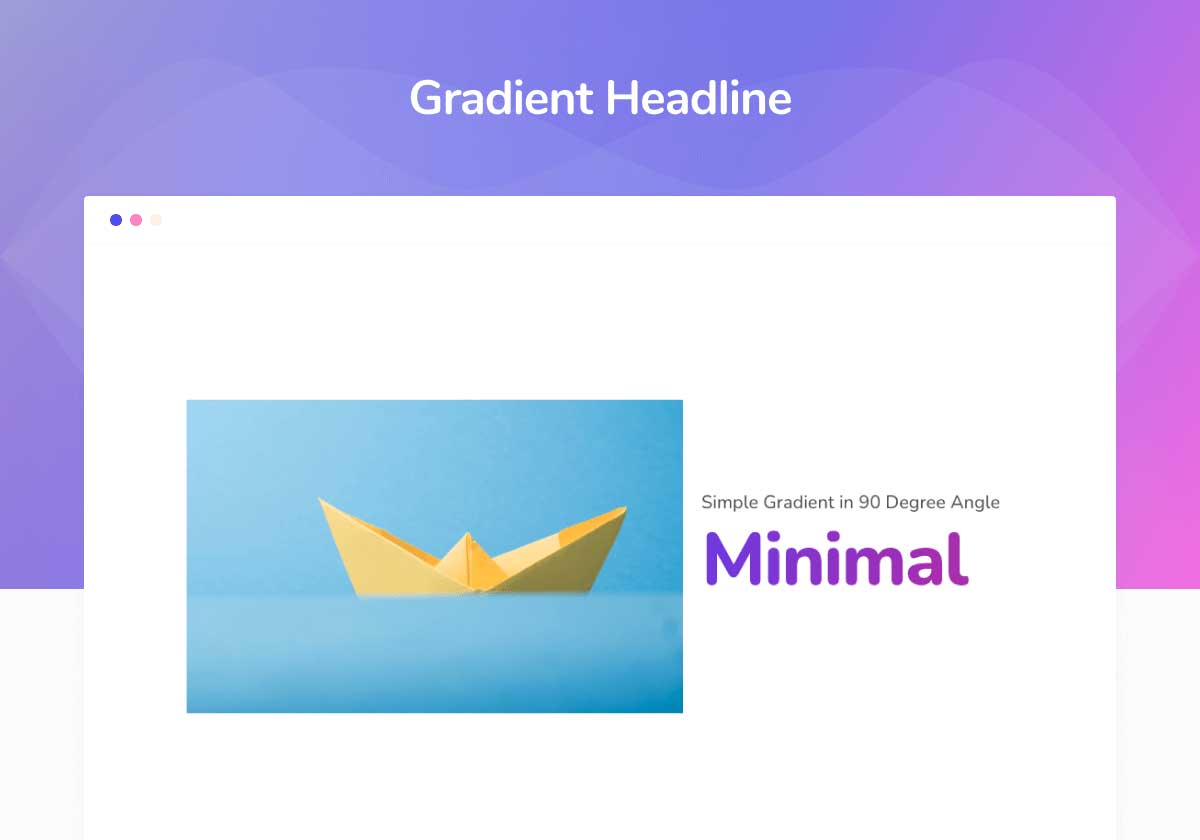
- Gradient Headline — Elementor gradient text with multi-color stops. Responsive gradient text needs no CSS, and the same engine drives hover states.
- Blockquote — Pull quotes with author typography.
Content Layout
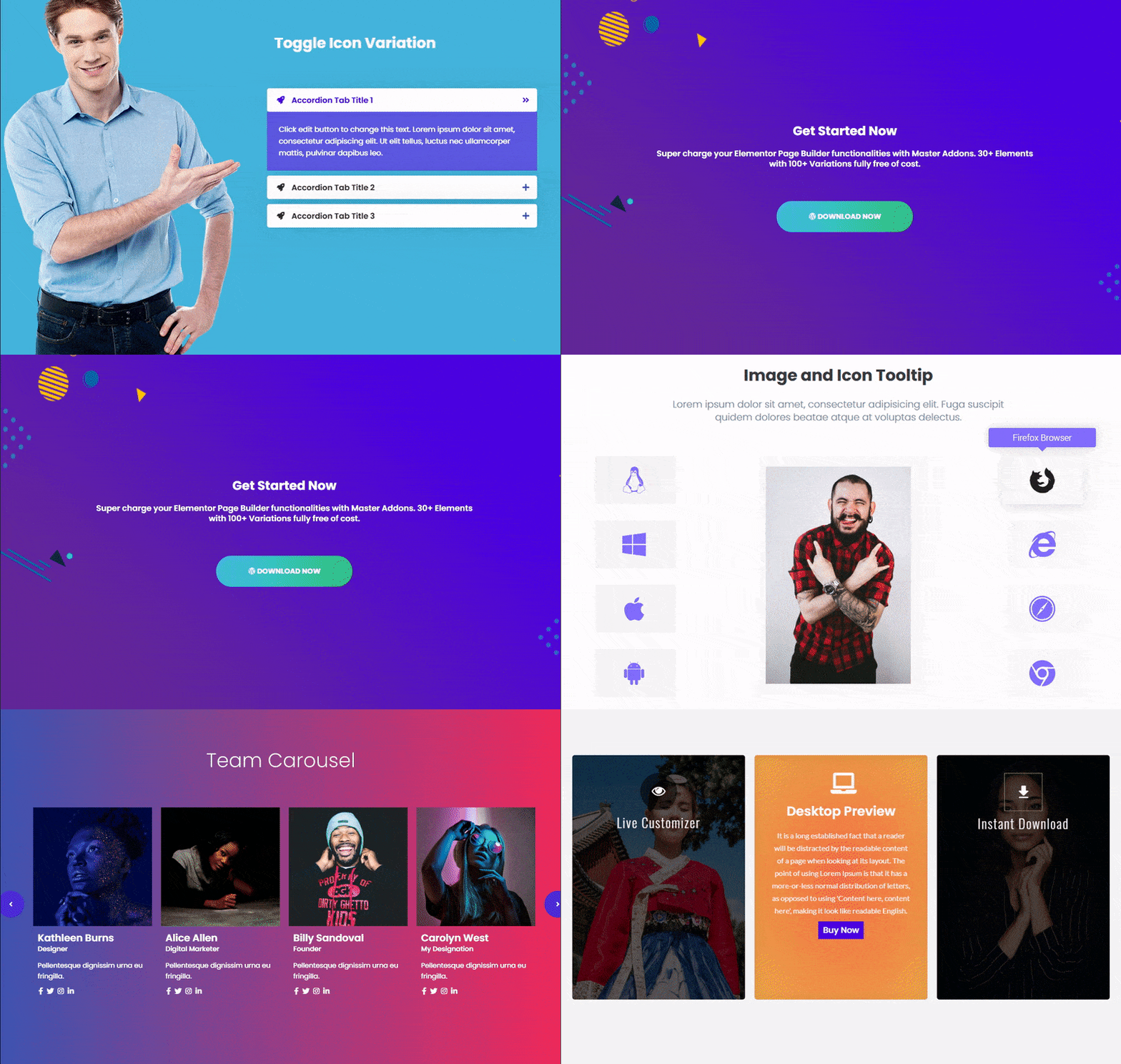
- Advanced Accordion — An Elementor nested accordion with toggle icons and border styling. For FAQ blocks a nested accordion beats a flat list, and each row keeps its own icon.
- Advanced Tabs — Responsive horizontal/vertical tabs.
- Table of Contents — The Elementor table of contents widget builds jump links from your headings — sticky, collapsible, and hierarchy-aware. This table of contents widget suits long posts and documentation.
- Timeline — The Elementor timeline widget builds horizontal or vertical timelines. It pulls a live post timeline from any post type or takes a hand-written one; every card styles separately.
- Source Code — Syntax highlighting, 70+ languages.
- Changelogs — Structured release notes for digital products.
- Current Time — Live clock with custom format.
- Toggle Content — Switch content sets, e.g. monthly/yearly pricing.
Visual & Interactive
- Flip Box — The flip box widget builds two-sided cards that flip on hover in 10 directions. Use the flip box widget for service and team cards; each flip box widget face takes its own background.
- Tooltip — The Elementor tooltip widget shows info on hover or tap. A global Elementor tooltip extension puts an Elementor tooltip on any section too.
- Infobox — Icon, heading, and text boxes, 10+ styles.
- Search — Inline or popup site search bar.
- Team Member — Profiles with bio, photo, and social links.
- Team Carousel — Swipeable team slider, responsive columns.
Blog, Data & Tables
- Blog Elements — Grid, list, and card layouts with filtering.
- News Ticker — The Elementor news ticker scrolls headlines in a Swiper strip with thumbnail controls. Feed the Elementor news ticker from any post type; the Elementor news ticker doubles as an announcement bar.
- Dynamic Table — A drag-and-drop table builder with columns, images, colors, and odd/even rows. This table builder replaces pasted HTML: build visually, edit later — no separate table builder plugin.
- Progress Bar — Animated stat bar in line or Elementor circle progress bar style; the Elementor circle progress bar suits dials.
- Progress Bars — Grouped skill sets; each row can take the Elementor circle progress bar layout.
Marketing & Conversion
- Counter Up — Counter Up animates numbers on scroll with prefix, suffix, and responsive columns. Drop a Counter Up row into any stats band.
- Pricing Table — The pricing table widget ships with a toggle switcher, tooltips, and gradient buttons. Build a monthly/yearly pricing table fast; each pricing table widget column takes its own highlight.
- Countdown Timer — An evergreen or scheduled countdown timer with Card, Flip, Circle, Gradient, and Neon presets. In evergreen mode the countdown timer runs per visitor.
- Creative Button — 30+ button styles with hover effects and radius controls. Build a gradient button with hover-state color stops; every gradient button keeps its own icon animation.
- Call to Action — CTA block with title, text, and button.
- Creative Links — Animated hyperlinks with 3D effects.
- Nav Menu — Responsive nav with off-canvas and dropdown modes.
- Business Hours — Weekly opening-hours table.
- Mailchimp — Native signup form with full styling.
- Restrict Content — Gate content by password, role, or age.
- Domain Search — Domain lookup for hosting affiliates.
Image & Media
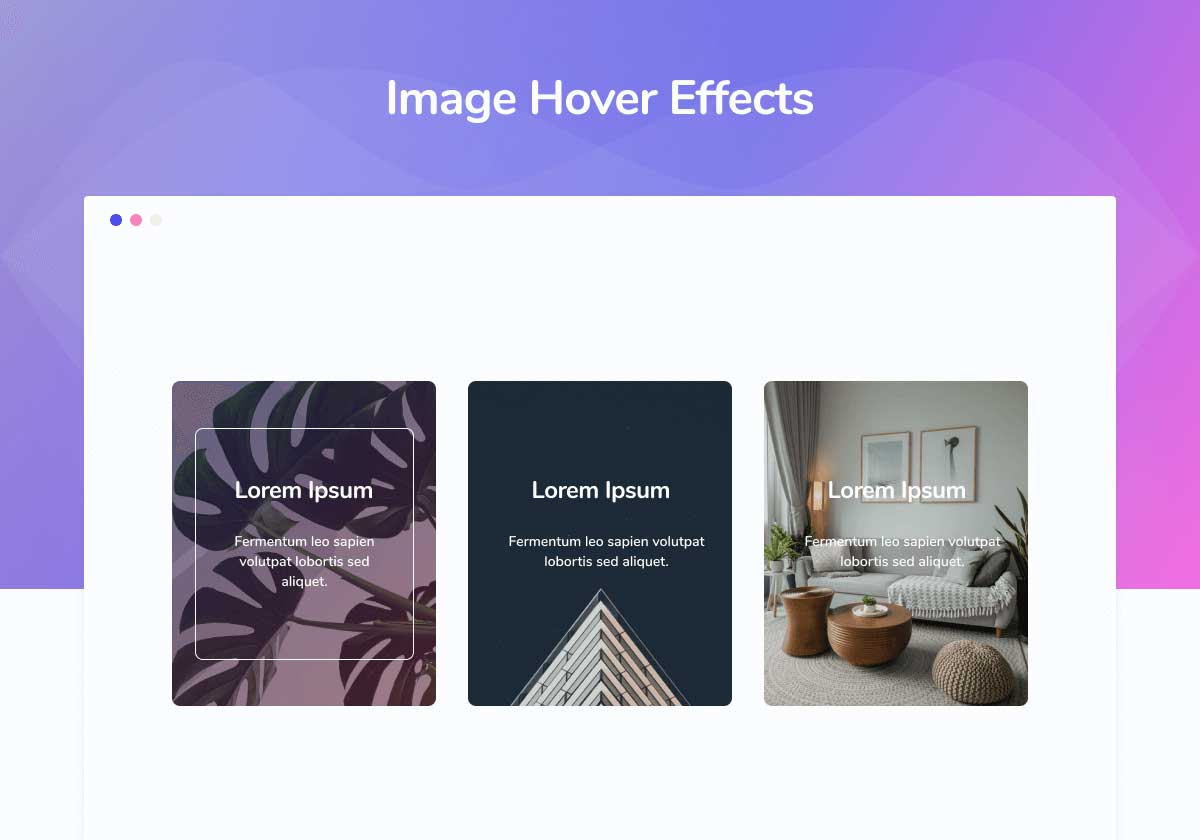
- Image Hover Effects — 20+ Image Hover Effects with title and description overlays: zoom, slide, blur, grayscale, split reveals. Each of the Image Hover Effects keeps its own radius and color, and CSS-driven hover effects stay smooth on mobile.
- Image Comparison — The Image Comparison widget is a drag-to-compare before after slider for proof shots. This Image Comparison widget runs the before after slider vertically too, with no shortcode.
- Gallery Slider — A thumbnail-driven gallery slider with a large preview pane. The gallery slider supports lightbox, autoplay, and per-device columns — one gallery slider for a product gallery or portfolio.
- Filterable Gallery — A category-filtered gallery with custom labels. The filterable gallery animates between filters, and each filterable gallery item links to its own page.
- Advanced Image — Hover image swap, ribbons, lightbox, tilt.
- Image Hotspot — Clickable hotspots with tooltip overlays.
- Image Carousel — Photo carousel with navigation options.
- Logo Slider — Auto-scrolling brand logo strip.
- Comparison Table — Side-by-side feature comparison with checkmarks.
- Featured Product — Highlight one product or affiliate offer.
Form Stylers
- Contact Form 7 — A Contact Form 7 styler with ten layouts. Field, label, and button styling live in the panel, so your CF7 Elementor form matches your brand and the CF7 Elementor widget takes any form ID. This Contact Form 7 styler covers checkboxes, radios, selects, and file inputs — no extra Contact Form 7 styler plugin needed.
- Gravity Forms — A Gravity Forms styler for brand-matched forms. Conditional and multi-page logic stays intact while Gravity Forms styling handles typography and buttons. This Gravity Forms styler covers every field type, so Gravity Forms styling holds across long forms.
- WP Forms — The WPForms Elementor styler restyles fields, labels, and buttons; drag the WPForms Elementor widget anywhere.
- Ninja Forms — Full Ninja Forms styling in Elementor.
- Caldera Forms — Mobile-friendly Caldera Forms styling.
- weForms — weForms layout and style controls.
Elementor Extensions
These Elementor extensions work at section, column, and container level — no code. Every one of the Elementor extensions toggles off individually.
- Wrapper Link — Make any section or card clickable with one URL. The Elementor wrapper link replaces a click-through plugin; card grids use an Elementor wrapper link, and each Elementor wrapper link opens in a new tab.
- Glassmorphism — The Elementor glass effect: frosted blur with saturation and tint. Apply the Elementor glass effect to cards, headers, or popups — a real Elementor glass effect, no CSS.
- Entrance Animation — An extended Elementor entrance animation library: every Elementor entrance animation takes duration and delay, each Elementor entrance animation tunes per device, and any Elementor entrance animation loops.
- Display Conditions — Elementor display conditions show or hide any section by user role, browser, OS, login status, or URL parameter. One Elementor display conditions rule hides a promo from members; stacked Elementor display conditions target campaigns.
- Positioning — Absolute, relative, or fixed placement per device — how you pin an Elementor sticky header or floating CTA, with no theme support needed.
- Reading Progress Bar — A reading progress bar for long pages with height, color, and position controls. The reading progress bar sits under a sticky header or at the viewport foot.
- Custom Breakpoints — Responsive breakpoints beyond Elementor defaults.
- Container Extras — Precise px or % sizing for containers.
- Post/Page Duplicator — Clone any post, page, or product with meta.
- Particles — Particle backgrounds: polygons, snow, stars.
- Background Slider — Multi-image background slider, Ken Burns effect.
- Animated Gradient BG — Smoothly shifting gradient backgrounds.
- Floating Effects — Floating, bobbing, and rotating motion.
- Transforms — Move, rotate, scale, skew on interaction.
- Rellax — Parallax scrolling with speed and depth.
- Reveal — Directional reveals with speed and delay.
- Custom CSS — Scoped CSS applied only to that element.
- Custom JS — Scoped JavaScript per element.
- Dynamic Tags — Insert post title, author, or custom fields.
- Global Tooltips — Tooltip on any section or widget.
Plus 8 icon libraries: Simple Line, Elementor, Iconic, Linear, Material, Remix, Feather, Teeny.
Elementor Template Kits by Industry
Import a full site in one click, then edit every page in Elementor. Live demos:
Agency Template Kits
Installation
- In your WordPress dashboard go to Plugins → Add New and search for “Master Addons”.
- Click Install Now, then Activate.
- Alternatively, download
master-addons.zipand upload it via Plugins → Add New → Upload Plugin. - Or install manually: upload the extracted
master-addonsfolder to/wp-content/plugins/via FTP, then activate it from the Plugins screen.
Note: Elementor must be installed and activated before you can use Master Addons.
Changelog
Security update. Updating is recommended for all users.
Master Elementor Addons v3.2.5 (14-11-2026)
- Security: Security update.
Master Elementor Addons v3.2.4 (12-11-2026)
- Improved: Admin dashboard improvements.
- Improved: Performance and stability improvements.
- Maintenance: Updated the Freemius licensing library to 2.13.5.
Master Elementor Addons v3.2.3 (10-09-2026)
- Security: Security update.
Master Elementor Addons v3.2.2 (10-09-2026)
- Improved: Nav Menu Improved style.
- Fixed: Unnecessary style loading issue fixed.
- Fixed: Filterable Gallery widget issue fixed.
Master Elementor Addons v3.2.1 (02-09-2026)
- Improved: Template, kit, widget and popup libraries now load one page at a time, sized to the window, and keep the next page ready so scrolling does not wait on the network.
- Improved: Libraries paint the previous visit’s first page straight away instead of showing a loading screen.
- Improved: Templates and kits are no longer copied into the site’s uploads folder. Everything is served from the remote library, and copies left by earlier versions are removed on activation.
- Fixed: Template screenshots keep their own proportions instead of being cropped to a fixed frame, and are served full size.
- Fixed: Pro templates are marked Pro in the Template Library, and importing or inserting one without a licence now offers the upgrade instead of failing part way through. The preview stays available either way.
- Fixed: The All Keywords filter lists its keywords and opens without running off the edge of the modal.
- Fixed: MA Comments lost its submit button and its name, email and website fields, showed a logged-out visitor the last signed-in user’s name, and rendered the like and dislike counts without their icons.
- Fixed: Author archive templates render the author name and profile picture instead of leaving them empty.
- Fixed: The Template Library opens on Pages, and its page no longer has a horizontal scrollbar.
- Fixed: Template Kits no longer reports “No Templates Found” for a library it has just fetched.
- Fixed: Refreshing the template cache from the editor no longer throws, and the misleading cache count beside it is gone.
- Fixed: The plugin no longer leaves folders under uploads/master_addons. The cache directory was recreated on every page load, so deleting the tree brought it straight back empty; anything left by an earlier version is removed on activation.
- Fixed: Pages imported from a kit are named after the kit again — “Fundora – Home” rather than “New – Home”.
- Fixed: Importing the same template twice now numbers the second copy instead of leaving two entries with the same title.
- Fixed: A site with an active licence is no longer told to upgrade. Pro templates showed the Pro badge and the upgrade prompt even after activation, because the check asked only for a licence key and a site licensed through Freemius has none.
- Fixed: Filtering the Template Library by category returns that category’s templates instead of the first page of everything.
- Changed: Theme Builder lists Archive, Category, Tag, Author and Date under their own Archive heading.
Master Elementor Addons v3.2.0 (26-08-2026)
- Security: Security update.
- Added: The Widgets Library is available, with the catalog stored on disk so the screen loads without waiting on the network.
- Fixed: Refresh in the Widgets Library now genuinely re-reads the catalog from the server instead of returning the same cached list.
- Fixed: Edit Widget after importing now opens the Widget Builder instead of an empty editor screen.
- Fixed: Removed the empty gap under shorter thumbnails in the Templates and Widgets libraries.
- Fixed: The loading spinner logo no longer fails to load on the Widgets Library.
- Fixed: Elementor editor infinite loading issue fixed.
Screenshots


For developers
Is this your plugin? Show off the numbers.
Add a live badge to your site, docs or GitHub README. It updates on its own — no account needed.
Best Master Addons for Elementor alternatives
All elementor addons plugins →





FAQ
Master Addons for Elementor: quick answers
Straight answers, pulled from live WordPress.org data.
Live data from WordPress.org · checked Nov 17, 2026
Is Master Addons for Elementor free?
Yes. Master Addons for Elementor is free to download and use from the official WordPress.org plugin directory.
Is Master Addons for Elementor safe to use in 2026?
Yes — Master Addons for Elementor is a safe, well-maintained plugin to use in 2026. It runs on 30K+ sites, is rated 4.5/5 and was last updated 3 days ago, and scores 93/100 on our health check.
How many websites use Master Addons for Elementor?
Master Addons for Elementor is active on 30K+ WordPress websites and has been downloaded 2,040,843 times since it launched in June 2019. It was downloaded 22,901 times in the last 30 days.
Does Master Addons for Elementor work with WordPress 7.1?
Yes. The developer has tested Master Addons for Elementor up to WordPress 7.1.4, the latest release. It requires WordPress 6.0 or newer.
What PHP version does Master Addons for Elementor need?
Master Addons for Elementor requires PHP 7.0 or higher. Most hosts run PHP 8.x today, so it works on any modern WordPress hosting.
When was Master Addons for Elementor last updated?
The latest version, 3.2.5, was released on November 14, 2026 (3 days ago).
Who makes Master Addons for Elementor?
Master Addons for Elementor is developed and maintained by Pixar Labs.
What are the best alternatives to Master Addons for Elementor?
The most popular alternatives to Master Addons for Elementor are Ultimate Addons for Element… (2M+ installs), Essential Addons for Elemen… (1M+ installs) and ElementsKit Elementor Addons (1M+ installs).
Powered by PageForge
Want thousands of pages that rank like these? Build them in an afternoon.
This directory runs on the same engine as PageForge. Turn any spreadsheet, CSV or API into thousands of fast, SEO-ready WordPress pages — with schema, internal links and AI-written copy baked in.
- CSV, Google Sheets & API data sources
- AI content, schema & internal links per page
- Works with Elementor, Gutenberg, Yoast & Rank Math
- Free on WordPress.org — no credit card


