



Element Pack Addons for Elementor – Elementor Widgets, Elementor Templates, Elementor Addons
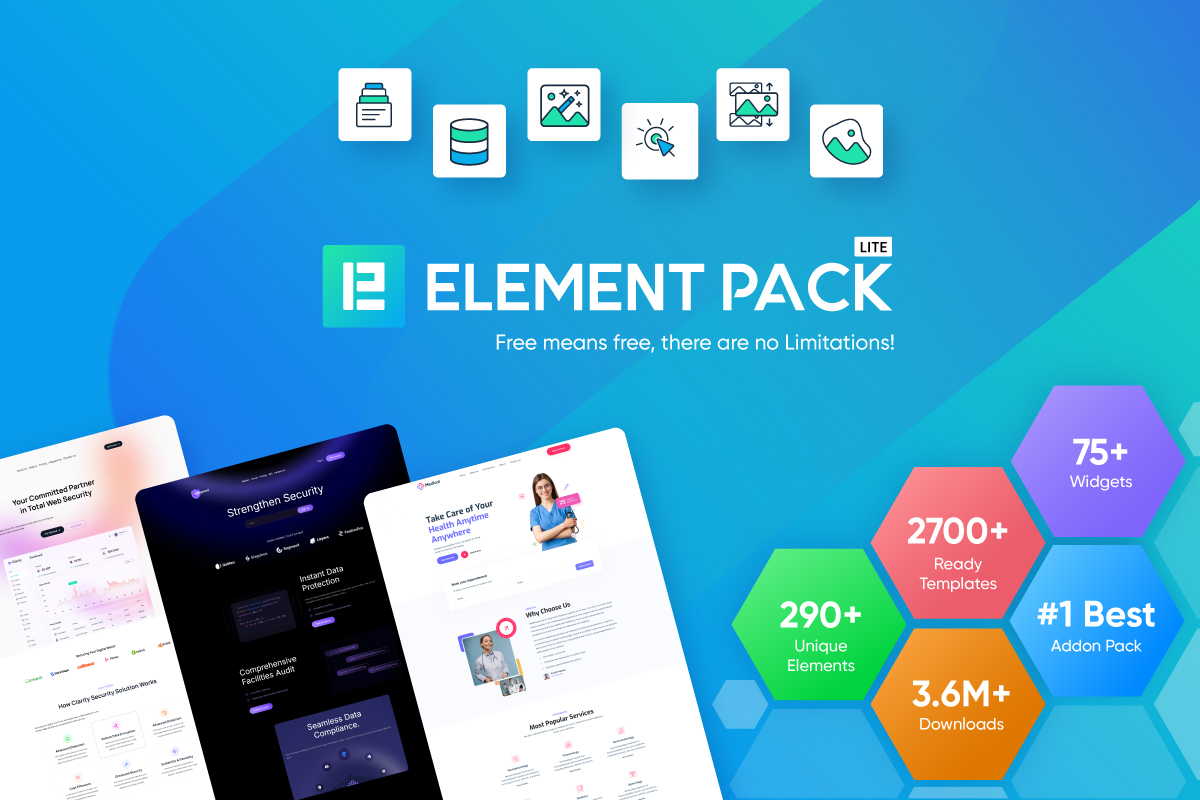
Element Pack Lite is a powerful Elementor addon that extends the Elementor page builder with advanced widgets, ready-made templates and design extensions.

Safe pick
Yes — Element Pack Addons for Element… is a safe, well-maintained plugin to use in 2026. It runs on 100K+ sites, is rated 4.7/5 and was last updated 3 days ago, and scores 95/100 on our health check.
- Proven at scale on 100K+ active sites
- Loved by users — 4.7/5 from 284 reviews
- Actively developed — last update 3 days ago
- Tested with the latest WordPress (7.1)
How does it stack up?
Side-by-side on installs, updates, ratings & support



Daily downloads
Download spikes usually follow a new release — each site that auto-updates counts as a download.
Rankings
Where Element Pack Addons for Ele… stands todayWordPress.org search rankings
Live position in the plugin search, top 100| Keyword | Position |
|---|---|
| elementor addons | #11 |
| elementor templates | #9 |
| elementor widgets | #11 |
| widgets for elementor | #12 |
| WooCommerce widgets | #26 |
Version adoption
Share of active sites per release.
Rating breakdown
★★★★★★★★★★ 4.7 from 284 reviews
About Element Pack Addons for Elementor
From the official readme · v8.8.5Description
Element Pack Lite is a powerful Elementor addon that extends the Elementor page builder with advanced widgets, ready-made templates and design extensions.
Build professional WordPress websites without writing code, using widgets that work directly inside the Elementor editor.
Advanced Elementor widgets
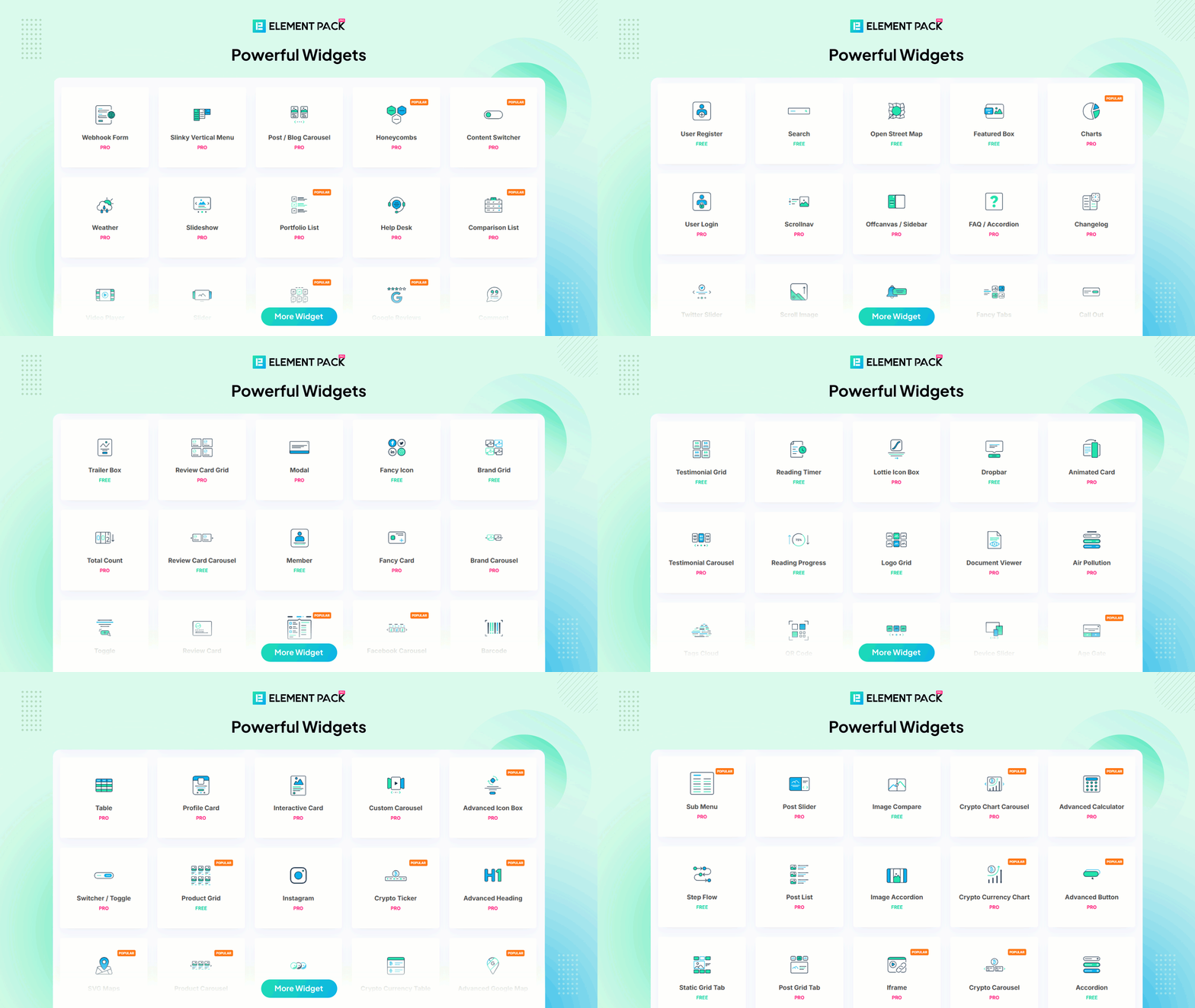
A large collection of widgets for landing pages, business sites, portfolios and blogs:
- Pricing Table, Testimonial and Review Card
- Image Gallery, Image Accordion and Image Compare
- Team Member, Logo Grid and Brand Grid
- Countdown Timer, Business Hours and Progress Pie
- Social Feed, Twitter Grid and Facebook Feed
- Post Grid, Slider and Carousel widgets
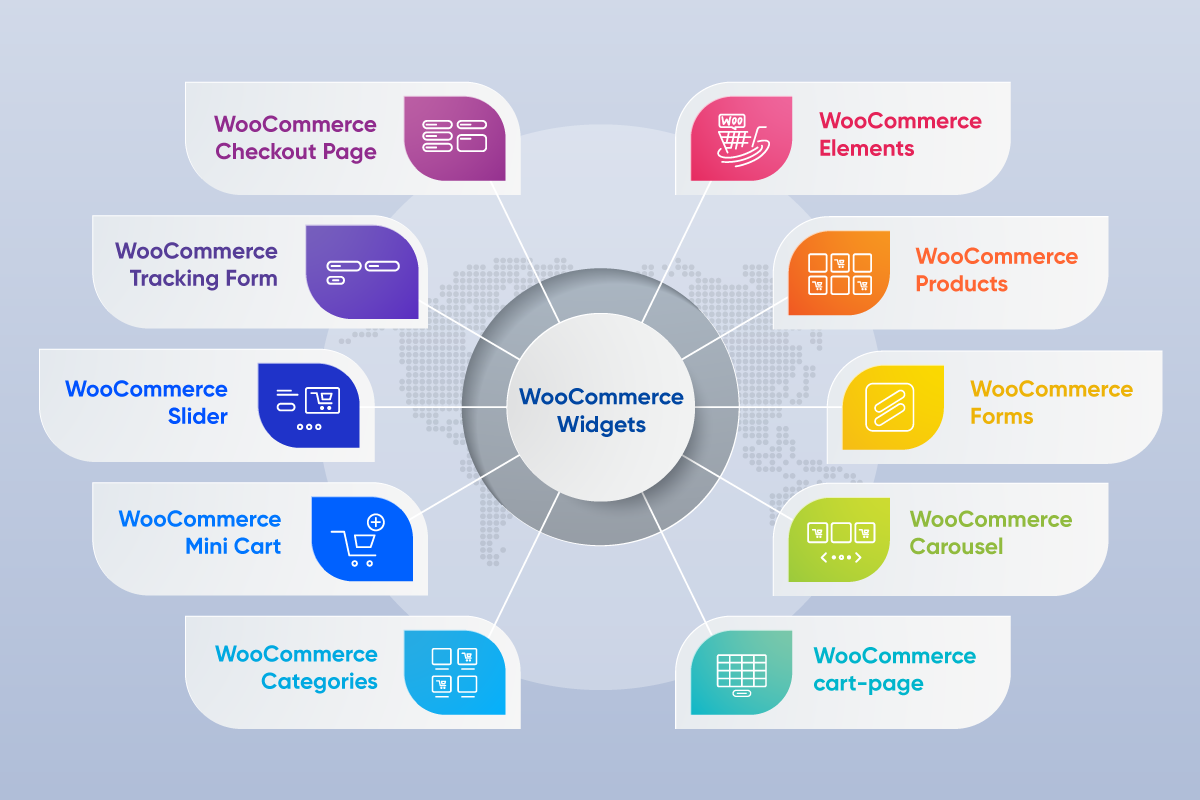
WooCommerce widgets
Design fully customised shops inside Elementor:
- Product Grid and Product Carousel
- Product Category and Product Gallery
- Add to Cart and Product Slider
Form integrations
Style and display forms from the plugins you already use:
- Contact Form 7, WPForms and Ninja Forms
- Fluent Forms, Formidable Forms and Forminator
- Everest Forms and weForms
Elementor extensions
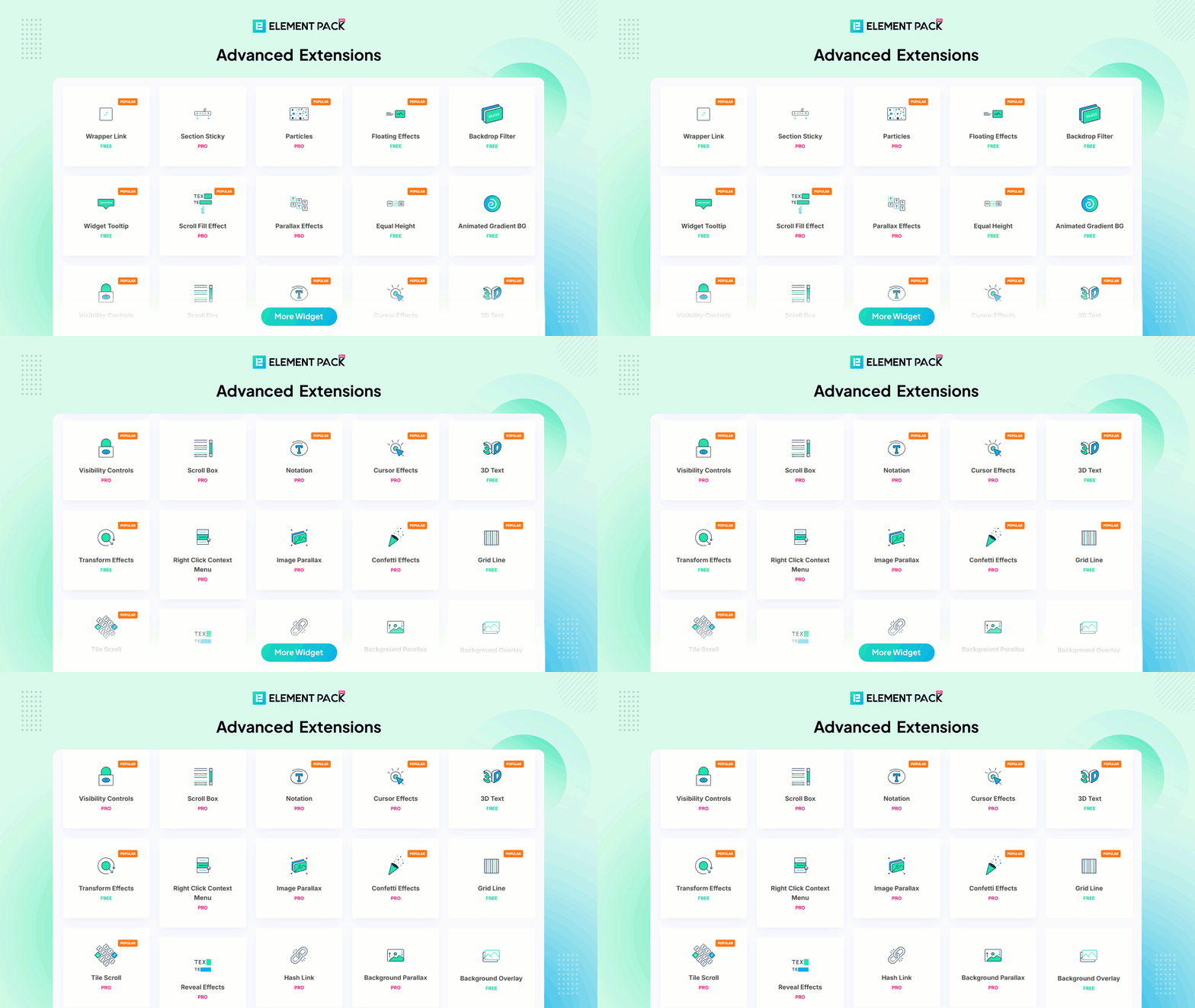
Extensions that add capability to any Elementor element:
- Wrapper Link, Tooltip and Floating Effects
- Cursor Effects, Grid Line and Backdrop Filter
- Equal Height, Transform Effects and Reading Progress
- Dark Mode, Cookie Consent and Scroll Button
Ready-made templates
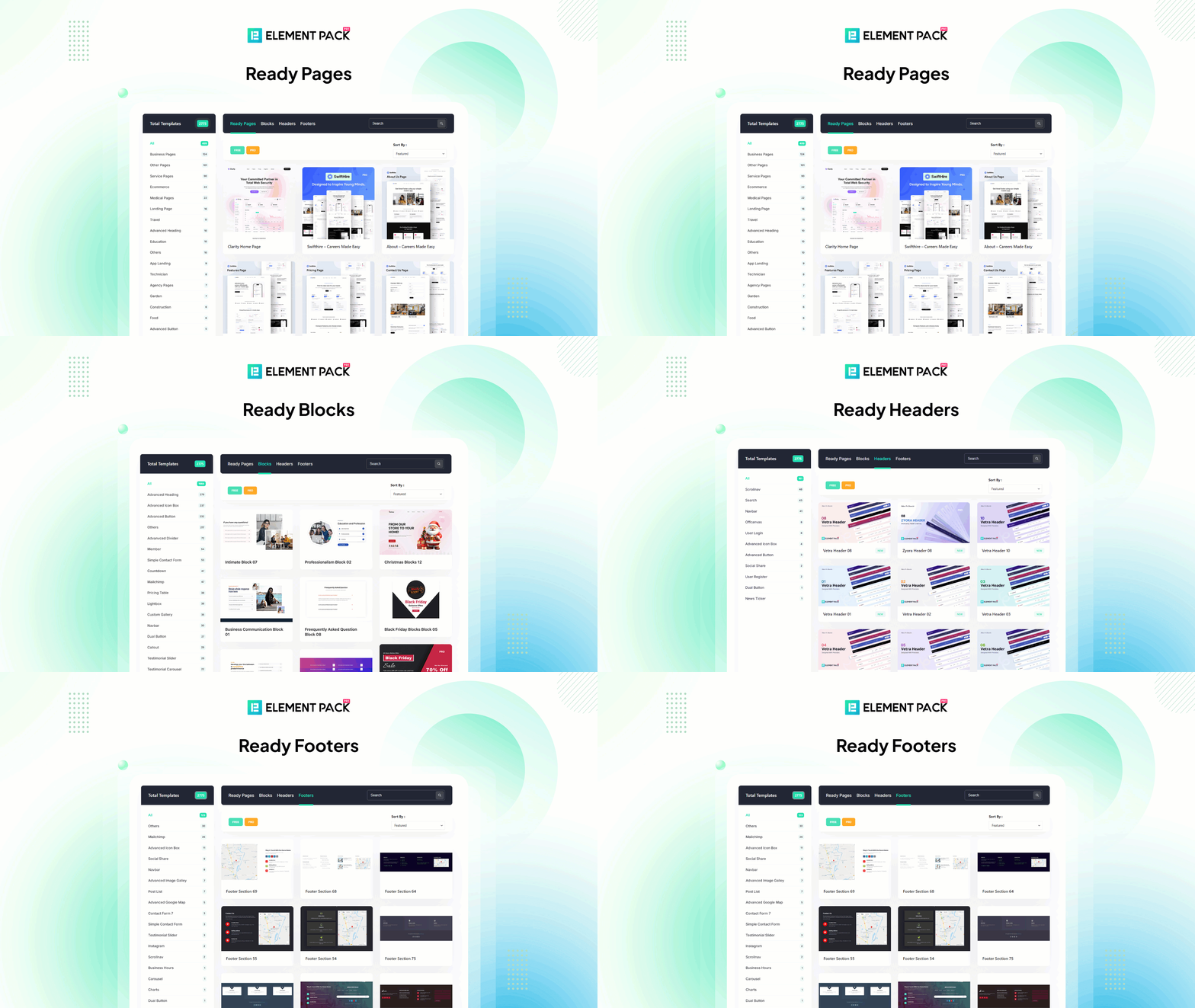
Import complete page and section templates from the built-in template library and customise everything in Elementor.
Third-party integrations
Widgets for Tutor LMS, GiveWP, Events Calendar and more, so your existing plugins fit your design.
Documentation and support
Full documentation is available at elementpack.pro. For help, visit our support centre.
Common Issues and Solutions: 🐣
- Editor fails to load
Ans. It is due to your server PHP setting. You can increase PHP memory limit from wp-config.php file or php.ini file
View Documentation
Need Help?
Have a feature suggestion? Share it with us on our Feature Suggestion Page.
For assistance, Contact us 💌 or check out our Tutorials.
Checkout our other Plugins 👑
Explore the best free addons for Elementor and Gutenberg to boost your site with advanced blocks, sliders and eCommerce tools.
- Element Pack – Build responsive websites from scratch with an all-rounder package of 300+ widgets and 2700+ ready-to-use assets for Elementor.
- Prime Slider – The revolutionary slider builder addon for Elementor with a next-gen superb interface and 50+ unique slider designs.
- Ultimate Post Kit – Best blogging addon for building a quality blogging website with fine-tuned post layouts, carousels, sliders and lists.
- Ultimate Store Kit – The only eCommerce addon for answering all your online store design problems in one package for WooCommerce and EDD.
- Pixel Gallery – The first Elementor-based WordPress gallery addon offering 60+ flexible and customizable gallery builder widgets.
- ZoloBlocks – Mind-blowing dynamic block plugin for Gutenberg with powerful and advanced features offering a greater web design experience.
- Augmented Reality Viewer – Bring your products to life with immersive 3D and AR experiences directly inside your WordPress website.
- Dark Reader – Instantly transform your website into a sleek, eye-friendly dark mode experience with smooth and elegant styling.
- Instant Image Generator – Generate AI-powered images or import visuals instantly from popular platforms like Unsplash, Openverse, Pixabay, Pexels and Giphy all from one place.
- Live Copy Paste – Seamlessly copy and paste sections, widgets and entire pages across domains with zero hassle.
- One Accessibility – Make your website inclusive and accessible to everyone with essential accessibility enhancements and compliance-ready tools.
- QR Code Generator & Scanner – Create and manage dynamic QR codes directly from your WordPress dashboard for smarter engagement and tracking.
- Smart Admin Assistant – Enhance your WordPress dashboard with productivity-focused tools and smart site management features.
- Spin Wheel – Engage visitors with an interactive spinning wheel that offers discounts, coupons and promotional rewards.
- Swift Checkout for WooCommerce – Simplify the WooCommerce checkout process to improve user experience and boost conversion rates.
Visit BdThemes to learn about our services, Elementor page builder-based products, informative blogs and documentation.
External services
This plugin relies on the third-party services listed below. Each entry states what the
service is used for, what data is sent and when it is sent.
Element Pack template library (BdThemes)
Used to list and import the ready-made Elementor templates offered inside the editor.
Data sent: when a logged-in administrator opens the template library or imports a template,
the plugin requests the template index and the selected template’s JSON from
elementpack.pro. The setup wizard’s starter kits are downloaded the same way, from
templates.elementpack.pro, when an administrator chooses to import one. No site content,
user data or credentials are transmitted.
Service provided by BdThemes.
Terms: https://elementpack.pro/terms-and-conditions/
Privacy Policy: https://elementpack.pro/privacy-policy/
BdThemes product feed
Used to display BdThemes product news on the plugin’s own admin dashboard page.
Data sent: a plain read request to dashboard.bdthemes.io when an administrator loads the
Element Pack settings screen. No personal data is transmitted.
Service provided by BdThemes.
Terms: https://elementpack.pro/terms-and-conditions/
Privacy Policy: https://bdthemes.com/privacy-policy/
Element Pack newsletter (BdThemes)
Used to send the Element Pack newsletter (news, tips and security notices) to administrators
who ask for it.
Data sent: only if an administrator ticks the newsletter checkbox on the setup wizard’s welcome
screen (it is unticked by default) and then clicks “Get Started”, the plugin sends the email
address entered there, together with the first and last name from that administrator’s
WordPress profile, to marketing.sigmative.com. Nothing is sent when the box is left unticked.
Service provided by BdThemes.
Terms: https://elementpack.pro/terms-and-conditions/
Privacy Policy: https://bdthemes.com/privacy-policy/
Google reCAPTCHA
Used to verify form submissions in the Contact Form and User Register widgets, and only
when you have entered reCAPTCHA keys and enabled the option on the widget.
Data sent: the visitor’s reCAPTCHA response token, your reCAPTCHA secret key and the
visitor’s IP address are sent to google.com when a protected form is submitted.
Service provided by Google.
Terms: https://policies.google.com/terms
Privacy Policy: https://policies.google.com/privacy
Google Docs Viewer
Used by the Document Viewer widget to render documents that cannot be displayed natively.
Data sent: the URL of the document you configure is embedded in an iframe pointing at
docs.google.com, so the document URL is disclosed to Google and the visitor’s browser
contacts Google directly when the page is viewed.
Service provided by Google.
Terms: https://policies.google.com/terms
Privacy Policy: https://policies.google.com/privacy
X (Twitter) API
Used by the Twitter Grid widget to fetch tweets for a configured account.
Data sent: your Twitter API credentials and the configured screen name are sent to
api.twitter.com when the widget renders and its cache has expired. Used only when you
have entered Twitter API credentials.
Service provided by X Corp.
Terms: https://x.com/en/tos
Privacy Policy: https://x.com/en/privacy
Facebook Graph API
Used by the Facebook Feed widget to fetch posts and avatars for a configured page.
Data sent: your Facebook access token and the configured page ID are sent to
graph.facebook.com when the widget renders and its cache has expired. Used only when you
have entered a Facebook access token.
Service provided by Meta Platforms.
Terms: https://www.facebook.com/terms.php
Privacy Policy: https://www.facebook.com/privacy/policy/
Mapbox
Used by the Open Street Map widget to load map tiles, and only when you have entered a
Mapbox access token.
Data sent: the visitor’s browser requests map tiles from api.mapbox.com using your access
token when a page containing the map is viewed.
Service provided by Mapbox.
Terms: https://www.mapbox.com/legal/tos
Privacy Policy: https://www.mapbox.com/legal/privacy
CoinGecko
Used to retrieve cryptocurrency market data for the crypto currency feature.
Data sent: the requested currency, coin identifiers and paging options are sent to
api.coingecko.com when the data is refreshed. No personal data is transmitted.
Service provided by CoinGecko.
Terms: https://www.coingecko.com/en/terms
Privacy Policy: https://www.coingecko.com/en/privacy
Calendly
Used by the Calendly widget to embed a scheduling page.
Data sent: the Calendly script is loaded from calendly.com and the visitor’s browser
contacts Calendly directly when a page containing the widget is viewed.
Service provided by Calendly.
Terms: https://calendly.com/legal
Privacy Policy: https://calendly.com/privacy
OpenStreetMap
Used by the Open Street Map widget to load map tiles when no Mapbox token is configured.
Data sent: the visitor’s browser requests map tiles directly from openstreetmap.org when a
page containing the map is viewed.
Service provided by the OpenStreetMap Foundation.
Terms: https://osmfoundation.org/wiki/Terms_of_Use
Privacy Policy: https://osmfoundation.org/wiki/Privacy_Policy
Facebook JavaScript SDK
Used by the Facebook access-token generator in the plugin’s admin settings, so an
administrator can obtain a token for the Facebook Feed widget.
Data sent: the Facebook SDK is loaded from connect.facebook.net and the administrator’s
browser communicates with Facebook only while that admin screen is open.
Service provided by Meta Platforms.
Terms: https://www.facebook.com/terms.php
Privacy Policy: https://www.facebook.com/privacy/policy/
Google Chart API (QR codes)
Used by the Social Share widget to render a QR code for the current page when the QR
share option is enabled.
Data sent: the URL being shared is sent to chart.apis.google.com to generate the QR image.
Service provided by Google.
Terms: https://policies.google.com/terms
Privacy Policy: https://policies.google.com/privacy
Social share counters
Used by the Social Share widget, and only when the share-counter option is enabled for a
network. The counter is not shown by default.
Data sent: the URL of the page being viewed is sent to that network’s public share-count
endpoint from the visitor’s browser when the page loads. No personal data is transmitted.
Networks with share counters, and their legal pages:
* Facebook – https://www.facebook.com/terms.php | https://www.facebook.com/privacy/policy/
* LinkedIn – https://www.linkedin.com/legal/user-agreement | https://www.linkedin.com/legal/privacy-policy
* Pinterest – https://policy.pinterest.com/terms-of-service | https://policy.pinterest.com/privacy-policy
* Tumblr – https://www.tumblr.com/policy/terms-of-service | https://www.tumblr.com/privacy_policy
* Buffer – https://buffer.com/legal | https://buffer.com/privacy
* Pocket – https://getpocket.com/tos | https://www.mozilla.org/privacy/
* VK – https://vk.com/terms | https://vk.com/privacy
* OK – https://ok.ru/regulations
* Mail.Ru – https://help.mail.ru/legal/terms/common/ua | https://help.mail.ru/legal/terms/common/privacy
Vimeo oEmbed
Used by the bundled UIkit library’s video component. When a Vimeo video is embedded in a
widget, UIkit asks Vimeo for the video’s dimensions so the player can be sized correctly.
Data sent: the Vimeo video URL is sent to vimeo.com/api/oembed.json from the visitor’s
browser when a page containing that video is viewed. The request is made without
credentials and no personal data is transmitted.
Service provided by Vimeo.
Terms: https://vimeo.com/terms
Privacy Policy: https://vimeo.com/privacy
WordPress.org Plugin API
Used by the setup wizard and the plugin-recommendation screens to look up the name,
icon and download link of the free plugins offered there.
Data sent: the slug of the plugin being looked up is sent to api.wordpress.org when an
administrator opens one of those screens or chooses to install a plugin. No personal data
is transmitted.
Service provided by the WordPress Foundation.
Terms: https://wordpress.org/about/terms/
Privacy Policy: https://wordpress.org/about/privacy/
Source code
The human-readable source for this plugin, together with the build tooling used to
generate the minified assets in assets/js and assets/css, is publicly available at:
https://github.com/bdthemes/bdthemes-element-pack-lite
This plugin bundles the following third-party libraries, unmodified, under their own
licences. Each is the upstream distribution of the named project:
- bdt-uikit 3.21.7 (UIkit) – https://getuikit.com/
- Leaflet – https://leafletjs.com/
- goodshare.js 4.1.2 – https://github.com/koddr/goodshare.js
- Popper – https://popper.js.org/
- Tippy.js – https://atomiks.github.io/tippyjs/
- anime.js 3.2.1 – https://animejs.com/
- Chart.js – https://www.chartjs.org/
- cookieconsent 3.1.0 – https://github.com/osano/cookieconsent
- vanilla-tilt.js – https://micku7zu.github.io/vanilla-tilt.js/
- image-compare-viewer – https://github.com/kylewetton/image-compare-viewer
- parallax.js – https://matthew.wagerfield.com/parallax/
- Granim.js – https://sarcadass.github.io/granim.js/
- ztext.js – https://bennettfeely.com/ztext/
- Minify (matthiasmullie/minify) – https://github.com/matthiasmullie/minify
- TwitterOAuth – https://github.com/abraham/twitteroauth
- Parsedown – https://parsedown.org/
Installation
This section describes how to install the plugin and get it working.
e.g.
- Upload
bdthemes-element-pack-litefolder to the/wp-content/plugins/directory - Activate the plugin through the ‘Plugins’ menu in WordPress
- Start using it by going to the editor.
Frequently asked questions
Does it work with all WordPress themes?
Absolutely! Our plugin supports any kind of theme as long as the theme supports Elementor.
What if I update to the Premium version?
You get an update, that’s all. No user settings will be affected upon upgrading to the latest version of the plugin. But, you will unlock hundreds more premium features to boost your site developing experience further.
Can I use the plugin without Elementor Page Builder?
No. Element Pack is based on Elementor Page Builder and without the latter, the former won’t function.
Does it interact with other Elementor Addons?
Of course, our plugin is made with green codes that will not conflict with any other addons for Elementor.
Is Element Pack an Elementor addon or an Elementor extension?
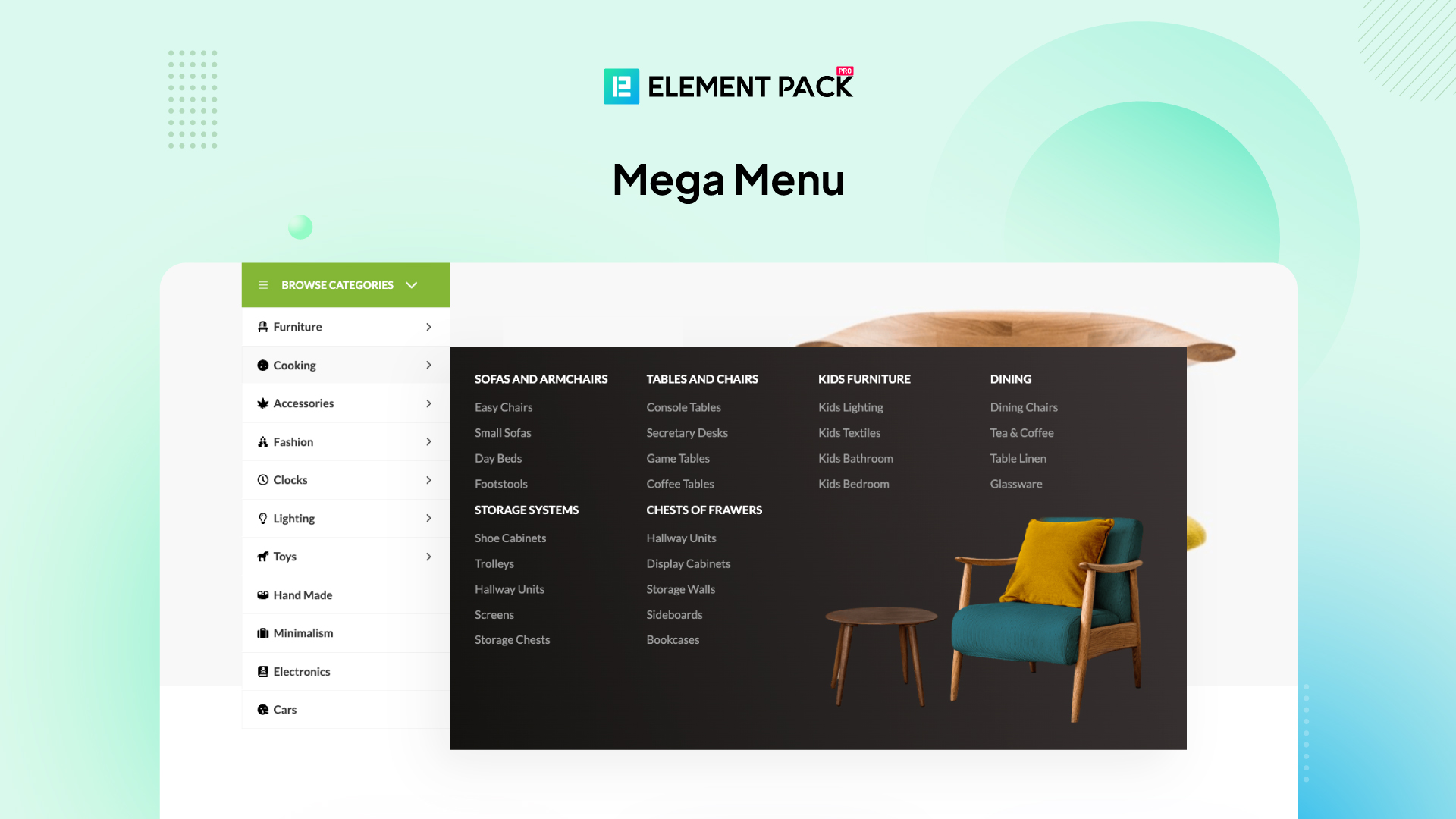
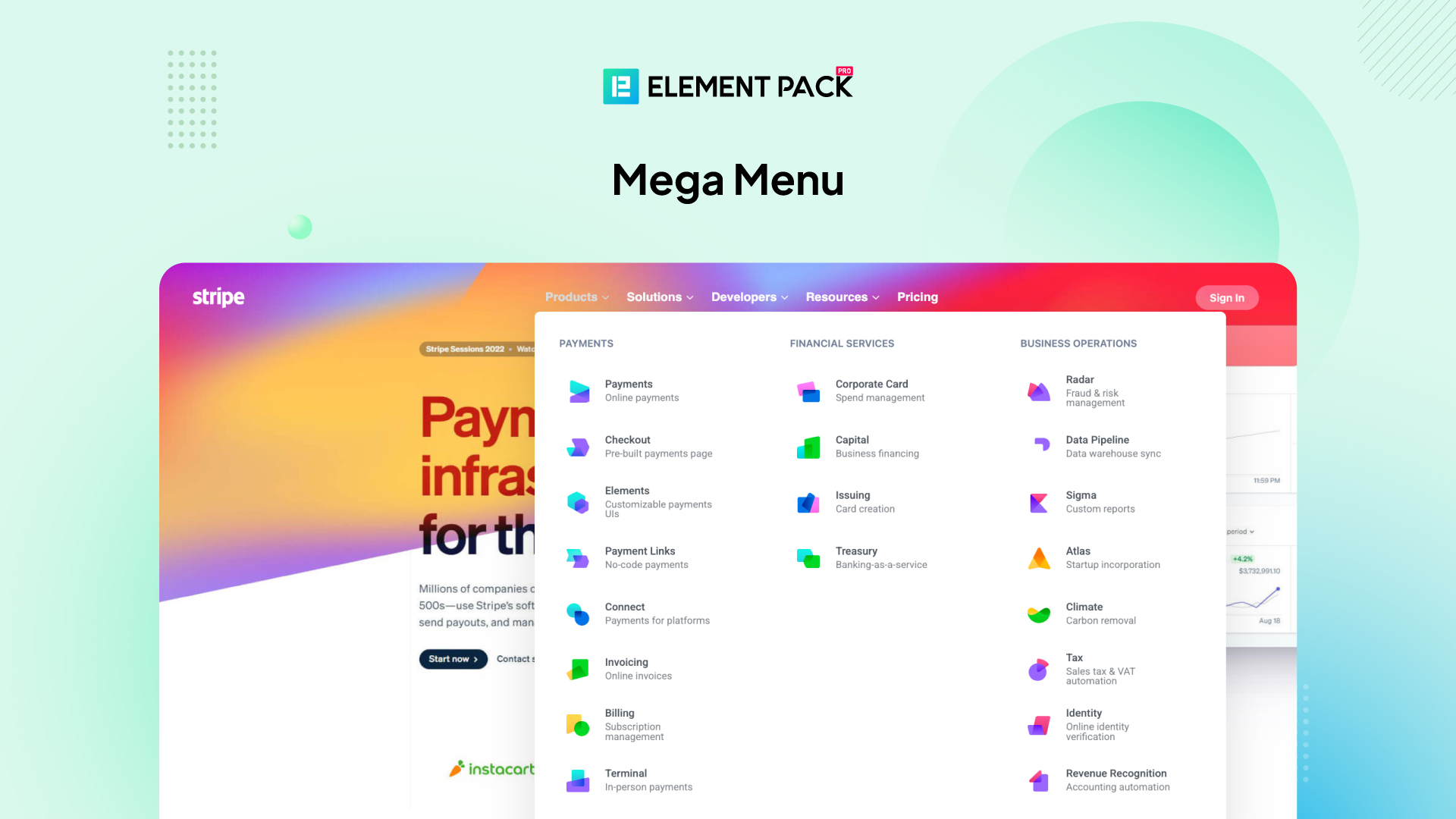
Both. Element Pack is an Elementor addon built with 300+ Elementor widgets and Elementor extensions, plus a template library, mega menu builder and header and footer builder.
Does Element Pack include WooCommerce Elementor widgets?
Yes. Element Pack ships with a set of WooCommerce Elementor widgets including Product Grid, Product Carousel, Product Category, Add to Cart, Product Gallery and Product Slider, so you can design complete shop pages inside the Elementor editor.
Does it work with Elementor Pro?
Without a doubt.
Will Element Pack break my site after an update?
No, we ensure that our plugin will not change or break any existing layout on your website due to an update issue. We have your backs in this matter.
How long do I get support and updates?
As long as Element Pack exists, we will provide you with frequent updates and 24/7 support. We are committed to doing so. Note: we don’t provide plugin support for Adult sites.
Can I translate Element Pack into my language?
Definitely. There is a translation feature to let you choose your own language to translate all plugin elements/widgets/modules.
Can I White Label Element Pack?
Yes, you can. In fact, the white label option is available for the developer and agency package only and should give you full freedom over the plugin’s info.
Can we get more widgets in the near future?
Of course, you can. In fact, we bring new and unique widgets over the frequent updates (minor updates). With every leap of the base plugin version (major updates), we bring tones of new widgets and features to let you take advantage of our plugin.
Can I use Element Pack on client sites?
Yes, definitely. You can use our plugin on any website, self or client, within the allowed number of licenses provided by the package you purchase. There are no bindings to the usage.
How can I report security bugs?
You can report security bugs through the Patchstack Vulnerability Disclosure Program. The Patchstack team helps validate, triage and handle any security vulnerabilities. Report a security vulnerability.
Changelog
8.8.5 [23rd September 2026]
- Updated: System improved
8.8.4 [16th September 2026]
- Fixed: Social Share widget printed the same unescaped social network name into the icon class and into the repeater row label while the page was open in the Elementor editor, where the earlier fix did not reach
- Fixed: Social Share widget treated a button left empty as a supported network, which let it through the new check and logged PHP warnings while building the icon and the label
- Fixed: Heading tag choices were written straight into the markup of the editor preview, so a saved value other than the offered headings could add attributes of its own; all widgets now fall back to a div, as the Accordion already did
- Fixed: Editor preview of Member, Panel Slider, Scroll Nav, Static Carousel, Static Grid Tab, Step Flow, Review Card, Review Card Carousel and Product Carousel printed links, image URLs, tooltip text and animation choices into attributes without escaping them
8.8.3 [15th September 2026]
- Added: Bundled logos for the recommended plugins, so the admin dashboard and the setup wizard integration step show a real icon immediately instead of waiting on the WordPress.org API
- Changed: Other Plugins tab on the admin dashboard now uses the same card grid as the setup wizard integration step, without the short description
- Changed: Core Widgets, 3rd Party Widgets and Extensions now open on the All filter instead of Free
- Fixed: Setup wizard could not install any plugin; the selected plugins were rejected as an invalid plugins array before anything was downloaded
- Fixed: Install button on the Other Plugins tab sent two installation requests for the same plugin, which could report success and failure at the same time
- Fixed: Plugins that are closed on WordPress.org are no longer listed with empty ratings and an install button that cannot succeed
- Fixed: Plugin icons returned by the WordPress.org API were never used, because the icon sizes were read under the wrong keys
- Fixed: Plugin titles showed HTML codes such as – instead of the dash and ampersand characters
- Fixed: Template kit import failed on kits that do not declare any required plugins
- Fixed: Active button on the plugin cards stretched to the full card width and its icon was misaligned
- Fixed: Dashboard charts did not render and logged “Cannot use import statement outside a module”, because the bundled Chart.js was a module build loaded as a regular script
- Fixed: Business Hours widget logged “jclock library is not loaded” and the dynamic clock never started, because the bundled jclock library was never registered
- Fixed: Social Share widget did not escape the social network name it printed into the icon class, and now ignores any button whose value is not one of the supported networks
- Fixed: Portfolio Carousel ignored the Open in New Window option on the title link, because the target attribute was printed with its quotes encoded
- Fixed: Navbar widget printed menu item titles, targets, link relationships, URLs and CSS classes into the markup without escaping them
- Fixed: Wrapper Link extension wrote the raw link data into its data attribute, which broke the attribute whenever the link contained a quote
- Fixed: Simple Contact Form escaped the redirect URL it returns to the browser with the wrong function, so the URL could break out of its attribute
- Fixed: Escaping corrected on several other attributes, in the setup wizard integration step, the dashboard widget status tooltips, the Elementor Template widget and the plugin settings fields
- Updated: Security improved
8.8.2 [2nd September 2026]
- Added: Simple Contact Form option to include or omit the sender IP address in the notification email
8.8.1 [21st August 2026]
- Security: SVG Image widget no longer fetches or inlines remote SVG files; only SVG attachments from this site’s media library are rendered inline
- Security: Replaced the SVG sanitizer with a strict element and attribute allowlist, so only known-safe markup can be output
- Security: Setup wizard plugin installer now validates the submitted plugin file, requires the activate_plugins capability and rejects paths outside the plugins directory
- Removed: Unused marquee editor script, which carried a GreenSock Club helper that is not GPL compatible
- Fixed: Escaped the Elementor install and activate notice URLs, the widget settings item attributes and the admin-ajax URL in the settings screen
- Fixed: Prefixed the setup wizard and feedback-hub AJAX actions, nonce and asset handles to avoid collisions
- Fixed: Removed duplicate registrations of the ep_install_plugin and ep_get_plugins AJAX handlers and the rooten_custom_template shortcode
- Fixed: Renamed an internal helper whose name matched a deprecated WordPress function
- Updated: readme documents the Vimeo oEmbed and WordPress.org Plugin API requests
8.8.0 [16th August 2026]
- Removed: Custom CSS / JS module and the site-wide custom code editors
- Removed: White Label settings and the now-empty Extra Options screen
- Removed: Agentic AI Angie integration notice
- Removed: Editor control-lock system; every previously locked control and option is now fully available
- Removed: GSAP smooth cursor animation option, along with its external CDN dependency
- Removed: Bundled starter-kit archives; the setup wizard now downloads them on demand
- Removed: Unused editor template-library request handlers
- Security: Added nonce and capability checks to the editor template-library AJAX endpoints
- Security: Sanitized remaining request and server input, including the CoinGecko and OAuth paths
- Security: Escaped settings-screen output and switched JSON responses to wp_json_encode()
- Security: Restricted the feedback collector to writing its own options
- Fixed: Text domain now matches the plugin slug
- Fixed: Removed deprecated openssl_free_key() calls
- Fixed: Balanced the output buffer in the Rooten shortcode column
- Fixed: Security advisory notice no longer shows on sites with no findings
- Updated: readme documents every external service, bundled library and where the source lives
- Updated: Requires at least raised to WordPress 6.8, matching the Elementor dependency
Screenshots


For developers
Is this your plugin? Show off the numbers.
Add a live badge to your site, docs or GitHub README. It updates on its own — no account needed.
Best Element Pack Addons for Eleme… alternatives
All elementor addons plugins →





FAQ
Element Pack Addons for Elementor: quick answers
Straight answers, pulled from live WordPress.org data.
Live data from WordPress.org · checked Sep 26, 2026
Is Element Pack Addons for Element… free?
Yes. Element Pack Addons for Element… is free to download and use from the official WordPress.org plugin directory.
Is Element Pack Addons for Element… safe to use in 2026?
Yes — Element Pack Addons for Element… is a safe, well-maintained plugin to use in 2026. It runs on 100K+ sites, is rated 4.7/5 and was last updated 3 days ago, and scores 95/100 on our health check.
How many websites use Element Pack Addons for Element…?
Element Pack Addons for Element… is active on 100K+ WordPress websites and has been downloaded 6,588,417 times since it launched in September 2019. It was downloaded 131,276 times in the last 30 days.
Does Element Pack Addons for Element… work with WordPress 7.1?
Yes. The developer has tested Element Pack Addons for Element… up to WordPress 7.1.2, the latest release. It requires WordPress 6.8 or newer.
What PHP version does Element Pack Addons for Element… need?
Element Pack Addons for Element… requires PHP 7.4.0 or higher. Most hosts run PHP 8.x today, so it works on any modern WordPress hosting.
When was Element Pack Addons for Element… last updated?
The latest version, 8.8.5, was released on September 23, 2026 (3 days ago).
Who makes Element Pack Addons for Element…?
Element Pack Addons for Element… is developed and maintained by bdthemes.
What are the best alternatives to Element Pack Addons for Element…?
The most popular alternatives to Element Pack Addons for Element… are Ultimate Addons for Element… (2M+ installs), Essential Addons for Elemen… (1M+ installs) and ElementsKit Elementor Addons (1M+ installs).
Powered by PageForge
Want thousands of pages that rank like these? Build them in an afternoon.
This directory runs on the same engine as PageForge. Turn any spreadsheet, CSV or API into thousands of fast, SEO-ready WordPress pages — with schema, internal links and AI-written copy baked in.
- CSV, Google Sheets & API data sources
- AI content, schema & internal links per page
- Works with Elementor, Gutenberg, Yoast & Rank Math
- Free on WordPress.org — no credit card


