



PowerPack Addons for Elementor (Free Widgets, Extensions and Templates)
Elevate your Elementor experience with PowerPack, a comprehensive collection of free Elementor addons & widgets designed to supercharge your website.

Safe pick
Yes — PowerPack Addons for Elementor… is a safe, well-maintained plugin to use in 2026. It runs on 70K+ sites, is rated 4.8/5 and was last updated 1 week ago, and scores 90/100 on our health check.
- Proven at scale on 70K+ active sites
- Loved by users — 4.8/5 from 361 reviews
- Actively developed — last update 1 week ago
- Tested with the latest WordPress (7.1)
How does it stack up?
Side-by-side on installs, updates, ratings & support



Daily downloads
Download spikes usually follow a new release — each site that auto-updates counts as a download.
Rankings
Where PowerPack Addons for Elemen… stands todayWordPress.org search rankings
Live position in the plugin search, top 100| Keyword | Position |
|---|---|
| elementor | #24 |
| elementor addon | #19 |
| elementor addons | #26 |
| elementor templates | #15 |
| elementor widgets | #18 |
Version adoption
Share of active sites per release.
Rating breakdown
★★★★★★★★★★ 4.8 from 361 reviews
About PowerPack Addons for Elementor (Free Wi…
From the official readme · v3.1.0Description
PowerPack Addons for Elementor offers a comprehensive collection of creative widgets, powerful extensions, and professionally crafted Elementor templates to elevate your website design experience. Unlock advanced design capabilities, streamline your workflow, and create stunning, professional websites effortlessly with PowerPack’s versatile and user-friendly Elementor addons.
Head over to PowerPack Addons website to explore all the Elementor addons.
Top Features of PowerPack Addons for Elementor
-
UNIQUE ELEMENTOR WIDGETS
PowerPack includes a range of advanced elementor widgets that open a whole new way of designing possibilities. -
FULLY CUSTOMIZABLE
All PowerPack widgets are completely customizable; you can alter settings and style widgets as per your requirements. -
ELEMENTOR 3.0 COMPATIBLE
PowerPack is 100% Compatible with Elementor 3.0 Dynamic Fields. Hence, you can use them to display dynamic content. -
WHITE LABEL BRANDING
Self-branding is extremely important when you are working for third-party clients. This feature allows you to change the branding of the plugin and helps you maintain your personal brand while building client sites. -
LIGHTWEIGHT, FAST, USER-FRIENDLY
PowerPack boasts of superior code quality optimized for performance. Minimal usage of external scripts helps you maintain superior loading time for your websites. -
EXTENSIVE STYLING OPTIONS
All widgets included with PowerPack come with well-thought-out design and styling options. These options make it easy for you to build creative layouts without worrying about the custom code. -
PROFESSIONAL SUPPORT
PowerPack Addon for Elementor comes from our team of experts, who always deliver the best and try to fix all of their queries earliest.
PowerPack Lite for Elementor – Features
PowerPack adds a carefully selected set of essential addons for Elementor users who want both creativity and performance.
- Business Hours – A content widget that allows you to display opening and closing hours with various styling options.
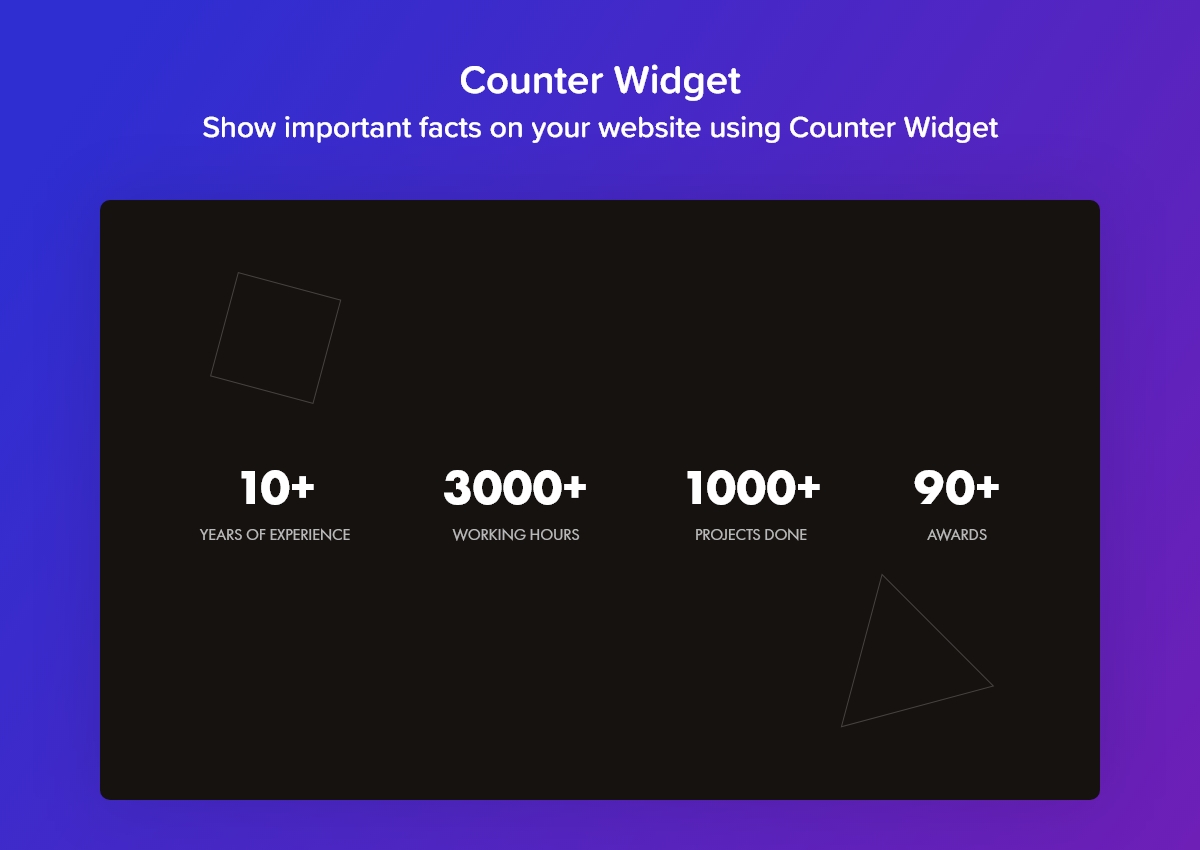
- Counter – An impressive widget that allows you to show important facts on your website.
- Divider – This widget allows you to create a stylish break to your content with fancy dividers.
- Dual Heading – A creative widget that lets you highlight other words in a heading with different colors and variations.
- Image Hotspots – With Image Hotspot widget, you can display feature of the product, create virtual tours, display information easily and interactively.
- Icon List – A content widget that allows you to display a list of features with font icons or numbers for bullet points.
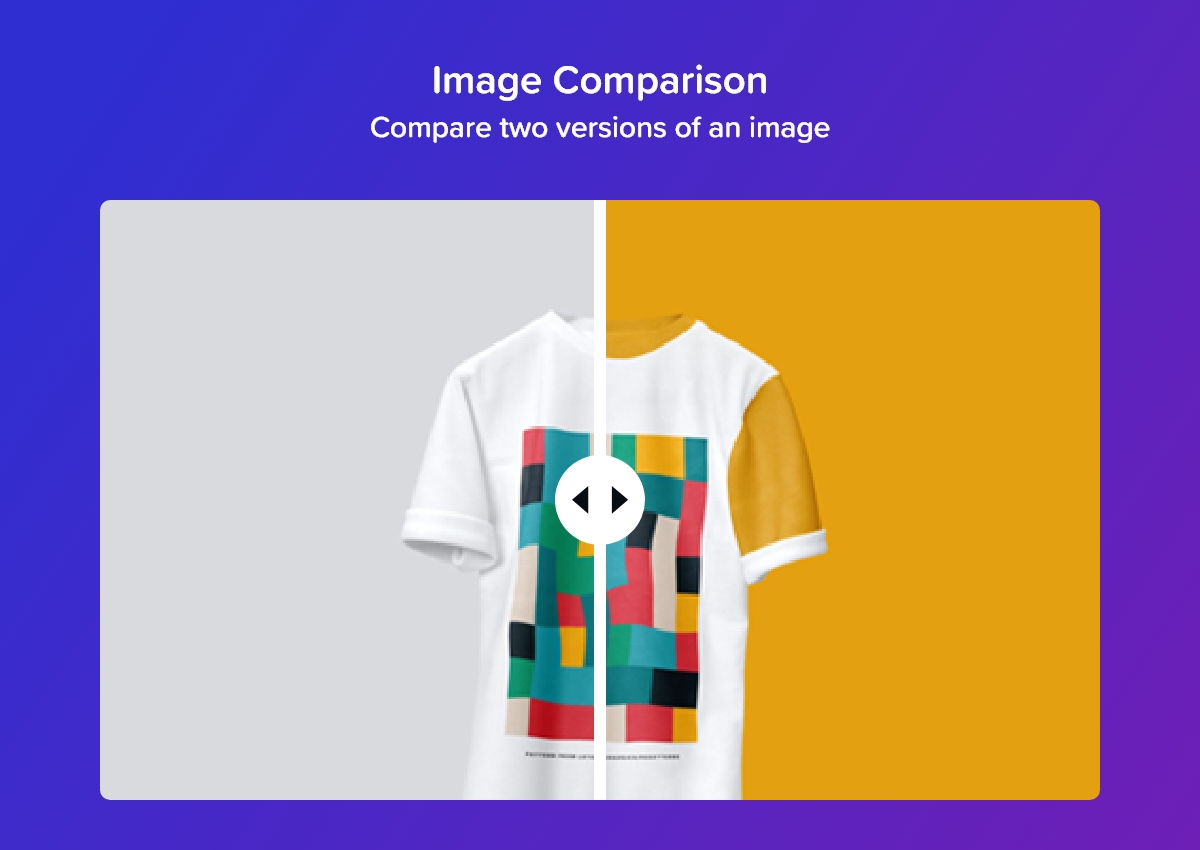
- Image Comparison – With this widget, you can compare before and after versions of the image.
- Info Box – A fantastic content widget that can be used to create beautiful content blocks with icon, heading, description, and call-to-action button/link.
- Info Box Carousel – A creative widget that allows you to create a slider of your infobox content.
- Info List – Another content widget that allows you to showcase product features and services with icon and description
- Info Table – Create beautiful info boxes with icon, heading, description, and call-to-action button/link.
- Instagram Feed – A creative widget that allows you to display Instagram feed on your website with various impressive options.
- Link Effects – With this wonderful widget, you can create stylish and attractive links with various hover effects.
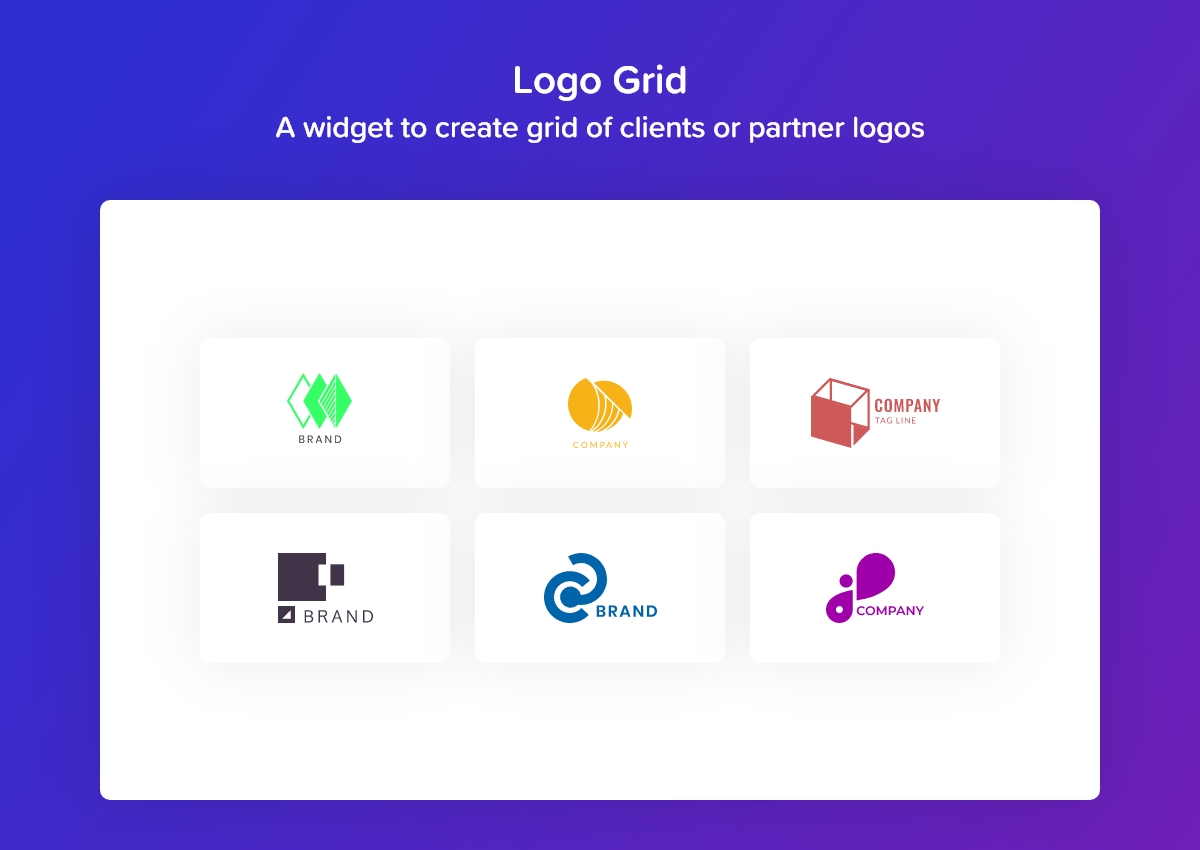
- Logo Grid – A widget to create grid of clients or partner logos.
- Logo Carousel – Create a slider of clients or partner logos.
- Price Menu – Showcase your product with price or create restaurant/services menus.
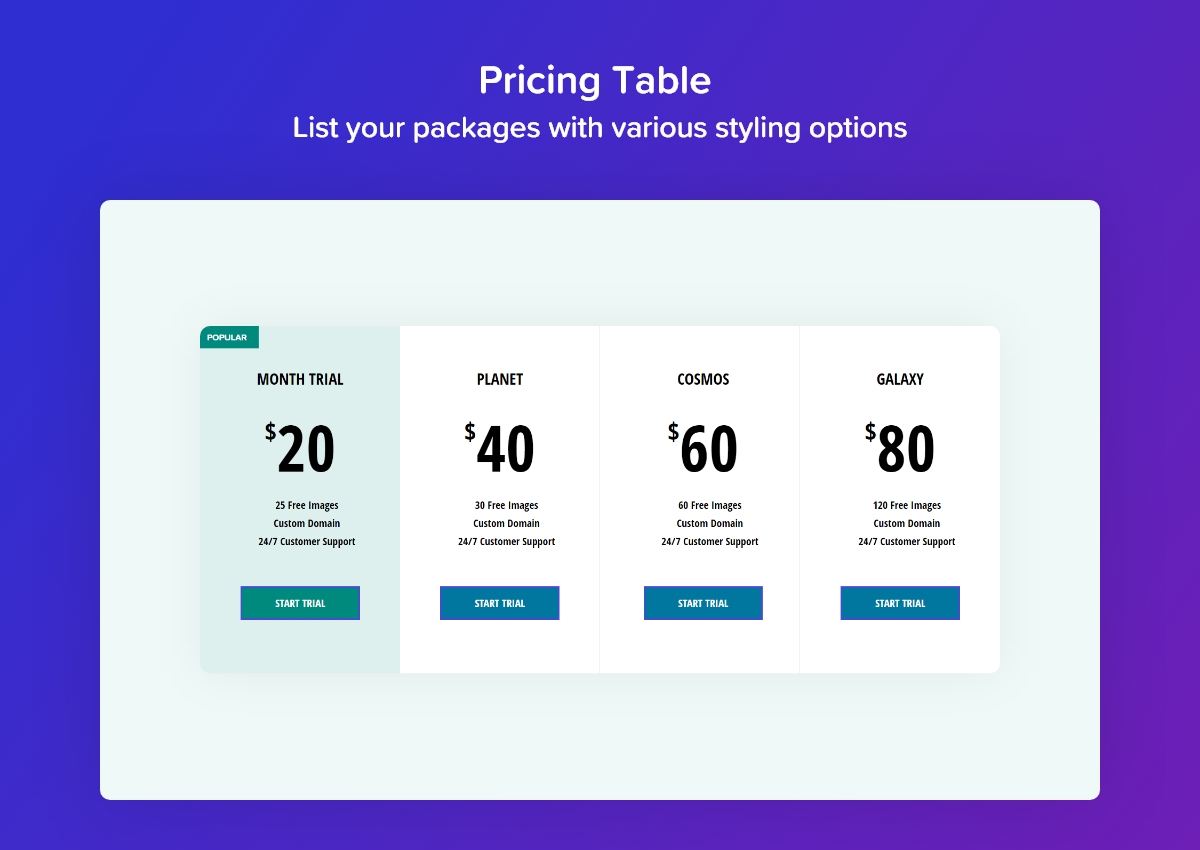
- Pricing Table – List your packages with various styling options.
- Promo Box – Design stylish and attractive promo banners.
- Team Member – Show off your team of experts with this widget.
- Team Member Carousel – Create beautiful carousel of team members.
- Contact Form 7 – Style your Contact Form 7 through Elementor with numerous customization options.
- Gravity Forms Styler – Style your Gravity Forms through Elementor with numerous customization options.
- Ninja Forms Styler – Style Ninja Forms through Elementor with numerous customization options.
- WPForms Styler – Style WPForms through Elementor with numerous customization options.
- Fluent Forms – Style WP Fluent forms through Elementor with numerous customization options.
- Formidable Forms – Style Formidable Forms through Elementor with numerous customization options.
- Advanced Accordion – Gives the flexibility to toggle between displaying and hiding a large amount of content.
- Image Accordion – Gives the flexibility to toggle between image panels.
- Flip Box – Add dual side content on information boxes with flip animations.
- Content Ticker – Display updates, popular content or messages.
- Buttons – Create call-to-action button or multiple buttons with this widget.
- Scroll Image – Vertical and Horizontal scroll effect on image.
- Twitter – Embed Twitter tweet and follow buttons, embedded grid and timeline.
- Fancy Heading – Setup stylish headings on your Elementor website with a gradient fill and background clipping options.
- Posts – Display blog posts beautifully in Post Grid, Post Carousel or Masonry Layout on your WordPress websites built through Elementor.
- Content Reveal – Organize the layout of your page by displaying more content in less area. Content Reveal widget allows you to display the extra information with a simple click of a button.
- Random Image – Display Random Images from a set of the images on your webpage.
- Interactive Circle – This widget lets you showcase content on your website in beautiful and eye-catchy circular layouts without using any additional HTML code and CSS.
- Progress Bar – Add interactive Progress Bars to your website. Showcase progress with horizontal, vertical, circular bars, and more using this versatile widget.
- Charts – Add interactive charts to your Elementor website. Display data in different interactive chart layouts such as Lines and Bars.
- Marquee – Create eye-catching scrolling marquees with text, images, or icons. Customize speed, direction, gap, and pause-on-hover behavior to highlight announcements, logos, or featured content.
- Slide Menu – Turn any WordPress menu into a multi-level navigation where sub-menus slide in as panels or expand as an accordion. Ideal for mobile and off-canvas navigation.
- Event Calendar – Display your events in a month calendar. Add each event with its own time, speaker, location, image and description, and show the details in a popup on click.
CREATIVE EXTENSIONS – FREE
- Display Conditions – Display timed-content, content for logged-in users, special content based on user’s browser. Also, display content based on page, post, archive rules, and much more.
- Wrapper Link – Add links to any widget, column, or section of your elementor page easily with the Wrapper Link extension.
- Animated Gradient Background – Create amazing gradient background animations for your sections and columns with Animated Gradient Background extension.
SEE WHAT OUR USERS HAVE GOT TO SAY ABOUT POWERPACK ADDONS
Here are some testimonials from our Happy Customers and Elementor experts
Ultra-powerful content design options ★★★★★
Great plugin with an extremely efficient widget collection. Gives you the options you need to style a good number of design patterns that are relevant for many niches. Puneet and the team are shipping top-class work anyway, so it’s highly recommended by default – AnalogWP
Where have you been all my life ★★★★★
PowerPack offers creative widgets that are huge time savers. I have used it on several personal and client projects. While the product is reliable, their quick and friendly support makes it even better” – Collins Agbonghama
Excellent Support ★★★★★
Really happy using pro version of this plugin. The support is really fast, faster than I thought. Definitely recommended using this plugin. Thank you – Syahidsulham
PowerPack PRO for Elementor – Features
PowerPack Pro includes all the above-mentioned Elementor widgets and the following premium addons for elementor…
- Countdown Timer – Create urgency on your site or set up a “Coming Soon” page
- Popup Box – Show custom content, image, video, form, saved template in popup box with various trigger options – auto-load, on-click and exit intent
- Page Navigation – With this you can create impressive one-page websites
- Image Gallery – Create spectacular galleries on your website with filters and various options
- Image Slider – Create stunning slideshow or carousel of images with numerous customization options
- Off-canvas Content – Allows you to create beautiful Slide-in menus. Create impressive menus, popups, or custom content displays that slide in when the trigger is activated.
- Showcase Widget – A creative widget that allows you to showcase images and videos on your website pages
- Card Slider – Display featured posts, announcements, latest posts, custom content, etc
- Advanced Menu – Add impressive Off Canvas & Full Screen overlay menus on your website
- Tiled Post – Create beautiful magazine style layout with Tiled Post widget
- Recipe – A widget to create recipes with necessary options
- Content Toggle – Switch between two content like primary/secondary or annual/monthly
- Table – Display your data in table with various customization options
- Google Maps – Show Google map on your website with various styling options
- Advanced Tabs – Display custom content or saved templates in tabs with more styling controls
- Timeline – Create stunning Post Timeline layouts with vertical or horizontal options for blog posts or custom post types
- Magazine Slider – Highlight posts in a Post Carousel or magazine-style Post Slider for engaging storytelling
- Video – A widget to embed videos on your website
- Video Gallery – Create video gallery with filter options
- Album – Create beautiful Photo Albums on your website
- Categories – Create attractive category displays on your website
- Coupons – Display special offers, discounts, and deals with the help of coupon widget
- Table of Contents – Create table of contents for your blog/page
- Breadcrumbs – This widget lets you add breadcrumbs to pages on your website
- Advanced Posts – Display blog posts beautifully on your Elementor websites with layouts such as Post Grid and Post Slider for more engaging designs
- Business Reviews – Fetch your product reviews from Google & Yelp and easily display them on your sites in Elementor
- Advanced Charts – Create beautiful charts in Elementor. Visualize data with Line, Bar, Radar, Doughnut, Pie, Polar Area, and Bubble charts
TEMPLATE LIBRARY FOR ELEMENTOR – FREE & PRO
Easiest, Fastest, and Creative Way to Design Websites!
PowerPack template library includes 150+ ready-to-use section blocks. All block templates are the precise work of our designers that can be used to create any website.
WOOCOMMERCE WIDGETS – PRO
Get special WooCommerce widgets for Elementor with premium version of PowerPack
- Woo Products – Multiple layout and styling options to create WooCommerce Product Grid and Carousel layouts for your e-commerce websites
- Woo Categories – Display a grid or carousel for WooCommerce Product Categories
- Add to Cart Button – Easily add a special “add to cart” button for any product on any page with extensive styling options.
- Woo Cart – Customize WooCommerce Cart page with the free version of Elementor. Style almost every aspect of the product table, buttons, input fields, etc. Checkout the video
- Woo Checkout – Another unique solution for WooCommerce to create beautiful Checkout page with Elementor free version. Create a single-column or two-column layout for the checkout page. Styling options for input fields, forms, sections, labels, buttons, etc. Check out the video
- Woo Mini Cart – Add a sleek, mini cart icon to your website’s header/menu with Elementor and PowerPack Addons. Check out the video
- Woo Off-Canvas Cart – Add a stunning off-canvas cart panel to your WooCommerce website. Check out the video
- Woo My Account – Easily customize My Account area of your WooCommerce websites.
NEW SCHEMA WIDGETS For Elementor – PRO
Boost your Search Engine Rankings with new, unique Schema markup widgets for Elementor.
- FAQ Schema Markup Widget – Create a search engine optimized FAQ Page for your site with FAQ Schema markup widget and leverage the power of Structured Data.
- How-to Schema Markup Widget – Easily create stylish How-to Guides, Tutorials, and walk-throughs.
CREATIVE EXTENSIONS
-
WooCommerce Display Conditions For Elementor
With PowerPack Display Conditions, you can control how your Elementor content appears. These conditions give you complete flexibility when and where to show or hide stuff on your website. You can tweak things based on various WooCommerce factors, like the Product Category, the number of items in the Shopping Cart, the Categories the purchased items belong to, and many other cool options.- ADVANCED DISPLAY CONDITIONS FUNCTIONALITY
Our Advanced Display Conditions have built-in support for Advanced Custom Fields, which allows you to display content from custom fields based on the user’s browser, operating system, date, time, login status, and much more. The is the most UNIQUE solution for widgets and sections.
- ADVANCED DISPLAY CONDITIONS FUNCTIONALITY
-
HEADER FOOTER BUILDER
PowerPack addon includes a unique Header & Footer extension that allows you to create a custom Header and Footer layout. If you are using the free version of Elementor, the PowerPack Header Footer extension could be a great fit for your website.
Watch Demo -
MAGIC WAND FEATURE Cross-Domain Copy Paste for Elementor: Get rid of all the repetitive & time-consuming processes requires in website design. With PowerPack’s magical cross-domain copy-paste feature, you can copy content from one website to another in just four simple steps.
- WOOCOMMERCE BUILDER FOR ELEMENTOR
The most flexible and easiest way to build an online store is with WooCommerce and Elementor. PowerPack WooCommerce builder includes a wide range of Woo Widgets that lets you design WooCommerce Single Product and Archive Page Templates. Easily!
-
BACKGROUND EFFECTS
Add stylish & animated backgrounds to your website. -
CUSTOM CURSOR
Change the default mouse cursor and display icon, image, or text cursor styles on a section or a page of your website.
LEARN FROM EXTENSIVE DOCUMENTATION
We have Extensive Documentation which includes all types of docs that support users to understand PowerPack Addons for Elementor better.
Follow us on Twitter
Want to know more about us? Follow us on Twitter for more updates and information.
Join our Facebook Group
Want to connect us with more? We have an active Facebook Group where we keep posting PowerPack’s latest updates and help our users with any questions they may have! We are sure you will love the group. Join in and say Hello! PowerPack Elements Facebook Group.
Other Ultimate Addons for Elementor
-
Dashboard Welcome for Elementor
This feature gives you full control over the WordPress welcome screen. You can personalize the dashboard with content and design built with Elementor. -
TableMaster for Elementor
Build advanced responsive tables directly inside Elementor editor. Build tables manually or by importing data from CSV sheets.
Use of 3rd-Party Services
PowerPack Lite for Elementor connects to our secure feedback endpoint only when a user voluntarily submits feedback (for example, during plugin deactivation).
Data is transmitted only after explicit user consent. No data is collected automatically, no background tracking is performed, and no frontend visitor or website user …
Installation
-
Install PowerPack Lite either via the WordPress plugin directory or by uploading the files to your server at wp-content/plugins.
-
Activate PowerPack Lite
Frequently asked questions
What’s the requirement for using PowerPack for Elementor?
You need the Elementor plugin installed and active for PowerPack to work.
Will PowerPack for Elementor slow down my site?
Absolutely no! It delivers the code only on pages where you use it.
Do I need coding experience to use PowerPack for Elementor?
Not at all! All the widgets and settings are easy to use with a drag & drop interface.
How can I report security bugs?
You can report security bugs through the Patchstack Vulnerability Disclosure Program. The Patchstack team helps validate, triage, and handle any security vulnerabilities. Report a security vulnerability.
Changelog
3.1.0 – September 18, 2026
- Enhancement: Accessibility – Widgets across the plugin now expose correct ARIA roles, accessible names and states, and their interactive parts can be reached and operated with the keyboard alone
- Enhancement: Accessibility – The carousels and sliders across widgets no longer autoplays when the visitor has asked for reduced motion
- Enhancement: Event Calendar – Added Background Color, Padding and Border Radius options for the header and footer toolbars
- Enhancement: Event Calendar – Added a Background Color option for events, on both normal and hover
- Enhancement: Event Calendar – Added Link Color and Link Hover Color options for the event popup description
- Enhancement: Event Calendar – The Event Time popup field is now Event Date & Time, with Date Format and Time Format options that include presets and custom formats
- Enhancement: Charts – Added Accessible Label, Accessible Description and Screen Reader Data Table options, so the chart data can be read out as a table by screen readers, and the chart no longer animates when the visitor has asked for reduced motion
- Enhancement: Contact Form 7 – Added Title HTML Tag option, focus now moves to the first invalid field when a submission fails, and to the response message when the form is sent
- Enhancement: Twitter Buttons – Added Button Text option, used as the button’s accessible name and shown when X’s script is blocked, and the button now loads in the site language
- Enhancement: Twitter Tweet – A View post on X link is now shown in place of the tweet and read by screen readers until the embed loads, and the tweet now loads in the site language
- Enhancement: Twitter Timeline – Added Link Text option to name the embedded timeline for screen readers, and the timeline now loads in the site language
- Enhancement: Interactive Circle – Added Title HTML Tag option so the content title can be a real heading
- Enhancement: Gravity Forms, WPForms, Fluent Forms, Formidable Forms – Added Title HTML Tag option
- Enhancement: Info Box Carousel, Logo Carousel, Team Member Carousel – Autoplay now pauses while the pointer or keyboard focus is inside the carousel, and automatic slide changes are no longer announced, so screen reader users are not interrupted every few seconds
- Enhancement: WPML – The Twitter Buttons Button Text can now be translated
- Enhancement: PowerPack settings – Widgets on the Elements tab are now grouped into more categories
- Fix: Content Reveal – The revealed content kept a fixed height, so zooming in or enlarging the text could cut off the bottom of it
- Fix: Event Calendar – The event Text Color did not apply to events shown as a dot
- Fix: Event Calendar – The Color and Typography options for the event popup description had no effect
- Fix: Display Conditions – With Elementor’s element cache active, a condition set on a container, section, column, or a static widget such as Heading kept the show or hide decision made on the first page load and reused it on every post the template renders
- Fix: Charts – With another Elementor addon that includes charts installed, the chart looked different in the editor and on the frontend and ignored many of its settings
- Fix: Image Hotspots, Link Effects – On some sites these widgets were not loaded even when switched on, so they were missing from the Elementor panel
- Deprecated: Twitter Grid – Twitter retired grid embeds and renders them as a timeline instead, so the widget is no longer offered in the Elementor panel and will be removed in a future version. Widgets already placed on a page keep rendering and no longer log Twitter’s deprecation notice to the browser console. Use the Twitter Timeline widget instead
3.0.2 – September 4, 2026
- Enhancement: Content Reveal – Visible Amount can now be set to 0, in pixels or lines, to keep the content fully hidden and show only the toggle button
- Fix: Content Reveal – Setting Visible Amount to 0 pixels left the content stuck open, as the toggle button no longer collapsed it
- Fix: Advanced Accordion – An accordion nested inside another accordion collapsed immediately when one of its tabs was clicked
3.0.1 – August 17, 2026
- Enhancement: WPML – Added translation support for the Event Calendar and Slide Menu widgets
- Enhancement: WPML – Added translation support for the Custom Cursor and Wrapper Link extensions
- Enhancement: PowerPack settings – The Elements tab now links each widget that needs an API key to its Integration settings
- Fix: Content Reveal – Toggle button remained visible when the content was shorter than the visible lines limit
- Fix: Content Reveal – Setting Visible Amount to 0 lines threw a JavaScript error and left the toggle button unresponsive
3.0.0 – August 13, 2026
Important: After updating, please go to Elementor > Tools > Regenerate Files & Data and click “Regenerate Files” to flush the CSS cache. The Posts and Instagram Feed grids no longer use the plugin’s own grid stylesheet, and several widgets now drive their styles through CSS variables.
- New: Slide Menu widget – Turns a WordPress menu into multi-level navigation, with sub-menus that slide in as panels or expand in place as an accordion
- New: Event Calendar widget – Shows your events in a month calendar, with per-event time, speaker, location, image and description, and a details popup on click
- New: Redesigned PowerPack admin panel
- New: Display Condition: URL string
- Enhancement: Divider – Added SVG pattern divider styles
- Enhancement: Replaced per-widget “Help Docs” section with Elementor’s native “Need Help?” link
- Enhancement: Extensions – Each extension now has its own control section in the Elementor panel, named after the extension and marked with the PowerPack logo
- Enhancement: Posts, Instagram Feed – Replaced the Isotope library with a lightweight built-in masonry engine that works inside the Elementor editor, lays out instantly with no page refresh or load-in shift, and reduces page weight
- Enhancement: Standardised the grid layout of Posts on Elementor’s native CSS grid and removed the legacy grid stylesheet
- Enhancement: PowerPack settings – The screen now follows the Admin Color Scheme set in your WordPress profile
- Enhancement: PowerPack settings – Added the option to roll back to an earlier release
- Enhancement: Advanced Accordion – Improved accessibility of the toggle keyboard handling, so a panel opens on Enter and Space only
- Fix: Gravity Forms – Submit button and pagination button styles were not applied with Gravity Forms 3.0
- Fix: Advanced Accordion – The active toggle icon was rendered with the closed icon’s classes, so both states looked the same
- Fix: Advanced Accordion – Toggle Icon hover Color leaked onto every accordion on the page, not just the one it was set on
- Fix: Team Member – Divider after Description was stored with a value that is not a valid switcher state
- Fix: Twitter Timeline, Twitter Tweet – Editor preview did not refresh when widget settings changed
- Fix: Flip Box – Button hover Text Color was not applied to the button’s SVG icon
- Fix: Flip Box – Image used a hardcoded alt attribute instead of the Media Library Alt Text, failing accessibility checks
- Fix: Flip Box – Custom SVG icons were not sized by the Icon Size control
- Fix: WPForms – Placeholder color was not applied to the Modern dropdown placeholder or in non-WebKit browsers
- Fix: WPForms – Selected value in the Modern dropdown did not use the field Text Color
- Fix: WPForms – Default browser focus outline remained visible on fields even when the Focus Border was set to None
- Development: The PowerPack settings screen is now a React application backed by a REST API, replacing the old PHP screen and its form handlers
- Development: Removed the Isotope library
- Development: Removed the unused jquery-cookie reference from the Twitter widgets
- Development: Removed the leftover Slick slider styles from the shared slider stylesheet
2.10.4 – May 26, 2026
- Fix: WPML – Content Reveal template was not translated on the frontend when Content Type was set to Template
- Fix: WPML – Image Hotspots, Price Menu, Scroll Image, Team Member, and Team Member Carousel images were not replaced with their translations on translated pages
2.10.3 – May 14, 2026
- Enhancement: Tested compatibility with WordPress 7.0
- Fix: Fatal error “Undefined constant ELEMENTOR_VERSION” on the admin Plugins page when Elementor was not active
Screenshots




For developers
Is this your plugin? Show off the numbers.
Add a live badge to your site, docs or GitHub README. It updates on its own — no account needed.
Best PowerPack Addons for Elemento… alternatives
All elementor plugins →





FAQ
PowerPack Addons for Elementor (Fre…: quick answers
Straight answers, pulled from live WordPress.org data.
Live data from WordPress.org · checked Sep 27, 2026
Is PowerPack Addons for Elementor… free?
Yes. PowerPack Addons for Elementor… is free to download and use from the official WordPress.org plugin directory.
Is PowerPack Addons for Elementor… safe to use in 2026?
Yes — PowerPack Addons for Elementor… is a safe, well-maintained plugin to use in 2026. It runs on 70K+ sites, is rated 4.8/5 and was last updated 1 week ago, and scores 90/100 on our health check.
How many websites use PowerPack Addons for Elementor…?
PowerPack Addons for Elementor… is active on 70K+ WordPress websites and has been downloaded 3,758,614 times since it launched in January 2019. It was downloaded 69,216 times in the last 30 days.
Does PowerPack Addons for Elementor… work with WordPress 7.1?
Yes. The developer has tested PowerPack Addons for Elementor… up to WordPress 7.1.2, the latest release. It requires WordPress 6.8 or newer.
What PHP version does PowerPack Addons for Elementor… need?
PowerPack Addons for Elementor… requires PHP 7.4 or higher. Most hosts run PHP 8.x today, so it works on any modern WordPress hosting.
When was PowerPack Addons for Elementor… last updated?
The latest version, 3.1.0, was released on September 18, 2026 (1 week ago).
Who makes PowerPack Addons for Elementor…?
PowerPack Addons for Elementor… is developed and maintained by IdeaBox Creations.
What are the best alternatives to PowerPack Addons for Elementor…?
The most popular alternatives to PowerPack Addons for Elementor… are Ultimate Addons for Element… (2M+ installs), Essential Addons for Elemen… (1M+ installs) and Royal Addons for Elementor (600K+ installs).
Powered by PageForge
Want thousands of pages that rank like these? Build them in an afternoon.
This directory runs on the same engine as PageForge. Turn any spreadsheet, CSV or API into thousands of fast, SEO-ready WordPress pages — with schema, internal links and AI-written copy baked in.
- CSV, Google Sheets & API data sources
- AI content, schema & internal links per page
- Works with Elementor, Gutenberg, Yoast & Rank Math
- Free on WordPress.org — no credit card


