



LiveSession – Visitor Recording for WordPress
LiveSession is a session replay tool that will help you learn more about your users. You can watch how they interact with your website.

Consider an alternative
LiveSession shows warning signs in 2026 — compare the alternatives below before installing. It runs on 100+ sites, is rated 5/5 and was last updated 5 years ago, and scores 32/100 on our health check.
- Small user base (100+ active installs)
- Very few reviews so far
- No update in 5 years
- Only tested up to WordPress 5.7 (latest is 7.1)
How does it stack up?
Side-by-side on installs, updates, ratings & support



Daily downloads
Download spikes usually follow a new release — each site that auto-updates counts as a download.
Rankings
Where LiveSession stands todayWordPress.org search rankings
Live position in the plugin search, top 100| Keyword | Position |
|---|---|
| analytics | >100 |
| heatmaps | >100 |
| insights | >100 |
| livesession | #1 |
| recordings | >100 |
Version adoption
Share of active sites per release.
Rating breakdown
★★★★★★★★★★ 5 from 1 reviews
About LiveSession
From the official readme · v1.0.0Description
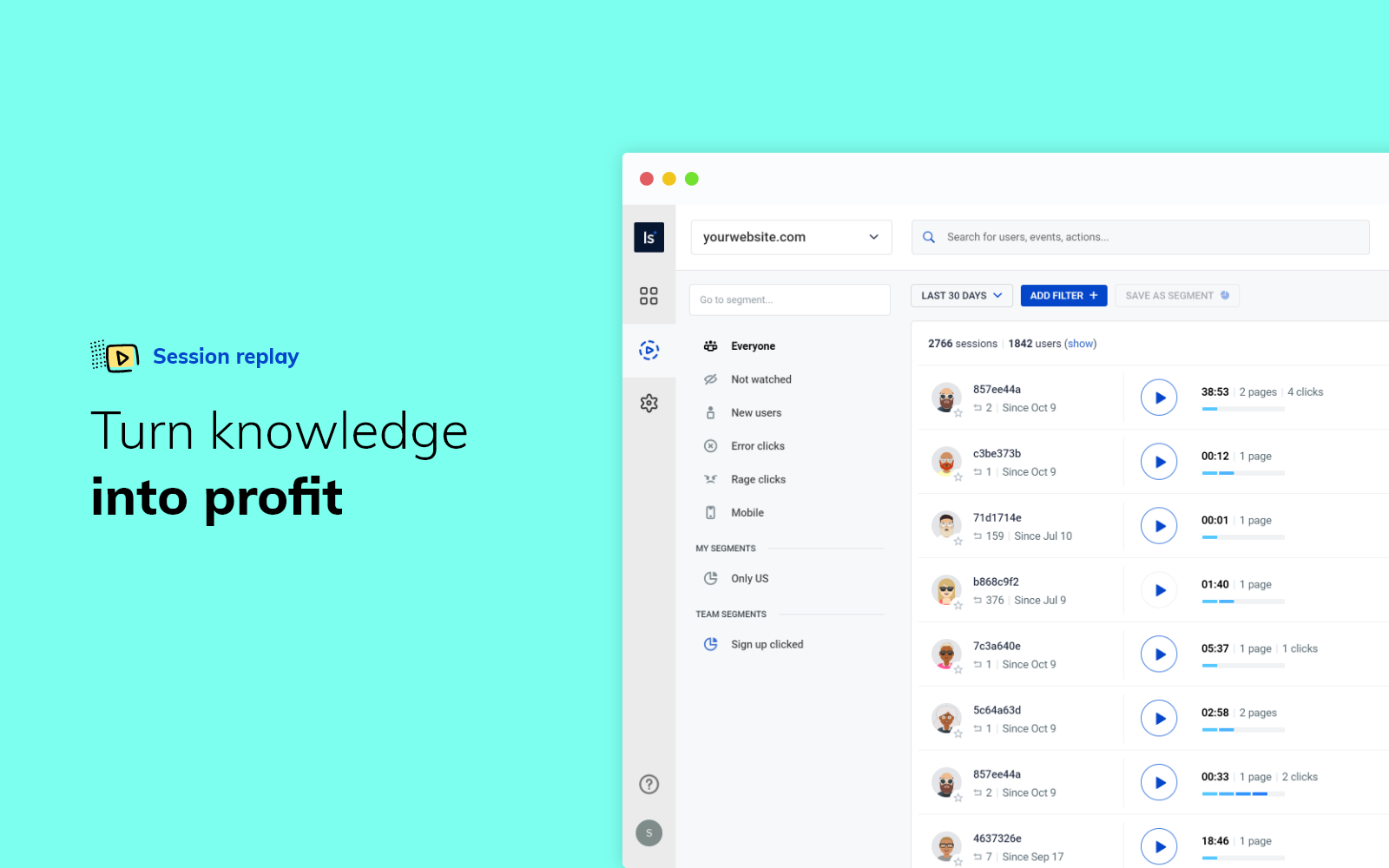
LiveSession is a session replay tool that will help you learn more about your users. You can watch how they interact with your website. The sessions can be filtered according to different variables, including location, devices, browsers, engagement score,and many more.
LiveSession is a great solution for UX designers, marketing professionals, customer support teams, and everyone who works with websites.
This plugin allows you to install LiveSession on your WordPress website.
Features
- Always-on session recordings – The software records everything the visitor does on the website, including mouse movements, scrolls, and clicks. The sessions can be replayed, rewatched, and analyzed later. You can see exactly what your user sees, just like you’re sitting next to them.
- Engagement score – When you record a lot of sessions, it’s time-consuming to go through all of them one by one. Thanks to the engagement score, you can filter the most interesting recordings automatically.
- Custom properties – Would you like to identify the users you’re watching? It’s possible with custom properties. You can import data from other analytics tools and add more context to your sessions.
- Inspect mode – Track how users interact with particular elements of your website. Inspect mode allows you to find sessions that contain what you’re looking for.
- Rage clicks and error clicks – Rage clicks detect JavaScript errors, while error clicks are recorded when the user clicks on something very fast and repeatedly. These two features will help you spot points of frustration.
- Clickmaps – Clickmap allows you to see what elements of your website were clicked and how many times in a retroactive fashion. You can view aggregated click values from multiple sessions for a given section during session playbacks. With engagement heatmaps, you see the most frequently interacted elements of your web page from all sessions. This in turn helps the user refine their websites and CTAs for better conversion rates and lead generation, boosting company growth and success through optimized user experience.
- DevTools – See all console logs in one view or by a severity level – info, warn and error. Debug your website or web application with ease and shorten the time needed to provide superb customer support.
- Funnels (NEW) – analyze your visitors’ paths and boost conversion rates by eliminating obstacles that prevent your customers from buying. Use LiveSession Funnels to add another dimension to your UX research.
Use cases
LiveSession can be used by professionals from different fields:
- UX/Product
Use session recordings as a usability testing method. Research your design decisions, see what works and what can be improved. - Marketing
Filter sessions by UTM tags and track the effectiveness of your campaigns. See how visitors interact with the website and find new marketing opportunities. - Customer support
LiveSession can be integrated with the most popular help center tools (more details below). What’s more, you can assign support tiers to particular recordings. This will help you deliver the best service possible. - UX/Product
Use session recordings as a usability testing method. Research your design - Software development
Thanks to in-depth qualitative analysis, as well as automatic rage clicks and error clicks detection, you’re able to debug your web application faster.
Wide range of integrations
LiveSession can be integrated with:
- other analytics stacks, such as Google Analytics, Google Tag Manager,and Segment
- help center tools, including Intercom, LiveChat, HelpScout, Drift, Crisp,and Olark
- E-commerce software, e.g. Shopify, BigCommerce,and Wix
The full list of integrations is available here.
Testimonials
We tried almost every recording tool out there. LiveSessions was the best in relation to price/quality. The recordings are perfect and the app is loading fast. The support is super fast & friendly!
Gasper Vidovic, Databox
––––
I believe that LiveSession is a must if you have a website, blog, online store, app. Seeing what users really do on your website, where they click, what they don’t click etc. will be the best what can happen to you that will help you design UI/UX that converts better. We noticed 110% increase in sign-ups, over 40% increase in paid subscriptions for our service and we have reduced churn by 40%.
Wojciech Jasnos, RocketLink
Contact
If you have any other questions, please get in touch via hello@livesession.io
Frequently asked questions
Where can I read more about LiveSession?
Visit our website to learn more.
Do I need a LiveSession account to use the plugin?
Yes. Please create a LiveSession account first.
Can my users opt-out from LiveSession?
Yes. If you want to know how it works, read more about opt-out cookies on our website.
Is LiveSession GDPR compliant?
Yes. You can read more about it in our GDPR section.
How to remove LiveSession from my WordPress site?
You can uninstall this plugin to remove LiveSession from your website.
Will LiveSession slow down my WordPress site?
No, no need to worry. The script works asynchronously and it doesn’t affect the speed.
Screenshots


For developers
Is this your plugin? Show off the numbers.
Add a live badge to your site, docs or GitHub README. It updates on its own — no account needed.
Best LiveSession alternatives
All analytics plugins →





FAQ
LiveSession: quick answers
Straight answers, pulled from live WordPress.org data.
Live data from WordPress.org · checked Oct 6, 2026
Is LiveSession free?
Yes. LiveSession is free to download and use from the official WordPress.org plugin directory.
Is LiveSession safe to use in 2026?
LiveSession shows warning signs in 2026 — compare the alternatives below before installing. It runs on 100+ sites, is rated 5/5 and was last updated 5 years ago, and scores 32/100 on our health check.
How many websites use LiveSession?
LiveSession is active on 100+ WordPress websites and has been downloaded 71,038 times since it launched in October 2020. It was downloaded 201 times in the last 30 days.
Does LiveSession work with WordPress 7.1?
LiveSession is officially tested up to WordPress 5.7.19, while the latest release is 7.1.2. It may still work, but try it on a staging site first.
What PHP version does LiveSession need?
LiveSession requires PHP 5.6 or higher. Most hosts run PHP 8.x today, so it works on any modern WordPress hosting.
When was LiveSession last updated?
The latest version, 1.0.0, was released on July 19, 2021 (5 years ago).
Who makes LiveSession?
LiveSession is developed and maintained by kdrazkiewicz.
What are the best alternatives to LiveSession?
The most popular alternatives to LiveSession are Site Kit by Google (5M+ installs), MonsterInsights (2M+ installs) and WP Statistics (500K+ installs).
Powered by PageForge
Want thousands of pages that rank like these? Build them in an afternoon.
This directory runs on the same engine as PageForge. Turn any spreadsheet, CSV or API into thousands of fast, SEO-ready WordPress pages — with schema, internal links and AI-written copy baked in.
- CSV, Google Sheets & API data sources
- AI content, schema & internal links per page
- Works with Elementor, Gutenberg, Yoast & Rank Math
- Free on WordPress.org — no credit card


