



LaTeX2HTML
LaTeX2HTML makes you write blog like in LaTeX doc.

Use with caution
LaTeX2HTML works, but test it on a staging site before relying on it in 2026. It runs on 200+ sites, is rated 4.8/5 and was last updated 4 months ago, and scores 52/100 on our health check.
- Small user base (200+ active installs)
- Only tested up to WordPress 6.7 (latest is 7.1)
How does it stack up?
Side-by-side on installs, updates, ratings & support



Daily downloads
Download spikes usually follow a new release — each site that auto-updates counts as a download.
Rankings
Where LaTeX2HTML stands todayWordPress.org search rankings
Live position in the plugin search, top 100| Keyword | Position |
|---|---|
| html | >100 |
| latex | #2 |
| MathJaX | #3 |
Version adoption
Share of active sites per release.
Rating breakdown
★★★★★★★★★★ 4.8 from 9 reviews
About LaTeX2HTML
From the official readme · v2.6.3Description
LaTeX2HTML makes you write blog like in LaTeX doc. You can just copy and paste to create a new post in WP from your tex source file, then it will looks like amsart document style. It support a lot of raw latex command including theorem like environment and BibTeX style citation.
Main Functions
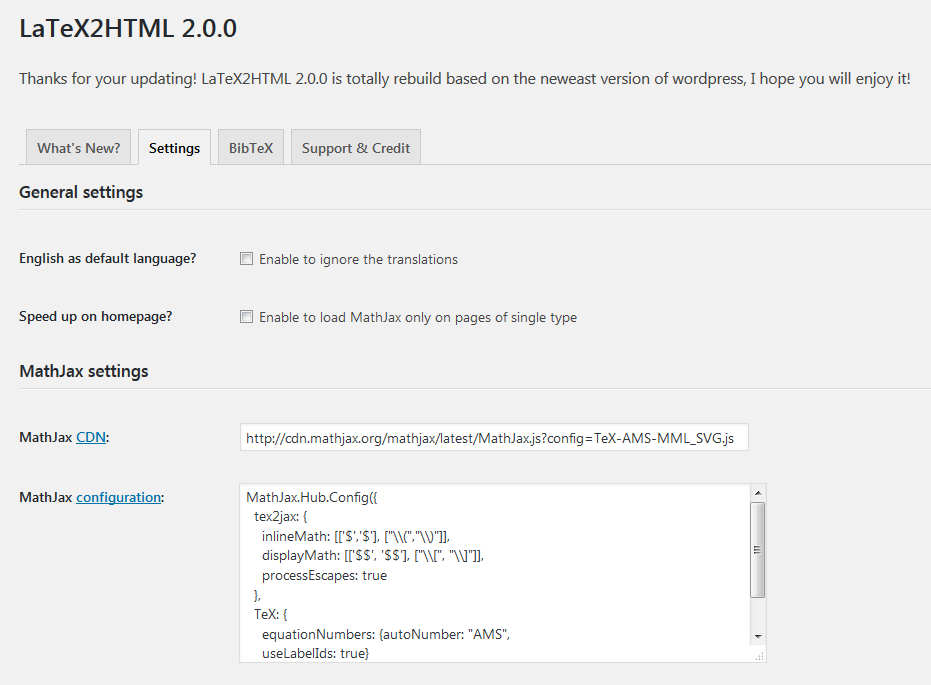
- Enable MathJax to render math formula.
- Translate raw LaTeX (almost all the command of amsart) to HTML+CSS markup.
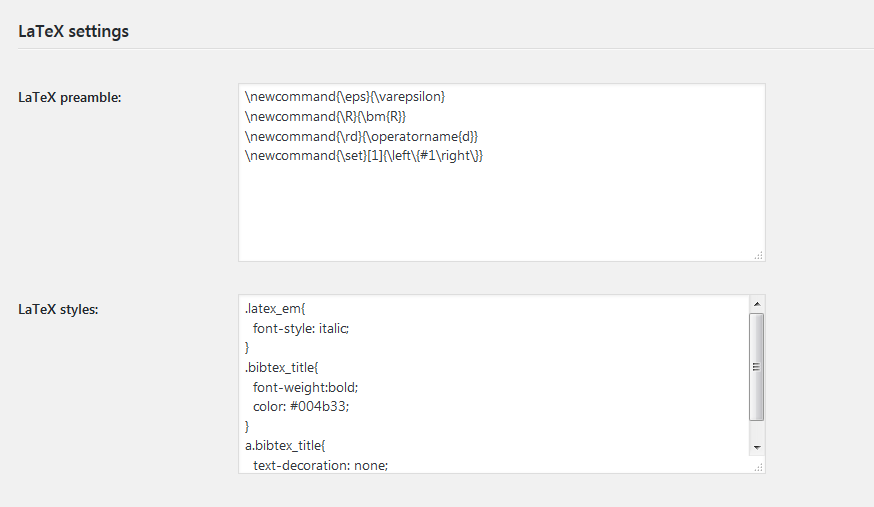
- Almost every thing is customizable, but also works perfect by default. e.g., support \newcommand
License
Good news, this plugin is free for everyone! Since it’s released under the GPL2, you can use it free of charge on your personal or commercial blog.
Installation
- (Recommend: Automatically installation) If you install from WP plugin page, just search
latex2htmland click Install. - (Manually installation) Extract the zip file (that’s you will get
latex2html–A file directory) and just drop it in thewp-content/plugins/directory of your WordPress installation - Then activate the Plugin from Plugins page.
- (Optional) Do the Test Example (see FAQ).
Frequently asked questions
User’s Manual (included in the LaTeX2HTML’s setting page)
The full User’s Manual contains: 1. How to Write the Basic Information of Your Post 2. How to Write Section, Subsection and Subsubsection 3. Itemize and Enumerate: How to List Stuffs 4. The Footnote 5. The Color Scheme: How to Colorize You Content 6. The Figure Environment 7. How to Write a Theorem 7.1. Definition, Lemma, Proposition, Theorem, Corollary, Remark, Proof 7.1.1. Basic Usage of Environments 7.1.2. Assign a Name for Your Theorem 7.1.3. The Proof Environment 7.1.4. More Examples of Environments 7.2. The Problem, Answer Environments 7.3. The Exercise Environment 7.4. The Quote…
A Test Example
For a test, you can do the following: \title{Hello LaTeX2HTML} \begin{thm}[Newdon-Leibniez]\label{thm:NL} If $f\in C^1([a,b])$ then \begin{equation}\label{eq:NL} \int_a^b f'(x) d x=f(b)-f(a) \end{equation} In \autoref{thm:NL} the main part is \eqref{eq:NL}. \end{thm} Add a new post (it should be in the HTML code mode rather than the visual mode), copy the code into your new post, then preview it. In fact, after a while you will find that it almost as if you were write your TeX doc rather than a post!
How can I report security bugs?
You can report security bugs through the Patchstack Vulnerability Disclosure Program. The Patchstack team help validate, triage and handle any security vulnerabilities. Report a security vulnerability.
Changelog
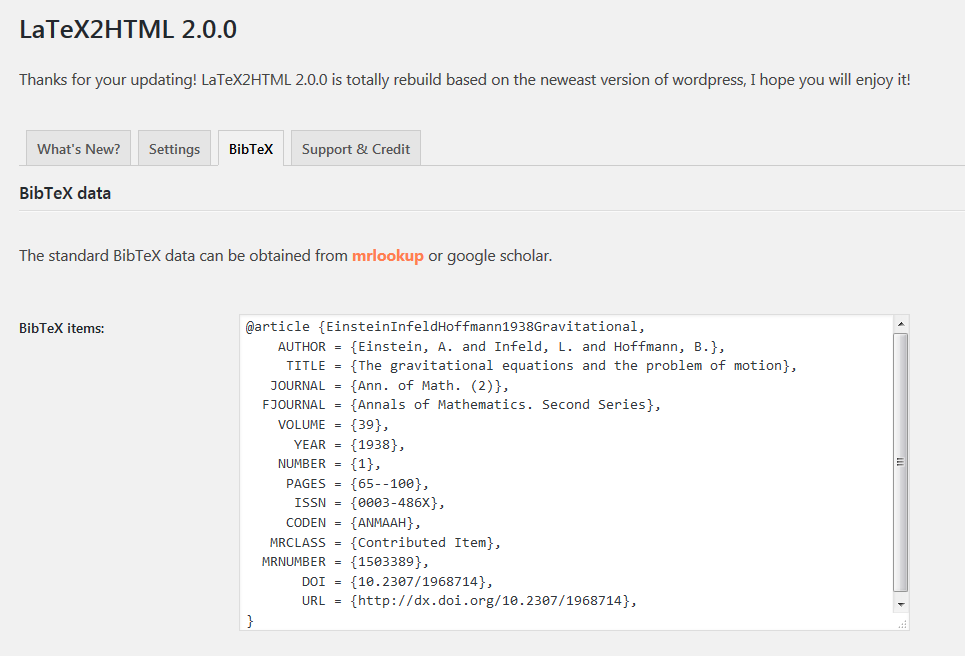
Totally rebuild based on the newest wordpress functions also support BibTeX style citation with a well formatted setting page.
2.6.3
- Line comments now start only at
%%(double percent); a single%is kept in plain text (e.g. percentages like95%). - Still protects
%in URLs, escaped\%, and HTML attributes when removing%%comments;\documentclass/\usepackageoptional trailing comments use the same%%rule.
2.6.2
- Improved LaTeX-style comment handling (
%) to ignore content after%in plain text while preserving it inside HTML tags. - Fixed handling of
%inside URLs, escaped\%, and HTML attributes likestyle="...".
2.6.1
- Resolved an issue where the MathJax configuration was breaking the formula display by outputting it as raw text.
- Applied proper sanitization using wp_kses to ensure safe and correct rendering of MathJax formulas.
2.6.0
- This version includes important improvements to file handling, caching, and security. It is recommended to back up your bibtex data before upgrading. After upgrading, check the plugin settings to ensure everything is configured correctly.
- Improved file handling for bibtex data by utilizing the WordPress filesystem API, which enhances compatibility and provides better error handling compared to direct file operations.
- Implemented caching for bibtex queries to improve performance by reducing the number of database queries and speeding up the retrieval of bibtex items.
- Enhanced security measures by sanitizing and validating user inputs more thoroughly, including the use of nonces for form submissions and verification of user permissions.
- Updated the plugin’s version number to 2.6.0 and changed the last update date to 01/10/2025.
- Modified the bibtex data writing process to append data to the bibtex.bib.txt file using the WordPress filesystem API, ensuring proper file permissions and error handling.
- Added support for PHP 8.0 by adjusting callable syntax in the l2h_bibtex_item_cleanup function.
- Improved the handling of LaTeX commands and styles by escaping output to prevent potential security vulnerabilities.
- Enhanced the parsing of footnotes in LaTeX content, including better handling of nested braces and LaTeX references.
- Updated the LaTeX2HTML settings page to include nonce verification for added security and to ensure that only authorized users can access the settings.
- Improved the display of error messages and notifications on the settings page by using WP_Error objects and displaying user-friendly messages.
- Updated the plugin’s localization support by using esc_html__ and other escaping functions to ensure that translated text is properly sanitized.
- Made various code improvements and optimizations, such as using prepared statements for database queries and simplifying conditional statements.
2.5.5
- Security Fix: Patched a Cross-Site Scripting (XSS) vulnerability related to unsanitized user inputs in URL parameters.
- Sanitized and validated
$_GET['status']and$_GET['message']parameters to prevent potential XSS attacks. - Implemented prepared statements for database queries to enhance security and prevent SQL injection risks.
- Escaped output of user-supplied data to ensure safe display in the admin interface.
2.5.4
- Fixed issue with the “%” character where it was replaced with “%” instead of being ignored, leading to unintended replacements.
- Adjusted behavior to correctly preserve occurrences of “%” and ignore content after “%” until the end of the line.
Screenshots
For developers
Is this your plugin? Show off the numbers.
Add a live badge to your site, docs or GitHub README. It updates on its own — no account needed.
Best LaTeX2HTML alternatives
All html plugins →




FAQ
LaTeX2HTML: quick answers
Straight answers, pulled from live WordPress.org data.
Live data from WordPress.org · checked Sep 28, 2026
Is LaTeX2HTML free?
Yes. LaTeX2HTML is free to download and use from the official WordPress.org plugin directory.
Is LaTeX2HTML safe to use in 2026?
LaTeX2HTML works, but test it on a staging site before relying on it in 2026. It runs on 200+ sites, is rated 4.8/5 and was last updated 4 months ago, and scores 52/100 on our health check.
How many websites use LaTeX2HTML?
LaTeX2HTML is active on 200+ WordPress websites and has been downloaded 14,794 times since it launched in January 2013. It was downloaded 144 times in the last 30 days.
Does LaTeX2HTML work with WordPress 7.1?
LaTeX2HTML is officially tested up to WordPress 6.7.9, while the latest release is 7.1.2. It may still work, but try it on a staging site first.
When was LaTeX2HTML last updated?
The latest version, 2.6.3, was released on May 19, 2026 (4 months ago).
Who makes LaTeX2HTML?
LaTeX2HTML is developed and maintained by Van Abel.
What are the best alternatives to LaTeX2HTML?
The most popular alternatives to LaTeX2HTML are Shortcoder (100K+ installs), Mammoth .docx converter (20K+ installs) and Code Embed (10K+ installs).
Powered by PageForge
Want thousands of pages that rank like these? Build them in an afternoon.
This directory runs on the same engine as PageForge. Turn any spreadsheet, CSV or API into thousands of fast, SEO-ready WordPress pages — with schema, internal links and AI-written copy baked in.
- CSV, Google Sheets & API data sources
- AI content, schema & internal links per page
- Works with Elementor, Gutenberg, Yoast & Rank Math
- Free on WordPress.org — no credit card


